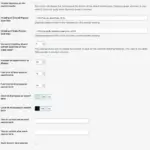
The General options tab lets you configure the main options for Top 10 on your WordPress blog.
Enable trackers
The Top 10 includes two different trackers that populate two separate sets of tables in your WordPress database. The Overall tracker only keeps counts against a post item, while the Daily tracker records visits hourly.
This option lets you activate either the Overall or the Daily trackers. By default, both trackers are enabled.
On high-traffic blogs, you might consider keeping only the Daily tracker enabled if you prefer to show popular only over the past day, week, or month rather than since installation.
Note that if you have Maintenance enabled, the Daily table will be cleared at regular intervals.
Enable cache
Top 10 includes an inbuilt caching system that uses the Transients API to cache the plugin’s complete output. The cache is built to complement other caching plugins and will work alongside them. Select this option to turn the cache on.
You can find a Clear cache button to empty the cache under the Tools page.
Time to cache
Enter the number of seconds to cache the output of the popular posts.
Start daily counts from midnight
Similar to most counters, the Daily counter will display the number of visits from midnight. You can choose to turn this off if you’d like to use the hourly setting of the following option. Particularly useful on very high-traffic blogs where you are only interested in posts over the last few hours.
Default custom period range
This setting allows you to include more days when choosing the Custom time period option in the widget or daily="1" in the shortcode.
Applied as a global setting and can be overridden in the widget (Custom time period) and/or shortcode (daily_range and hour_range).
Delete options on uninstall
If this is checked, all settings related to Top 10 are removed from the database if you choose to uninstall/delete the plugin.
Delete counter data on uninstall
If this is checked, the tables containing the counter statistics are removed from the database if you choose to uninstall/delete the plugin.
Keep this unchecked if you choose to reinstall the plugin and don’t want to lose your counter data.
Show metabox
Top 10 adds a metabox at the bottom of the Edit screen on posts, pages and custom post types. This allows you to set the Overall post count, exclude the post from showing up in post lists and more.
Disable this option to turn it off.
Limit metabox to Admins only
If this is selected, the metabox will be hidden from anyone who is not an Admin. Otherwise, by default, Contributors and above can see the metabox. This applies only if the above option is selected.
Link to Top 10 plugin page
A no-follow link to the plugin is added as an extra list item to the list of popular posts. Turn this on to let your visitors know that you’re running this awesome plugin!
 Cornerstone Posts in Contextual Related Posts Pro
 Better Search Settings – Heatmap
 Contextual Related Posts Settings – Thumbnail
 Better Search Settings – Search