Top 10 v3.0.0 introduced Top_Ten_Query, which works as a wrapper for WP_Query. This brings all the power and flexibility of WP_Query to Top 10. If you’re not familiar with WP_Query, I recommend reading the documentation.
Standard Loop
<?php

// The Query.
$the_query = new Top_Ten_Query( $args );

// The Loop.
if ( $the_query->have_posts() ) {
	echo '<ul>';
	while ( $the_query->have_posts() ) {
		$the_query->the_post();
		echo '<li>' . get_the_title() . '</li>';
	}
	echo '</ul>';
} else {
	// no posts found.
}
/* Restore original Post Data */
wp_reset_postdata();
get_tptn_posts()
get_tptn_posts() is a wrapper to Top_Ten_Query. You can use it to retrieve an array of the popular posts. It also accepts the same $args as Top_Ten_Query.
Parameters
In addition to the WP_Query parameters, Top_Ten_Query also takes these additional parameters.
| Parameter | Type | Description |
|---|---|---|
blog_id | array or string | Array or comma-separated string of blog IDs. |
daily | bool | Set to true to fetch daily or custom period posts. Set to false for the overall popular posts. |
daily_range | number | Enter the number of days, e.g. set it to 7 to fetch the popular posts in the past week. |
include_cat_ids | array or string | Array or comma-separated string of categories or term_taxonomy_ids. |
include_post_ids | array or string | Array or comma-separated string of post IDs to include. |
offset | bool | Offset the related posts returned by this number. |
strict_limit | bool | If false, fetches up to 3× the limit to allow filtering. |
 Disable Top 10 Dashboard Widgets
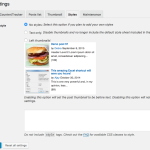 Top 10 Settings – Styles options
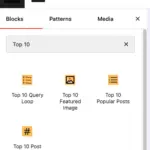 Blocks in Top 10
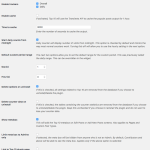 Top 10 Settings – General options
 Trackers in Top 10 – WordPress Popular Posts plugin