Say “Hi” to Canva AI
Meet Canva AI, your all-in-one creative partner. Canva AI helps you brainstorm, design, and polish content in a few clicks. Chat through ideas and shape them into professional, fully editable designs in one inspiring conversation.
Introducing Canva AI
Bring ideas to life instantly with Canva AI, your all-in-one creative teammate. By combining Canva’s generative tools into one intuitive experience, Canva AI can help generate on-brand designs, write content, and give design advice as you create.
Tell Canva AI what you need using text or voice and add files or assets for context. Not sure what your design needs next? Tag @Canva in the comments for tailored advice and help refining your work—all without breaking your flow.
One seamless workflow, designed for you

Your intuitive creative assistant
Built right into your workflow, Canva AI is simple, approachable, and easy to use. There’s no need for jargon or steep learning curves. Simply chat in natural language with text or voice commands—just like talking to a teammate.
An all-in-one creative AI
Canva AI brings together design, writing, image, video, and even code, all in one place. No switching apps, no breaking your creative rhythm. Go from rough draft to polished design in one seamless flow.

AI that fits right in
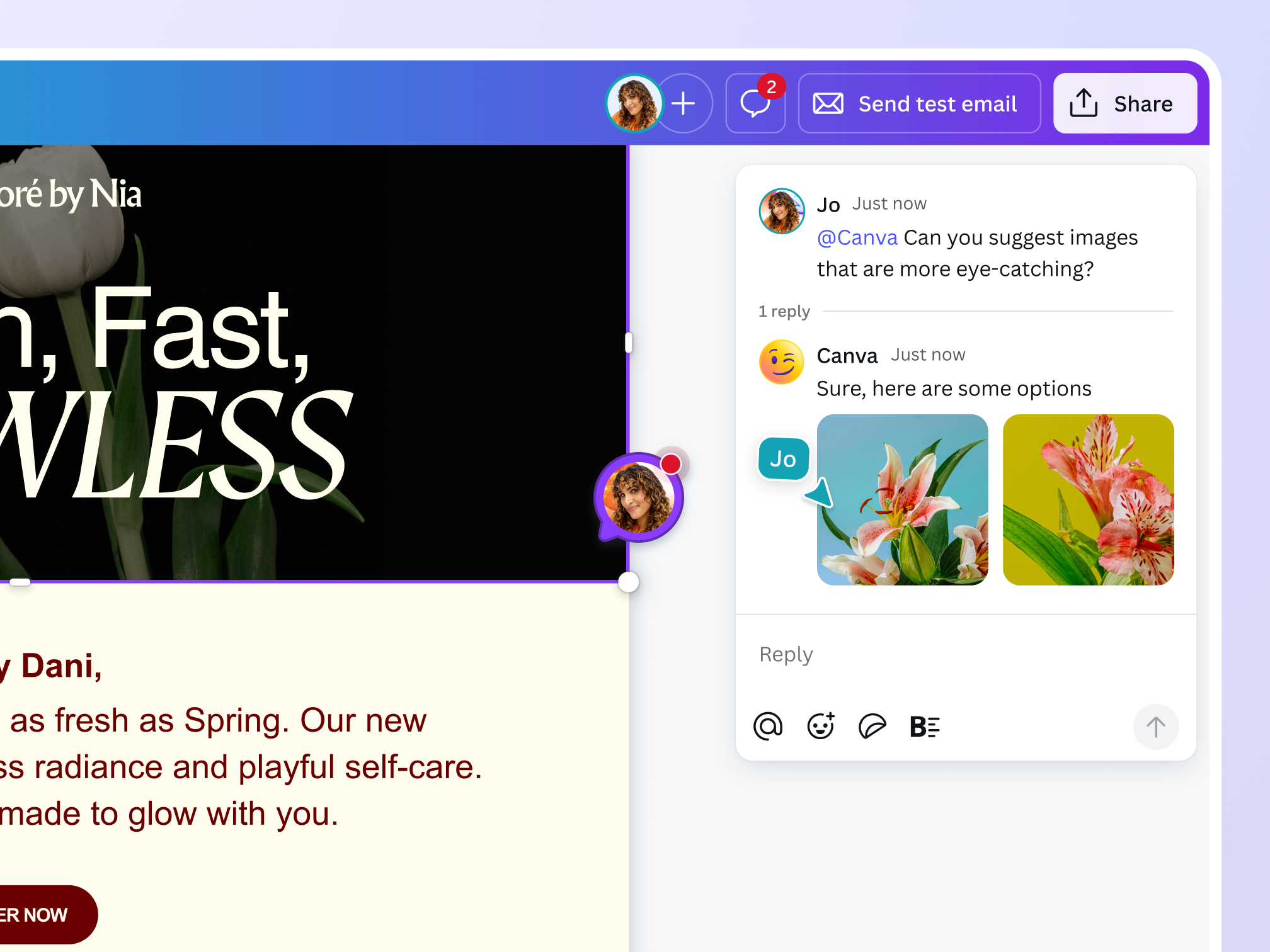
Refine AI designs in the editor and Ask @Canva in the comments to get feedback, tweak images, and polish copy. Every AI design is editable, so you’re always in control.
Content at the speed of conversation

Collaborate in the comments
Simply tag @Canva in the comments to chat through ideas, generate images and text, or get help refining your work without breaking your creative flow. Think of it as your 24/7 creative teammate.

Designed to understand your ideas
Canva AI understands your goals, audience, and creative context. From guiding impactful presentations to drawing from connected files, it helps you create work that resonates and brings your ideas to life effortlessly.

AI that’s fluent in your brand
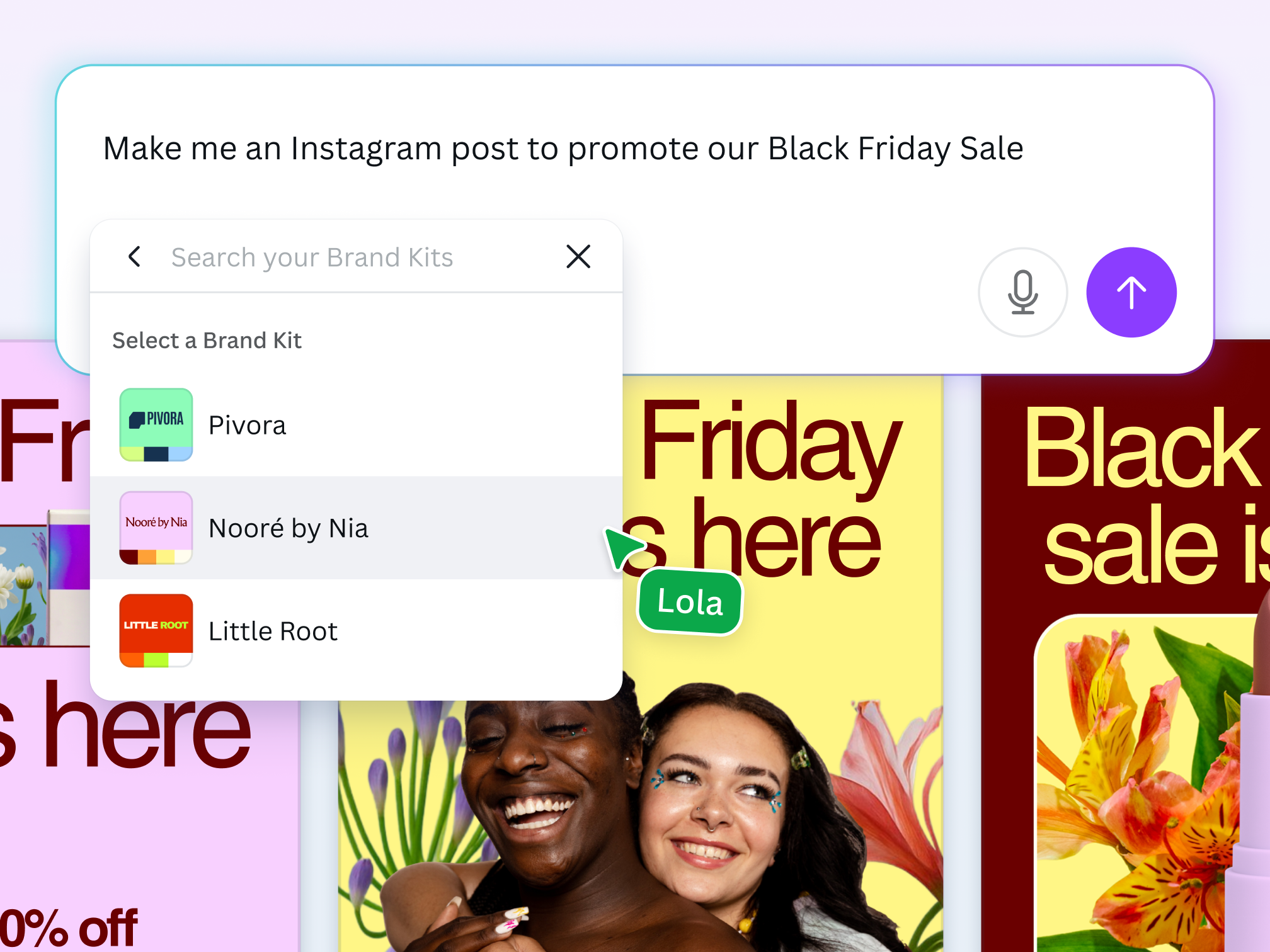
Generate on-brand designs, every time. By connecting your Brand Kit, Canva AI automatically applies your fonts, colors, tone, and more, so every design is aligned. That means your team can spend less time fixing and more time creating with confidence.
Design with safety in mind
Canva AI comes with multi-layered safeguards to protect users from harmful content. Built with enterprises in mind, Canva Shield aims to make AI-generated content as safe and appropriate as possible. Empower your teams with customizable AI access controls, content safeguards, and privacy settings—all designed to keep AI use ethical, responsible, and aligned with our Terms and Acceptable Use Policy.
The AI assistant for every creator
For marketers
From ideation to execution, transform your creative process across campaigns, product launches, and events.
For creatives
Bring creative ideas to life with compelling copy and designs for projects, client pitches, and more.

For sales professionals
Craft the content you need to build relationships and quickly close deals, whether client comms or winning proposals.
All the AI-powered features you need
Canva’s free drag-and-drop design tools make it easy to create any design, fast!

Friendly by design
Chat naturally with Canva AI, like you would with a teammate. Its friendly, informative personality makes every task feel simple and intuitive.

Multimodal input
Use voice, text, or images to communicate—whatever feels easiest. Whether you’re on desktop or mobile, it works the way you do.

Guided experiences
Canva AI is full of ideas. Just ask! With next best actions and helpful prompts, it keeps you moving forward, so you never run out of inspiration.

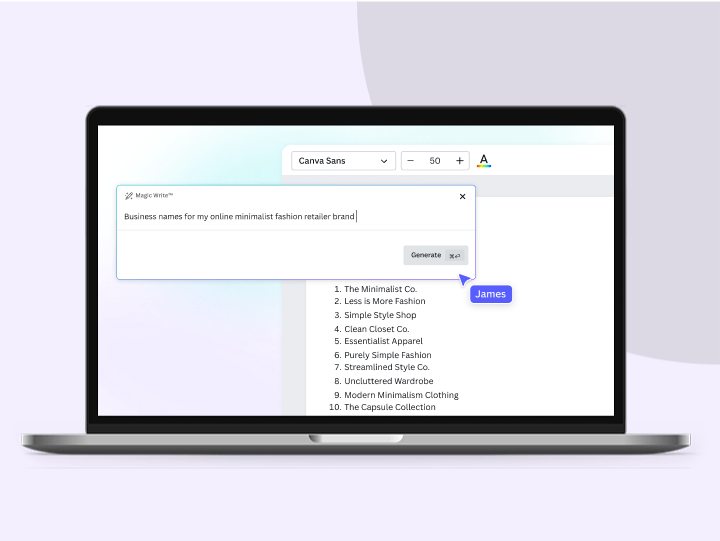
AI-powered writing help
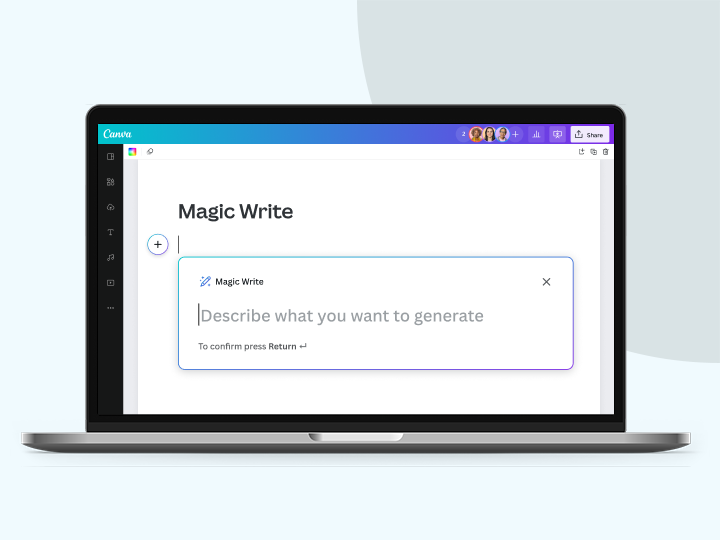
Need a nudge on your next idea or post? Generate content fast, so you can go from blank page to finished copy in seconds. Powered by Magic Write™.

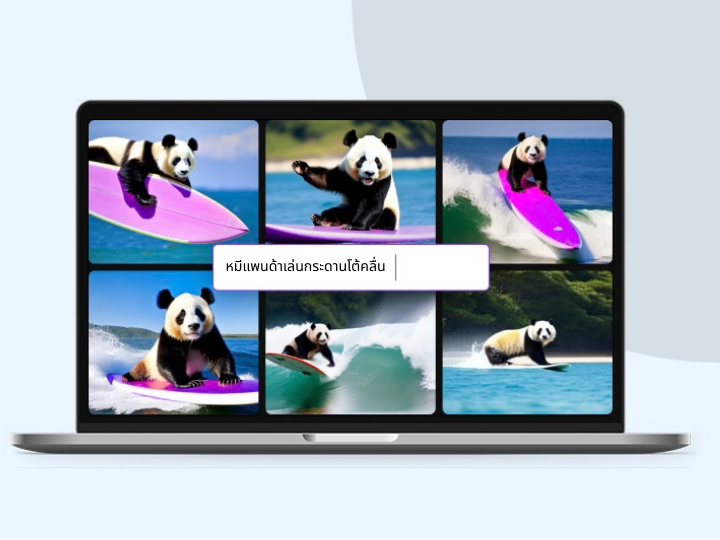
Text to image, instantly
Describe what you need and Canva AI magically turns your words into images. It’s visual ideation without the guesswork.

Design with a prompt
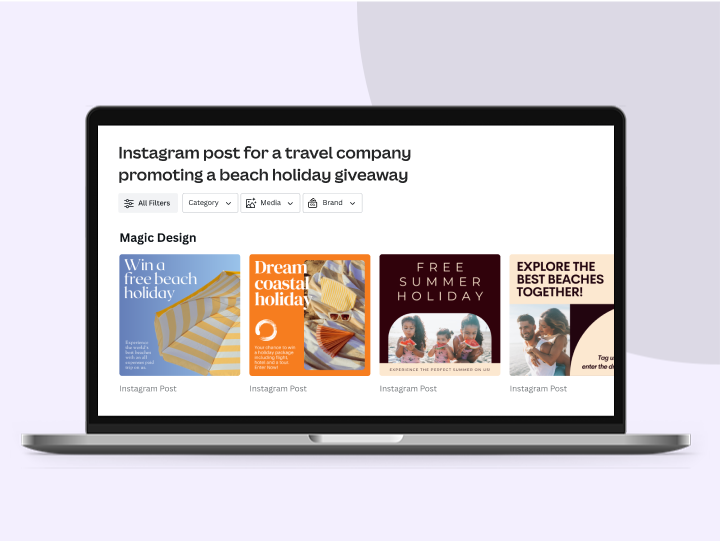
Create fully editable designs with a simple prompt. Generate layouts you can open and tailor directly in the editor.

Template fallback
If generating a design doesn’t work out, you’ll get suggested templates that match what you need. That way, you're never stuck in a dead end.

Ask about your content
Upload a design or document, and Canva AI will read it for you. It can answer questions, extract information, or create something new based on its responses.

Personalize with uploads
Upload your assets or attach them directly from your favorite tools.

Editing panel
Preview and tweak images and designs with a lightweight editing panel—no need to open the full editor or break your creative flow.

One launchpad for AI
Start any design in one place. Jumpstart your ideas with powerful AI tools right from the homepage, so you can quickly bring your vision to life.

Seamless design workflow
From text to images to designs, do it all in one place. No more bouncing between tools or tabs. It’s a seamless workflow, all in Canva.

AI that surfaces design context
Canva AI gives your team clear, referenced answers from shared content, so everyone can design faster and with confidence.

Design anywhere
Use Canva AI on desktop or mobile, wherever inspiration strikes. Whether designing at your desk or on the go, it’s ready when you are.

Secure AI use with Canva Shield
Get peace of mind with customizable AI settings, content safeguards, and privacy tools that put your organization in command.

Design on brand
Select your Brand Kit when generating a design, so all outputs are on-brand.

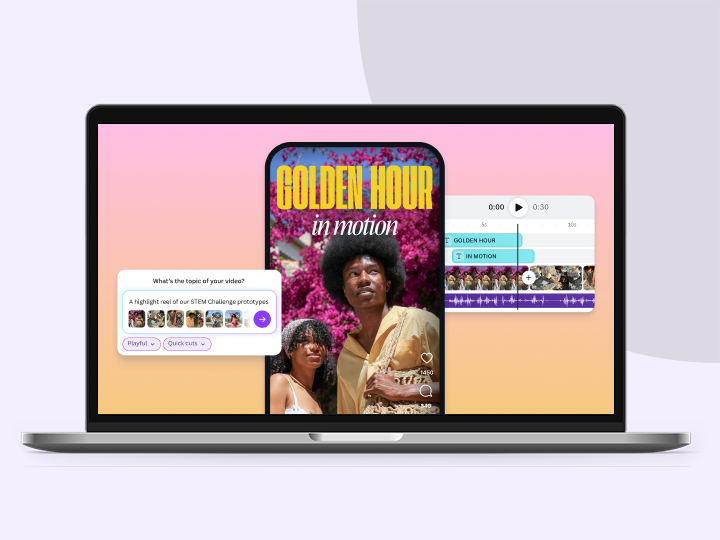
Video creation, reimagined
With Create a video clip, instantly generate platform-ready videos with synchronized audio for a cinematic effect.

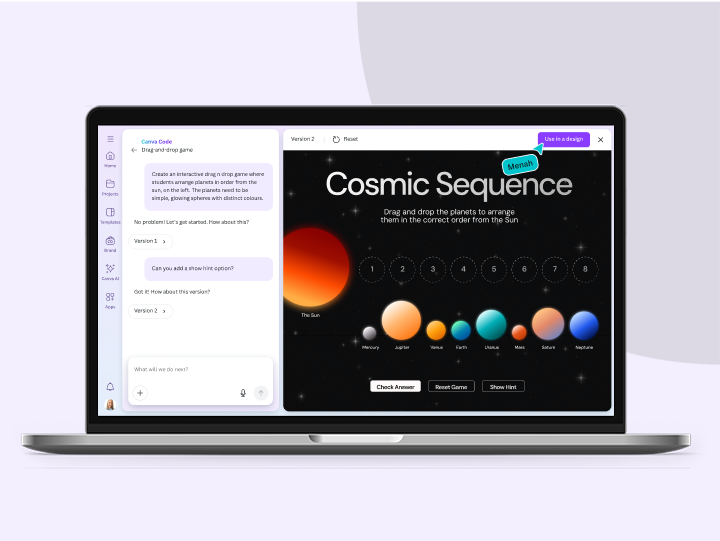
Build with Canva Code
Build, style, and publish interactive experiences that turn audience inputs into valuable insights.
How to use the AI assistant
- Log in or sign upLog in to your Canva account or sign up (it’s free!) to discover Canva AI.
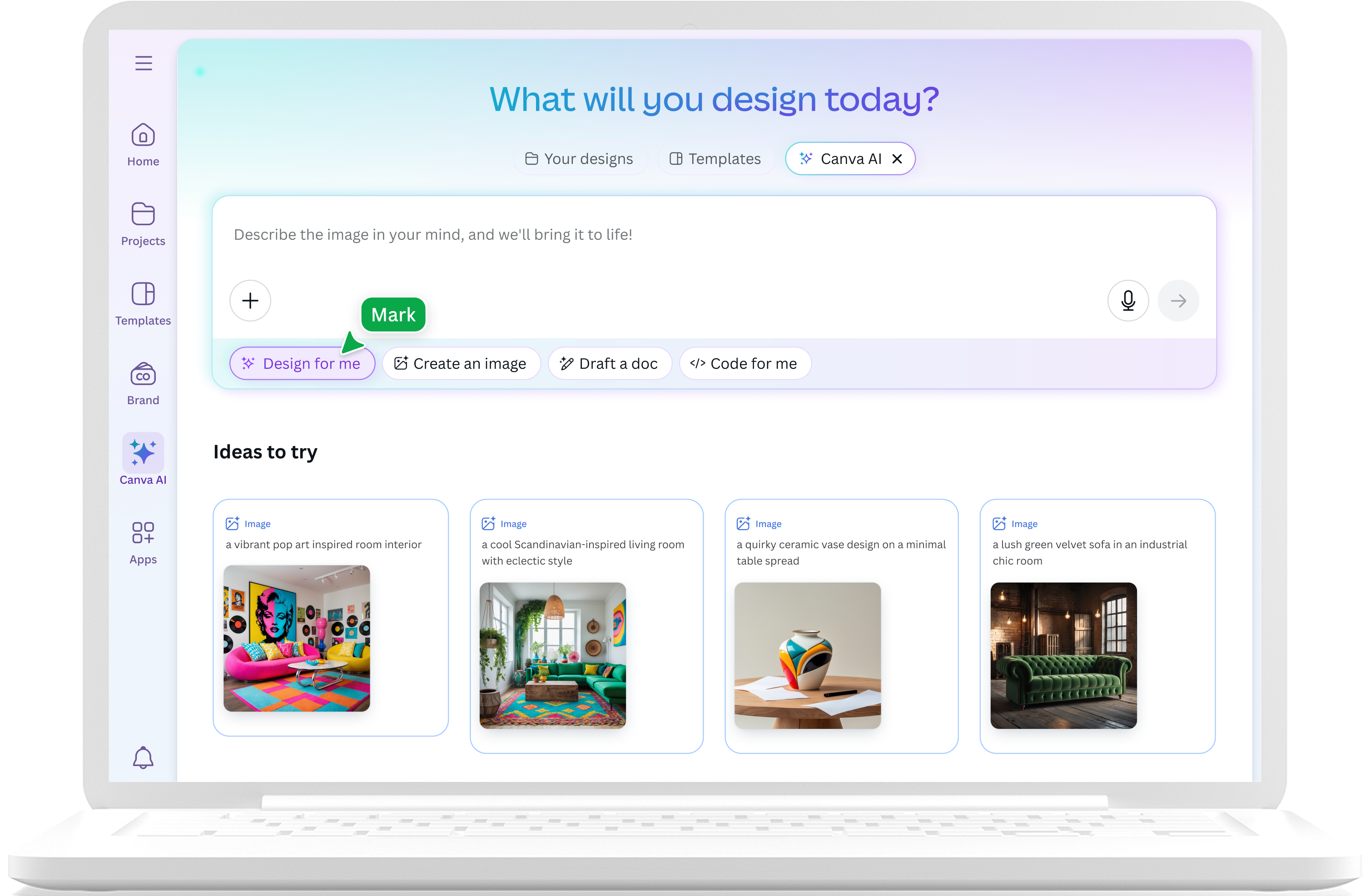
- Access Canva AITo initiate a conversation, click the “Canva AI” button on the left-side panel of the homepage or above the search bar.
- Select a toolSelect “Design” to craft designs, “Image” to generate AI images, “Doc” to draft a doc, “Code” to build interactive creations, or "Video clip" to generate AI videos.
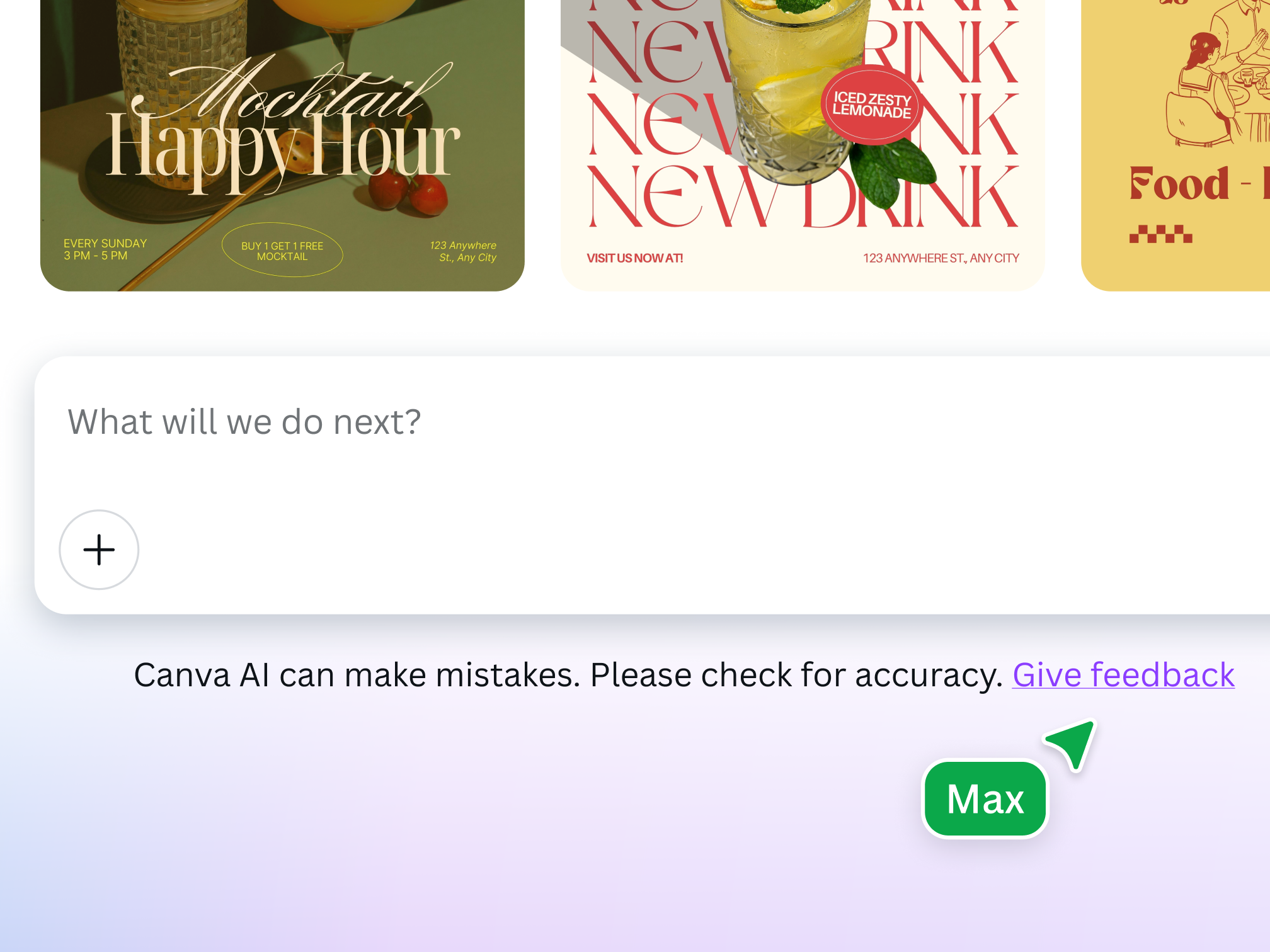
- Input your promptEnter your prompt in the prompt box or find inspiration from our list of ideas. On the go? Tap the microphone icon to dictate your prompt with voice commands.
- Refine your resultsFine-tune your results by providing the AI assistant with feedback and suggestions, uploading images, and trying suggested prompts.
- Add the finishing touchesClick on a design, image, or text to customize it in the Canva editor, or Ask @Canva in the comments to refine it further.
Your questions, answered
An AI assistant is a software tool powered by artificial intelligence that understands natural language, responds to commands, and helps users complete specific tasks. One example is Canva AI, a conversational AI creative assistant with its own dedicated chat interface on the Canva home page. It combines all of Canva’s AI capabilities to generate text, images, designs, and widgets based on text prompts or voice input.
Start with a few words to describe the content you have in mind, and watch it come to life. Whether it’s a presentation for your next team standup, a video for social media showcasing your latest trip, or an interactive map for your website, generate content tailored to your every design need.
An AI assistant guides you through your entire creative process, from the first draft to the final design. As your AI-powered creative partner, Canva AI helps you work faster and supports you and your team in expanding creative boundaries, demonstrating new ways to solve problems, and enhancing your work’s quality. There’s no need to switch between apps or lose your creative flow when all your favorite powerful tools are in one place.
With Canva AI, you can create any design, image, video, or code for any topic, target audience, or theme—as long as you follow our AI Product Terms, Terms of Use, and Acceptable Use Policy. Use Canva AI to generate content and visuals for presentations, social media posts, and videos. Brainstorm and get inspiration for writing a sales pitch for a new product, travel itineraries, or referral letters for a teammate. Create a more dynamic experience for your website’s users by generating calculators, maps, or other cool widgets.
Canva AI combines all of the ingredients required to take you from concept to creation. Your new AI creative partner seamlessly integrates powerful generative tools for transforming rough concepts into incredible creations.
Yes, you can attach a Brand Kit to Canva AI to apply your chosen fonts, colors, tone, and more, so every design is aligned. When you're generating a design with Canva AI from the home page, simply select your Brand Kit, add your prompt, and select submit.
Canva AI is available with a Free account, but you only get a limited number of uses. To unlock more, you can upgrade to Canva Pro.
Teams, Enterprise, and Education account administrators can enable and disable all of Canva’s AI tools from their Admin Panel.
Yes, you can use the designs generated with Canva AI for any purpose, including personal or commercial projects, as long as you follow our AI Product Terms and Terms of Use.
Keep in mind that if you’re going to use AI output for your commercial projects, you may not have exclusive rights to your AI-generated designs. It’s your responsibility to ensure that your AI-generated design is suitable for commercial use. This includes determining whether permission is required to depict works of art, photographs, trademarks, or logos.
Please be mindful that Canva doesn’t guarantee that the AI-generated images, designs, and text you generate are cleared for use (particularly if the image or design you create looks like someone else’s work).
The law is currently unclear on who owns the copyright in AI-generated content.
At present, Canva makes no copyright claim over any content you generate using Canva AI. Between you and Canva, you own the designs you generate with Canva AI, which is subject to you following our Terms. In turn, you give Canva the right to host your AI output on our platform.
Our values define how we build our products, treat our community, and impact the world. We want to ensure our community feels safe when creating and interacting with content on our platform.
To ensure our community can enjoy Canva AI safely and responsibly, we've implemented various measures, including automated reviews of input prompts for terms that might generate inappropriate content. Users can report unsafe content here, and we also encourage you to contact our support team to provide feedback at any time.
We won't tolerate any use of Canva AI that violates our Terms and Acceptable Use Policy.
More resources
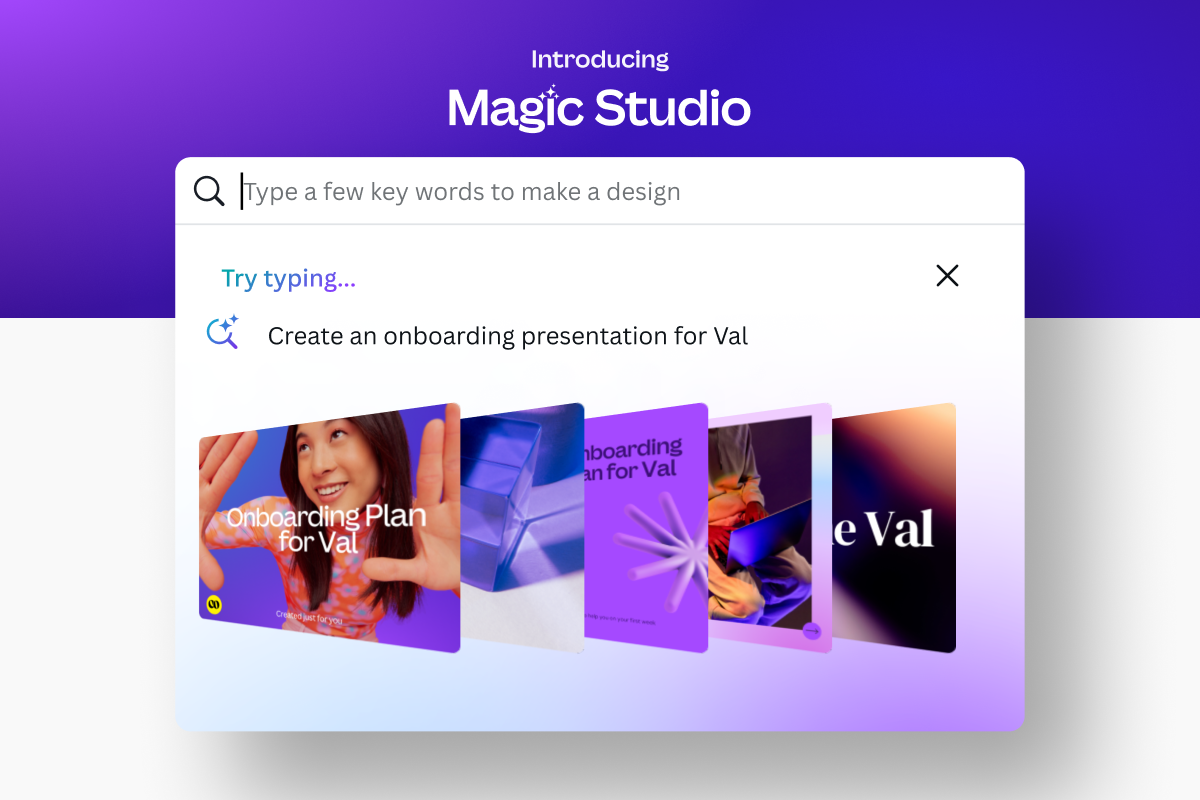
Meet Magic Studio: Canva's AI Tools
Find all the best AI-powered tools on Canva.
Learn how businesses can thrive in an increasingly visual world.
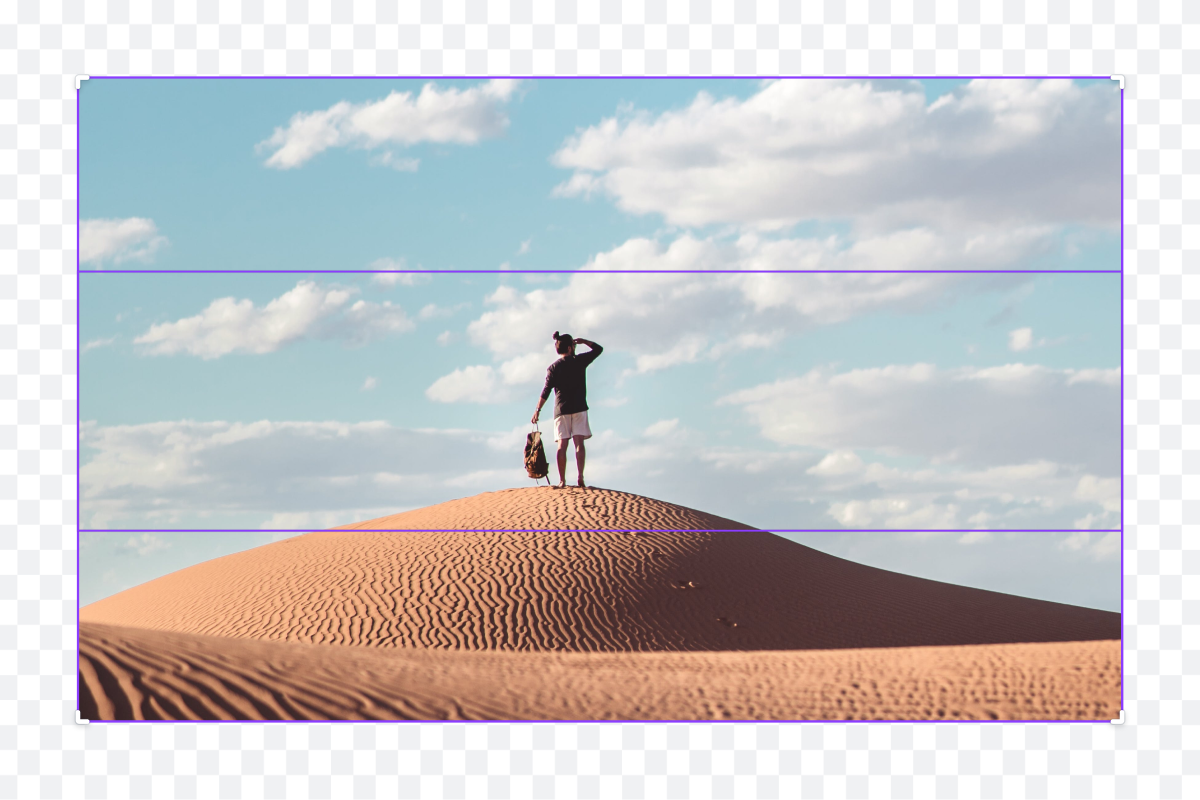
Expand images instantly with AI
Extend images in any direction with AI Image Expander on Canva Pro.

Visual communication for future managers
Communicate your ideas visually to become an inspiring leader.
Say “Hi” to Canva AI
Meet Canva AI, your all-in-one creative partner. Canva AI helps you brainstorm, design, and polish content in a few clicks. Chat through ideas and shape them into professional, fully editable designs in one inspiring conversation.
