- Create Cartoons
Free cartoon maker


Easy drag-and-drop editor
3M+ free stock photos and graphics
Try our design and work apps
Download or share designs easily
Transform your story ideas into epic cartoons. Create cartoon characters with our free Character Creator(opens in a new tab or window) and make them come alive with animation. With Canva’s free cartoon video maker, you’ll quickly take your tale from the storyboard to the screen

Add a creative spin to your storytelling
It’s one thing to catch your audience’s attention; it’s another to keep it. With attention spans getting shorter, you need to keep them interested from start to finish. And a fun cartoon video will do just the trick.
Sharing your brand’s history? Offering a how-to guide? Whether it’s a simple story or a complex topic, creating a cartoon will keep your audience captivated. Use our Character Creator to create a custom cartoon character that your viewers will love. Construct a compelling cartoon world with our free media library and animate your scenes through custom motion paths or animation effects. Use our cartoon animation maker to express your creativity and speak to your audience in a medium that fascinates and informs.
How to make a cartoon video

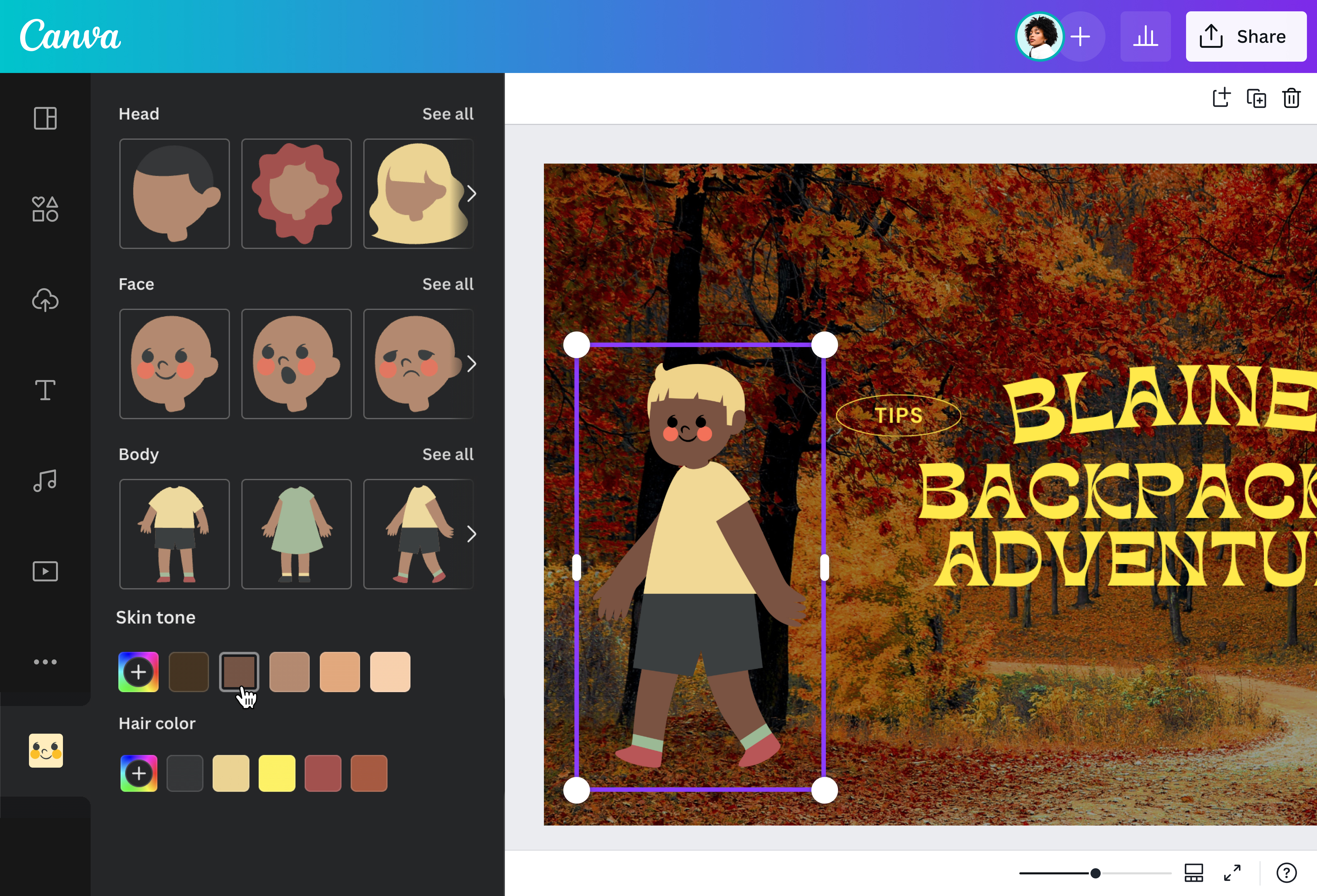
Give your audience memorable characters
Ever wonder how kids remember their favorite cartoon characters so vividly? That’s the power of a compelling character. Their relatability immerses viewers into the story and keeps them excited for the next chapter.
Help learners take in and remember information with a custom character they can connect with. Make your own cartoon character for free with our Character Creator. Assign physical features, from the skin tone to facial expression to hair style. Let your new character be an accurate representation of your audience as they move through your story and learn along the way. You could also browse our media library for adorable cartoon characters like a paw-some dog or a friendly robot. Whether you’re making cartoon videos for a lesson, how-to demo, or training module, our cartoon maker helps you build lovable characters.
Use animation for riveting storytelling
Make your characters move with our rich animation options. Use Canva’s online photo animator(opens in a new tab or window) to make original motion path animations for any character or element in your story. Just drag your character, and the video editor will record the movement. Make your superhero fly across the sky. Make a ball bounce on a soccer field. Or make a cartoonified planet move around the sun. Adjust the animation speed to pace the story.
If you don’t want custom motion paths, there are also pre-made animation options. Make your narrator pop, rise, fade, or drift across the page. Make your subject tumble or stomp into view. Make your cartoon characters “talk” using speech balloons from the media library. Make other background elements move, too.
Even for straightforward topics like a how-to or explainer, you can create a cartoon that will make your content engaging.
Set the scene in a complete cartoon world
Animators know the importance of world-building and how it makes a narrative feel more real. That’s why when you make a cartoon video, pay special attention to the details in the background.
Don’t worry if you’re not an animation pro. You can create a credible cartoon world using our massive media library. Find photos and graphics to build a fictional cartoon environment based on your storyboard. Use picturesque landscapes, fairy tale forests, city skylines, or colorful classrooms. If you want to add a unique touch, you can convert a photo to a cartoon(opens in a new tab or window) to enhance your project. Add more details like illustrations of flowers, books, and cars. You can also draw(opens in a new tab or window) your own clouds, star, or doodle—your imagination is the limit.
Set the mood by customizing the color palette. Use any of Canva’s color suggestions or individually replace the hues of selected elements. You can also add a voiceover or background music to set the scene. Check our audio library for music tracks, then use the premium Beat Sync(opens in a new tab or window) tool to automatically match your cartoon video to the beat.
With Canva’s cartoon creator, it’s super easy to make a cartoon for any video project.
FAQ

@navneet4


