Free Introduction Generator


Easy drag-and-drop editor
1M+ professionally-designed templates
Generate content and media with AI
Invite others and design together
Got a bad case of writer’s block? Start every essay, email, or blog the right way with a flawless first paragraph, delivered in seconds. Get your creative juices flowing with Canva’s AI introduction writer, powered by OpenAI.

Make a strong first impression with an introduction writer
You only get one chance to make a good first impression. With Magic Write(opens in a new tab or window)™, you can make the most of that chance and put your best foot forward every time. Not sure how to kick off your next blog post or business proposal(opens in a new tab or window)? All you need to do is type in your prompt and let Canva’s built-in essay introduction generator take care of the rest.
How to use the introduction paragraph generator

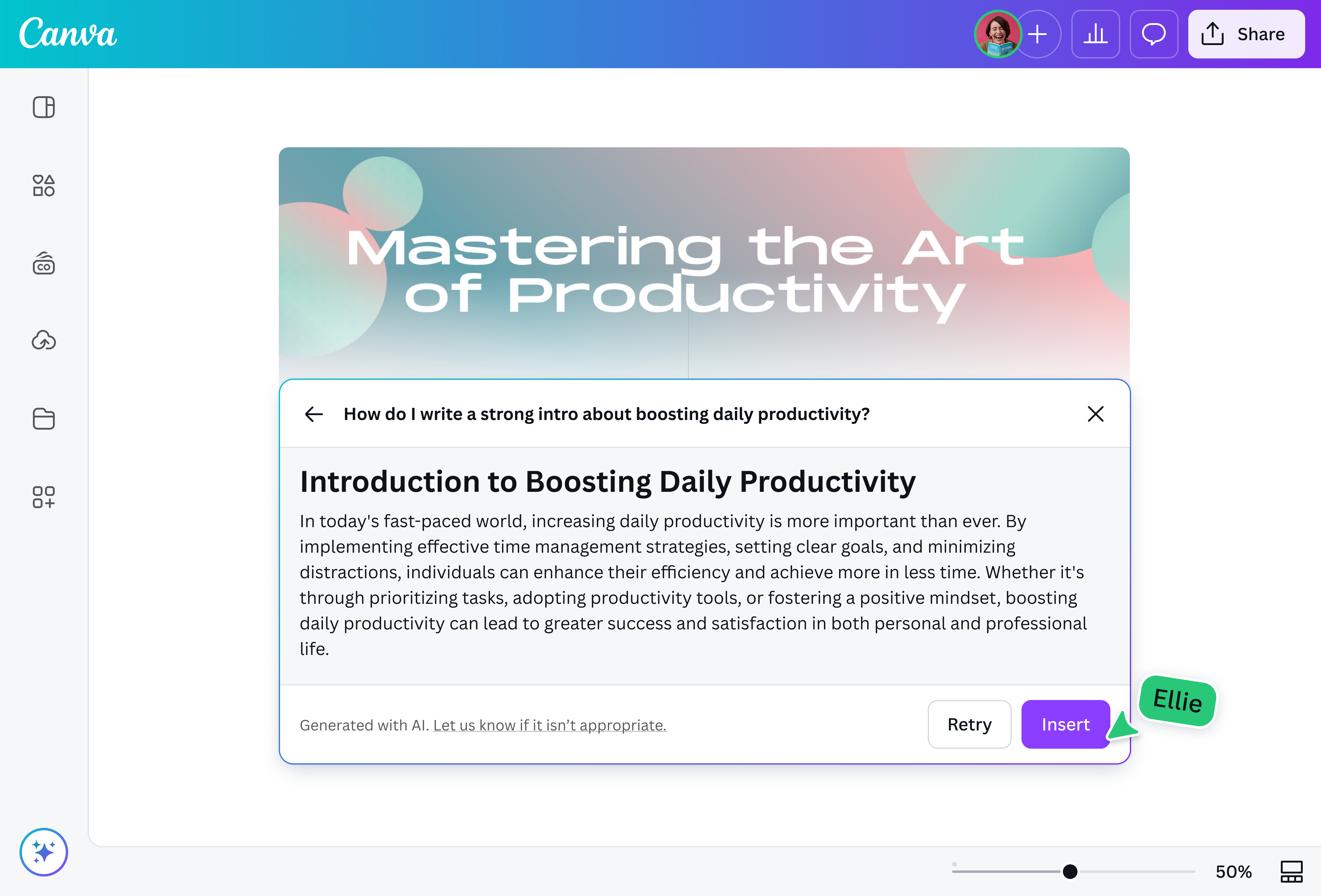
The AI introduction generator for every writer
Whether you're drafting emails, developing branded content, or trying to get your paper off the ground, introductions are hard to write. Or, at least, they were—before Magic Write.
Craft captivating headlines, slogans(opens in a new tab or window), and even complete paragraphs(opens in a new tab or window) from just a few keywords and simple commands. Summarize(opens in a new tab or window) your key points in seconds, then translate(opens in a new tab or window) them to over 134 languages instantly with Canva Pro.
Instantly write in your voice
Make your personality shine through with writing that sounds just like you. Upload a sample to save your unique brand voice(opens in a new tab or window) and create a personalized copy in just a few clicks. If your first draft feels a little off, don’t worry. Our introduction paragraph writer gives you full control over your generated text, allowing you to iterate and refine it until it meets your editorial standards.
Go from paragraph to presentation in a snap
Turn any Canva Doc(opens in a new tab or window) into a deck with the power of Magic Switch(opens in a new tab or window)™. It uses AI to not only translate but transform your text into any design. Explore every form your ideas can take—presentations(opens in a new tab or window), social media posts, or even poems.
FAQ
With our intro paragraph generator, you can kickstart any kind of written content instantly, whether it’s a corporate presentation, a personal essay, or your final paper for class.
That said, the tool has a few limitations:
- Magic Write is trained on data up to mid-2021. Some of the copy it generates may have outdated information.
- You can input up to 200 words for the prompt.
- The generated text may get cut off mid-sentence if it’s longer than the 500-word output limit.
- AI-generated writing may not always be unique or accurate. Always use your best judgment and fact-check the content. You can also use our sentence rewriter to refine any awkward phrasing.
A good introduction hooks the reader’s interest almost immediately, contextualizes the rest of your content, and clearly defines your main argument. Here’s an example of a strong opening paragraph, care of Magic Write:
“A captivating introduction is the key to a compelling article, drawing readers in and setting the stage. Like a skilled conductor, a great opening paragraph harmonizes elements to create intrigue and information. It sparks curiosity, establishes relevance, and outlines the journey ahead. What makes an introduction effective? In this article, we'll uncover the traits that turn a simple start into a powerful hook, ensuring readers are excited to dive deeper.”
The question of who owns the copyright to AI-generated text still doesn’t have a clear answer. Laws and regulations may differ depending on the state and/or country you live in, and this may change over time.
At the moment, we don’t make a claim to any of the content you generate using Magic Write. You can use your introduction in any personal or commercial projects, subject to our terms.
That said, you may not have exclusive rights to the text you generate via our blog introduction generator, especially if it contains reproduced text from existing works. If you want to use your introduction for commercial purposes, such as selling a book partially or entirely written with Magic Write, we recommend that you seek legal advice. By using our platform, you also grant us the right to host the content you make on our platform and use it for marketing purposes.
The safety of you and your data is one of our top priorities. We’ve put several measures in place to ensure that our users feel safe when interacting with and creating content on our platform, including automatically reviewing input prompts for potentially inappropriate content. Magic Write also only processes the prompts you submitted and doesn’t have access to the other parts of your docs and designs.
We won’t tolerate any misuse of Magic Write that violates our Terms and Acceptable Use Policy.

@navneet4


