Home

















Explore Team Updates
Your Discounts tab just got a refresh!
Discounts help you drive sales and reward fans with special limited-time promotions, seasonal deals, and more on your artwork, whether that’s Exclusives, Subscriptions, or a sale across your whole Shop.
Based on your feedback, a handful of tweaks were made to improve your experience so it’s cleaner and easier to navigate, without changing any functionality. This means fewer clicks, less back-and-forth, and a smoother workflow overall.
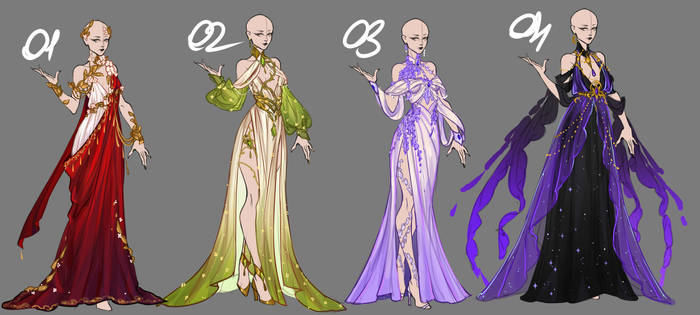
[DEVIATION]
Here’s what’s new:
All your Discounts in one place
Active, Scheduled, and Ended Discounts now live on a single page. You can quickly see what’s live, what’s coming up, and what’s ended — no more irksome switching between tabs.
Audience at a glance
Audience now has its own dedicated column, so you can easily scan who each Discount is targeting.
Smoother Discount setup
A handful of minor updates make the labels and dropdowns more intuitive.
Other small improvements that make everything clearer

Some minor updates are being made to make discovering and navigating Groups a bit easier.
Here’s what’s new:
Groups sidebar link update. The Groups link in the homepage sidebar now takes you directly to Group galleries, so you can hop straight into browsing Group art.
Coming soon: (February 24 update: These features are now live!)
New Group counter on deviations. Your deviation stats will show how many Groups a deviation has been added to, with quick access to those Groups. (Don’t worry, if the count is zero, it won’t appear to viewers.)
Group suggestions for non-members. If you haven’t joined a Group yet, the “Add to group” dropdown on deviation pages will include suggested Groups to help you get started.
Some minor updates were recently made to the video player for video deviations. You may notice subtle design changes, along with one important improvement.
Previously, videos could be downloaded even if the download option wasn’t enabled during submission. Now, video downloads are available only when the artist chooses to allow them.
Controlling your video download settings:
Before submitting: Open the “Advanced settings” dropdown. “Allow free download of source file” is toggled on by default.
After submission: Go to “Edit deviation” and click “Advanced settings.” Switch the “Allow free download of source file” toggle on or off, and click “Update” to save any changes.
Tips are now available at checkout!
Sellers, you can now receive tips directly from your fans when they purchase Premium Downloads, Premium Galleries, or Exclusives.
Buyers can pick a preset amount or add their own, making it easier than ever to show appreciation and support your work.
At DeviantArt, our priority is ensuring that when artists offer your work for free, it’s going to real fans - not to automated scrapers or bad actors looking to "bulk-harvest" the community's work.
To prevent bot-driven data mining and protect platform stability, we are introducing Weekly Download Safeguards. These limits are designed to stop automated scripts from mass-downloading thousands of images while remaining high enough for the vast majority of our community to browse and collect as usual.
We have seen some extreme instances, such as one user abusing the system and hitting the "Free Download" button 34,937 times in a single month or another user abusing the platform by downloading 42,179 times in a month!
👉 More importantly, approximately 95% of DeviantArt users never reach the monthly limit of 40 free downloads, meaning ~95% of our users will never experience any issues due to this limit whatsoever.
[DEVIATION]
The New Weekly Limits:
Non-Core & Core Basic: 10 free