Track the Data Google Analytics Doesn’t Show You by Default
MonsterInsights Custom Dimensions unlocks a layer of WordPress-specific analytics that standard Google Analytics simply can’t see – author performance, content categories, SEO scores, focus keywords, and more – all inside your WordPress dashboard, no code required.
Finally, WordPress Custom Dimensions Analytics that’s both Easy and Powerful
MonsterInsights makes the deepest layer of your WordPress content data visible and actionable. Here are the features that make MonsterInsights Custom Dimensions the best plugin for going beyond standard analytics.
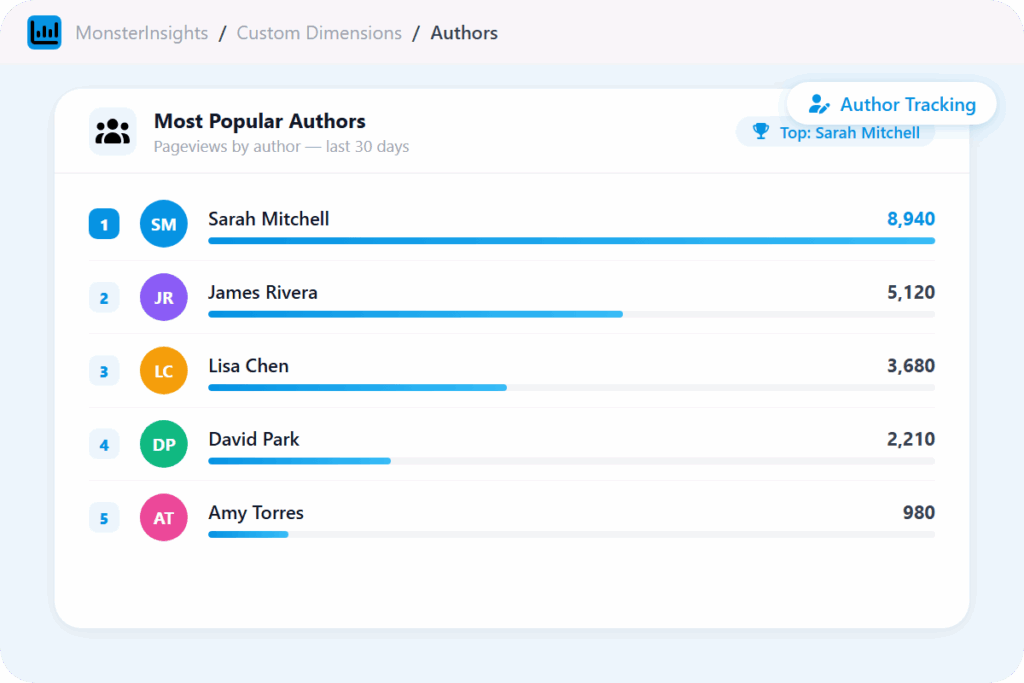
Author Performance Tracking
See exactly which writers on your team drive the most pageviews. Identify your best contributors with real data – not gut feel.
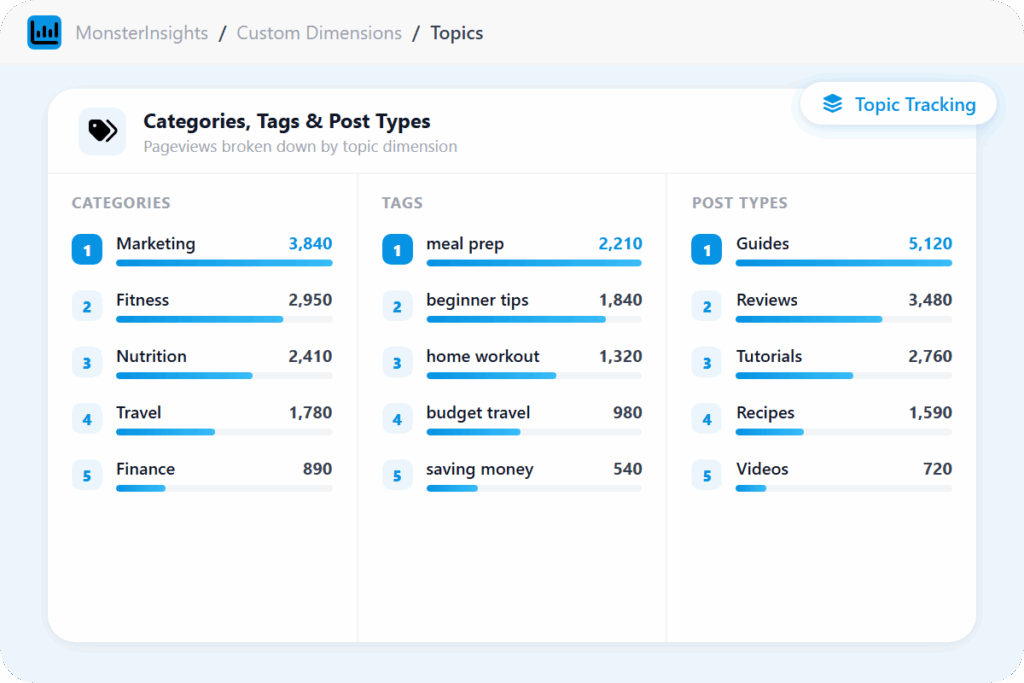
Category Tracking
Find out which content topics attract the most readers. Analyze traffic by WordPress category so you know exactly where to focus your editorial energy.
Tag Tracking
Go deeper than categories. See which content tags drive the most pageviews – so you know which subtopics your audience wants more of.
Post Type Tracking
Get traffic data broken down by custom post type. Whether you publish tutorials, reviews, or resources – see which content format performs best.
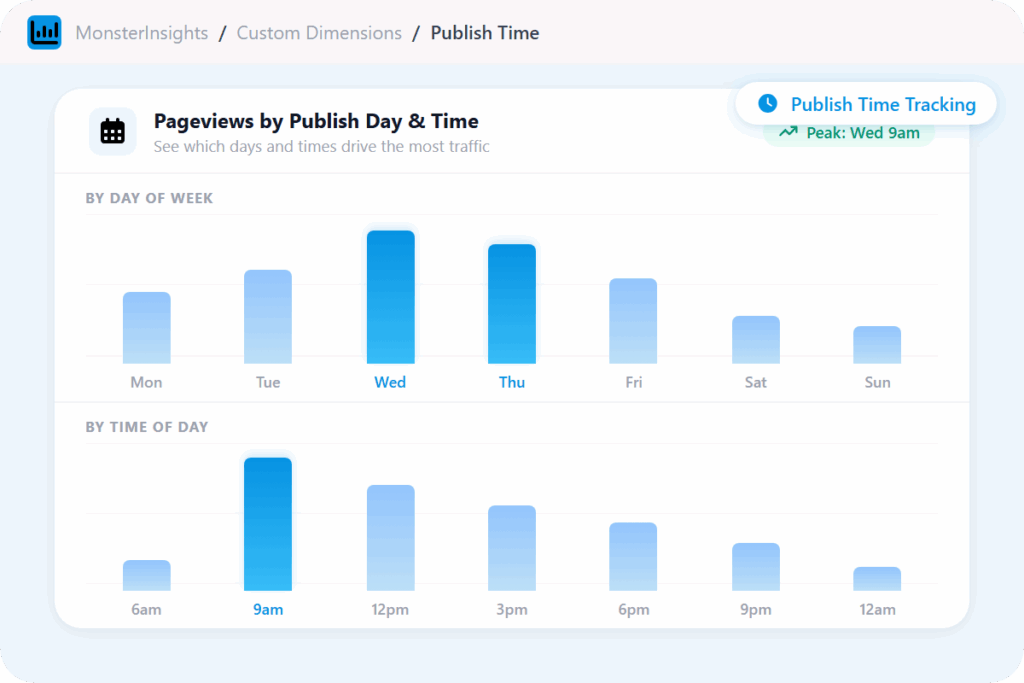
Published Time Tracking
Stop guessing when to publish. See which days and times consistently get the most traffic so you can time every post for maximum reach.
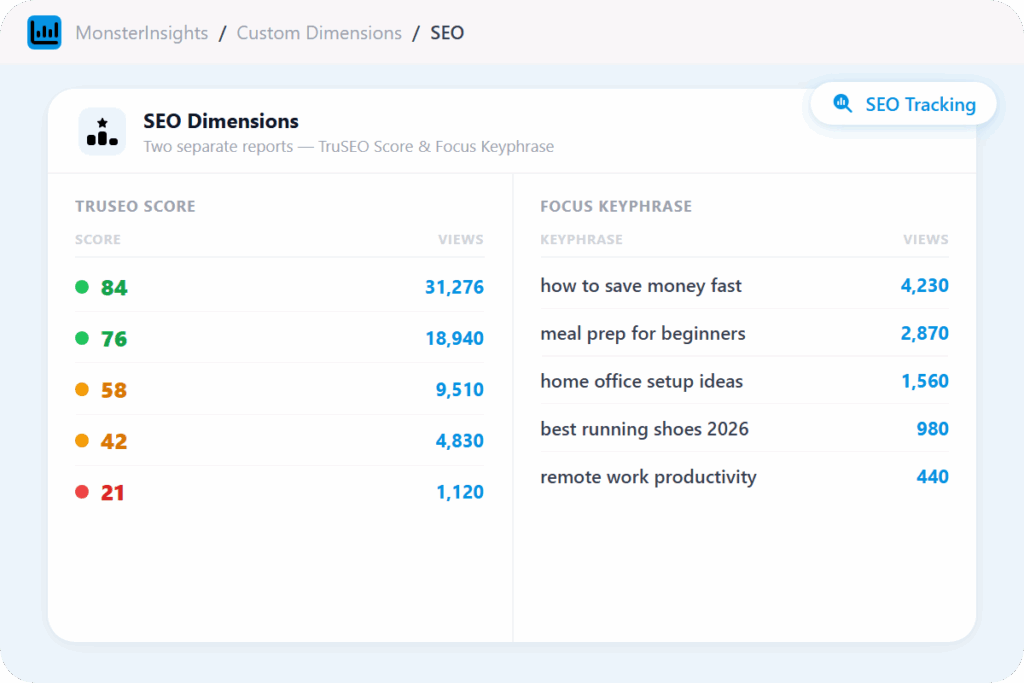
TruSeo Score
See the SEO score assigned by your plugin alongside real traffic data – so you can connect how well-optimized your content is to how it actually performs..
Focus Keyphrase
See the target keyphrase set in your SEO plugin for each post alongside its pageviews, so you know what each piece of content is targeting and how it’s actually performing.
Logged-In User & UserID Tracking
Separate your team from your real audience data. Track logged-in users separately and connect individual sessions to specific members or customers in Google Analytics.
Custom Dimensions Report
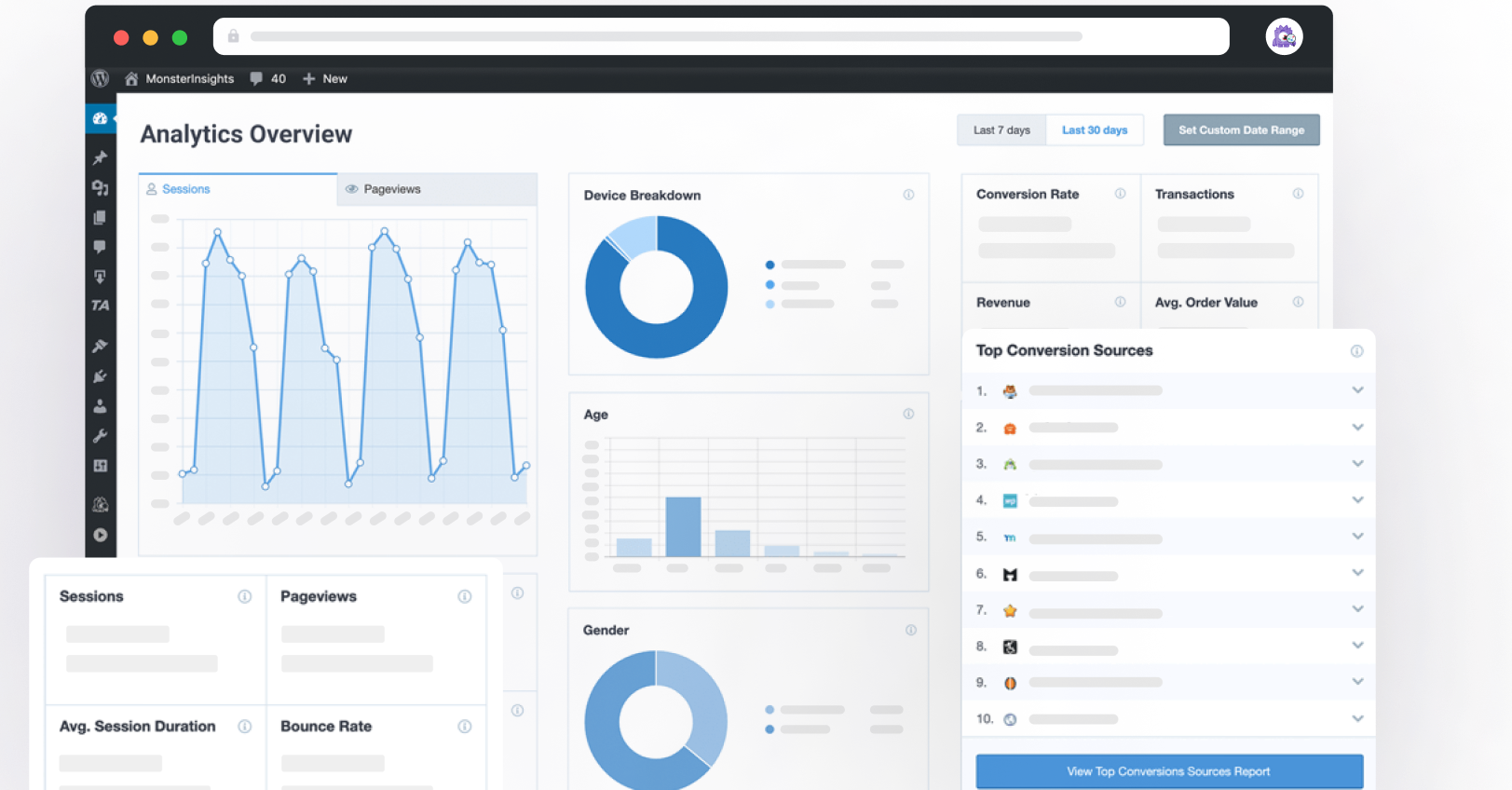
Every dimension you activate gets its own section inside the Dimensions Report – authors, categories, tags, SEO scores, and more, all inside WordPress. Adjust the date range and export to PDF.
Why Over 3 Million Users
MonsterInsights for Custom Dimensions
Here are just a few reasons why WordPress publishers, content teams, and site owners trust MonsterInsights to track the data Google Analytics doesn’t capture by default – without custom code or developer help.
Know Exactly Which Writers Are Growing Your Site
if you publish content with a team, standard analytics leaves you flying blind. Google Analytics shows total sessions but not which author drove them – MonsterInsights Author Tracking adds a WordPress-specific dimension to every session so you can compare writer performance without spreadsheets or custom setup.
See which contributors drive the most traffic, and guide your content strategy with facts instead of guesswork.
See Whether Better-Optimized Content Actually Gets More Traffic
MonsterInsights pulls two additional dimensions from your SEO plugin into your analytics. TruSEO Score groups your content by optimization score and shows total views per score – so you can see whether higher-scoring content actually drives more traffic.
Focus Keyphrase shows total views grouped by target keyphrase – so you can see which keyphrases your content is targeting and how much traffic each one is getting.
Find Out Which Topics Your Audience Actually Wants
Standard analytics shows you which posts are popular. Custom Dimensions tells you which categories, tags, and content types are popular – a far more useful insight for planning content.
Category Tracking shows pageviews grouped by WordPress category. Tag Tracking shows them grouped by tag. Post Type Tracking shows them grouped by content type. Three separate dimensions, each giving you a different angle on what your audience actually wants to read.
Find Your Best Time to Publish
Most editorial calendars are built on habit, not data. Published Time Tracking adds your post’s publication date and time as a dimension so MonsterInsights can show you which days and times consistently drive the most pageviews.
The patterns tend to emerge quickly, and once you see them, you stop scheduling based on convenience and start publishing when your audience is already showing up.
Choose Exactly What to Track – Then See It All in One Report
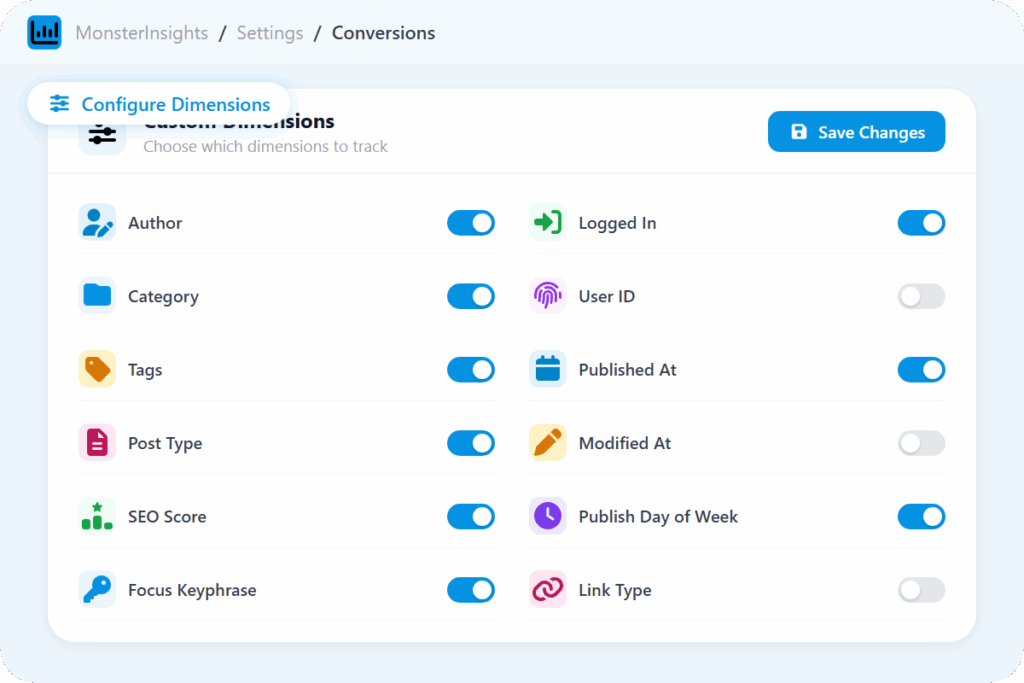
You decide which dimensions MonsterInsights tracks. From Insights » Settings » Conversions, you can activate any combination: the ones covered in this page – plus additional ones like whether a visitor was logged in, their User ID, link type, and more.
Every dimension you activate shows up in one report under Insights » Reports » Dimensions. Adjust the date range to compare any period, and export to PDF when you need to share results.
Frequently Asked Questions
Do you have questions about MonsterInsights? See the list below for our most frequently asked questions. If your question is not listed here, then please contact us.
Custom dimensions are additional data points you can attach to sessions, events, or users in Google Analytics beyond the defaults. MonsterInsights uses them to send WordPress-specific data – like the author of a post, its category, SEO score, or focus keyword – to Google Analytics automatically, without any manual setup.
MonsterInsights Custom Dimensions integrates with Yoast SEO, All in One SEO (AIOSEO), Rank Math, and SEOPress for SEO-related dimensions. Both TruSEO Score and Focus Keyphrase tracking are available inside the Dimensions tab with no extra configuration in Google Analytics.
Yes, you can! All Custom Dimensions data is accessible inside the Dimensions Report under Insights » Reports » Dimensions – authors, categories, tags, post types, SEO scores, focus keyphrases, publish times, and more, each in its own section. No need to open Google Analytics
Setup is handled through the MonsterInsights Custom Dimensions addon inside your WordPress dashboard. Once activated, select which dimensions you want to track, and MonsterInsights handles the Google Analytics configuration automatically. No changes inside your Google Analytics account are required.
Go Beyond Traffic. Understand What’s Actually Working – and Why.
Join over 3 million WordPress site owners who finally know which authors, categories, and content types are worth their time.