Set Brave Search as default search engine
Follow the steps below to set Brave Search as the default search engine for your Chrome browser.
Not your browser?
Click the button to select it
1
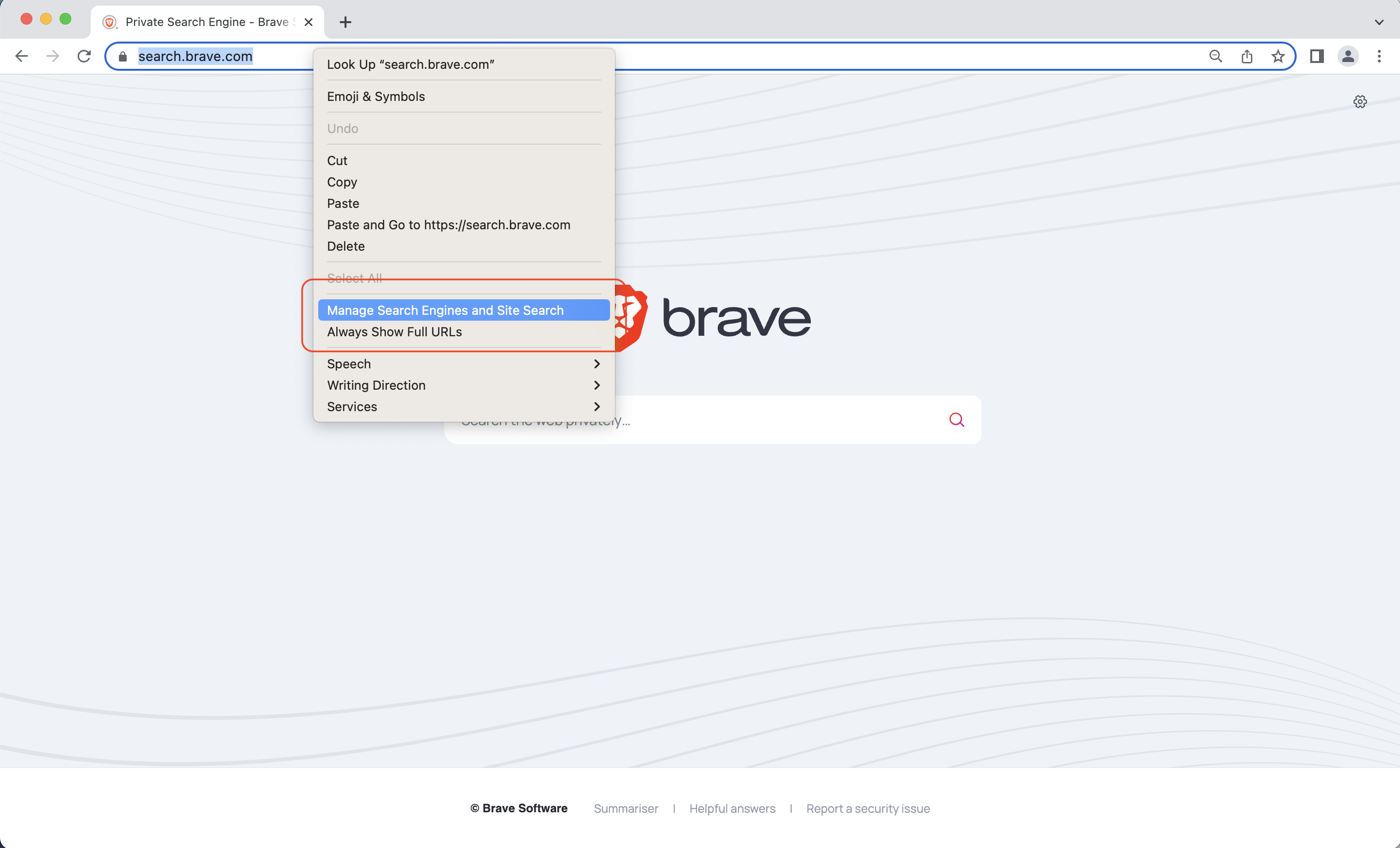
Right-click in the address bar, and select Manage search engines and Site Search
2
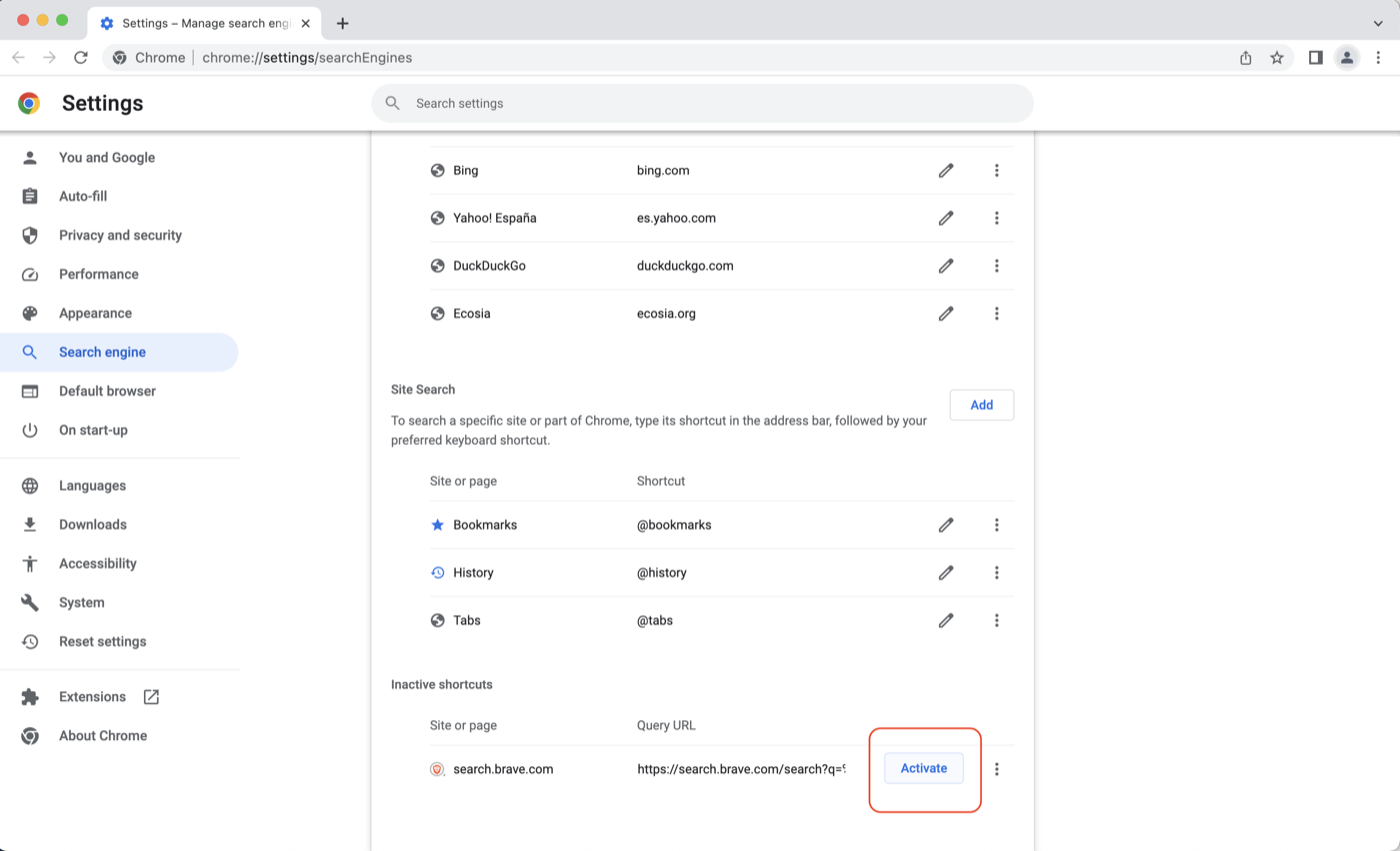
Scroll down to the section Inactive Shortcuts and click on activate. For Brave to appear in this list, a query needs to be made. If that's not the case, you have to add it manually - jump to the end and click on Don't see Brave Search in the list.
3
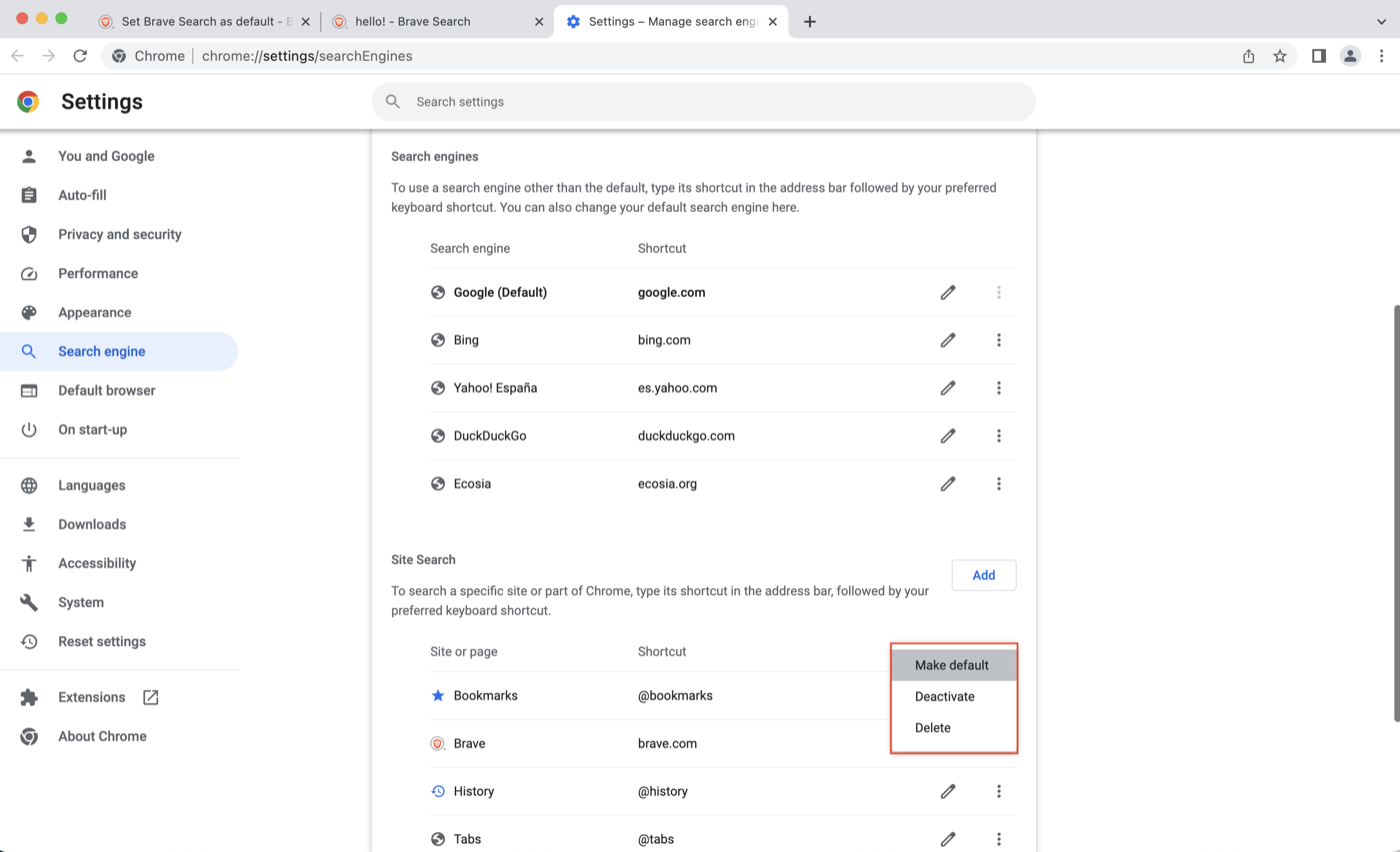
Find Brave in the list of Site Search. Click on the ⋮ (vertical ellipsis) beside it and select Make default
4
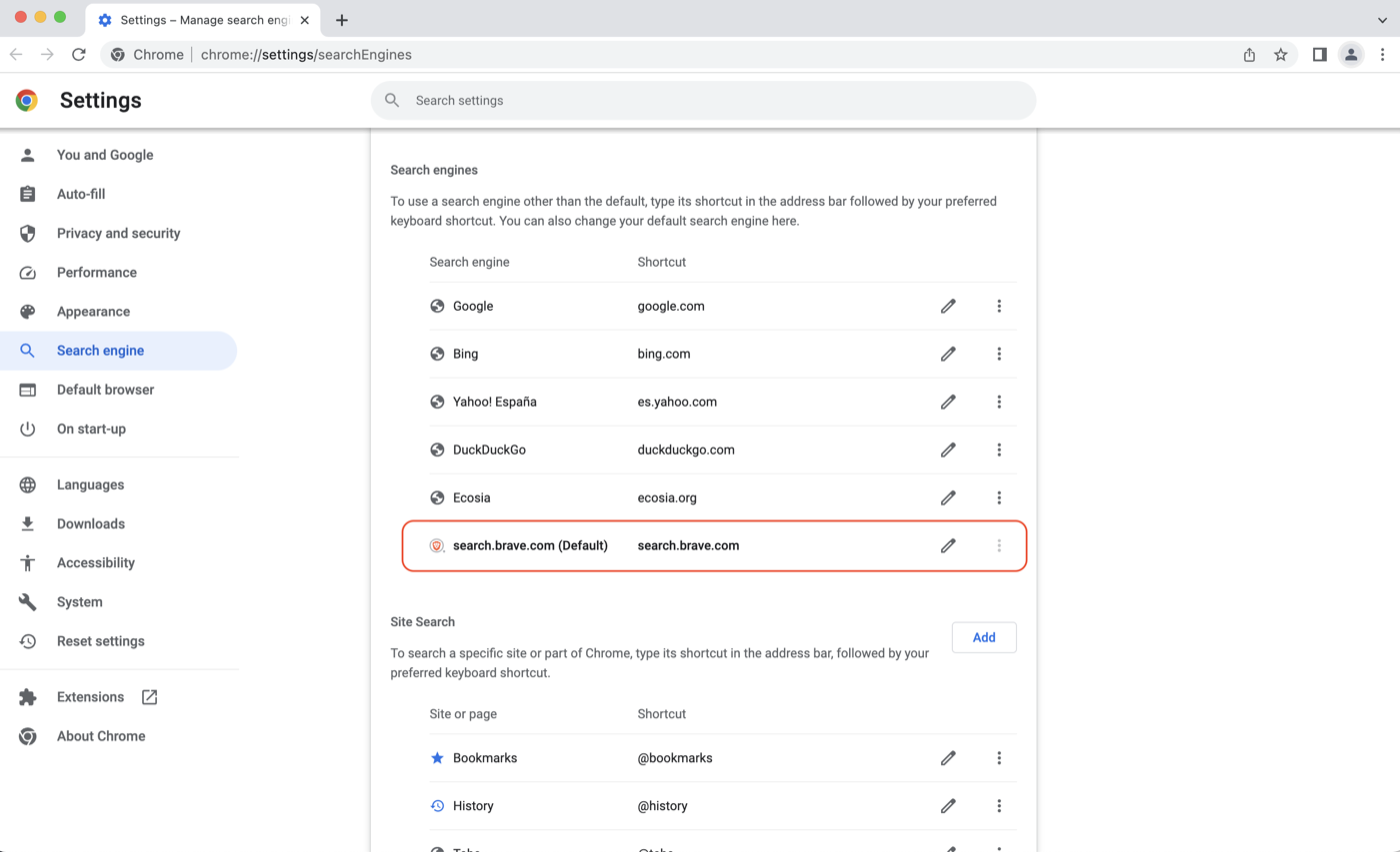
Brave will appear in the list of default search engines, with (Default) beside it. You should now be able to search directly from the address bar of your browser.