C++ BOOLEAN DATATYPES
Boolean Types
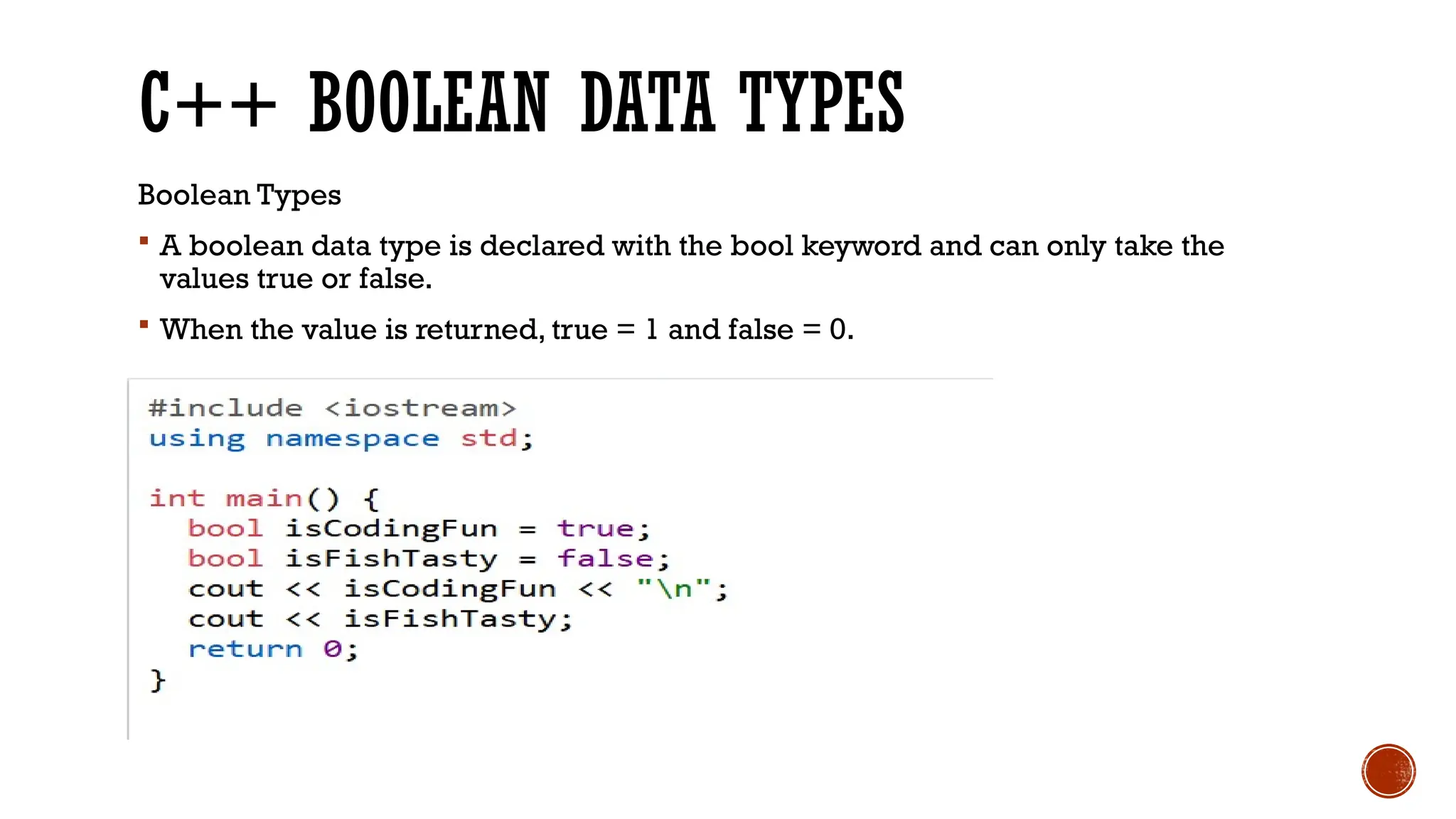
A boolean data type is declared with the bool keyword and can only take the
values true or false.
When the value is returned, true = 1 and false = 0.
3.
C++ BOOLEAN DATATYPES
Boolean Types
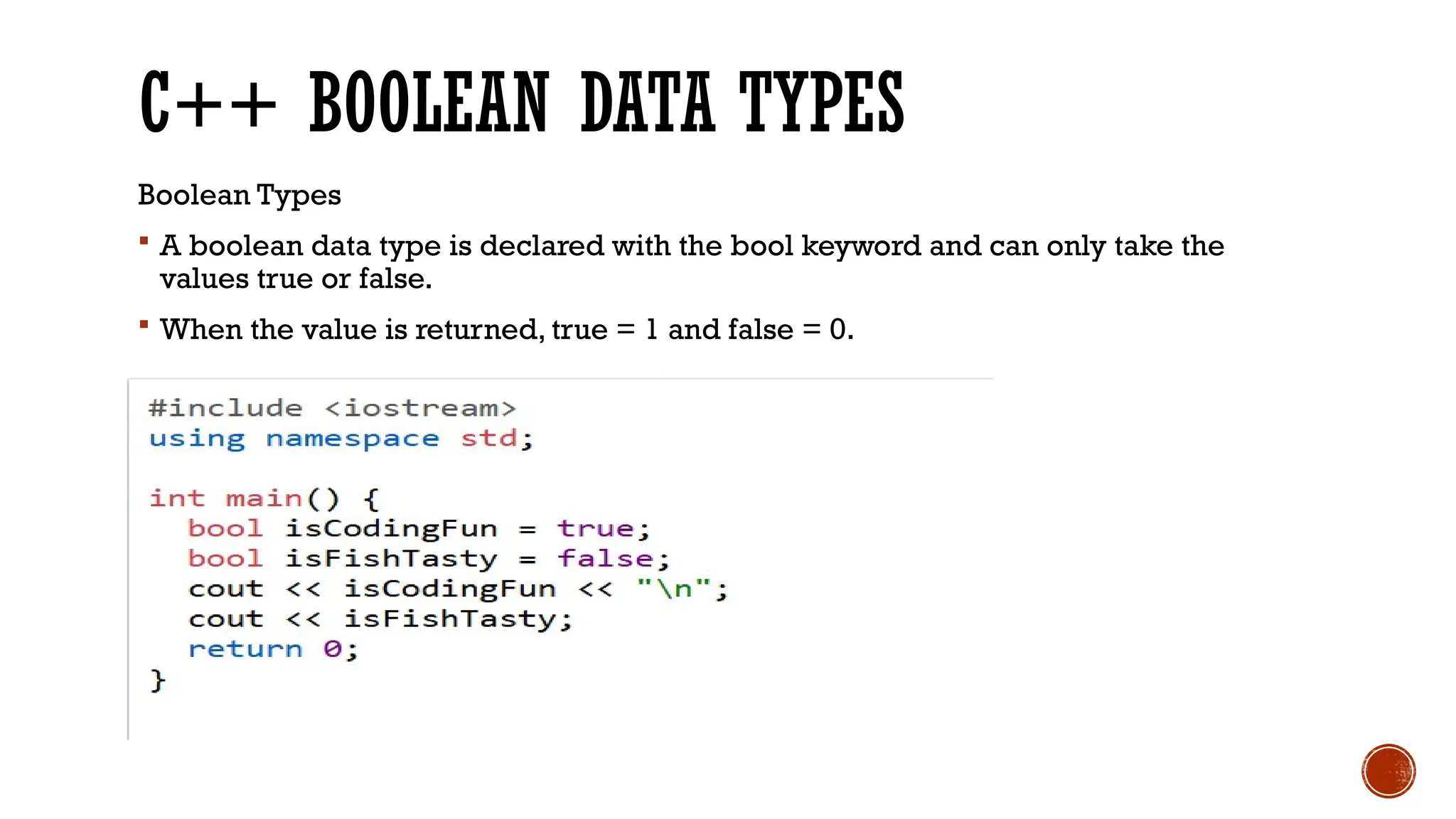
A boolean data type is declared with the bool keyword and can only take the
values true or false.
When the value is returned, true = 1 and false = 0.
4.
C++ CHARACTER DATATYPES
Character Types
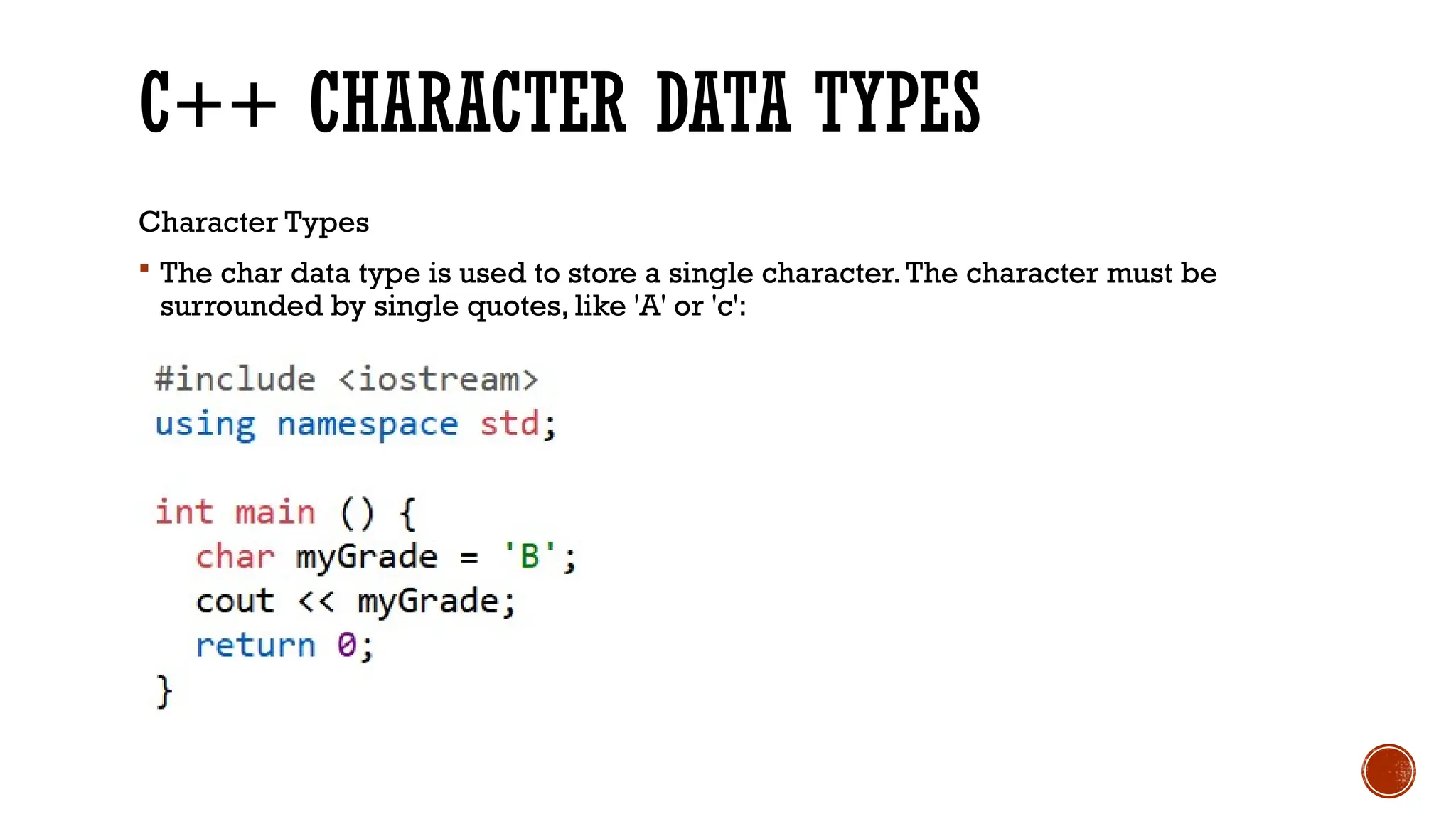
The char data type is used to store a single character.The character must be
surrounded by single quotes, like 'A' or 'c':
5.
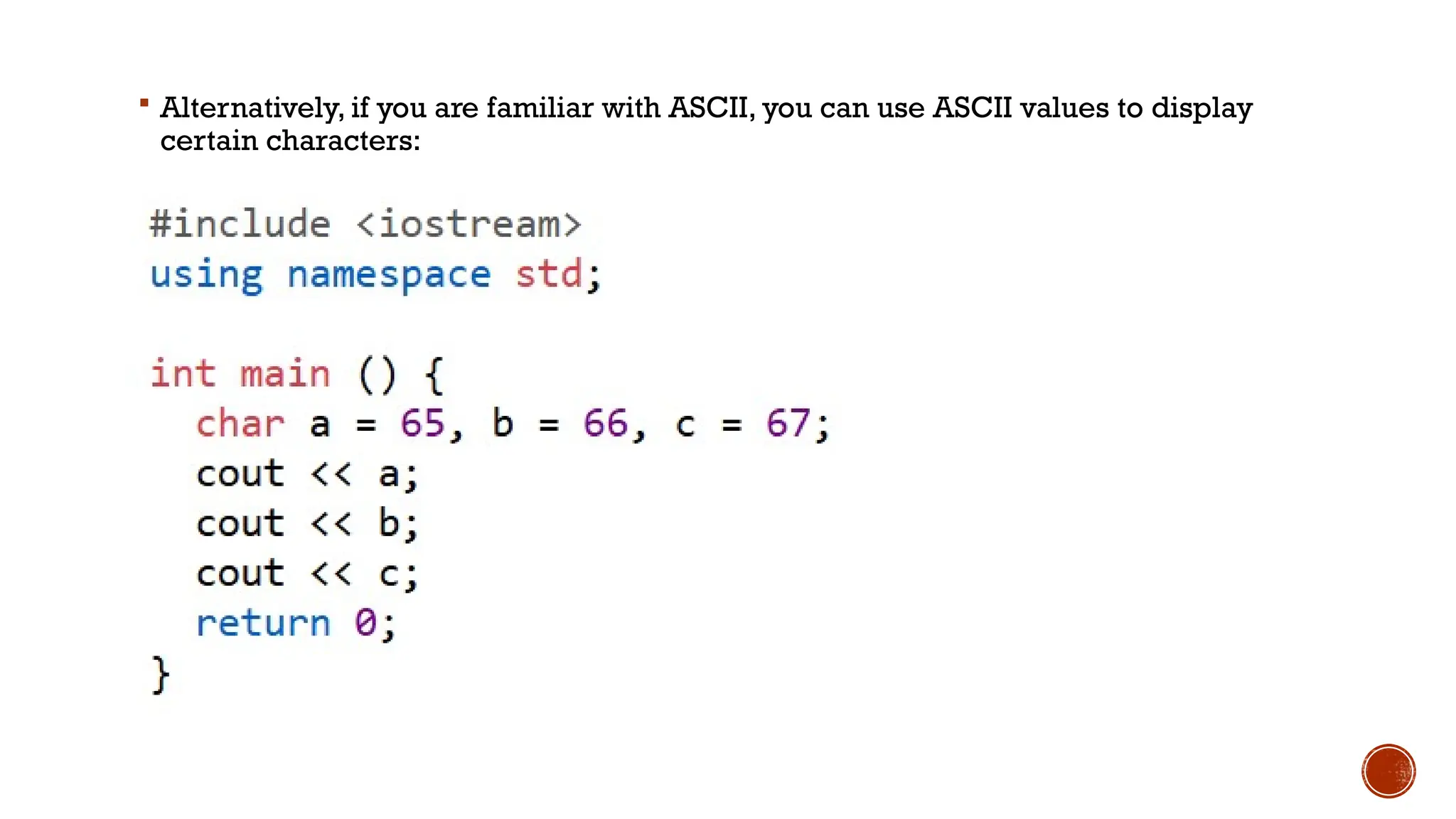
Alternatively, ifyou are familiar with ASCII, you can use ASCII values to display
certain characters:
6.
C++ OPERATORS
C++ Operators
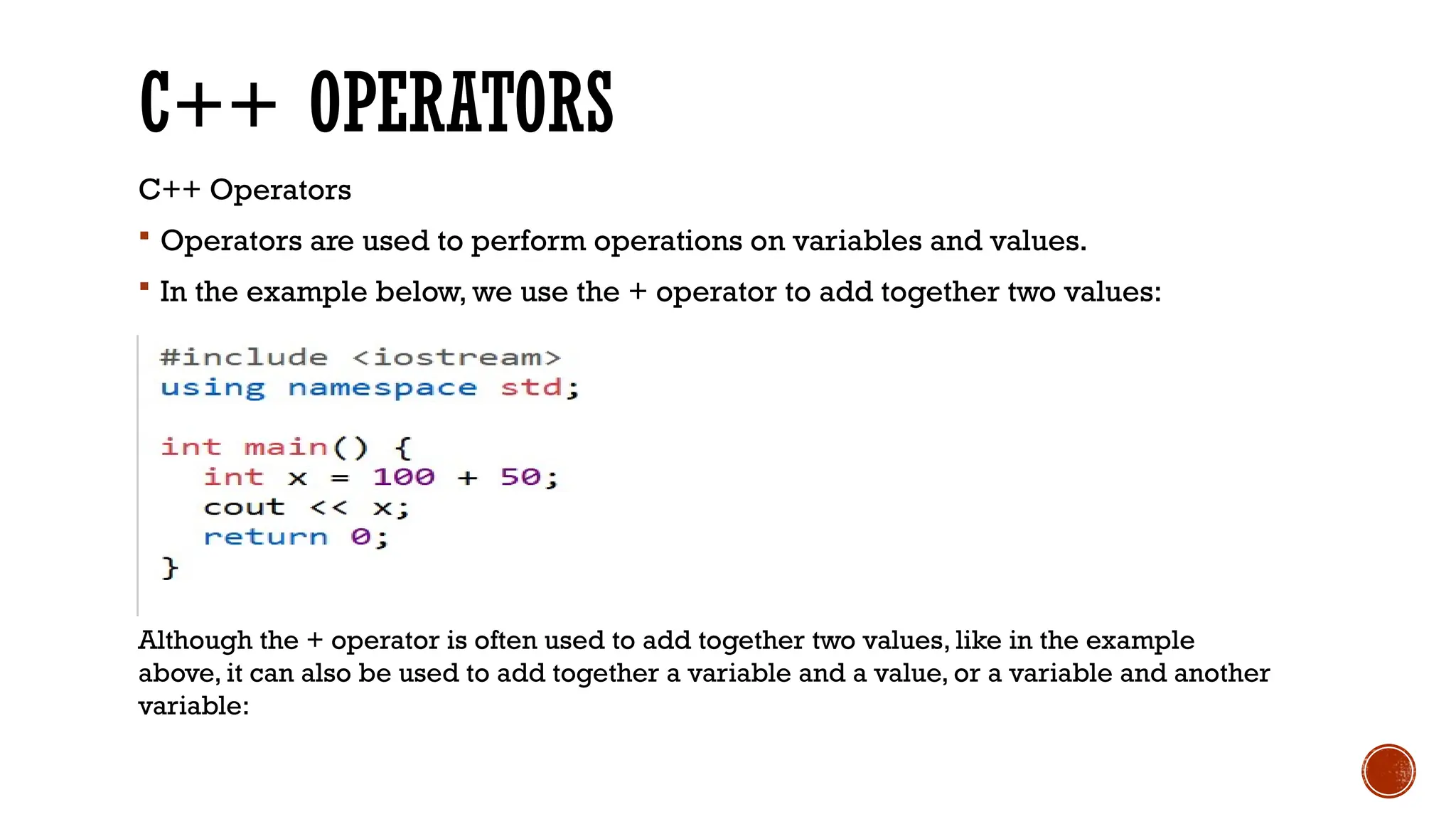
Operators are used to perform operations on variables and values.
In the example below, we use the + operator to add together two values:
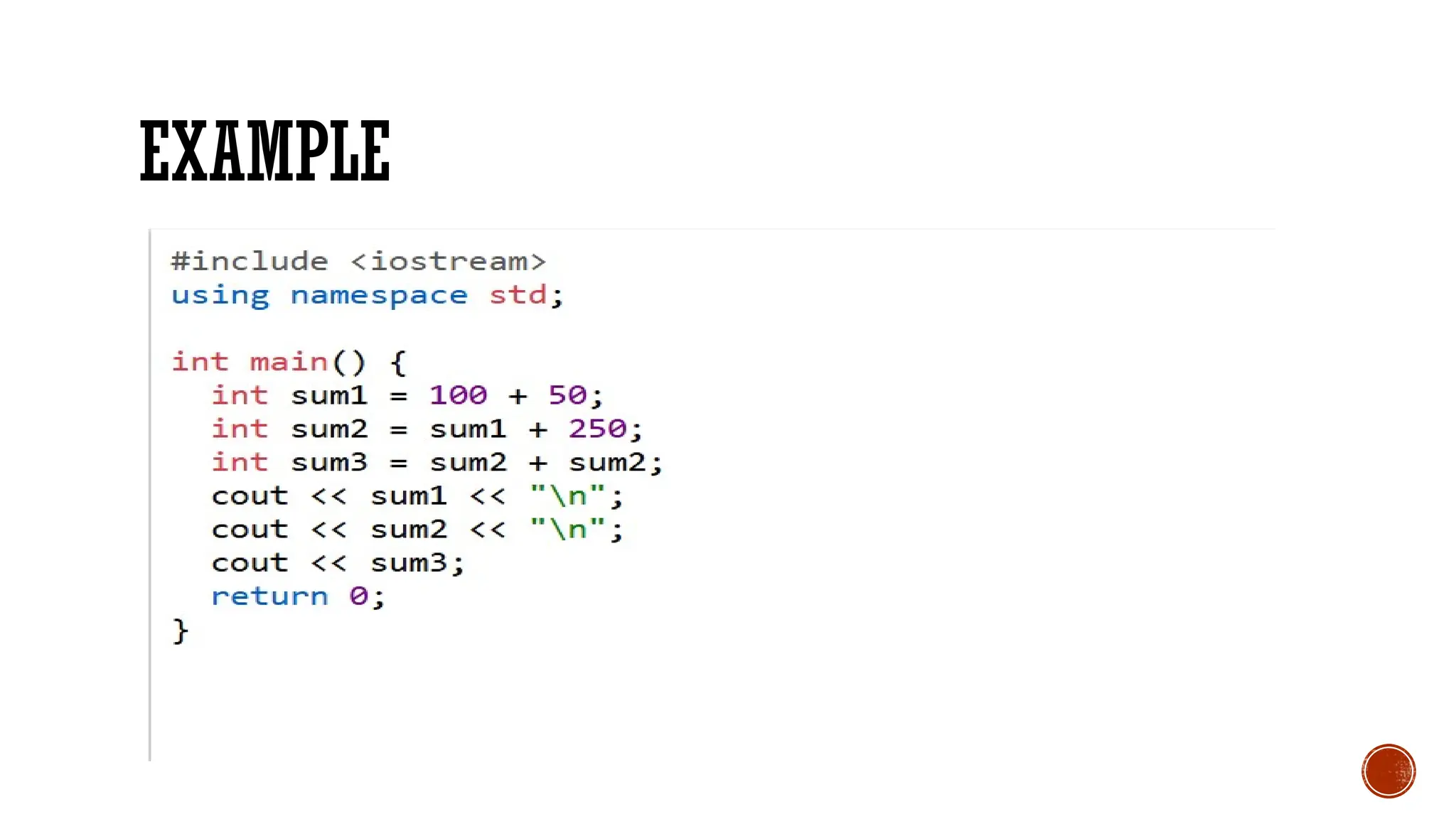
Although the + operator is often used to add together two values, like in the example
above, it can also be used to add together a variable and a value, or a variable and another
variable:
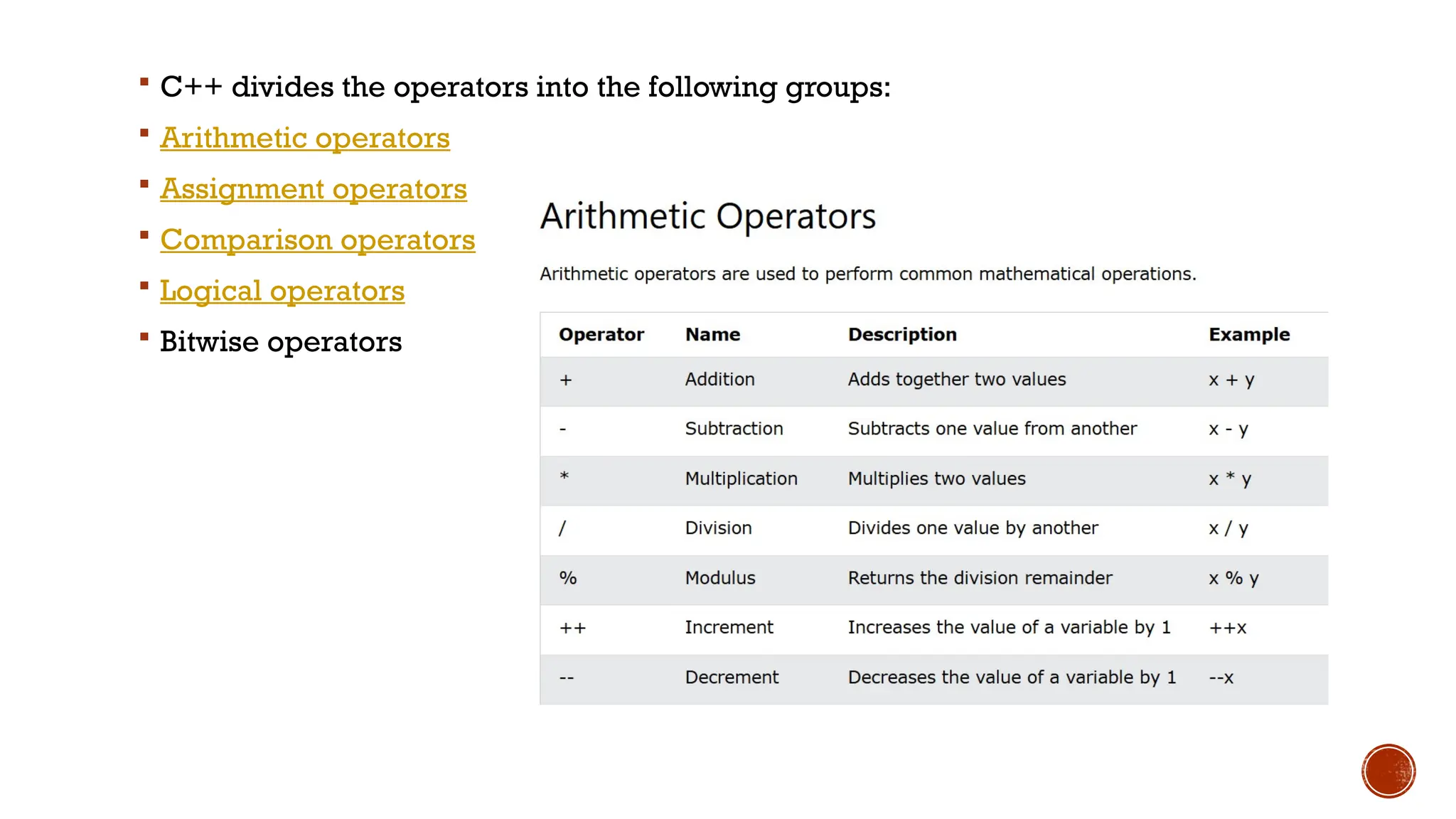
C++ dividesthe operators into the following groups:
Arithmetic operators
Assignment operators
Comparison operators
Logical operators
Bitwise operators
9.
C++ ASSIGNMENT OPERATORS
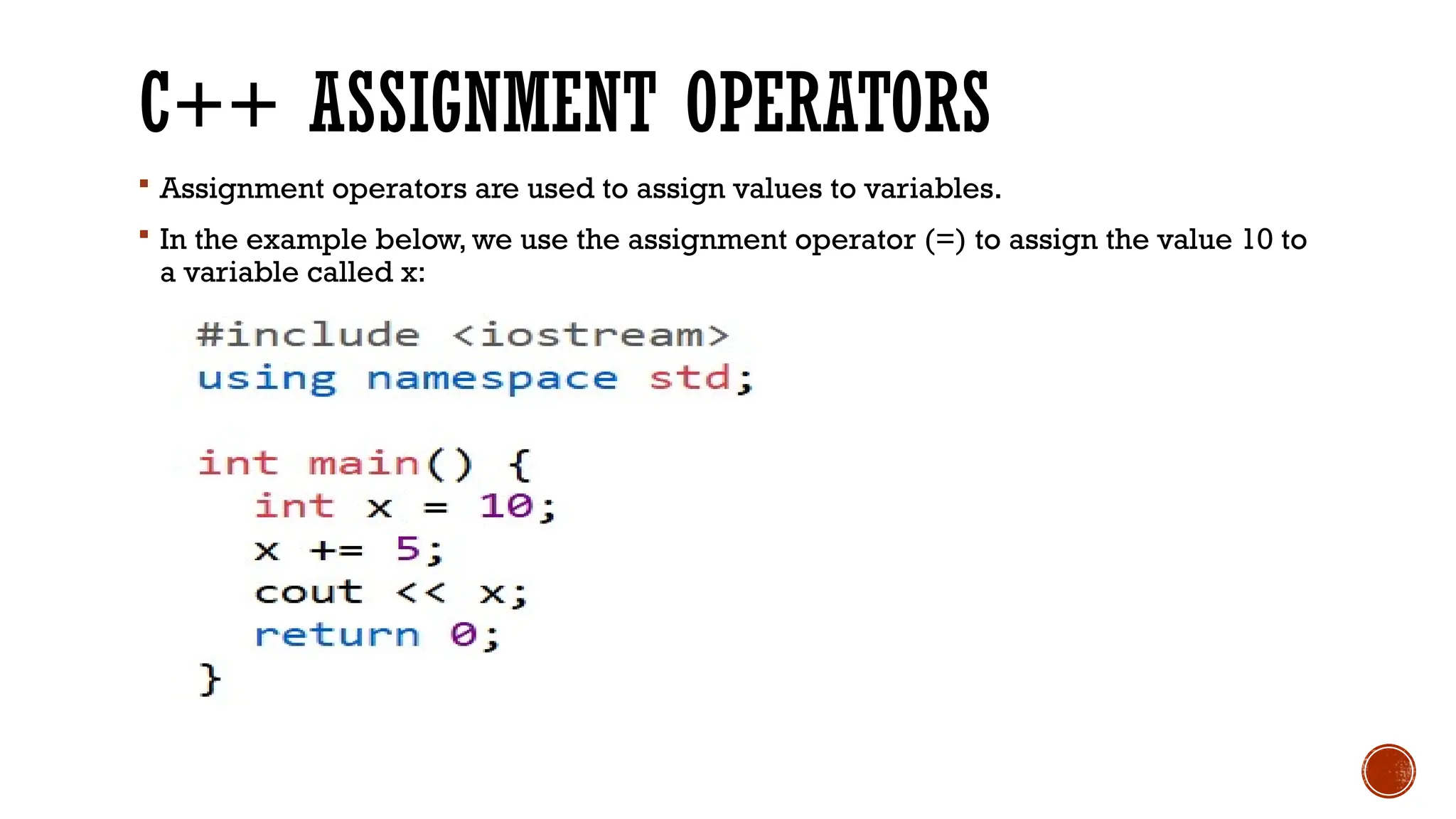
Assignment operators are used to assign values to variables.
In the example below, we use the assignment operator (=) to assign the value 10 to
a variable called x:
10.
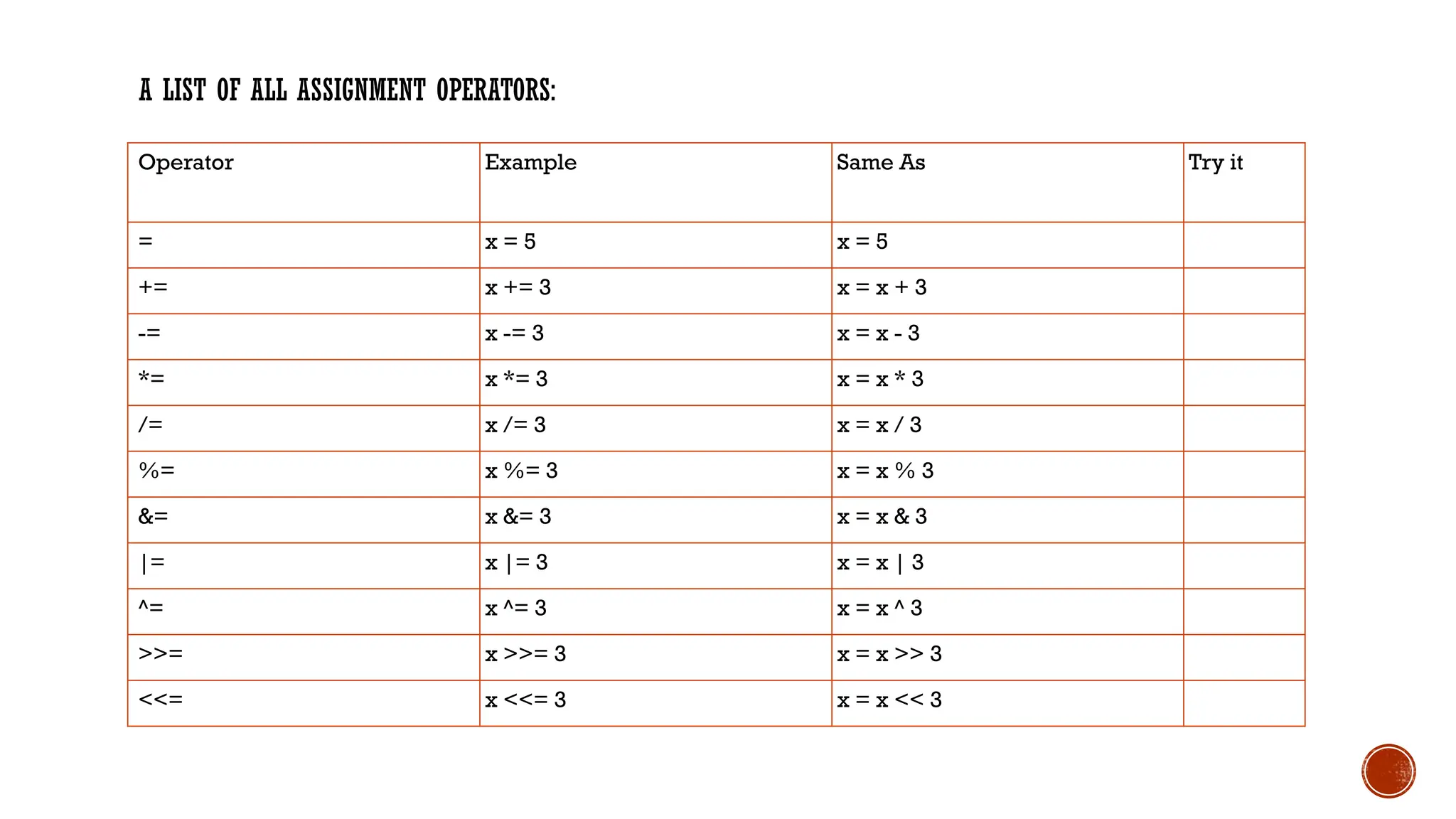
A LIST OFALL ASSIGNMENT OPERATORS:
Operator Example Same As Try it
= x = 5 x = 5
+= x += 3 x = x + 3
-= x -= 3 x = x - 3
*= x *= 3 x = x * 3
/= x /= 3 x = x / 3
%= x %= 3 x = x % 3
&= x &= 3 x = x & 3
|= x |= 3 x = x | 3
^= x ^= 3 x = x ^ 3
>>= x >>= 3 x = x >> 3
<<= x <<= 3 x = x << 3
11.
COMPARISON OPERATORS
Comparisonoperators are used to compare two values (or variables).This is
important in programming, because it helps us to find answers and make
decisions.
The return value of a comparison is either 1 or 0, which means true (1) or false (0).
These values are known as Boolean values, and you will learn more about them in
the Booleans and If..Else chapter.
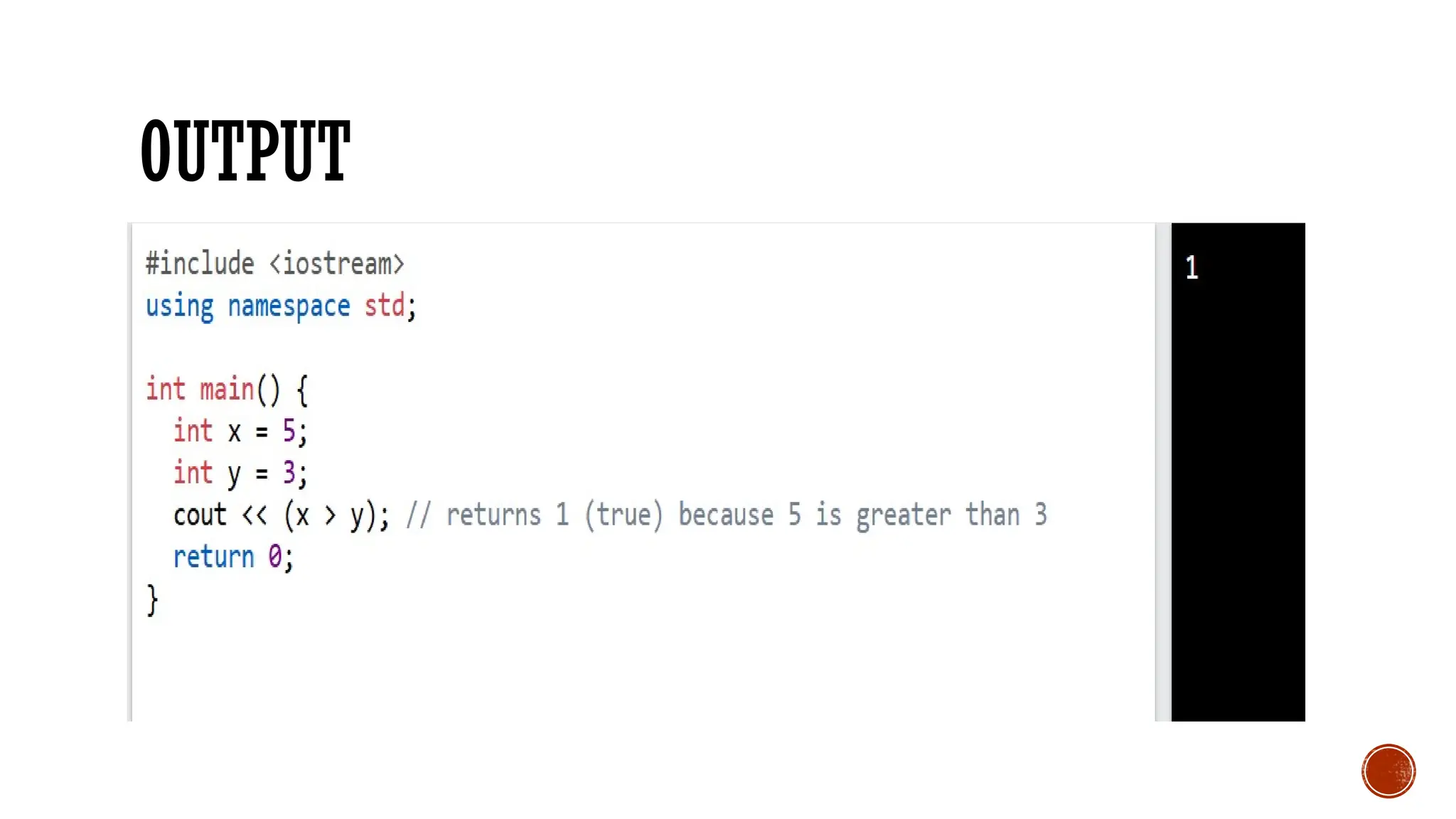
In the following example, we use the greater than operator (>) to find out if 5 is
greater than 3:
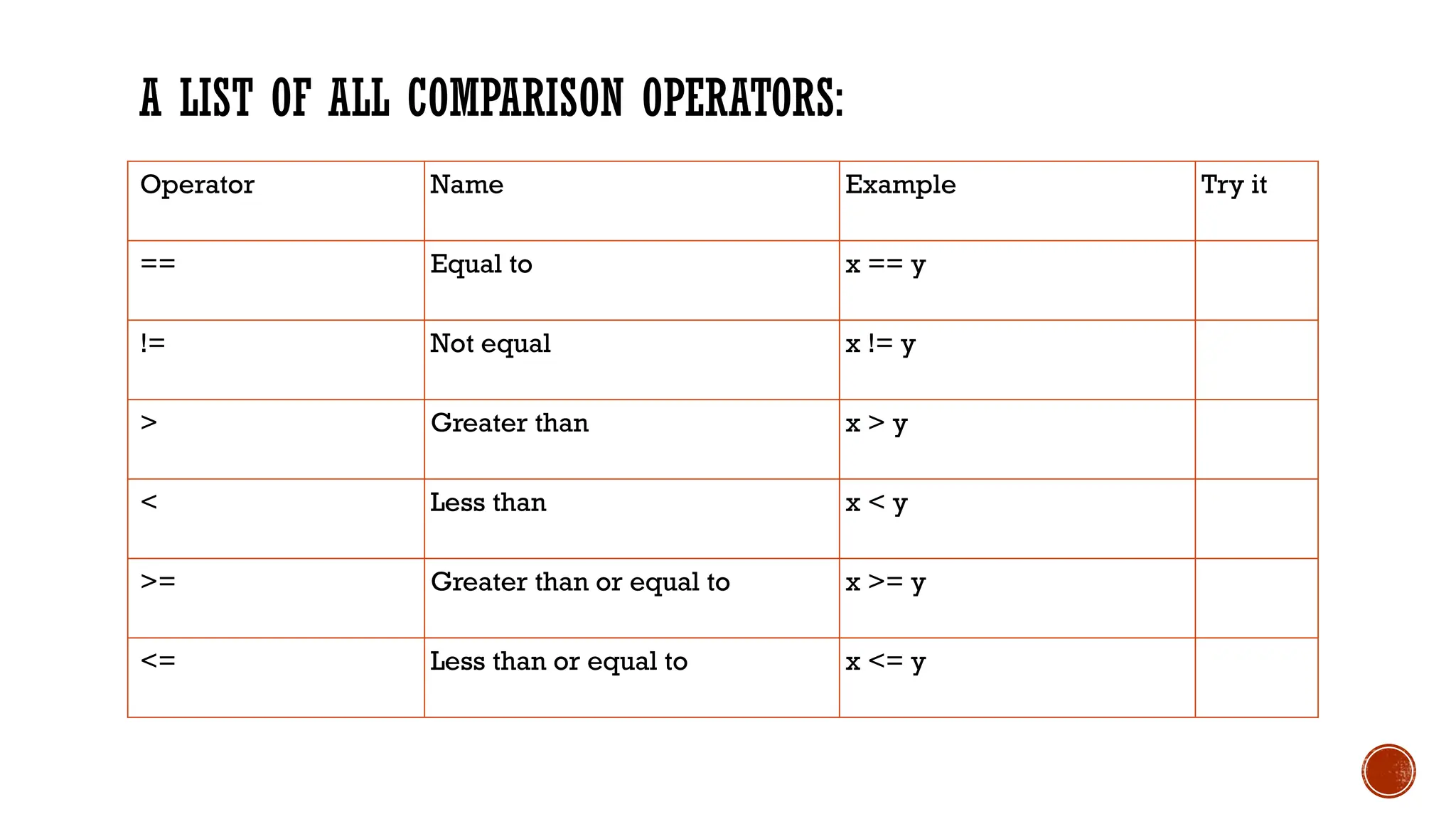
A LIST OFALL COMPARISON OPERATORS:
Operator Name Example Try it
== Equal to x == y
!= Not equal x != y
> Greater than x > y
< Less than x < y
>= Greater than or equal to x >= y
<= Less than or equal to x <= y
14.
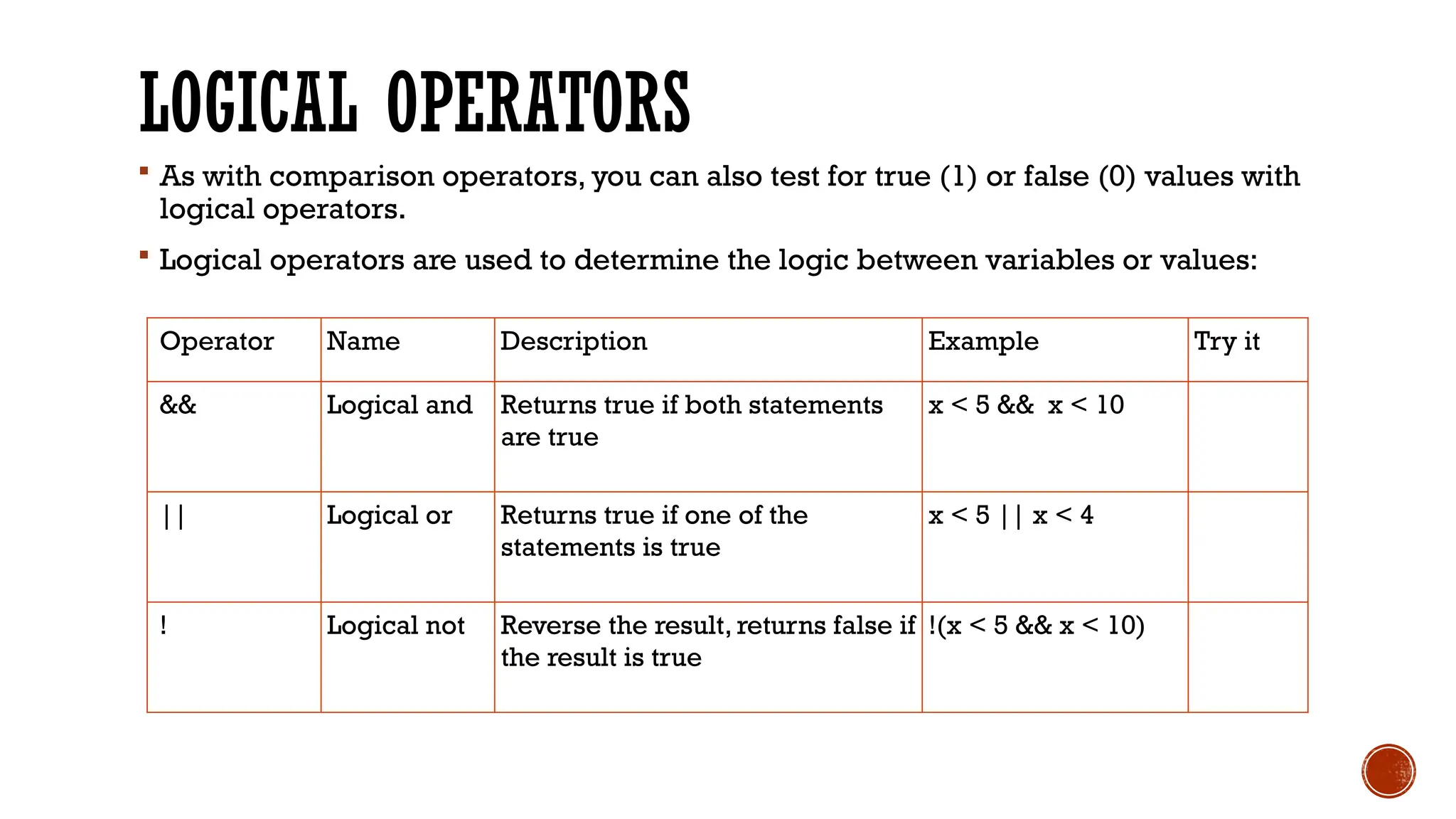
LOGICAL OPERATORS
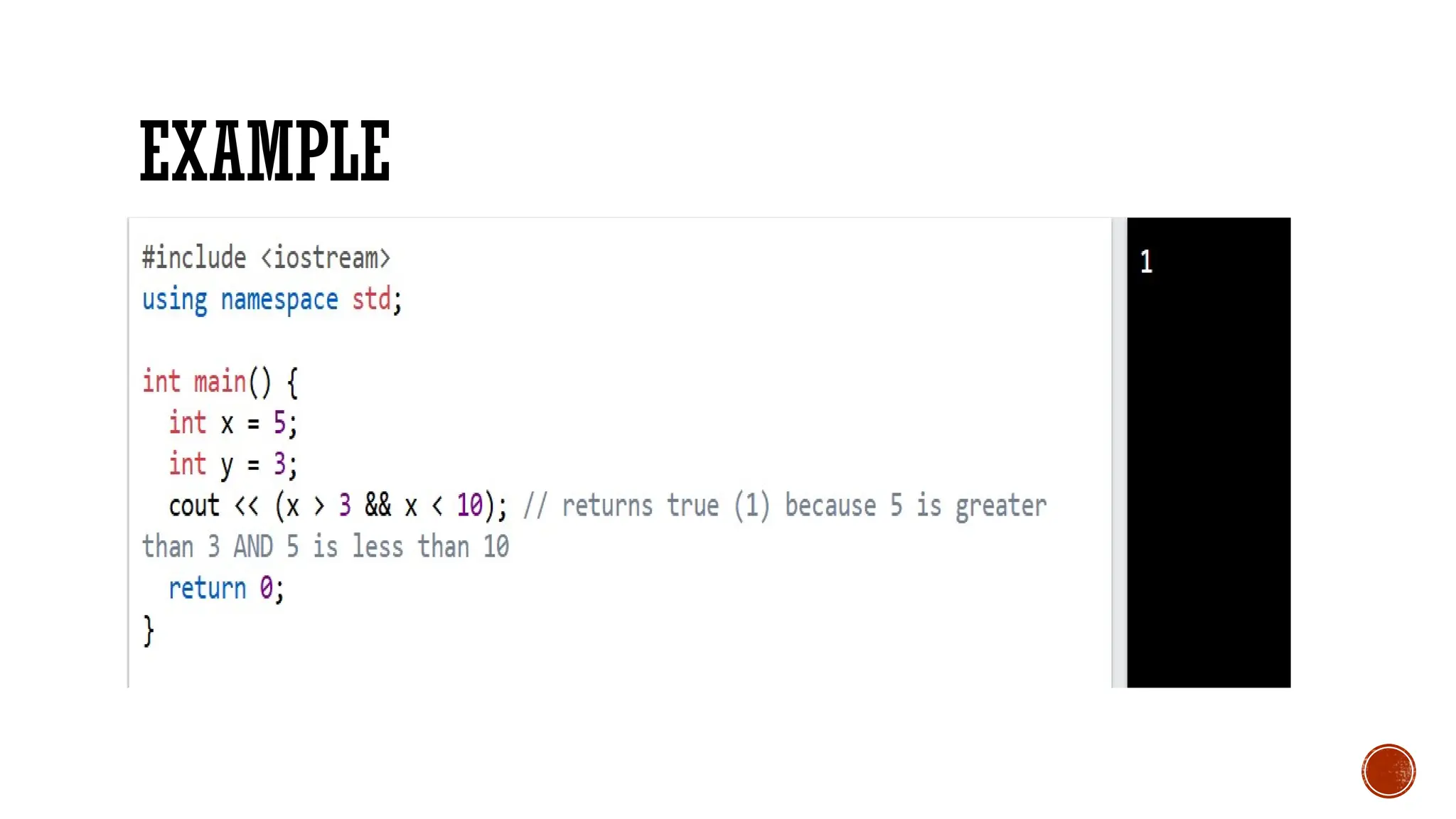
Aswith comparison operators, you can also test for true (1) or false (0) values with
logical operators.
Logical operators are used to determine the logic between variables or values:
Operator Name Description Example Try it
&& Logical and Returns true if both statements
are true
x < 5 && x < 10
|| Logical or Returns true if one of the
statements is true
x < 5 || x < 4
! Logical not Reverse the result, returns false if
the result is true
!(x < 5 && x < 10)



![[BDD 2025 - Mobile Development] Mobile Engineer and Software Engineer: Are we...](https://cdn.slidesharecdn.com/ss_thumbnails/md-mobileengineerandsoftwareengineerarewestillrelevantsidiqpermana-251127010650-55224ef1-thumbnail.jpg?width=640&height=640&fit=bounds)


![[DevFest Strasbourg 2025] - NodeJs Can do that !!](https://cdn.slidesharecdn.com/ss_thumbnails/devfeststrasbourg2025-nodejscandothat-251127142731-da65b6fd-thumbnail.jpg?width=640&height=640&fit=bounds)


