Chief Enterprise Architect @ Oracle
March 2020
Johan Louwers
Create application(s) from the CLI with OCI Functions
Serverless computing
2 Confidential – © 2019 Oracle – Johan Louwers
The following is intended to outline our general product direction. It is intended for information purposes
only, and may not be incorporated into any contract. It is not a commitment to deliver any material, code,
or functionality, and should not be relied upon in making purchasing decisions. The development, release,
timing, and pricing of any features or functionality described for Oracle’s products may change and
remains at the sole discretion of Oracle Corporation.
Statements in this presentation relating to Oracle’s future plans, expectations, beliefs, intentions and
prospects are “forward-looking statements” and are subject to material risks and uncertainties. A detailed
discussion of these factors and other risks that affect our business is contained in Oracle’s Securities and
Exchange Commission (SEC) filings, including our most recent reports on Form 10-K and Form 10-Q
under the heading “Risk Factors.” These filings are available on the SEC’s website or on Oracle’s website
at http://www.oracle.com/investor. All information in this presentation is current as of September 2019 and
Oracle undertakes no duty to update any statement in light of new information or future events.
Safe harbor statement
3
Slide-deck Intention :
This presentation is intended to provide a
quick introduction to create a new
application for Oracle Cloud Functions
from the cli of your development
workstation.
This example is a part of a wider
workshop deck and shared as a stand-
alone example for ease of sharing.
The code should only be used as an
educational example and is not intended
to be included in any real-world
application code.
Contact details :
Johan Louwers - Chief Enterprise Architect
@johanlouwers
Johan.louwers@oracle.com
github.com/louwersj
Johanlouwers.blogspot.com
Oracle Functions - Serverless Computing
Create application(s) from the CLI with OCI Functions
Confidential – © 2019 Oracle – Johan Louwers
4
Oracle Functions - Serverless Computing
Create application(s) from the CLI with OCI Functions
F(n)
Oracle cloud – Functions:
• No lock-in
• Built on open-source Fn project and Docker
• Pay Per Use
• Pay for execution, not for idle time
• Autonomous
• Platform auto-scales functions. No servers to provision / manage
• Cloud native
• Fully cloud native and serverless
Confidential – © 2019 Oracle – Johan Louwers
5
Step 0 :
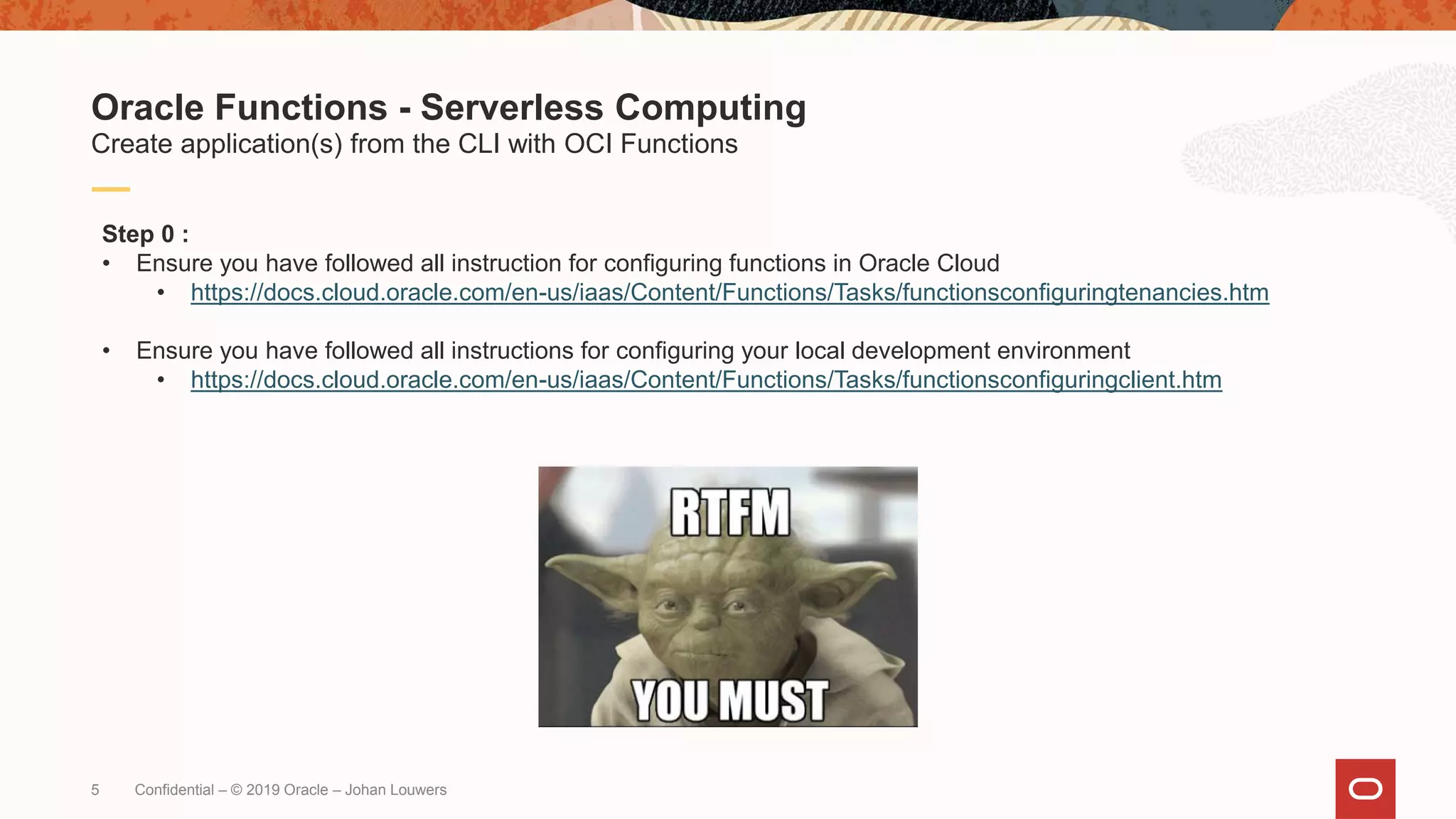
• Ensure you have followed all instruction for configuring functions in Oracle Cloud
• https://docs.cloud.oracle.com/en-us/iaas/Content/Functions/Tasks/functionsconfiguringtenancies.htm
• Ensure you have followed all instructions for configuring your local development environment
• https://docs.cloud.oracle.com/en-us/iaas/Content/Functions/Tasks/functionsconfiguringclient.htm
Oracle Functions - Serverless Computing
Create application(s) from the CLI with OCI Functions
Confidential – © 2019 Oracle – Johan Louwers
6
[root@fnproject neptune]# fn create app neptune --annotation oracle.com/oci/subnetIds='["…ID1…","…ID2…","…ID3…"]'
Successfully created app: neptune
[root@fnproject neptune]#
[root@fnproject neptune]#
Step 1 :
• create the application named “neptune” using “fn create app”
• Ensure to replace …ID1… / …ID2… / …ID3… with the appropriate IDs of the subnets you want to use in OCI
Oracle Functions - Serverless Computing
Create application(s) from the CLI with OCI Functions
Confidential – © 2019 Oracle – Johan Louwers
7
[root@fnproject neptune]# fn list apps
NAME ID
neptune ocid1.fnapp.oc1.eu-frankfurt-1.aaaaaaaaag………
[root@fnproject neptune]#
[root@fnproject neptune]#
Step 2 :
• create the function app using “fun create app”
Oracle Functions - Serverless Computing
Create application(s) from the CLI with OCI Functions
Confidential – © 2019 Oracle – Johan Louwers
8
[root@fnproject neptune]# echo 'name: neptune' > app.yaml
[root@fnproject neptune]#
[root@fnproject neptune]#
[root@fnproject neptune]# cat app.yaml
name: neptune
[root@fnproject neptune]#
[root@fnproject neptune]#
Step 3 :
• Ensure a correct app.yaml file on your development machine.
Oracle Functions - Serverless Computing
Create application(s) from the CLI with OCI Functions
Confidential – © 2019 Oracle – Johan Louwers
9
[root@fnproject neptune]# fn init --runtime python
Function boilerplate generated.
func.yaml created.
[root@fnproject neptune]#
[root@fnproject neptune]#
Step 4 :
• Create a root function
Oracle Functions - Serverless Computing
Create application(s) from the CLI with OCI Functions
Confidential – © 2019 Oracle – Johan Louwers
10
[root@fnproject neptune]# cat func.yaml
schema_version: 20180708
name: neptune
version: 0.0.1
runtime: python
entrypoint: /python/bin/fdk /function/func.py handler
memory: 256
[root@fnproject neptune]#
Step 5 :
• Check the root function
Oracle Functions - Serverless Computing
Create application(s) from the CLI with OCI Functions
Confidential – © 2019 Oracle – Johan Louwers
11
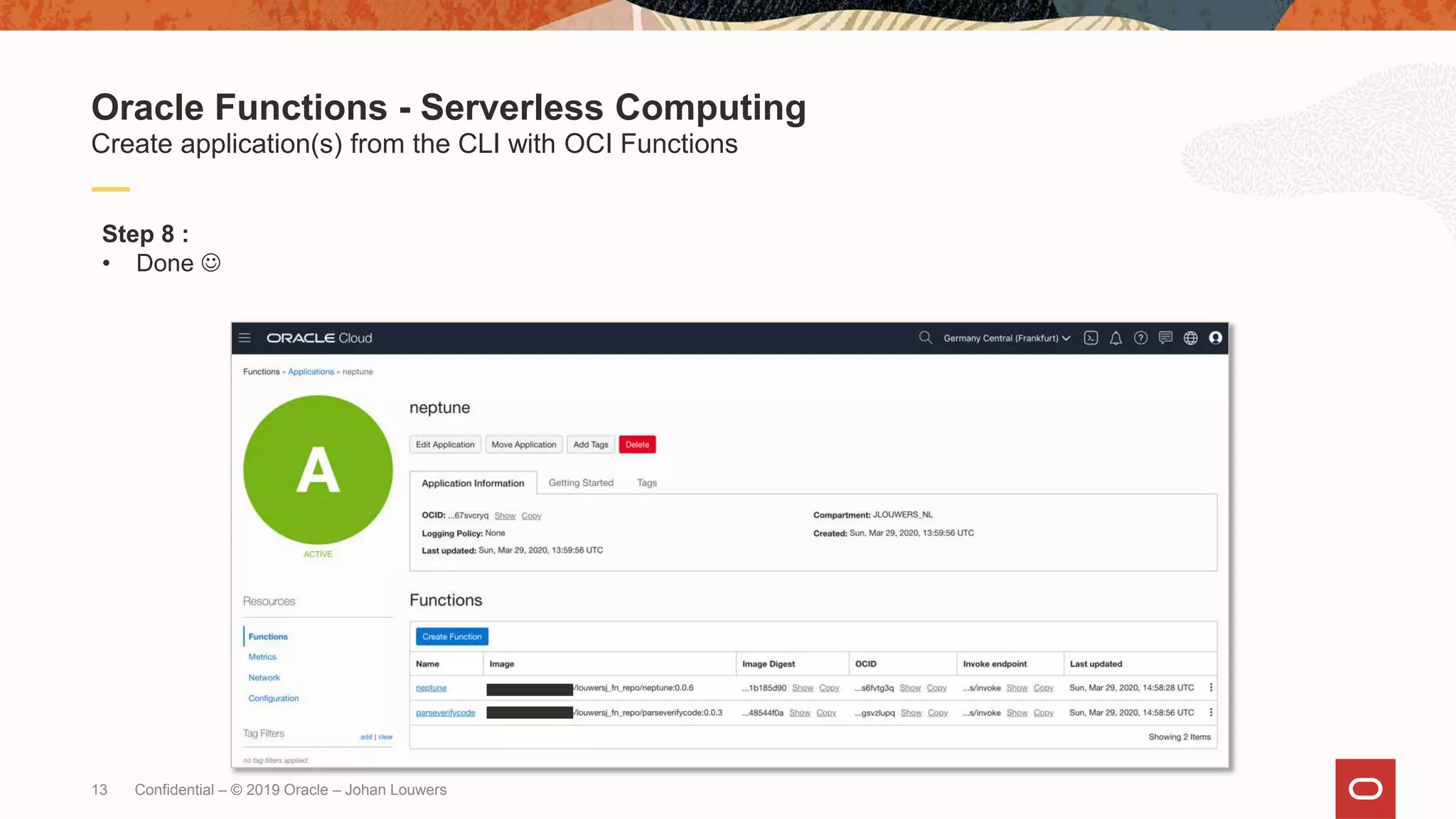
Step 8 :
• Verify the deployment in the Oracle Cloud UI
Oracle Functions - Serverless Computing
Create application(s) from the CLI with OCI Functions
Confidential – © 2019 Oracle – Johan Louwers
[root@fnproject neptune]# fn init --runtime python parseVerifyCode
Creating function at: /parseVerifyCode
Function boilerplate generated.
func.yaml created.
[root@fnproject neptune]#
12
[root@fnproject neptune]# fn -v deploy –all
Step 7 :
• Deploy the entire app
Oracle Functions - Serverless Computing
Create application(s) from the CLI with OCI Functions
Confidential – © 2019 Oracle – Johan Louwers
13
Step 8 :
• Done 
Oracle Functions - Serverless Computing
Create application(s) from the CLI with OCI Functions
Confidential – © 2019 Oracle – Johan Louwers
Oracle Cloud native functions - create application from cli

Oracle Cloud native functions - create application from cli

  • 1.
    Chief Enterprise Architect@ Oracle March 2020 Johan Louwers Create application(s) from the CLI with OCI Functions Serverless computing
  • 2.
    2 Confidential –© 2019 Oracle – Johan Louwers The following is intended to outline our general product direction. It is intended for information purposes only, and may not be incorporated into any contract. It is not a commitment to deliver any material, code, or functionality, and should not be relied upon in making purchasing decisions. The development, release, timing, and pricing of any features or functionality described for Oracle’s products may change and remains at the sole discretion of Oracle Corporation. Statements in this presentation relating to Oracle’s future plans, expectations, beliefs, intentions and prospects are “forward-looking statements” and are subject to material risks and uncertainties. A detailed discussion of these factors and other risks that affect our business is contained in Oracle’s Securities and Exchange Commission (SEC) filings, including our most recent reports on Form 10-K and Form 10-Q under the heading “Risk Factors.” These filings are available on the SEC’s website or on Oracle’s website at http://www.oracle.com/investor. All information in this presentation is current as of September 2019 and Oracle undertakes no duty to update any statement in light of new information or future events. Safe harbor statement
  • 3.
    3 Slide-deck Intention : Thispresentation is intended to provide a quick introduction to create a new application for Oracle Cloud Functions from the cli of your development workstation. This example is a part of a wider workshop deck and shared as a stand- alone example for ease of sharing. The code should only be used as an educational example and is not intended to be included in any real-world application code. Contact details : Johan Louwers - Chief Enterprise Architect @johanlouwers [email protected] github.com/louwersj Johanlouwers.blogspot.com Oracle Functions - Serverless Computing Create application(s) from the CLI with OCI Functions Confidential – © 2019 Oracle – Johan Louwers
  • 4.
    4 Oracle Functions -Serverless Computing Create application(s) from the CLI with OCI Functions F(n) Oracle cloud – Functions: • No lock-in • Built on open-source Fn project and Docker • Pay Per Use • Pay for execution, not for idle time • Autonomous • Platform auto-scales functions. No servers to provision / manage • Cloud native • Fully cloud native and serverless Confidential – © 2019 Oracle – Johan Louwers
  • 5.
    5 Step 0 : •Ensure you have followed all instruction for configuring functions in Oracle Cloud • https://docs.cloud.oracle.com/en-us/iaas/Content/Functions/Tasks/functionsconfiguringtenancies.htm • Ensure you have followed all instructions for configuring your local development environment • https://docs.cloud.oracle.com/en-us/iaas/Content/Functions/Tasks/functionsconfiguringclient.htm Oracle Functions - Serverless Computing Create application(s) from the CLI with OCI Functions Confidential – © 2019 Oracle – Johan Louwers
  • 6.
    6 [root@fnproject neptune]# fncreate app neptune --annotation oracle.com/oci/subnetIds='["…ID1…","…ID2…","…ID3…"]' Successfully created app: neptune [root@fnproject neptune]# [root@fnproject neptune]# Step 1 : • create the application named “neptune” using “fn create app” • Ensure to replace …ID1… / …ID2… / …ID3… with the appropriate IDs of the subnets you want to use in OCI Oracle Functions - Serverless Computing Create application(s) from the CLI with OCI Functions Confidential – © 2019 Oracle – Johan Louwers
  • 7.
    7 [root@fnproject neptune]# fnlist apps NAME ID neptune ocid1.fnapp.oc1.eu-frankfurt-1.aaaaaaaaag……… [root@fnproject neptune]# [root@fnproject neptune]# Step 2 : • create the function app using “fun create app” Oracle Functions - Serverless Computing Create application(s) from the CLI with OCI Functions Confidential – © 2019 Oracle – Johan Louwers
  • 8.
    8 [root@fnproject neptune]# echo'name: neptune' > app.yaml [root@fnproject neptune]# [root@fnproject neptune]# [root@fnproject neptune]# cat app.yaml name: neptune [root@fnproject neptune]# [root@fnproject neptune]# Step 3 : • Ensure a correct app.yaml file on your development machine. Oracle Functions - Serverless Computing Create application(s) from the CLI with OCI Functions Confidential – © 2019 Oracle – Johan Louwers
  • 9.
    9 [root@fnproject neptune]# fninit --runtime python Function boilerplate generated. func.yaml created. [root@fnproject neptune]# [root@fnproject neptune]# Step 4 : • Create a root function Oracle Functions - Serverless Computing Create application(s) from the CLI with OCI Functions Confidential – © 2019 Oracle – Johan Louwers
  • 10.
    10 [root@fnproject neptune]# catfunc.yaml schema_version: 20180708 name: neptune version: 0.0.1 runtime: python entrypoint: /python/bin/fdk /function/func.py handler memory: 256 [root@fnproject neptune]# Step 5 : • Check the root function Oracle Functions - Serverless Computing Create application(s) from the CLI with OCI Functions Confidential – © 2019 Oracle – Johan Louwers
  • 11.
    11 Step 8 : •Verify the deployment in the Oracle Cloud UI Oracle Functions - Serverless Computing Create application(s) from the CLI with OCI Functions Confidential – © 2019 Oracle – Johan Louwers [root@fnproject neptune]# fn init --runtime python parseVerifyCode Creating function at: /parseVerifyCode Function boilerplate generated. func.yaml created. [root@fnproject neptune]#
  • 12.
    12 [root@fnproject neptune]# fn-v deploy –all Step 7 : • Deploy the entire app Oracle Functions - Serverless Computing Create application(s) from the CLI with OCI Functions Confidential – © 2019 Oracle – Johan Louwers
  • 13.
    13 Step 8 : •Done  Oracle Functions - Serverless Computing Create application(s) from the CLI with OCI Functions Confidential – © 2019 Oracle – Johan Louwers