Image
Safe Harbor Statement 
The following is intended to outline our general product direction. It is intended for 
information purposes only, and may not be incorporated into any contract. It is not a 
commitment to deliver any material, code, or functionality, and should not be relied upon 
in making purchasing decisions. The development, release, and timing of any features or 
functionality described for Oracle’s products remains at the sole discretion of Oracle. 
Copyright © 2014, Oracle and/or its affiliates. All rights reserved. | 
2
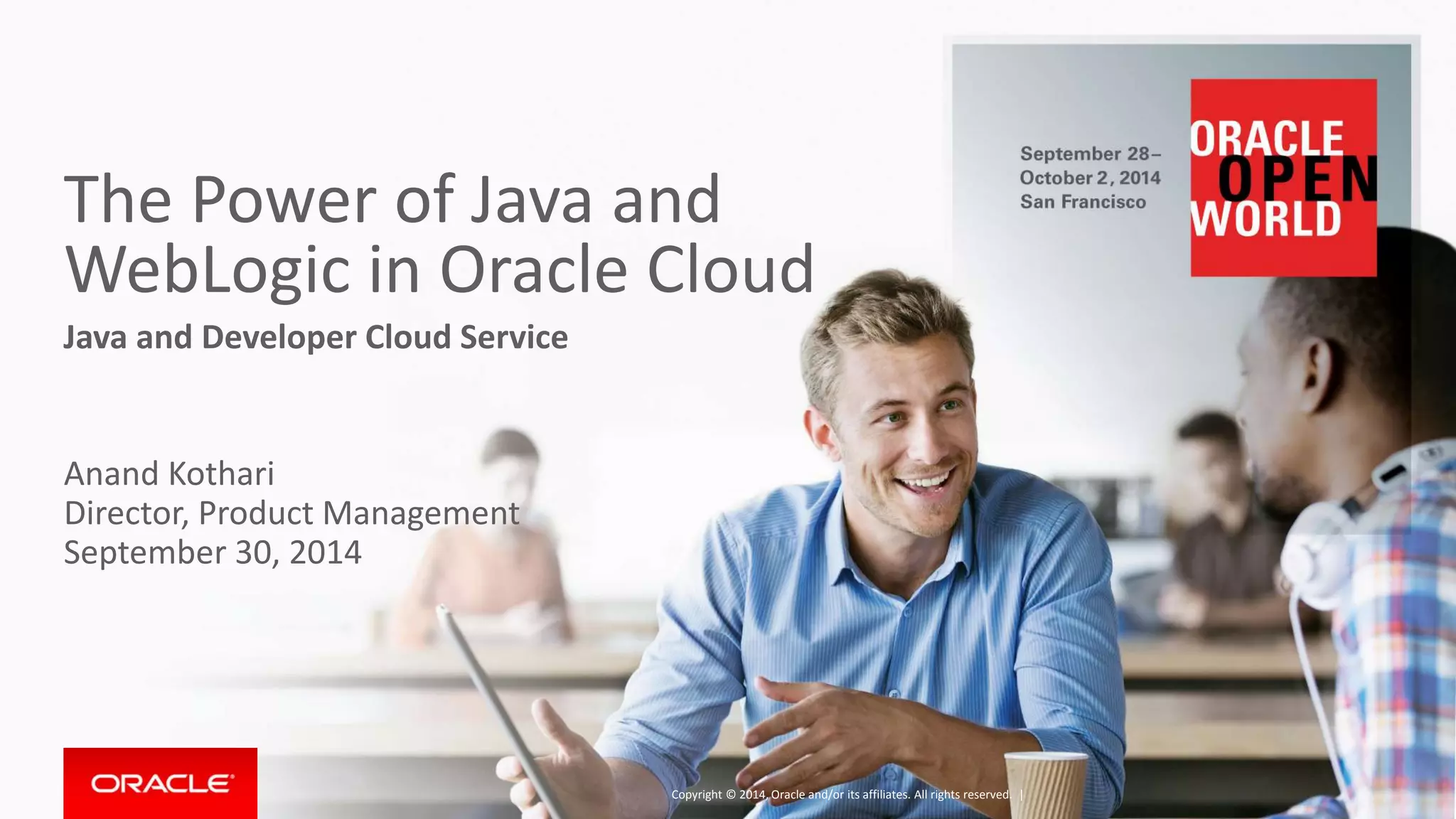
The Power of Java and 
WebLogic in Oracle Cloud 
Java and Developer Cloud Service 
Anand Kothari 
Director, Product Management 
September 30, 2014 
Copyright © 2014, Oracle and/or its affiliates. All rights reserved. |
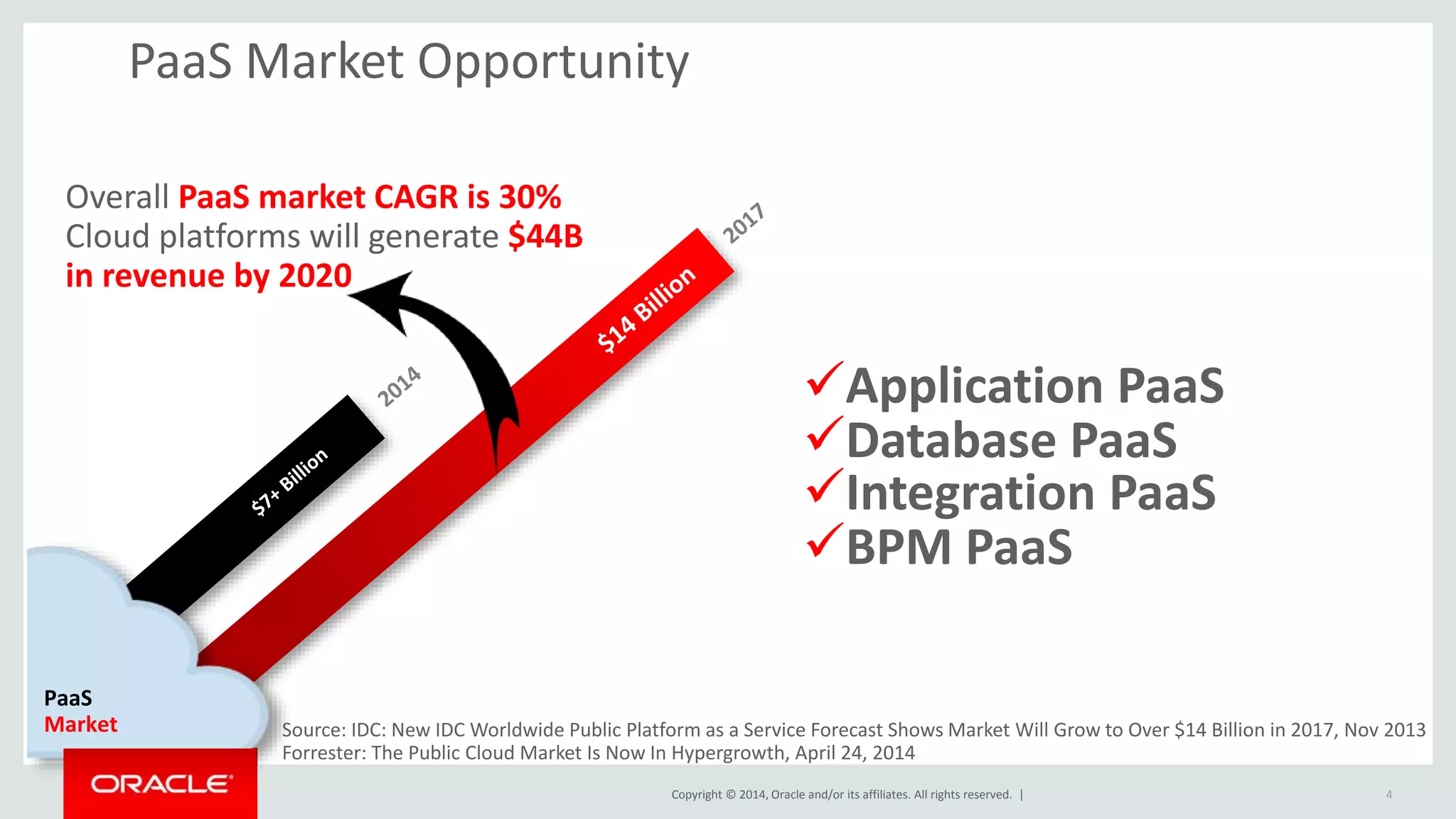
PaaS Market Opportunity 
Copyright © 2014, Oracle and/or its affiliates. All rights reserved. | 
4 
Overall PaaS market CAGR is 30% 
Cloud platforms will generate $44B 
in revenue by 2020 
PaaS 
Market 
Application PaaS 
Database PaaS 
Integration PaaS 
BPM PaaS 
Source: IDC: New IDC Worldwide Public Platform as a Service Forecast Shows Market Will Grow to Over $14 Billion in 2017, Nov 2013 
Forrester: The Public Cloud Market Is Now In Hypergrowth, April 24, 2014
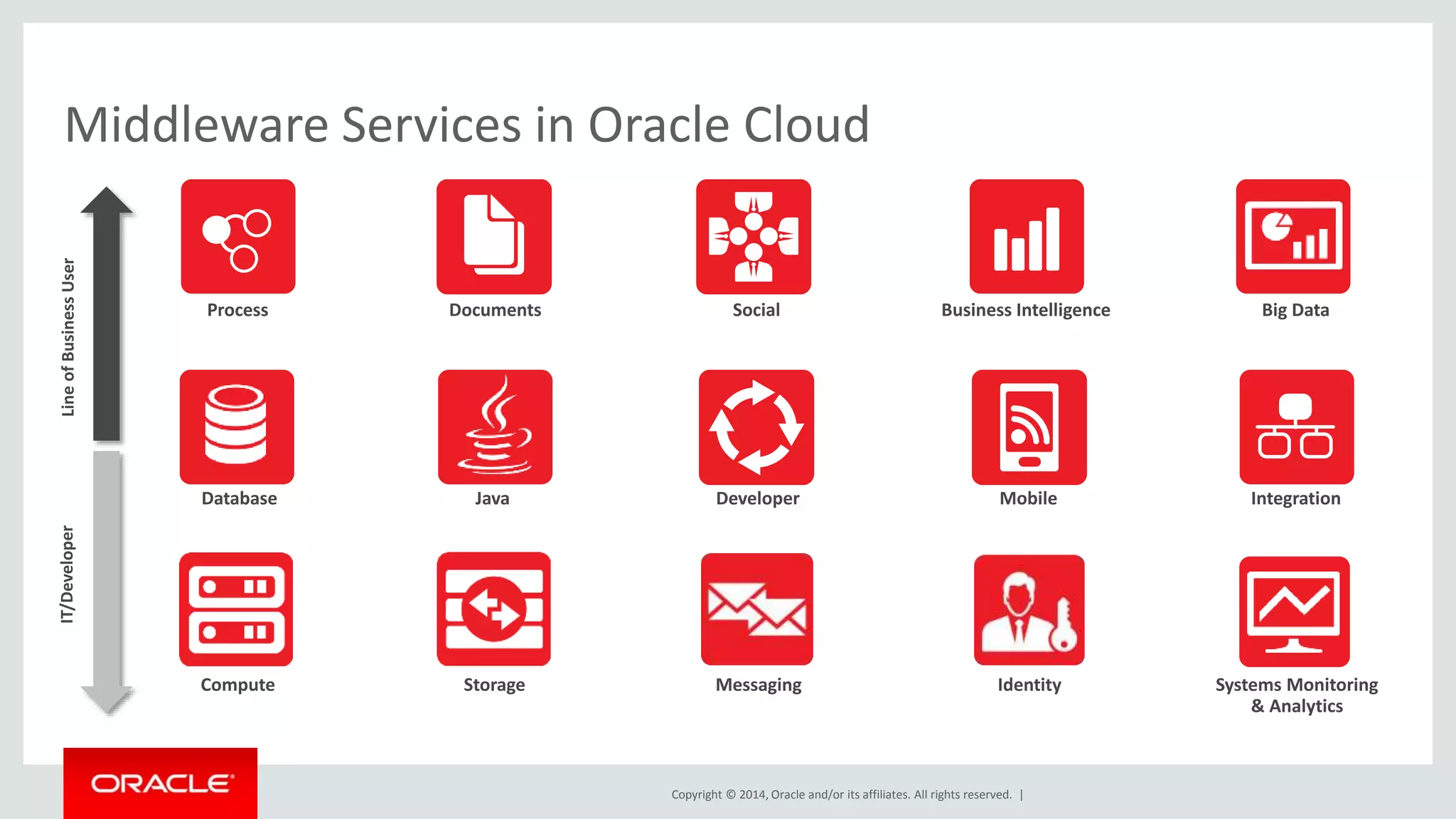
Middleware Services in Oracle Cloud 
Social 
Copyright © 2014, Oracle and/or its affiliates. All rights reserved. | 
Big Data 
Integration 
Process Business Intelligence 
Mobile 
Documents 
Java Developer 
IT/Developer Line of Business User 
Database 
Compute Storage Messaging 
Identity Systems Monitoring 
& Analytics
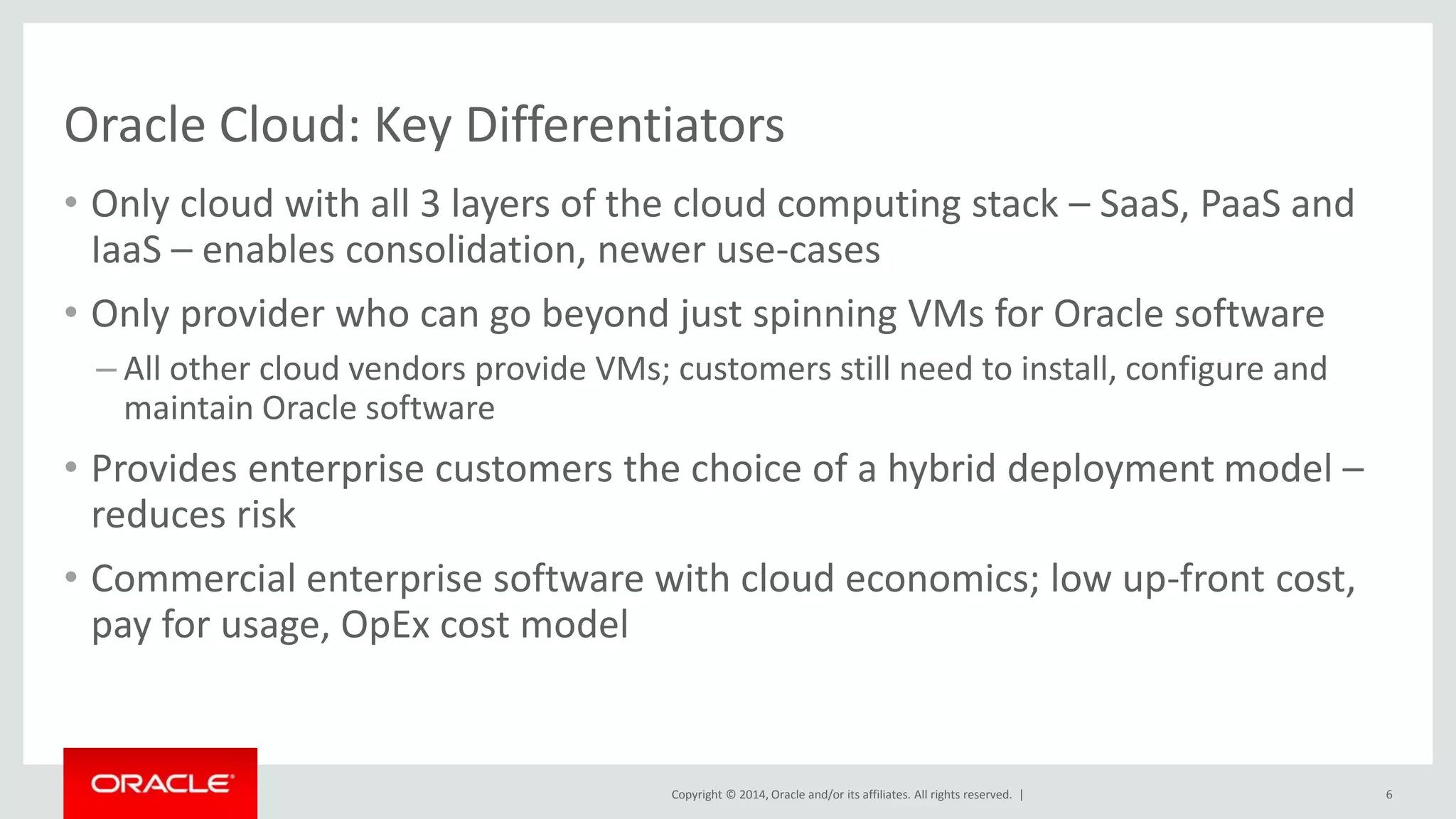
Oracle Cloud: Key Differentiators 
• Only cloud with all 3 layers of the cloud computing stack – SaaS, PaaS and 
IaaS – enables consolidation, newer use-cases 
• Only provider who can go beyond just spinning VMs for Oracle software 
– All other cloud vendors provide VMs; customers still need to install, configure and 
Copyright © 2014, Oracle and/or its affiliates. All rights reserved. | 
maintain Oracle software 
• Provides enterprise customers the choice of a hybrid deployment model – 
reduces risk 
• Commercial enterprise software with cloud economics; low up-front cost, 
pay for usage, OpEx cost model 
6
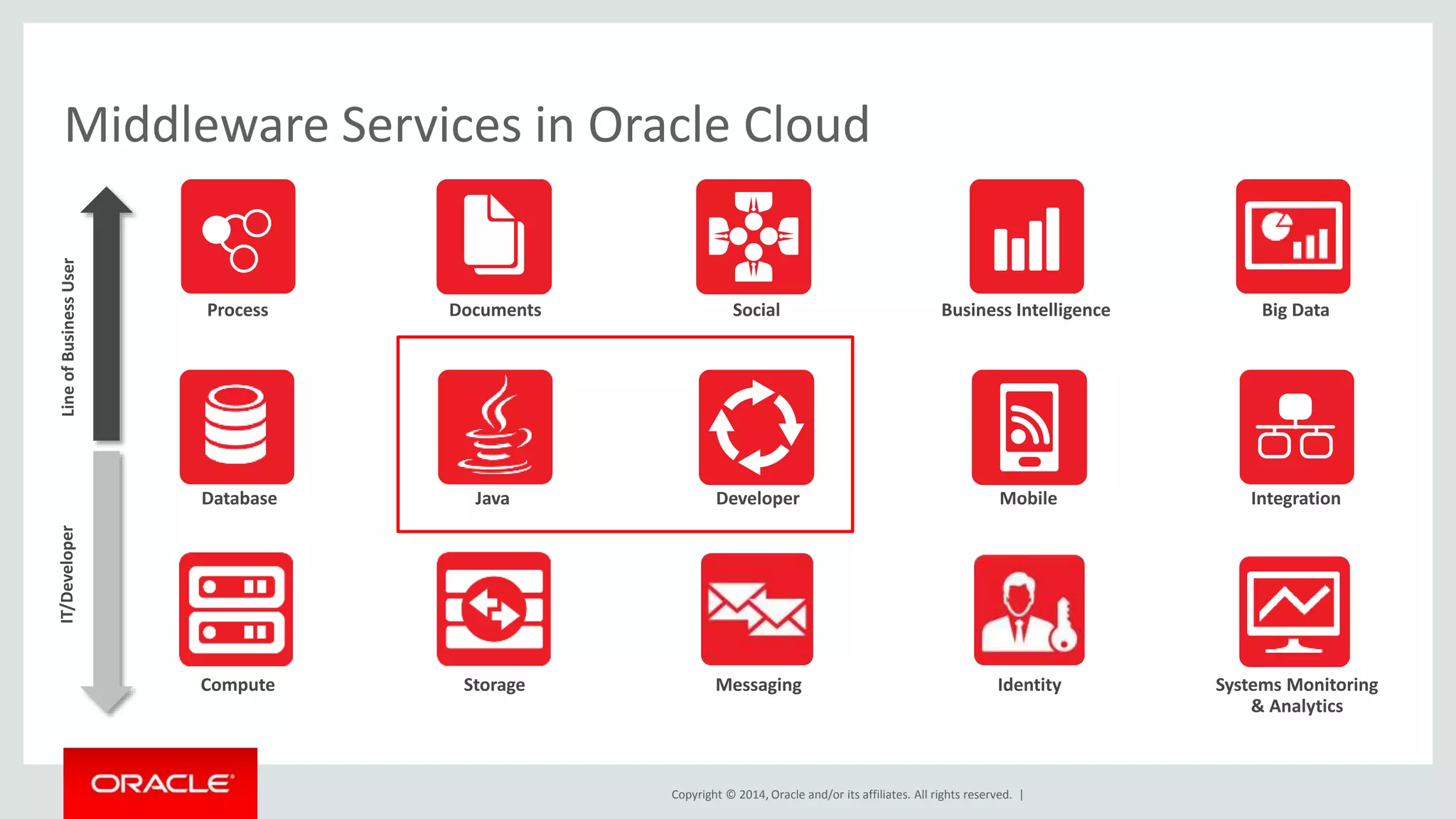
Middleware Services in Oracle Cloud 
Social 
Copyright © 2014, Oracle and/or its affiliates. All rights reserved. | 
Big Data 
Integration 
Process Business Intelligence 
Mobile 
Documents 
Java Developer 
IT/Developer Line of Business User 
Database 
Compute Storage Messaging 
Identity Systems Monitoring 
& Analytics
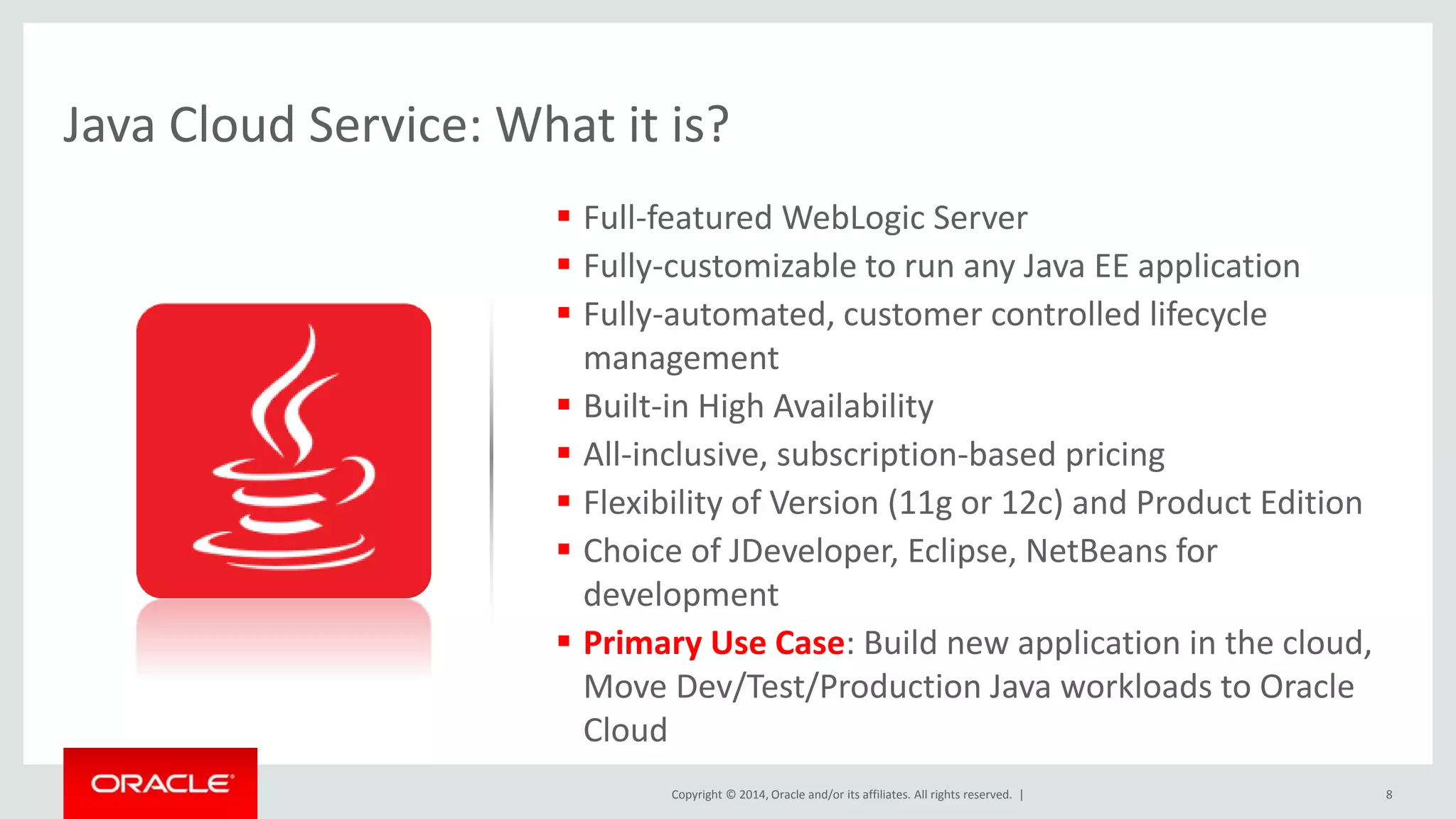
Java Cloud Service: What it is? 
 Full-featured WebLogic Server 
 Fully-customizable to run any Java EE application 
 Fully-automated, customer controlled lifecycle 
management 
 Built-in High Availability 
 All-inclusive, subscription-based pricing 
 Flexibility of Version (11g or 12c) and Product Edition 
 Choice of JDeveloper, Eclipse, NetBeans for 
development 
 Primary Use Case: Build new application in the cloud, 
Move Dev/Test/Production Java workloads to Oracle 
Cloud 
Copyright © 2014, Oracle and/or its affiliates. All rights reserved. | 8
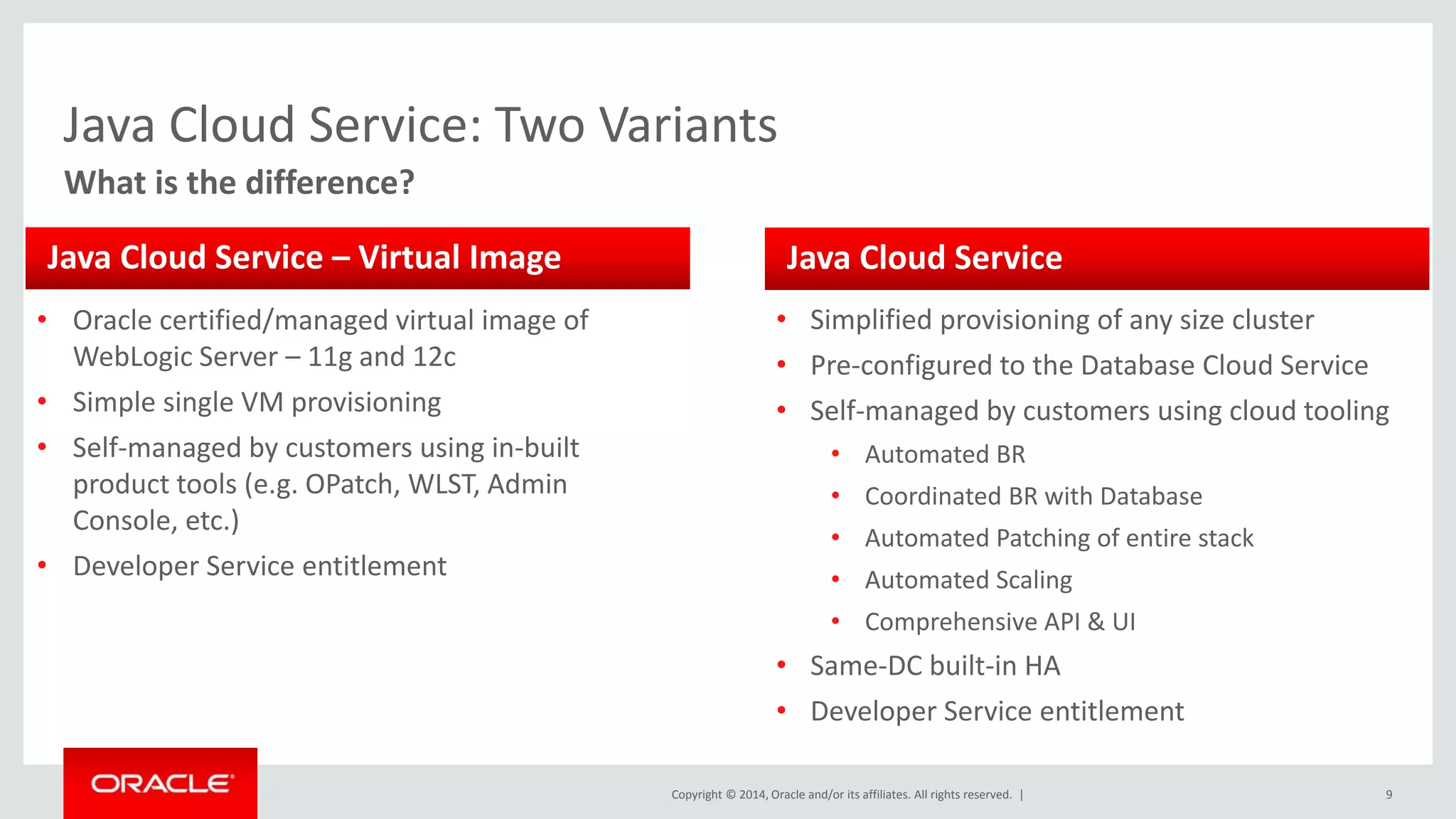
Java Cloud Service: Two Variants 
Java Cloud Service 
Copyright © 2014, Oracle and/or its affiliates. All rights reserved. | 9 
What is the difference? 
Java Cloud Service – Virtual Image 
• Oracle certified/managed virtual image of 
WebLogic Server – 11g and 12c 
• Simple single VM provisioning 
• Self-managed by customers using in-built 
product tools (e.g. OPatch, WLST, Admin 
Console, etc.) 
• Developer Service entitlement 
• Simplified provisioning of any size cluster 
• Pre-configured to the Database Cloud Service 
• Self-managed by customers using cloud tooling 
• Automated BR 
• Coordinated BR with Database 
• Automated Patching of entire stack 
• Automated Scaling 
• Comprehensive API & UI 
• Same-DC built-in HA 
• Developer Service entitlement
Copyright © 2014, Oracle and/or its affiliates. All rights reserved. | 
Java Cloud Service 
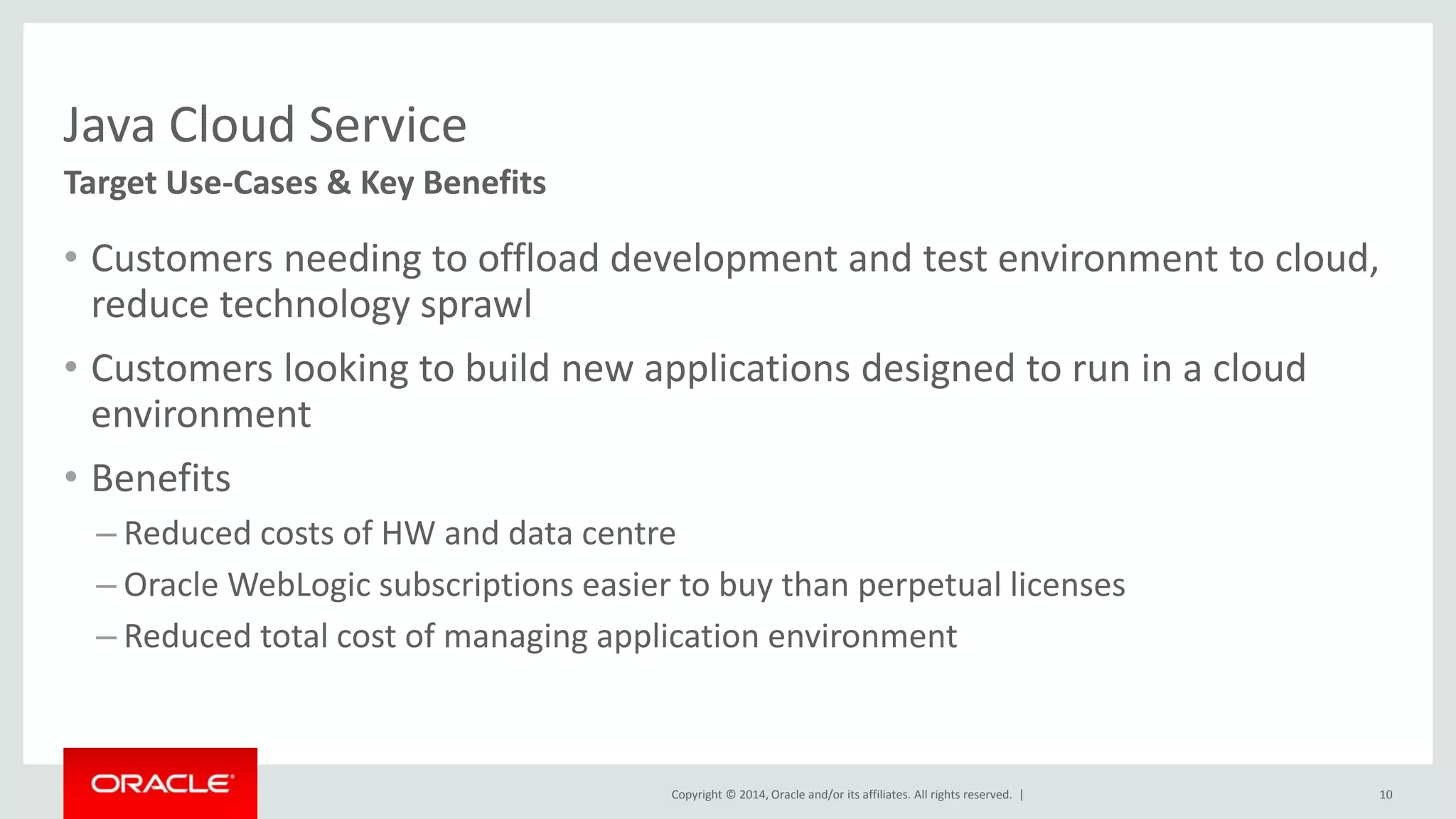
• Customers needing to offload development and test environment to cloud, 
reduce technology sprawl 
• Customers looking to build new applications designed to run in a cloud 
environment 
• Benefits 
– Reduced costs of HW and data centre 
– Oracle WebLogic subscriptions easier to buy than perpetual licenses 
– Reduced total cost of managing application environment 
10 
Target Use-Cases & Key Benefits
Copyright © 2014, Oracle and/or its affiliates. All rights reserved. | 
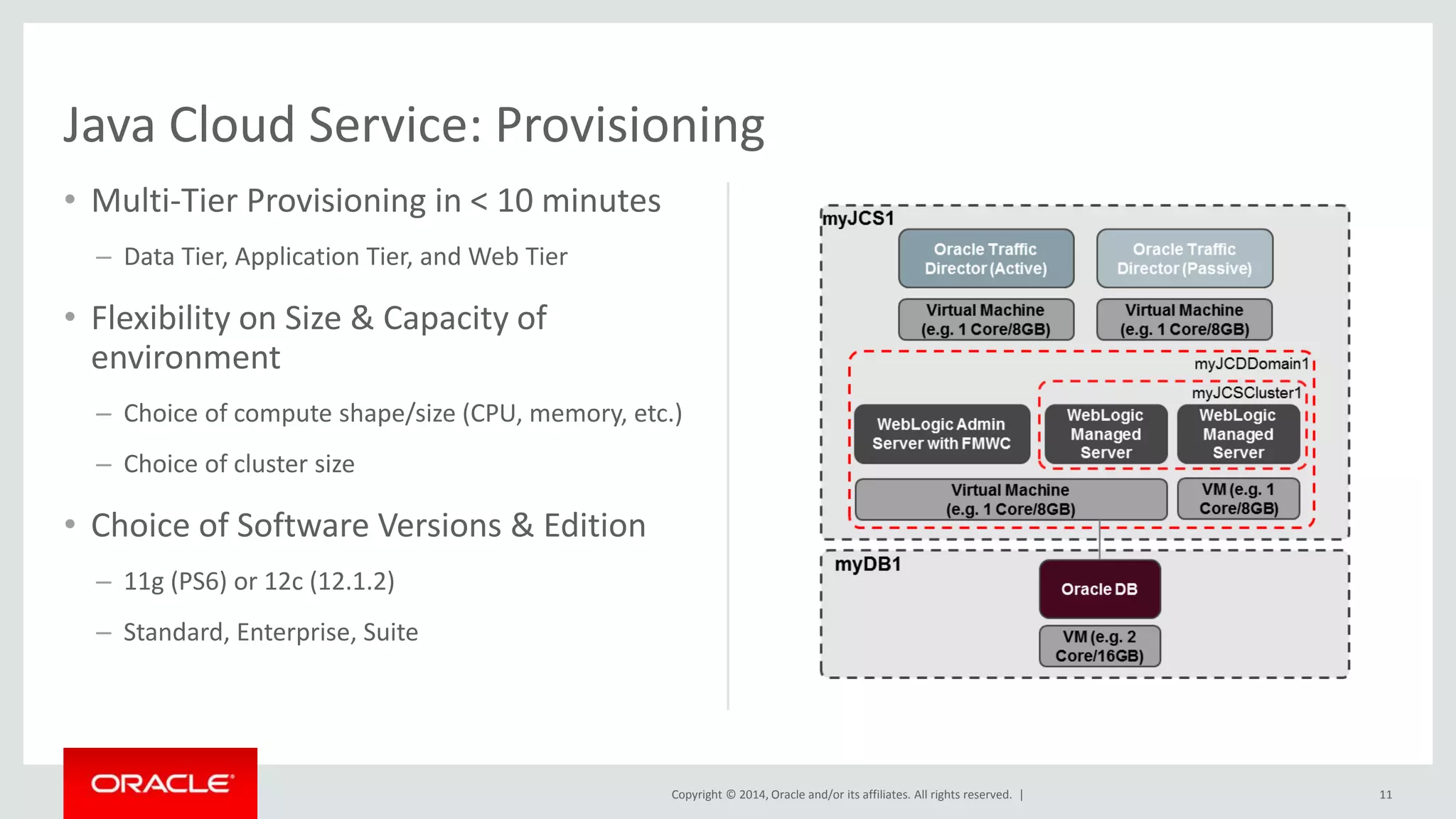
• Multi-Tier Provisioning in < 10 minutes 
– Data Tier, Application Tier, and Web Tier 
• Flexibility on Size & Capacity of 
environment 
– Choice of compute shape/size (CPU, memory, etc.) 
– Choice of cluster size 
• Choice of Software Versions & Edition 
– 11g (PS6) or 12c (12.1.2) 
– Standard, Enterprise, Suite 
11 
Java Cloud Service: Provisioning
Copyright © 2014, Oracle and/or its affiliates. All rights reserved. | 
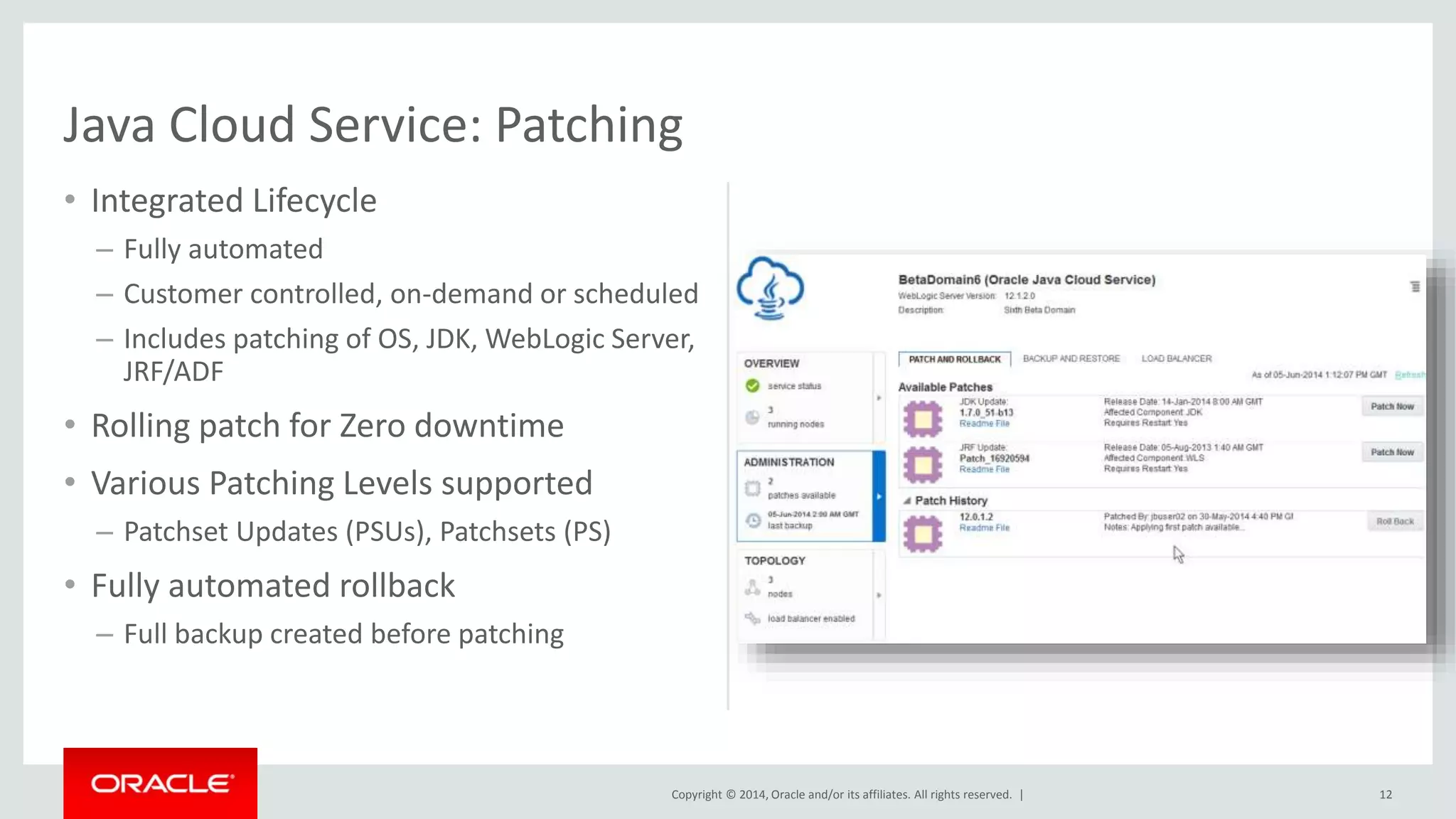
• Integrated Lifecycle 
– Fully automated 
– Customer controlled, on-demand or scheduled 
– Includes patching of OS, JDK, WebLogic Server, 
JRF/ADF 
• Rolling patch for Zero downtime 
• Various Patching Levels supported 
– Patchset Updates (PSUs), Patchsets (PS) 
• Fully automated rollback 
– Full backup created before patching 
12 
Java Cloud Service: Patching
Copyright © 2014, Oracle and/or its affiliates. All rights reserved. | 
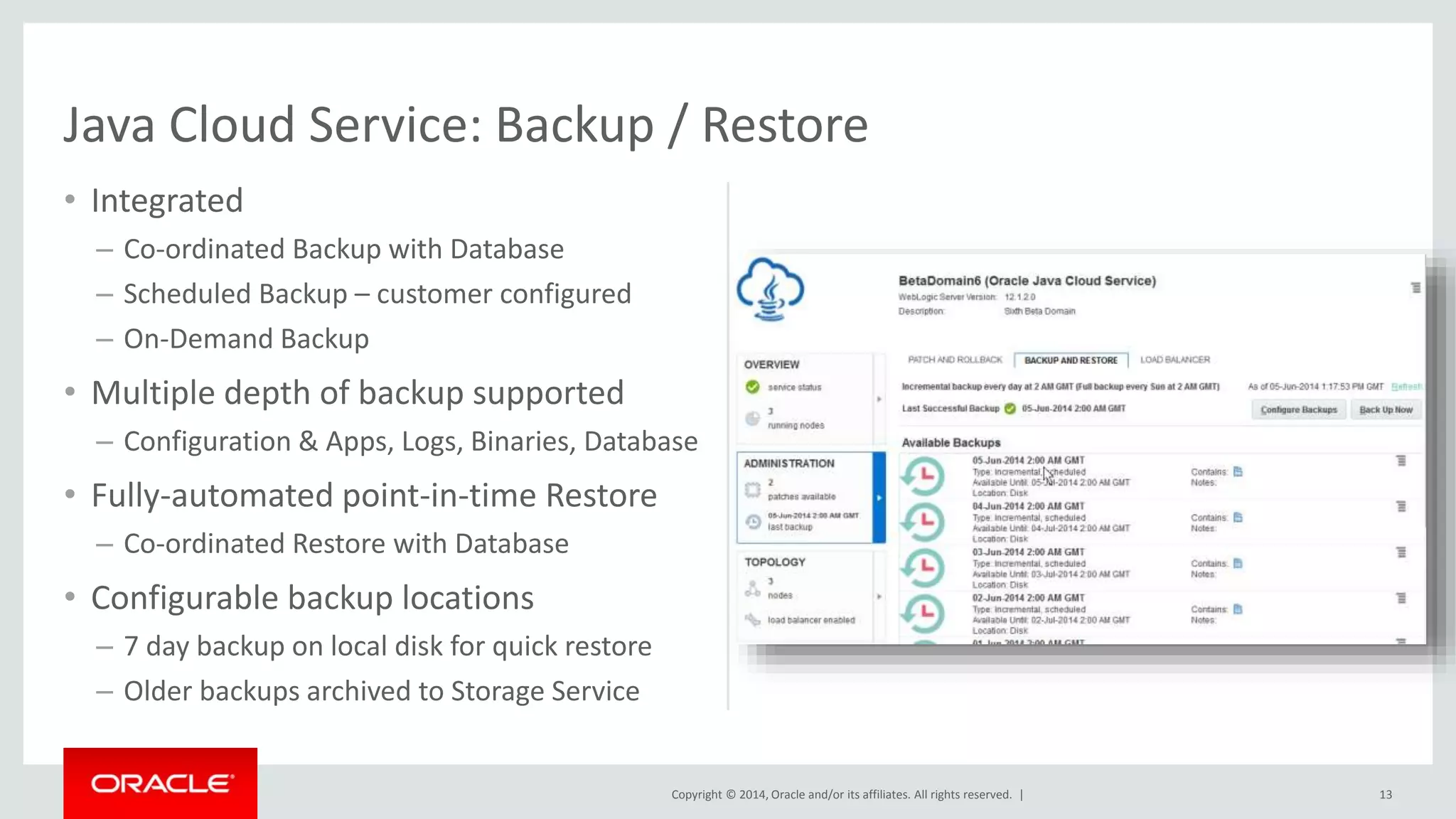
• Integrated 
– Co-ordinated Backup with Database 
– Scheduled Backup – customer configured 
– On-Demand Backup 
• Multiple depth of backup supported 
– Configuration & Apps, Logs, Binaries, Database 
• Fully-automated point-in-time Restore 
– Co-ordinated Restore with Database 
• Configurable backup locations 
– 7 day backup on local disk for quick restore 
– Older backups archived to Storage Service 
13 
Java Cloud Service: Backup / Restore
Copyright © 2014, Oracle and/or its affiliates. All rights reserved. | 
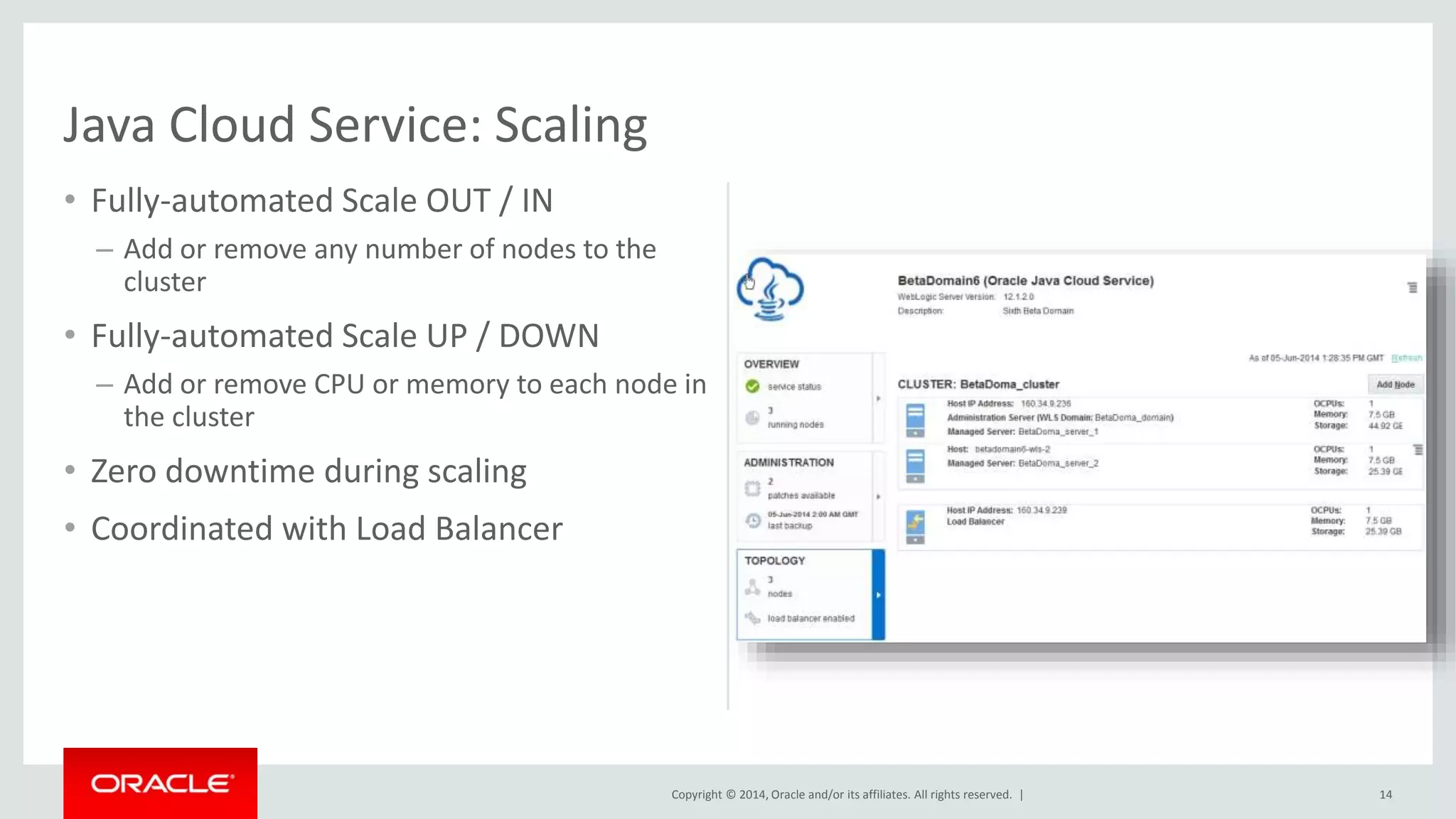
• Fully-automated Scale OUT / IN 
– Add or remove any number of nodes to the 
cluster 
• Fully-automated Scale UP / DOWN 
– Add or remove CPU or memory to each node in 
the cluster 
• Zero downtime during scaling 
• Coordinated with Load Balancer 
14 
Java Cloud Service: Scaling
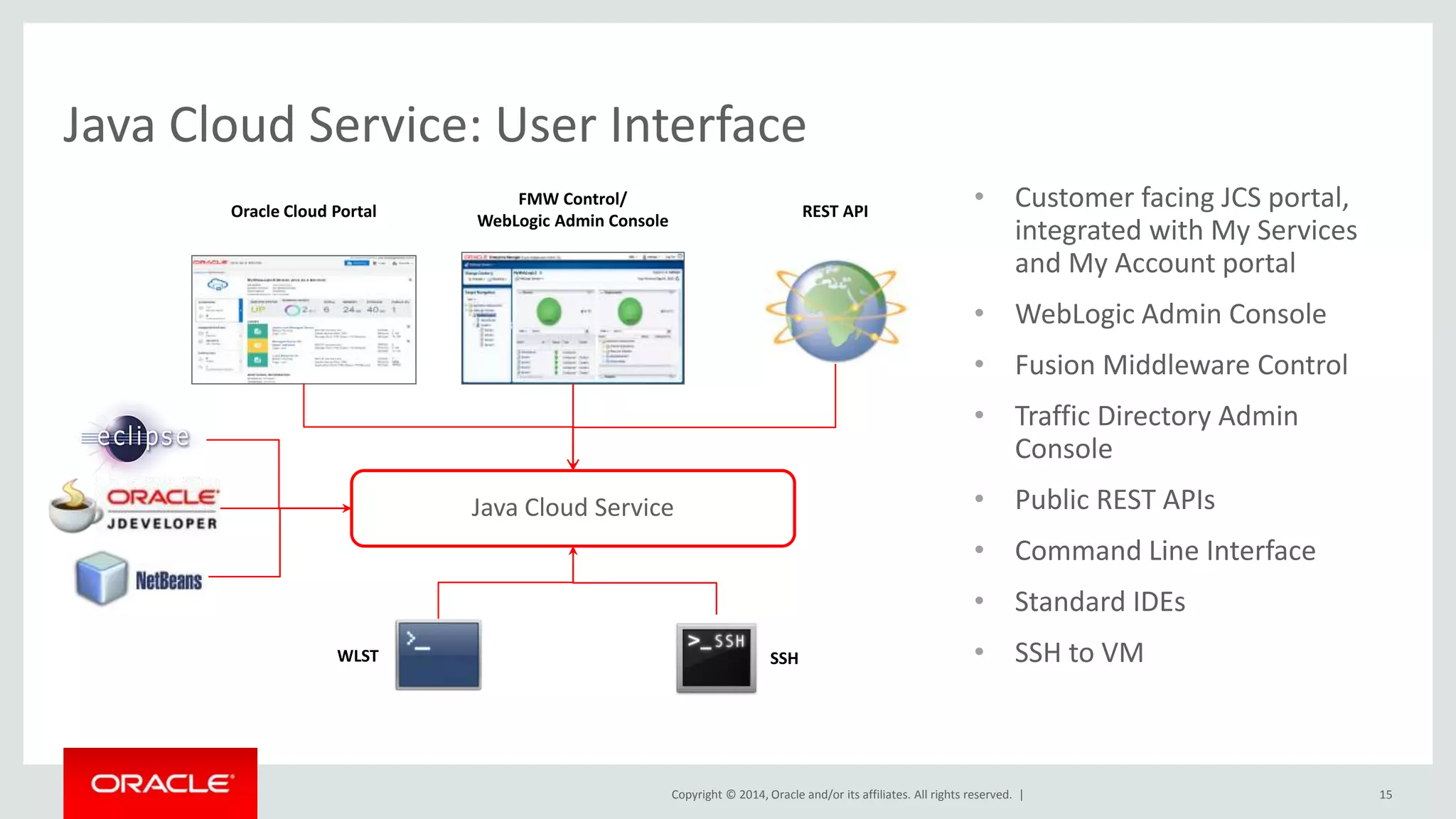
• Customer facing JCS portal, 
integrated with My Services 
and My Account portal 
• WebLogic Admin Console 
• Fusion Middleware Control 
• Traffic Directory Admin 
Console 
• Public REST APIs 
• Command Line Interface 
• Standard IDEs 
• SSH to VM 
Oracle Cloud Portal REST API 
Java Cloud Service 
Copyright © 2014, Oracle and/or its affiliates. All rights reserved. | 
15 
Java Cloud Service: User Interface 
FMW Control/ 
WebLogic Admin Console 
WLST SSH
Copyright © 2014, Oracle and/or its affiliates. All Oracle r iCgohmtsp raensey rCvoendf. i d|ential – Shared Under Terms of OPN NDA 16
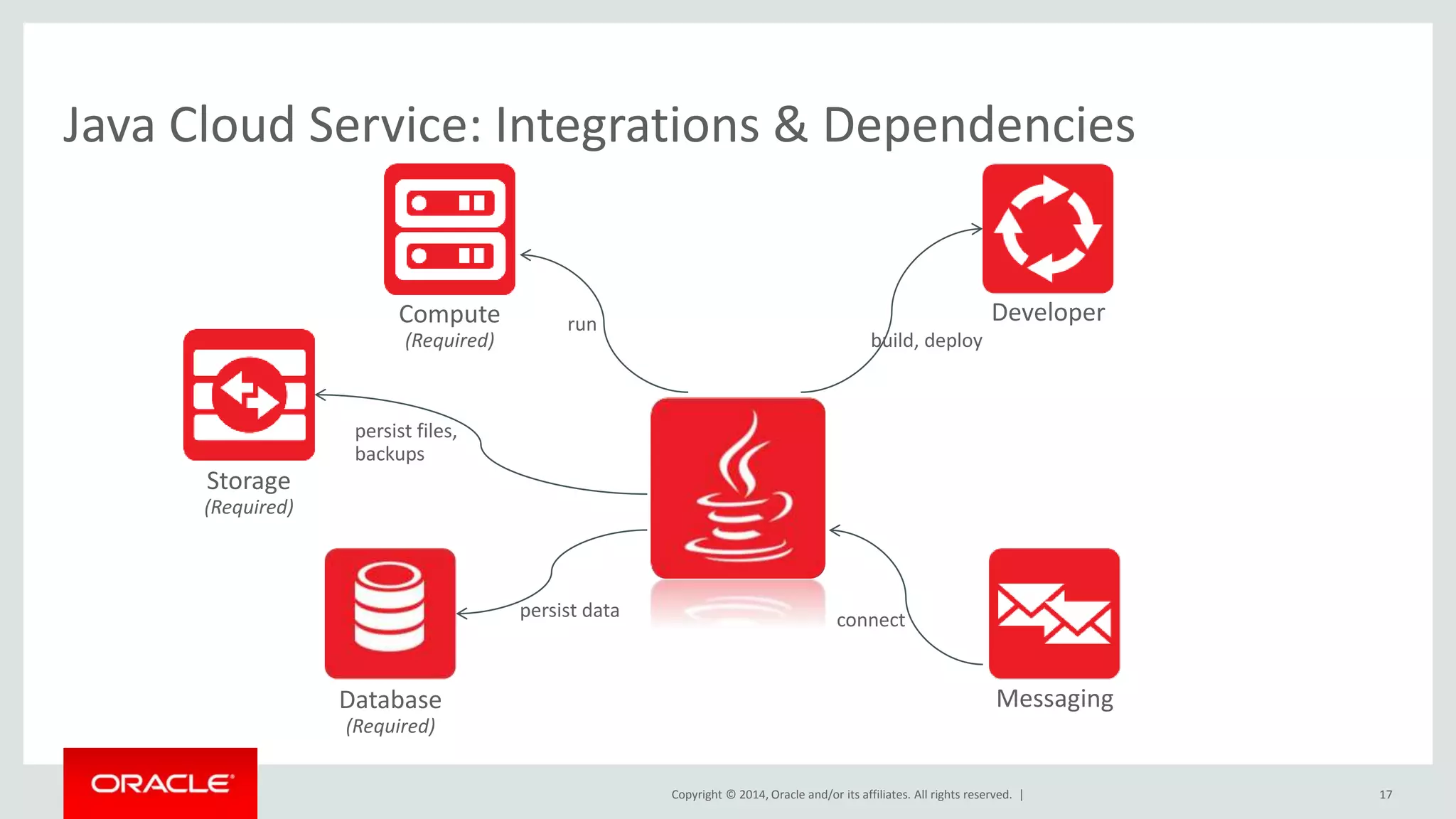
Java Cloud Service: Integrations & Dependencies 
Copyright © 2014, Oracle and/or its affiliates. All rights reserved. | 
17 
Storage 
(Required) 
Database 
(Required) 
Developer 
Messaging 
Compute 
(Required) 
run 
build, deploy 
persist data connect 
persist files, 
backups
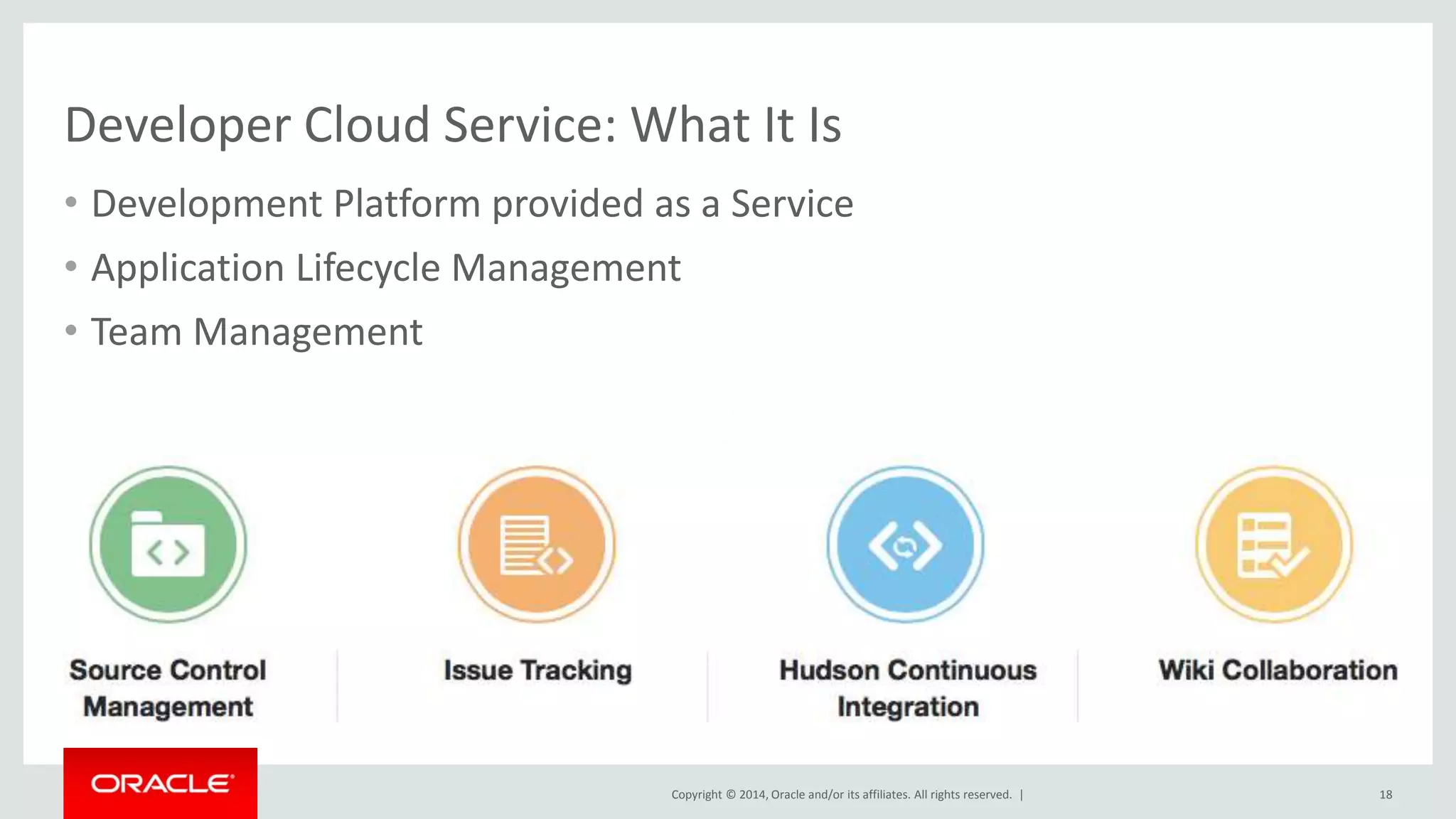
Developer Cloud Service: What It Is 
• Development Platform provided as a Service 
• Application Lifecycle Management 
• Team Management 
Copyright © 2014, Oracle and/or its affiliates. All rights reserved. | 
18
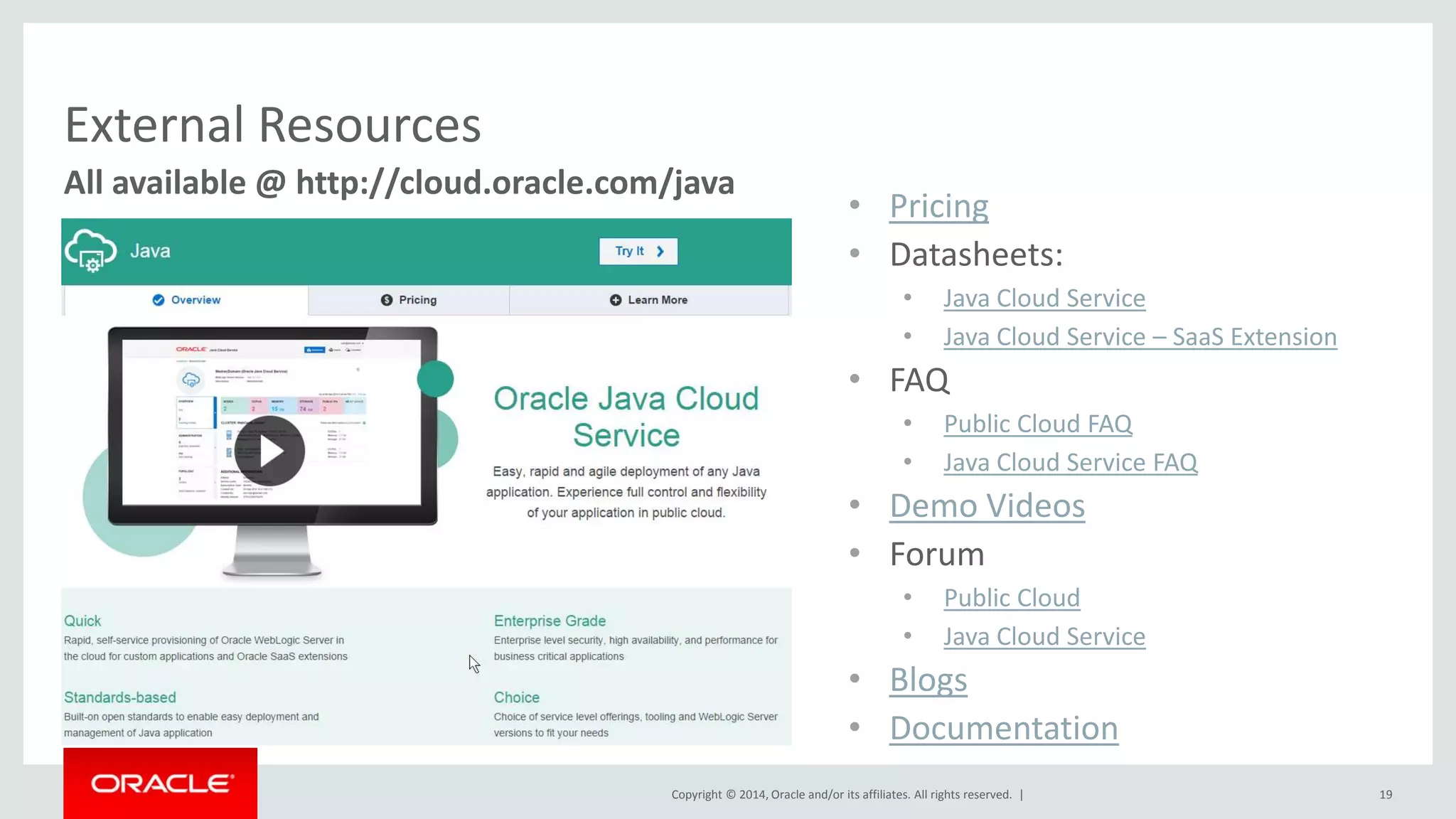
All available @ http://cloud.oracle.com/java 
Copyright © 2014, Oracle and/or its affiliates. All rights reserved. | 19 
External Resources 
• Pricing 
• Datasheets: 
• Java Cloud Service 
• Java Cloud Service – SaaS Extension 
• FAQ 
• Public Cloud FAQ 
• Java Cloud Service FAQ 
• Demo Videos 
• Forum 
• Public Cloud 
• Java Cloud Service 
• Blogs 
• Documentation
Copyright © 2014, Oracle and/or its affiliates. All rights reserved. | 
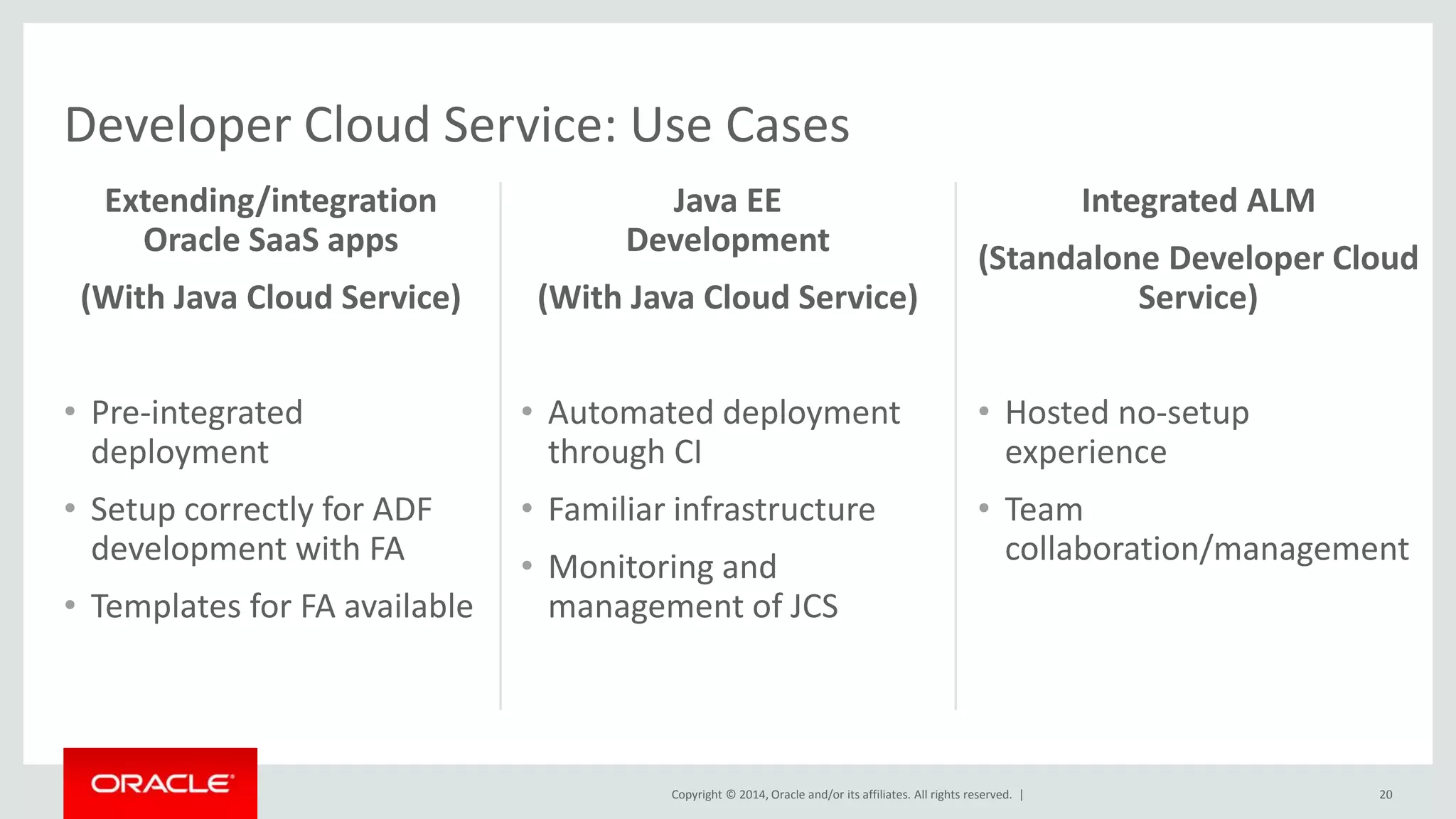
Extending/integration 
Oracle SaaS apps 
(With Java Cloud Service) 
• Pre-integrated 
deployment 
• Setup correctly for ADF 
development with FA 
• Templates for FA available 
Java EE 
Development 
(With Java Cloud Service) 
• Automated deployment 
through CI 
• Familiar infrastructure 
• Monitoring and 
management of JCS 
20 
Integrated ALM 
(Standalone Developer Cloud 
Service) 
• Hosted no-setup 
experience 
• Team 
collaboration/management 
Developer Cloud Service: Use Cases
The Power of Java and Oracle WebLogic Server in the Public Cloud (OpenWorld, September 2014)

The Power of Java and Oracle WebLogic Server in the Public Cloud (OpenWorld, September 2014)

  • 2.
    Safe Harbor Statement The following is intended to outline our general product direction. It is intended for information purposes only, and may not be incorporated into any contract. It is not a commitment to deliver any material, code, or functionality, and should not be relied upon in making purchasing decisions. The development, release, and timing of any features or functionality described for Oracle’s products remains at the sole discretion of Oracle. Copyright © 2014, Oracle and/or its affiliates. All rights reserved. | 2
  • 3.
    The Power ofJava and WebLogic in Oracle Cloud Java and Developer Cloud Service Anand Kothari Director, Product Management September 30, 2014 Copyright © 2014, Oracle and/or its affiliates. All rights reserved. |
  • 4.
    PaaS Market Opportunity Copyright © 2014, Oracle and/or its affiliates. All rights reserved. | 4 Overall PaaS market CAGR is 30% Cloud platforms will generate $44B in revenue by 2020 PaaS Market Application PaaS Database PaaS Integration PaaS BPM PaaS Source: IDC: New IDC Worldwide Public Platform as a Service Forecast Shows Market Will Grow to Over $14 Billion in 2017, Nov 2013 Forrester: The Public Cloud Market Is Now In Hypergrowth, April 24, 2014
  • 5.
    Middleware Services inOracle Cloud Social Copyright © 2014, Oracle and/or its affiliates. All rights reserved. | Big Data Integration Process Business Intelligence Mobile Documents Java Developer IT/Developer Line of Business User Database Compute Storage Messaging Identity Systems Monitoring & Analytics
  • 6.
    Oracle Cloud: KeyDifferentiators • Only cloud with all 3 layers of the cloud computing stack – SaaS, PaaS and IaaS – enables consolidation, newer use-cases • Only provider who can go beyond just spinning VMs for Oracle software – All other cloud vendors provide VMs; customers still need to install, configure and Copyright © 2014, Oracle and/or its affiliates. All rights reserved. | maintain Oracle software • Provides enterprise customers the choice of a hybrid deployment model – reduces risk • Commercial enterprise software with cloud economics; low up-front cost, pay for usage, OpEx cost model 6
  • 7.
    Middleware Services inOracle Cloud Social Copyright © 2014, Oracle and/or its affiliates. All rights reserved. | Big Data Integration Process Business Intelligence Mobile Documents Java Developer IT/Developer Line of Business User Database Compute Storage Messaging Identity Systems Monitoring & Analytics
  • 8.
    Java Cloud Service:What it is?  Full-featured WebLogic Server  Fully-customizable to run any Java EE application  Fully-automated, customer controlled lifecycle management  Built-in High Availability  All-inclusive, subscription-based pricing  Flexibility of Version (11g or 12c) and Product Edition  Choice of JDeveloper, Eclipse, NetBeans for development  Primary Use Case: Build new application in the cloud, Move Dev/Test/Production Java workloads to Oracle Cloud Copyright © 2014, Oracle and/or its affiliates. All rights reserved. | 8
  • 9.
    Java Cloud Service:Two Variants Java Cloud Service Copyright © 2014, Oracle and/or its affiliates. All rights reserved. | 9 What is the difference? Java Cloud Service – Virtual Image • Oracle certified/managed virtual image of WebLogic Server – 11g and 12c • Simple single VM provisioning • Self-managed by customers using in-built product tools (e.g. OPatch, WLST, Admin Console, etc.) • Developer Service entitlement • Simplified provisioning of any size cluster • Pre-configured to the Database Cloud Service • Self-managed by customers using cloud tooling • Automated BR • Coordinated BR with Database • Automated Patching of entire stack • Automated Scaling • Comprehensive API & UI • Same-DC built-in HA • Developer Service entitlement
  • 10.
    Copyright © 2014,Oracle and/or its affiliates. All rights reserved. | Java Cloud Service • Customers needing to offload development and test environment to cloud, reduce technology sprawl • Customers looking to build new applications designed to run in a cloud environment • Benefits – Reduced costs of HW and data centre – Oracle WebLogic subscriptions easier to buy than perpetual licenses – Reduced total cost of managing application environment 10 Target Use-Cases & Key Benefits
  • 11.
    Copyright © 2014,Oracle and/or its affiliates. All rights reserved. | • Multi-Tier Provisioning in < 10 minutes – Data Tier, Application Tier, and Web Tier • Flexibility on Size & Capacity of environment – Choice of compute shape/size (CPU, memory, etc.) – Choice of cluster size • Choice of Software Versions & Edition – 11g (PS6) or 12c (12.1.2) – Standard, Enterprise, Suite 11 Java Cloud Service: Provisioning
  • 12.
    Copyright © 2014,Oracle and/or its affiliates. All rights reserved. | • Integrated Lifecycle – Fully automated – Customer controlled, on-demand or scheduled – Includes patching of OS, JDK, WebLogic Server, JRF/ADF • Rolling patch for Zero downtime • Various Patching Levels supported – Patchset Updates (PSUs), Patchsets (PS) • Fully automated rollback – Full backup created before patching 12 Java Cloud Service: Patching
  • 13.
    Copyright © 2014,Oracle and/or its affiliates. All rights reserved. | • Integrated – Co-ordinated Backup with Database – Scheduled Backup – customer configured – On-Demand Backup • Multiple depth of backup supported – Configuration & Apps, Logs, Binaries, Database • Fully-automated point-in-time Restore – Co-ordinated Restore with Database • Configurable backup locations – 7 day backup on local disk for quick restore – Older backups archived to Storage Service 13 Java Cloud Service: Backup / Restore
  • 14.
    Copyright © 2014,Oracle and/or its affiliates. All rights reserved. | • Fully-automated Scale OUT / IN – Add or remove any number of nodes to the cluster • Fully-automated Scale UP / DOWN – Add or remove CPU or memory to each node in the cluster • Zero downtime during scaling • Coordinated with Load Balancer 14 Java Cloud Service: Scaling
  • 15.
    • Customer facingJCS portal, integrated with My Services and My Account portal • WebLogic Admin Console • Fusion Middleware Control • Traffic Directory Admin Console • Public REST APIs • Command Line Interface • Standard IDEs • SSH to VM Oracle Cloud Portal REST API Java Cloud Service Copyright © 2014, Oracle and/or its affiliates. All rights reserved. | 15 Java Cloud Service: User Interface FMW Control/ WebLogic Admin Console WLST SSH
  • 16.
    Copyright © 2014,Oracle and/or its affiliates. All Oracle r iCgohmtsp raensey rCvoendf. i d|ential – Shared Under Terms of OPN NDA 16
  • 17.
    Java Cloud Service:Integrations & Dependencies Copyright © 2014, Oracle and/or its affiliates. All rights reserved. | 17 Storage (Required) Database (Required) Developer Messaging Compute (Required) run build, deploy persist data connect persist files, backups
  • 18.
    Developer Cloud Service:What It Is • Development Platform provided as a Service • Application Lifecycle Management • Team Management Copyright © 2014, Oracle and/or its affiliates. All rights reserved. | 18
  • 19.
    All available @http://cloud.oracle.com/java Copyright © 2014, Oracle and/or its affiliates. All rights reserved. | 19 External Resources • Pricing • Datasheets: • Java Cloud Service • Java Cloud Service – SaaS Extension • FAQ • Public Cloud FAQ • Java Cloud Service FAQ • Demo Videos • Forum • Public Cloud • Java Cloud Service • Blogs • Documentation
  • 20.
    Copyright © 2014,Oracle and/or its affiliates. All rights reserved. | Extending/integration Oracle SaaS apps (With Java Cloud Service) • Pre-integrated deployment • Setup correctly for ADF development with FA • Templates for FA available Java EE Development (With Java Cloud Service) • Automated deployment through CI • Familiar infrastructure • Monitoring and management of JCS 20 Integrated ALM (Standalone Developer Cloud Service) • Hosted no-setup experience • Team collaboration/management Developer Cloud Service: Use Cases

Editor's Notes

  • #3 This is a Safe Harbor Front slide, one of two Safe Harbor Statement slides included in this template. One of the Safe Harbor slides must be used if your presentation covers material affected by Oracle’s Revenue Recognition Policy To learn more about this policy, e-mail: [email protected]
  • #4 This is a Title Slide with Picture slide ideal for including a picture with a brief title, subtitle and presenter information. To customize this slide with your own picture: Right-click the slide area and choose Format Background from the pop-up menu. From the Fill menu, click Picture and texture fill. Under Insert from: click File. Locate your new picture and click Insert. To copy the Customized Background from Another Presentation on PC Click New Slide from the Home tab's Slides group and select Reuse Slides. Click Browse in the Reuse Slides panel and select Browse Files. Double-click the PowerPoint presentation that contains the background you wish to copy. Check Keep Source Formatting and click the slide that contains the background you want. Click the left-hand slide preview to which you wish to apply the new master layout. Apply New Layout (Important): Right-click any selected slide, point to Layout, and click the slide containing the desired layout from the layout gallery. Delete any unwanted slides or duplicates. To copy the Customized Background from Another Presentation on Mac Click New Slide from the Home tab's Slides group and select Insert Slides from Other Presentation… Navigate to the PowerPoint presentation file that contains the background you wish to copy. Double-click or press Insert. This prompts the Slide Finder dialogue box. Make sure Keep design of original slides is unchecked and click the slide(s) that contains the background you want. Hold Shift key to select multiple slides. Click the left-hand slide preview to which you wish to apply the new master layout. Apply New Layout (Important): Click Layout from the Home tab's Slides group, and click the slide containing the desired layout from the layout gallery. Delete any unwanted slides or duplicates.