XML Parsing Using JAXB
Image
● Object (DOM, JDOM….etc)
● PUSH (SAX)
● PULL(Stax)
● JAXB(Java Architecture for XML Binding)
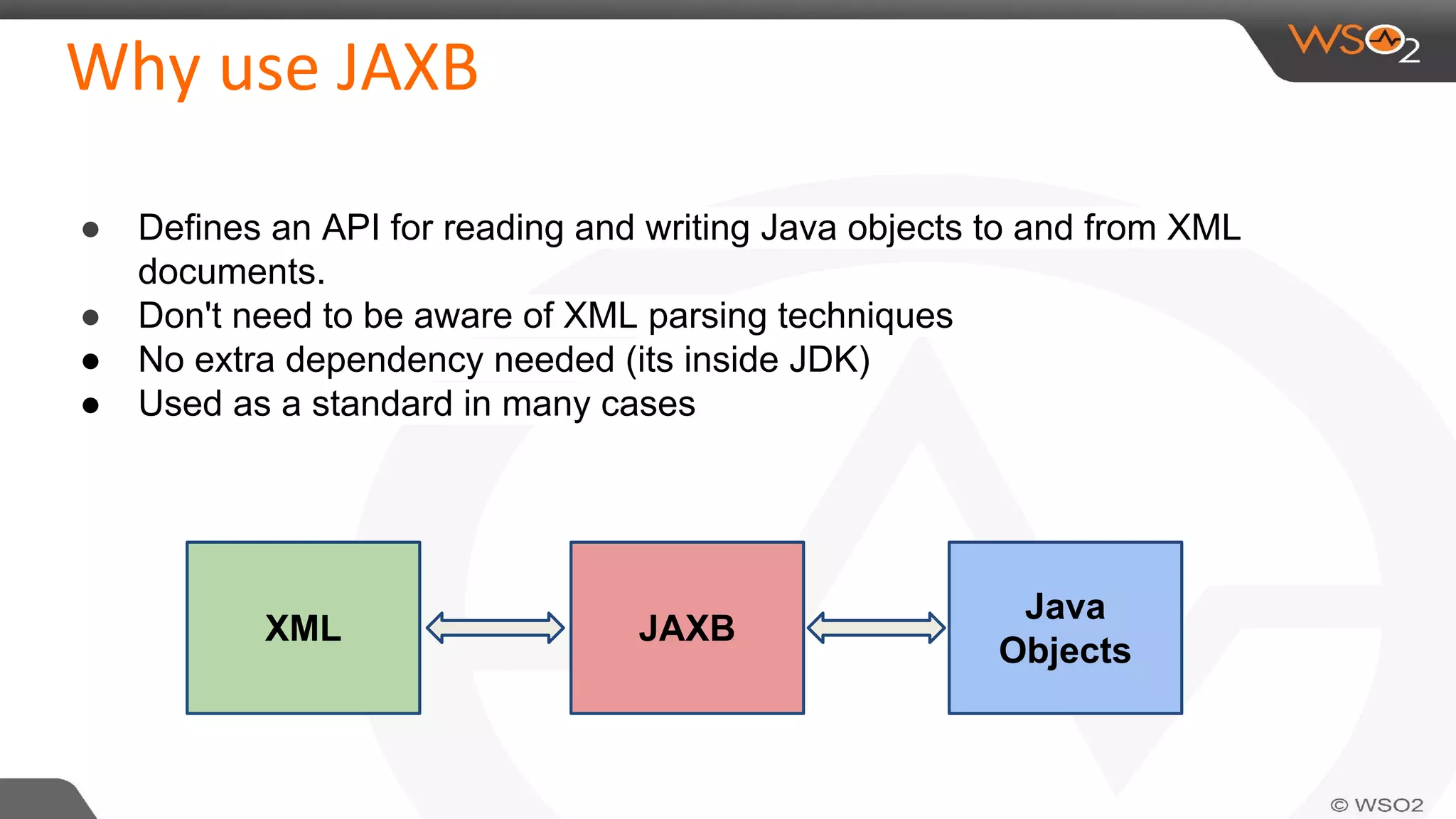
● Defines an API for reading and writing Java objects to and from XML
documents.
● Don't need to be aware of XML parsing techniques
● No extra dependency needed (its inside JDK)
● Used as a standard in many cases
XML JAXB
Java
Objects
●
●
Image
Image
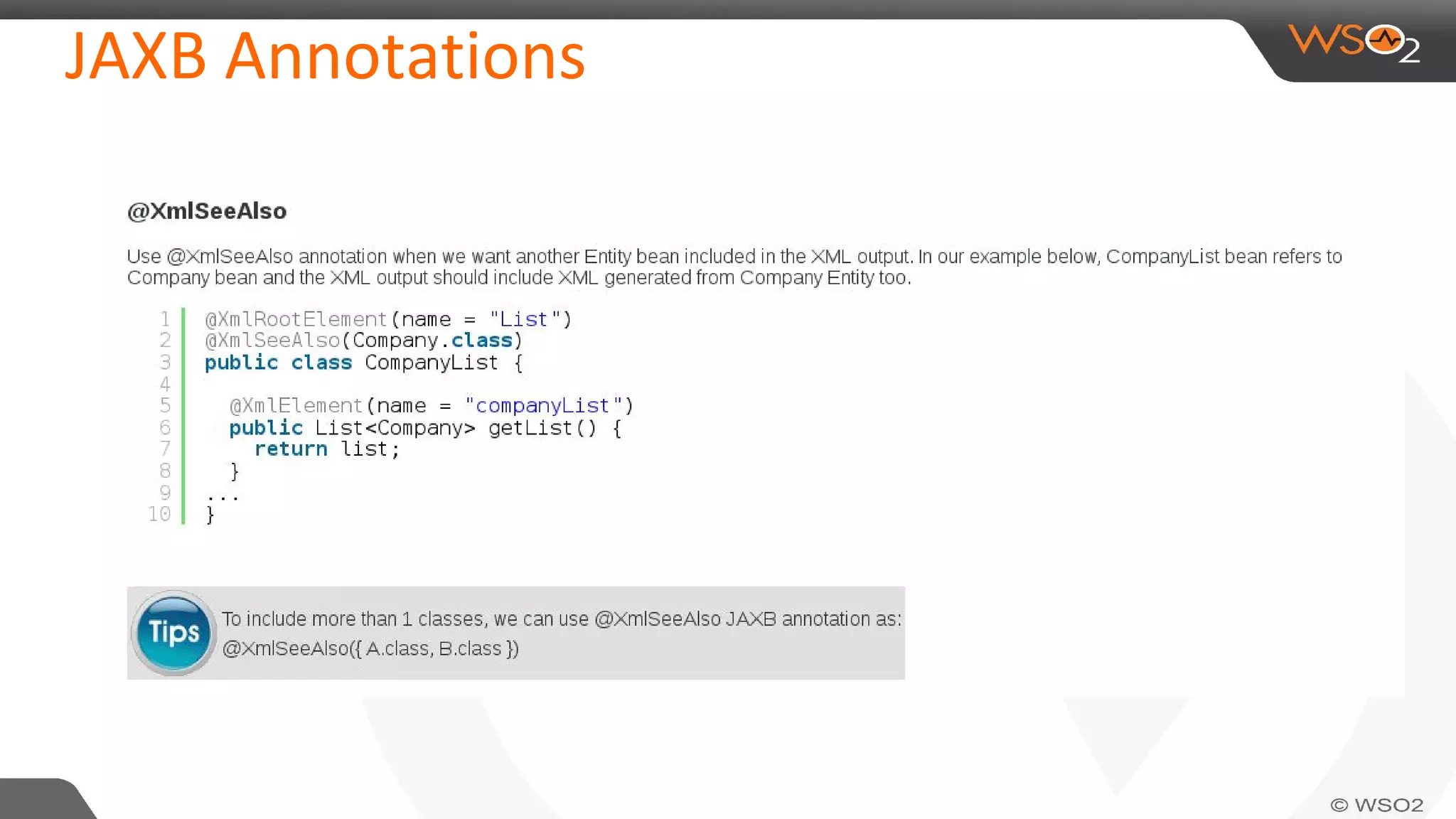
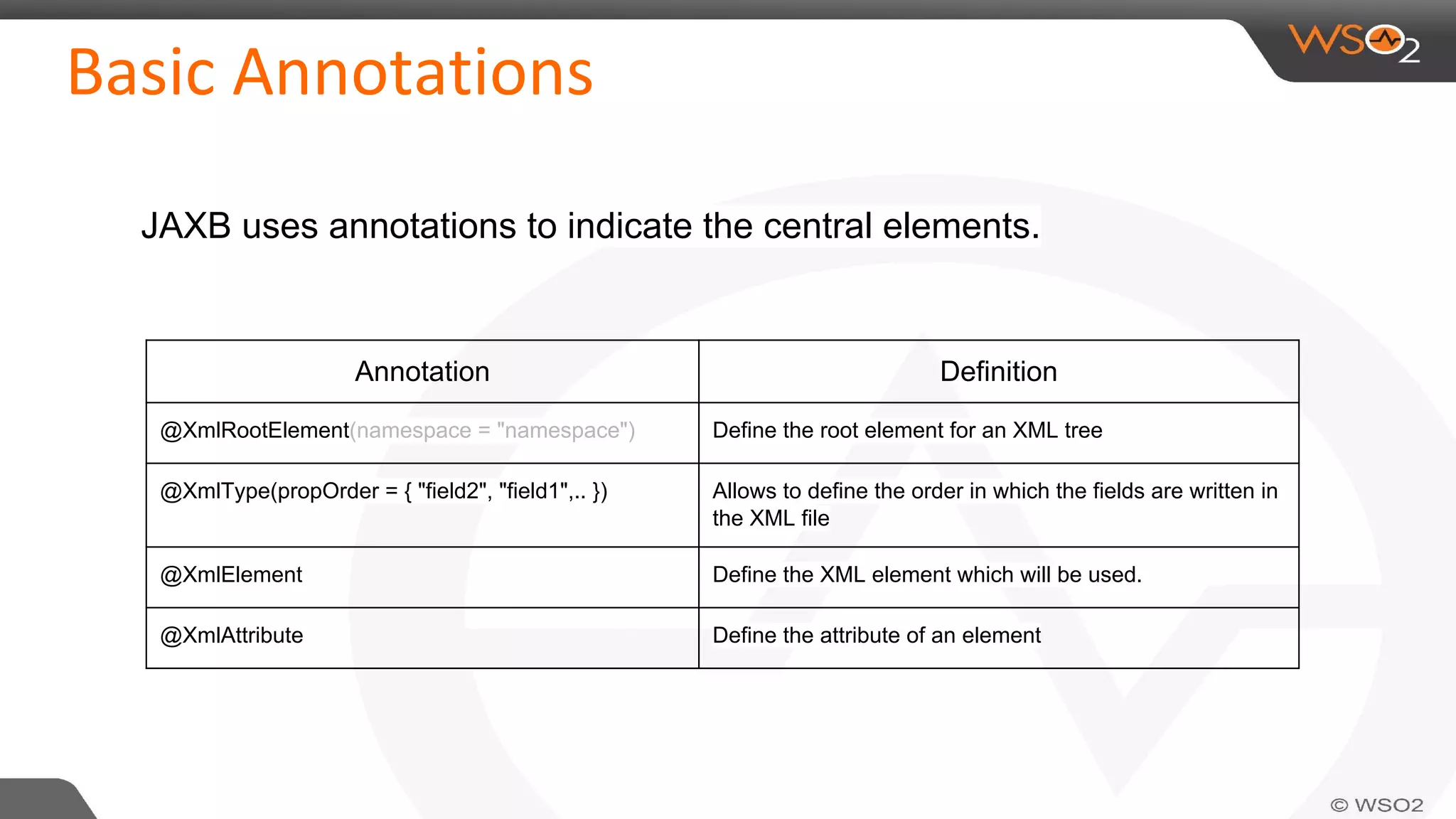
JAXB uses annotations to indicate the central elements.
Annotation Definition
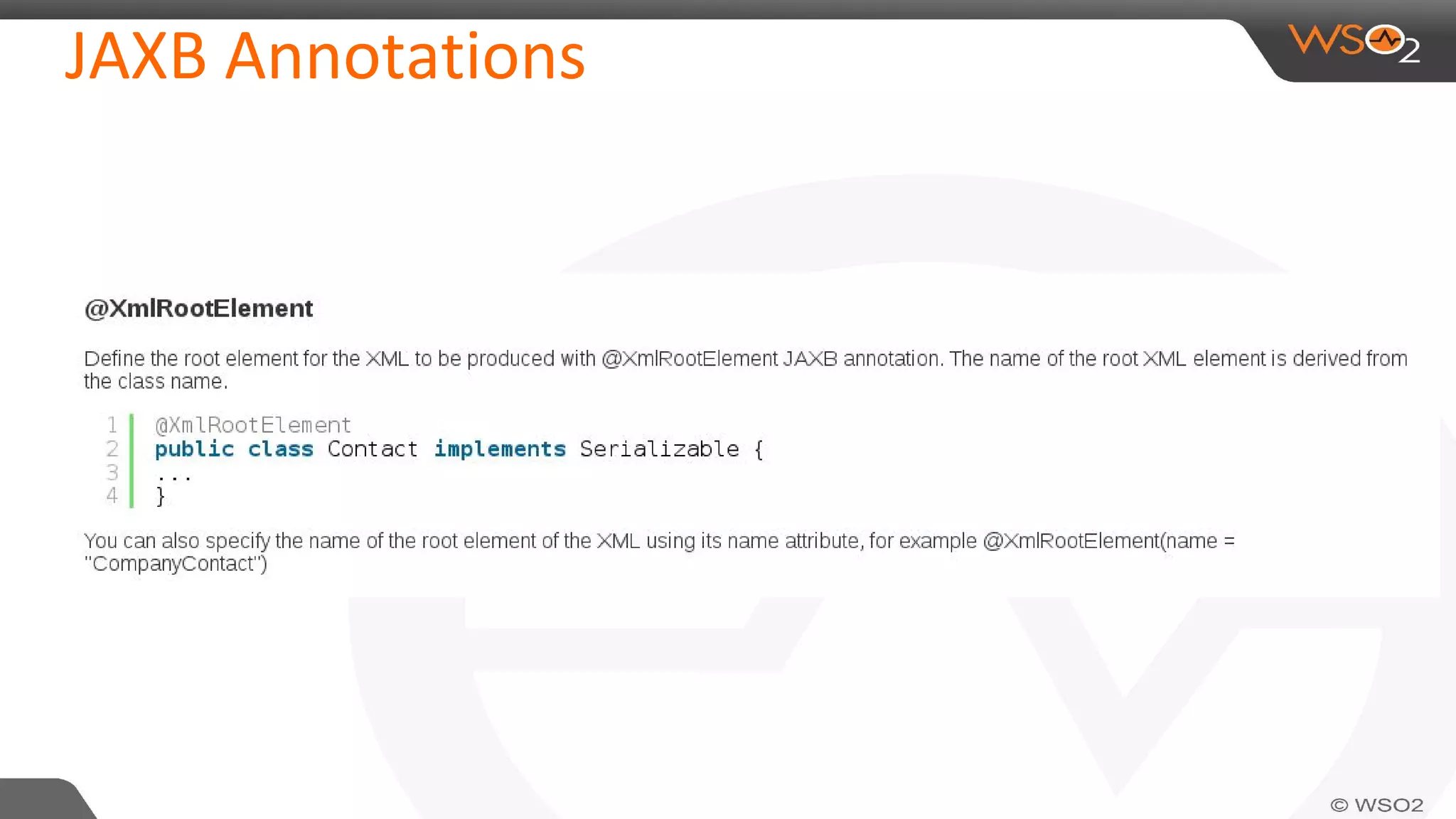
@XmlRootElement(namespace = "namespace") Define the root element for an XML tree
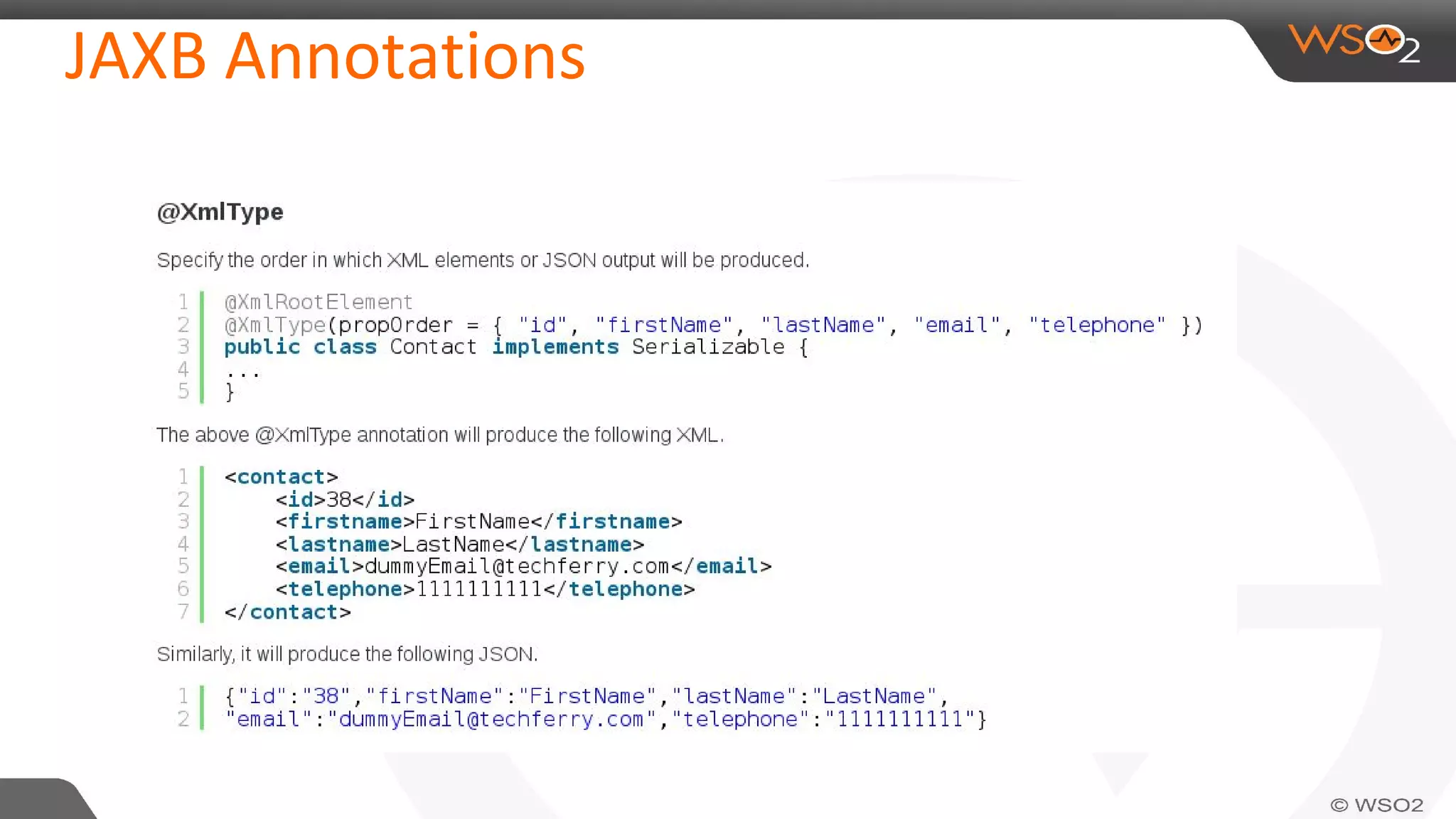
@XmlType(propOrder = { "field2", "field1",.. }) Allows to define the order in which the fields are written in
the XML file
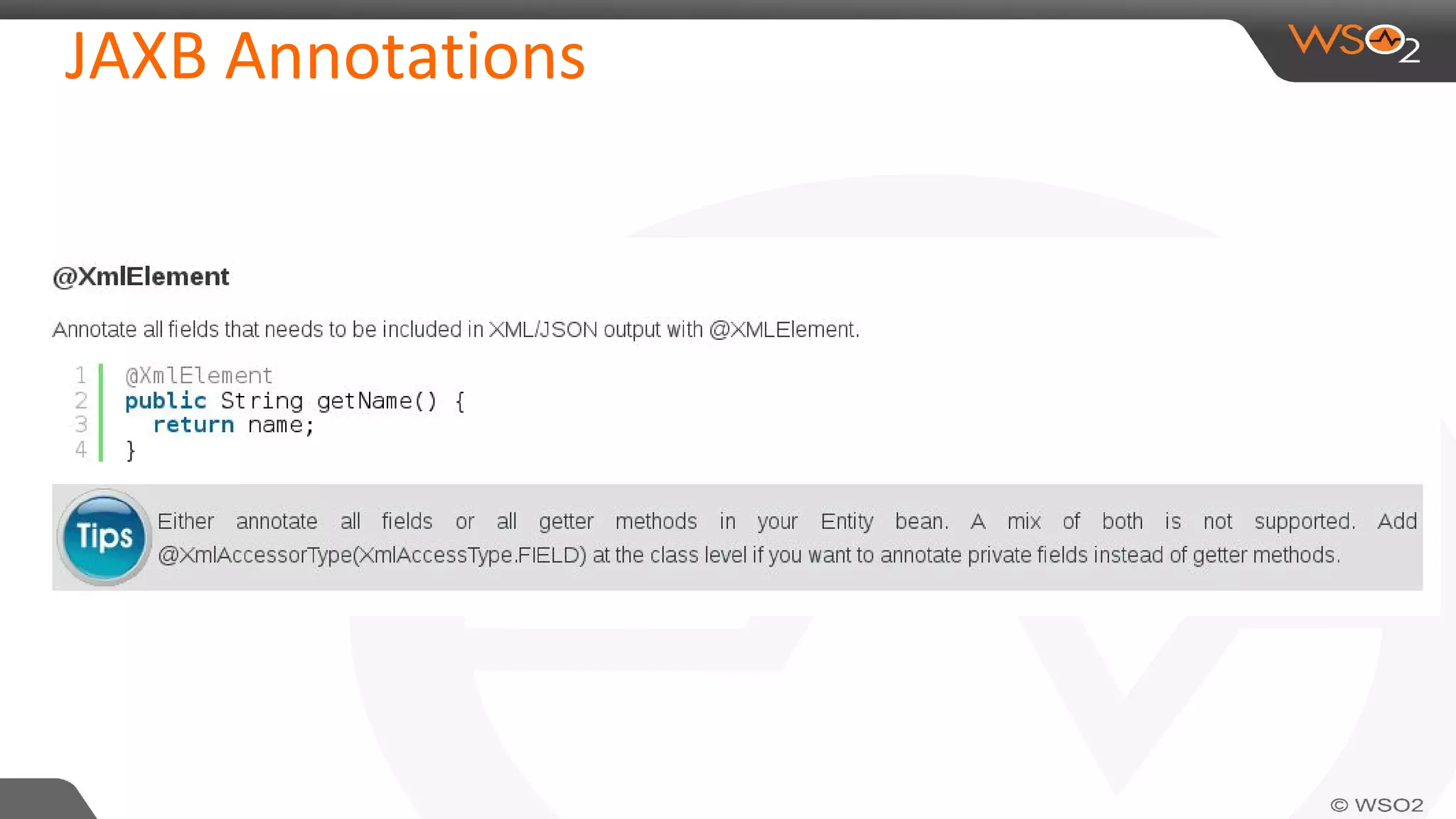
@XmlElement Define the XML element which will be used.
@XmlAttribute Define the attribute of an element
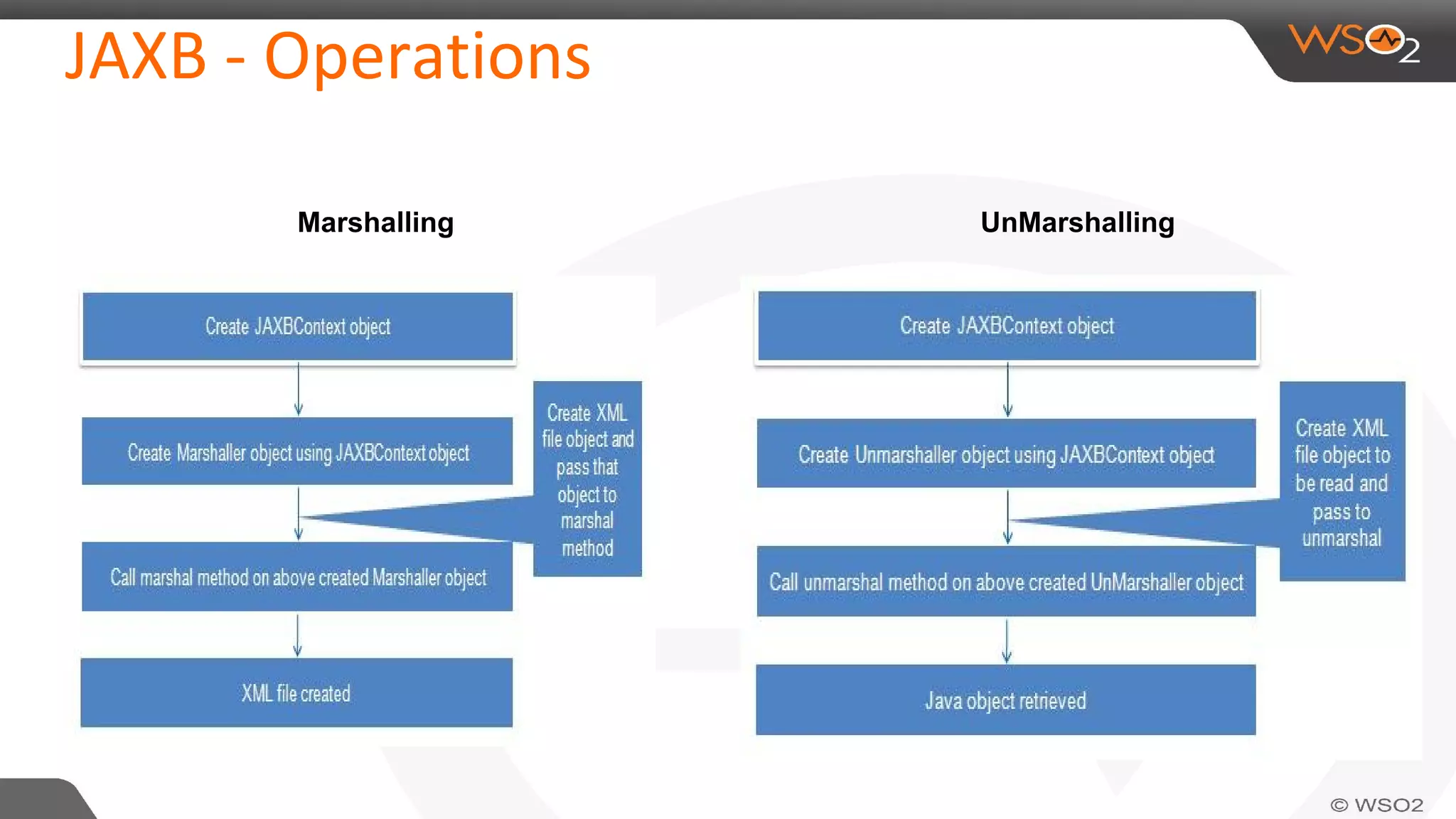
Marshalling UnMarshalling
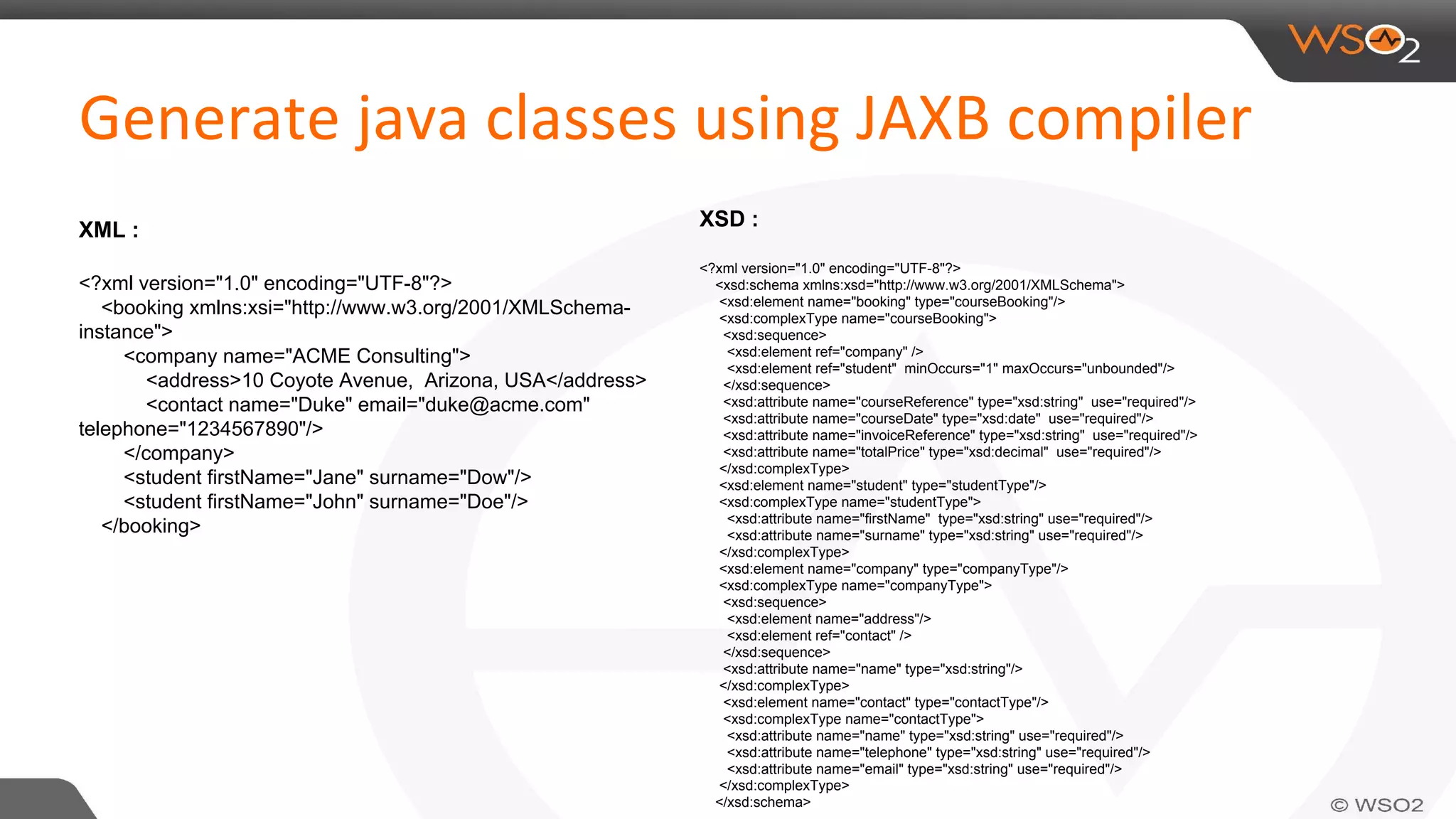
XML :
<?xml version="1.0" encoding="UTF-8"?>
<booking xmlns:xsi="http://www.w3.org/2001/XMLSchema-
instance">
<company name="ACME Consulting">
<address>10 Coyote Avenue, Arizona, USA</address>
<contact name="Duke" email="duke@acme.com"
telephone="1234567890"/>
</company>
<student firstName="Jane" surname="Dow"/>
<student firstName="John" surname="Doe"/>
</booking>
XSD :
<?xml version="1.0" encoding="UTF-8"?>
<xsd:schema xmlns:xsd="http://www.w3.org/2001/XMLSchema">
<xsd:element name="booking" type="courseBooking"/>
<xsd:complexType name="courseBooking">
<xsd:sequence>
<xsd:element ref="company" />
<xsd:element ref="student" minOccurs="1" maxOccurs="unbounded"/>
</xsd:sequence>
<xsd:attribute name="courseReference" type="xsd:string" use="required"/>
<xsd:attribute name="courseDate" type="xsd:date" use="required"/>
<xsd:attribute name="invoiceReference" type="xsd:string" use="required"/>
<xsd:attribute name="totalPrice" type="xsd:decimal" use="required"/>
</xsd:complexType>
<xsd:element name="student" type="studentType"/>
<xsd:complexType name="studentType">
<xsd:attribute name="firstName" type="xsd:string" use="required"/>
<xsd:attribute name="surname" type="xsd:string" use="required"/>
</xsd:complexType>
<xsd:element name="company" type="companyType"/>
<xsd:complexType name="companyType">
<xsd:sequence>
<xsd:element name="address"/>
<xsd:element ref="contact" />
</xsd:sequence>
<xsd:attribute name="name" type="xsd:string"/>
</xsd:complexType>
<xsd:element name="contact" type="contactType"/>
<xsd:complexType name="contactType">
<xsd:attribute name="name" type="xsd:string" use="required"/>
<xsd:attribute name="telephone" type="xsd:string" use="required"/>
<xsd:attribute name="email" type="xsd:string" use="required"/>
</xsd:complexType>
</xsd:schema>
run the following command:
$xjc course-booking.xsd -p org.wso2.jaxb.training -d src/generated
● -d <dir>: Place the generated files into this directory.
● -p <package>: Place the generated files in this package.
● -nv: Don't perform strict validation of the input schema.
● -httpproxy <proxy>: Use this if you are behind a proxy. Takes the format [user[:password]@]proxyHost[:proxyPort].
● -classpath <arg>: Specify the classpath, if necessary.
● -readOnly: Generates read-only source code files, if your OS supports this.
There is also an equivalent ant task, which makes it quite easy to integrate into an Ant or Maven-based build process.
Image
Image
Image
Image
Image
Image
@XmlAttribute
For complete reference please visit : https://jaxb.java.net/tutorial/section_6_2_1-A-Survey-Of-
JAXB-Annotations.html#A%20Survey%20Of%20JAXB%20Annotations
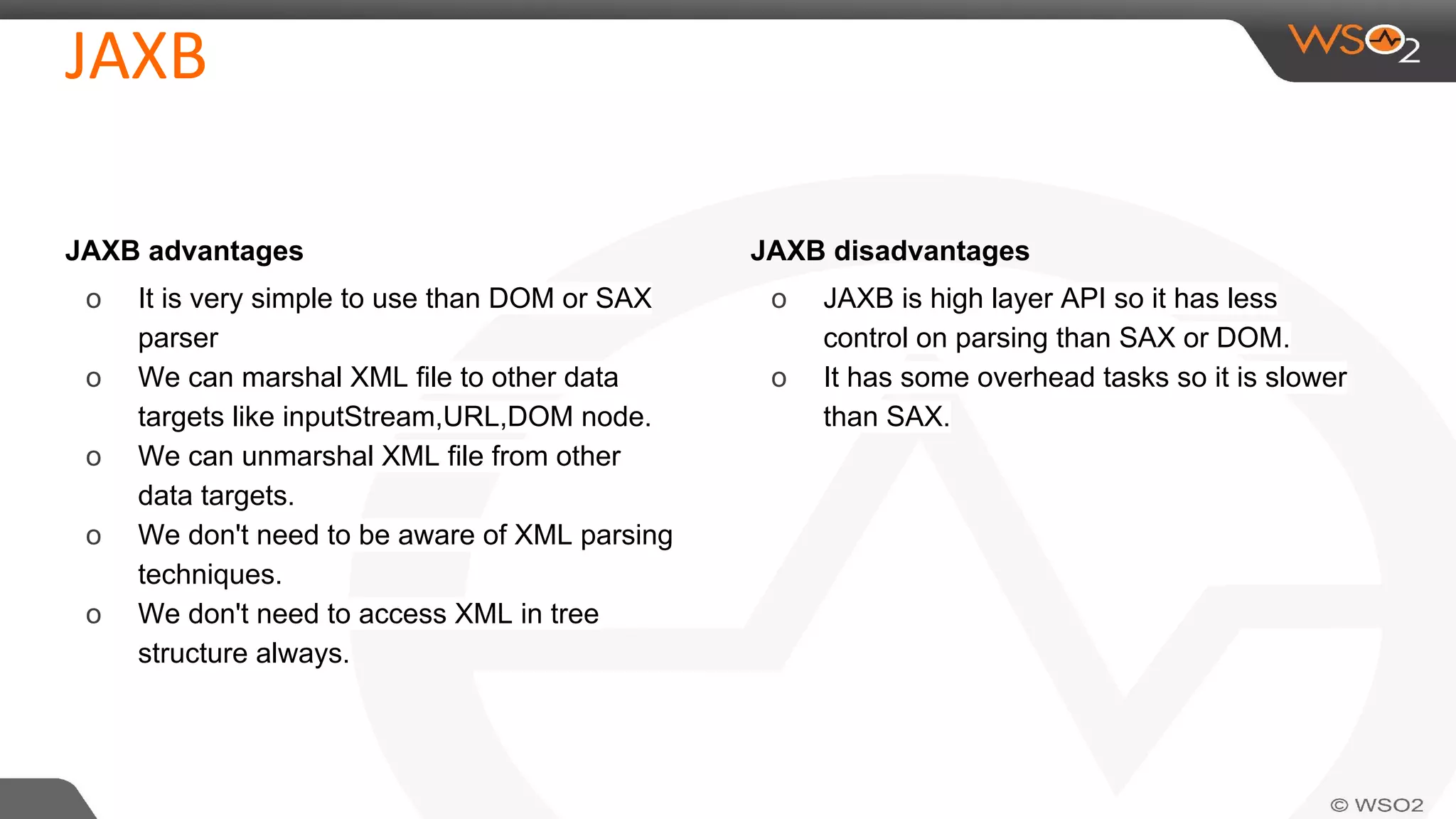
JAXB advantages
o It is very simple to use than DOM or SAX
parser
o We can marshal XML file to other data
targets like inputStream,URL,DOM node.
o We can unmarshal XML file from other
data targets.
o We don't need to be aware of XML parsing
techniques.
o We don't need to access XML in tree
structure always.
JAXB disadvantages
o JAXB is high layer API so it has less
control on parsing than SAX or DOM.
o It has some overhead tasks so it is slower
than SAX.
Questions?
❖ https://jaxb.java.net/tutorial/
❖ http://www.mkyong.com/java/jaxb-hello-world-example/
❖ http://javapostsforlearning.blogspot.com/2013/02/jaxb-tutorial.html
Contact us !

XML parsing using jaxb

  • 1.
  • 3.
    ● Object (DOM,JDOM….etc) ● PUSH (SAX) ● PULL(Stax) ● JAXB(Java Architecture for XML Binding)
  • 4.
    ● Defines anAPI for reading and writing Java objects to and from XML documents. ● Don't need to be aware of XML parsing techniques ● No extra dependency needed (its inside JDK) ● Used as a standard in many cases XML JAXB Java Objects
  • 5.
  • 8.
    JAXB uses annotationsto indicate the central elements. Annotation Definition @XmlRootElement(namespace = "namespace") Define the root element for an XML tree @XmlType(propOrder = { "field2", "field1",.. }) Allows to define the order in which the fields are written in the XML file @XmlElement Define the XML element which will be used. @XmlAttribute Define the attribute of an element
  • 9.
  • 10.
    XML : <?xml version="1.0"encoding="UTF-8"?> <booking xmlns:xsi="http://www.w3.org/2001/XMLSchema- instance"> <company name="ACME Consulting"> <address>10 Coyote Avenue, Arizona, USA</address> <contact name="Duke" email="[email protected]" telephone="1234567890"/> </company> <student firstName="Jane" surname="Dow"/> <student firstName="John" surname="Doe"/> </booking> XSD : <?xml version="1.0" encoding="UTF-8"?> <xsd:schema xmlns:xsd="http://www.w3.org/2001/XMLSchema"> <xsd:element name="booking" type="courseBooking"/> <xsd:complexType name="courseBooking"> <xsd:sequence> <xsd:element ref="company" /> <xsd:element ref="student" minOccurs="1" maxOccurs="unbounded"/> </xsd:sequence> <xsd:attribute name="courseReference" type="xsd:string" use="required"/> <xsd:attribute name="courseDate" type="xsd:date" use="required"/> <xsd:attribute name="invoiceReference" type="xsd:string" use="required"/> <xsd:attribute name="totalPrice" type="xsd:decimal" use="required"/> </xsd:complexType> <xsd:element name="student" type="studentType"/> <xsd:complexType name="studentType"> <xsd:attribute name="firstName" type="xsd:string" use="required"/> <xsd:attribute name="surname" type="xsd:string" use="required"/> </xsd:complexType> <xsd:element name="company" type="companyType"/> <xsd:complexType name="companyType"> <xsd:sequence> <xsd:element name="address"/> <xsd:element ref="contact" /> </xsd:sequence> <xsd:attribute name="name" type="xsd:string"/> </xsd:complexType> <xsd:element name="contact" type="contactType"/> <xsd:complexType name="contactType"> <xsd:attribute name="name" type="xsd:string" use="required"/> <xsd:attribute name="telephone" type="xsd:string" use="required"/> <xsd:attribute name="email" type="xsd:string" use="required"/> </xsd:complexType> </xsd:schema>
  • 11.
    run the followingcommand: $xjc course-booking.xsd -p org.wso2.jaxb.training -d src/generated ● -d <dir>: Place the generated files into this directory. ● -p <package>: Place the generated files in this package. ● -nv: Don't perform strict validation of the input schema. ● -httpproxy <proxy>: Use this if you are behind a proxy. Takes the format [user[:password]@]proxyHost[:proxyPort]. ● -classpath <arg>: Specify the classpath, if necessary. ● -readOnly: Generates read-only source code files, if your OS supports this. There is also an equivalent ant task, which makes it quite easy to integrate into an Ant or Maven-based build process.
  • 18.
    @XmlAttribute For complete referenceplease visit : https://jaxb.java.net/tutorial/section_6_2_1-A-Survey-Of- JAXB-Annotations.html#A%20Survey%20Of%20JAXB%20Annotations
  • 19.
    JAXB advantages o Itis very simple to use than DOM or SAX parser o We can marshal XML file to other data targets like inputStream,URL,DOM node. o We can unmarshal XML file from other data targets. o We don't need to be aware of XML parsing techniques. o We don't need to access XML in tree structure always. JAXB disadvantages o JAXB is high layer API so it has less control on parsing than SAX or DOM. o It has some overhead tasks so it is slower than SAX.
  • 20.
  • 21.
    ❖ https://jaxb.java.net/tutorial/ ❖ http://www.mkyong.com/java/jaxb-hello-world-example/ ❖http://javapostsforlearning.blogspot.com/2013/02/jaxb-tutorial.html
  • 22.