AI Image Combiner

Upload two or more photos and let our AI image combiner merge them into one seamless, watermark-free image online. start with free trial credits, no design skills needed.

Image
Click to upload an imageJPG, JPEG, PNG or WEBP (max 10MB)
Aspect Ratio

6 credits per generation

AI Gallery

AI Image Combiner dog beach gallery example
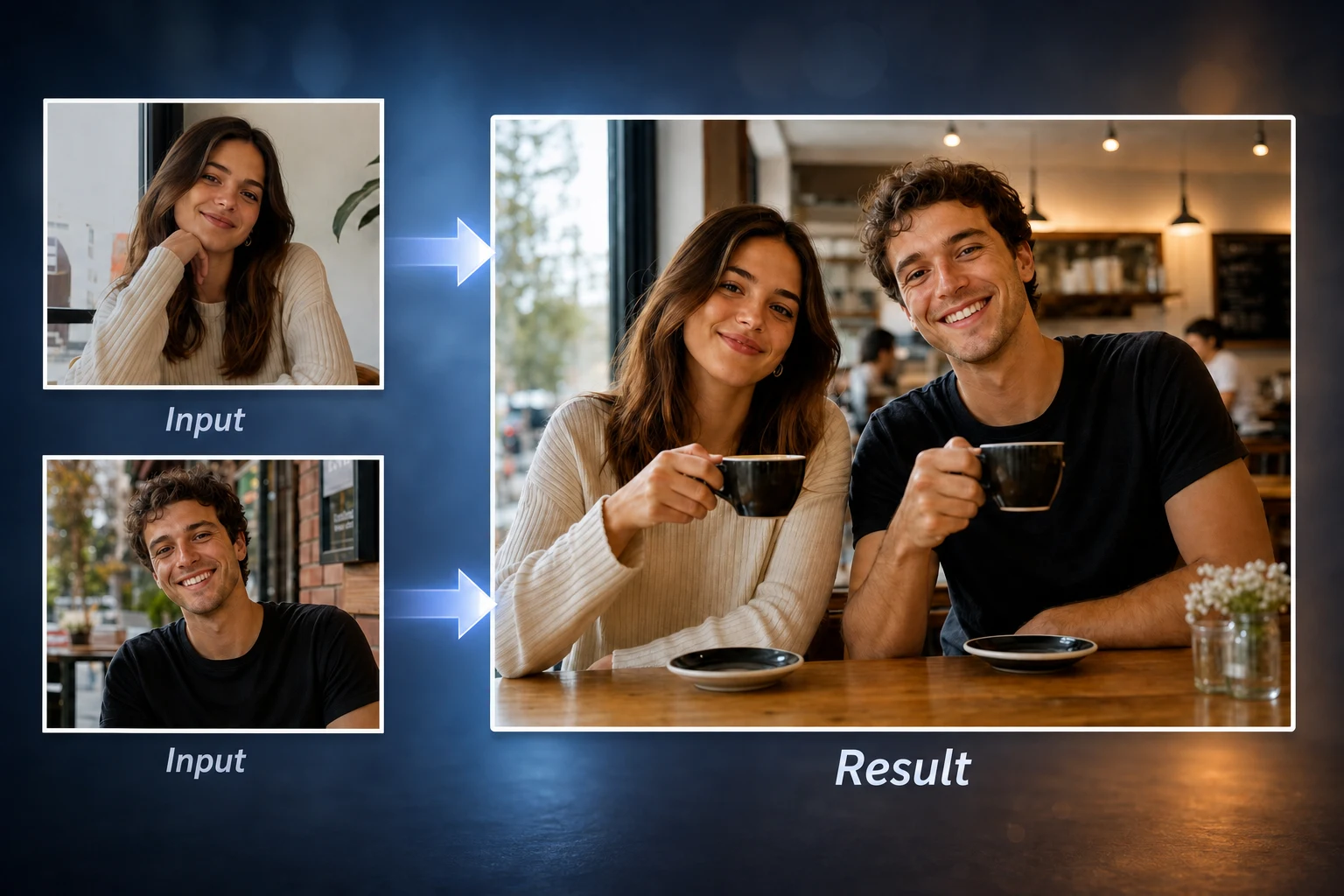
AI Image CombinerPortraits
AI Image Combiner smart alignment example
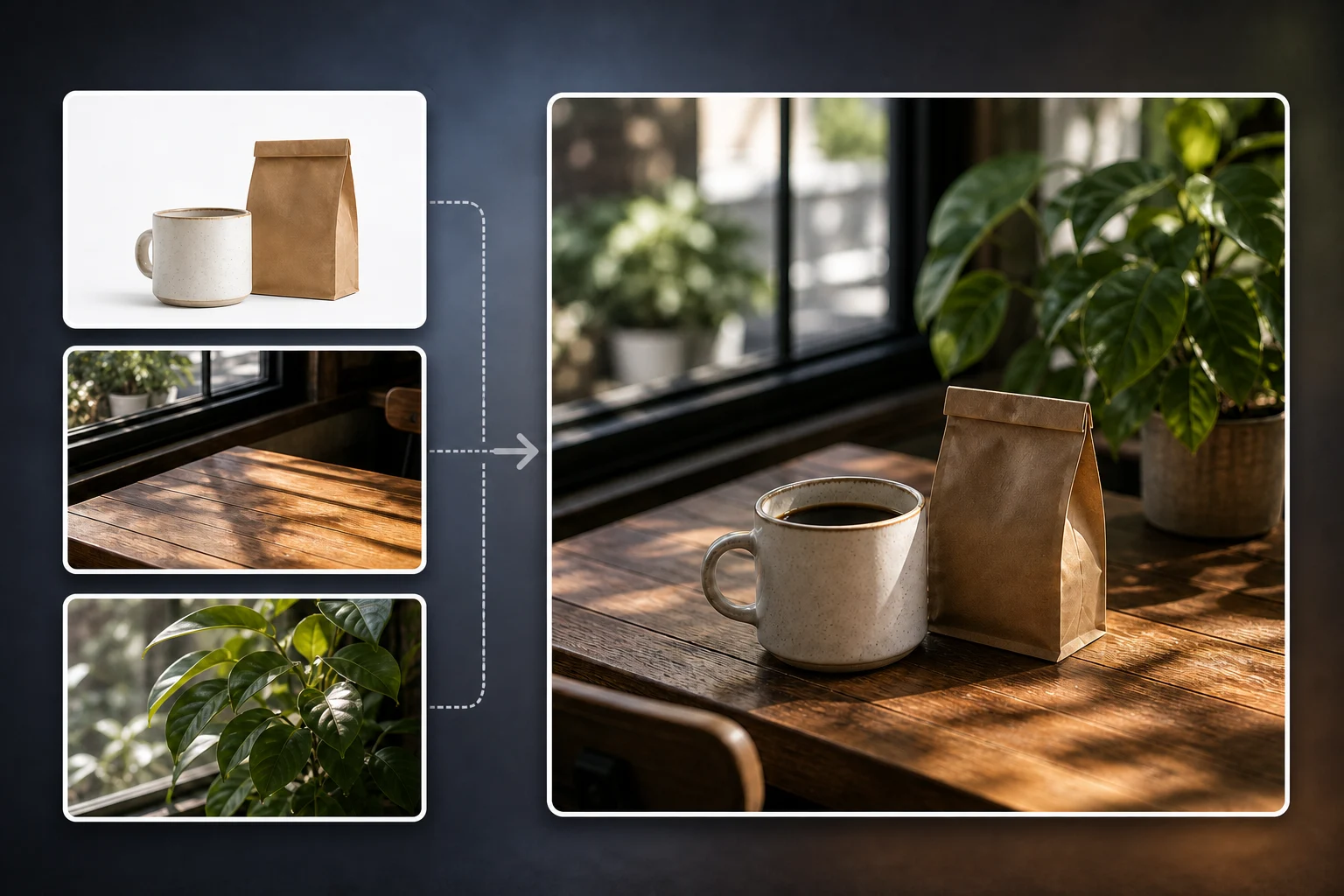
AI Image CombinerScene
Online photo merge interface example
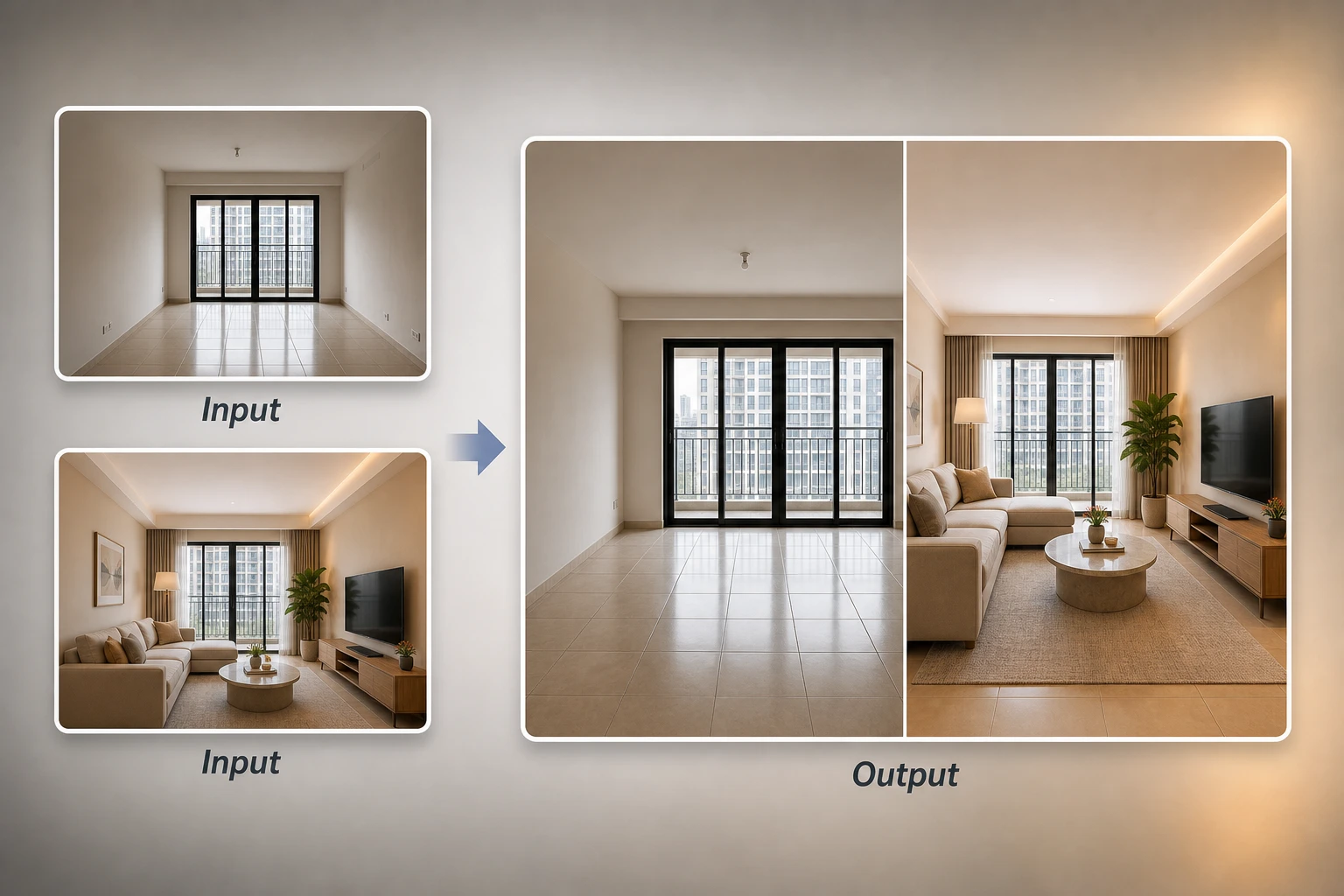
AI Image CombinerSplit

See what the AI image combiner can create

Use Cases

What You Can Create with AI Image Combiner

From combining two photos into one frame to merging multiple images into a single composition, the AI image combiner adapts to whatever you want to create — no design skills required, no template lock-in.

Put Two People or a Whole Group in One Photo

Bring family, friends, or partners who weren't in the same place into one natural-looking shot. The AI image combiner blends faces, lighting, and surroundings so the photo looks like it was taken together — not stitched. Perfect for reunion-style portraits or any time the people you wanted in one photo were never in the same room. The AI image combiner makes it look like a real photo, not a paste-up.

Merge Multiple Images Into One Composition

Drop in two, three, or more photos and let the AI image combiner fuse them into a single composed image. Perfect for travel collages, brand visuals, or any time you want to combine multiple pictures into one cohesive scene without manually masking each layer. Useful for travel recaps, brand mood boards, or composite product scenes from several reference photos.

Combine Two Photos Side by Side in One Frame

Need a clean before/after, comparison, or split-screen layout? With the AI image combiner, put two pictures side by side in one frame with smart alignment and matched tones — no manual cropping required, no jarring color jumps between halves. Useful for fitness before/after, design comparisons, or any layout that benefits from a dual-panel frame.

How to

How to Combine Two Images Into One with the AI Image Combiner – 4 Easy Steps

The AI image combiner makes merging photos effortless. Follow four steps to upload, prompt, frame, and download your combined image online with free trial credits — no editing skills, no software install required.

1

Upload Your Images

Drag and drop the two or more photos you want the AI image combiner to merge. JPG, PNG, and WEBP formats are all supported up to high resolution, and there's no file-format conversion or pre-processing required before upload — the originals work as-is.

2

Add a Prompt to Guide the AI

Describe the style, scene, or mood you want — for example "stand together at sunset" or "merge into one cinematic frame" — to steer the AI image combiner's output. The prompt gives finer creative control over composition, lighting, and how tightly the subjects integrate into the new scene.

3

Pick an Aspect Ratio for Your Output

Choose 1:1, 16:9, 9:16, 3:2, or 2:3 to match Instagram, YouTube thumbnails, posters, or phone wallpapers — the layout adapts automatically to fit each canvas without cropping faces or distorting key subjects out of frame.

4

Generate and Download Your Combined Image

The AI image combiner blends both photos in seconds. Download the high-resolution, watermark-free result instantly, ready to share, print, or set as a wallpaper without further editing — keep the file or run another generation with the same inputs to refine.

Features

Why Our AI Image Combiner Delivers Better Results

Built on the latest image-blending models, our AI photo combiner doesn't just stack photos on top of each other. The AI image combiner understands lighting, depth, and content so every merged image feels coherent and natural — not patched together from cutouts.

Smart AI Blending, Not Just Overlay

Most image combiner tools just stack pictures and call it a day. Our AI image combiner re-renders the seam by analyzing both photos, so faces, edges, and shadows flow together as one cohesive image instead of looking like a Photoshop layer drop with hard outlines and mismatched lighting between halves. That's what makes the AI image combiner output feel like a single photograph, not a collage.

Prompt-Guided Style Control

Add a short text prompt to steer mood, lighting, or composition. The AI image combiner reads your description and applies it consistently across the merged image, so you control the creative direction instead of accepting whatever the model defaults to — useful when the same two inputs need different output vibes.

Watermark-Free Output, Free Trial to Start

Sign up and get free trial credits to start using the AI image combiner right away. Every download is delivered watermark-free in high resolution, ready to publish without further editing — additional credits are available via subscription or pay-as-you-go packs, and unused credits don't expire mid-cycle.

High-Resolution Output for Posts, Posters, and Wallpapers

Download crisp images in 1:1, 16:9, 9:16, 3:2, or 2:3 ratios — ready for Instagram, YouTube thumbnails, posters, and phone wallpapers. The AI image combiner outputs at print-ready resolution so you can scale up to A3 prints or set a 4K wallpaper without visible upscaling artifacts.

FAQ

AI Image Combiner – Frequently Asked Questions

Quick answers about how the AI image combiner works, what it supports, and how it compares to a regular collage maker.

AI Image Merger Online

AI Image Combiner: Combine Two Photos Into One in Seconds