

Are you looking for information on W&B Weave? See the Weave Python SDK quickstart or Weave TypeScript SDK quickstart.
Sign up and create an API key
To authenticate your machine with W&B, you need an API key. To create an API key, select the Personal API key or Service Account API key tab for details.- Personal API key
- Service account API key
To create a personal API key owned by your user ID:
- Log in to W&B, then click your user profile icon > User Settings.
- Click Create new API key.
- Provide a descriptive name for your API key.
- Click Create.
- Copy the displayed API key immediately and store it securely.
Install the wandb library and log in
- Command line
- Python
- Python notebook
-
Set the
WANDB_API_KEYenvironment variable: -
Install the
wandblibrary and log in:
Initialize a run and track hyperparameters
In your Python script or notebook, initialize a W&B run object withwandb.init(). Use a dictionary for the config parameter
to specify hyperparameter names and values. Within the with statement, you can log metrics and other information to W&B.
A run is a core element of W&B. You use runs to track metrics, create logs, and track artifacts.
Create a machine learning training experiment
This mock training script logs simulated accuracy and loss metrics to W&B. Copy and paste the following code into a Python script or notebook cell and run it: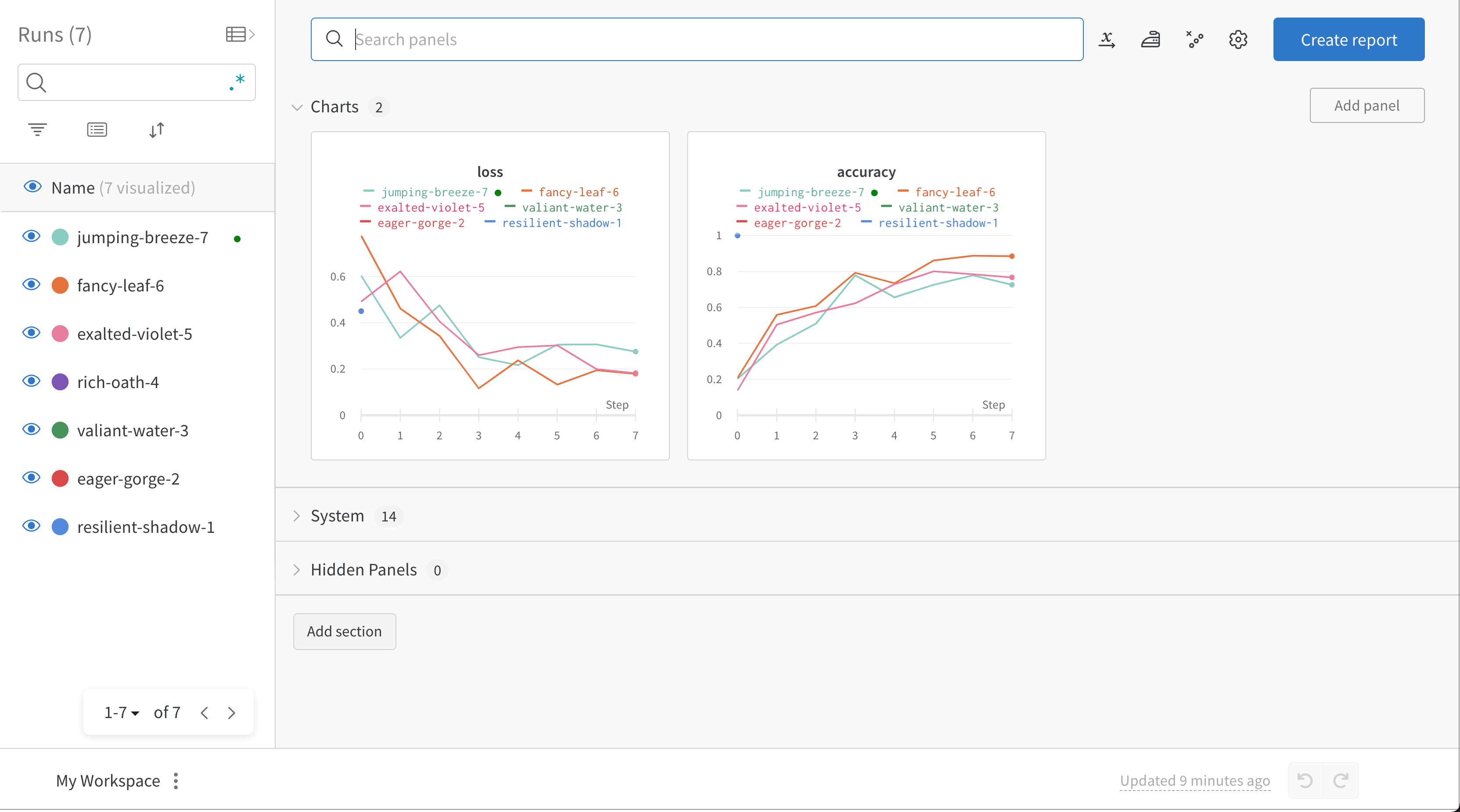
Next steps
Explore more W&B features:- Learn about and create your first run.
- Track models, datasets, and other files with W&B Artifacts.
- Automate hyperparameter searches and optimize models with W&B Sweeps.
- Share models, prompts, and datasets with W&B Registry.
- Analyze runs, visualize model predictions, and view artifacts in your project’s dashboard.
- Summarize findings and share updates with collaborators with W&B Reports.
- Trace and evaluate LLM applications with W&B Weave.
