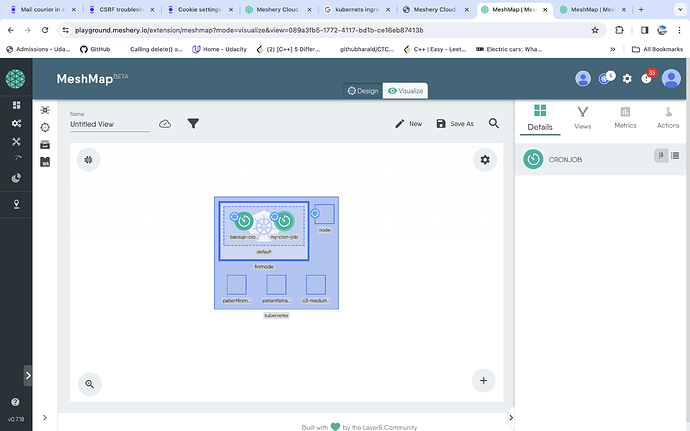
Currently working on completing the Exploring Kubernetes CronJobs with Meshery Playground tutorial. Encountered a challenge regarding the navigation of Views and filters within MeshMap Visualizer, as well as Designs and components in MeshMap Designer, to effectively demonstrate the process of (step4) Scaling & (step5) Verifying a Cronjob within the Playground environment.
Some useful hints on how to navigate this will be appreciated.
I have tried:
- Accessing the visualizer tab
- Selecting the cronjob icon under the “details” section in the right panel
However, I remain uncertain about the subsequent steps required to fullfill the anticipated objectives.
Is this your design @sandramsc ?
When you navigated to Visualiser, was this CronJob not available?
Though, I will test if this issue if there’s an MeshSync issue.
Hi, yes, well partially. I created the backup-cronjob, but couldn’t figure out why the second one, the default my-cron-job component is there, or how to remove it!
When I navigated to visualizer that double cron-job was there…but I only configured the backup conjob, the second one shouldn’t be there.
Lee
4
Do you mind sharing a link to this design?
@Lee The link to the Backup CronJob design, referenced in the above query.