
AI Image Editor - Edit Your photos with Text Prompt
Effortlessly edit your photos with simple text commands. Describe your desired changes and let our AI image editor bring them to life.
Upload image
Works best with up to 3 images as input, Maximum 6 images allowed.
or drag & drop images here, or paste from clipboard
Accept JPEG, PNG, WEBP, HEIC or HEIF formats
Prompt
Describe what you want to change
Number of Images
Select the number of Images to generate
Generate result
Your generated results will appear here
Why Choose AI Image Editor
Tired of complex software? Our AI Photo Editor simplifies the entire editing process. Instead of navigating confusing menus and tools, you can now make powerful edits with natural language. It's the smartest, fastest, and most intuitive way to bring your creative vision to life.
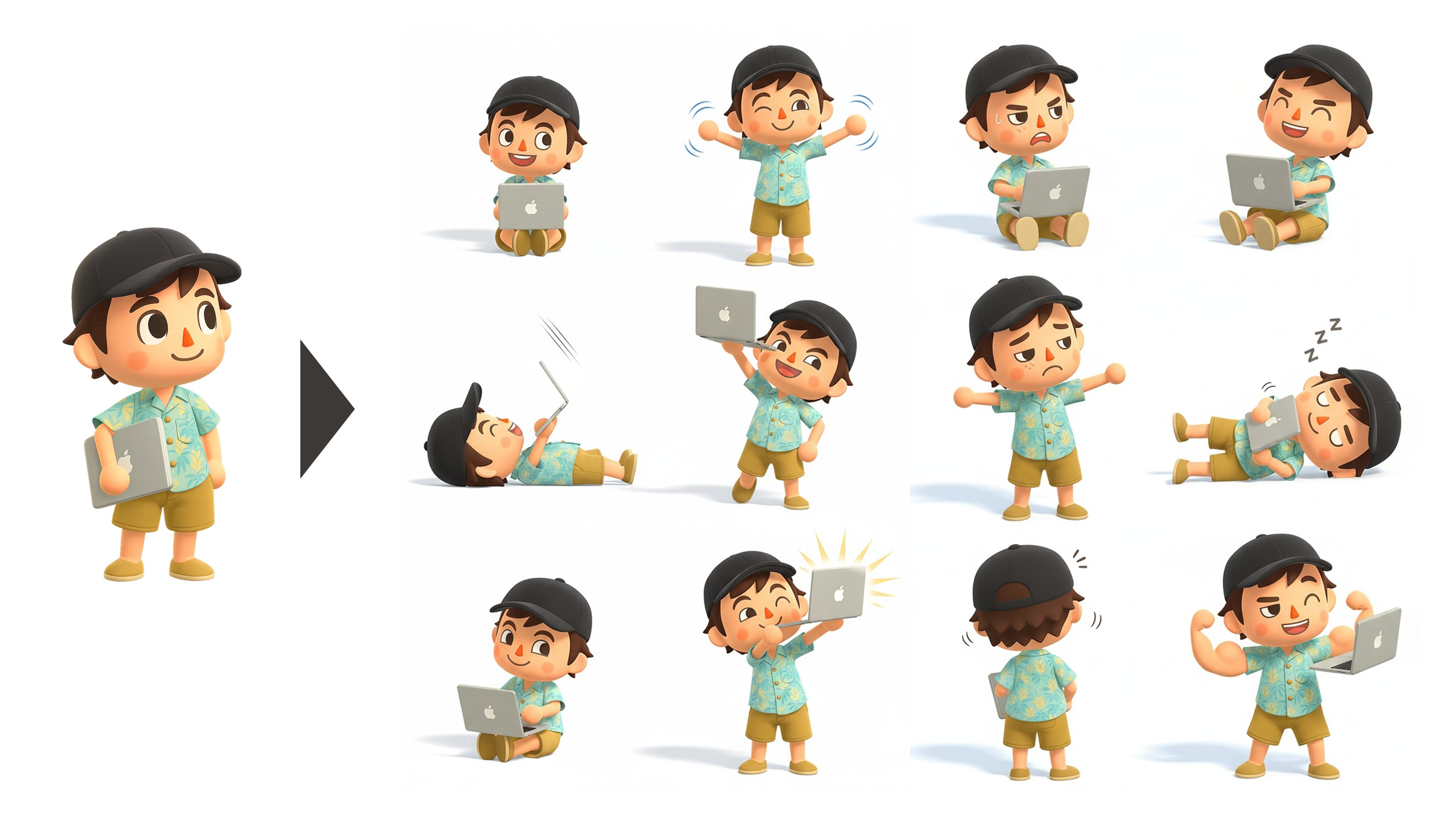
Excellent at consistently staying in character
AI image editor preserves identity and style from one edit to the next. Change scenes, poses, or lighting—the character stays unmistakably consistent, with stable facial features, proportions, wardrobe details, and brand colors. Ideal for episodic storyboards, comics, and product shots that demand reliable visual continuity.
Perfectly combine multiple images
AI image editor intelligently combine elements from multiple images into a single, photorealistic composite. It aligns perspective, matches lighting and color, and blends edges—so subjects, backgrounds, and props look naturally captured together. Build product hero shots from separate assets, replace skies, extend scenes, or assemble storyboards while preserving scale, shadows, textures, and fine details.
Precise intelligent editing
AI image editor delivers precise, intelligent, prompt-driven edits. Add, replace, or refine objects; remove distractions with clean, context-aware fill; and apply targeted, region-specific transformations (pose, color, scale, style) without disturbing the rest of the image.
Powerful visual reasoning and typography
AI image editor pairs advanced visual reasoning with typography smarts. It understands layout, depth, and object relationships to place edits exactly where they belong—matching perspective, lighting, shadows, and occlusions. The result is posters, banners, UI mockups, and packaging where graphics and text look native to the scene and stay perfectly on brand.
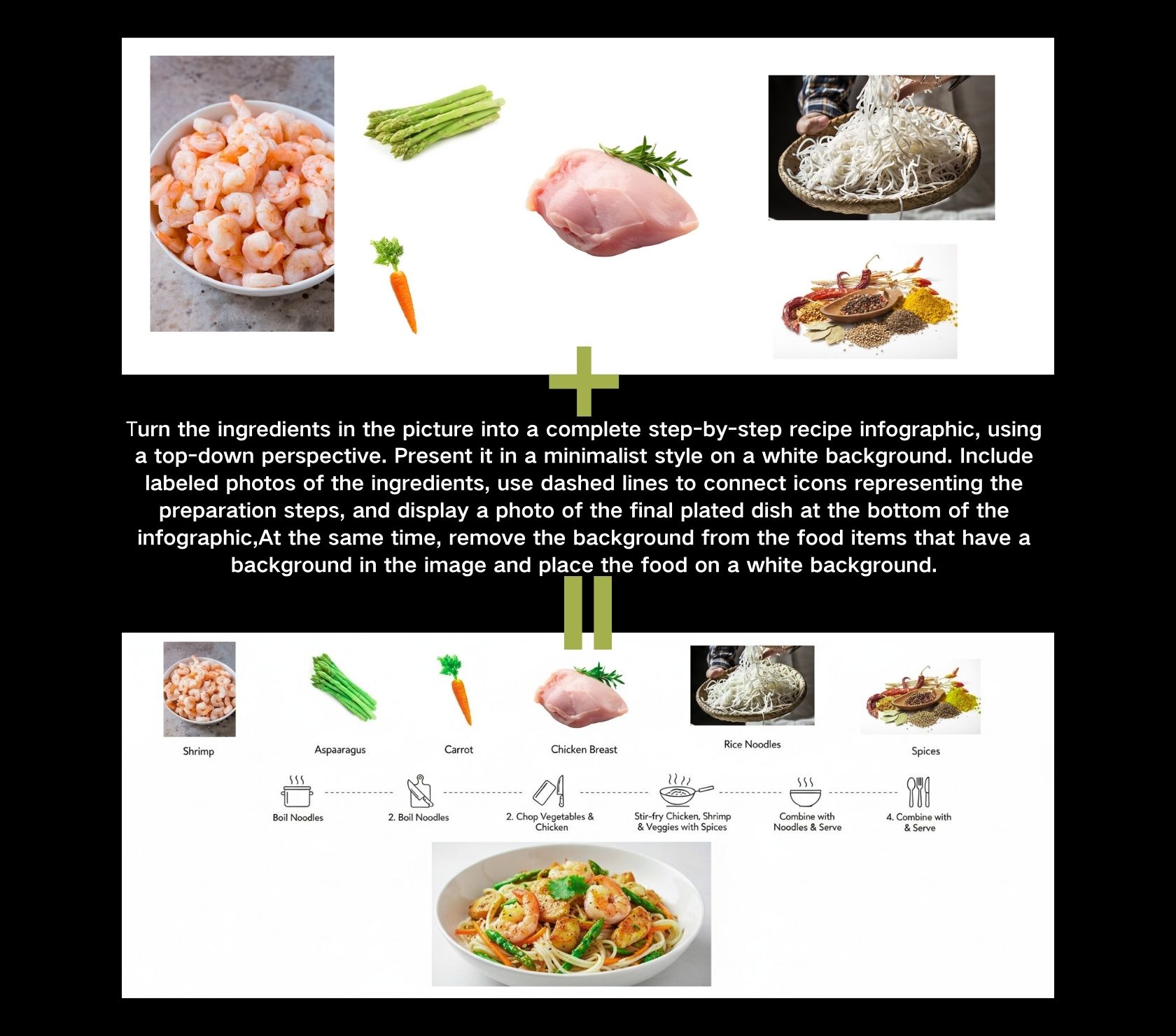
Showcase of AI Image Editor
Explore the powerful image processing capabilities of AI Image Editor.

Multi-image fusion

Turned into 3D figures

Specify reference pose
How to Use AI Image Editor
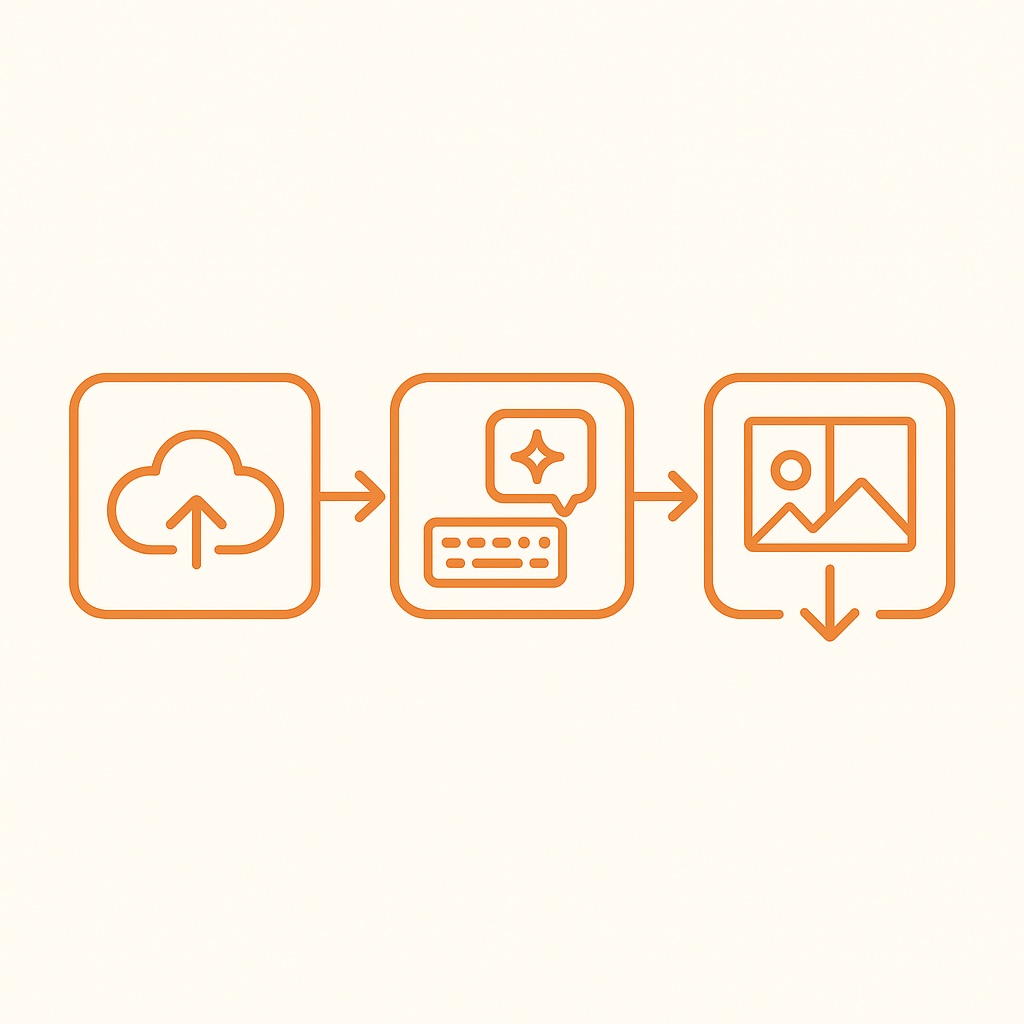
Edit photos with AI in 3 simple steps - no advanced skills needed:
Upload your image
Drag and drop or browse to select your image. AI image editor supports images in JPEG, PNG, WEBP, HEIC or HEIF formats.
Type the text prompt you want to change
To get good results, provide detailed descriptions, context, and intent. For complex scenes with many elements, break the prompt into multiple steps.
Preview and download result
Preview your edited photo and download the high-quality result. Or continue to edit with AI photo editor.
Key Features of AI Image Editor
Professional-grade photo editing powered by cutting-edge AI technology.
Precise Prompt-Based Editing
AI Image Editor can perform highly specific edits using simple text commands. This includes inpainting, outpainting, and targeted transformations within an image.
World Knowledge Integration
AI Image Editor incorporates a deep understanding of real-world concepts. This enables the creation of visuals that align with real-world physics and context.
Multi-Image Fusion
AI Image Editor allows for the seamless combination of elements from multiple images into a single, coherent composition.
Sketch-to-Reality Rendering
This powerful feature allows users to transform simple sketches, doodles, or outlines into fully realized, high-quality images.
High-Fidelity Text Rendering
AI Image Editor is capable of accurately rendering legible and well-placed text within images.
Style and Texture Transfer
Users can apply the artistic style or texture from one image to another.
FAQ About AI Image Editor
Have questions about our AI photo editor? Find answers here or contact our support team.
What is AI Image Editor?
AI Image Editor is an intelligent, prompt-driven, next-generation tool that lets you edit photos with natural language—no complex manual steps like in traditional photo editor. With its powerful capabilities, it’s a transformative leap beyond conventional photo editor.
Is there an AI tool to edit images?
Yes. AI Image Editor is a revolutionary, AI-powered image editing tool. It’s incredibly simple to use—just describe the changes you want in natural language and get results that match your vision, with no need to learn the complex workflows of traditional photo editor.
What can AI Image Editor do?
AI Image Editor can add, replace, or remove objects; restyle subjects; adjust lighting, color, pose, and scale; extend or reframe scenes; and seamlessly combine multiple images into one. It preserves identity and brand style across edits and handles typography. With optional masks for pixel-level control, you get clean, production-ready results for product shots, marketing banners, storyboards/comics, and packaging.
What's the best AI Photo Editor?
The best AI photo editor is one that combines powerful editing features with ease of use and a strong sense of creativity, and AI Photo Editor does exactly that. It offers all-in-one tools powered by advanced AI. This means you can make professional-quality edits in seconds, without needing design skills, while keeping your images sharp, natural, and high-resolution.
What's the difference between AI Image Edito and Photoshop?
AI Image Editor lets you edit with text prompts—just describe what you want and get it, with no steep learning curve. Photoshop, by contrast, requires hands-on tool control, advanced skills, and more complex workflows.
Is it safe to upload my images to AI Image Editor?
Yes. AI Image Editor protects all file transfers, and we only use your pictures for editing. We delete all uploaded files from our servers in 24 hours, so you don't have to worry about them being kept or shared without your permission.
Is AI Image Editor free?
Yes, AI Image Editor offers 2 free uses per day. For more use, you'll need to purchase credits. We support both subscriptions and one-time payments, and offer different plans to meet various usage needs.
How can I get support for AI Image Editor?
For any questions about AI Image Editor or technical support, email us at [email protected]. Our team will do our best to solve your problem and give you the best experience using AI Image Editor.
