

Meshy Key Insights
What is Meshy?
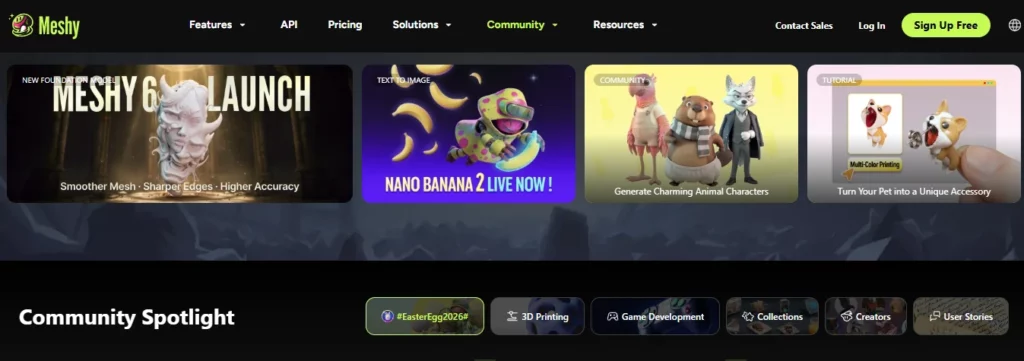
Meshy is an AI-powered 3D model generation platform that converts text prompts and images into fully textured, production ready 3D assets. Built for game developers, 3D artists, XR creators, and 3D printing enthusiasts, it removes the dependency on traditional modelling software by automating mesh generation, texturing, rigging, and animation inside a single browser based workspace.
Powered by its proprietary Meshy 6 engine, the platform delivers meshes of up to 600,000 faces with PBR textures in roughly one minute. Native plugins for Blender, Unity, and Bambu Studio make it a genuine pipeline accelerator across digital and physical production workflows.

Meshy's flagship Text to 3D tool takes a written prompt and returns a fully meshed, PBR textured model in approximately one minute. Meshy 6 is the default generation model and outputs up to 600,000 faces, giving artists the geometric fidelity needed for game ready assets and print ready figurines. A built-in 3D viewer displays topology stats, face count, vertex count, and a printability check before you commit to an export, which means fewer downstream surprises in your production pipeline.

For creators who already have concept art or product photography, Image to 3D converts a single reference into a 3D model with optional texture generation. The Multi-view Image to 3D tool, available on Pro plans and above, accepts inputs from multiple angles and produces significantly more accurate geometry. This dual approach makes Meshy a strong fit for character asset creation and product visualisation where precise reference material already exists.

Upload any existing model in .fbx, .obj, .stl, .gltf, or .glb format and apply a text prompt or image to generate a new texture on top of it. The AI Texture Editing feature goes further, allowing you to regenerate or refine specific zones of an existing texture rather than rebuilding it from scratch. For studios with legacy assets that need a visual refresh, this targeted approach saves hours of manual UV and material work per asset.

Meshy generates rigged, animation ready characters and provides access to over 500 prebuilt animations on Pro and Studio plans, compared to just 20 on the Free tier. The library covers locomotion, combat, idle, and emote states, giving indie game developers production usable animated characters without needing a dedicated character technical director on the team. This is one of the clearest points of separation between Meshy and most competing AI 3D platforms.
Meshy holds a 97% Bambu Studio slicer pass rate on character and figurine models in independent testing, with 55% of outputs being fully watertight immediately after export. It is the only AI 3D generator with native one-click “Send to Bambu” functionality and supports the 3MF format, which preserves colour and multi-material data for physical production runs. For makers, product designers, and prop houses, this level of print readiness translates directly into lower mesh repair costs per unit.
Pro users and above get REST API access with up to 20 requests per second, making Meshy embeddable inside custom studio pipelines and internal asset management tools. Native plugins for Blender and Unity let artists pull generated assets directly into their existing DCC environment without manual download and reimport steps. Enterprise plans push API throughput to 100 requests per second with forever asset retention, which matters at scale.
Meshy Pricing Plans
| Plan | Cost | Key Credits and Limits |
|---|---|---|
| Free | $0 | 100 credits/month, 10 downloads (Meshy 5 only), 1 task in queue, CC BY 4.0 licence |
| Pro | $10/month | 1,000 credits/month (up to 100 assets), unlimited downloads, 10 tasks, API access, plugins, private assets |
| Studio | $60/seat/month | 4,000 credits/month (up to 400 assets), 20 tasks, team workspace, shared credits, centralised billing |
| Enterprise | Custom | 50+ tasks, 100 RPS API, forever asset retention, SAML SSO, dedicated account support |
Getting Started with Meshy
- Create your free account Go to meshy.ai and sign up. No credit card is needed for the Free plan and you receive 100 credits immediately.

- Choose your generation mode Select Text to 3D, Image to 3D, or AI Texturing from the main dashboard based on your starting material.
- Enter your prompt or upload your reference For Text to 3D, write a detailed description. For Image to 3D, upload a concept image and adjust the image strength slider to control how closely the output follows your reference.
- Review in the 3D Viewer Check topology, face count, and the built-in printability score. Use AI Texture Editing to refine any specific areas without regenerating the full model.
- Export and push to your pipeline Download in your required format and send directly to Blender, Unity, or Bambu Studio via the native plugins.
Pros and Cons
- Meshy 6 generates up to 600K faces.
- 97% slicer pass rate for 3D printing.
- 500-plus prebuilt animation library.
- Multi-view Image to 3D for better accuracy.
- Fast generation at roughly one minute.
- Free plan restricted to Meshy 5 only.
- Texturing inconsistent on complex inputs.
- No refunds policy by default.
Best Meshy Alternatives
| AI 3D Model Generator | Output Quality and Face Count | Pipeline and Integration |
|---|---|---|
| Tripo AI | Competitive geometry, solid all-round quality | Primarily API-based, limited native DCC plugins |
| Rodin by Hyper3D | Highest per-model fidelity, slower generation (~85s avg) | Strong quality output but no native DCC plugins |
| 3D AI Studio | Multi-engine access (Meshy, Rodin, Tripo, CSM) | All-in-one suite but no native DCC integrations |



