

Finding the best Instagram schedulers is about more than just looking for a “post” button. It’s about finding a tool that survives the rigors of a real-world workflow. Not all of them do.
With over 500 million people active on Instagram every day, the stakes for your brand’s consistency have never been higher.
I have spent the last 10 years deeply embedded in the world of social media software, having personally tested over 30 leading tools to see which ones actually hold up.
My background is in the technical “weeds” of these platforms. I’ve written in-depth reviews of nearly every major scheduler on the market, stress-testing everything from API reliability to the actual utility of their “AI” features.
In this post, I’m breaking down the top-tier Instagram scheduling tools based on the extensive documentation & testing I’ve done over the years.
Let’s get into it.
The best Instagram schedulers – comparison
Before we review each tool in depth, here’s a quick summary of the best options based on our in-depth stress tests.
| Tool | Best for | Direct Instagram scheduling? |
|---|---|---|
| Pallyy | Instagram creators and visual planners | Yes* |
| Viraly | Creators and bloggers looking for all-in-one scheduling | Yes* |
| SocialBee | Teams managing multiple Instagram accounts | Yes* |
| Sendible | Agencies handling client Instagram accounts | Yes* |
| Iconosquare | Instagram analytics enthusiasts who want growth insights + scheduling | Yes* |
* Direct scheduling for all Instagram post types is supported apart from any not offered via the Instagram API. All of these tools are also pretty quick to update their platform as Instagram makes more features available through their API.
#1 – Pallyy
Pallyy is an industry leading Instagram scheduler that is surprisingly affordable & packed with features. You only pay for the number of social profiles you need. Team accounts are available as an add-on.

When I first opened up Pallyy’s dashboard, I could immediately see that their scheduler was built with visual content sharing in mind. This made Instagram scheduling especially easy. It was also nice to see features like the IG grid preview, hashtag lists, and more.
I like where they put the media library in their UI. Literally just to the left of the drag & drop social media calendar. So, if you’re scheduling at speed, it can save a lot of time. Just bulk upload into the media library, and drag over to the calendar.
As you’d expect, you’re not limited to Instagram scheduling. You can publish content to X (Twitter), Facebook, LinkedIn, TikTok, and Google Business.
You can also manage your schedule with a social media calendar and design Instagram posts with a Canva integration.
This is one of the reasons it makes for such a great Instagram planner. Especially for those looking for a way to display more creative layouts on their profile.
It even includes an Instagram bio link tool, Instagram comment moderation, analytics, and more. I’ve tested these types of tools on their own and Pallyy’s is one of the best I’ve tried. Which is nice because you won’t need a seperate tool for that.
Pallyy is priced on social set. I see this pricing structure working out much better for content creators. Managing clients, pricing will shoot up a bit, but nowhere near that of legacy tools. Regardless, I feel Pallyy offers very good value all round but especially for creators.
Key features:
- Content calendar
- Visual planning grid
- Content queues
- Push notifications
- Media library
- Canva editor integration
- Add captions and hashtags
- First comment scheduling
- Best time to post
- Visual planning grid
- Import holiday feature
- Reusable templates
- Content curation
- Bio link
- Social inbox
- Analytics
Pros:
- Sophisticated Instagram-focused feature set
- Automatically schedule most post types (including Instagram Stories)
- The visual planning grid makes it easy to nail your aesthetic
- Best-in-class design tools
- Excellent user interface
- Excellent time-saving features like reusable templates and hashtag
- Great value for money
Cons:
- Limited features for other social networks
- Content queue feature is great but can be easy to miss in the publishing calendar’s settings
Pricing:
Paid plans from $15/month per social group and unlocks all features. Annual discounts available.
Read our Pallyy review.
#2 – Viraly
Viraly is an affordable Instagram scheduling tool with cross-platform publishing to 10 social networks. It’s packed with features and offers a generous free plan.
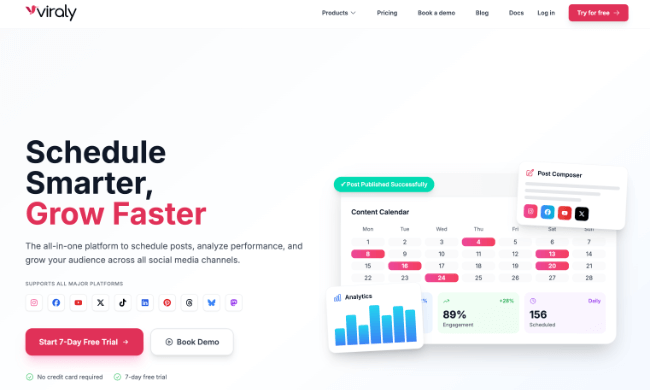
In my tests, scheduling content was extremely smooth. It’s super easy to plan and publish Instagram content. I was able to schedule feed posts, carousels, stories, and reels directly without relying on push notifications.
What really sold me, though, is that I’m not stuck just on Instagram. I can cross-post to Facebook, X, YouTube, TikTok, Pinterest, LinkedIn, Threads, Bluesky, and Mastodon all from the same window. It actually supports more platforms than almost any other tool I’ve tried.
When I’m setting up a post, I like to add a first comment to keep my captions looking clean whilst including some hashtags. Viraly made that easy and I was able to save my hashtag collections in lists to recall them as I’m scheduling in the future.
I’m not usually too fussed about the aesthetic of my IG profile but it’s nice having the visual grid preview included. It lets me see exactly how my Instagram feed will look before I hit publish. Then, I can drag & drop posts on the calendar to rearrange them to get the exact vibe I want. It’s quite nice if you want to show off to clients.
I found the content queues useful for setting up recurring time slots. I just dropped my posts into the queue and the app handled the rest.
For my evergreen content, I used what is probably one of my favourite features. The Content Recycler. It allowed me to republish my content at specific intervals and expire them after a specific number of posts. Or dates.
There were a few surprises though. And by that, I mean VERY GOOD surprises. Viraly actually allowed me to tag accounts, select collaborators, tag locations, and more. Right as I’m scheduling. Pretty cool right? No need to do any of that stuff manually.
Another nice surprise was the depth of the Instagram analytics. If you’re scheduling content, you need this to see how your content performs at a glance. There are over a dozen account-level metrics covering reach, engagement, and audience growth. I could also see how different content types (reels/posts/stories/carousels) performed. On the paid plans, you can also export CSVs with custom date ranges, which is great for reporting.
Other features I tried that stood out: the AI caption generator, the media library with built-in photo and video editors, and the Idea Board with 40+ content templates. Perfect for when I needed inspiration.
I also played around with the link-in-bio tool. It comes with 70+ pre-made themes, email collection forms, and even CRM integrations with Mailchimp and HubSpot, which was nice for connecting all my tools in one place.
Key features:
- Schedule all Instagram post types (feed posts, carousels, stories, reels)
- Tag other Instagram accounts in posts, reels and stories
- Tag collaborators for posts and reels
- Tag locations for posts and reels
- Rename Original Audio for Reels
- Configure Trial reels
- First comment scheduling
- Hashtag lists
- Visual Instagram grid preview
- Cross-platform publishing to 10 networks
- Content queues and recycler
- Instagram analytics and reporting
- AI caption generator
- Media library with editors
- Instagram link in bio tool
- Idea Board with content templates
Pros:
- Supports all Instagram post types with direct scheduling
- Cross-post to 10 social networks (more than most competitors)
- Deep Instagram analytics at an affordable price
- Content recycler for evergreen posts
- Clean, intuitive interface
- Free plan available
Cons:
- No social inbox for managing comments and DMs
Pricing:
Free plan available with 3 social profiles and 10 posts/month. Paid plans start from $19/month (save 20% with yearly billing).
Read our Viraly review.
#3 – SocialBee
SocialBee is a purpose-built social media scheduling tool with some other key features. You can use it to post automatically to all major social networks. Not just Instagram. We’re talking Twitter/X, Facebook, Pinterest, LinkedIn, TikTok, and more. Even Bluesky!
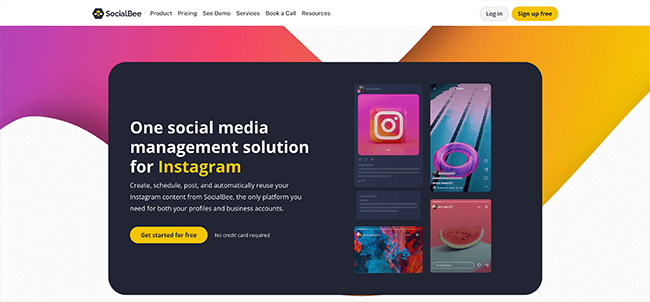
The app uses category-based scheduling in which you organize the types of posts you publish into different categories.
Two of its most useful features allow you to add automation to your Instagram marketing strategy. By connecting your RSS feed to your account, you can promote your latest blog posts to social media automatically. Content curation is also possible through integrations with Quuu Promote and Pocket.
You can even label individual posts as evergreen and re-add them to your queue to repost at a later date. If you choose to repost, you can set up variations so your followers aren’t shown the exact same posts word for word.
SocialBee’s Instagram scheduler allows you to publish posts, carousels and stories. You can even schedule a first comment and start a hashtag collection.
I did hope to see the option to schedule unlimited social media posts. But to be fair, their limits are so high that I didn’t find it to be an issue. You’re more likely to get into trouble with Instagram before you hit SocialBee’s posting limits.
Personally, I prefer to edit photos and videos directly on platforms like Canva before scheduling them but it was nice to see integrations with Canva and Xara. So, if you want to create content within SocialBee, you can! hurray!
I found the collaboration functionality and performance reports to be excellent in my tests. This makes it ideal whether you’re running an agency or you’re a freelance social media manager. You can track your social media efforts with ease. I tested the collaboration functionality specifically with a secondary email address and the experience was excellent.
Key features:
- Multi-platform scheduling
- Instagram feed grid preview
- AI Copilot
- Bulk post editor
- Hashtag generation
- Caption emoji tool
- Built-in design and media editors
- Team workspaces
- Approval workflows
- Analytics and insights
Pros:
- Supports all post types
- Advanced feature set
- AI Copilot can generate your entire social strategy with a complete posting plan
- Outstanding native design and editing tools
- Powerful automation features (automatic blog post shares, content curation, evergreen recycling, etc.)
Cons:
- No free plan available (only free trial)
- No social inbox (just social streams)
Pricing:
Plans start at $29/month. Save 16% with annual billing. Get started with a 14-day free trial.
Read our SocialBee review.
#4 – Sendible
Sendible is a complete Instagram scheduling tool that allows you to publish social media posts to multiple platforms, manage your social media inbox and track your performance. Collaboration is also a core feature.
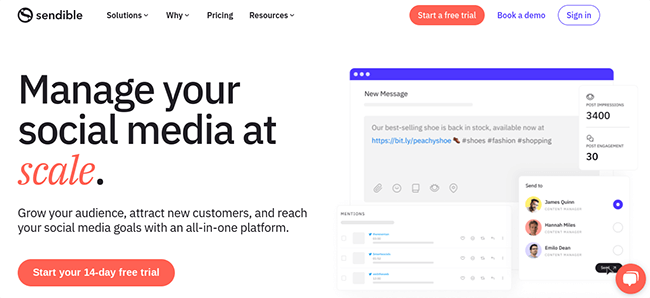
A social media calendar makes up the majority of the UI for the dashboard of the Publish tool. It allows you to post to Instagram, Twitter, Facebook, YouTube, LinkedIn and Google Business. You can also publish content to platforms like WordPress, Medium, Tumblr and Blogger.
You can schedule regular posts for Instagram directly and even set up a first comment. And like most Instagram schedulers on this list, Sendible supports direct scheduling for most Instagram post types. That includes carousels, stories, etc.
Sendible has a basic image editor, but you can also integrate Canva to create graphics from within the dashboard. The app has an asset library for these features.
Sendible is also quite affordable for teams as well. So, if you need to manage multiple Instagram accounts without breaking the bank, it’s a great option.
I especially appreciate having multiple ways to schedule posts to Instagram and other platforms. You can either schedule based on certain times or you can just create a queue and add the post to that. Sendible will also calculate the best times to post on Instagram & other platforms.
Key features:
- Social media scheduling
- Multi-platform integrations
- IG grid previews
- First comment scheduling
- Carousels & Stories
- Image editor
- Automation
- Collaboration tools
- Analytics
- Social media listening
Pros:
- Outstanding design tools
- No push notifications are necessary
- Advanced features (geotags, first comment, hashtags, etc.)
- Supports lots of different platforms
Cons:
- Some features are only available on higher plans (however, scheduling functionality is available on all plans!)
Pricing:
Plans start at $29/month or $300/year (advertised as $25/month). 14-day free trial included.
Learn more in our Sendible review.
#5 – Iconosquare
Iconosquare is a fantastic all-in-one social media management app that offers publishing, inbox features, social listening and analytics. You can use it to automatically post to Instagram, Twitter and Facebook. LinkedIn is included in the analytics dashboard, but you can’t post to it.
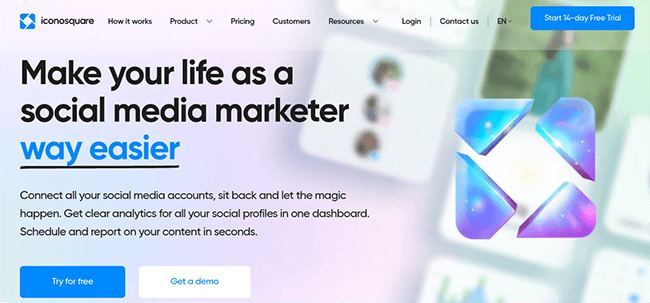
Iconosquare has built its app around visual content, so it’s mostly optimized for Instagram. When you use it to publish to the platform, you can schedule regular Instagram posts alongside carousels and stories and view your upcoming schedule in an image-based visual calendar.
When you schedule a post, you can schedule a first comment and hashtags with it. Iconosquare will even suggest your most recently used hashtags to you as you add them to your caption.
Speaking of captions, Iconosquare has a separate library you can use to store captions in advance and choose them when you create new posts. You can also upload images in bulk with Dropbox or OneDrive and categorize them so you can find them later.
When you schedule multiple posts in advance, you can preview what it’ll look like on Instagram’s grid-based profile pages. This enables you to plan out grid layouts in advance and make your Instagram content look more co-ordinated.
A lot of Iconosquare’s free tools are also Instagram based. These include an Instagram bio link tool, a random comment picker to help you run Instagram contests, a free audit of your Instagram account and Twinsta, a nifty tool that generates Instagram posts using tweets you’ve posted.
And when you want to know how your Instagram posts are performing? You’ll find some of the deepest analytics of any tool. What I really liked was the flexibility. You have your standard view of analytics but you can also create custom dashboards so you only see the data that you want to see. Seriously cool. I haven’t seen this feature in any other tools.
Overall, Iconosquare’s entry-level pricing feels a little on the pricey side but the interface is a work of art. I know this sounds weird, but there are very few interfaces that wow me. Iconosquare’s was one of them.
Key features:
- Content calendar
- Multi-platform scheduling
- Best time to post
- Add captions
- Add tags, mentions, and locations
- Collaboration features (approval workflows)
- Schedule Stories, Reels, Carousels, and Feed posts
- Media library
- Conversation management
- Analytics
- Reporting
- Social media listening
Pros:
- Schedule all types of Instagram posts without a third-party app (Instagram Stories, Reels, Carousels, etc.)
- Publish with direct integration – no push notifications necessary
- Advanced features like first-comment scheduling
- Supports other social media platforms
Cons:
- Might be overkill if you just want an Instagram scheduling tool and don’t need an all-in-one SMM toolkit
- Entry-level pricing is a bit higher than other tools
Pricing:
Plans start at $59/month (save 22% with annual billing). 14-day free trial available.
Read our Iconosquare review.
#6 – Metricool
Metricool offers one of the more affordable Instagram schedulers on the market. And it integrates with a large number of social networks.
Whatever type of content you want to schedule on Instagram – you can. Whether it’s an image, video, story, or reel. That’s all automatic as well. You won’t need a third-party reminders app for any of those.
To schedule a post, just click on the calendar to open up the composer window. You’ll get to choose the type of Instagram post. And you can choose to cross promote to other networks as well.
In my tests, I was able to automatically schedule reels, stories, and even trial reels. Towards the bottom of the composer window, there are some presets. Not sure why they’re labelled as presets but they’re just settings. Some are global. This includes URL shortener and the option to include the post on your SmartLinks page. That’s Metricool’s bio link tool.
There are various network-specific settings. I particularly liked the option to add a collaborator on Instagram.
The composer window provides access to a campaign URL generator, AI text generator, and a hashtag search feature.
The hashtag search feature is rare to see in tools like this. It’s quite useful. Enter a topic and you’ll get a large list of Instagram hashtags to choose from. You’ll also see how popular each one is. This feature is available for TikTok as well.
And, there’s a preview window on the right hand side so you’ll know exactly how your post will appear.
When you return to the calendar, you can then view your scheduled Instagram posts in a grid preview and drag them around to different days/times as needed.
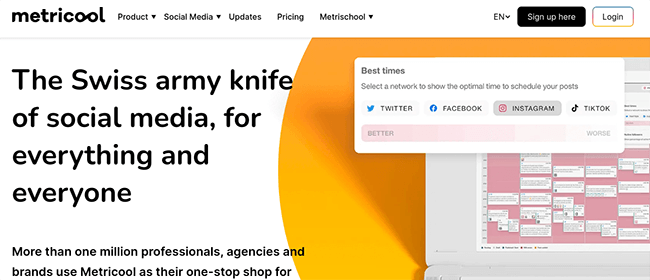
One of my favorite features, however, is the “best times to post on Instagram” feature. You can find this data in Metricool’s analytics reports but this data is also displayed on top of the calendar and can be filtered for each social network. Not just Instagram.
On the downside, I did find that the content calendar would lag a fair bit as I scheduled more Instagram posts. And found some odd naming conventions within the app that did throw me a little at first.
Key features:
- All-in-one tool
- Auto schedule all main Instagram post types
- Shared content overview calendar
- Instagram grid preview
- Preview your Instagram posts directly in the scheduler
- Instagram hashtag tracking
- Instagram reporting and analytics
- Best times to post on Instagram
- Inbox so you can reply to IG comments/messages
Pros:
- Excellent UI and easy to use
- Easy to use, visual scheduling calendar
- All-in-one scheduling tool with monitoring and reporting included
- Integrates with a large number of platforms (not just Instagram)
- Free plan available
Cons:
- Workflow for publishing evergreen content could be improved
- Collaboration workflows could be improved
- Hashtag tracking is a paid add-on
Pricing:
A limited free forever plan is available. Paid plans start at $18/month. Yearly discounts available.
Read our Metricool review.
#7 – Sprout Social
Sprout Social, like others on this list, isn’t just an Instagram scheduling tool – it’s an all-in-one social media management tool so it offers a lot of other features as well. Along with scheduling posts, it allows you to monitor mentions of your brand, respond to comments and direct messages, and keep an eye on your performance.
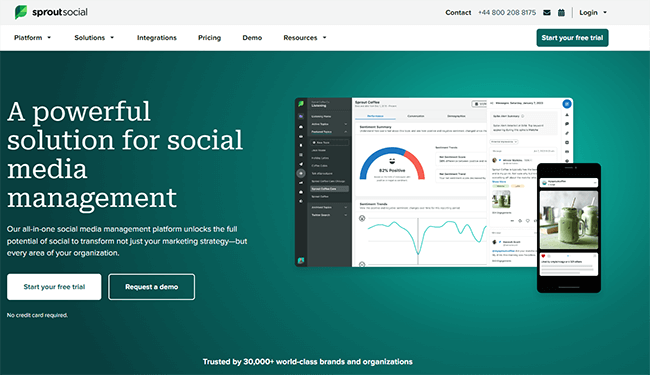
You can use the built-in scheduler to publish to multiple social media accounts. This includes Instagram, Twitter, Facebook, Pinterest and LinkedIn. It has a content library you can use to store images and videos. You can even use the analytics dashboard to monitor hashtag performance.
But I wasn’t too stoked on the scheduling UI. All the features are there, but it just didn’t feel as slick as I was expecting.
Sprout Social does have numerous collaborative features, even if it is an expensive app to use for more than one user.
The features are pretty broad which is nice. It covers a lot of ground but some of the extra features are sold as paid add-ons which isn’t good from a value-for-money perspective.
Given the price point of this app, it’s best suited to Enterprise customers.
Key features:
- Content calendar
- Media library
- Send time optimization
- Real-time engagement updates
- Mobile app
- Content suggestions
- Approval workflows
- Message tagging
- Social commerce
- URL tracking
- Link in Bio tool
- Campaign planner
- Social listening
Pros:
- Very advanced publishing tool
- Lots of great team-based features
- Excellent integrations
- Clean UI
Cons:
- Very expensive
- No re-queue or post variants features
Pricing:
Plans start at $249/month, save up to 25% with annual billing. A free trial is available.
#8 – Buffer
Buffer is an all-in-one social media management app with tools for publishing, engagement and analytics. It allows you to publish to Instagram, Twitter, Facebook, Pinterest and LinkedIn.
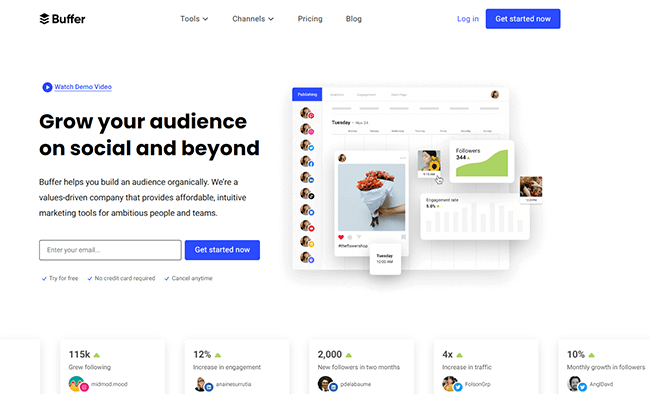
The app uses an image-based social media calendar for publishing. For Instagram, it schedules posts, reels, and stories. You can even schedule a first comment and include commonly-used hashtags with your very own hashtag collection.
Buffer also has its own bio link tool you can use to create a shop grid connected directly to your Instagram account.
What I like the most about Buffer is the UI. I remember the first iteration of the UI and it was quite good. They’ve improved it over the years but I still think it leaves a bit to be desired compared to tools that were designed from the ground up after Instagram Reels became a big deal.
That said, I found it extremely easy to find my way around the app. There’s something to be said for the simplicity it offers.
Key features:
- Visual calendar
- Tailored posts
- Schedule first comment
- Start Page (link in bio tool)
- TikTok reminders/notifications
- Team collaboration features
- Engagement tool
- Analytics
- White label reports
Pros:
- Supports all types of Instagram posts including feed posts, Carousels, and Reels
- Lots of Instagram-focused features like a visual content calendar and bio link tool
- Team-focused features like drafts, feedback, approvals, and custom access limits
- Very affordable plans
Cons:
- Analytics could be better
- UI feels clean but outdated
- Support isn’t as good as it used to be
- Some users on Trustpilot have reported issues such as being billed incorrect amounts of money.
Pricing:
Buffer has a free forever plan, but many of the Instagram features are in the premium plan. Pricing for this plan starts at $6/month per social channel or $60/year per social channel (advertised as $5/month).
#9 – Hootsuite
Hootsuite is a complete social media management app with tools for publishing, engagement and monitoring, analytics, and advertising. It allows you to publish to Instagram, Twitter, Facebook, YouTube, Pinterest and LinkedIn.
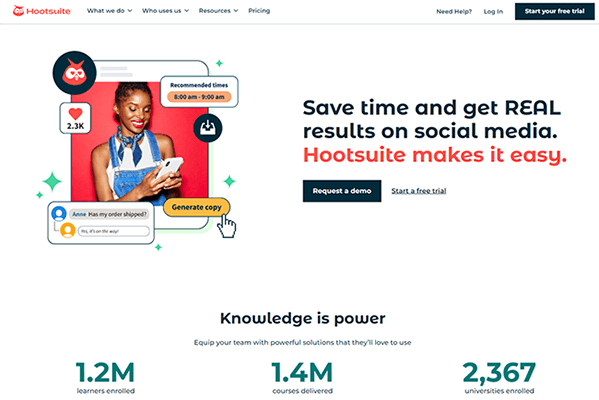
It uses a visual-based social media calendar, and allows you to publish regular posts, carousels and stories. You can even design images, carousels and stories from within the app.
The analytics even allow you to keep track of competitors and your favorite hashtags alongside your own performance on the platform.
Hootsuite even has its own Instagram apps that make monitoring your ads, performance and analytics quite straightforward.
But let’s circle back to scheduling for a moment. While all the important functionality is there, I found the UI to be a bit on the clunky side. Hootsuite is a legacy tool so this is somewhat understandable. It was designed for a time before Instagram Reels were a thing. Back in the good old days where we could share link posts and not get hammered by social media algos.
Key features:
- Multi-platform scheduling and publishing
- Content calendar
- Customizable streams
- Best time to post recommendations
- Image editing
- Content libraries
- Auto-adjustments
- Content curation
- Bulk Composer
- Social media monitoring
- Real-time analytics
Pros:
- Best-in-class feature set
- The leading social media management platform
- Great UI and UX
- Lots of supported social media networks
- Very extensible with free and premium apps
Cons:
- High learning curve
- Team & Business plans are very expensive
Pricing:
Premium plans start at $249/month. Discounts available for yearly plans.
Final thoughts
Over the 10+ years that I’ve been testing and using Instagram schedulers, I’ve seen first-hand how apps have developed and how our social media marketing strategy has had to adapt with them.
And I can tell you for a fact that while some people gravitate towards the most popular tools (despite their cost), they’re definitely not the best or the easiest to use. Most legacy tools that I’ve tested have a broad feature set but their user interfaces were lacking. And learning curves were substantial.
The newer and more modern tools typically get it right because their core workflow is designed for now, not 15+ years ago when we were all sharing text/link based posts. Times have changed.
Then there’s the price of those legacy tools. I’ve seen some of them increase in price by 20x over the years. And because of their marketshare, they get to take it easy, take people’s money, and raise prices frequently. The newer tools? They’ve got to work harder. They’ve got to charge less to be competitive and ship more features faster.
So, when ranking this list, I favored the more modern tools because they were genuinely better and offered far more value for money.
Now here’s the real takeaway:
The tool itself doesn’t grow your account. Consistent execution does.
Whether you’re using features like content calendars, post queues, bulk scheduling, or automated publishing for Instagram posts, Reels, and Stories, any scheduler on this list will work if you actually use it to post consistently.
The biggest mistake people make isn’t choosing the “wrong” Instagram scheduling software. It’s overthinking the decision and never committing to a repeatable workflow.
So pick the Instagram scheduler that feels easiest, fastest, and most natural for you. Look for functionality like visual planners, hashtag libraries, first comment scheduling, caption editing, and media asset management. And consider the value for money on offer.
The less friction your scheduling tool creates in your social media workflow, the more likely you are to stick with it. And that’s where real growth happens. Set up your posting schedule, batch your content, automate your Instagram publishing, and let the platform handle the timing while you focus on creating high-quality content that drives engagement.
Related reading:
- The best Instagram analytics tools
- The latest Instagram statistics and trends
- How to run a giveaway on Instagram
- The best Instagram bio link tools compared
Disclosure: Our content is reader-supported. If you click on certain links we may make a commission.

