It is possible for a JWT application to act on behalf of another user by leveraging the as-user header.
curl https://api.box.com/2.0/folders/0 \
    -H "as-user: [USER_ID]" \
    -H "authorization: Bearer [ACCESS_TOKEN]"
In this situation the user ID is the Box identifier for a user. User IDs can found for any user via the GET /users endpoint, which is only available to admins, or by calling the GET /users/me endpoint with an authenticated user session.

Preconditions

The application must be configured to perform actions as users in the Developer Console.
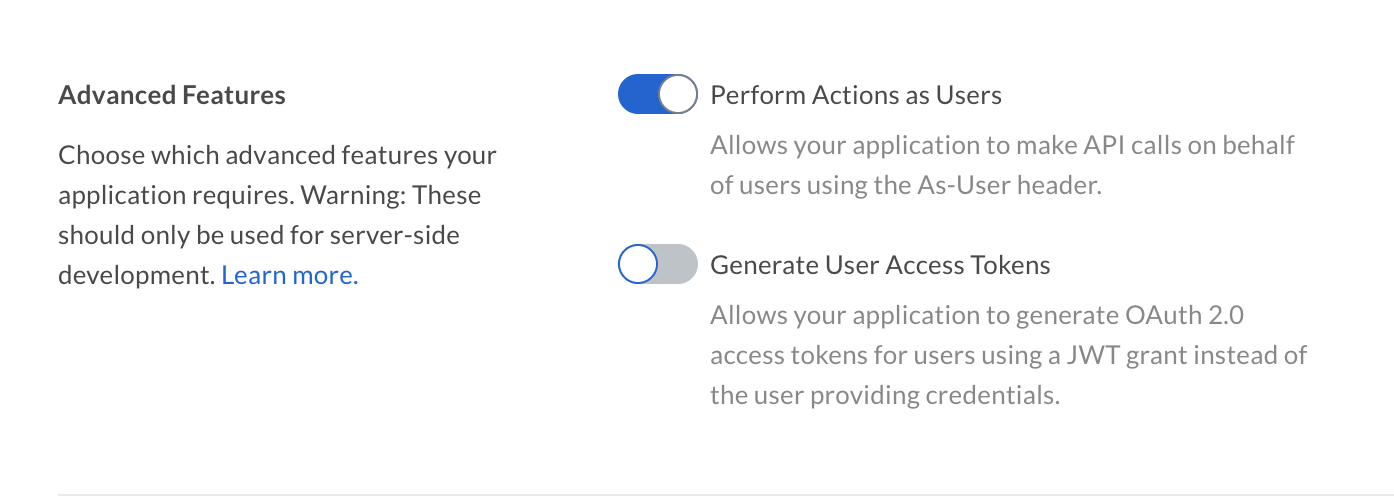
Advanced Features
Additionally, the authenticated user needs to be a user with Admin permissions, meaning either an Admin or Co-Admin. See our guide on for more details.
You cannot use the user_id of in the as-user header.

as-user using SDKs

All of the support acting on behalf of a user using the as-user header.
var userClient = client.WithAsUserHeader("[USER_ID]");
These methods return a new client instance with the as-user header applied, leaving the original client unmodified.