-
-
-
-
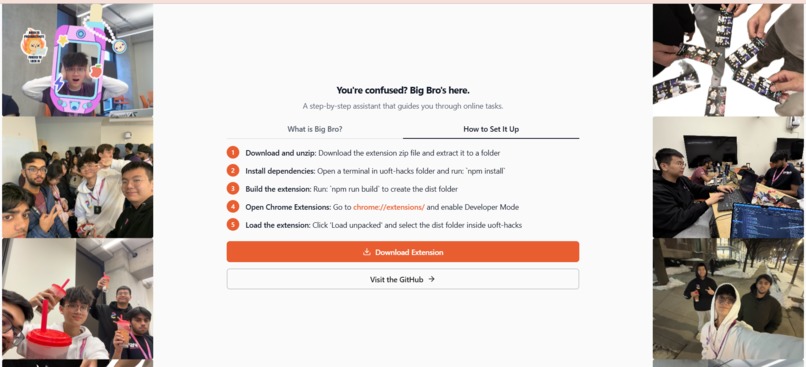
Come here to see the team and get step by step instructions on how to get your own Big Bro.
-
-


Inspiration
As the web keeps changing, many older adults struggle to keep up with new interfaces and workflows. Over time, this makes it harder for them to manage their own online presence, from handling accounts to completing everyday tasks. When they rely on others for these actions, they slowly lose a sense of ownership over their digital identity.
Big Bro was built to protect that sense of identity. It helps older users, or any of us, stay in control of their online actions by guiding them clearly, step by step, or handling the interaction when needed. This way, they remain present and independent online, even as technology continues to change.
What it does
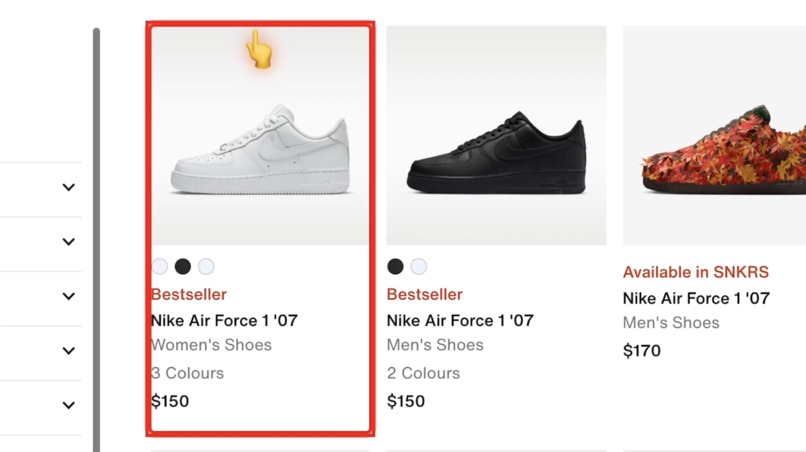
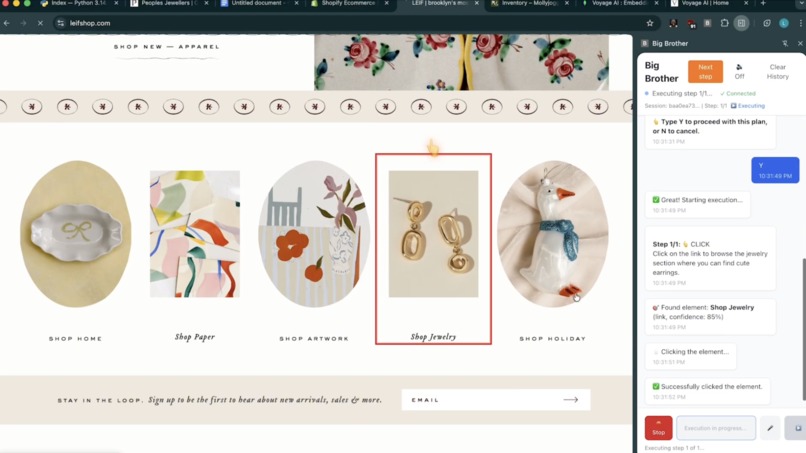
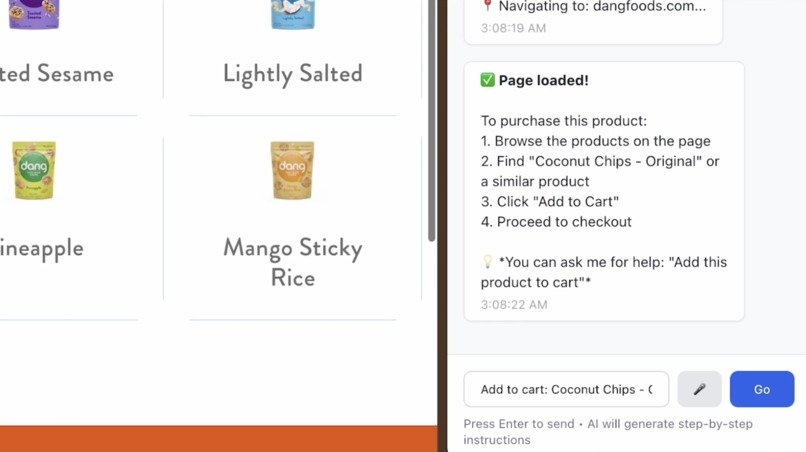
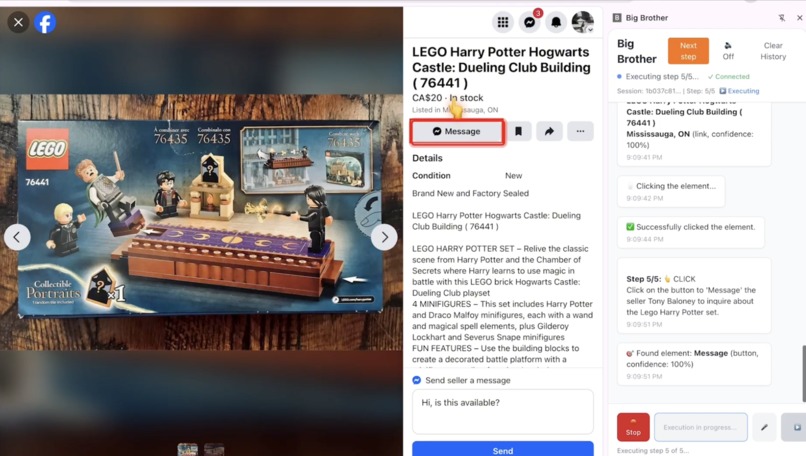
Big Bro is a Chrome extension that helps users navigate websites through simple, natural language instructions. Users can tell Big Bro what they want to do, and it guides them step by step directly on the webpage. It visually highlights exactly where to click, what to type, and what to focus on next, reducing confusion and stress.
In some cases, Big Bro can perform actions on behalf of the user, such as clicking buttons, filling out forms, or navigating between pages. It also supports voice input and voice responses, making it easier for users who are not comfortable with typing or complex interfaces. The goal is to make websites feel less intimidating and more accessible, especially for users who need extra guidance.
Challenges we ran into
LOTS OF CHALLENGES. The AI kept messing up instructions in the past until we gave it a very specific prompt. And one big prompt would not do the trick, it has to be broken down into smaller pipelines
Integrating the different Backboard io models was a challenge as we had to figure out which model was best at which thing and then assign it the task based on that. It needs to have full awareness of which step is it one and what are expected to be done, and when is it done.
Sometimes the DOM wouldn't show the needed items to the AI, so the AI was "blinded" which led to lots of hassle. And sometimes it just detect the things that are not supposed to be detected. Or detect them twice. We needed a way to fix this!
API keys kept on burning up, rate limits after rate limits. We need to switch from Gemini, to OpenAI, to Backboard API keys simultaneously.
AI hallucinates, same problem, same prompt, and it works differently each time. So we needed to add memory and caches.
Had to stop it getting stuck in infinite cycle loops.
How we built it
First we scan the entire site for DOM elements, to get the overall features of the site. Then we do semantic searching to actually identity which elements seem the most important to the query and return the top 30 of each links/button/field with their confidence score and input to the AI.
The AI returns in strict JSON format the instructions which are converted and done. We're using Backboard io for memory management from past interactions to streamline it. For instance if it remembers a fast path to get to an item then it switches to use that path, and if it adds to cart one time it remembers that it already added an item to cart before.
We made sure that the AI understands which parts of the job it has done, which are remaining, and which DOM elements it must interact with to get the jobs done. This is the most tricky part. If there are buggy actions, users can choose to move onto next step, this small detail stops AI from getting stuck!
We made a custom algorithm to also find Shopify healthy alternatives when it comes to food. Additionally, we created a RAG system where it will take in custom documentations, to help improve the context of the AI, increasing the performance.
Moreover, we integrated ElevenLabs into this project to improve the accessibility of the project. You are able to speak into the tool instead of typing, listen to it instead of reading every word, this are proven to make it much easier for elderly individuals and those with disabilities.
Lastly, MongoDB and Voyage AI are used for embdeddings and vector searches which will siginificantly improve the searching algorithms. Temporary storage and learning materials for our model are stored in MongoDB with aggregation and indexes rules.
Accomplishments that we're proud of
The fact that we somehow got this working pretty well is a miracle.
At one point, 4 of us all work on the same problem with 4 different branches, trying to solve 1 problem.
What we learned
A lot about embeddings, semantic search, DOM elements, how to specifically prompt AI models to give the exact output you are expecting. Creating pipelines to find stuff. Integrating ElevenLabs and MongoDB.
Built With
- agentic-ai
- backboard
- beautiful-soup
- context-graphs
- cypher
- elevenlabs
- fast-api
- mongodb
- neo4j
- openai-api
- pytest
- python
- react
- shopify-api
- tailwindcss
- typescript
- vector-search
- vite
- voyage-api


Log in or sign up for Devpost to join the conversation.