-
-
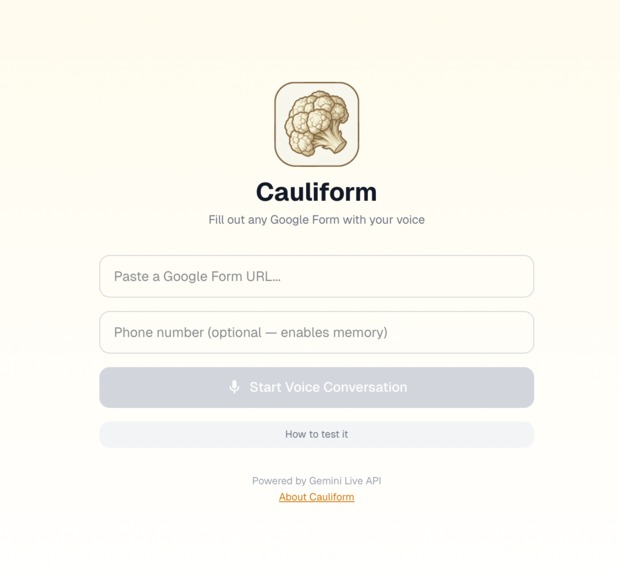
Web App
-
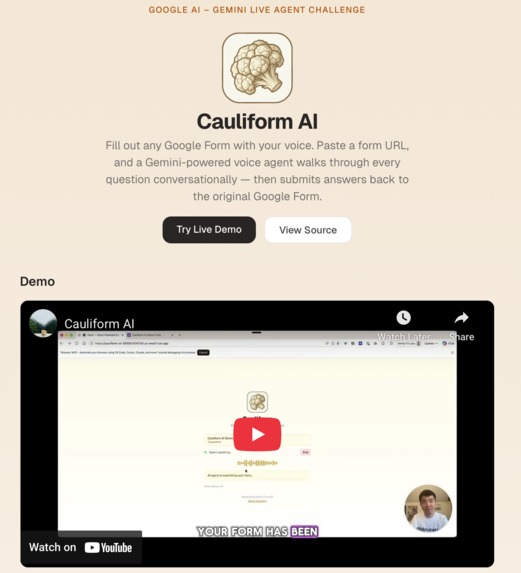
About Us App Page
-
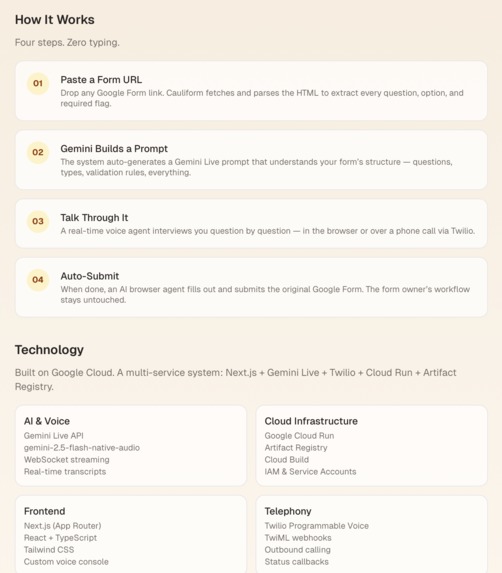
About Us App Page
-
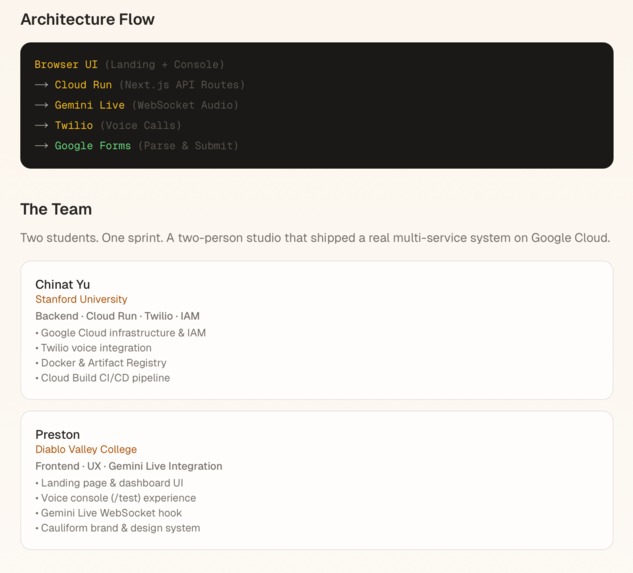
About Us App Page
-
About Us App Page
-
About Us App Page
-
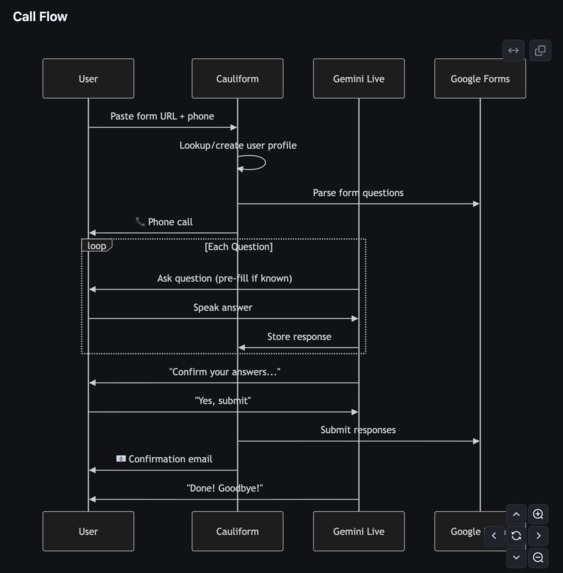
Diagram Call flow
-

Diagram Code Flow
-
Flow Chart Diagram
-
Flow Chart Code
-


Inspiration
We’re a two-person student team, one from San Francisco and one from Stanford. Towards our college lives, we kept running into the same problem: Google Forms are great for collecting data, but they’re frustrating to fill out on a phone and even worse over a call.
We wanted to turn any Google Form into a voice experience that feels like talking to a real interviewer, while still submitting responses to the exact same form. No new backend, no custom database, and no workflow changes for the person who created the form.
The Gemini Live Agent Challenge gave us the perfect chance to see whether two students could build that in a single weekend using Gemini Live API, Twilio, and Google Cloud Run.
What it does
Cauliform AI turns any public Google Form into a voice-first survey experience:
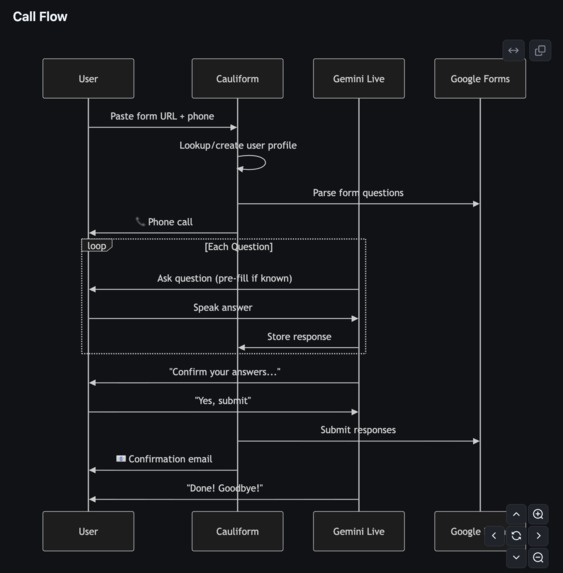
- Paste in a Google Form URL, and we parse the questions, answer choices, and required fields.
- A Gemini Live agent can either call the user through Twilio or talk to them directly in the browser.
- The agent walks through the form conversationally, rephrasing questions, repeating options, and confirming answers when needed.
- Once the conversation is done, it submits the responses back into the original Google Form.
We also built a small dashboard and a /test console so we can inspect parsed forms, debug Gemini Live, and watch our AI browser agent fill out forms in real time.
How we built it
Two‑person stack One of us focused on the Next.js/Tailwind UI and Gemini Live frontend hooks. The other focused on Twilio, Cloud Run, Artifact Registry, and IAM, basically fighting GCP errors full‑time.
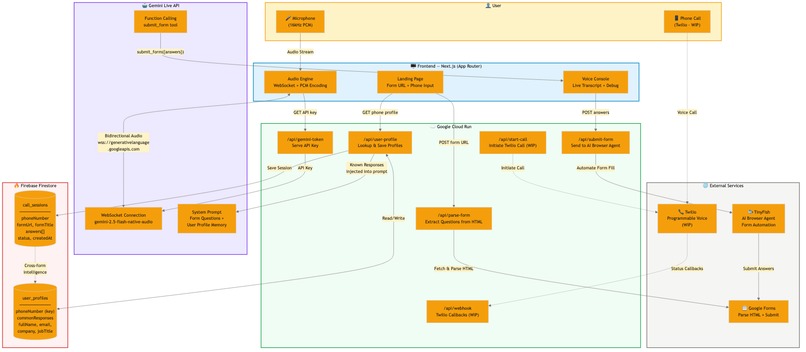
Next.js App Router, containerized with a Dockerfile and deployed to Cloud Run. API routes like /api/parse-form, /api/start-call, /api/webhook, /api/submit-form, /api/gemini-token. Gemini Live
Custom hook useGeminiLive and a /test page that connects to: wss://generativelanguage.googleapis.com/... with model gemini-2.5-flash-native-audio-latest. API key is stored in Cloud Run as GOOGLE_AI_API_KEY and exposed at runtime by /api/gemini-token (so it’s not baked into the bundle).
Twilio + calls /api/start-call uses Twilio’s Node SDK with Cloud Run’s public URL (/api/webhook) as the voice webhook. /api/webhook/status logs call events.
Infrastructure: Docker → Artifact Registry (us-west1-docker.pkg.dev/cauliform-ai/cauliform-ai/cauliform-ai) → Cloud Run cauliform-ai service. deploy.sh script to automate gcloud builds submit and gcloud run deploy.
Challenges we ran into
The biggest challenge was definitely infrastructure.
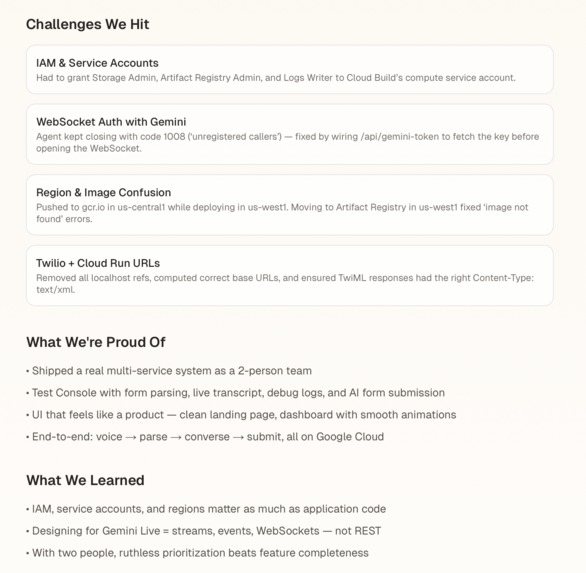
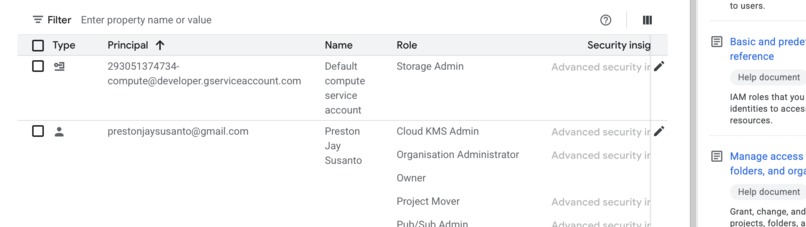
As a two-person team, every Google Cloud IAM error blocked progress completely. We ran into permission issues for Cloud Build, Artifact Registry, and Logging, along with confusing deploy errors like missing images in Cloud Run. We had to learn very quickly how service accounts and roles work across the full GCP deployment pipeline.
Gemini Live authentication also took time to debug. We kept seeing WebSocket error code
- 1008, which happened because the browser connection was missing the API key. We solved that by creating /api/gemini-token, passing the key at runtime, and using our test console to inspect streaming events.
The other big challenge was getting all the moving pieces to work together: Next.js, Twilio, Gemini Live, Cloud Run, webhook URLs, and TwiML responses. With only two people, we were constantly switching between product design, backend logic, deployment, and debugging.
In addition, we built a dashboard and pricing plan UI for Education, Pro, and Business, which made the project feel less like a prototype and more like something we could put in front of early users.
Accomplishments that we’re proud of
We’re proud that, as a two-person student team, we got the full system working end to end.
- A real Cloud Run deployment
- Artifact Registry image pipeline
- Gemini Live real-time WebSocket conversations
- Twilio voice call integration
- Google Form parsing and submission
We’re also especially proud of the /test console. It became one of the most useful tools in the project because it lets us see parsed forms, conversation logs, transcripts, and the AI browser agent view all in one place. In addition, we built a dashboard and pricing plan UI for Education, Pro, and Business, which made the project feel less like a prototype and more like something we could put in front of early users.
What we learned
This project taught us a lot about building real-time AI systems under time pressure.
- We learned how Cloud Build, Artifact Registry, Cloud Run, and Cloud Logging all depend on different service accounts and IAM roles.
- We learned that designing with Gemini Live is very different from standard REST APIs, because everything happens through streams, events, and logs.
- We learned that in a two-person team, the most important thing is prioritizing an end-to-end working product over polish.
- We also learned how useful Firebase can be for lightweight persistence, especially for storing user profiles, known answers, and session history without needing to build a more complex database layer first.
What’s next for Cauliform AI
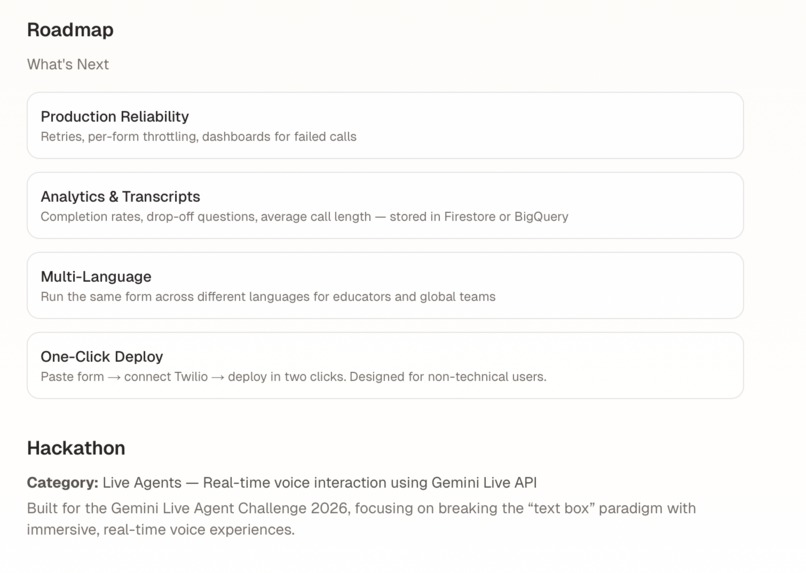
Next, we want to make Cauliform AI more reliable and easier to use.
- Improve the Twilio call flow with retries, better error handling, and analytics
- Store transcripts and usage stats in a real database and show them in the dashboard
- Support multiple languages so schools, researchers, and small organizations can run phone surveys more easily
- Simplify onboarding so a non-technical user can paste a form, connect a Twilio number, and launch in minutes
Built With
- firebase
- gemini
- geminiapi
- google-cloud
- javascript
- next.js
- python
- twilio


Log in or sign up for Devpost to join the conversation.