-
-
Landing Page
-
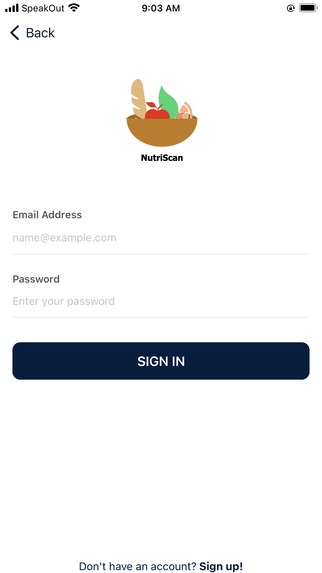
Login Page
-
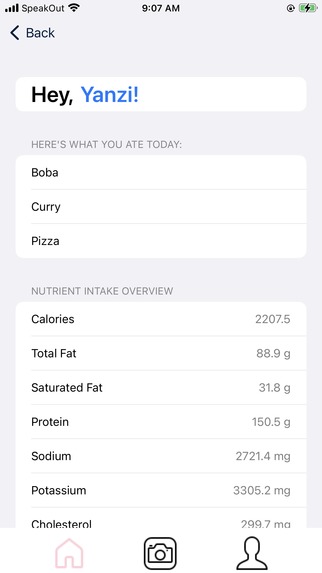
Home Page
-
Camera Page
-
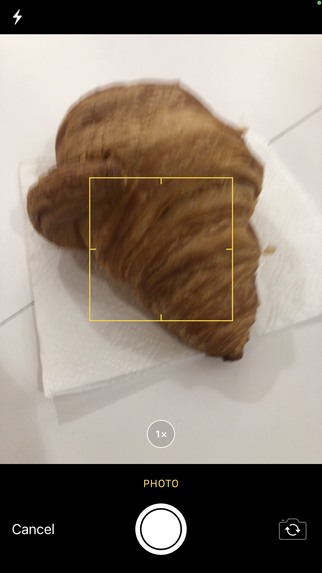
Camera
-
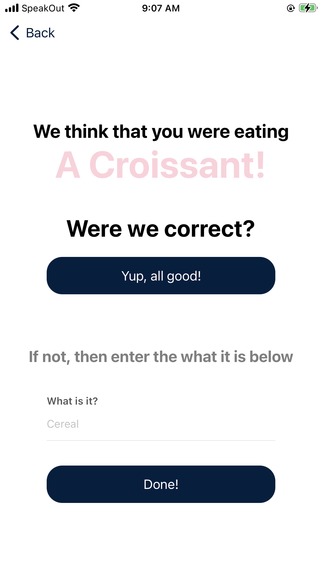
Classification Page
-
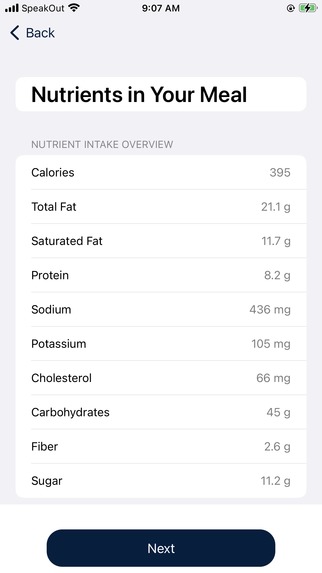
Nutrition Facts Page
-
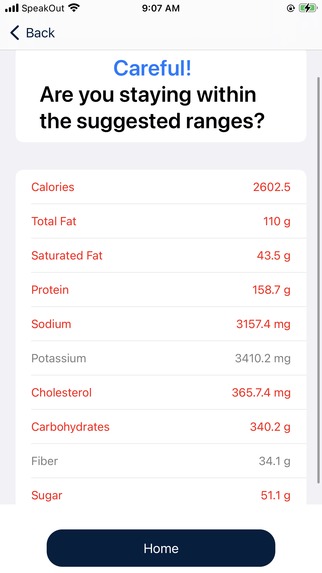
Warning Page
-
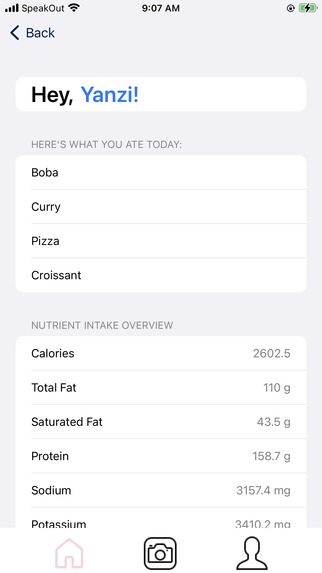
Updated Home Page
-
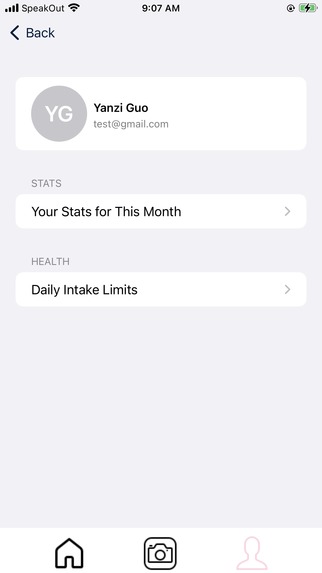
Profile Page
-
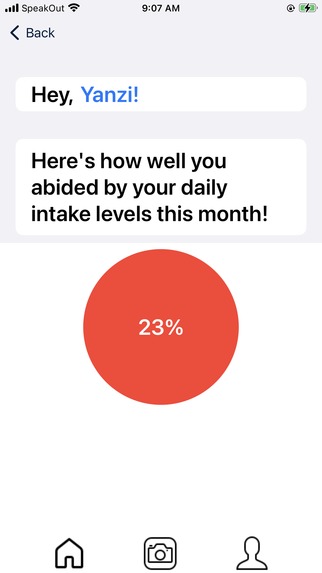
Statistics Page
-
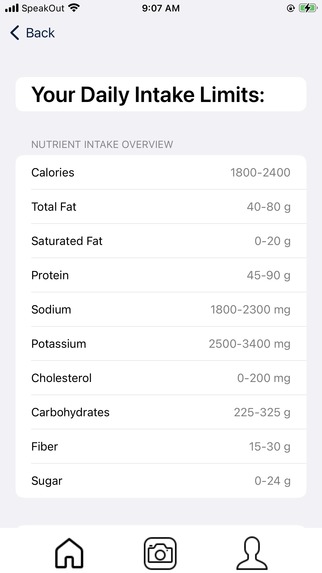
Daily Limits Page


Inspiration
My grandfather was recently diagnosed with kidney failure, and many of our teammates have grandparents who have diabetes and high cholesterol levels. We've all faced difficulties regarding regulating different nutritional elements, and it gets tedious and frustrating too easily. If you've ever used a calorie or macro tracker, you'll know what we're talking about! Manually inputting nutritional facts or having to search them up is a huge reason why most of us stopped using the trackers. Our solution? NutriScan, an iOS app that provides a convenient way for anyone to easily keep track of their daily nutritional intake.
What it does
NutriScan tracks the daily intake of important nutrients, such as cholesterol, sugar, and carbohydrates, so that those who need to restrict their diets are able to be more aware of what they are eating. Upon logging in or registering, the user can easily access their suggested daily intake ranges for different nutritional values. You can take photos of your food, and NutriScan will classify it and calculate its nutritional facts. Then, we'll help you record the food for the day and update a daily summary of your nutritional intake! Stay vigilant though! We'll give warnings if any category is above or below its suggested range to promote a healthy and sustainable lifestyle for their distinct needs. As a fun way to encourage people to stay on top of everything, we calculate a monthly score of how well they aligned with the suggested nutritional ranges!
How we built it
The architecture and front-end of our iOS app was programmed using SwiftUI and the Xcode integrated development environment. The back-end of our project was programmed in Python, integrating the VisionAI from Google Cloud for object detection and classification, and the NutritionAPI from APINinjas.
Challenges we ran into
iOS development was completely new for 3 out of 4 of our team members. Additionally, 2 out of 4 of our group members were unable to program using Xcode (the integrated development environment we used to create this project), since Xcode is only supported on Macs. Since our entire group mainly programs using VSCode, programming in Xcode definitely had a learning curve. Configuring the Firebase database was also difficult at first, especially when it came to storing and retrieving images.
Accomplishments that we're proud of
In spite of all the challenges we faced, we're proud of how far we came! After all, what is an accomplishment without hard work? Learning a brand new language (and finding my way around a new IDE) was difficult but rewarding, and we're proud of how organized and easy-on-the-eyes our application is. Figuring out how to access the camera in an application, navigating through authentication, and managing the database were difficult but we're prouder about getting through it! 😎
What we learned
Through DeltaHacks, we learned a lot about developing in Swift, as well as the importance of teamwork and time-management. By spending a lot of time on planning and ideation, we were able to come up with a project that we were all passionate about, as well as find the most efficient way to implement it! We played both to our strengths and weaknesses: those who wanted to try out new things took on challenges head-on and we hit the ground running 😤. As always, we learned a lot through annoying bugs and rough patches, such as playing with new APIs, databases, and computer vision!
What's next for NutriScan
Currently, NutriScan can only scan simple foods due to the limitations in VisionAI. We plan to configure the object detection and recognition for more complex foods and images (ex. ramen, mixed salad) through Google Cloud's AutoML software. By training the model with our own dataset and specific labels, for example distinguishing between different brands of chips, the practicality of our software and its impact would be improved. This is also more feasible than training a machine learning model from scratch and eaiery to integrate considering the implementation of other Google Cloud programs like VisionAI and Firebase. Furthermore, it would be helpful to implement the application with more nutrients in order to benefit even more patients with their specific health conditions. While looking into nutrition fact APIs, there were some government-based APIs with very detailed nutrients but the poor documentation steered us away. However, taking the time to implement its REST API would provide more extensive and likely more accurate data to users. Finally, it would be very beneficial to elderly patients to add a place to include their medical condition, so they would not need to go to a dietician or search online to know what their daily intake should be. This can be manually customized for every nutrient, or be automatically tailored made by implementing NLP models like GPT-4, analysing their conditions to form appropriate ranges.
DISCLAIMER: THIS APPLICATION DOES NOT PROVIDE MEDICAL ADVICE
The information, including but not limited to, text, graphics, images, and other material contained on this application are for informational purposes only. No material on this site is intended to be a substitute for professional medical advice, diagnosis, or treatment. Always seek the advice of your physician or other qualified health care provider with any questions you may have regarding a medical condition or treatment and before undertaking a new health care regimen, and never disregard professional medical advice or delay in seeking it because of something you have read on this application.
Built With
- apininjas
- firebase
- google-cloud
- nutritionapi
- python
- swift
- swiftui
- visionai
- xcode


Log in or sign up for Devpost to join the conversation.