-
-
combined
-
prototype
-
lidar view
-
finding object


Inspiration
Path-finders started from a simple question: what if indoor navigation could be as immediate and intuitive for a visually impaired user as it is for someone looking at a screen? We wanted to move beyond generic obstacle alerts and build a real-time, voice-first guidance assistant that understands space, direction, and context in a practical way. We also wanted the solution to work in a physically usable setup, not just as a handheld app demo.
What it does
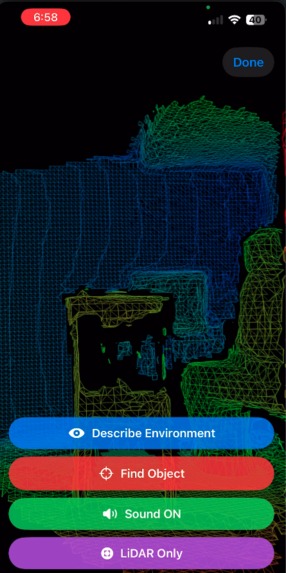
Path-finders is an iOS assistive navigation system powered by LiDAR, ARKit, and multimodal AI guidance. It detects and classifies nearby surfaces, estimates obstacle direction, and provides actionable guidance through stereo beeps, vibration mode, and spoken alerts.
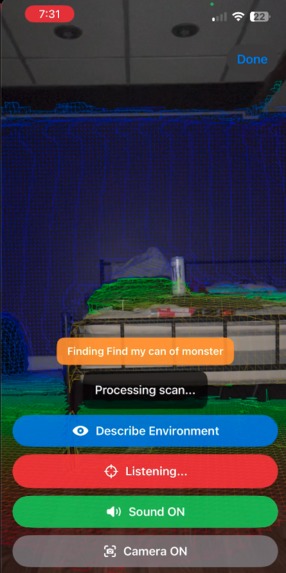
Users can trigger Describe Environment for a concise spatial summary, and use Find Object by speaking what they’re looking for, then scanning left to right while the app analyzes multi-image and pose context to return directional guidance.
How we built it
We built Path-finders in Swift/SwiftUI using ARKit + RealityKit for scene reconstruction and ray-based distance detection. We implemented multi-ray obstacle sampling, mesh classification lookup, directional pan estimation, temporal smoothing, and confidence gating for stable output.
For AI narration and object search, we integrated OpenAI vision with dual-image inputs (raw RGB + rendered LiDAR view), plus contextual pose data gathered during guided scans.
We added speech recognition for push-to-stop object queries, TTS for accessible output, and an adaptive control layer supporting touch, Siri/App Shortcuts, and a PS4 controller.
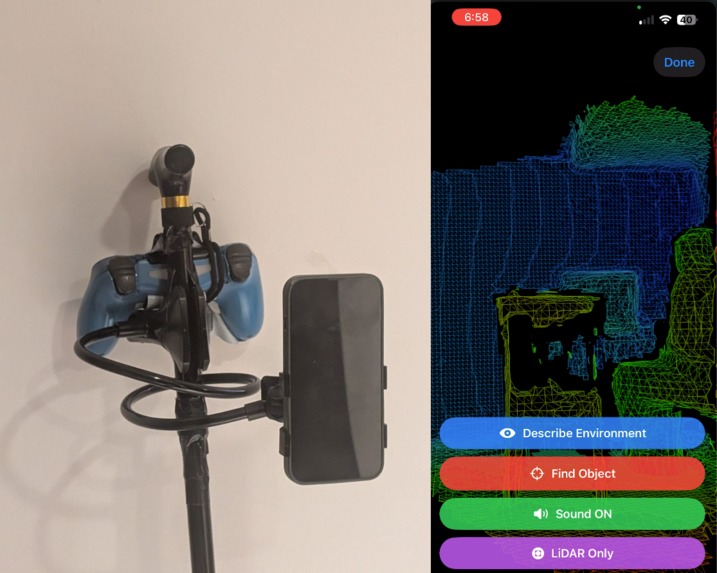
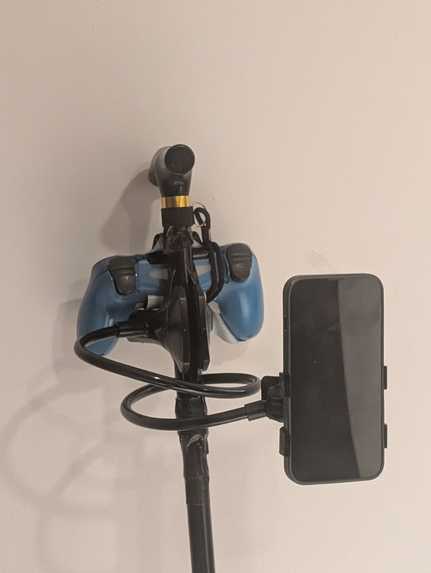
Externally, we created a practical mobility setup by mounting the iPhone on a stand attached to a holder and pairing a controller, enabling more stable, real-world operation.
Challenges we ran into
A major challenge was balancing responsiveness and stability with noisy real-time AR/LiDAR signals, while preventing overlapping or conflicting audio guidance.
Another significant challenge was physical reliability: our phone stand broke during development, and we had to reassemble and re-calibrate the mounted setup before continuing testing.
We also dealt with low-light reliability, speech/session management, and framework-level runtime warnings that cluttered demo output.
Accomplishments that we're proud of
We’re proud of building a full end-to-end assistive experience, not just a feature demo: perception, directional feedback, speech interaction, and AI reasoning all working together in real time.
We achieved stable directional guidance with multimodal feedback, added meaningful low-light recovery behavior, and delivered a voice-driven Find Object flow that uses both visual and spatial context.
Most importantly, we validated it in a practical mounted-holder + controller setup, making the project feel deployment-oriented rather than purely experimental.
What we learned
We learned that accessibility systems depend heavily on consistency, timing, and trust, not just raw model capability.
Combining LiDAR geometry, camera imagery, and pose context significantly improves guidance quality over single-source input.
We also learned that speech pipelines need strict arbitration rules to avoid interrupting users, and that real-world assistive UX only emerges through on-device, movement-based testing.
What's next for path-finders_PathFinders.ai
Next, we plan to add continuous object-tracking guidance, stronger confidence scoring, and smarter rescan prompts when uncertainty is high.
We want to expand personalization (calm/fast profiles, speech density, haptic intensity), improve long-session robustness, and deepen hands-free workflows.
If there is enough support and time, then we would love to refine interaction design and move toward a production-ready indoor navigation assistant for visually impaired users.
Built With
- appintents
- arkit
- avfoundation
- coreimage
- gamecontroller
- ios
- realitykit
- speech-(sfspeechrecognizer)
- swift
- swiftui
- uikit


Log in or sign up for Devpost to join the conversation.