-
-
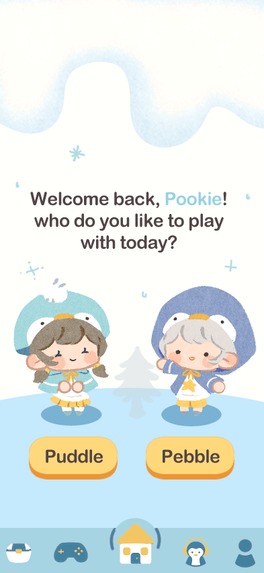
Welcome
-
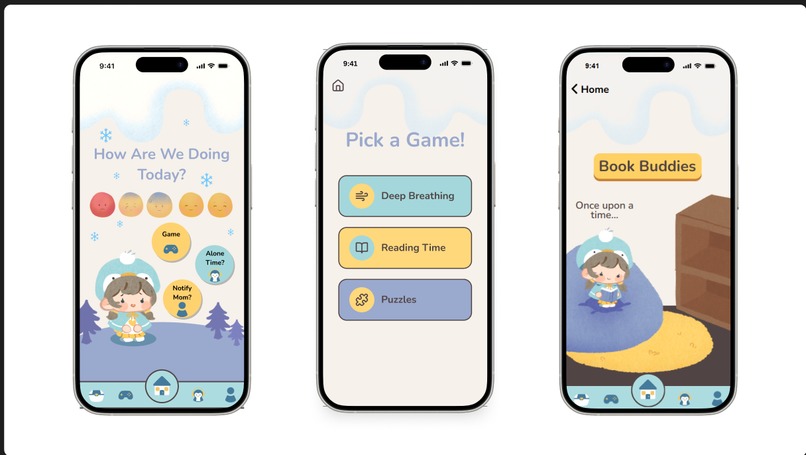
Views
-
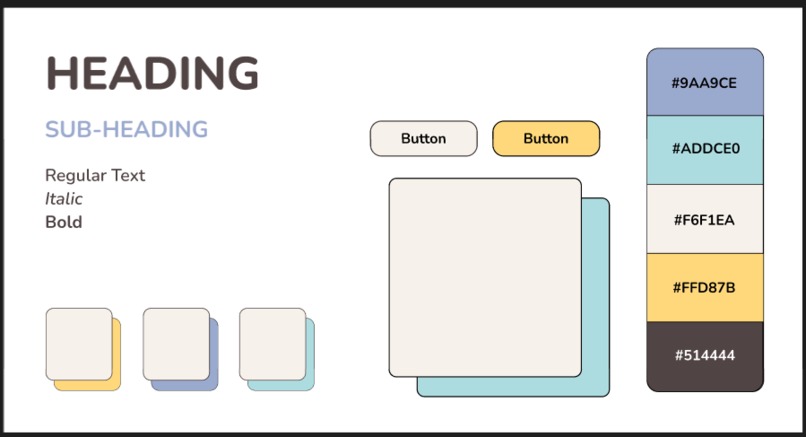
Color Palette
-
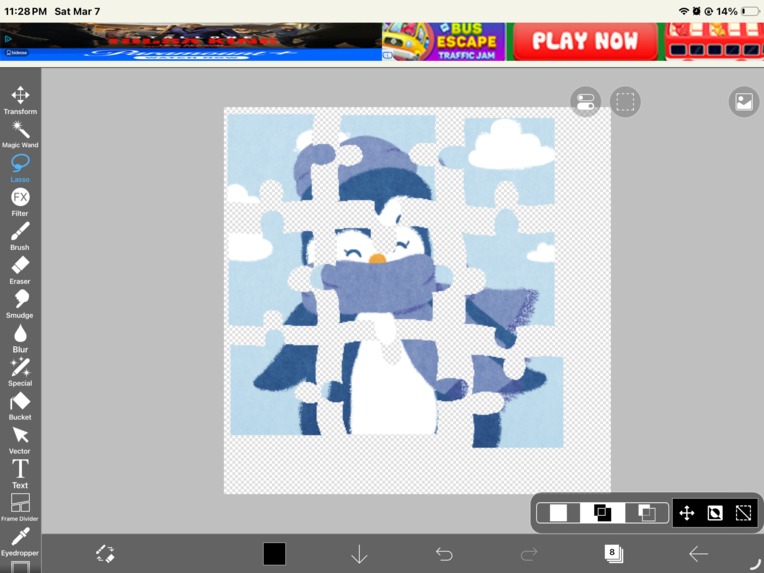
Painting the puzzle


🐧 Pengo
For this year's Figma Build challenge, we decided to take the prompt in a literal direction and address a concern that, currently, has not many existing solutions: sensory overload.
Children, especially those on the autism spectrum or with attention deficit disorders, experience difficulty managing overwhelming sensory environments. Everyday surroundings such as classrooms, playgrounds, family gatherings, or stores can contain many sensory inputs at once. These may include loud sounds, bright lights, fast movement, social interactions, and constant changes in attention demands.
For some children, the brain processes these inputs differently. Instead of experiencing them as manageable background information, the child may feel flooded by too many stimuli at once. When this happens, the child may become anxious, frustrated, withdrawn, or overwhelmed, often without understanding why.
Because the source of the discomfort is difficult to identify, children struggle to communicate their needs when overwhelmed.
We then reframed the theme to answer this question: How might we design an intuitive interface that bridges the communication gap between child and parent during moments of sensory overload?
🧩 What it does
Our project focuses on helping children recognize and manage sensory overload by making invisible sensory stress visible and understandable. We designed a mobile app that uses audio and visual inputs to detect environmental conditions that may contribute to overstimulation, such as loud noise levels, rapid movement, or intense visual activity. These signals are translated into simple visual indicators that show when the child’s sensory environment may be becoming overwhelming.
We have two customizable digital companions: Puddle and Pebble. They help guide the user through the experience by explaining what may be happening and suggesting supportive actions. The app can recommend calming activities such as breathing exercises, short sensory friendly games, or quiet breaks. These tools help the child regulate their sensory experience before it escalates into distress.
By helping children identify the source of sensory overload and respond with calming strategies, the tool supports better self regulation and communication with caregivers. Instead of feeling confused or overwhelmed by their environment, children gain the ability to understand what their body and mind are experiencing and take steps to feel more comfortable.
🎨 How we built it
Our ideation phase consisted of creating a concept map to break down our goals for the user experience. This was important to determine how the user would traverse through the app, and what the core purpose of our app was. From there, we sketched out lofi wireframes to explore how the app's layout would look, and to map out user flow. Afterwards, we translated our lofi wireframes into Figma, where we established our color palette, refined the overall layout, and determined how users would interact with each screen. We drew assets and character sprites using Clip Studio Paint and Procreate, so each page in our app would feel unique. We then sent our project to FigmaMake, which helped us build a more polished, interactive app. Finally, we reiterated our project through prompting FigmaMake to improve cohesiveness, interactivity, and overall design.
🚧 Challenges we ran into
Our main challenge was learning how to use Figma Make for the first time. We had to figure out how to properly prompt the tool in order to get the best results, which involved a lot of trial and error while experimenting with different prompts and approaches. Some of us had better results than others, and we also had to be careful about how we used our credits so we wouldn’t run out while testing different ideas.
Another challenge was that we sometimes had to go into the generated code to manually correct parts that didn’t work properly in Figma Make. We also were challenged having to go go into the code for some parts to correct things on figma make. Along the way, we also ran into an issue with images getting mixed up because some of our character names were reused across multiple files. This taught us the importance of clearly naming and organizing our images and buttons so the system could correctly recognize and place them.
✨ Accomplishments that we're proud of
We learned quite a lot about Figma and Figma Make! Some of us went into FigBuild with some or little experience with Figma and no experience at all with Figma Make, but by the end we all left with a much better understanding of how both tools work. We also learned how to draw in different styles and replicate those styles so our designs stayed consistent across the project. Since we were working as an online team, we had to learn out how to collaborate effectively while dealing with different and conflicting schedules.
Overall, we all came out of the experience as much better designers and with a stronger understanding of Figma and collaborative design!
💡What we learned
We are incredibly proud of how our product came together, visually and technically. One of our biggest accomplishments was creating unique, handmade custom character sprites and assets. By using Clip Studio Paint and Procreate, we were able to give our app a fun, yet gentle personality that is approachable and enjoyable for children.
As it was our first time working with Figma Make, we are proud of how we were able to working with a new software, and quickly adapting to get effective results. We put in a lot of effort to learn how to prompt the tool effectively, refine outputs, and manage workflow so that everyone could learn from this experience.
We are most proud of our final result. Our app is cohesive, expressive, and thoughtfully designed. We are so proud of the effort and love that went into this project.
🔮 What's next for Pengo
Our next plans for Pengo are to expand the number of calming and destimulating activities available in the app. We want to add more interactive options such as sketching games, coloring activities, and other simple sensory-friendly tools that help children slow down and refocus when they feel overwhelmed.
By continuing to add tools like these, our goal is to make Pengo a supportive and easy-to-use space that helps children with ADHD and autism better understand their feelings and express themselves visually.
Built With
- clipstudiopaint
- figma
- figmamake
- procreate


Log in or sign up for Devpost to join the conversation.