-
-
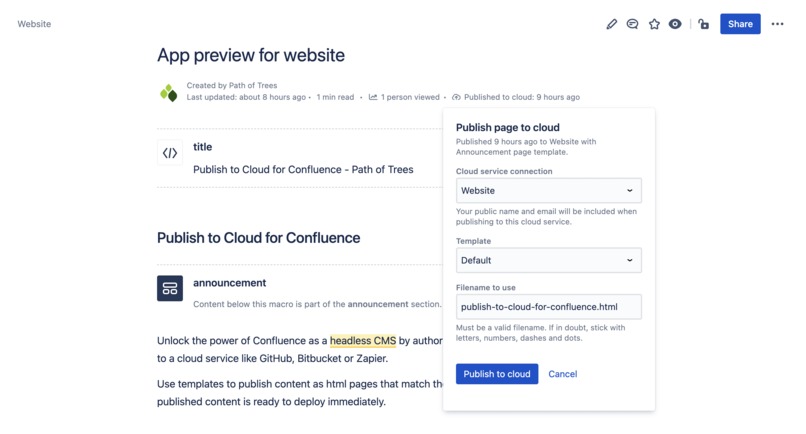
Publish a page to a cloud service
-
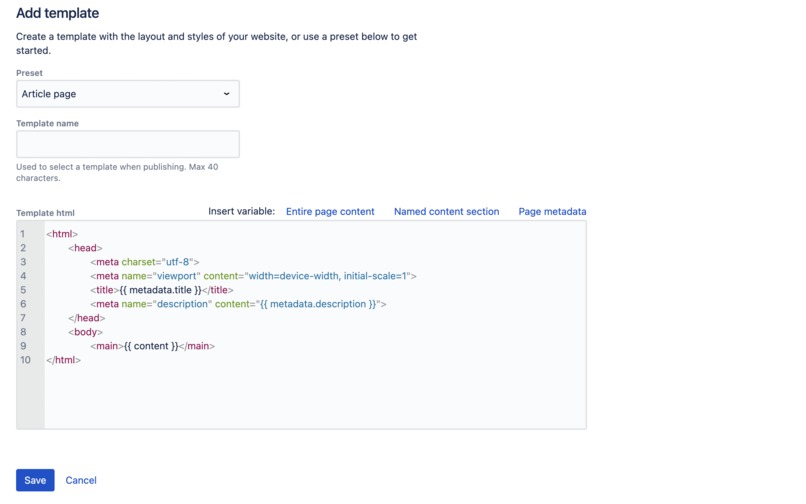
Add an html template
-
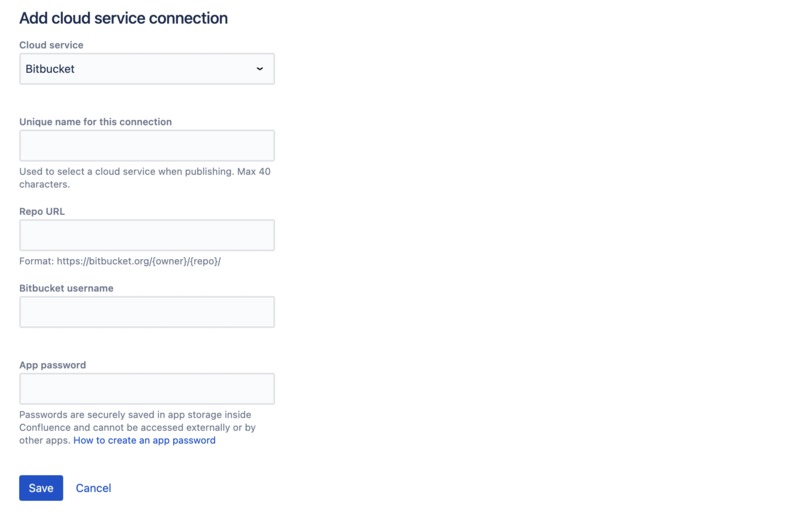
Add a cloud service connection
-
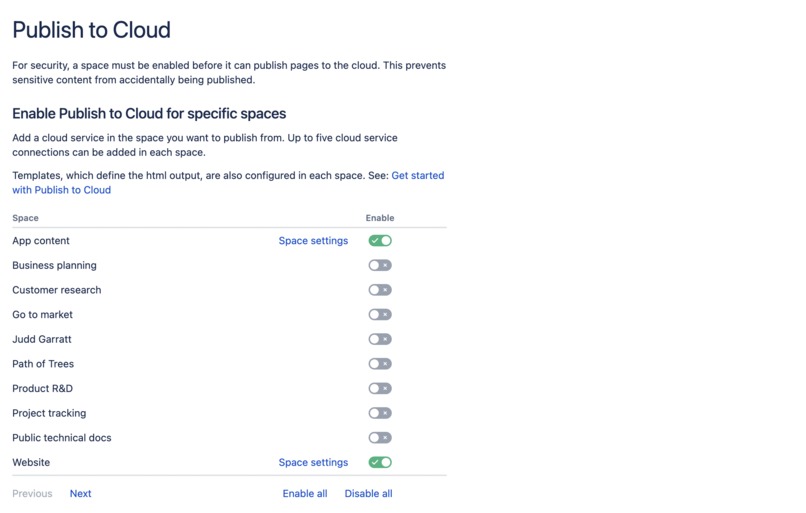
App security settings
-
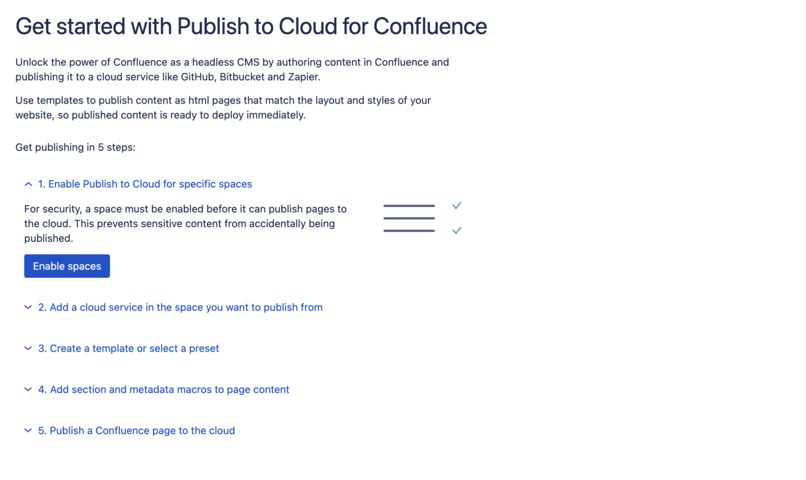
In-app get started guide


Inspiration
Many teams have a website, but it's often hard for everyone on the team to update the website's content. More and more websites are built as static files and deployed to CDNs (an approach often called Jamstack). This is great for technical flexibility and reducing cost, but it also means technical people in a team are relied upon to update website content. And copy/pasting into another tool, or directly into code, is slow and error prone.
Our team writes website updates in Confluence, where we can easily draft, collaborate and get feedback. Rather than waiting for the technical person (me on our team!) to have time to copy/paste updates, it would be so much better if anyone on the team could publish a Confluence page directly to a cloud service where it can be automatically deployed to our website.
Publish to Cloud for Confluence does exactly this.
What it does
Add a cloud service connection in the space you want to publish from. Then create an html template with the layout and styles of your website (or use a preset to get started). Templates define the html page that content is inserted into when published to the cloud.
As they're authoring a Confluence page, anyone in the team can add metadata (e.g. for a page title) and create content sections by using simple macros.
When it's ready, a page can be published to cloud. The app securely connects to a cloud service and sends over a complete html page with content inserted into the template created above.
This unlocks the power of Confluence as a headless CMS. The whole team can now update website pages using Confluence, the tool they already know with its intuitive editor and collaboration features - no tech skills required.
How we built it
The app was built with a number of Forge modules (global settings, space settings, macro, content byline, content action) and Forge Custom UI. It also uses an html-over-the-wire implementation built on Unpoly.
Challenges we ran into
I, Judd, wrote the code for the app for Codegeist and it was all about learning new skills. I'm a designer by background, rather than a software engineer. When I began I knew some javascript + html/css (from design prototyping) and could stumble through git, but that was about it. I remember reading the Forge tutorials a few weeks ago and wondering what the => stood for (arrow functions). Safe to say I've learned a lot.
Sending content to cloud services from Forge was also very challenging to make work.
Accomplishments that we're proud of
There are many things we're proud of: Reliably sending content to cloud services from Forge is a big one. Also the html templates, with variables and transformation of page content to be inserted during publishing. We've also taken a security-first approach to make sure only content in spaces that have been enabled for publishing can actually be published.
What we learned
We can do hard things! Forge has enormous capability. Cloud publishing is a deep domain with lots of moving parts. Publishing a page live to our website from Confluence during the video demo was totally worth it :)
What's next for Publish to Cloud for Confluence
The app will be arriving on the Atlassian Marketplace soon when we've rounded off a few rough edges and added support for more cloud services. We'll also be using it to publish to our own website a lot more frequently!
Built With
- atlassian-forge
- forge
- unpoly


Log in or sign up for Devpost to join the conversation.