-
-
-
-
-
-
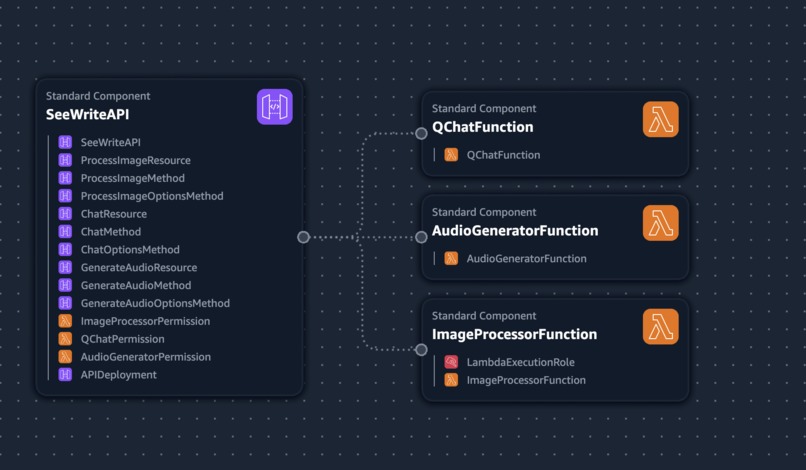
Architecture can be used to test the application
-

Use this for testing the application
-
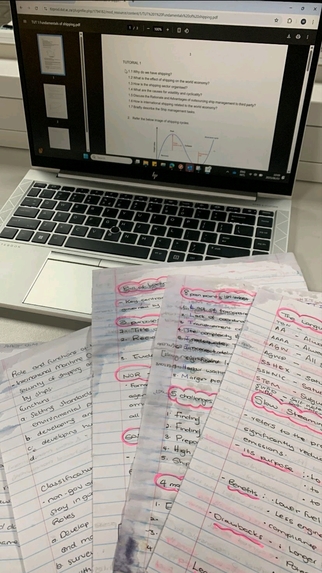
also can be used to test the application
-

For testing
-
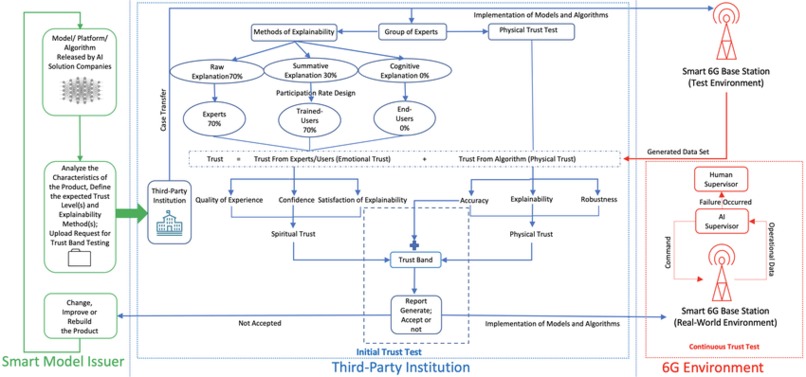
for testing
-
For testing
-
For testing
-
This image is currently processing. Please be patient...


Inspiration
My journey with SeeWrite AI began in the lecture hall. As a developer who is short-sighted, I've constantly struggled to see presentations, diagrams on a whiteboard, or details on a shared screen from my seat. It's a frustrating barrier that disconnects you from the flow of information. I realized that if I was facing this, countless others were too—whether due to short-sightedness, other vision impairments, or even just sitting at the back of a large room.
I saw the incredible advancements in generative AI, not as a technical curiosity, but as a practical solution to this very personal problem. I envisioned a tool that could act as my personal pair of front-row glasses, bringing distant visual content directly to me in an accessible and interactive format. The "AWS Presents: Breaking Barriers Virtual Challenge" was the perfect catalyst to build this tool, leveraging technology to create the more equitable learning experience I've always wished I had.
What it does
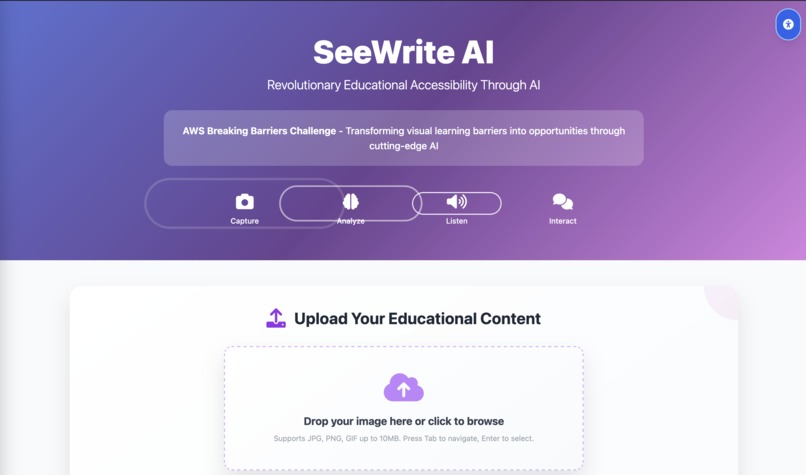
SeeWrite AI is an intelligent learning companion designed to give students greater independence and a richer understanding of their educational content, especially when it's hard to see.
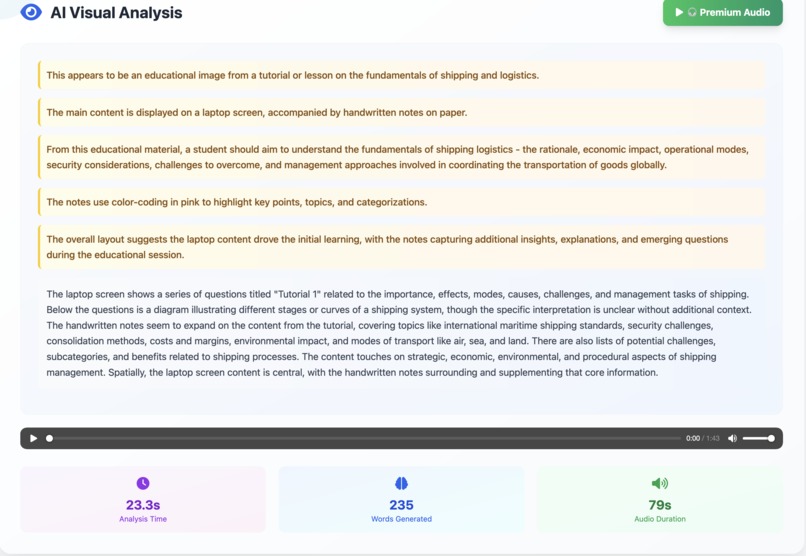
- Generates Detailed Audio Descriptions: A student can snap a picture of anything—a complex biological diagram, a dense textbook page, or a classroom whiteboard—and SeeWrite AI provides a rich, detailed audio description explaining the content, its context, and the relationships between elements.
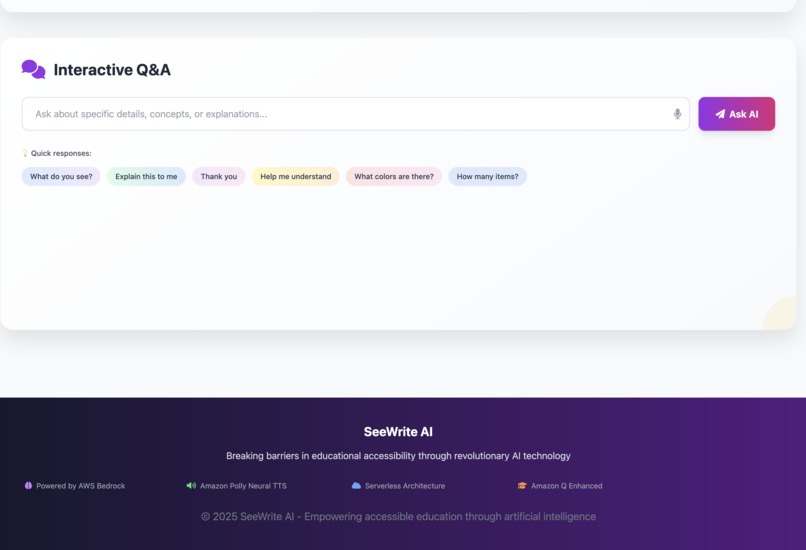
- Facilitates Interactive Q&A: This is not a one-way street. After the description, a student can ask follow-up questions in natural language, like "What does the label on the top left say?" or "Explain the first step of this process." SeeWrite AI provides context-aware answers in real-time, creating a genuine learning dialogue.
- Summarizes and Elaborates on Text: For text-heavy content, the app can generate concise summaries to get the key points quickly or elaborate on complex paragraphs to provide deeper understanding, all on demand.
Ultimately, SeeWrite AI transforms static visual and textual information into an accessible, interactive, and personalized educational experience.
How I built it
I built SeeWrite AI as a solo developer, focusing on a lean, serverless, and powerful architecture using a suite of AWS services.
- Backend Infrastructure: The core logic is orchestrated by AWS Lambda functions written in Python. This serverless approach allowed me to focus on the application logic without managing servers.
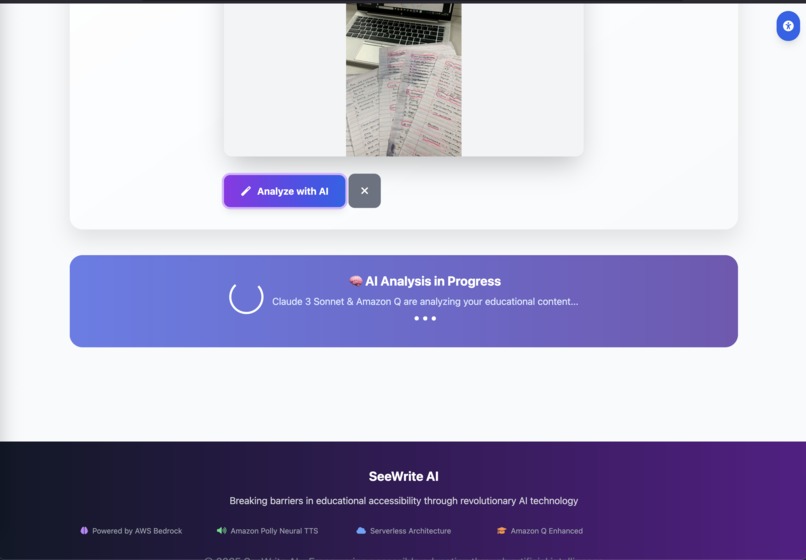
- Visual Interpretation & Generation: The magic happens with Amazon Bedrock, specifically using the Anthropic Claude 3 Sonnet model. I engineered prompts to guide the model in processing base64-encoded images and generating high-quality, educationally-rich descriptions.
- Real-time Audio Synthesis: The text generated by Bedrock is instantly converted into natural, lifelike speech using Amazon Polly. This ensures the experience is immediate and accessible.
- Conversational Intelligence: To handle the interactive Q&A, I integrated Amazon Q. It maintains the context of the conversation, allowing for a fluid and intelligent dialogue between the student and the application.
- API & Frontend: Amazon API Gateway provides the secure RESTful endpoint that connects the backend to a simple, lightweight frontend. The UI is built with standard HTML, JavaScript, and Tailwind CSS for a clean and responsive user experience that handles image capture and audio playback.
The entire architecture is designed to be cloud-native and scalable, with an eye towards future integration of 5G and edge computing to minimize latency even further.
Challenges I ran into
The biggest challenge was the hackathon's tight deadline. As a solo developer, I was responsible for the entire stack—from architecture to frontend—which demanded intense focus and ruthless prioritization.
From a technical perspective, integrating multiple advanced AWS services (Bedrock, Q, and Polly) to work in perfect harmony was complex. Debugging API calls, managing permissions, and handling responses across a distributed, serverless architecture required a highly systematic approach. Fine-tuning the prompt engineering for Bedrock was also an iterative process of trial and error to get the descriptive quality just right for educational content.
On a personal level, the irony of building a solution for sight-related issues wasn't lost on me. Every time I leaned closer to my screen to debug a line of code, it was a constant, personal reminder of why this project is so necessary and who it's for.
Accomplishments that I'm proud of
I am immensely proud of creating a fully functional, end-to-end prototype within the hackathon's timeframe. My key accomplishments are:
- A Complete Generative AI Pipeline: I successfully built and integrated a system that handles image interpretation (Bedrock), interactive Q&A (Amazon Q), and real-time audio synthesis (Polly).
- Solving My Own Problem: I created a tool that directly addresses the challenges I face daily. Proving the viability of this approach is not just a technical win, but a personal one.
- Lean & Powerful Architecture: I built a robust, scalable backend using serverless AWS services, demonstrating that immense power doesn't require complex infrastructure.
- A Clear Social Impact: Most importantly, I've built a solution with a clear and measurable potential to improve educational accessibility and foster independence for students everywhere.
What I learned
This hackathon was an incredible, hands-on learning experience.
I gained a much deeper understanding of how to chain multiple generative AI services to create a single, cohesive application. I learned the nuances of using boto3 to orchestrate services like Bedrock, Q, and Polly from within a Lambda function and solidified my understanding of API Gateway's role as the front door to a serverless application.
Most profoundly, the constraints of the hackathon reinforced the power of simplicity. I learned to strip a big idea down to its most impactful core to deliver a functional MVP, while always keeping future scalability in mind. It was a powerful lesson in prioritizing what truly matters for the user.
What's next for SeeWrite AI
This prototype is just the beginning. I have a clear vision for the future of SeeWrite AI:
- Real-time Video Processing: Expanding beyond static images to interpret live video streams from a phone's camera, describing a classroom lecture or a science experiment as it happens.
- Tactile Graphics Generation: Exploring the generation of simple, machine-readable instructions for 3D printers or tactile displays to create physical representations of on-screen diagrams.
- Multilingual Support: Adding more languages to make the tool globally accessible.
- LMS Integration: Building plugins to embed SeeWrite AI directly into popular Learning Management Systems (LMS) like Canvas and Moodle for seamless adoption by educational institutions.
- Advanced Personalization: Creating user profiles that allow the AI to adapt to an individual's learning pace, style, and subject matter for a truly personalized tutoring experience.


Log in or sign up for Devpost to join the conversation.