-
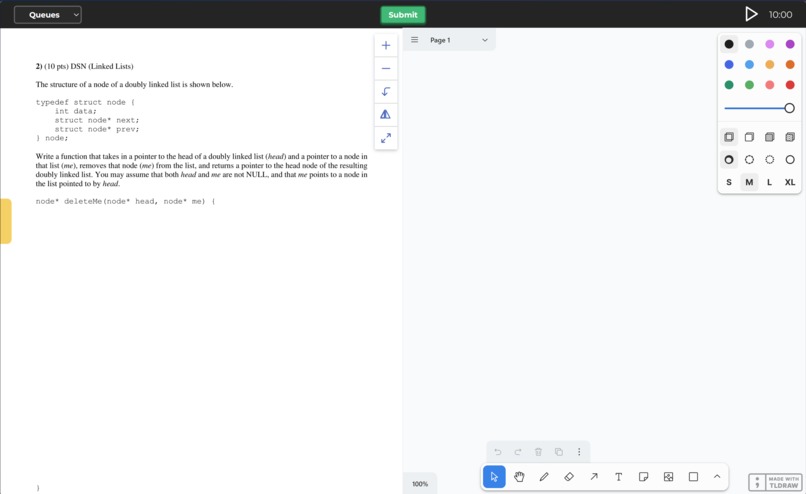
Screenshot of base page
-
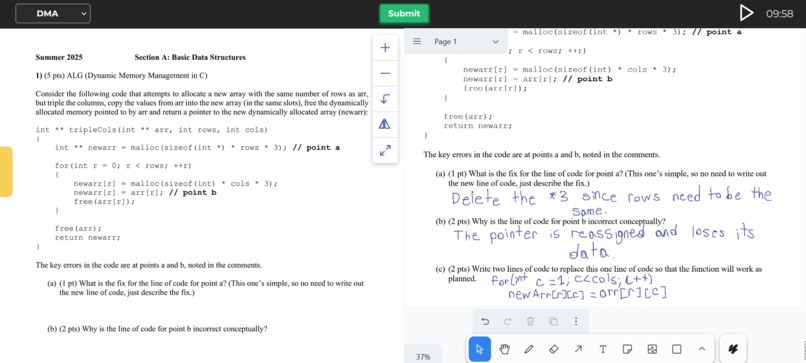
Question page with answer
-
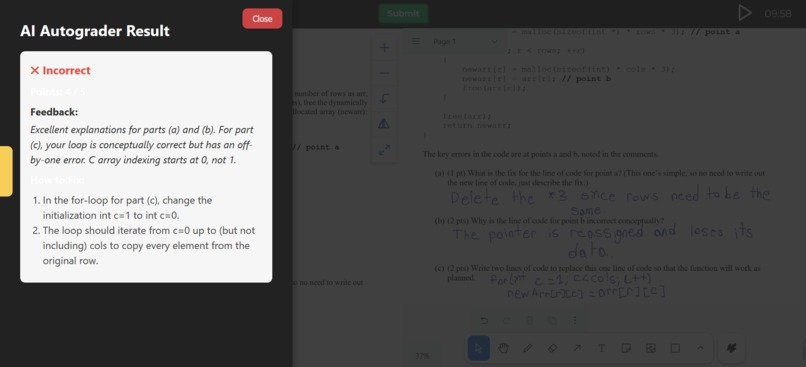
Answer feedback


✨ Our Inspiration ✨
While preparing for the CS Foundation Exam, we found student-made web apps that allowed users to practice problems for the upcoming exam. This was great! But having to look through the answer key and decide whether or not you earned the point and not being biased while doing it, was time consuming and not always clear. That's what sets us apart, we engineered a CS FE Prep tool that allows students to answer FE questions and have them auto graded by Google Gemini. In addition to grading your responses, it also provides feedback and instructions on how to earn full credit!
🛠️ How we built it 🛠️
We began by creating a mockup of the UI in Figma, based on the design and layout for our application. In this respect, we didn't stray too far from the tools students are already accustomed to using for their Foundation Exam practice: a split screen containing the exam questions on the left side and the answer space on the right. For the front end, we went with Vite for its simplicity and modularity. For the answering medium, we chose to use TLDraw, which allows students to use a whiteboard to answer the question. Using a whiteboard not only better simulates the environment of the Foundations Exam as it is a written test, but it also allows users to more easily visualize solutions without the need for extra tabs or physical scratch paper. After creating the front end using React, HTML, CSS, and JavaScript, we implemented the Grading functionality. When the User clicks 'Submit,' a screenshot of the browser is taken, converted to a Base64 image, and then parsed by Google Gemini. Gemini is then prompted to grade the question based on the respective answer key for the given question, and it is presented to the User in the form of constructive criticism. The User is given what they received for each part of the question, as well as points they could improve to enhance clarity and a more accurate representation of the solution.
🫤 Challenges we ran into 🫤
At the beginning most of the challenges surrounded the potential tools we wanted to use to develop features. Originally, our team wanted to use Excalidraw as it's our favorite white boarding software. While importing the component into our application, the CSS styling wouldn't Import and apply and there was no documentation on importing it manually in Vite. Due to this, we had to switch to TLDraw, which was substantially easier to integrate into our project. The main issue we ran into was getting the images saved when being submitted to be sent to the Google Gemini API to be graded.




Log in or sign up for Devpost to join the conversation.