-
-
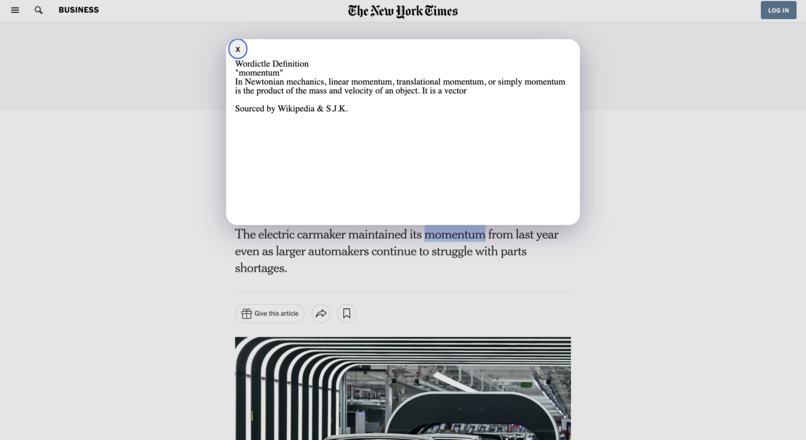
WD on NYT article
-
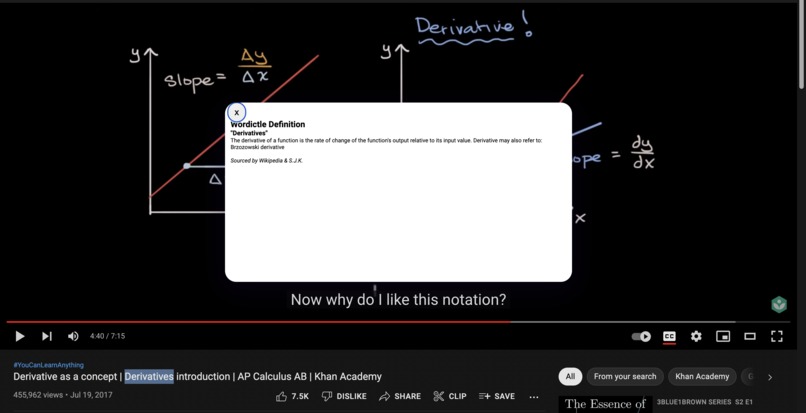
WD on Youtube Video
-
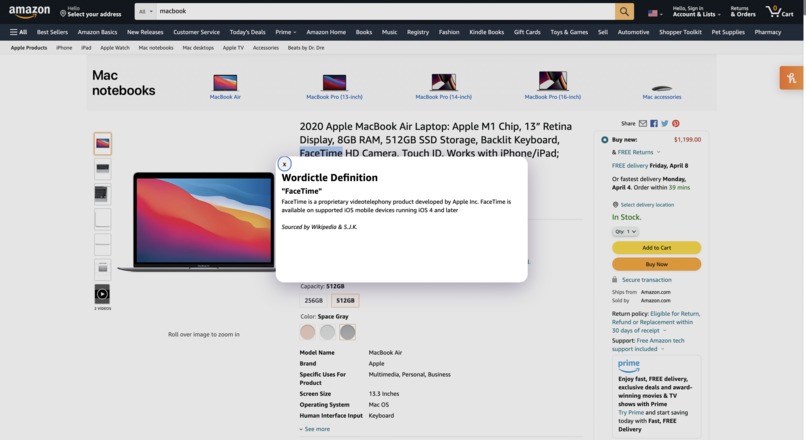
WD on Amazon product description


Inspiration
Our development team wanted to create a project that would allow users to efficiently save time while researching for papers. Often we would have to go onto another tab to search up words we do not know but it would take up extra time. By eliminating this extra step, users will be able to quickly understand what is written on the webpage.
What it does
We decided to allow the user to highlight a term/name when they right-click. The definition of the word will pop up at the top center of the page along with the word itself. This can be used for a wide range of subjects in and out of the classroom on google chrome. By allowing users to define terminology whilst working across different websites including but not limited to Youtube, News Articles, and Databases, students are able to work faster and more efficiently.
How we built it
We used javascript, JSON, and HTML in visual studio code. We also used a jquery UI and javascript context menu which contains the functions of searching up definitions for names and terms. We used HTML for formatting and display, javascript for background script and resource pulling, and JSON for the extension description. Then, we created a google extension popup using HTML and javascript. After that, we deployed it onto google chrome and created an icon using google drawings.
Challenges we ran into
Some challenges we ran into included that it was difficult for us to be able to create a pop-up. Conceptualization was also difficult; we had to figure out what to do and how to do it. Deciding on solution formatting and testing to make it function properly was extremely tedious.
Accomplishments that we're proud of
We are proud of the fact that we finished it and allowed for a clean format. Additionally, we were able to complete it in less than a day and nobody cried.
What we learned
We learned to program in Javascript within a few hours. Additionally, we learned how to make a chrome extension. The struggle of finding ideas and creating plans was also something we had to do as a team. teamwork
What's next for Wordictle Google Extension
In the future, we plan to make the pop-up draggable and add categorization for multiple definitions. For example, RAM would be defined as a goat even if we were looking at computers when it should be RAM as in random access memory. We will also add CSS to make it look prettier.


Log in or sign up for Devpost to join the conversation.