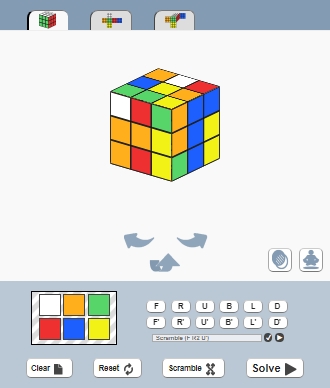
We have written many articles about what can be done using only front-end coding without canvas. If we can draw an animated 3D cube with CSS3 then why shouldn’t we try to make a Rubik’s Cube solver with JavaScript?
Category: JavaScript
Free Online Multisport ScoreBoard
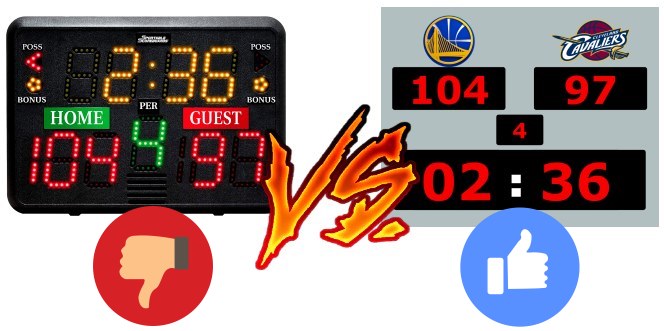
Tracking sport event statistics and displaying the score has never been easier. With the new online scoreboard you don’t need an expensive equipment to count the score anymore. All you need is a laptop and a projector or a big screen to display the score and measure the time. The web-based online scoreboard can be customized to many different sports.
Start ScoreCount
ScoreCount.com
Highlight Active Menu Item With jQuery Script
We can improve the user experience highlighting the active menu item on our websites. This makes navigation easier because the visitor will know at the first glance which is the current page.
Continue reading “Highlight Active Menu Item With jQuery Script”
Stick HTML element to the top when scrolled through with JavaScript
In this article I’m going to present a lightweight script to stick an HTML element to the top of the page when the user scrolls through it. Use this to make a menu, a call to action button or any other important element always stay in focus. Adjusting the script you can trigger other effects when the page scrolls through an anchor point. Here are the HTML CSS and JS codes to use to accomplish this effect.
 Continue reading “Stick HTML element to the top when scrolled through with JavaScript”
JSFiddle.net vs Codepen.io
JSFiddle.net and CodePen.io are both online HTML-CSS-JavaScript playgrounds to easily test your code. They are both free and don’t require registration. Just add your code and hit the Run button to test it, then Save it to generate a custom URL with your snippets.
Online Interactive HTML CSS JS Cheat Sheets
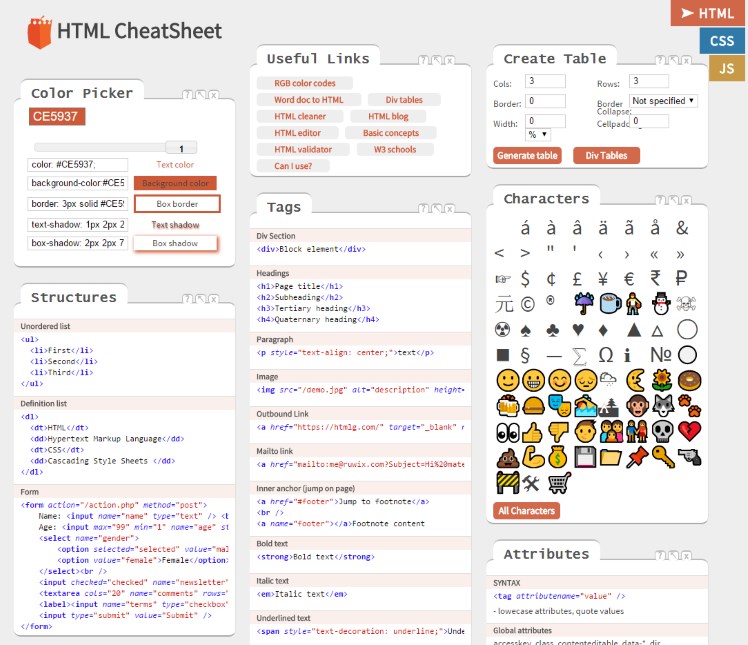
Today I’d like to present a free online tool that every web developer and designer should add to their bookmarks. The new free interactive HTML CSS JavaScript Cheat Sheets have gathered the most common code snippets and online tools. Each one of these languages has its own dedicated page which allows you to easily pick the code you’re looking for and to test it in the instant editor.
Continue reading “Online Interactive HTML CSS JS Cheat Sheets”
The Difference Between Bootstrap 4 and Bootstrap 5?
Bootstrap is a popular open-source framework used to design responsive websites easier and faster with the mobile-first approach. It is available for CSS, JS, and HTML and it’s believed to help the frontend design by server-side languages such as Node and PHP.
Continue reading “The Difference Between Bootstrap 4 and Bootstrap 5?”
How to Detect AdBlockers with JavaScript
The struggle between advertisers and those who resist seeing ads has been going on for some time now. While ad-blockers have become more popular, so have anti-ad blockers. It is nearly impossible to render ad blockers invisible to blogs that display anti-ad blocking messages. It is also impossible for publishers to make their websites immune to these tools.

AdBlocker warning popup on CNN
Stick Sidebar To The Bottom Of The Page When Scrolled Through
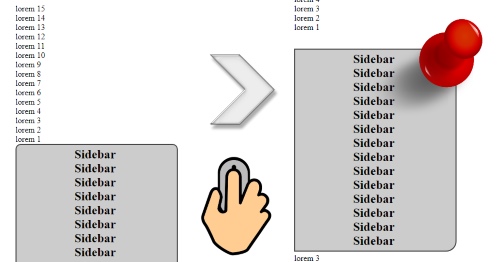
Don’t let important short sidebars disappear when visitors scroll though the web page. In this article I’m going to present how to stick a HTML element, to the bottom of the page with JavaScript when it’s about to disappear. I have already presented the way of attaching it to the top of the page and this method is very similar to that.
Continue reading “Stick Sidebar To The Bottom Of The Page When Scrolled Through”
Cookie Warning Widget With JavaScript
Display Cookie Compliancy warnings to website visitors in the European Union according to the GDPR and other mindless laws. Since we don’t wan’t to annoy everyone just the necessary European population we can target the visitors according to their time zones.
This label makes more sense because with a chainsaw you can actually hurt yourself.
See the warning widget in action on this website or on the demo page.
