Resource retrieval
Get the pre-trained net:
Basic usage
Classify an image:
The prediction is an Entity object, which can be queried:
Get a list of available properties of the predicted Entity:
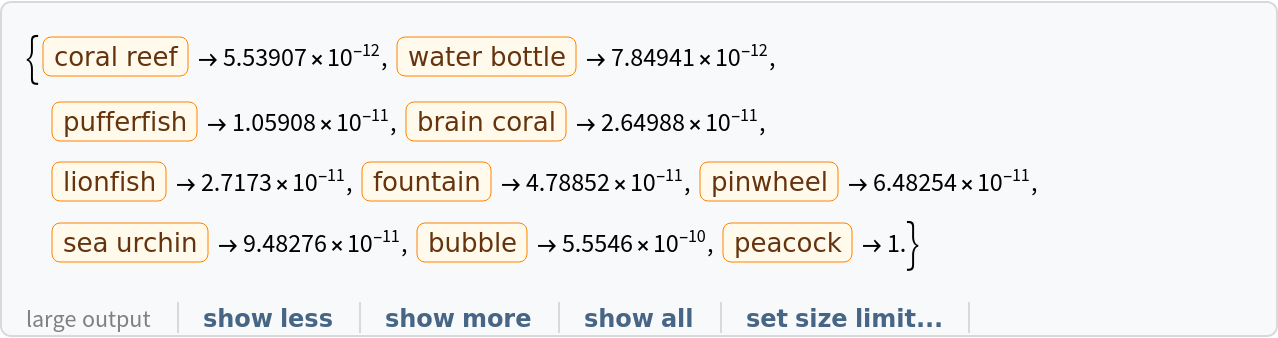
Obtain the probabilities of the ten most likely entities predicted by the net:
An object outside the list of the ImageNet classes will be misidentified:
Obtain the list of names of all available classes:
Feature extraction
Remove the last three layers of the trained net, so that the net produces a vector representation of an image:
Get a set of images:
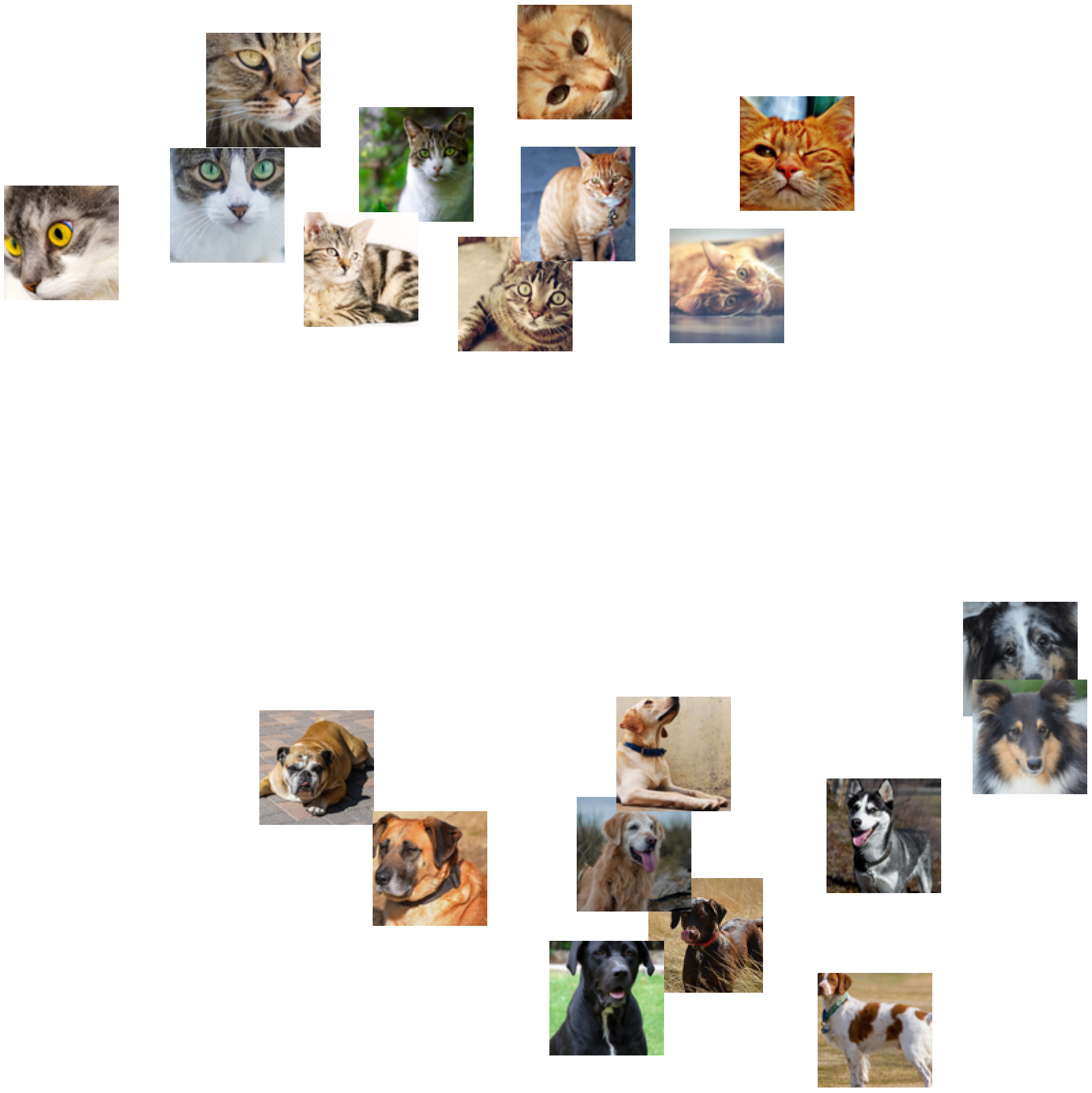
Visualize the features of a set of images:
Visualize convolutional weights
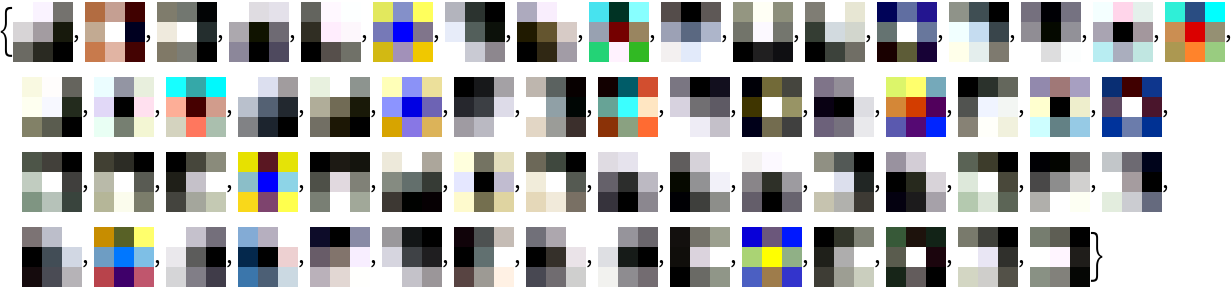
Extract the weights of the first convolutional layer in the trained net:
Visualize the weights as a list of 64 images of size 3x3:
Transfer learning
Use the pre-trained model to build a classifier for telling apart images of dogs and cats. Create a test set and a training set:
Remove the linear layer from the pre-trained net:
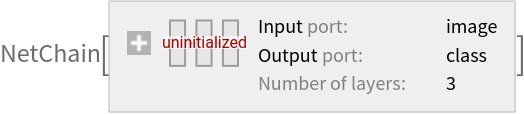
Create a new net composed of the pre-trained net followed by a linear layer and a softmax layer:
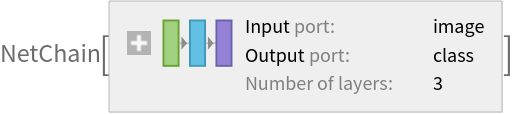
Train on the dataset, freezing all the weights except for those in the "linearNew" layer (use TargetDevice -> "GPU" for training on a GPU):
Perfect accuracy is obtained on the test set:
Net information
Inspect the number of parameters of all arrays in the net:
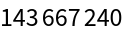
Obtain the total number of parameters:
Obtain the layer type counts:
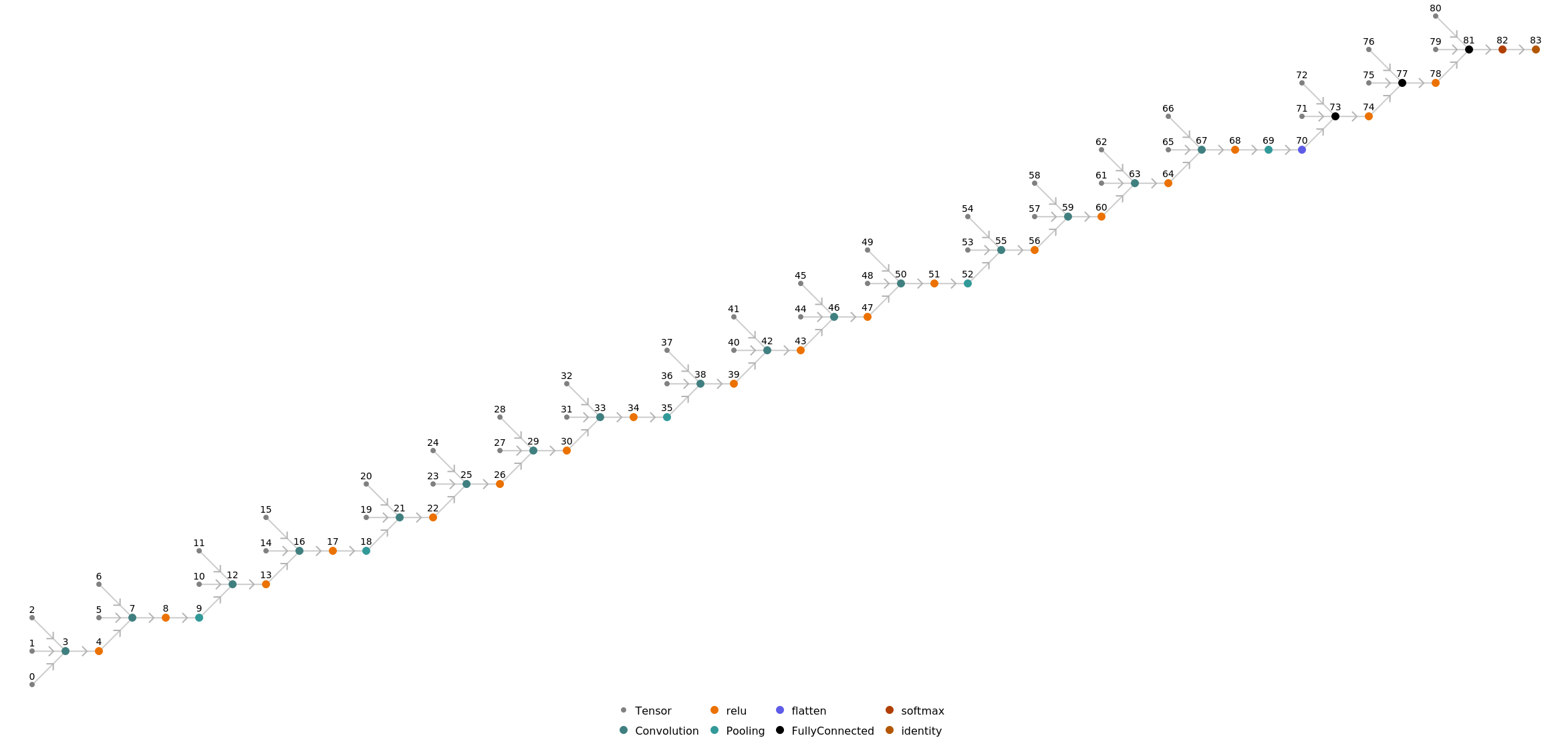
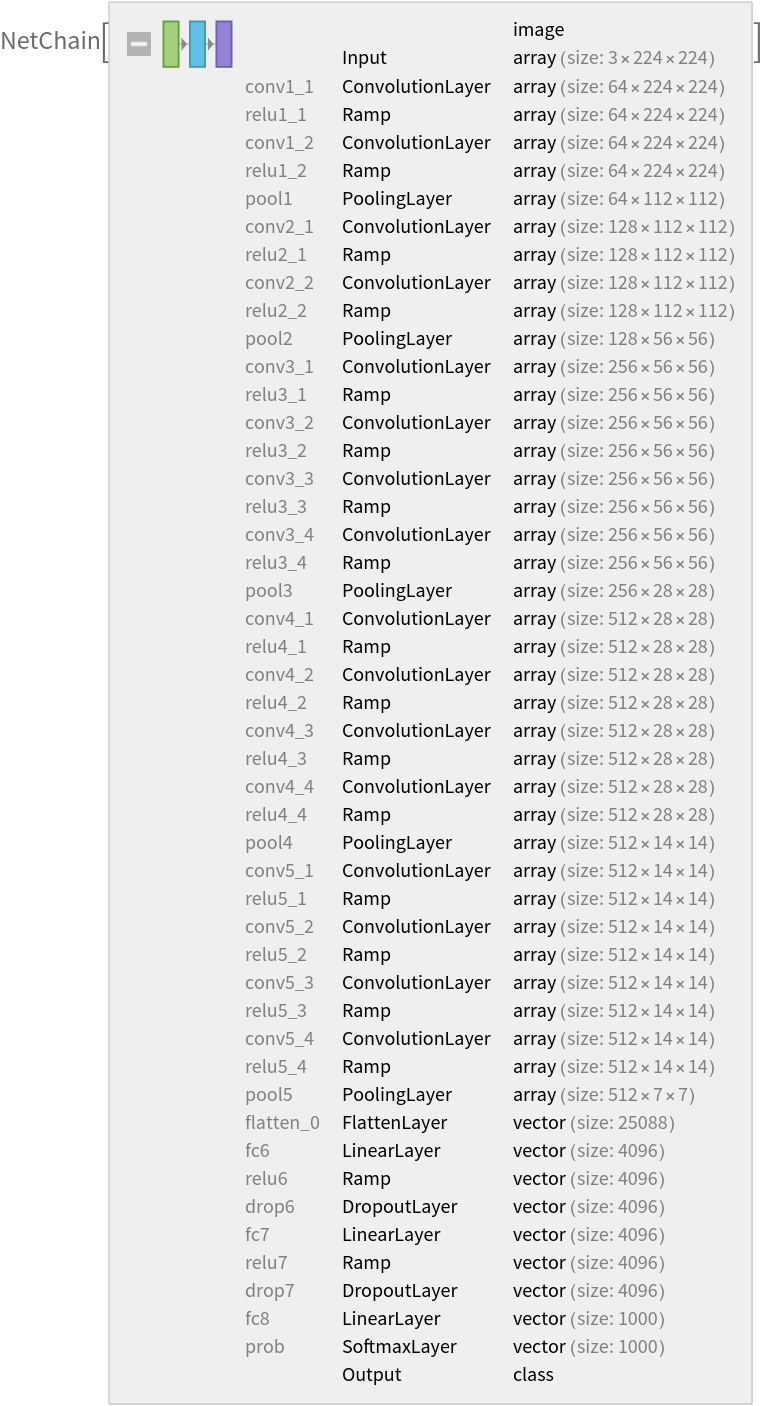
Display the summary graphic:
Export to MXNet
Export the net into a format that can be opened in MXNet:
Export also creates a net.params file containing parameters:
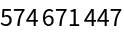
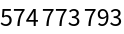
Get the size of the parameter file:
The size is similar to the byte count of the resource object:
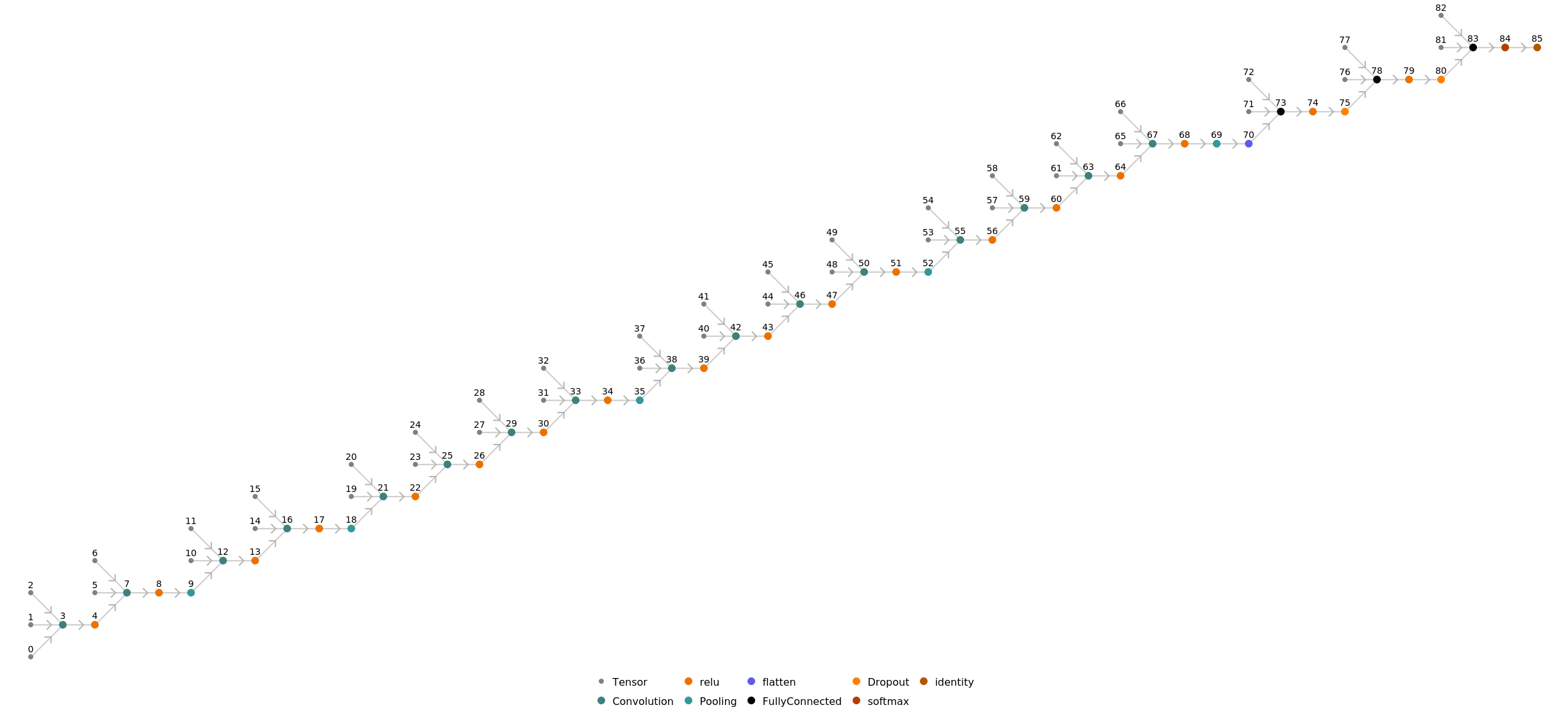
Represent the MXNet net as a graph:
![NetModel["VGG-19 Trained on ImageNet Competition Data"]](https://www.wolframcloud.com/obj/resourcesystem/images/2fe/2fe854a5-131f-4d60-8534-27a8fa0ac4e5/1d229b9414f1ecf6.png)
![(* Evaluate this cell to get the example input *) CloudGet["https://www.wolframcloud.com/obj/364521e5-2245-4bc4-a8b0-f19cb8b761b7"]](https://www.wolframcloud.com/obj/resourcesystem/images/2fe/2fe854a5-131f-4d60-8534-27a8fa0ac4e5/746e06e39139ccc5.png)
![pred["Definition"]](https://www.wolframcloud.com/obj/resourcesystem/images/2fe/2fe854a5-131f-4d60-8534-27a8fa0ac4e5/5ef56d2b7ee46902.png)

![pred["Properties"]](https://www.wolframcloud.com/obj/resourcesystem/images/2fe/2fe854a5-131f-4d60-8534-27a8fa0ac4e5/292bc988a48ac0b1.png)

![(* Evaluate this cell to get the example input *) CloudGet["https://www.wolframcloud.com/obj/1a482f67-92cf-4679-8c6a-c111df95e5c8"]](https://www.wolframcloud.com/obj/resourcesystem/images/2fe/2fe854a5-131f-4d60-8534-27a8fa0ac4e5/1331080833eb6830.png)
![(* Evaluate this cell to get the example input *) CloudGet["https://www.wolframcloud.com/obj/801c3fac-92ee-4a93-8abc-ed92cb92e888"]](https://www.wolframcloud.com/obj/resourcesystem/images/2fe/2fe854a5-131f-4d60-8534-27a8fa0ac4e5/00456942e4d792d7.png)
![EntityValue[
NetExtract[NetModel["VGG-19 Trained on ImageNet Competition Data"], "Output"][["Labels"]], "Name"]](https://www.wolframcloud.com/obj/resourcesystem/images/2fe/2fe854a5-131f-4d60-8534-27a8fa0ac4e5/33b3042778014888.png)

![extractor = Take[NetModel[
"VGG-19 Trained on ImageNet Competition Data"], {1, -4}]](https://www.wolframcloud.com/obj/resourcesystem/images/2fe/2fe854a5-131f-4d60-8534-27a8fa0ac4e5/3673a3a2c0945b0f.png)

![(* Evaluate this cell to get the example input *) CloudGet["https://www.wolframcloud.com/obj/0d05015e-a98d-4b9a-ad42-68b4645a2d71"]](https://www.wolframcloud.com/obj/resourcesystem/images/2fe/2fe854a5-131f-4d60-8534-27a8fa0ac4e5/5a3faafb667768f7.png)
![FeatureSpacePlot[imgs, FeatureExtractor -> extractor, LabelingSize -> 100, ImageSize -> 800]](https://www.wolframcloud.com/obj/resourcesystem/images/2fe/2fe854a5-131f-4d60-8534-27a8fa0ac4e5/74d00700496464ec.png)
![weights = NetExtract[
NetModel[
"VGG-19 Trained on ImageNet Competition Data"], {"conv1_1", "Weights"}];](https://www.wolframcloud.com/obj/resourcesystem/images/2fe/2fe854a5-131f-4d60-8534-27a8fa0ac4e5/1300508208f144c3.png)
![ImageAdjust[Image[#, Interleaving -> False]] & /@ Normal[weights]](https://www.wolframcloud.com/obj/resourcesystem/images/2fe/2fe854a5-131f-4d60-8534-27a8fa0ac4e5/13ee5006741ce2c8.png)
![(* Evaluate this cell to get the example input *) CloudGet["https://www.wolframcloud.com/obj/80ac3f76-9b3c-4c1c-bb1f-f24e3c911197"]](https://www.wolframcloud.com/obj/resourcesystem/images/2fe/2fe854a5-131f-4d60-8534-27a8fa0ac4e5/0697344879cb1ffc.png)
![(* Evaluate this cell to get the example input *) CloudGet["https://www.wolframcloud.com/obj/5638a1be-ae09-40e8-8ddf-a22ff7cc8aaa"]](https://www.wolframcloud.com/obj/resourcesystem/images/2fe/2fe854a5-131f-4d60-8534-27a8fa0ac4e5/48d32ccc221528f4.png)
![tempNet = Take[NetModel[
"VGG-19 Trained on ImageNet Competition Data"], {1, -4}]](https://www.wolframcloud.com/obj/resourcesystem/images/2fe/2fe854a5-131f-4d60-8534-27a8fa0ac4e5/1455d753d382e3f8.png)

![newNet = NetChain[<|"pretrainedNet" -> tempNet, "linearNew" -> LinearLayer[], "softmax" -> SoftmaxLayer[]|>, "Output" -> NetDecoder[{"Class", {"cat", "dog"}}]]](https://www.wolframcloud.com/obj/resourcesystem/images/2fe/2fe854a5-131f-4d60-8534-27a8fa0ac4e5/1b89764b8beae2cf.png)
![trainedNet = NetTrain[newNet, trainSet, LearningRateMultipliers -> {"linearNew" -> 1, _ -> 0}]](https://www.wolframcloud.com/obj/resourcesystem/images/2fe/2fe854a5-131f-4d60-8534-27a8fa0ac4e5/27b4429f1d57dec4.png)
![ClassifierMeasurements[trainedNet, testSet, "Accuracy"]](https://www.wolframcloud.com/obj/resourcesystem/images/2fe/2fe854a5-131f-4d60-8534-27a8fa0ac4e5/7207139433ab2112.png)

![NetInformation[
NetModel["VGG-19 Trained on ImageNet Competition Data"], \
"ArraysElementCounts"]](https://www.wolframcloud.com/obj/resourcesystem/images/2fe/2fe854a5-131f-4d60-8534-27a8fa0ac4e5/288f10a9e572dcbd.png)

![NetInformation[
NetModel["VGG-19 Trained on ImageNet Competition Data"], \
"ArraysTotalElementCount"]](https://www.wolframcloud.com/obj/resourcesystem/images/2fe/2fe854a5-131f-4d60-8534-27a8fa0ac4e5/2ca85f59e558a045.png)
![NetInformation[
NetModel["VGG-19 Trained on ImageNet Competition Data"], \
"LayerTypeCounts"]](https://www.wolframcloud.com/obj/resourcesystem/images/2fe/2fe854a5-131f-4d60-8534-27a8fa0ac4e5/1934cb8918da089a.png)

![NetInformation[
NetModel["VGG-19 Trained on ImageNet Competition Data"], \
"SummaryGraphic"]](https://www.wolframcloud.com/obj/resourcesystem/images/2fe/2fe854a5-131f-4d60-8534-27a8fa0ac4e5/5d8e75f6d0f20648.png)

![jsonPath = Export[FileNameJoin[{$TemporaryDirectory, "net.json"}], NetModel["VGG-19 Trained on ImageNet Competition Data"], "MXNet"]](https://www.wolframcloud.com/obj/resourcesystem/images/2fe/2fe854a5-131f-4d60-8534-27a8fa0ac4e5/46e44b12f5cedbb3.png)

![paramPath = FileNameJoin[{DirectoryName[jsonPath], "net.params"}]](https://www.wolframcloud.com/obj/resourcesystem/images/2fe/2fe854a5-131f-4d60-8534-27a8fa0ac4e5/1c790bbd3a2f2da2.png)

![FileByteCount[paramPath]](https://www.wolframcloud.com/obj/resourcesystem/images/2fe/2fe854a5-131f-4d60-8534-27a8fa0ac4e5/1f647a953f3ca74d.png)
![ResourceObject[
"VGG-19 Trained on ImageNet Competition Data"]["ByteCount"]](https://www.wolframcloud.com/obj/resourcesystem/images/2fe/2fe854a5-131f-4d60-8534-27a8fa0ac4e5/2106393d8e891b63.png)
![Import[jsonPath, {"MXNet", "NodeGraphPlot"}]](https://www.wolframcloud.com/obj/resourcesystem/images/2fe/2fe854a5-131f-4d60-8534-27a8fa0ac4e5/0480e73adaf065f4.png)