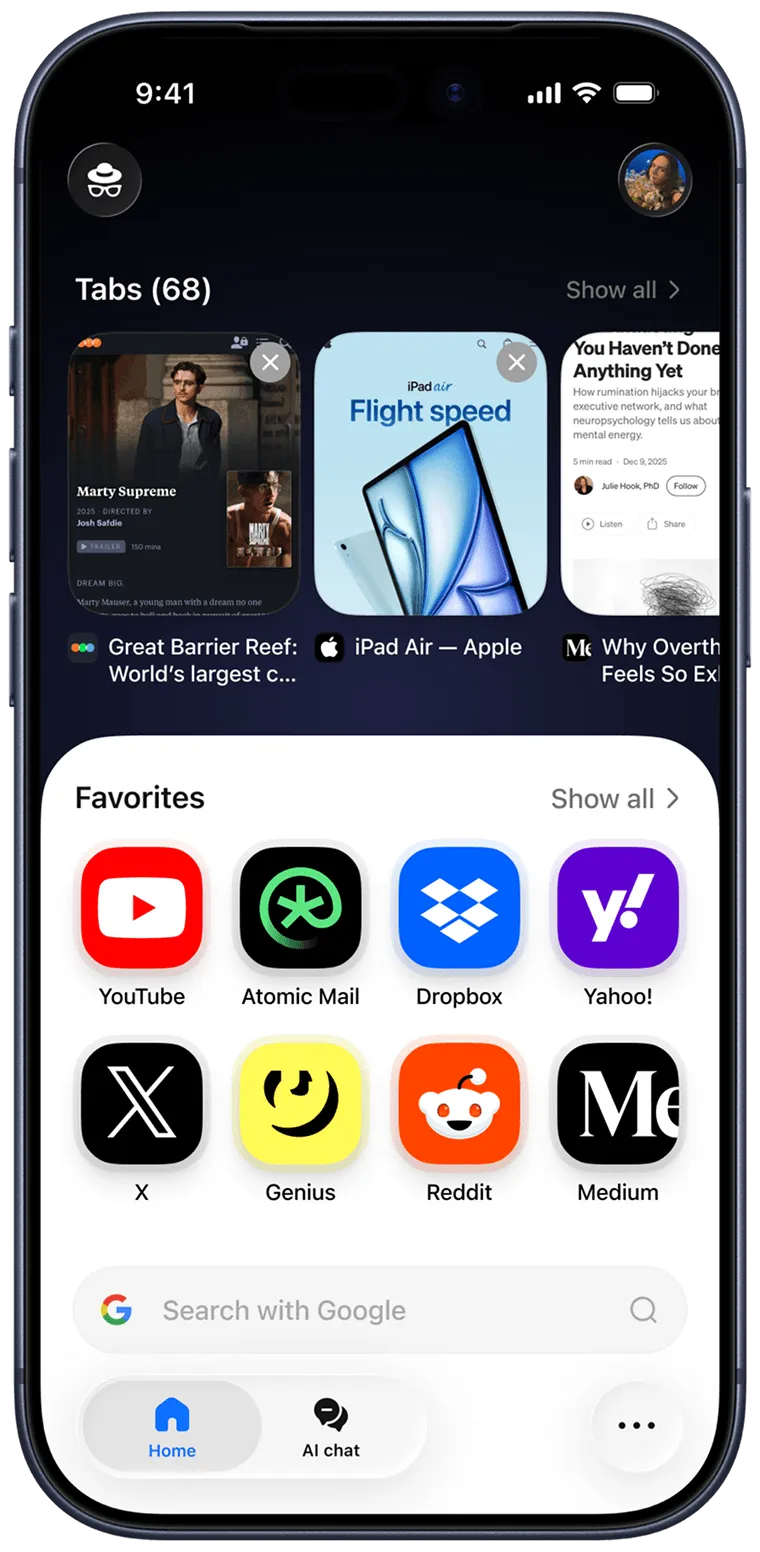








Sigma is a private AI browser.
Impressively light. Packed with features.
Fast by design.

ImageImage
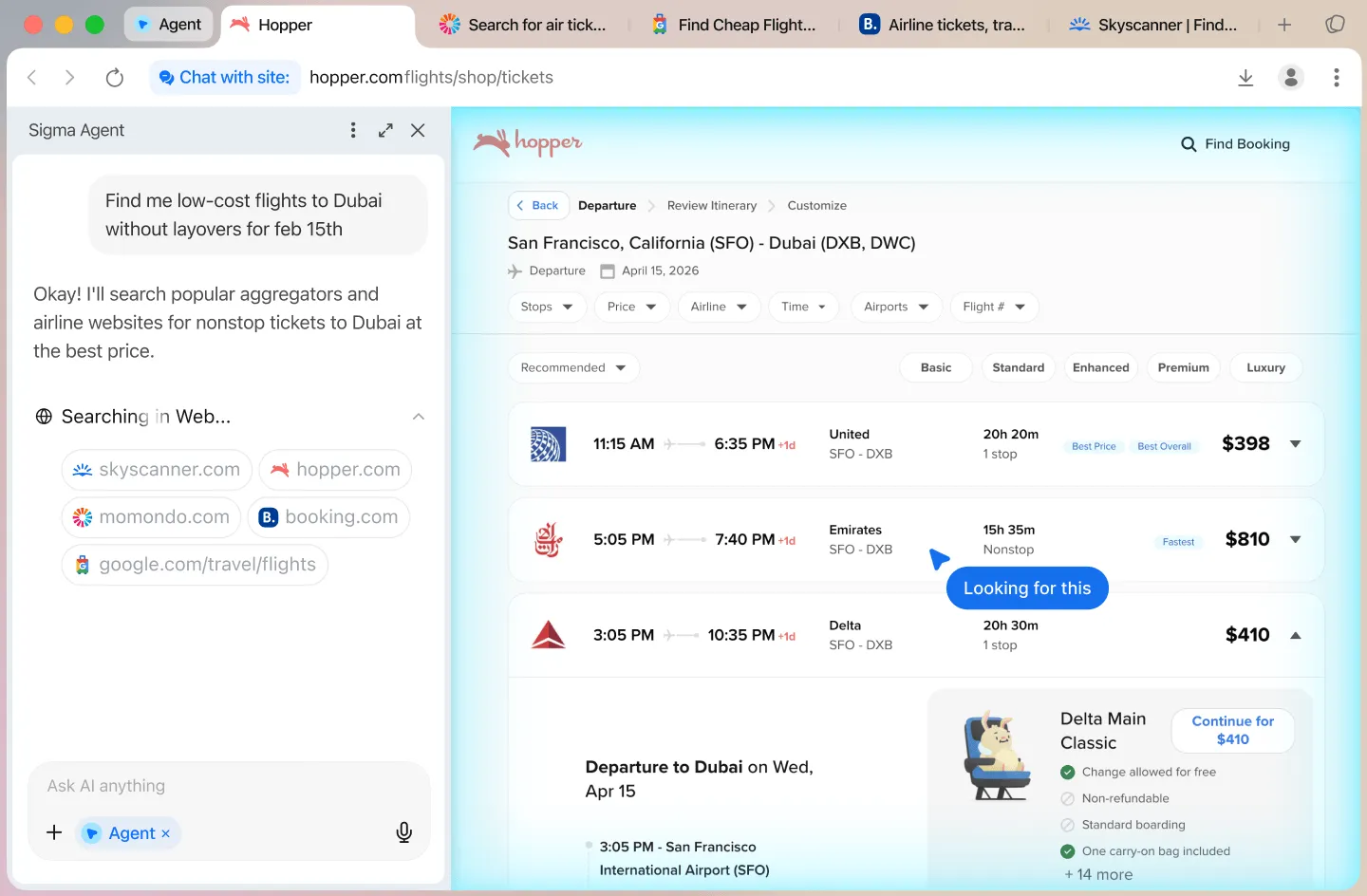
AI agent

Your work, handled

Image

Sigma AI agent can take actions on your behalf — navigating pages, filling forms,  managing tasks, and getting things done end-to-end.  You describe the goal — the agent handles the steps

Learn more about AI agent
AI chat

Ask. Research. Create

Image

Sigma AI Chat lets you ask questions, run deep research, generate images, and create text — all in one place. Give it a prompt or a goal. Get answers, insights, visuals, and words that help you move forward

Learn more about AI chat
Eclipse

Your own offline AI

Image

Sigma AI Browser runsEclipse, a local LLM built right into the browser.  Your data stays on your device — no cloud processing, no sending prompts to servers. That means faster responses, full privacy, and full control over your information. Ask questions, summarize pages, write, think, and explore — all locally, all yours

Learn more about Eclipse

Stay protected while browsing

Image
Learn more

Critical data stays local

Sensitive information stays on your device, not on the server

Image
Minimize

Sensitive parts of each interaction stay local, reducing how much critical data leaves your device and minimizing unnecessary server processing

Image
Learn more

Built-In ad block

Blocks intrusive ads for a cleaner and more focused browsing experience

Image
Minimize

Our built-in ad blocker filters out  intrusive ads to create a smoother browsing experience with less noise, fewer distractions, and more room for the content that matters

Image
Learn more

Mnemonic profile

User identity built on blockchain cryptography

Image
Minimize

Sensitive parts of each interaction stay local, reducing how much critical data leaves your device and minimizing unnecessary server processing

Image

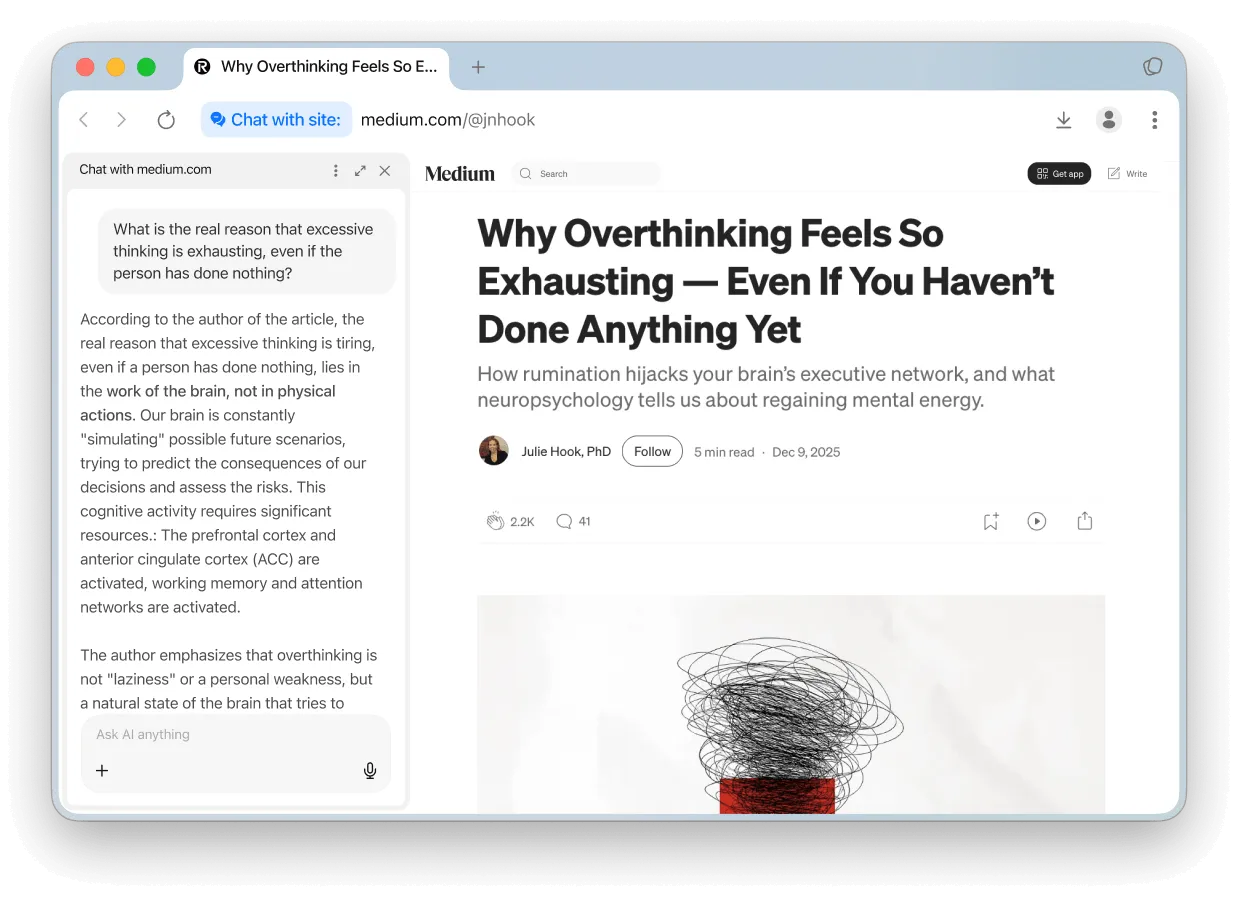
Chat with page

Turn any site into a conversation. Ask questions, get instant summaries, and explore the content without leaving the page

Image
Image

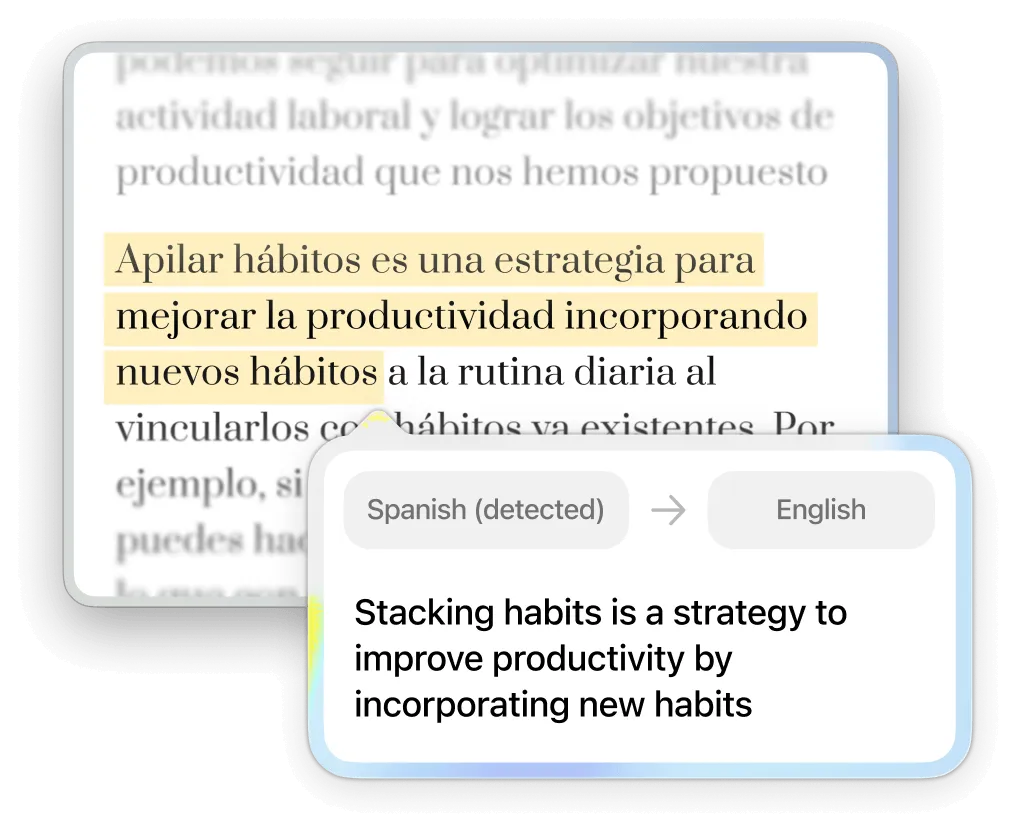
Quick Translate

Translate text directly on the page. Highlight any sentence and instantly translate it into any language

Image
Image

Extensions

Keep using your favorite extensions. Add and manage browser extensions just like you would in any modern browser

Image
Image

Private Profiles

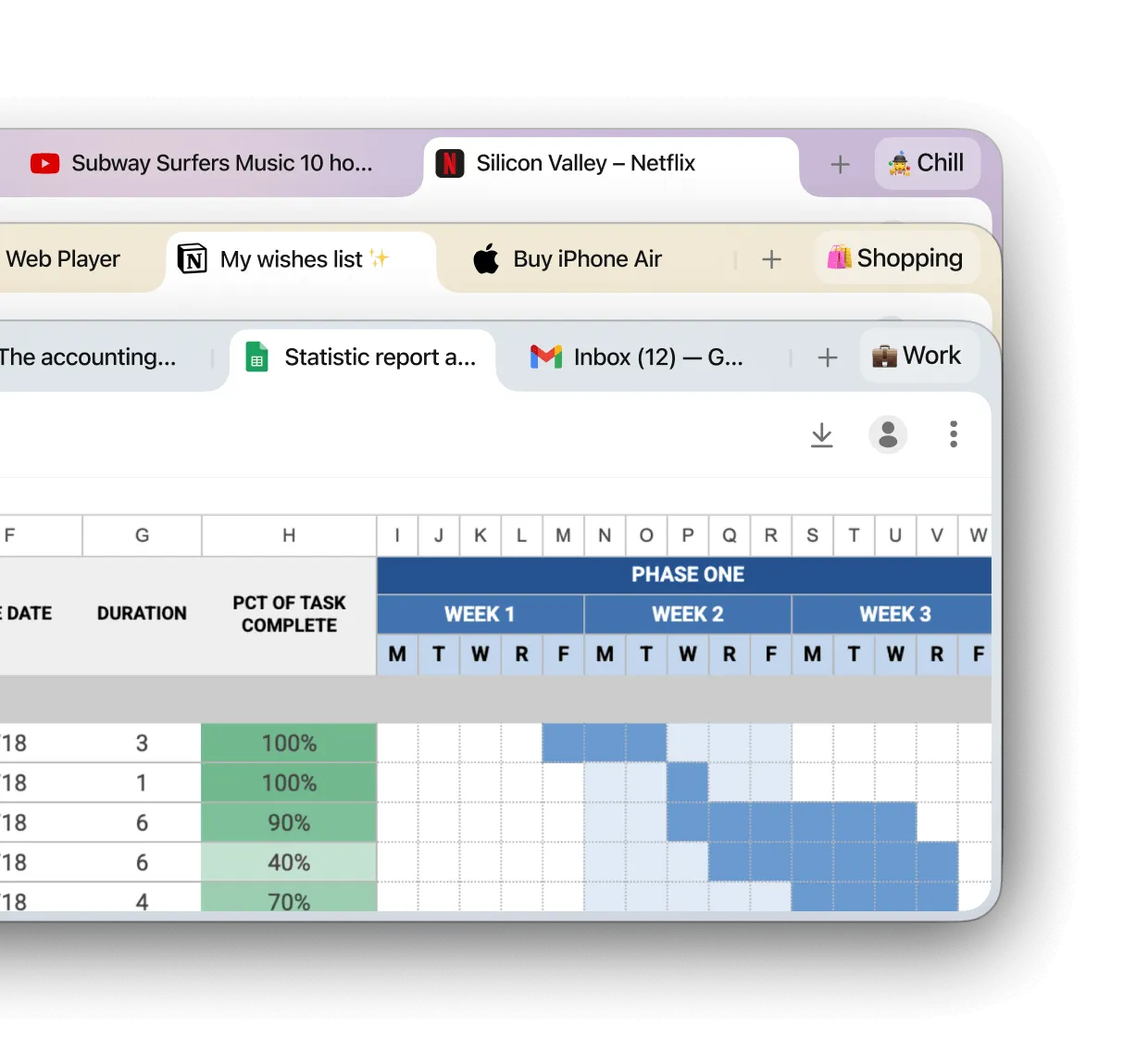
Separate work, personal browsing, and accounts into different spaces. Your data is encrypted and secured by your 12-word phrase
Image

Powered by Chromium. Enhanced by us

We started with the engine of Chromium, reliable and secure, and then we made it even better

Image

Privacy first

Advanced protections keep your browsing private by default. All connections are secured with TLS 1.3, HTTPS, and DNS-over-HTTPS

Image

Intuitive design

Bookmarks, password managers, history, and extensions — all the tools you rely on, redesigned to be simpler and more intuitive

Image

Web3 Integration

Connect to decentralized apps, manage  wallets, and interact with blockchain networks directly in the browser

See the difference in

Sigma vs. ChatGPT Atlas
Image
1.32x
faster
Sigma vs. Safari
Image
1.30x
faster
Sigma vs. Brave
Image
1.17x
faster
Sigma vs. Chrome
Image
1.13x
faster
Sigma vs. Perplexity Comet
Image
1.10x
faster

Performance was evaluated using the Speedometer 3.0 benchmark. The test was executed 10 times in each browser, and the final score represents the average result. All tests were conducted on a MacBook Pro M4

In tests with 10 identical tabs open, Sigma used the least amount of RAM compared to other popular browsers — keeping your system faster and more responsive

Sigma
Image
0.8 Gb
Brave
Image
0.92 Gb
Perplexity Comet
Image
0.95 Gb
ChatGPT Atlas
Image
0.98 Gb
Chrome
Image
1.00 Gb
Safari
Image
1.2 Gb

Compare Sigma with other popular browsers

Sigma
Image
Atlas
Image
Comet
Image
Chrome
Image
Safari
Image
Brave
Image
Private
Built-in AI agent
Web3 integration
Prompt injection defence
Chat with site
AI search

Your security is our priority

Everything in Sigma is designed to keep your work safe and secure

Image

End-to-end encryption

All user data and AI chat conversations are end-to-end encrypted, preventing third-party access or interception

Image

Open-Source

The code of browser is public, making security more transparent and easier to check

Image

Online protection

Sigma detects fishing sites and warns you of threats for a safer browsing experience

Image

GPDR and CCPA complaint

Sigma complines with GDPR and CCPA, ensuring your data follows privacy laws

Download Sigma Browser

Also available on Windows, iOS and Android. Linux version coming soon!

Questions & Answers

If you have any questions,
reach out to us on X at @Sigma_Browser
What is Sigma AI Browser?
What’s a browser‑based AI agent?
How is this different from a chatbot or AI assistant?
What kinds of tasks can it do?
What is Deep Research mode?
Is it safe? Will you store my data?
The browser or AI agent isn’t responding, what should I do?
Where can I learn more or suggest features?
Image
Oops! Something went wrong while submitting the form.
Image
Oops! Something went wrong while submitting the form.
Image