
The HTML onmouseout event attribute works when the mouse pointer moves out of the specified element. It activates when the mouse pointer moves out of an HTML element.
When a user moves the mouse away, this can be utilized to activate specific actions or functions and enables dynamic changes in response to mouse interactions, enhancing user experience.
Syntax:
<element onmouseout = "script">Supported Tags:
It supports all HTML elements EXCEPT-
Attribute value:
This attribute contains a single value script that works when the mouse moves out from the element.
Example 1:
This example uses onmouseout event to display an alert message when the mouse moves out from the paragraph element.
<!DOCTYPE html>
<html>

<body>
    <center>
        <h2>
            onmouseout Event Attribute
        </h2>

        <!-- onmouseout event call here -->

        <p onmouseout="geeks()">
            Computer science portal
        </p>
    </center>

    <script>

        /* Script run when onmouseout
                event call */

        function geeks() {
            alert("Mouse move out");
        }
    </script>
</body>

</html>
Output:

Example 2:
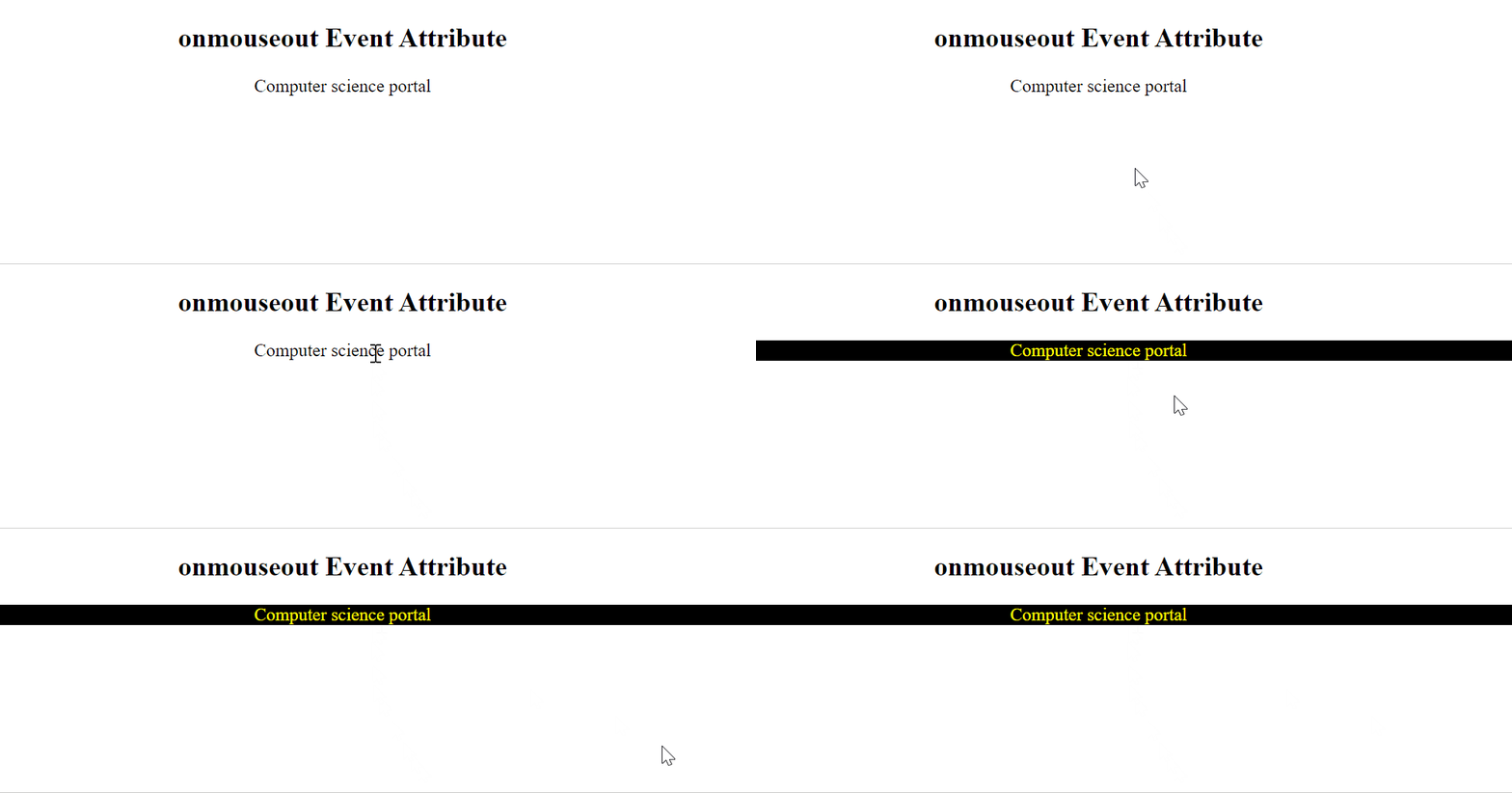
This example uses the onmouseout event to change the color of the text to yellow and the background color to black.
<!DOCTYPE html>
<html>

<body>
    <script>

        /* Script run when onmouseout event call */

        function geeks() {
            document.getElementById('gfg').
                style.color = 'yellow'
            document.getElementById('gfg').
                style.backgroundColor = 'black'
        }
    </script>
    </head>

    <center>
        <h2>
            onmouseout Event Attribute
        </h2>

        <!-- onmouseout event call here -->

        <p id="gfg" onmouseout="geeks()">
            Computer science portal
        </p>
    </center>
</body>

</html>
Output:
We have a list of JavaScript onmouse events, to check those please go through the JavaScript onmouse events article.
Supported Browser:
- Google Chrome 1 and above
- Edge 12 and above
- Firefox 6 and above
- Opera 12.1 and above
- Safari 1 and above
We have a Cheat Sheet on Javascript where we covered all the important topics of Javascript to check those please go through Javascript Cheat Sheet-A Basic guide to JavaScript.
