Modders Resources
Fallout 4 resources for other mods or modders to make use of
27 files
-
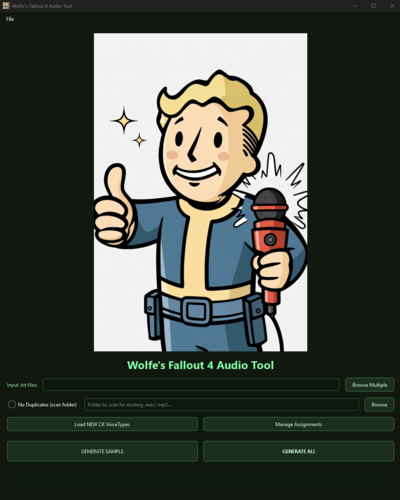
Fallout4 Elevenlabs Auto Voice Generator
By Wolfe6900
Overview:
Creating voice files can be a tedious and long process for the regular modder, so I made a tool that lets you connect to Elevenlabs, assign a voice to your voice type in the CK and mass generate the voice files.
What it does:
- Deciphers and filters dialogue from Fallout4's CK exports
- Connects with Elevenlabs by using your custom API key (requires a 'Starter' or 'Creator' paid version).
- Auto Detects VoiceType from your Fallout4 mod and allows you to link them with an ElevenLabs voice.
- Allows you to select dialects, i.e., 'Irish', to replace words and make authentic dialogue.
- Allows you to select different voices for different emotions.
- Allows you to skip duplicate files
- Generates mp3 (fake .wavs) files for download from Elevenlabs
- Built in Converter to make those files readable for 44.1 kHz Fallout4 .wav files
- Allows you to generate .lip files
How to use (Generic):
1. Obtain an API Key from ElevenLabs.
2. Obtain additional requirements: FaceFXWrapper, ffmpeg, ffprobe, FonixData
3. Configure your paths
4. Assign your FO4 Voices to Elevenlabs voices
5. Generate voice samples
6. Convert those samples to .wav
7. Generate .lip files
8. Move to your appropriate mod folder and you're done
How to use (Advanced):
1. Extract .ba2 files from Fallout4 - Voice.ba2
2. Obtain an API Key from ElevenLabs.
3. Obtain additional requirements: FaceFXWrapper, ffmpeg, ffprobe, FonixData
4. Configure your paths
5. Fetch voice & emotion to clone
6. Convert .fuz to .wav
7. Create clone in Elevenlabs
8. Select a dialect
9. Assign your FO4 Voices to Elevenlabs emotion/voice
10. Generate voice samples
11. Convert those samples to .wav
12. Generate .lip files
13. Move to your appropriate mod folder and you're done
How to use (Tutorial):
*Unpack the .zip to see a tutorial on how to change the Player's voice with Cait's.
[Warning:] This would cost upwards of 461,820 credits!
Links to external tools needed:
FaceFXWrapper: https://github.com/Nukem9/FaceFXWrapper/releases
ffmpeg: https://github.com/BtbN/FFmpeg-Builds/releases
ffprobe: https://github.com/BtbN/FFmpeg-Builds/releases
FonixData: {yourFallout}\Data\Sound\voice\Processing
Yakitori Audio Converter: https://www.nexusmods.com/skyrimspecialedition/mods/17765
Special Thanks to: 54yeg (for the .lip converter tool allowing me to use as a template/reference for generating .lip files.)
114 downloads
Updated
-
Skimpy Armour Keyword Injector
By msmfoster
A FO4Edit script that injects Skimpy Armour Keyword Resource (SAKR) keywords into patched copies of relevant Armour (ARMO) records. This process uses the existing RobCo Patcher .ini infrastructure as the source of keywords, but does not require RobCo Patcher.
Key Features
Accepts your entire load order (every single loaded plugin) in one go. Creates the patch, adds all required masters, and injects keywords in a single run. Uses your existing RobCo Patcher .ini files. Requires no new tools to run. Creates a tiny, ESL-flagged patch. Typically under 500 KB for a setup with 400 mods. Fuzzy FormID matching. Works regardless of load order, ESL flags, or overrides. Pre-emptively adds required masters to ensure compatibility with other keyword injectors such as Armour and Weapon Keywords Community Resource (AWKCR) and Complex Item Sorter. Creates a new patch file per run to avoid keyword drift. Recommended for consistency when .ini files change. This requirement can be bypassed if the patch is already loaded in FO4Edit. Extensive, configurable logging. Uses dialogue boxes to notify the user of abnormal runs. E.g. No keywords to inject or nothing to patch. Zero performance impact in-game as the patch is generated by FO4Edit beforehand.
Why This Exists
Skimpy Armour Keyword Resource was designed to work with RobCo Patcher, which adds keywords at runtime.
But:
The Next-Gen Update (2024) broke RobCo Patcher. Users waited months for the Next-Gen alpha version of the patcher. The Anniversary Edition has an alpha version of the patcher.
This script removes RobCo Patcher from the equation entirely while leveraging the existing configuration files.
No more waiting. No more runtime overhead. Just SAKR support.
Requirements
FO4Edit. Tested on 4.1.5f. Skimpy Armour Keyword Resource (SAKR). Required in your load order. Rubber Duck's SAKR Repository, or NGamma's SAKR RobCo Patches or Equivalent. Provides the required keywords to inject.
How to Use
Install the script under Scripts in your FO4Edit install. (Optional) Install the blank .esp if you use a mod manager. Do NOT load ZZZ_SAKR_Direct_Injection.esp when starting FO4Edit. If loaded, the script will remind you of this requirement and allow you to bypass if desired. In FO4Edit: Press Ctrl+A to select all plugins. Right-click on any mod and Apply Script. A new window will appear. Choose Fallout4 - SAKR Direct Injection vX.X.X and click OK. Wait ~60–90 seconds (tested with 400+ loaded mods and 2.5M records). Save. Let your mod manager (Vortex/MO2) deploy the new patch. Run the game and go try on some outfits!
Tip. For testing, select a few clothing mods to speed up script processing.
Cleanup After Use
A normal run adds several masters to ensure the winning record is copied and injected. It is recommended that you:
Save ZZZ_SAKR_Direct_Injection.esp; Right-click on the mod and select, Clean Masters to remove unnecessary masters.
While optional, the above keeps the patch tidy and avoids Missing Masters warnings when changing your mod order within a mod manager.
Confirmation Tests
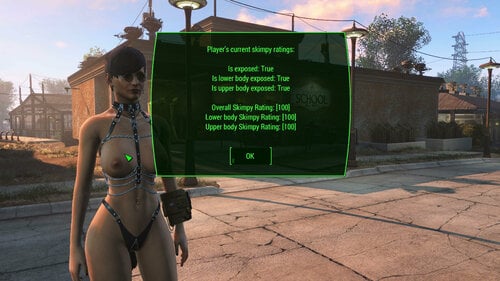
The screenshots on the download pages outline various scenarios to confirm the patch works. These tests cover ESLs, base-game items, heavily overridden packs (preview patches), and exposure score changes.
Shot in Kziitd Fetish Toolset. Result 100 % skimpy because that mod has no .ini in the Rubber Duck repository. Shots in a Vtaw Wardrobe 6 bikini with or without the top. Highlights the changes in exposure levels and scores. Shot in a COCO Bikini Collection showing exposure and scores change, indicating the .ESL was successfully patched. Shot in Summer Shorts with appropriate scores. Showing that base-game clothing items were successfully patched. Shots in various Vtaw Wardrobe 6 clothing with varying scores. Additionally some are blurry as they triggered Exhibitionist Streak from Provocative Perks because the player is not skimpy enough.
Frequently Asked Questions
Do I need RobCo Patcher installed?
No. This script does not require RobCo Patcher to be installed and the patch negates its requirement for use with the Skimpy Armour Keyword Resource once generated.
Will this break if I add new outfits later?
No. Just re-run the script — the new items will be included in the patch automatically assuming you have associated RobCo Patcher.ini files to inject the keywords.
Why does it stop if the patch file is loaded?
There is no reliable way for FO4Edit to unload and remove a mod while loaded. To prevent corrupting the patch, the script confirms the patch is unloaded prior to generating a fresh patch.
However, you can opt to bypass this check entirely at the risk of introducing keyword drift over an extended period of time. There are legitimate reasons for doing so:
You accidentally ran the script against a mod with no clothing items. You prefer to be surgical in your application of the patch and run it for individual mods or collection. You are trying this for the first time and the default patch (empty by default) is loaded. You manually cleaned the patch yourself and want to proceed.
For the above, you will simply be given an option to proceed.
I hate getting asked if I want to continue when the patch is already loaded.
You can disable this check entirely by setting bFORCE_CLEAN_ESP to False in the script. However, this may lead to keyword drift, especially if you are fine-tuning the .ini files to suit your gameplay.
Can I keep the old patch and append changes?
Yes. See above.
Is this safe with 500+ plugins?
Yes. Tested with 500+ mods / 3.2 million records. Process took under 180 seconds to generate a clean patch, but the time required varies based on system specifications.
Will it work on Anniversary Edition?
Yes. While not explicitly tested on Anniversary Edition, FO4Edit 4.1.5f which was used to develop this script fully supports that version.
I still want to keep RobCo Patcher for other features (material swaps, slot masking, etc.)
This script does not stop you from continuing to use RobCo Patcher. Both can coexist perfectly, but to prevent duplicate keyword injection, simply delete or move the RobCo Patcher .ini files used for SAKR keywords.
Bonus side-effects of removing those .ini files:
RobCo Patcher has fewer records to process reducing runtime overhead May reduce the chances of RobCo Patcher crashing.
Is this compatible with Armour and Weapon Keywords Community Resource (AWKCR) and Complex Item Sorter?
Yes. The script will add these as masters and carry forward any modified or injected keywords. However, this patch needs to be lower in your load order override their records.
Some of my clothing packs have no .ini file for it. How can I make these?
Rubber Duck has made a SAKR RCP Tool that generate the RobCo Patcher files along with extensive documentation.
I keep seeing Error Assigning To and Mapping Errors in my logs.
Message such as the one below occurs because the script cannot know for certain every mod that it will need to add a master.
Error assigning to [ \ [FA] ZZZ_SAKR_Direct_Injection.esp \ [1] GRUP Top "ARMO" \ [77] Armor_Synth_Underarmor "Synth Uniform" [ARMO:0012B91D] \ [19] Object Template \ [2] Combinations \ [34] Combination \ [2] OBTS - Object Mod Template Item \ [8] Keywords \ [0] Keyword #0] from [ \ [A7] Synth_Fem.esp \ [4] GRUP Top "ARMO" \ [2] Armor_Synth_Underarmor "Synth Uniform" [ARMO:0012B91D] \ [19] Object Template \ [1] Combinations \ [34] Combination \ [2] OBTS - Object Mod Template Item \ [8] Keywords \ [0] Keyword #0]: [Exception] Load order FileID [A5] can not be mapped to file FileID for file "ZZZ_SAKR_Direct_Injection.esp
In such cases the keywords will not be injected. However the Script naturally takes precautions to avoid this:
Preemptively loads any non-ESL flagged ESM/ESP as a Master. This will cut out most of these errors. Provides an ability to add a custom list of masters. Update the sADDMASTERS constant to include a comma delimited list of additional mods you need to load as masters.
Between the above, the script should all relevant masters, and inject keywords without fault.
Can I modify or fork your code?
Yes. The script is released under the two-clause BSD licence which is a permissive free software licence.
Configurable Items
The following constants may be changed to alter the script's behaviour. You only need to touch these constants if you have a very custom setup. Most users will be able to ignore these options entirely. There are listed in alphabetical order.
bADDALLMASTERS
Default: True
Automatically adds all non-ESL flagged ESP and ESM files with ARMO records as masters. This ensures that injection will occur most of the time.
Tip. Clean up the loaded masters in the mod after running the script and saving the contents.
sADDMASTERS
Default: ''
A comma delimited list of mods that need to be mastered beyond those added as part of the standard script processing. This constant becomes critical when disabling sADDALLMASTERS.
iDEBUG_LEVEL
Default: DEBUG_INFO
Adjust the level and verbosity of logs generated. Available levels are:
DEBUG_FATAL DEBUG_ERROR DEBUG_WARN DEBUG_INFO DEBUG_VERBOSE DEBUG_PATHING
bDRYRUN
Default: False
Kept for historical reasons. With a patch-file workflow there are no risks to the game and other mods, but it remains useful for pathing.
bESLFLAG
Default: True
By default the ZZZ_SAKR_Direct_Injection.esp will be created as an ESL-flagged ESP. This means that the patch will not tie up a slot on your limited load order at the cost of reduced entries. Set to False if you need to inject keywords into more than 4095 items.
bBALLISTIC
Default: True
Injects Ballistic Weave related keywords to the item in addition to SAKR. This can be useful for certain mods that expect this slot to exist for their own use and increase available clothing items.
bFORCE_CLEAN_ESP
Default: True
Deletes and recreates the patch every run. Prevents drift when .ini files change. Set False if you prefer incremental patching on selected mods.
sLOGFILE
Default: ''
Set the path of an external file that the log will be written to.
iMERGE
Default: False
By default the script will drop any conflicting keyword injection. This prevents situations where a competing .ini has conflicting keyword injections to make. Any such conflicts will be logged at the end of the process to identify and sort out conflicts.
If set to `True` the script will merge the conflicts together into one line. However, there are potential risks.
A perfect example of this is Eli's Armour Compendium and Classy Chassis Outfits - Eli's Armour Replacer. The former includes lore friendly and non-lewd clothing items, whereas the latter will spice things up. They both use Eli_Armour_Compendium.esp and a matching identifier leading to the following situation where an item now has keywords for:
0000081A. Top Full 0000081E. Tank Top 00000821. Top Tight 0000080E. Pants Long 0000080F. Pants Shorts
The above contains clearly contains keywords that are at odds with each other and should not co-exist. The resulting score will be wildly off from expected behaviour. Hence merge mode is provided for advanced users who understand the risks.
When set to False the script generates a report at the end of the run. This permits you to find and correct these conflicts to ensure the desired outcome.
sPATCH_ESP
Default: ZZZ_SAKR_Direct_Injection.esp
Name of the generated patch. ZZZ prefix keeps it at the bottom of the load order.
iRECURSION
Default: 5
Maximum directory depth when scanning for .ini files to prevent infinite loops.
sROBCOPATH
Default: F4SE\Plugins\RobCo_Patcher\armor\
Default location of RobCo armour .ini files (overridden by sSCANPATH if used).
bSAKRSTATIC
Default: False
Use static keyword list (True) or read directly from SAKR.esm (False). False is the default as it adjusts to future releases of the mod.
sSCANPATH
Default: ''
Hardcoded location for the RobCo Patcher .ini files. Use '' to use game defaults.
sSAKR_ESP / sGAME_ESP / sPATCH_AUTHOR
Self-explanatory and should never need changing.
License
* * Copyright (c) 2025, M.S.M. Foster * * Redistribution and use in source and binary forms, with or without * modification, are permitted provided that the following conditions are met: * * 1. Redistributions of source code must retain the above copyright notice, this * list of conditions and the following disclaimer. * * 2. Redistributions in binary form must reproduce the above copyright notice, * this list of conditions and the following disclaimer in the documentation * and/or other materials provided with the distribution. * * THIS SOFTWARE IS PROVIDED BY THE COPYRIGHT HOLDERS AND CONTRIBUTORS "AS IS" * AND ANY EXPRESS OR IMPLIED WARRANTIES, INCLUDING, BUT NOT LIMITED TO, THE * IMPLIED WARRANTIES OF MERCHANTABILITY AND FITNESS FOR A PARTICULAR PURPOSE ARE * DISCLAIMED. IN NO EVENT SHALL THE COPYRIGHT HOLDER OR CONTRIBUTORS BE LIABLE * FOR ANY DIRECT, INDIRECT, INCIDENTAL, SPECIAL, EXEMPLARY, OR CONSEQUENTIAL * DAMAGES (INCLUDING, BUT NOT LIMITED TO, PROCUREMENT OF SUBSTITUTE GOODS OR * SERVICES; LOSS OF USE, DATA, OR PROFITS; OR BUSINESS INTERRUPTION) HOWEVER * CAUSED AND ON ANY THEORY OF LIABILITY, WHETHER IN CONTRACT, STRICT LIABILITY, * OR TORT (INCLUDING NEGLIGENCE OR OTHERWISE) ARISING IN ANY WAY OUT OF THE USE * OF THIS SOFTWARE, EVEN IF ADVISED OF THE POSSIBILITY OF SUCH DAMAGE. *
2061 downloads
Updated
-
tool MCM Translation Text Generator
🎉Introduction🎉
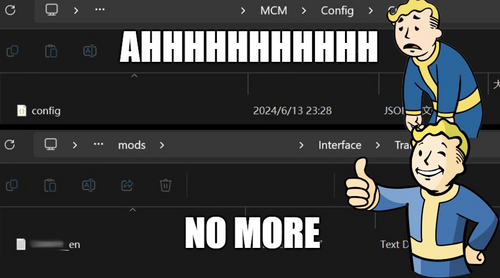
If you've ever felt frustrated while translating a mod's Config.json file because it lacks an "interface/translation" text file that XTranslator can use, then this tool is exactly what you need. It can automatically create $keywords and generate the corresponding translation file based on them.
there are a lot of amazing mods here that has a long and massive MCM menu, I don't know about the need of translation here, but there might be someone need something like this, if it happens to be you, *cheers* my friend.
🌟 About 🌟
Mod Name: MCM Translation Text Generator
Ever felt lost in translation with Mod Configuration Menu (MCM) without a translation text? from what I see recently there are many translations uploaded.
🔧 Features 🔧
Automated creation of keywords and translation files for MCM Config.json, saving you from manual labor, which I already did a lot.
The keywords are generated first by ID, then by type. If neither of those exists, it falls back to using the page and section number.
It automatically generates the interface/translation/modname_en.txt file based on its location path. If the Config.json file is in the correct data folder structure, the file will be created there. Otherwise, it will be created in the same location as the Config.json file itself.
You can choose to generate between all modName_xx.txt language codes that's supported by Fallout 4.
Now with UI language support in English, Chinese, Japanese, Korean, French, Dutch, Russian, and Spanish—all translated by ChatGPT—if there's an incorrect part, simply open the exe location/lang/yourlanguage.txt.
📝 Details 📝
I made an application because I felt there might be a need, even though tools like Simple MCM Json Translator exist. However, it can't always handle the disorganization that happens in MCM menu structures after updates. Importing older versions' configs didn't consistently align the texts correctly, even with minor differences. After dealing with these long and never-ending config files, I had the idea for this application. Now, you can generate translation files, then use Xtranslator to translate or import a comparison MCM file of older version. Since the keywords are generated by a pattern, the chance of errors is low. Just ensure you do a quick check in Xtranslator when importing a comparison file. Enjoy!
📖How To Use📖
Open this App Drag Config.json file of the mod you want to generate translation file. A quick check on the keywords, recommend leaving them as it be, it will be easier if mod author released a new version when you need to update again. Change the mod name prefix field to any prefix you like. Click save. Open Xtranslator, select "Load MCM/Translate file". Choose the mod folder you just generated from, there should be a new Interface folder. Locate to Interface/Translations folder, you should see the generated modName_xx.txt files in there. Load them in Xtranslator, start to translate and all done.
⭐If there is a mod Update and MCM has changed⭐
Don't delete your old file, either make a copy or install new mod as a different folder name that won't replace the original modName.txt Repeat the above to generate modName.txt for the mod's latest version. Open Xtranslator, select "Load MCM/Translate file" again. Choose the latest modName.txt. Go to "Tools", select "Load MCM/Translate (Compare)". Choose the old version modName.txt for comparison. Xtranslator should automatically replace texts with same keywords, and if you didn't edit them in the first place, they should 90% all be the same. Translate and all done Note: if folder isn't like Data/MCM/modName/Config.json, app can't detect the correct mod name and will only generate translate_xx.txt
👾Known Issues👾
It doesn't work when there is a "setting.ini" in the same folder with Config.json, and says MCM version 1 or 2.
Don't know why, might because it's from old version of MCM, if you have solution please comment.
But most of the mods don't have that file and not using old version MCM,
So test before use, I'd say 90% of mods would work, but there will be exceptions, who knows.
👏 Credits 👏
Me,
All the lost souls when translating directly from Config.json
✨ More ✨
This isn't finished yet, but it's usable for its intended purpose. Let me know if you encounter any bugs.
271 downloads
Updated
-
Fallout 4 Blender Animation Kit
By dagobaking
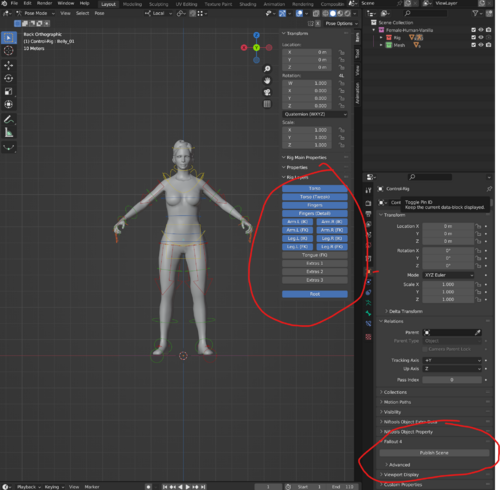
This is a kit to help streamline animation creation via Blender.
It still takes a bit of set-up. But, once set-up, publishing game files should be much easier.
Includes:
Male and Female rigs (vanilla mesh but Zex skeleton) wrist twist and shoulder automation.
The required bonelist and havok config files for Zex.
A bat script that automates running other tools to convert FBX to HKX with one action.
A Blender add-on that automates steps needed to bake/export animations to FBX. (splits multi-actor anims into multiple FBX for you)
Detailed instructions for set-up and use.
Credits:
SynthOverboss - Helping me with various import solutions.
EngineGaming - Helping me also with importing and other processes new to me.
andrelo1 - For FBXImporter
1687 downloads
Updated
-
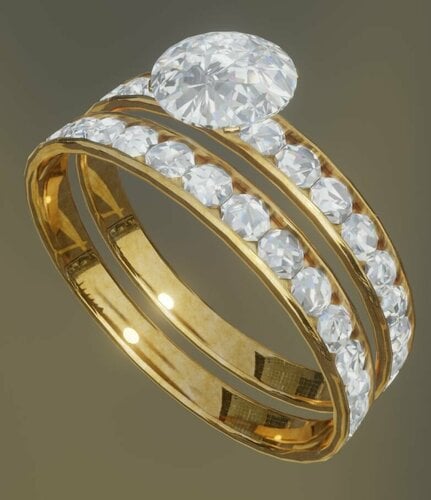
jewelry Women's wedding ring and engagement ring combo 3D model modder's resource.
3D model (Blender 3.0) modder's resource of a women's wedding ring and engagement ring combo.
This is meant to either replace, or serve as a substitute for the default wedding ring model.
It is meant for female characters and is intended to be fitted onto the left-hand ring finger.
Comes in gold, silver, and black versions.
426 downloads
Submitted
-
Is It Loaded?
By DocClox
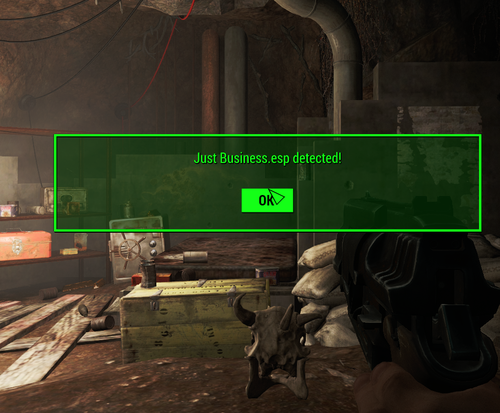
Simple little doodad to check if the game can see a particular mod. It's got one item, a brahmin skull with an onload script. When the skull's 3d loads, it checks to see if the mod named in it's "Mod" property is loaded and pops up a message box, yay or nay. By default it detects "Just Business.esp", but crack it open with xEdit and change it to whatever you need.
There's an instance dropped in the Sanctuary storm cellar, but feel free to place it wherever suits your needs. When you're done, unload the mod with no lasting effects. Or pick up the skull and drop it in the workbench for some free bone ingredients.
I should stress, this is a modder's resource and does nothing interesting from a gameplay point of view.
428 downloads
Updated
-
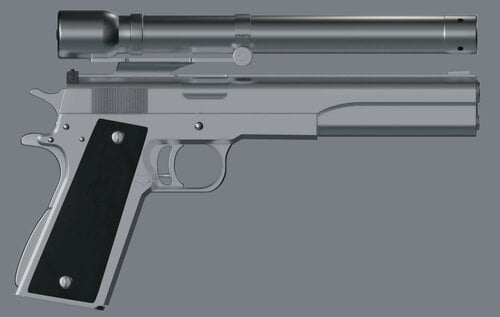
AMT 45. Longslide 3D model modder's resource
By Fixadent
3D model (Blender) modder's resource of the Arcadia Machine & Tool 45. Hardballer Longslide.
IMPORTANT: Model is only partially textured, and there are no animations.
A skilled modder and animator is going to need to figure out how to get this asset Fallout 4 as a usable weapon.
https://www.youtube.com/watch?v=k0kg80jAtI8
43 downloads
Submitted
-
High Heel Sounds
By Carreau
While working on a small personal project, I wanted to increase immersion a bit more for high heeled outfits and made an entire custom footstep specifically for high heels. With more high heel outfits coming out, I figured maybe the community would like to use the high heel footstep I made.
What does it include?
High heel sounds for
-Walking
-Running
-Sprinting (with muffled steps if the player has Silent Running)
-Sneaking
-Landing from a jump
What surfaces does this resource cover?
-Metal
-Wood
-Concrete/Solid Stone
-Gravel
-Loose Stone
-Carpet
How To Use This
Option 1 is pretty simple. Place the included files from the Packed Master Resource (HighHeelSounds.esm and HighHeelSounds - Main.ba2) into your data folder and load your plugin using HighHeelSounds.esm as a master. Then, navigate to your ArmorAddon record and change the DefaultFootstepSet to HHS_HighHeelFootstepSet.
Option 2 is a bit more in depth, but does not require additional external downloads for your users. It's the one I would recommend as it adds the required records and sounds to your plugin. Copy the included files from the Loose Files Resource (HighHeelSounds.esm and the Sounds/ folder) into your data folder. There should be 48 WAV files. Next, load your plugin and HighHeelSounds.esm into xEdit, and highlight all of the records in my mod. Right click and select "Copy as new record" and copy them into your project. All of the records in my plugin are Prefixed or Suffixed with 'HHS_'. Be sure all records are highlighted before you copy. This will keep the linking of records from breaking. xEdit will add HighHeelSounds.esm as a master. This will need to be removed. The Creation Kit can remove masters when you load a file. Before loading, in the file selection window. Highlight your plugin. You will see "required masters" in the upper right of the selection window. You can highlight HighHeelSounds.esm and then press CTRL-DEL on your keyboard to remove the master. Once your plugin is loaded, navigate to your ArmorAddon record and change the DefaultFootstepSet to HHS_HighHeelFootstepSet (or whatever you renamed it IF you renamed it). Be sure to include ZapSplat and Envato Elements in your credits if you include these sounds in your mod.
Please not that there are 288 records that need to be copied into your file. This shouldn't pose too much of a problem for typical mod authors, even those making ESL versions, but I felt it needed to be said.
Watch a small demo of the heel sounds in action
Credits
Carreau - For putting this package together.
ZapSplat - Royalty Free high heel sounds. https://www.zapsplat.com
Envato Elements - Royalty Free high heel sounds https://elements.envato.com/
4417 downloads
- high heels
- high heel system;
- (and 1 more)
Updated
-
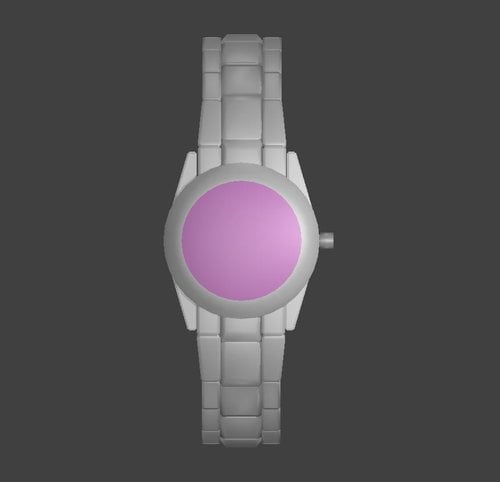
Pink women's wristwatch modder's resource
By Fixadent
This is a blender model and modder's resource of a popular women's wristwatch for Fallout 4.
It is not textured, but if you can texture it using the watchface from the provided photos, and then get it into the game as a wearable in-game item, then that would be absolutely fantastic!
Requires blender, nifskope, GECK, maybe Fallout 4 edit, and I'm not sure what else.
This file is subject to future change. I plan on making it part of a watch and ring set, with the ring having white and pink diamonds.
32 downloads
Submitted
-
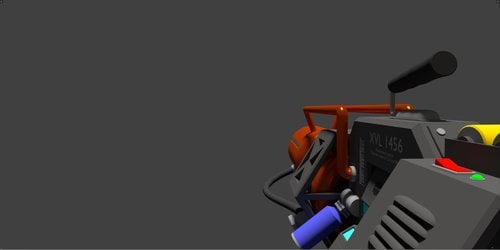
Half-Life Tau Cannon modder's resource
By Fixadent
This is an untextured blender 3D model of the tau cannon from the 1998 video game half-life.
I'm hoping that a modder who is familair with making custom weapons can rig and animate this, and make it into a working weapon in Fallout 4.22 downloads
Submitted
-
FO4 creature rig.txt files
By Gray User
These are rig text files for some of the more esoteric critters in Fallout 4
Acknowledgements:
I would like to that both ShadeAnimator, for the toolkit that makes these rigs
useful, and Leito without whose advice I would have given up on this.
Usage:
You can use these for whatever, and repost them as desired. My only requirement is
that you can't charge money for animations that use these rigs (or mods that use
animations that use these rigs, etc).
Summary:
This zipped folder contains rig.txt files for use with ShadeAnimator's 3ds max tools.
You use these files in place of the 'FO4_Human_3rd_Rig' etc when exporting
animations from 3ds max.
I haven't included anything like the super professional looking 3ds scenes that Crazy
did with his rigs, on account of my 3ds skills are crap. As far as I can tell, you
should be able to get a working base scene just by importing the critter nif file
into 3ds and then selecting the appropriate skeleton.nif as a skeleton in the
resulting window of options.
These rigs have all been tested in static idle poses in game and should work without
any obvious mangling. I've tested most of them with some very general movements, but
I can't guarantee that every bone in each rig will behave as expected. You're welcome
to report problems, and I'll certainly have a look at them, but they will probably be
beyond my troubleshooting ability (see above about my knowledge of 3ds max).
Contents:
as of version 1.0, this pack contains rigs for:
Bloatfly
BloodBug ('mosquito' in the meshes folder)
Bloodworm
MireLurk Hunter
MireLurk Queen
MireLurk King
RadScorpion
Stingwing
Plans:
Most of the other creatures in the vanilla game have already been rigged by either Crazy or Leito, and I have no plans to repeat those. AFAIK, there isn't currently a Behemoth rig, but I'm having some technical issues with that one (the whole mesh shows up rotated by 90...think there might be something odd about the way it uses the COM bone). I'll get around to most of the other DLC creatures at some point, but probably not for several months (they're a lower priority that the other projects I'm working on).
2549 downloads
Submitted
-
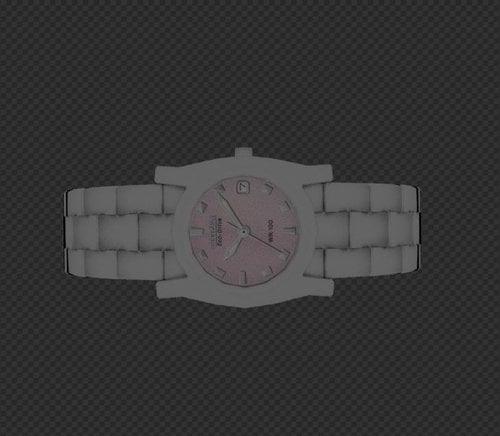
Women's wristwatch modder's resource
By Fixadent
This is a modder's resource of a women's wristwatch meant to be implemented into Fallout 4 as a wearable item.
The file itself is a blender file.
31 downloads
Submitted
-
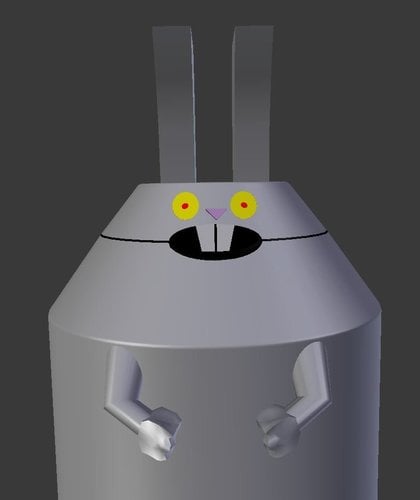
Rabbot modder's resource
By Fixadent
Untextured blender model of Rabbot from the cartoon Aqua Teen Hunger Force.
12 downloads
Submitted
-
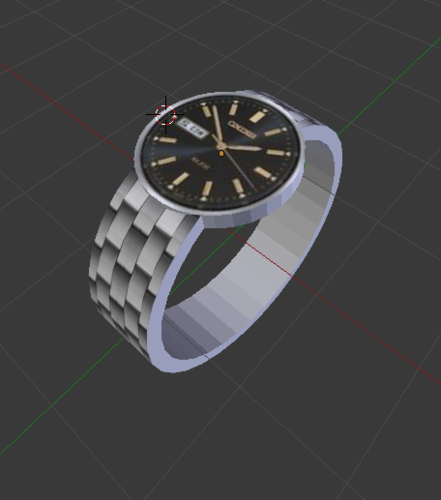
Wristwach modder's resource
By Fixadent
This is a modder's resource, .nif file with .dds textures of a silver wristwatch for implementation into Fallout 4.
IMPORTANT: the watch face may need to be aligned slightly with the watch band.
59 downloads
Updated
-
[Dev/Test/Beta] LL FourPlay community F4SE plugin
By jaam
Scriptname LL_FourPlay Native Hidden ; ; Shared community library of utility function from LoverLab distributed with FourPlay resources as a F4SE plugin with sources included ; ; Version 52 for runtime 1.10.984 2024 08 19 by jaam and Chosen Clue and EgoBallistic and Fedim ; Runtime version: This file should be runtime neutral. The accompanying F4SE plugin (ll_fourplay_1_10_984.dll) is NOT! ; You need to always use a plugin corresponding with the game version you play. ; Plugin should be available just after F4SE has been updated for the modified runtime. ; Runtime versions lower than 1.10.984 will no longer be supported. ; Written and tested against F4SE 0.7.2. You should not use an older version of F4SE. ; ; ; ; Returns the version of this script (when someone has not forgotten to update it :) ) Float Function GetLLFPScriptVersion() global return 52.0 endFunction ; Returns the version of the plugin and servers to verify it is properly installed. Float Function GetLLFPPluginVersion() native global ; Custom profile: written into "Data\F4SE\Plugins" ; =============== ; Returns the full path for custom profile name. IE "WhereverYourGameIs\Data\F4SE\Plugins\name". Don't forget to provide the .ini extension. string Function GetCustomConfigPath(string name) native global ; Get the value of custom config string option string Function GetCustomConfigOption(string name, string section, string key) native global ; Get the value of custom config integer option (Use 0/1 for boolean) int Function GetCustomConfigOption_UInt32(string name, string section, string key) native global ; Get the value of custom config float option Float Function GetCustomConfigOption_float(string name, string section, string key) native global ; Sets the value of custom config string option (at most 66535 characters per option). The directories and path will be created as needed. If the result is false, the set did not happen. bool Function SetCustomConfigOption(string name, string section, string key, string value) native global ; Sets the value of custom config integer option. The directories and path will be created as needed. If the result is false, the set did not happen. bool Function SetCustomConfigOption_UInt32(string name, string section, string key, int data) native global ; Sets the value of custom config float option. The directories and path will be created as needed. If the result is false, the set did not happen. bool Function SetCustomConfigOption_float(string name, string section, string key, float data) native global ; Get all the keys and values contained in a section. Both at once to avoid discrepancies in the order. ; The keys are in VarToVarArray(Var[0]) as String[] and the values in VarToVarArray(Var[1]) as String[] Var[] Function GetCustomConfigOptions(string fileName, string section) native global ; Set a list of keys and values in a section. Any other existing key will be left alone. bool Function SetCustomConfigOptions(string fileName, string section, string[] keys, string[] values) native global ; Reset all the keys and values contained in a section. ; Any exiting key value pair will be suppressed first, so providing none arrays will effectivly removes all keys from the section. bool Function ResetCustomConfigOptions(string fileName, string section, string[] keys, string[] values) native global ; Get all the sections in a file. string[] Function GetCustomConfigSections(string fileName) native global ; For all array functions: ; The implementation as an arbitrary limitation of 32767 bytes buffer for all Keys, Values or sections involved. ; If needed because the limitation becomes a problem, another implementation can be done using memory allocation, though there will remain a limit imposed by Windows. ; When arrays for keys and values are provided, the count of elements in both arrays must be identical or the function fails on purpose. ; An empty value should be provided as a zero length string. TO BE TESTED ; ; Camera functions ; ================ ; ; Forces the FlyCam state. ; if activate is true and the FlyCam is not active AND the FXCam is not active either, the FlyCam will be activated. ; if activate is false and the FlyCam is active, the FlyCam will be deactivated. ; if the requested state is identical to the current state nothing is done. ; Returns whether the FlyCam was active or not before the call so mods can restore the previous state if needed. bool Function SetFlyCam(bool activate) native global ; TO BE TESTED ; Forces the FlyCam state. Alternative version that allows to pause/unpause the game when entering FlyCam ; if activate is true and the FlyCam is not active AND the FXCam is not active either, the FlyCam will be activated. ; if pause then the game will be paused ; if activate is false and the FlyCam is active, the FlyCam will be deactivated. ; otherwise if the requested activate is identical to the current state nothing is done. ; Returns whether the FlyCam was active or not before the call so mods can restore the previous state if needed. ;TBT; bool Function SetFlyCam2(bool activate, bool pause) native global ; TO BE TESTED - So far this is useless as scripts seem to be stopped while in pause mode :( ; Get the current state of the FlyCam bool Function GetFlyCam() native global ; Get the current pause state of the game bool Function GetPaused() native global ; Get the current state of the FXCam bool Function GetFXCam() native global ; Select the speed at which the FlyCam moves (identical to SetUFOCamSpeedMult/sucsm console command) ; The console command supports an optional second parameter to control rotation speed. ; The way it handles default value is not compatible so I use an explicit bool to select which speed to change ; Returns the previous value of the selected speed. float Function SetFlyCamSpeedMult(float speed, bool rotation=False) native global ; ; Power Armor/Race/Skeleton functions ; =================================== ; ; Returns the actor's race when in PowerArmor Race Function GetActorPowerArmorRace(Actor akActor) native global ; Returns the actor's skeleton when in PowerArmor string Function GetActorPowerArmorSkeleton(Actor akActor) native global ; Returns the actor's current skeleton, not affected by PowerArmor string Function GetActorSkeleton(Actor akActor) native global ;Chosen Clue Edit ; ; String functions ; ================ ; ; Returns the first index of the position the toFind string starts. You can use this to check if an animation has a tag on it. Is not case sensitive. Int Function StringFind(string theString, string toFind, int startIndex = 0) native global ; Returns the selected substring from theString. If no length is set, the entire string past the startIndex number is returned. string Function StringSubstring(string theString, int startIndex, int len = 0) native global ; Splits the string into a string array based on the delimiter given in the second parameter. ; As this function does ignore whitespace, putting a space as the delimiter will only result in a string being returned without spaces. string[] Function StringSplit(string theString, string delimiter = ",") native global ; Opposite of StringSplit. string Function StringJoin(string[] theStrings, string delimiter = ",") native global ; Converts an integer of any base to a hexadecimal string representation string Function IntToHexString(Int num) native global ; Converts a hexadecimal string to an integer Int Function HexStringToInt(String theString) native global ; ; Array functions ; =============== ; ;Just a precursor: This does not mean we can use Alias based scripts to store animations like sexlab does, as the F4SE team has yet to include a typedef of them in the F4SE CPP files. I am guessing that they haven't reverse engineered it yet. Form[] Function ResizeFormArray(Form[] theArray, int theSize, Form theFill = NONE) native global String[] Function ResizeStringArray(String[] theArray, int theSize, String theFill = "") native global Int[] Function ResizeIntArray(Int[] theArray, int theSize, Int theFill = 0) native global Float[] Function ResizeFloatArray(Float[] theArray, int theSize, Float theFill = 0.0) native global Bool[] Function ResizeBoolArray(Bool[] theArray, int theSize, Bool theFill = False) native global Var[] Function ResizeVarArray2(Var[] theArray, int theSize) native global Var[] Function ResizeVarArray(Var[] theArray, int theSize) global ; Because filling with invalid values will CTD ; Bugged for any version prior to 14 ; theFill will be ignored, but kept for compatibility. Anyway nobody used it ever as it would have CTD. Please use ResizeVarArray2 Int theFill = 0 return ResizeVarArrayInternal(theArray, theSize, theFill) endFunction ; if the int theSize is negative, the resulting array is a copy of the original array unchanged. ; Sets the minimum array size required by a mod. Returns false if the current value was greater. Bool Function SetMinimalMaxArraySize(int theMaxArraySize) native global ; This patches ArrayAdd and ArrayInsert so they respect that maximum. The value is memorised in ToolLib.ini ;[Custom Arrays] ;uMaxArraySize=nnnnnn ; ; !! Creating arrays that are too large will adversaly affect your game !! ; ; Keyword functions ; ================= ; ; Return the first keyword whose editorID is akEditorID Keyword Function GetKeywordByName(string akEditorID) native global ; Adds a keyword to a form (not only a reference). Does not persists. bool Function AddKeywordToForm(Form akForm, Keyword akKeyword) native global ; Delete a keyword from a form (not only a reference). Does not persists. bool Function DelKeywordFromForm(Form akForm, Keyword akKeyword) native global ; Return an array of all keywords loaded in game. Keyword[] Function GetAllKeywords() native global ; ; CrossHair functions ; ==================== ; ; Returns the Reference that is currently under the CrossHair. Returns None if there isn't one currently. ObjectReference Function LastCrossHairRef() native global ; Returns the last Actor that is or was under the CrossHair. Returns None until there is one since the game was (re)started. Actor Function LastCrossHairActor() native global ; ; ObjectReference functions ; ========================= ; ; Set the reference display name as a string without token. TO BE TESTED bool Function ObjectReferenceSetSimpleDisplayName(ObjectReference akObject, string displayName) native global ; Sets reference angle in degrees. Will not cause load screen if called on Player Function SetRefAngle(ObjectReference akRef, float x, float y, float z) native global ; Sets no-collision state on reference Function SetRefNoCollision(ObjectReference akRef, bool abState) native global ; Get the scale of a reference Float Function GetScale(ObjectReference akRef) native global ; Set the scale of a reference Function SetScale(ObjectReference akRef, Float afScale) native global ; ; Actor functions ; =============== ; ; Check if the ActorBase has a specific skin. TO BE TESTED bool Function ActorBaseIsClean(Actor akActor) native global ; Return the WNAM ARMO of either the actor base or the actor's race Form Function GetActorBaseSkinForm(Actor akActor) native global ; Copy the base skin of one actor onto another as a skin override, similar to what LooksMenu does bool Function CopyActorBaseskinForm(Actor akSourceActor, Actor akDestActor) native global ; MFG morph function provided by EgoBallistic ; Apply a MFG Morph to the actor bool Function MfgMorph(Actor akActor, int morphID, int intensity) native global ; Set all MFG Morph values to zero on an actor bool Function MfgResetMorphs(Actor akActor) native global ; Save an actor's MFG Morph values to an array of float Float[] Function MfgSaveMorphs(Actor akActor) native global ; Restore an array of saved MFG morph values to an actor bool Function MfgRestoreMorphs(Actor akActor, Float[] values) native global ; Copy the MFG morph values from one actor to another bool Function MfgCopyMorphs(Actor a0, Actor a1) native global ; Apply a set of MFG morphs to an actor. Morph ID morphIDs[x] will be set to values[x] bool Function MfgApplyMorphSet(Actor akActor, int[] morphIDs, int[] values) native global ; Return an Actor's actor flags (not the same as the Form flags) Int Function GetActorFlags(Actor akActor) native global ; Reset an actor's persistent Essential / Protected data ; Calling Actor.SetEssential() overrides the actor base value. Changing the state on the actor base will no longer have any effect, and ; neither will the Essential flag on Aliases. This function resets the override so ActorBase and alias flags will work again. bool Function ResetActorEssential(Actor akActor) native global ; Sets an actor's position. Directly moves the ref so does not cause load screen if called on player Function SetActorPosition(Actor akActor, float x, float y, float z) native global ; Enable collisions for specific actor Function EnableActorCollision(Actor akActor) native global ; Disable collisions for specific actor Function DisableActorCollision(Actor akActor) native global ; Snap actor out of whatever interaction (furniture, etc) they are in Function ActorStopInteractingQuick(Actor akActor) native global ; Force AI package Function ActorSetPackageOverride(Actor akActor, Form pkg) native global ; Clear forced AI Package Function ActorClearPackageOverride(Actor akActor) native global ; Returns whether the actor is currently ignoring combat (e.g. due to package flags) Bool Function ActorGetIgnoringCombat(Actor akActor) native global ; Force the actor to ignore combat or not, overriding any package flags Function ActorSetIgnoringCombat(Actor akActor, Bool abIgnoreCombat) native global ; Update actor 3D equipment only (less expensive than QueueUpdate 0xC) Function ActorUpdateEquipment(Actor akActor) native global ; Update Player Character 3D Function PlayerUpdateEquipment() native global ; ; Collision functions ; =================== ; ; Set the collision state of a reference. Returns the previous state. TO BE TESTED _ currently fails. ;TBT; bool Function ObjectReferenceSetCollision(ObjectReference akObject, bool enable=True) native global ; Get the collision state of a reference. If akObject is None, return the global collision state (controlled by TCL). TO BE TESTED ;TBT; bool Function ObjectReferenceGetCollision(ObjectReference akObject) native global ; ; Cell Functions ; ============== ; ; Returns the number of references of type formType in cell. Use GetFormType() below for formType values. If formType is 0 this returns the count of all refs in the cell. Int Function GetNumRefsInCell(Cell akCell, Int formType) native global ; Returns nth reference of type formType in cell. If formType is 0 this returns the nth reference of any type. ObjectReference Function GetNthRefInCell(Cell akCell, Int index, Int formType) native global ; ; Misc. Form functions ; ==================== ; ; Returns the Editor ID of a Race. Originally GetFormEditorID, but passing in a form and using the F4SE function GetEditorID() has only worked on Quest and Race forms. So I've just made it for race forms only. String Function GetRaceEditorID(Race akForm) native global ; Returns the name of the plugin that created a form String Function OriginalPluginName(Form akForm) native global ; Returns the persistent ID of a form (excluding the load index) Should be compatible with esl files. (Fixed as of v18) Int Function OriginalPluginID(Form akForm) native global ; Returns whether a form is in a given leveled item list bool Function GetInLeveledItem(Leveleditem akList, Form akForm) native global ; Return a form's record flags Int Function GetRecordFlags(Form akForm) native global ; Return a form's formType Int Function GetFormType(Form akForm) native global ; Return whether form is persistent or not - updated in v51 Bool Function IsPersistent(Form akForm) native global ; Set a form persistent or not. Returns false if form does not exist - updated in v51 Bool Function SetPersistent(Form akForm, bool akFlag) native global ; Return an array of all the forms in a FormList Form[] Function FormListToArray(FormList akFormList) native global ; Return the form with the given formID from any type of plugin (esm, esl, esp) Form Function GetFormFromPlugin(String modName, Int formID) native global ; Return an array of forms given an array of plugin names and an array of form IDs Form[] Function GetFormArray(String[] modNames, Int[] formIDs) native global ; Given an array of FormID Ints that was packed as Var via VarArrayToVar(), return the array of corresponding forms Form[] Function GetFormArrayFromVar(Var akVar) native global ; Populate a formlist with the forms given an array of plugin names and a corresponding array of form IDs Function PopulateFormlist(FormList akFormList, String[] modNames, Int[] formIDs) native global ; ; AAF functions ; ============== ; ; Return an array of actors near akRef who qualify for AAF animations Actor[] Function AAF_PerformActorScan(ObjectReference akRef, float radius) native global ; Return the actor gender as seen by AAF Bool Function AAF_GetGender(Actor targetActor) native global ; Collects statistics on an actor for use by the Scaleform Var[] Function AAF_MakeActorData(Actor targetActor, Bool includeDistance, Keyword[] conditionKeywords) native global ; Collects statistics on location objects for use by the Scaleform Var[] Function AAF_MakeLocationData(ObjectReference target, Bool includeDistance = False) native global ; Returns whether an object is suitable for use as an animation location Bool Function AAF_IsValidLocation(ObjectReference targetLocation, Var[] actorGroup) native global ; Converts the internal representation of AAF's furniture list to an array of Forms as Var Var[] Function AAF_ProcessFurnitureList(Var[] akArgs) native global ; Returns an array of LocationData, packed as a Var, of all the valid locations for animations within the given radius from the scan location Var Function AAF_GetLocationData(int scanLocation, Var[] furnitureForms, Var[] furnitureSources, Var[] actorGroup, Bool quickScan, Float scanRadius) native global ; Returns whether an actor has any keywords in the blocked keywords list Bool Function AAF_GetBlockedStatus(Actor akActor) native global ; Returns whether an actor is valid for AAF use (not dead, not disabled/deleted, etc.) Bool Function AAF_IsValidActor(Actor akActor) native global ; Returns whether an actor is valid for use and not currently in an animation Bool Function AAF_IsAvailableActor(Actor akActor) native global ; ; Misc functions ; ============== ; ; Prints a message to the debug console. Exposes the internal F4SE function Console_Print using the code found in Papyrutil in Skyrim. bool Function PrintConsole(String text) native global ; Enable or disable blinking. Disabling allows MFG morphs to work on eyelids (morph ID 18 and 41) Function SetAllowBlinking(Bool allowed) native global ; ; HIDDEN Functions. Never call directly. ; ; hidden function, use ResizeVarArray instead Var[] Function ResizeVarArrayInternal(Var[] theArray, int theSize, Var theFill) native global ; ; Wav function (by Fedim) ; ; Plays a WAV file. FileName relative to "Data\Sound\Voice\" ; Option is possible "Data\Sound\Voice\MyPlugin\sound001.wav" Function PlaySoundWav(string FileName) native global ; Returns the current volume level of the player (-1 = 0xFFFFFFFF -> max) ; LowWord - left channel volume ; HeighWorg - right channel volume ; 0 <= volume <= 65535 (0xFFFF) int Function GetVolumeWav() native global ; Sets the volume of the player channels ; 0 <= volume <=65535 (0xFFFF) int Function SetVolumeWav(int volumeA, int volumeB) native global ; Randomly selects a line from the SectionText section of the "Data\F4SE\Plugins\PluginName.ini" file, plays the WAV and returns the text ; ini file must be UTF-8 encoded ; Sounds should be in the "Data\Sound\Voice\PluginName.esp\" String Function VoiceMessage(String PluginName, String SectionText) native global ; ; INI setting functions ; ===================== ; ; Functions to retrieve INI settings, e.g. Fallout4.ini, Fallout4Prefs.ini, Fallout4Custom.ini, mod .ini files in Data folder ; These functions retrieve the settings from the game engine, not from the INI files themselves. ; Parameter is the .ini setting name and section, fSettingName:SectionName. For example, fMinCurrentZoom:Camera ; Note that typing is strict, e.g. you cannot call GetINIFloat on an Int setting ; ; Return Float setting value or 0.0 if not found float Function GetINIFloat(string ini) native global ; Return Int setting value or 0 if not found int Function GetINIInt(string ini) native global ; Return Bool setting value or false if not found Bool Function GetINIBool(string ini) native global ; Return String setting value or NONE if not found String Function GetINIString(string ini) native global ; ; Animation functions ; =================== ; ; Functions to play animations on actors. They do basic sanity checking on the inputs so that None idles and actors, ; actors who are deleted or disabled, and actors with no AI middle process will not attempt to play idles. ; ; Make one actor play an idle Function PlayIdle(Actor akActor, Form akIdle) native global ; Make an array of actors play a corresponding array of idles, in synch Function PlayMultipleIdles(Actor[] akActor, Form[] akIdle) native global ; Stop the actor's current idle Function StopCurrentIdle(Actor akActor) native global
Looks like I delteted the list of updates Well the first post is a lot shorter now.
Also there is now a GitHub site to host the sources for this and other tools of mine at https://github.com/Lkdb5RDr
v52-20240902 is a hotfix for v52-20240821
v53-20250105 fixes loading in fallout 1.10.163.
v54-20250330 Hotfix for issue describe on March 30th by EgoBallistic
v55 : deleted.
v56 for 1.11.137.0
v57-20251120 adds support for Game version 1.11.159.0 (~AE Hotfix) paired with F4SE 0.7.5. Maintains support with 1.10.163.0, 1.10.984.0 and 1.11.137.0 (temporary)
Tested successfully with basic functionality.
v58-20251126: Adds support for Fallout v1.11.169.0 and F$SE 0.7.6.
228222 downloads
Updated
-
ImmersiveSWF
By pipdude
This is a modders resource that attempts to make it easy for other mod authors to show a custom SWF temporarily in the UI. This is not intended to be used for widgets. It is designed more for showing custom player status updates, mod title graphics, warnings, achievement graphics, etc.
Usage
Your mod will need to set up a connection to ImmersiveSWF and then call the "showSWF" function in order to display your custom SWF file.
Here is an example of how the connection and function call work:
Quest ImmersiveSWF = Game.GetFormFromFile(0x01000F99, "ImmersiveSWF.esp") as Quest ;Create a reference to ImmersiveSWF.ScriptObject ImmersiveSWFQuestScript = ImmersiveSWF.CastAs("ImmersiveSWF:ImmersiveSWFQuestScript") ;Create a reference to the script we need.; Check to see if the ImmersiveSWF mod was found, if so, run the showSWF function, requesting the SWF id "test".If ImmersiveSWFQuestScript Var[] params = new Var[1] params[0] = "test" ImmersiveSWFQuestScript.CallFunction("showSWF", params)Endif
The above example attempts to show a SWF with the id "test". To use this mod, you will need to list your own SWF files with their own unique id names in your own XML file. It's easy.
Here is an example XML file:
<meta title="ISWF_sample_data.xml" version="1.0"/><defaults scale="100" duration="5" swfLocation="TOP_LEFT" swfWidth="124" swfHeight="32" margin="0" monochrome="TRUE"/><swf id="showISWFBanner" swf="ISWF_banner.swf"/><swf id="test" swfLocation="CENTER" swf="ISWF_banner.swf"/>
The meta node simply lists information about your SWF list. It is not required.
The defaults node lists the parameters the mod will use if you do not define the parameters per SWF. This is for convenience so that you don't have to repeatedly write 'duration="5"' for every SWF if you know that you want all of your SWF files to show for 5 seconds when called.
The swf nodes are where you list your id names and SWF file names. The id name is the reference you use to call a specific SWF with "showSWF" like the example above. The swf parameter is the name of your custom SWF file. You can add more swf nodes to reference all of your custom SWF files.
As you can see in the "test" swf node, parameters like "swfLocation" can be included in the swf node to over-ride the default parameters.
The various parameters available:
scale
Changes the size that the SWF file displays at. "100" is equivalent to 100%.
duration
The amount of time the SWF will be displayed in seconds.
swfLocation
The location that the SWF will be displayed at. Valid options are "TOP_LEFT", "TOP_RIGHT", "BOTTOM_LEFT", "BOTTOM_RIGHT" or "CENTER".
swfWidth and swfHeight
These values should be set to the size of your SWF content in pixels. They are used to calculate proper location.
margin
This is the amount of space in pixels to offset the SWF away from the edges of the screen.
monochrome
This determines whether or not the SWF will use the UI color or allow you to use custom colors. If set to "TRUE", you should make your SWF graphics with the color white only. If set to "FALSE" you can use whatever colors you want in your SWF and they will show correctly in game. Please note that the mod does not support alpha properly because Fallout adds a dropshadow under all elements.
IMPORTANT: Your XML file and SWF files need to be placed in a folder titled "ImmersiveSWF" within the "Data" folder. The mod can load multiple lists from multiple different mods unless there is a naming conflict. So, please use unique identifiers/naming for your SWF files, XML and SWF id names.
Credits
Thanks out to the F4SE team!
147 downloads
Updated
-
Women's sportswatch
By Fixadent
I've been asking people on this forum and others to make a wristwatch for Fallout 4, but nobody ever got to it. So I decided to give it a go myself.
This is just a free modder's resource/blender file because I have absolutely no idea how to turn it into a wearable-equippable item into Fallout 4. If you have the technical knowledge of how to do this, please do so, but please give me credit for it.
The only requirement that I know of is the latest version of blender.
Getting it into the game as an item might require nifskope and/or outfit studio, and since it comes in a zip file, you might need to use winrar.
This mesh has an extremely high polygon count, over 30,000 in fact, so scaling that down might be important for in-game use. It also needs to be textured accordingly, preferably white plastic, but silver would also work well.
This was designed after an actual women's sportswatch, and is intended for female characters, but there is not reason why it can't be worn by men as well.
139 downloads
Updated
-

Exploding Slave Collar
By SAC
[v0.2]
- added an exploding collar gun (xx003a6a), which will equip the target with a collar, and send them on frenzy
- the gun is non aggro, but, for some reason (??) the frenzy effect does not work on settlers, but it does work on raiders
- added suicide mutant beeps
[/v0.2]
Adds an exploding slave collar. Non-replacer.
Equip it on an NPC (or yourself, why not) via console - equipitem xx000800, where xx is the esp position in your load order. After a random period, between 10 and 20 seconds, the NPC's head will go boom and the NPC will go dead.
v0.2: or equip the exploding collar gun (xx003a6a) and go shoot people. Non-aggro.
Does not work on essential NPCs.
Install manually, just copy the mod data folder into your own data folder.
Nuka World required.
You can use it as a modder's resource, link back here and let me know if you did something fun with it, so I can enjoy it myself.
The screenshot features Marcy Long gone boom.
1286 downloads
Updated
-
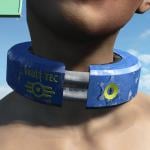
Vault-Tec Slave Gear
By Vioxsis
A Vault-Tec style slave collar, ankle and wrist shackles for male and female.
This is a modders resource, but does have the esp i used for testing included, so you can get it by console (help "Vault-tec collar" 4, help "Vault-tec Wrist" 4, help "Vault-tec Ankle" 4).
Though it probably would be better to wait for it to be hoovered up by CRP http://www.loverslab.com/topic/68208-community-restraints-pack/
Any bugs or problems, suggestions, etc feel free to post.
2592 downloads
Updated
-
Female child alternate mesh
By Tietheknotbj
Alternate mesh for playable child female characters.
Needs playable children mod and a unique body folder system or else neck seems on children will have a huge gap.
1539 downloads
Updated
-

Institute Slave Gear
By Vioxsis
[Description]
Institute style slave collars, shackles and chastity belt in multiple colours and matching card keys.
Colours; White, Black, Red, Green, Blue, Yellow, Purple, Pink and grey.
This is intended as a modders resource (hence what category its in) so the included esp was used for testing.
But with that said if you want to use it (before a modder makes use of it) you can get it by console.
Some other things to note, the light uses a glow map and has textures/materials set up for red and green versions, default being yellow.
The colour of the collars are also handled by material swaps so there is only one of each model type (Male, female, GRD, key) in the mesh folder.
There's a second ground nif for the collar that's in an open position.
Also included the meshes in .obj and .fbx format (the .objs should still be in quads)
[update]
From V3 to V4;
Added chastity belts.
From V2 to V3;
Added shackles for wrists and ankles.
Upped the specular so the metal parts have more shine to them.
Ground files work better in collision detection. (ie. you can shoot and walk in to them and they move)
The light part of the nif points to the glow map for its albedo, so it matches with the other colour variants.
[bugs]
The shackles have not been exporting as expected.
The female ankle came out perfect but the others did not.
I ended up reducing the poly count to alleviate the problem.
Once i find a solution i will replace the lower poly ones.
Wrists clip with the pipboy.
[Permissions]
Free to take and use.
30287 downloads
Updated
-
Fallout 4 Animation Kit by ShadeAnimator
Fallout 4 Animation Kit (F4AK)
The Full animation Guide is in PDF format inside the Kit archive! Please, make sure you've read it and FAQ here, before contacting me with questions.
Important! Rig version "F4AK_Rig_Final_2013.max" suffix may be outdated and broken. Will fix it in future versions. Use "F4AK_Rig_Final.max" instead. It is for max 2015. If you want to work in earlier max versions, you'll have to open it in max 2015 or 2016 and Save it for earlier version.
First to mention - this will be the place I put the latest stable release. I recommend using kit downloaded from here, NOT github!
Github contains a lot of trash files, scripts can be newer but with more bugs.
This KIT includes:
Detailed guide on working with Fallout 4 animations in PDF format. Both import and export are covered. Almost all tools and plugins you need to export or import animations. If something is not included you can find a download link in the guide. Preset files for HCT, including rig.txt files and .hko settings files. Scenes and rigs for 3ds max for Human character. In later version will add other rigs as well. Deathclaw skeleton and mesh in max format, but its not quite correct, there just an example.
MaikCG is another animator working on F4 animations, who is also taking part it creating this kit. He has his own upload and rig here on nexus, called F4Biped. We work in parallel, and sometimes he can find some new information or something, before me. It will get into this guide too eventually, but if something is missing, you can check F4Biped too, sometimes it may have some additional files or more updated information. And vice versa.
FAQ
Q: So, we can now create animations for Fallout 4?
A: Yes, we can. You can.
Q: Can I make 3rd person animations using this Kit\Guide?
A: Yes, you can.
Q: What is not included in the kit?
A: 3ds max\maya\blender are not included, HavokContentTools is also not included. You'll have to ask other modders to obtain a link for HCT. Everything else is there. But I still recommend looking for newer versions of included tools, like niftools or hkxpack.
Q: Were do I get the Guide?
A: Download the rar archive in the Files page here, and it will be in the root, called F4AK_AnimationGuide.pdf. You can view PDF using free Adobe Acrobat Reader, or using your web browser.
Q: Will this guide teach me how to work with 3ds max, rig tech and animation theory?
A: No. It is assumed that you know your way around 3ds max at least to some extent, even though I tried to described everything in as much detail as possible. You don't need to be a rigging\animation\3ds max guru, but if you never worked with 3ds max or 3d animation before - I recommend learning those things first. DigitalTutors introductions may be a good place to start. Also I highly recommend larning 12 Animation Principles. Just google it.
Q: I'm a newbie in 3ds max and animation, can YOU teach me\explain to me how <stuff> works, etc?
A: No, sorry, I'm not here to teach you basics of 3ds max. I can suggest you learning it first, for example using DigitalTutors.
Q: CAT\Biped rig is missing some of the control joints for the game skeleton's joints i'd like to animate, can I add them?
A: Yes you can. Just add additional bones using CAT or Biped tools, align it to match the joint you'd like to move, and name it the same as the joint you'd like to move, but with a correct prefix (Bip_ or F4CAT_). Now using F4AK Rig Connector, disconnect and connect everything again. If you named everything correctly, it should find the joint and connect it. It will only connect Orientation by default, so you may have to add Position Constraint manually.
In later version I will add more control joints into biped and cat.
Q: When i open the F4bipedimport scene , the biped bones are locked i can't move them ,is it normal?
A: F4bipedimport scene is from F4Biped by MaikCG. It is there to support his animation-import workflow. The Guide has two workflows for animation importing described. For keyframe hand-animation use the main rig scene, "F4AK_Rig_Final.max"
Q: 32 bit, 64bit, what this all means, do I need max 32bit or 64bit?
A: You should use 3ds max 64 bit version, there is no reason for you to use max 32bit unless you're using some old 32bit processor in your PC. Autodesk does not support 3ds max 32bit version even anymore.
HavokContentTool 2014 is 64bit natively too.
Fallout 4 HKX files are bitcoded in 64 bit.
Skyrim HKX files were bitcoded in 32 bit.
HKX2FBX converted was created for Skyrim's 32 bit HKX.
So the only moment you ever encounter this bit problem for now, is when you want to IMPORT existing fallout 4 animation from hkx into max. You need to first convert it from 64 to 32 bit and then use HKX2FBX converter.
The process is described in the guide.
CREDITS
While the author behind this guide and F4AK is ShadeAnimator, it would not be possible without the help of some people.
• ShadeAnimator – author of F4AK and F4AK Guide.
• DexesTTP – developer of HKXPack and HKXAnim.
• MaikCG – author of F4Biped, helped a lot with information, research, guides and some files.
• CPU – a lot of help during research
• NifTools team for NifTools plugins
• JoshNZ – contribution to research
TUTORIALS
https://www.youtube.com/watch?v=bbR9hCcH3W8
Also available from nexus.
1357 downloads
Updated
-
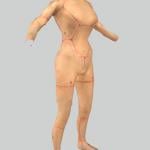
Female Gen2 Synth - Quick and Dirty Proof of Concept
By LazyGirl
WHAT IS THIS?
A suggestion on how to create the commonly requested female version of the Gen2 synths with fully working dialogue and limb destruction.
HOW IS IT DONE?
By using readily available development, text-to-speech software and transcriptions of existing dialogue one can quickly and without the need for voice acting create a cross-gender variant of any npc.
WHY DON'T YOU DO IT?
Because I lack the skills to produce a good enough result I feel comfortable releasing. Instead I decided to share what I found out here since I saw a few others where toying with the idea in these forums while googling around for tips and this might give someone a head start if they want to try as well.
TOOLS I USED
Audacity or any other audio editor you're comfortable with capable of batch voice file editing and processing
Full dialogues and voice files list Contains necessary dialogue information
PTTS or any other text-to-speech solution capable of batch textstring-to-wav processing
Material Editor makes it easy to duplicate and edit the male BGSM files to point to our new unique female resources
Standard Windows Text-to-Speech engine voice files
HOW IT'S DONE
GECK WORK #1
Uncheck the "ungendered" flag for SynthGen2Race
Create a new voicetype and set it to female
Create a female SynthGen2 actor with the above voice
Add the voice to the VoiceList "VoicesSynthGen1List"
Open up Quest "CreatueDialogueSynth" to verify the new voice has been added as an option by checking a spoken line or two
VOICE WORK #1
Import the dialogue list to Openoffice Calc, Excel or similar spreadsheet
Filter away all rows that don't contain the path to the "synthgen1male01" fuz-files
Now nuke all colums except the above and the one containing the dialogue text
Now we got the two important things, the text we want the spoken and the filename it should be saved into
If you know how to do text-to-speech get this information into your program and create the files making sure the filename is exactly the same as in the dialogue list but with wav-extension
If not you can use the PTTS program - by default it only has two modes, speak a user typed line or parse an entire text file into one wav. Neither is suitiable for what we want to do - parse each spoken line into its own wav.
Script is released under GNU so modification is allowed meaning people handy with Visual Basic Scripting can edit this script to do what they want. People who have no clue like me will make edits blindly until everything breaks except what they want to do.
I've added this butchered script to the mod, it's gutted so all the other useful options like selecting anything but the default voice processor, rate, quality and so on probably don't work so only use it as a last resort. The SAPI5 voice I used was "Microsoft Hazel Desktop" btw.
VOICE WORK#2
Throw these wavs into your audio editor removing starting and ending silences, tweak volume, apply voice processing and anything else you want.
Dump the finished wavs into the "\Fallout 4\Data\Sound\Voice\Fallout4.esm\[yourvoicenamehere]" folder.
VOICE WORK#3
Enter the GECK again
Open up Quest "CreatueDialogueSynth" again
Check every line to make sure your voice is in the list and to remove/edit conditioncheck on voicetypes or gender so the new female Gen2 isn't excluded
CREATING THE DESTRUCTIBLE FEMALE ACTOR
Extract the Synth meshes, textures and materials and put them into their respective folders but with a fitting name like SynthGen2Female instead
Now duplicate the GECK entries for the above so creating a female actor with identical look but using unique files. This means making texturesets for eyes/body/head, armoraddons for the same and an armor item for the skin containing all this. I'm no good at explaining this since this is my first attempt doing it so open the mod in the GECK or FO4Edit to see what I've done.
Set the female Gen2 to use this.
RESULT
Now we have an unique gen2 female with female voice. Well, female and female, it's the same male body and textures. To finish everything there are a two options according to my limited understanding
Scale/move/push/prod the male mesh AND face into a female form
PROS - Destruction doesn't need to be redone, selecting everything the "breaking points" follow
CONS - Makes the body incompatible with any clothing
Remove the male body from the SynthGen2Body.nif and paste the vanilla female into it instead
PROS - All vanilla clothing should fit
CONS - The "breaking points" would need to be moved since the limb lengths differ between genders. Tried it but the limbs where severed too far off, someone more skilled with meshes would probably be more successful
The best option would be to use CBBE but from what I understand it doesn't support dismemberment so you'd lose out on the limb removal as well as the unique synth features to fall over and still shoot leaving us with basically just another human npc with a slightly stranger voice. Booooring.
Another bonus of this solution is that adding new voices is easy, just write them down and run them through the text-to-speech software and you get the exact same voice every time.
The "mod"
It's my very basic take on a modified male mesh female alternative. Limb destruction works. Voices work short of a couple of lines not being processed properly like "ma'am" being cut to "ma" and me missing to change CQB to "close quarters combat" so it doesn't spell every letter out lol. And yes I know the body mesh is ugly and probably looks more "different" than female but it's just to show that if I can do it anyone who wants to can too. With hopefully the result of a cool mod everyone can enjoy
269 downloads
- experimental
- Mod Idea
- (and 4 more)
Submitted
-
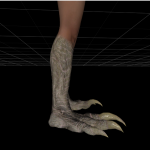
Deathclaw for CBBE body - Modder's resource
By thatTESguy
NIF and texture files for the humanoid deathclaw on the CBBE body. Bodyslide files attached.
As this is a modder's resource release, I am currently not offering technical support. Feel free to use this for whatever; just drop some credit.
Textures have been separately released here: http://www.nexusmods.com/fallout4/mods/2865/
2215 downloads
Submitted
-

High Heels Sound - Fallout 4 Edition
By Janecio
Custom footsteps sounds, for better immersion
Ported from two Skyrim mods:
"High Heel Footstep Sounds" by Indrisblake
"Heels Sound" by ybsj520/ApoKrytia
Sound resources by prm339
(Since 1.1, sounds files are slighty changed by me, due to synchronization)
What this mod does:
There's two new footstep sets:
"_modjc_HighHeelsSound" - normal
"_modjc_HighHeelsSoundClicky" - more "clicky"; it can be annoying
"Clicky" option is already applied to sequin and red dresses, and normal option is added to the rest of the vanilla heels. Mod also adds two rings - "HHRing" and "HHRingClicky" - so you can have HHSound on outfits you want. Mod works for NPCs too.
How to obtain HHRings:
1. Open console (`)
2. Type "help HHRing 0"
3. Now you should have IDs of two rings: "HHRing" and "HHRingClicky"
Type "player.additem ID of the ring you want 1" (1 is for amount)
Actually I have no idea how to add this to your mod (We must wait for Bethesda to allow uploading .esm files I guess.) But it's here, free to use for everyone! And it's working on vanilla high heels already, and you can still use rings.
18806 downloads
- high heels
- sound
- (and 5 more)
Updated
![More information about "[Mod][XCL][0.23] Alli - Playable Character Mod"](https://static.loverslab.com/screenshots/monthly_2026_04/c-whiteinvitefrontpic.thumb.jpeg.9172ccfbd9580cc923fc6fcca382d99e.jpeg)
.thumb.png.9884f0a36d317b5cb7de7ddb26841574.png)



![More information about "[XCL] [0.23] Playable Character Master Resource"](https://static.loverslab.com/screenshots/monthly_2026_03/PlayableCharacterMDImage.thumb.jpg.0c1912436dbab26784fc6af2cc1b2968.jpg)