Extensions
Sims 4 packages that add or change game mechanics.
60 files
-
Stupid Drone
By Oops19
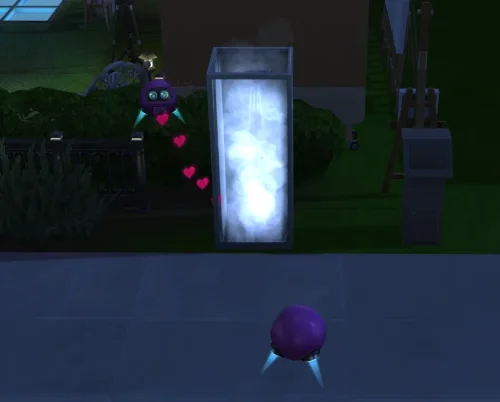
📹 The Stupid Drone The TS4 "Drone" will no longer be monitored or stopped by TS4 AI when Sims engage in "inappropriate" actions that should never be recorded or streamed. With this mod, Sims - including those from "Get Famous" - can live-stream even while showering or woohooing, as expected by their reality TV audience. This mod requires S4CL: https://github.com/ColonolNutty/Sims4CommunityLibrary ⚙️ Technical details The TS4 drone does not actually record or stream anything. After "recording," it simply creates an object with a title and description. This behavior remains unchanged. Resetting a Sim will also reset the drone attached to them and stop any recording or streaming in progress. 📥 Installation * Locate the localized `The Sims 4` folder (it contains the `Mods` folder). * Extract the ZIP file directly into this folder.
328 downloads
Submitted
-
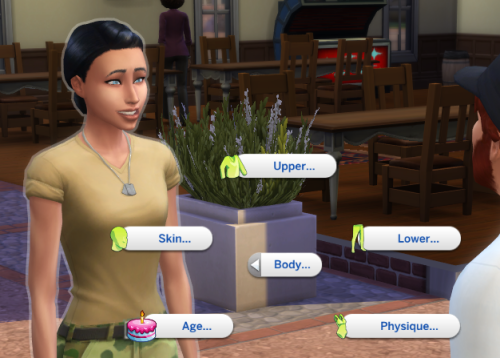
🧪🧍 SimRay Body Modifications
By Oops19
This mod is based and inspired by 'SimRay Body Modifications' by sirsleepy, which has not been updated for some time.
It reuses several of the original interactions and the same lightweight cheat‑based system to apply the final body changes. Because of how EA handles body morph updates internally, the result can occasionally be random or may not apply at all - that’s an engine limitation we all hope EA will address one day.
With this mod, the updated SimRay can alter a Sim’s body shape, chest, belly, hips, thighs, and more.
For the full effect of sliders, use the SimRay four times in a row. Each interaction changes a slider by ±0.25 (25 percentage points on the 0–1 slider scale).
Pie Menu
The menu is available for adult sims and can be used on adult sims.
🕺 Body 🕯 Age 👵 Older / 👶 Younger 👩 Teen 👚 Physique Slim / Thick Sporty / Normal ◚ Upper 👙 Chest Big / Small Heavy / Light In / Out Squeeze / Separate 🤰 Belly Big / Small ◛ Lower Hip Wide / Small Butt Wide / Small 🦵 Thighs Thick / Thin 👢 Calf Thick / Thin 👣 Feet Short / Long 👩 Skin Acne / Perfect Skin No Body Hair Mind Control 💏 Kiss 🗢 Kiss Cheek 👄 Kiss Cheeks 💋 Passionate Kiss 💱👗 Change Outfit 🚿 Bathing 🥋 Towel Note: After changing a 'TEEN' to a 'CHILD' sim no further actions are possible towards the child sim. The adult age check protects the innocent sims. Even though aging up/down and applying vanilla child sliders to sims is technically possible it is not supported.
1979 downloads
Submitted
-
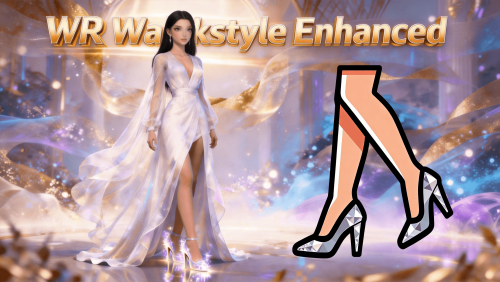
script mod WR Walkstyle Enhanced
By whiterober
WR Walkstyle Enhanced
Independent walkstyle management module — per-shoe walkstyle assignment, in-game configuration, and priority control
A dedicated walkstyle management system for Sims 4. Runs on top of WR Shoe System Core Library (v4.0+), fully independent of HHE.
v4.3.0 - April 4, 2026 Changes
Major update: Added direct read support for third-party female-shoe height and walkstyle data. Shoe series refactor: Reworked series management as groundwork for the upcoming "Shoe Closet" feature. Walkstyle UX improvements: Better readability, improved prefix handling, and grouped ordering. Localization improvements: Unified display logic and reduced duplicated/ambiguous labels. Stability updates: Fixed multiple edge-case display issues for smoother interactions. 🔥 v2.0.0 (Core v4.0) NOW LIVE — All-Sim Walkstyle Support Pre-Release!
Walkstyle effects now reach every Sim in the world!
👥 All-Sim Walkstyle Support — Walkstyle effects can now be applied to all Sims, including NPCs (pre-release: select users) 🧩 Modular — Runs on WR Shoe System Core Library (Core v4.0+), fully independent of HHE 🚶 Per-Shoe Walkstyle — Assign a unique walkstyle to each pair of shoes 🖱️ In-Game Configuration — Click any Sim to manage walkstyles in-game 🔧 Priority Control — Define which walkstyle takes precedence when multiple apply 💡 Want Pre-installed Package?
If you prefer a package with all dependencies included, it's available for free download on the author's Patreon:
👉 WR_Walkstyle_Enhanced_Pre-installed 👈
🌍 NOW SUPPORTING ALL 18 OFFICIAL LANGUAGES! 🌍
Full Localization Complete — English, 中文(简体/繁體), and 16 more!
Experience the mod in your native language: Čeština, Dansk, Nederlands, Suomi, Français, Deutsch, Italiano, 日本語, 한국어, Norsk, Polski, Português, Русский, Español, Svenska!
All menus, dialogs, and notifications fully localized. The game language automatically matches your settings!
🎯 Core Features
✅ 1. Independent Walkstyle Management
Dedicated system for configuring and managing walkstyles. Fully decoupled from the high heels module — install alone or alongside HHE.
✅ 2. In-Game UI Menu
Click any Sim → WR Walkstyle menu. Assign and adjust walkstyles without leaving the game.
✅ 3. Per-Shoe Walkstyle Assignment
Give each pair of shoes its own unique walkstyle. Heels can walk elegantly while sneakers stride casually.
✅ 4. Priority Control
When multiple walkstyle sources apply simultaneously, decide which one takes precedence.
✅ 5. Configuration File Management
Walkstyle settings stored in the shared config directory alongside WR Shoe System Core Library settings.
✅ 6. Dependency Version Validation
Checks WR Shoe System Core Library version at startup and reports mismatches immediately.
✅ 7. Dedicated Log System
Separate log file for easier troubleshooting, independent of WR Shoe System Core Library logs.
📋 Required Prerequisites
This mod requires the following dependencies:
💡 Want Pre-installed Package? Available for free on Patreon: WR_Walkstyle_Enhanced_Pre-installed
WR Shoe System Core Library v4.0.0+ — Required. Install this first.
Download: CurseForge or Patreon XML Injector — Required for walkstyle interaction hooks.
Download: XML Injector WR High Heels Enhanced — Optional. Fully independent of this module. 📦 Installation Guide
⚠️ CRITICAL: Extract Directly to Mods Folder Root or One-Level Subfolder!
DO NOT create deeply nested subfolders!
❌ WRONG: Mods/A/B/files... ✅ CORRECT: Mods/files... or Mods/WR_WSE/files...
Step 1 — Install WR Shoe System Core Library first
Visit the Quick Navigation Post and download WR Shoe System Core Library.
Step 2 — Install WR Walkstyle Enhanced (this file)
Extract the zip archive to: Documents/Electronic Arts/The Sims 4/Mods/ Enable Script Mods: Game Options → Other → Enable Script Mods ✓ Step 3 — Restart and verify
Restart the game Load a save → Click your Sim → look for the WR Walkstyle menu 🎮 How to Use
Assign Walkstyle to a Shoe
Click Sim wearing the shoes → WR Walkstyle → Set Walkstyle Select the desired walkstyle; takes effect immediately Manage Priority
Click Sim → WR Walkstyle → Priority Settings Configure which walkstyle source takes precedence ❓ Troubleshooting
Mod not working? Check Script Mods enabled; verify files in Mods root (max one subfolder deep). Walkstyle not applying? Confirm WR Shoe System Core Library is installed and up to date. Click menu missing? Restart game; confirm .ts4script in Mods folder; Script Mods enabled. 📢 Support & Community
Author's Patreon: https://www.patreon.com/cw/Whiterober Free Version Download: Available on CurseForge (this page) GitHub Project (Protocol Spec + Sample Package): https://github.com/whiterober/WR_Shoe_System Includes Chinese/English integration specs and creator_shoe_marker_sample.package for third-party creators JOIN OUR DISCORD COMMUNITY
🔗 Discord Server: https://discord.gg/sZp3A9eTpq
What you get:
🆘 Technical support 💡 Feature requests 📸 Showcase your work 💬 Community discussion ⚖️ License & Usage
Free for personal gameplay. Do not re-upload or include in paid mod packs. Use official distribution pages.
Author: 白袍 (Whiterober)
Thank you for your support! ❤️
2257 downloads
Updated
-
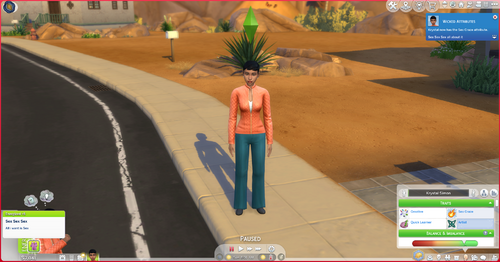
WW Traits
2026/03/17- Mod Update Delay read more on my Patreon
https://www.patreon.com/posts/update-delay-153307426?utm_medium=clipboard_copy&utm_source=copyLink&utm_campaign=postshare_creator&utm_content=join_link
Whicked Whims Traits
Thanks to the Great mod WW i have made some traits for you to add to your sim
-If you want to request some new ones let me know in Discord or my Patreon
-PornAddict
-ManWhore
-MilfCity
-PornAddict is the only one with a buff right now
Whats to come
-More WW Traits
-Adding Buffs
- Interactions for each traits
Social Sites
Patreon-SherBear12162 | Sims 4 Custom Content | Patreon
Discord-https://discord.gg/VKxRHBu6Y4
4126 downloads
Updated
-
.thumb.jpg.2ae4ed0c0c53d0cf701f728814785eb4.jpg)
Submitted
-
.thumb.jpg.3c6a327ab61f3d9ef731981944783cbb.jpg)
Submitted
-
.thumb.jpg.0e664793b33a3e21bb2330effa8cdf34.jpg)
Genos Loading Screen One Punch Man Package
By ONE-JUMP-MAN
Saitama Loading Screen For The Sims 4
Saitama loading screen.package
15 downloads
Submitted
-
.thumb.png.b011978d783bcdbd193b9d3fbfabeff0.png)
Updated
-
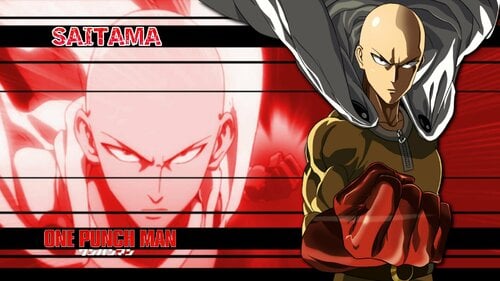
Saitama Loading Screen One Punch Man Package
By ONE-JUMP-MAN
Saitama Loading Screen For The Sims 4
Saitama loading screen.package
21 downloads
Updated
-
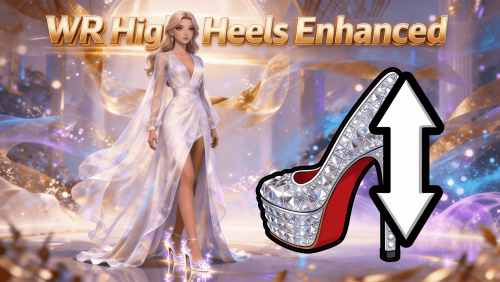
script mod WR High Heels Enhanced
By whiterober
WR High Heels Enhanced
Smart auto-adjust for slider-based heels — learn once, apply instantly; series management; height-based mood buffs; third-party animation support
A comprehensive enhancement system for slider-based high heels. Runs on top of WR Shoe System Core Library (v4.0+).
v4.3.0 - April 4, 2026 Changes
Major update: Added direct read support for third-party female-shoe height and walkstyle data. Shoe series refactor: Reworked series management as groundwork for the upcoming "Shoe Closet" feature. Walkstyle UX improvements: Better readability, improved prefix handling, and grouped ordering. Localization improvements: Unified display logic and reduced duplicated/ambiguous labels. Stability updates: Fixed multiple edge-case display issues for smoother interactions. 🔥 v2.0.0 (Core v4.0) NOW LIVE — All-Sim Heel Support Pre-Release!
Heel effects now reach every Sim in the world!
👥 All-Sim Heel Support — Heel effects can now be applied to all Sims, including NPCs (pre-release: select users) 🧩 Modular — Runs on WR Shoe System Core Library (Core v4.0+), fully independent of WSE 🧠 Smart Learning — Adjust once, remembered forever 💎 Height-Based Buffs — Low / medium / high heel mood effects 💡 Want Pre-installed Package?
If you prefer a package with all dependencies included, it's available for free download on the author's Patreon:
👉 WR_High_Heels_Enhanced_Pre-installed 👈
🌍 NOW SUPPORTING ALL 18 OFFICIAL LANGUAGES! 🌍
Full Localization Complete — English, 中文(简体/繁體), and 16 more!
Experience the mod in your native language: Čeština, Dansk, Nederlands, Suomi, Français, Deutsch, Italiano, 日本語, 한국어, Norsk, Polski, Português, Русский, Español, Svenska!
All menus, dialogs, and notifications fully localized. The game language automatically matches your settings!
⚠️ IMPORTANT COMPATIBILITY NOTICE
Works only with slider-based high heels (height via body sliders). Not compatible with proportion-based high heels (leg-length edits / full-scale changes). How to tell: If unconfigured heels clip into the ground, they're slider-based (✅ compatible). If legs appear shorter but heels don't clip, they're proportion-based (❌ incompatible).
🎯 Core Features
✅ 1. Smart Height Adjustment System
Two Working Modes:
Learning Mode — Adjust height once via Sim click menu; mod remembers and auto-applies next time. Pre-Configured Mode — If a preset exists, height is auto-applied without manual input. ✅ 2. In-Game Click Menu
Click your Sim → WR High Heels menu. Adjust heel height without leaving the game.
✅ 3. High Heel Series Management
Same shoe, five colors? Configure once — all variants update instantly.
✅ 4. Instant Effect Application
Changes apply immediately — no outfit swap needed.
✅ 5. Height-Based Heel Buffs
Low / medium / high heel thresholds each trigger unique buffs and mood effects.
✅ 6. Third-Party Animation Compatibility
Automatic detection of custom animations. Manual whitelist configuration for pose packs, WW animations, and more.
✅ 7. INI Configuration
Fine-grained control over heel detection, buff thresholds, and more via configuration files.
📋 Required Prerequisites
This mod requires the following dependencies:
💡 Want Pre-installed Package? Available for free on Patreon: WR_High_Heels_Enhanced_Pre-installed
WR Shoe System Core Library v4.0.0+ — Required. Install this first.
Download: CurseForge or Patreon XML Injector — Required for shoe detection and interaction hooks.
Download: XML Injector WR Walkstyle Enhanced — Optional. Fully independent of this module. 📦 Installation Guide
⚠️ CRITICAL: Extract Directly to Mods Folder Root or One-Level Subfolder!
DO NOT create deeply nested subfolders!
❌ WRONG: Mods/A/B/files... ✅ CORRECT: Mods/files... or Mods/WR_HHE/files...
Step 1 — Install WR Shoe System Core Library first
Visit the Quick Navigation Post and download WR Shoe System Core Library.
Step 2 — Install WR High Heels Enhanced (this file)
Extract the zip archive to: Documents/Electronic Arts/The Sims 4/Mods/ Enable Script Mods: Game Options → Other → Enable Script Mods ✓ Step 3 — Restart and verify
Restart the game Load a save → Click your Sim → look for the WR High Heels menu Put on slider-based heels and test height adjustment Configuration files will auto-create on first run at: mod_data/high_heels/configuration
🎮 How to Use
Quick Height Adjustment
Click Sim wearing heels → WR High Heels → Adjust Heel Height Set desired height; changes apply instantly Manage Heel Series
Click Sim → WR High Heels → Apply to Series Configure once — all variants in the series update Other options: Rename Series | Split Series | Set Walkstyle | Manage Interaction
Advanced Configuration
Edit preset.*.ini for pre-configured heels Edit blacklist.global.ini for buff parameters and interaction settings 💎 Perfect Experience — Add High Heels Sitting Clips Pack
Want the ULTIMATE high-heel experience? Combine with the High Heels Sitting Clips Pack!
Standing height perfect (this mod) Sitting poses perfect (Clips Pack) Seamless high-heel gameplay in every situation! 🔗 Download: High Heels Sitting Clips Pack
💎 Download Configuration Presets
For the best experience, download configuration presets!
Author-curated high heel presets Popular CC shoe presets One-click — no manual adjustments needed 👉 Download Configuration Presets
❓ Troubleshooting
Mod not working? Check Script Mods enabled; verify files in Mods root (max one subfolder deep). Heels not adjusting? Confirm heels are slider-based; try WR High Heels → Adjust Heel Height. Click menu missing? Restart game; confirm .ts4script in Mods folder; Script Mods enabled. 📢 Support & Community
Author's Patreon: https://www.patreon.com/cw/Whiterober Configuration Presets (free): Patreon Free Version Download: Available on CurseForge (this page) GitHub Project (Protocol Spec + Sample Package): https://github.com/whiterober/WR_Shoe_System Includes Chinese/English integration specs and creator_shoe_marker_sample.package for third-party creators JOIN OUR DISCORD COMMUNITY
🔗 Discord Server: https://discord.gg/sZp3A9eTpq
What you get:
🆘 Technical support 💡 Feature requests 📸 Showcase your work 💬 Community discussion 🙏 Special Thanks
Oops19 — Original High Heels system GitHub: https://github.com/Oops19/preview-HighHeels MADMAN — Default Feet Slider (3V Up) Patreon: https://www.patreon.com/posts/default-feet-3v-107447678 ⚖️ License & Usage
Free for personal gameplay. Do not re-upload or include in paid mod packs. Use official distribution pages.
Author: 白袍 (Whiterober)
Thank you for your support! ❤️
4141 downloads
- high heels
- customization
- (and 12 more)
Updated
-

Flirty to Horny
By Gilette83
This mod replaces all "flirty" strings in the game with "horny".
Tested on game version 1.118.257.1020.
English only.
6084 downloads
Submitted
-

Bare Bare Male Exhibitionism Gameplay Mod (Demo)
By Bare Bare
Susu, fellow Sims players! 👋
I love making my male Sim walk around naked, but there’s barely any reaction—from NPCs or even the Sim doing it. That always felt like a missed opportunity to me. I wanted something more immersive, where male Sims could be naked in public, do lewd or awkward things, and actually react to the situation, along with the Sims around them.
There aren’t many mods out there for male Sims, and honestly, I got tired of waiting for a mod that probably wasn’t ever going to exist. So I decided to make it myself.
After months of self-learning and experimenting, I finally created a mod that I’ve had so much fun with, and now I’m excited to share it with others who enjoy this kind of gameplay for their male Sims.
This mod is still very new, and there’s so much more I want to add and improve. If it is your kind of gameplay too, stick around. There's a lot more coming.
Bare Bare Male Exhibitionism
Full Version:
patreon.com/BareBare
Bare Bare Exhibitionism is a gameplay interaction mod for male Sims that builds upon the existing Exhibitionist skill from Wicked Whims. It introduces two exhibitionism types—Awkward and Perverse—each featuring unique behaviors, interactions, custom animation sets, as well as distinct buffs and emotions. Whether your Sim nervously exposes themselves in shame or confidently flaunts it all in public, this mod transforms male nudity into a fully interactive, story-driven experience that makes their exhibitionist journey more immersive and dynamic.
Core Gameplay Features
Awkward or Perverse Exhibitionism Gameplay
Choose between Awkward or Perverse exhibitionism type for your Sims. Both types share the same range of exhibitionist interactions available when your Sim is naked in outdoor or public spaces, including automatically reacting when exposed in public areas, triggering animations and mood buff. However, their reactions when caught are very different—Awkward Exhibitionists become too embarrassed to continue, while Perverse Exhibitionists lean into the attention without hesitation. Each type features unique emotional responses, different behaviors, and custom animation sets.
Naked Interactions
Flashing to groups, striking bold naked poses, or working out in the nude—watch your Sim confidently dwerk with hip swings, enjoy quirky moments like maschalagnia (armpit fetish), or simply embrace the thrill of getting a hard-on in public. The mod is still young and growing, with more exciting interactions coming in future updates.
Dynamic NPC Reactions To Naked Exhibitionist
NPCs respond based on your Sim’s exhibitionist type. Awkward Exhibitionists may be laughed at, while Perverse Exhibitionists are more likely to be cheered on. NPCs—and even paparazzi—will take out their phones to snap photos of your naked Sim. Staying exposed for too long will draw a growing crowd, intensifying both the attention and the pressure.
Arousal & Climax System
When naked in public, exhibitionist Sims enter a visible arousal state. When things heat up, they can climax openly—including custom outcomes like premature ejaculation, enhancing both immersion and risk.
Clothing Control with Custom Animations
This mod adds new pie menu interactions that let Sims undress or get dressed, complete with custom stripping animations when they take their clothes off.
Requirements & Dependencies
To ensure the mod works as intended, please make sure you have the following installed:
- Latest WickedWhims mod
Required for exhibitionism skill, undressing system, and nudity support (naked body, penis, erection).
- The Sims 4: Get Famous Expansion Pack
Required for NPC reactions.
How to Give Your Sim an Awkward or Perverse Exhibitionist Trait?
Once the mod is installed correctly, the Bare Bare Exhibitionism interaction pie menu will appear when you click on your active Sim. Within this menu, you’ll see options to set your Sim’s trait to Awkward or Perverse Exhibitionist.
⚠️ Please avoid using cheat (shift click) to add Awkward or Perverse Exhibitionism traits.
These traits are meant to be unlocked naturally by leveling up the Wicked Whims Exhibitionist skill. If added through cheats, your naked Sims may automatically dress themselves or fail to undress in public spaces, which can conflict with the core behavior of this mod.
If the Bare Bare Exhibitionism menu appears but is not clickable, it’s likely your Sim does not have the Exhibitionist trait from Wicked Whims. You need to purchase the trait using Satisfaction Points in the Reward Store.
My mod is designed to be user-friendly: if any interaction is not clickable, simply hover over it to see a tooltip explaining why it’s unavailable and what you can do to enable it.
Demo (v0.9.6) vs Patreon (v1.1.4): What’s the Difference?
Both the Demo and Patreon versions share the same core gameplay features — including NPC reactions and emotion buffs, which are primarily built using existing in-game tunings. This is why the demo is freely available.
The Patreon version mainly includes additional naked interactions with custom animations. These features take significantly more time and effort to produce due to the 3D animation work and tuning customization.
Below is a visual tree diagram comparing the pie menu options between the Demo and Patreon versions, so you can clearly see what’s included in each.
V2.9.0 – New Door Interaction Set
Single-door exhibitionism risky play interactions are finally here!
This update includes 27 animation clips for the single-door object:
Undressing animations
4 progression animation sets + climax
Each set includes at least 3 variations
All animations are designed to flow seamlessly together, playing autonomously from start to climax. Player-directed options are also available.
🚶♂️➡️🚪 Threshold & Autonomous Sequences
Once initiated, your Sim will autonomously progress through the sequence based on the Bare Bare arousal system.
As arousal increases, their behavior evolves:
From cautious peeking
To opening the door wider
To eventually stepping fully outside
Each threshold makes your Sim bolder and more daring.
🫦 Getting Into the Mood
While low arousal they’ll prefer to stay behind the exit, undressing and building up confidence behind the door.
🤤 Becoming Bolder
As arousal builds, so does excitement. Exhibitionist will begin opening the door more and exposing themselves further.
🥵 Lust Takes Over
At high arousal, restraint fades. Your Sim will step fully outside, continuing until they reach climax.
😬 Awkward Exhibitionists
Awkward Sims behave a bit differently:
If caught, they’ll become embarrassed and automatically hide
Unless:
You direct them to "bear the shame", or
Their arousal is at gooning state
⚠️🚧 Single Door Animation Limitations
A quick transparent note on limitations:
I just realized doors in-game aren’t designed to be animated this way. They normally rotate independently rather than through direct Sim interaction, so syncing both the Sim and the door can cause position shifting issues.
To minimise this, all animations were built using a base game door (such as the restroom sign door) as the reference. Doors with similar designs will align best, while others may show obvious visual offset.
At the moment, double doors and sliding doors are not supported. Testing showed they introduce even more inconsistencies, making them unreliable to animate properly.
In the future, I may create a custom “Bare Bare” door specifically designed for Bare Bare animation to fully eliminate these issues.
This also likely explains why there aren’t many door-based animations in WW.
💭 More Door Interactions?
Source: [Seikei] Watashi ga Gaman o Yameru Made no Itsukan
Yes — I’m not done yet.
I’m especially excited about exploring a sliding door exhibitionism scenario, inspired by a bara comic set on a train.
To bring this idea to life, I’ll need to:
Create a custom sliding door CC that resembles a train door
Build new animation logic around it
This will take some time, but it’s something I’m really looking forward to making happen.
🔴🟠🟡🟢🔵🟣 That’s all for now!
As mentioned in my previous post, more updates are coming soon — stay tuned!
Download Link to latest file:
Full Version (Patron-only)
16487 downloads
- exhibitionism
- exhibitionist
- (and 17 more)
Updated
-

Proxy Loader for SIMS 4: Real-Time Body Physics + ReShade
By CTMODS
───────────────────────────────────────────────
SIMS 4: Real-Time Body Physics + ReShade Proxy Loader
Dual DLL Compatibility Fix
───────────────────────────────────────────────
By CTMODS
───────────────────────────────────────────────
───────────────────────────────────────────────
RTBP by CPVC → https://www.loverslab.com/topic/151957-real-time-body-physics/
This setup allows both RTBP and ReShade to function in The Sims 4,
despite both requiring d3d9.dll. It uses a custom proxy DLL that
loads both mods in sequence — ensuring no conflicts or crashes.
────────────────────────────
🎮 Intended For:
────────────────────────────
✔ The Sims 4 DX9 64-bit version (Tested on version 1.116.202.1030):
TS4_DX9_x64.exe
✔ ReShade 6.5.1 Addon build:
ReShade_Setup_6.5.1_Addon.exe
(Download from: https://reshade.me/#download)
Compatible with shader packs tested for Sims 4
────────────────────────────
✅ Safe-to-Use Shader Packs:
────────────────────────────
The following shader packs are tested and safe to use with Sims 4:
• qUINT
• SweetFX
• FXShaders
• Legacy Standard Effects
• AstrayFX
• OtisFX
• CShade
• AnamorphoFX / Fubax
Avoid using GShade, METEOR, RSRetroArch, or other OpenGL/experimental packs unless you know how to debug shader compilation errors.
────────────────────────────
📂 Setup Instructions:
────────────────────────────
1. Go to your Sims 4 game folder:
C:\Program Files\EA Games\The Sims 4\Game\Bin
or
C:\Program Files (x86)\Origin Games\The Sims 4\Game\Bin
2. Rename your RTBP d3d9.dll to:
rtbp.dll
3. Rename your ReShade d3d9.dll to:
reshade_original.dll
4. Copy this d3d9.dll (the proxy loader) into the same folder.
✅ Your final folder should now contain:
├── d3d9.dll ← the proxy loader
├── rtbp.dll ← Real-Time Body Physics
└── reshade_original.dll ← ReShade 6.5.1 Addon
5. Launch The Sims 4.
✅ You should see:
- ReShade's overlay (press HOME)
- Working physics from RTBP
────────────────────────────
🔁 Notes & Compatibility:
────────────────────────────
• This setup works only with DirectX 9 mode
• Not compatible with other mods that also inject d3d9.dll
• If you update ReShade or RTBP, just reapply the renames
• Tested on Sims 4 x64 DX9 with ReShade 6.5.1 Addon and CPVC RTBP
────────────────────────────
📝 Credits:
────────────────────────────
Proxy Loader by CTMODS
RTBP by CPVC → Real-Time Body Physics by CPVC
ReShade by crosire → ReShade
────────────────────────────
This is for those who had trouble getting RTBP to work after updating both TS4 and ReShade to the latest editions like myself. Enjoy.
4296 downloads
- ts4
- the sims 4
- (and 2 more)
Submitted
-
.thumb.png.c087c8bee9a1fb81b4778092389c446c.png)
Pervers Trait FR/ENG
By Gum2503
Bonjour à tous, je suis heureux de vous présenter ce mod ! Il s'agit d'un reposte de ma page patreon pour la version Gratuite.
une nouvelle version du mod ajoutant 3 nouveaux traits de caractère sera disponible sur mon patreon dès aujourd'hui en payant 2.50 (Tous mes autres mods sont également disponibles, vous trouverez mes tatouages pervers version payante, des tapis de sims nus comme déco et d'autres trucs) patreon.com/Gum555
Les traits sont : Gigolo, Sainte nitouche et pervers. Ils ajoutent tous les 3 de nouveaux buffs, comme le trait présenté dans ce post !
Encore merci à Angelus pour son aide. Il m'a fait toute la version anglaise qui est directement intégrée dans le fichier du mods !
PLACE AU POSTE ! :
J'espère qu'il vous plaira malgré que ce soit mon tout premier mod trait de caractère, car j'ai passé beaucoup de temps à le réaliser.
Vous pouvez aussi aller voir les mods de Grumpy, ces vidéos sur YouTube m'ont beaucoup aidé à créer ces mods, elle ne fait pas des mods spéciaux comme ici 👀 , mais ces mods sont quand même excellent !
Angelus75 m'a fait la traduction anglaise du mod ! Il réalise normalement des traductions de l'anglais vers le français, mais il a bien voulu faire l'inverse pour moi ! n'hésitez pas à le suivre sur LoversLab
pour pouvoir avoir ceci, il faut être membre payant ( je mettrai le lien de la publication pour télécharger sur ce poste)
Le mods sortira en version gratuite dans 1 mois, mais il y aura aussi probablement une nouvelle version du mods pour les membres payants dans 1 mois ou 2 !
MAINTENANT , PRESENTATION !
Ce mot est un trait de caractère exclusivement pour les femmes qui représente le fétiche de faire l'amour avec des personnes que l'on ne connaît pas et de tomber enceinte.
le nouveau trait de caractère ajoute un buff enjoleur à votre sims quand celui-ci est à proximité de sims masculins qui ne font pas partie de son foyer
le nouveau trait ajoute un buff enjoleur puissant à tous les hommes qui ne sont pas dans votre foyer et qui sont à proximité de votre sim
les buffs enjôleur ont un léger multiplicateur qui s'applique constamment ( exemple : votre sims à un buff classique enjoleur de 1 alors avec le multiplicateur, se buff passe de 1 à 2 )
les relations amoureuses sont boostées et montent plus vite pour votre sims
il y a un buff spécial enjôleur extrêmement puissant qui apparaît quand votre sims est enceinte
Pour les prochaines mise à jour ?
je souhaite faire en sorte que le buff qui apparaît quand votre sims est enceinte, n'apparaisse seulement quand elle est enceinte d'un homme ne faisant pas partie de son foyer
j'ajouterais plus de bonus
de nouveaux traits de caractère pour avoir plusieurs traits qui interagissent avec diverses buffs et interactions ensemble
un nouvel objectif de vie à remplir pour débloquer mon trait de caractère
j'ajouterais une sécurité pour pas que le buff enjôleur n'apparaisse pas chez les sims masculins de votre famille ne faisant pas partie du foyer
INSTALLATION
déposer le fichier dans votre dossier mods ou un sous dossier
lancer le jeux , activer les triche en appuyant sur Maj et en cliquant sur votre sims , allez dans Gameplay et là bas vous trouverais mon trait , le logo du trait ressemble à des lèvres
-----------------------------------------------------------------------------------------------------------------------------------------------------------------------
Hello everyone, I'm happy to present this mod to you! This is a repost of my Patreon page for the Free version.
A new version of the mod adding 3 new traits will be available on my Patreon starting today for a fee of 2.50 (All my other mods are also available; you'll find my paid version of perverted tattoos, nude Sim rugs as decor, and other stuff) patreon.com/Gum555
The traits are: Gigolo, Goody-goody, and Pervert. All three add new buffs, like the trait featured in this post!
Thanks again to Angelus for his help. He made the entire English version, which is directly integrated into the mod file! ( Yes, this post is made with Google Translate, sorry for the mistakes.) LET'S GET STARTED!
Hello everyone, I'm happy to present this new mod to you!
I hope you'll like it, even though it's my very first character trait mod, because I spent a lot of time making it.
You can also check out Grumpy's mods; her YouTube videos helped me a lot in creating these mods. She doesn't make special mods like this one 👀, but these mods are still excellent!
Angelus75 translated the mod into English for me! He normally does translations from English to French, but he kindly agreed to do the reverse for me! Feel free to follow him on LoversLab.
To get this, you must be a paying member (I'll post the link to the post to download it on this post).
The mod will be released as a free version in a month, but there will probably also be a new version for paying members in a month or two!
NOW, INTRODUCING!
This word is a female-exclusive trait that represents the fetish of having sex with strangers and getting pregnant.
The new trait adds a flirtatious buff to your Sim when they are near male Sims who are not part of their household.
The new trait adds a powerful flirtatious buff to all males who are not in your household and are near your Sim.
Flirty buffs have a slight multiplier that applies constantly (example: your Sim has a classic flirtatious buff of 1, so with the multiplier, this buff goes from 1 to 2).
Romantic relationships are boosted and progress faster for your Sim.
There is a special, extremely powerful flirtatious buff that appears when your Sim is pregnant.
For future updates?
I want to make it so that the buff that appears when your Sim is pregnant only appears when she's pregnant by a man outside her household.
I would add more bonuses.
New traits to have multiple traits that interact with various buffs and interactions together.
A new life goal to complete to unlock my trait.
I would add a security feature so that the flirtatious buff doesn't appear on male Sims in your family who aren't part of the household.
DOWNLOAD
drop the file into your mods folder or a subfolder
launch the game, activate the cheats by pressing Shift and clicking on your sims, go to Gameplay and there you will find my trait, the trait logo looks like lips
3866 downloads
Updated
-
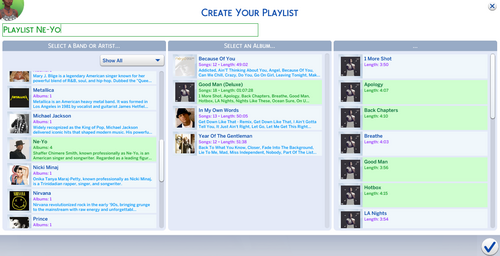
its music time Its Music Time
By _TANK_
Hey everyone!
I’m excited to introduce ItsMusicTime — a brand new music mod that brings your Sims’ listening experience to life! 🎧
As of now, the mod works with the following objects:
📻 Stereo
🎧 Earbuds
🎛 DJ Booths
🔊 Wall Speakers
🤖 Party Bots
You’ll find the ItsMusicTime menu by clicking on any of these objects.
NEW GOOGLE DRIVE LINK for easier download of all Trailer Albums
https://drive.google.com/drive/folders/1VjFowRGZcr5hzeiyGilVCiyUjM4QiX7I?usp=sharing
FULL ALBUMS HERE: https://www.patreon.com/posts/125547962
🛠 REQUIREMENTS
📌 TanksMods Mod Central 1.2.1+
📌 Music Library (Public or Patreon Exclusive)
📌 Game Version: 1.116
🎵 BASIC FEATURES
Play music from a growing library of artists/bands and teaser albums
Dynamic UI with artist/band and album
Music Genre filter drop-down for quicker browsing
Autonomous music picker for immersive game-play
"Turn On" and "Listen" interactions for music objects
✨ PATRON-EXCLUSIVE FEATURES
🎼 Full albums with multiple tracks for immersive sessions
🎧 Full DJ Booth support — integrated with your music collection 🎧
Skip to Next Song ⏩
Play Specific or Random Album🔄
Pick Specific Album🎵
Request Random and Specific Albums to hired DJs 🎉
📝 Playlists Builder (NEW)
🎤 Request New Artists/Albums — your input drives future updates!
📥 INSTALLATION
Download the file below and extract its contents into your Sims 4 Mods directory:
📂 Usually Documents\Electronic Arts\The Sims 4\Mods
Updating? Follow the same steps and overwrite existing files when prompted.
🧠 Tip: The zip file includes a structured folder setup to avoid duplicates and ensure proper installation. Just copy the entire TanksMods folder to your Mods directory!
❓ NEED SUPPORT?
💬 Join the Discord → https://discord.com/invite/NhYVhY35ex
Get help, leave feedback, and submit your requests!
🧹 Don’t forget to delete localthumbcache.package and avatarcache.package after updating to refresh the game’s cache.
🔧 CHANGES & FIXES
🔽 Added genre filter drop-down in the artist/band section
🤖 Added autonomous music picker
🆕 New Turn On and Listen interactions for supported objects
2914 downloads
Updated
-

DLS BackGrounds
2025/07/08-Tested on Latest Patch still works good
https://www.patreon.com/posts/loading-screen-126426375?utm_medium=clipboard_copy&utm_source=copyLink&utm_campaign=postshare_creator&utm_content=join_link
These are my DLS Background images for this sims 4 more to come 20 Images so far
Needed Mods
1833 downloads
Updated
-
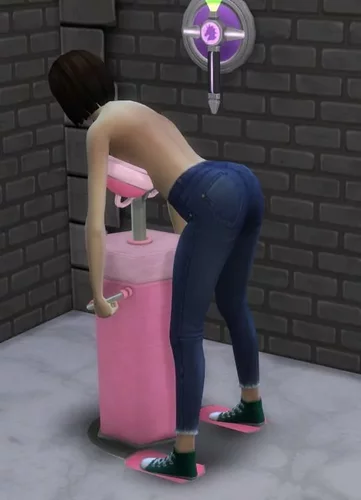
On Interaction Do
By Oops19
Alpha Preview Release
You are welcome to test it. It is quite stable but some timings still fail. Traveling will cause a bunch of exceptions, please ignore them.
S4CL and TS4-Lib are needed for this mod!
On Interaction Do
This is a script mod to run various commands whenever a sim is executing an action.
It supports many base game interactions, and support for some mods. It uses the appearance modifiers provided by Devious Desires / Core and it is not compatible with 'wicked' script mods.
This mod currently requires Devious Desires / Core to be able to use appearance modifiers.
Code and/or included Content
This mod only references object and/or tuning names of interactions etc. This mod does not
add new interactions add new items include or override UGC created by other mod creators Base Game
For the base game there are a few interactions. Some base game interactions may result in removed outfit parts for sims.
Shower
Sims will turn around in shower instead of watching the wall. Vanilla 'Pillow Fight ...'
Sims will undress their shoes and might lose outfit parts. Using Toilet
Configuration removed. Handled and hard coded in DD. Feeding Baby
Configuration removed. Handled and hard coded in DD. Play Sabbac
Losers undress am outfit item. 3rd party mods and build items
HIU
HIU by Sacrificial is supported, while it is not required. If HIU is installed make sure to remove these script mods:
wicked*.ts4script The actors support the basic un-/equip commands as used by HIU.
Build Items
Some devices by Kritical are supported, none of them is required. Just make sure to remove these script mods:
[Kritical]StyxUrinal1.ts4script # and/or similar versions [Kritical]PracticalSexArcade1.ts4script # and/or similar versions The following devices are supported:
[Kritical]BlowjobArcade1d.package [Kritical]CeladonUrinal1a.package [Kritical]ExerciseBike1b.package [Kritical]FeedingMachine1d.package [Kritical]LetheUrinal1a.package [Kritical]MajesticHole1f.package [Kritical]MilkingMachine1d.package [Kritical]PracticalSexArcade1j.package [Kritical]SensoryDeprivationChamber1a.package [Kritical]StyxUrinal1h.package [Kritical]TanningRack1a.package [Kritical]Thighmaster1a.package [Kritical]WorkoutMachineFreya1a.package This mod has been tested with the versions mentioned above.
The mod injects into the interactions to make them compatible with DD.
Issues
Commands may be executed shortly after an interaction starts and shortly before an interaction stops. It's not perfect but hopefully good enough for TS4. Some of the issues mentioned below may have been fixed so far.
Sex and BJ Arcade
Customers will undress the lower body and dress up afterwards properly, the initial state (nude, underwear, outfit) will be restored. The gender check has been removed, customers without a penis will use a strap-on. Customers with a penis will get a boner during animation. Flaccid afterwards, also the cum level will be reduced. Styx Urinal
Customers will undress the lower body and dress up afterwards properly, the initial state (nude, underwear, outfit) will be restored. Not modified: The game may rotate the sim or the effect 180° and it may look odd. Milking Machine
Sims with a Basic, Upgraded or Reward trait can use it. Sims will undress the upper body and dress up afterwards properly, the initial state (nude, underwear, outfit) will be restored. The milk level will be reduced after milking. This is not related to the amount of milk available in the machine. Sims will no longer fade-out and fade-in as it didn't work reliable for me. Pregnant sims can milk themselves. Customized Custom User Customization
You read the title successfully, so you may start to adjust random vanilla and/or mod interactions as you like.
Gather the interaction IDs
There are two options to get interaction IDs
Log interaction IDs
Press Shift+Ctrl+C to open the debug console Enter o19.oid.log_sim to log the queued interactions of the active sim. Optionally, this is usually Not Needed, log the pre-run interactions with o19.oid.log_sim_pre_run Run the command again to disable logging. Gather the interaction IDs with S4CL
Pause the game and click on object X and select the interaction. It will be queued in the interaction Q. Sim+Shift-click > S4CL > Show running interactions to ge the IDs/Names or running and/or queued interactions. Un-pause the game and wait until the sim is using the object. Shift-click > S4CL > Show running interactions to ge the IDs/Names or running and/or queued interactions. The 'interact' and the 'interacting' interactions may be two different ones. Create Configuration File
Use your name and replace author (unless everyone calls you 'author' already). Replace interaction_description with the intention of the modification. Replace the tunings value with the interaction name(s), e.g. celebrity_Self_PoseforPicture. Optionally use S4S to search for similar interactions (with interaction/celebrity_Self_). There you'll find 3. You could add these 3 interactions or celebrity_Self_ - in case a new self interaction is added your customization will modify it without any update. Then we need an idea what to do. For now add g_debug_alert(celeb) and g_info_alert(celeb). Save the file to mod_data/on_interaction_do/cfg/ and hope you didn't break it. Optionally validate the contents with https://codebeautify.org/python-formatter-beautifier Reload the data with o19.oid.patch or o19.oid.patch_verbose which logs more data while patching to TS4-Library_*_Messages.txt. In case the file is broken validate it with https://codebeautify.org/python-formatter-beautifier { "author_interaction_description*": { # TODO adjust "filter": { "tunings": ["TuningName_as_logged_by_S4CL", "TuningName_2_as_logged_by_S4CL", ], }, "actions": { "start_of_animation*": { # TODO adjust "parameters": ["g_debug_alert(111)", ], "timing": "at_beginning", }, "end_of_animation*": { # TODO adjust "parameters": ["g_info_alert(111)", ], }, }, }, } http://localhost:63342/markdownPreview/1717297396/TS4-OID?_ijt=b9eqjtflr7nfbhirajdj81kde8
The keywords 'filter, tunings, actions, parameters, timing' must not be modified.
Adjust the keywords ending with '*' to match your needs.
Unlike json comments are supported and ,} and/or ,] work fine. This allows to add new lines / statements without appending,` to the line above.
Run again the interaction - with a random sim - and enjoy the modified configuration.
debug.txt
In case too much is going and/or patched save the file as 'debug.txt' or 'author_debug.txt'. In case one or more debug files exist it/they will be read and applied - the standard configuration is ignored. To 'undo' all applied modifications restart the game and then test the debug settings. Reload them with o19.oid.patch.
After testing copy the contents to a regular configuration file and delete the/all debug file(s). With o19.oid.patch the files will be read and applied again, without restarting the game.
Supported 'actions'
To modify how interactions start or end some commands are available. Some additional settings are also available and shown below.
{ "author_interaction_description*": { 'actions': { "start_of_animation*": { 'drop_all_basic_extras': True, # drop everything with <I><L n="basic_extras">[...]</L> 'drop_basic_extras': [ # or drop individual elements within <I><L n="basic_extras">, supported are 'TunableBroadcasterRequestWrapper.BroadcasterRequest', 'TunableBuffElementWrapper.factory', 'TunableChangeOutfitElementWrapper.ChangeOutfitElement', 'TunableDoCommandWrapper.DoCommand', 'TunableLootElementWrapper.LootElement', 'TunableNotificationElementWrapper.NotificationElement', 'TunablePlayVisualEffectElementWrapper.PlayVisualEffectElement', 'TunablePregnancyElementWrapper.PregnancyElement', 'TunableStateChangeWrapper._factory', 'TunableTunableAudioStingWrapper.TunableAudioSting', ], 'timing': 'at_beginning', # or 'at_end' or 'on_xevt' 'offset_time': 5, # optionally, only valid for 'at_beginning' 'xevt_id': 123, # only valid for 'on_xevt' 'include_target_sim': True, # can be set to False 'include_target_object': False, # setting this to True sets include_target_sim=False 'parameters': ['...', ], }, }, }, } http://localhost:63342/markdownPreview/1717297396/TS4-OID?_ijt=b9eqjtflr7nfbhirajdj81kde8
For parameters these commands are available:
g_repeat(tunings_ref, 900, 30) - Repeat the following commands for max. 900 seconds, every 30 seconds, while the sim is running one of the interactions in "filter.tunings". g_random(10) - 10% change to continue with the next command (range 1-99) g_rotate_abs(340) - Rotate the sim slowly to -20° (range 1-359) g_rotate_rnd(180, 10) - Rotate the sim slowly to a position between -170° - 190° (180° ± 10°) - range(1-359, 1-179) g_rotate_end - Stop the rotation before it completed. g_opacity(0.8, 10) - Fade the sim to 80%% opacity within 10 seconds. range(0.0-1.0, 0-30) g_debug_info(Message) - Show a blue popup for debug purposes. g_debug_alert(Message) - Show an orange popup for debug purposes. bg_impregnate - Impregnate the target sim (target sim must be set !) s_undo_outfit - Undo outfit changes created by one of the following parameters at the end of the interaction. s_undo_outfit(200) - In case the interaction is still running after 200s undo the outfit change. (range 1-999) s_undo_outfit(200, 30) - As above, but wait 30 seconds before undo. s_undress_cas_parts(5, 6, 7) - Remove CAS / body types from the sim. 5=FULL_BODY, 6=TOP, 7=BOTTOM (range 1-200, not every part is supported) s_equip_cas_parts - Equip CAS / body types s_undress_all, s_undress_full, s_undress_top, s_undress_bottom, s_undress_shoes - Remove CAS parts s_equip_all, s_equip_full, s_equip_top, s_equip_bottom - Add CAS parts s_undress_next - Remove one CAS part. The types and order is pre-defined. Might be called in a loop. s_undress_next(7, 6) - Remove one CAS part in the specified order. Might be called in a loop. Supported 'filters'
Usually it is fine just to specify tunings.
The default tuning manager is 'INTERACTION', this can be modified if needed. The configuration files of this mod always call their own cheat command 'o19.oid.do_command' (default) which can also be modified. One call can call cheat commands of random mods while the supplied command parameters will usually not match. A list of buffs and traits can also be generated to be used by 'commands'. The 'tunings' can be specified as strings starting and or ending with '*' for wildcards. Use wildcards with care, *a* matches almost all tunings and may cause out of memory issues and take less than eternity to complete.
{ "author_interaction_description*": { "filter": { 'traits': ['...', ], 'buffs': ['...', ], 'manager': 'INTERACTION', # or 'SNIPPET' to modify a snippet tuning 'tunings': ['...', ], 'command': 'o19.oid.do_command', }, ... http://localhost:63342/markdownPreview/1717297396/TS4-OID?_ijt=b9eqjtflr7nfbhirajdj81kde8
Supported 'commands'
Within 'commands' a few special commands are supported. It contains a list of 1-n commands.
{ "author_interaction_description*": { "filter": { 'traits': ['...' ], 'buffs': ['...' ], ... }, "commands": [ ... ] } } http://localhost:63342/markdownPreview/1717297396/TS4-OID?_ijt=b9eqjtflr7nfbhirajdj81kde8 remove_privacy Remove privacy checks (<I>[<V n="privacy" ...</V>]) no_gender_check Remove gender checks (<I><L n="test_globals">[<E n="gender">...</E>]) drop_tg_TEST with TEST=BuffTest, CareerGigTest, CommodityAdvertisedTest, SimInfoTest, SkillRangeTest, TraitTest drop_tg_BuffTest removes all Buff tests from 'test_globals'. This might cause issues for further tests. ACTION_LIST_TYPE Eight commands with ACTION=add or remove, LIST=whitelist or blacklist and TYPE=buffs or traits from test_globals add_whitelist_buffs add_blacklist_buffs add_whitelist_traits add_blacklist_traits remove_whitelist_buffs remove_whitelist_buffs remove_blacklist_traits remove_blacklist_traits All six other variations work like these two samples: add_whitelist_traits Add the 'filter.traits' to the allow list remove_blacklist_buffs Remove the 'filter.buffs' from the deny list. Set 'filter.buffs' to 'True' to remove everything. To add buffs and two remove other buffs two author_interaction_description sections are needed as only one buffs and traits section exist. ACTION_LIST_TYPE_test Eight commands with ACTION=add or remove, LIST=whitelist or blacklist and TYPE=buffs or traits from n="testSet..." tunings (). add_whitelist_buffs_test, ... see above for details. Addendum
Game compatibility
This mod has been tested with The Sims 4 1.112.481, S4CL 3.10, TS4Lib 0.3.36. It is expected to be compatible with many upcoming releases of TS4, S4CL and TS4Lib.
Dependencies
Download the ZIP file, not the sources.
This Mod TS4-Library S4CL The Sims 4 If not installed download and install TS4 and these mods. All are available for free.
Removal of the mod
The mod installation with unzip writes to a few directories. To remove this mod and all related files locate the files and folders and remove them:
The Sims 4/Mods/_o19_/$mod_name.* The Sims 4/mod_data/_o19_/$mod_name/ The Sims 4/mod_documentation/_o19_/$mod_name/ The Sims 4/mod_sources/_o19_/$mod_name/ To remove all of my mods locate these folders and remove them:
The Sims 4/Mods/_o19_/ The Sims 4/mod_data/_o19_/ The Sims 4/mod_documentation/_o19_/ The Sims 4/mod_sources/_o19_/ Installation
Locate the localized The Sims 4 folder which contains the Mods folder. Extract the ZIP file into this The Sims 4 folder. It will create the directories/files Mods/_o19_/$mod_name.ts4script, Mods/_o19_/$mod_name.package, mod_data/$mod_name/* and/or mod_documentation/$mod_name/* and/or mod_sources/$mod_name/* CAS and build-buy UGC without scripts will create Mods/o19/$mod_name.package. mod_logs/$mod_name.txt will be created as soon as data is logged. mod_documentation/$mod_name/ and/or mod_sources/$mod_name/ are not required and can be deleted. Manual Installation
If you don't want to extract the ZIP file into The Sims 4 folder you might want to read this. You can extract the ZIP file to a temporary directory and copy the folders manually.
The files in ZIP-File/mod_data are usually required and should be extracted to The Sims 4/mod_data. The files in ZIP-File/mod_documentation are for you to read it. They are not needed to use this mod. The files in ZIP-File/mod_sources are not needed to use this mod. The Mods/_o19_/*.ts4script files can be stored in a random folder within Mods or directly in Mods. I highly recommend to store it in _o19_ so you know who created it. Troubleshooting
When installed properly this is not necessary at all. For manual installations check these things and make sure each question can be answered with 'yes'.
Does 'The Sims 4' (localized to Die Sims 4, Les Sims 4, Los Sims 4, The Sims 4, ...) exist? Does The Sims 4 contain the folder Mods? Does Mods contain the folder _o19_? Does _19_ contain ts4lib.ts4script and ts4lib.package files? Does _19_ contain {mod_name}.ts4script and/or {mod_name}.package files? Does The Sims 4 contain the folder mod_data? Does mod_data contain the folder {mod_name}? Does {mod_name} contain files or folders? Does The Sims 4 contain the mod_logs ? Does mod_logs contain the file Sims4CommunityLib_*_Messages.txt? Does mod_logs contain the file TS4-Library_*_Messages.txt? Is this the most recent version or can it be updated? Does mod_logs contain the file {mod_name}_*_Messages.txt? Is this the most recent version or can it be updated? Doesn't The Sims 4 contain the file(s) last_exception.txt and/or last_exception*.txt ? Share the The Sims 4/mod_logs/Sims4CommunityLib_*_Messages.txt and The Sims 4/mod_logs/{mod_name}_*_Messages.txt file. Usage Tracking / Privacy
This mod does not send any data to tracking servers. The code is open source, not obfuscated, and can be reviewed.
Some log entries in the log file ('mod_logs' folder) may contain the local username, especially if files are not found (WARN, ERROR).
External Links
Sources Support Donations
Copyright and License
© 2024 Oops19 License for '.package' files: Electronic Arts TOS for UGC License for other media unless specified differently: CC BY 4.0 unless the Electronic Arts TOS for UGC overrides it. This allows you to use this mod and re-use the code even if you don't own The Sims 4. Have fun extending this mod and/or integrating it with your mods. Oops19 / o19 is not endorsed by or affiliated with Electronic Arts or its licensors. Game content and materials copyright Electronic Arts Inc. and its licensors. Trademarks are the property of their respective owners.
TOS
Please don't put it behind a paywall. Please don't create mods which break with every TS4 update. For simple tuning modifications use Patch-XML or LiveXML. To check the XML structure of custom tunings use VanillaLogs.9300 downloads
Submitted
-
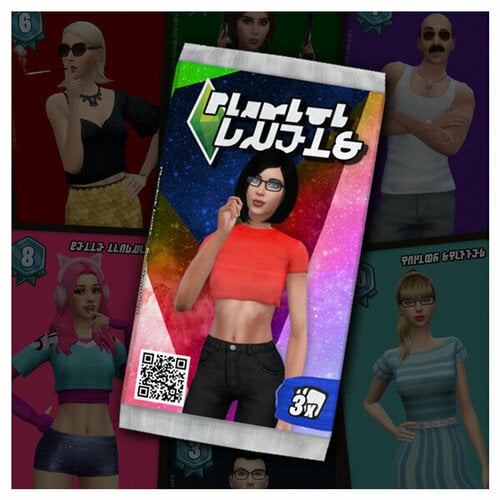
Plumbob Duels! - A Lore Friendly CCG Mod (v1.0.1)
By PECO
Plumbob Duels! is a mod focused around Card Collecting, and features Lore-Friendly Original Content.
PATCH COMPATIBILITY:
Tested and working with TS4 game versions 1.116 or newer.
(Please note that this does not mean that this mod doesn't possibly work with game versions older than that - it most likely will - I just can not guarantee that it will work perfectly.)
LATEST UPDATE:
2025-AUG-20: Plumbob Duels framework updated to v1.0.1
MOD DESCRIPTION:
Ever since I noticed how popular the collectible CineMinis figurines featured in my CinErotique mod have become, I’ve been thinking about expanding further into the collectible genre. However, it wasn’t really until the introduction of the Tarot cards in the Life & Death EP that I finally felt inspired to make it happen.
So without further ado, let me present you my brand new mod...
PLUMBOB DUELS!
And to kick it off in style, the first card set for it is fittingly featuring...
The Stars of CinErotique
This new set features 350+ individual cards of your favourite CinErotique Stars in varying levels of spiciness (Basic, Lewd, Nude) - and rarity (Common, Special Edition and Full Holo) - so there's plenty to collect.
But to give you a full glimpse, I've made a collage of all the cards that can be found... (see spoiler below)
All cards featured in the public version have 512p textures (just for comparison, EA uses 128p textures - which is 1/16th the size - for similar objects), but if you feel like upgrading, I have a HD version of the card sets available on my -PATREON-, that features 1024p textures.
To start collecting, you'll need to open Booster packs.
Simply click on your sim, then select Plumbob Duels! > Buy Booster Packs.
Each series (Basic, Lewd and Nude) has three different types of Booster packs available:
Common Booster packs are cheap, but the chance to pull any rare cards from them are also low. Deluxe Booster packs are a bit more expensive, and are guaranteed to contain at least one card with a strength of 7 or higher. Mythic Booster packs are the most expensive ones, but they're also guaranteed to contain at least one special variant card (Special Edition or Full Holo)!
To help you proudly showcase your collection to your nerdy Sim friends - or to your customers if you'd like to run your own shop -, I’ve also created some special objects designed specifically to display your cards.
Two wall mounted display cases, one with a glass cover and one without. - (2 colour swatches each) - (A)(D) A simple black card display stand. - (C) A small glass display case - to display those really valuable cards. - (4 swatches - featuring different grading scores) - (B)
DLC REQUIREMENTS
Nothing. It is Base Game compatible.
INSTALL INSTRUCTIONS
Download the mod framework zip file from the #DOWNLOAD THIS FILE# section.
( !PlumbobDuels_Mod_Framework_vX.X_buildXXXX.zip ) Unzip it and copy the "Plumbob Duels" folder - as is - into your Sims4 Mods folder.
(Default path for the Mods folder is: Documents/Electronic Arts/The Sims 4/Mods) Download Card Set(s) of your choice from the #DOWNLOAD THIS FILE# section.
(Download at least one, otherwise the mod is useless) Copy the downloaded card set package files into the Plumbob Duels > CARD_SETS folder in your Sims4 Mods folder.
PLANNED FUTURE ROADMAP
While the mod is a little bare-bones at the moment - to say the least - but I have some plans for the future...
Phase 1: I'll add some basic Quality-of-Life improvements, like the ability to open 10 packs at once, sell duplicate cards from the inventory, etc. (DONE - added in v1.0)
I'd also like to add a second set of cards (with a similar scope to the current one), featuring the iconic pre-made Sims from the game. I’ve already created a shortlist of about 50 classics simmies, including the Goths, Pancakes, Landgraabs, Vlad, and many more.
Future plans will depend on the mod’s reception. If it proves popular, I’d like to progress further into...
Phase 2: Introduce a Collection Manager and a Sim-to-Sim Card Trading system, similar to what’s available for the CinErotique CineMinis figurines.
Probably also add some sort of achievement system, and some unlockable rewards to go with it.
Phase 3: This phase would involve creating an actual in-game card game that Sims can play against each other. Don’t worry—it won’t be anything too complicated! I’m thinking a sort of mix between Uno and Top Trumps, with some light deck-building elements. However, this is something planned for much further down the line.
FAQ
"Why is this a separate mod and is not just a new feature for the CinErotique framework?"
From the get go of coming up with the concept, I wanted to make a mod that has the potential to reach a wider possible audience; so by making it its own thing I can more easily strip out NSFW parts and make a more vanilla alternate version.
"What are those Icons/numbers on the cards?"
The 3 scores at the bottom of the cards represent 3 attributes of the sim - Charisma, Ambition and Style - , while the card strength score in the top right marks a sort of general strength the card represents based on the other 3 attribute scores.
They are purely artistic, and have no real function at the moment - apart from making the card look more like paying cards - but if we reach Phase 3, these scores could be the basis of a real card game I was talking about.
USAGE TERMS:
- For personal use only.
- DO NOT re-distribute this mod or any parts of it on other 3rd party sites.
- DO NOT include this mod in bundles. Just link to this site please.
- DO NOT bundle, include or in any ways incorporate this mod's custom ingame assets with other mod's.
Care to support the development? Check out my Patreon page.
16360 downloads
- original content
- lore friendly
- (and 5 more)
Updated
-
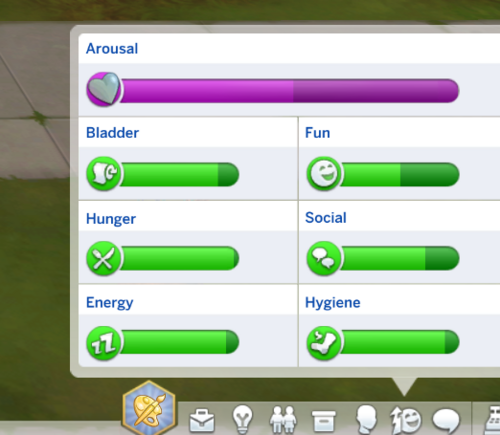
Sims 4 Arousal meter
By SimsBabyFox
This mod requires Lot51 Core library to work (latest version).
This mod is compatible with the Feb 2025 game patch.
NOTE: Enchanted by nature game pack - this mod will be updated to include the latest game expansion, with hopefully the new occult class, once I'm able to buy it. In this update, I'll also address some pending bug fixes mentioned in the comments. Apologies as I know updates have been slow!
Introduces a new trait, ‘Sex Drive’, that adds an ‘Arousal’ meter to the game. This depletes over 3 days and can be replenished by:
Vanilla woohoo or try for baby interactions Wicked Whims interactions (including masturbating)
The meter will not replenish unless the character is satisfied (i.e., receives a satisfied moodlet).
As of version 3.0, the arousal meter does not replace any of the base-game traits, with exception to vampire, werewolf and spellcaster sims due to UI limitations.
For these 3 occults, a separate trait (called ‘Occult Lust’) will add the arousal meter in place of the ‘fun’ meter. If you want this to affect a different meter, such as ‘social’, let me know and I can make an alternate version for that.
This should happen automatically on turning into these occults from a human, where if you have the Sex Drive trait, it will replace it with the Occult Lust trait and vice versa upon converting back into a human again. However, if this doesn’t work, you can always add the respective trait manually via cheats.
Outcomes to the meter depleting include various buffs to suggest increased sexual frustration, but nothing too gameplay-intrusive.
The following will drop the meter further or speed up decay:
'Lewd dreaming', via Wicked Whims Watching sex or watching porn without masturbating (WW) Being in a 'flirty' mood, unless you have recently had satisfying sex (via WW) Not a flirty moodlet, but having an overall flirty emotion; this is intended as a sort-of catch-all for buffs added by other mods that mention 'arousal' as most of them are flirty buffs (those that aren't only trigger on not having sex for a while, which would be reflecting in the meter anyway)
This mod was last updated 11 February 2025
Requirements
Lot51 Core Library
Compatibility
If converting to 'sex doll' or succubus via Wicked Perversions, the mod should remove my trait automatically and then add it back upon transforming back to human/normal There may still be some buffs that don't make much sense (obviously I'd avoid using Wicked Attributes like sexually abstinent), so let me know if there's anything too bad
Future plans
More gameplay outcomes to low arousal This is a bit of a balance for me as I want the mod to remain as stable and lightweight as possible, but there are a few ideas I'm kicking around
If you like this mod and want to support me, please consider donating via the Nexus mod page. Every little helps!
24079 downloads
Updated
-
Krontns Loadingscreens
By Krontn
Krontns Loadingscreens
With the friendly permission and support of NISANE I present my bunch of pornpics for NISANEs Dynamic Loading Screen - Mod.
The content is optimized for a resolution of 1920 x 1080 pixels
The folder contains 100 hardcore porn photos with more or less well known pornstars in action.
I also included a config file to move the plumbob and the tips to the upper left of the screen. Just move the config file and the folder into your mods folder.
You will need the original Core file from NISANEs Dynamic Loading Screen - Mod.
If you already use NISANEs Dynamic Loading Screen - Mod and/or SuperBeats Loading Screen Mod you don´t need to erase anything. Just add the !Krontn-package and place the folder in the same folder on your computer.
2833 downloads
Updated
-
Buff sexuais em PT-BR
By JONH_O
Mod com varios Buffs
Ereção acidental
Virgim
Desejos Sexuais Aleatórios
Mod com tradução
8124 downloads
Updated
-
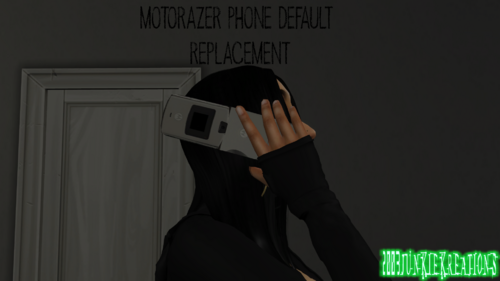
MotorolaRazr Phone Default Replacement
By 2003Junkie
ALL MY CONTENT IS FREE:)
FOLLOW MY PATREON AND TUMBLER ALL SAME AS MY NAME
MY TUMBLER: https://www.tumblr.com/blog/2003junkie
MY PATRON : https://www.patreon.com/posts/motorolarazr-102458618?utm_medium=clipboard_copy&utm_source=copyLink&utm_campaign=postshare_creator&utm_content=join_link
SIMFILESHARELINK:http://www.simfileshare.net/download/4602247/
596 downloads
Submitted
-
Easel Art Catalog - Paint Anything! (v1.4)
By PECO
We all know how annoying can it be to hunt down and paint all the different paintings that are available in-game (of which there are hundreds of!)... but your sim keeps painting stuff you already have... so to alleviate this pain, let me present you...
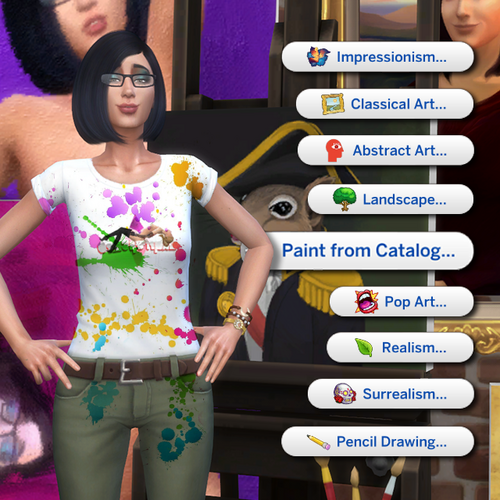
This new "Paint from Catalog" pie menu option lets sims choose and craft any In-Game paintings on the easel, that are available at their present Painting skill level... so no more scraping and re-starting, you're in full charge of what your sim will paint!
To unlock this feature your sim needs to fulfill at least one of the following requirements:
Have an at least Lvl.5 active Painter Career. Reached at least Lvl.8 Painting Skill. Purchased any relevant Painters' Reference Guide Books.
(they can be bought from: Purchase Books > Skill for §1.000 each) Purchased Rob Russ' Magic Deluxe Easel.
(can be bought from: Build Buy > Activities and Skills > Creative for §25.000) Once your sim met one (or more) of these conditions, you'll see more themes and options getting unlocked.
Some notes:
This feature was originally part of Sensual Studio, but due to its popularity - and the fact that some people don't want NSFW stuff in their game - I've decided to completely separate it from Sensual Studio, and make it its own standalone mod.
Subsequently, this SFW 'Paint from Catalog' feature is now removed from Sensual Studio, as of version 3.0b, so if you have Sensual Studio installed as well, please update it, so there's no possible compatibility issues. The Painter Reference Guide Books don't need to be read to unlock the relevant paintings on the Easel, it's enough if your sim has them in their personal or bookshelf inventory, or even if it's just placed somewhere on the lot. While the Rob Russ' Magic Deluxe Easel unlocks all options straight away, there are still some necessary level requirements in place where needed. (for example, the Surrealism option unlocks only at Painting skill Lvl.5, simply because there's no in-game surrealist painting that is available to paint below that level.) The Paint from Catalog option is also compatible with any third party paintings replacer mods you might have, so no worries there!
Apart from the English default, localization is also available for the following languages:
🇨🇳 Chinese translation by ABonnie
🇨🇿 Czech translation by phetrick
🇫🇷 French translation by Angelus75
🇩🇪 German translation by Jorak84
🇯🇵 Japanese translation by Kurzweil
🇷🇺 Russian translation by pumpkin4u
🇪🇸 Spanish translation by RoshySims
Please note that these third party translations are not made/maintained by me, I only link to them.
Always check if the translation is updated for the latest version, otherwise you could end up with missing/mismatched text.
PATCH COMPATIBILITY
Tested and working with TS4 game versions 1.108 or newer.
(Please note that this does not mean that this mod doesn't possibly work with game versions older than that - it most likely will - I just can not guarantee that it will work perfectly.)
LATEST NOTABLE UPDATES
2025-AUG-20 ~ Easel Art Catalog Mod Framework updated to ver. 1.4
IMPORTANT: If you already have this mod from MTS, and you're updating the mod from v1.0a, make sure to DELETE the following 3 files from the mod's directory, as they are no longer needed by this new version:
PECO_Easel_Art_Catalog_DLC_EP04_Cats_&_Dogs.package PECO_Easel_Art_Catalog_DLC_EP08_Discover_University.package PECO_Easel_Art_Catalog_DLC_GP01_Outdoor_Retreat.package
INSTALLING THE MOD
-IMPORTANT:- When updating the MOD FILES to a newer version, always overwrite older files when prompted to.
Download the latest mod version by clicking the #DOWNLOAD THIS FILE# button. Unzip it with 7zip or other compatible zip/rar software. Copy the whole "Easel Art Catalog Mod" folder AS IT IS straight into your Sims4 "Mods" folder.
THIS IS VERY IMPORTANT, as the PECO_Easel_Art_Catalog.ts4script file can not be more than one folder deep within the Mods folder! Make sure you've enabled both "Content and Mods" and "Script Mods" in the game's Game Options > Other settings. Done! THE 32-BIT 'LEGACY EDITION' OF TS4 IS NOT SUPPORTED BY THIS MOD.
Feedback is always appreciated!
If you liked this mod, found a bug or in general have something to say,
you can leave a comment in the mod's official forum thread.
FREQUENTLY ASKED QUESTIONS:
Q: Does this mod works with XY painting replacers?
A: This mod is totally independent, it does not replace or override anything, so yes, it should be compatible with ANY and ALL other painting mods. Q: Why are the thumbnails for some paintings just flat images instead of the default 3d ones in the Paint from Catalog picker dialogs?
A: This not technically a bug, but more of an in-game limitation and only affects the object thumbnails in the picker dialog, and not the paintings themselves.
(To explain it a more in-depth: the picker dialog can only render thumbnails for existing objects, and paintings are one of the few craftable objects that do not technically exist until the crafting process is actually started by the sim. Basically all paintings are just empty canvases until the crafting interaction applies a texture to them, so if I would have gone and let them use the default auto-generated thumbnails, then all of them would have just shown up as an empty canvas in the picker dialog... which would literally defeat the whole purpose of having a picker... And while I could have "cheated" and pre-render a thumbnail for each painting to circumvent this, that would have killed compatibility with third party painting replacer mods - which are quite popular. Maybe there's a way around this - i dunno - but it's definitely something above my present skill level to solve, so I suppose this is a minor cosmetic annoyance you just have to live with)
USAGE TERMS:
★ For personal use only.
✘ DO NOT re-distribute this mod or any parts of it on LoversLab or other 3rd party sites.
✘ DO NOT include this mod in bundles. Just link to this site please.
DON'T FORGET TO CHECK OUT MY OTHER MODS TOO...
32559 downloads
Updated
-
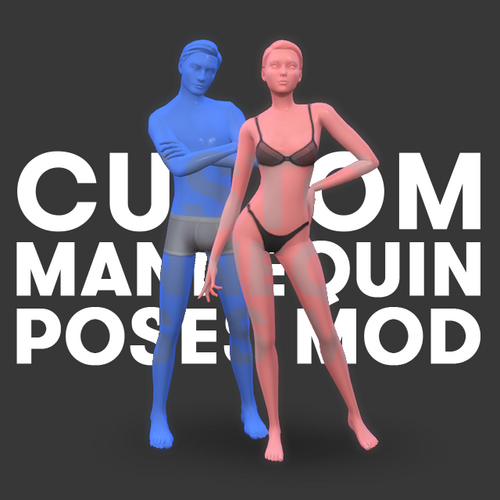
More Mannequin Poses (v1.2)
By PECO
A simple mod that adds a new 'Custom Poses' interaction to the in-game mannequins, which contains 54 new poses to chose from.
THIS IS A STANDALONE MOD, IT DOES NOT OVERRIDE ANYTHING!
HOW TO INSTALL:
Download the PECO_Custom_Mannequin_Poses_Mod_vX_buildXXX.zip from the Downloads section. Unpack it with 7zip or other compatible zip/rar software. Copy the resulting "PECO_Custom_Mannequin_Poses_Mod" folder straight into your Sims4 "Mods" folder.
(as it contains a script file, it can't be more than one folder deep) It is also recommended to delete the localthumbcache.package file from your "Sims4" folder. Don't worry, it only contains thumbnails, and the game will just re-generate it the next time you run it. Done! Some notes:
Unlike most (all?) mannequin pose mods around, this mod does not replaces or overrides the 6 basic ingame mannequin poses, it just adds the 54 extra ones to it. There is a quirk with the special prebuilt mannequins used in the shops in Magnolia Promenade. The new custom menu does not appear on them by default, but this can be easily solved by buying and placing a new mannequin in the shop from the BuildBuy menu. The poses are not gender locked, all 54 of them are available for both the Adult Male and Female mannequins.
LOCALIZATIONS:
Apart from the English default, localization is also available for the following languages:
🇯🇵 Japanese translation by Kurzweil
Please note that these third party translations are not made/maintained by me, I only link to them.
Always check if the translation is updated for the latest version, otherwise you could end up with missing/mismatched text.
USAGE TERMS:
For personal use only. DO NOT re-distribute this mod or any parts of it on other 3rd party sites. DO NOT include this mod in bundles. Just link to this site please. Care to support the development? Check out my Patreon page.12653 downloads
Updated
-
![More information about "[Simpossible] Dynamic Fetish Tips 💬 (Yes, they are DYNAMIC now!)"](https://static.loverslab.com/screenshots/monthly_2024_09/Base.thumb.png.f5f21ee06e378e6965a2b9bb944f19fb.png)
sims 4 [Simpossible] Dynamic Fetish Tips 💬 (Yes, they are DYNAMIC now!)
Hiya, my name is Simpossible and I create adult mods for the Sims 4 💜
All my creations are FREE. If you like them, please consider supporting me on Patreon for early access and additional benefits! 🎁
Here is a collection of 1450 fetish tips in total - they will replace all base game loading screen tips with something more... passionate, so you won't hear about free earbuds anymore. Hope this is OK for you.
How to install my Dynamic Fetish Tips:
1. Download the @NISANE's Dynamic Loading Screen Core .package file and move it to the Mods folder
2. Download any dynamic tip packs that you want and move them to the Mods folder, you can use all packs at the same time
Link to advanced configuration guide for experienced users
⚠️ Make sure to delete my old standalone tip packs, otherwise they will override the dynamic ones!
SFW:
Baddie 👑 E-Girl 💕 Gold Digger 💰
NSFW:
Bimbo 🍭
Boobs Lover 🍈
Bratty
Butt Lover 🍑
Cock Lover 🍆
Cuckold 🖕
Dominant
Foot Fetish 🦶
Hotwife 🔥
Hucow 🥛
Pussy Lover 🍓
Sissy 🩰
Submissive
Kinky Languages:
Kinky Japanese 🇯🇵
Hardcore:
Alien Abduction (Female) 👽 Alien Abduction (Male) 👽 Chastity (Female) 🔒
Chastity (Male) 🔒
Cheap Whore 🚬 Queen Of Spades ♠️
Tip Packs examples:
99378 downloads
- nsfw sims 4
- loading screen
- (and 25 more)
Updated
![More information about "[Victoria 3] Shadows of Depravity - a SoP Add-On"](https://static.loverslab.com/screenshots/monthly_2026_03/Title(2).thumb.JPG.f2ed64c4e820a6448541b10d22b8a5db.JPG)