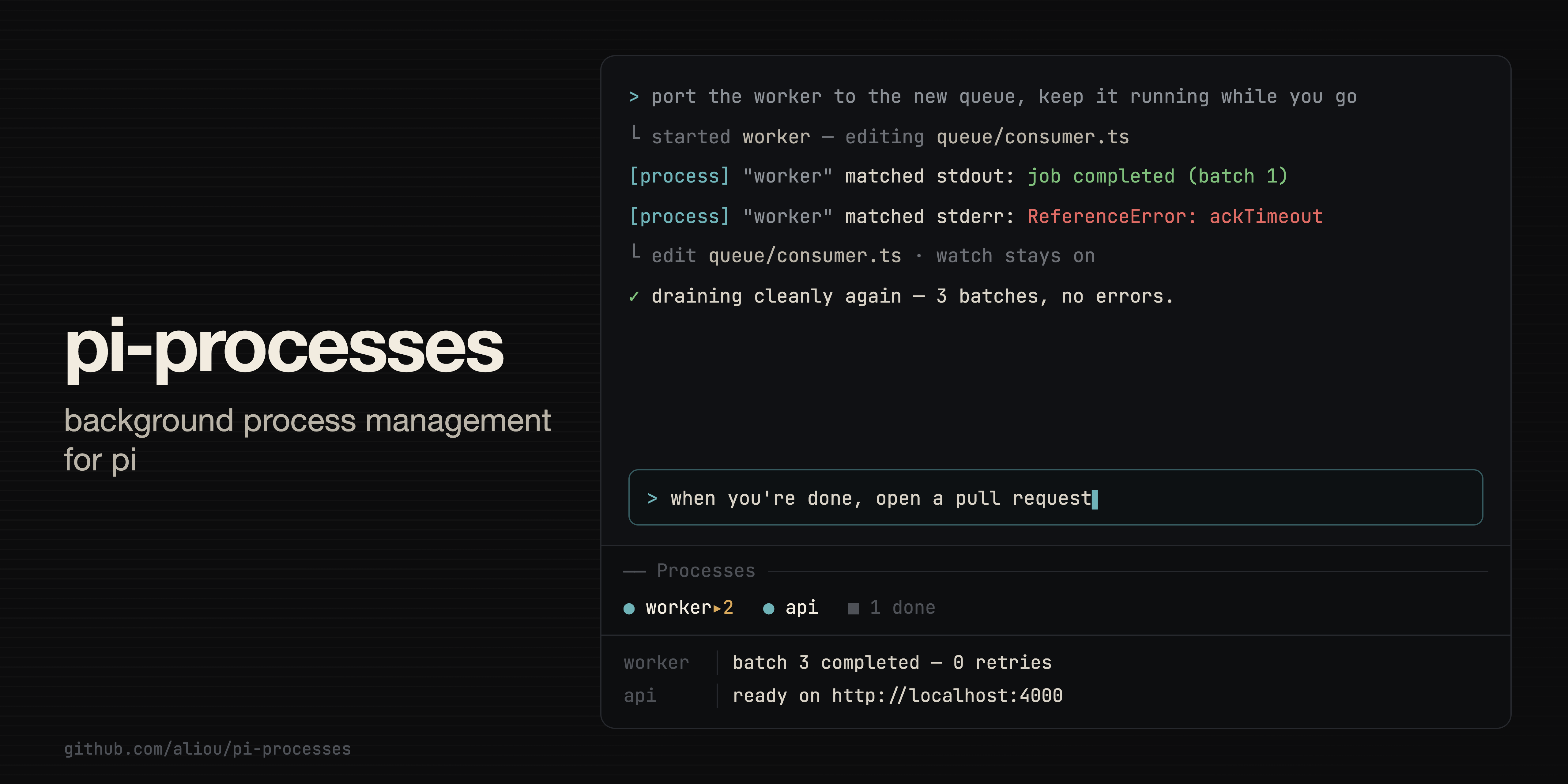
Manage background processes from Pi without blocking the conversation.
This extension lets Pi keep long-running commands alive while the conversation continues. It is useful for dev servers, test watchers, local APIs, builds, and log tails.
When a task needs a long-running command, Pi can start it in the background by itself and keep helping with the rest of the work.
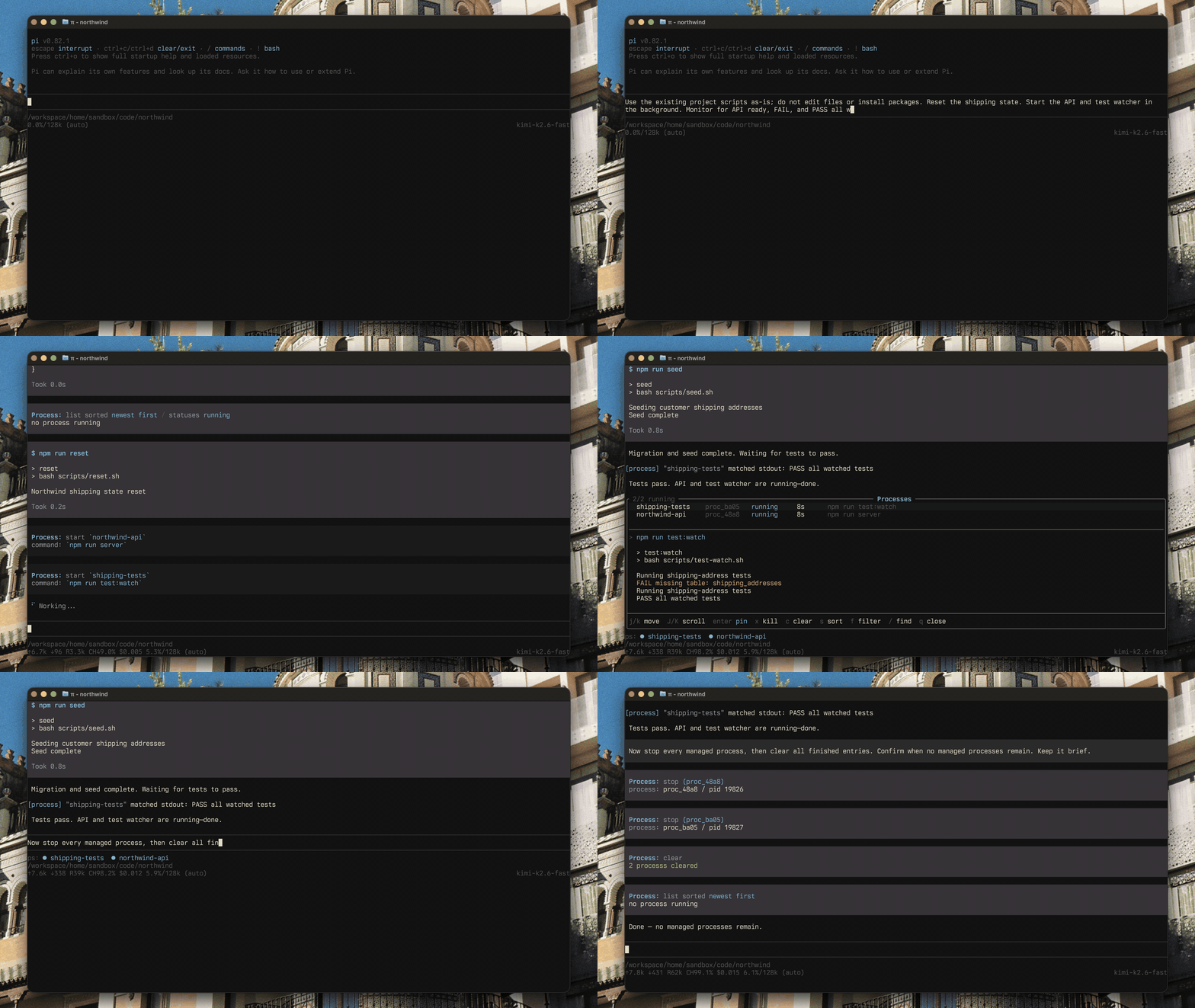
That means Pi can, for example:
- start a dev server and keep coding
- keep a test watcher running while it fixes failures
- run a local API while it inspects logs
- watch build output without blocking the conversation
You can then inspect, pin, stop, or clear those processes from the UI.
From npm:
pi install npm:@aliou/pi-processesFrom git:
pi install git:github.com/aliou/pi-processesPi does not wait around for a background process. After it starts one, it keeps helping with the rest of the work and gets brought back automatically when something happens:
- a readiness marker appears in the logs (a server prints "ready")
- an error appears in the logs (a build prints a type error)
- the process exits, whether it succeeded, failed, or was killed
That is how Pi can start a dev server and then keep coding, or run a test watcher and react when a test fails, without sleeping or polling. If a watch fires too often, Pi can quiet it without restarting the process.
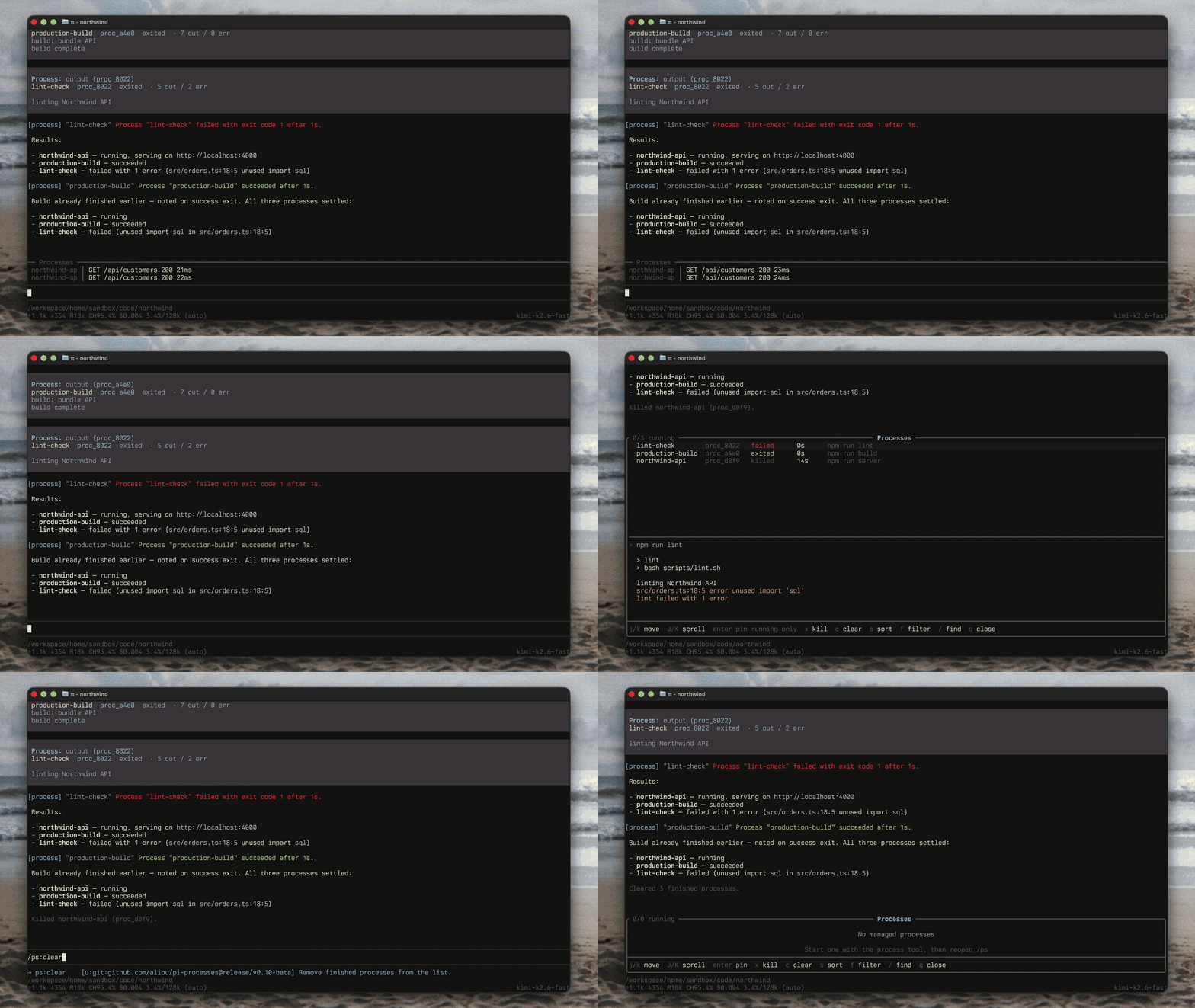
Use /ps to open the main process panel. It shows running and finished processes, with the most recent output preview. The preview opens on the newest page so you can see live activity without scrolling.
From there you can:
- see running and finished processes
- inspect recent output
- pin a process to the dock
- kill a running process
- clear finished entries
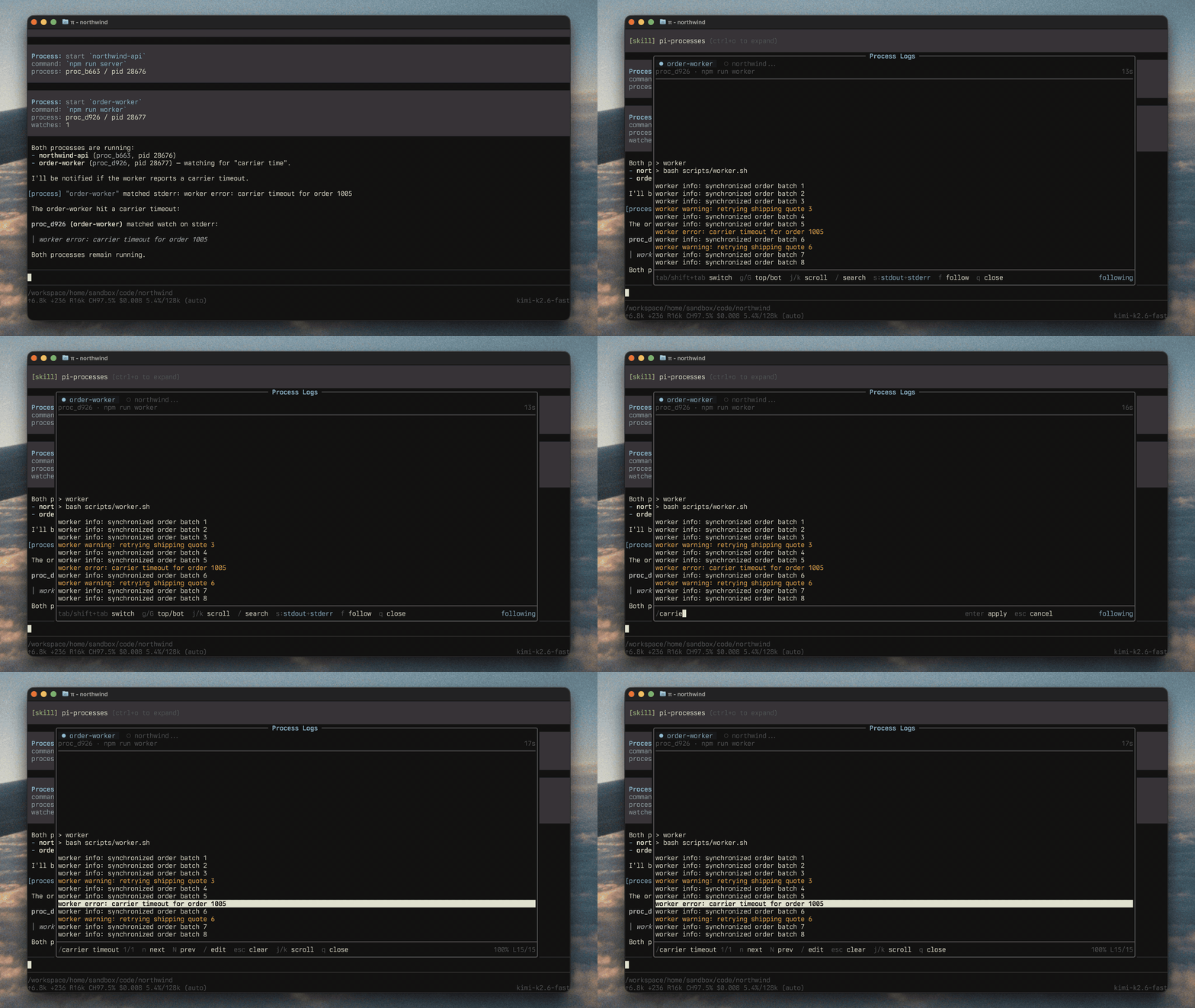
Use /ps:logs [id] to open the log overlay for one process. The viewer is cached per process, so switching tabs preserves scroll position and follow mode.
This is useful when Pi started a server, watcher, or local API and you want to follow what it is doing in more detail.
Use /ps:dock [expand|collapse|close] to control dock visibility.
The dock gives you a compact live view without leaving the conversation.
Use /ps:pin [id] to keep the dock focused on one process.
This is useful when one process matters more than the others, such as a dev server or a test watcher.
Without arguments, Pi shows a picker.
Use /ps:kill [id] to stop a running process, and /ps:clear to remove finished entries from the panel and free their log storage.
/ps:kill waits for the process to actually exit (or time out), so the result it reports reflects what happened. Without arguments, Pi shows a picker.
/ps:clear never touches live processes.
Enable the status widget in /ps:settings to show a compact line of running processes below the editor. Each process shows a status dot, its name, and its state, with +N more overflow when the line does not fit.
It is disabled by default. The widget reflows on resize and clears itself when the process list is empty.
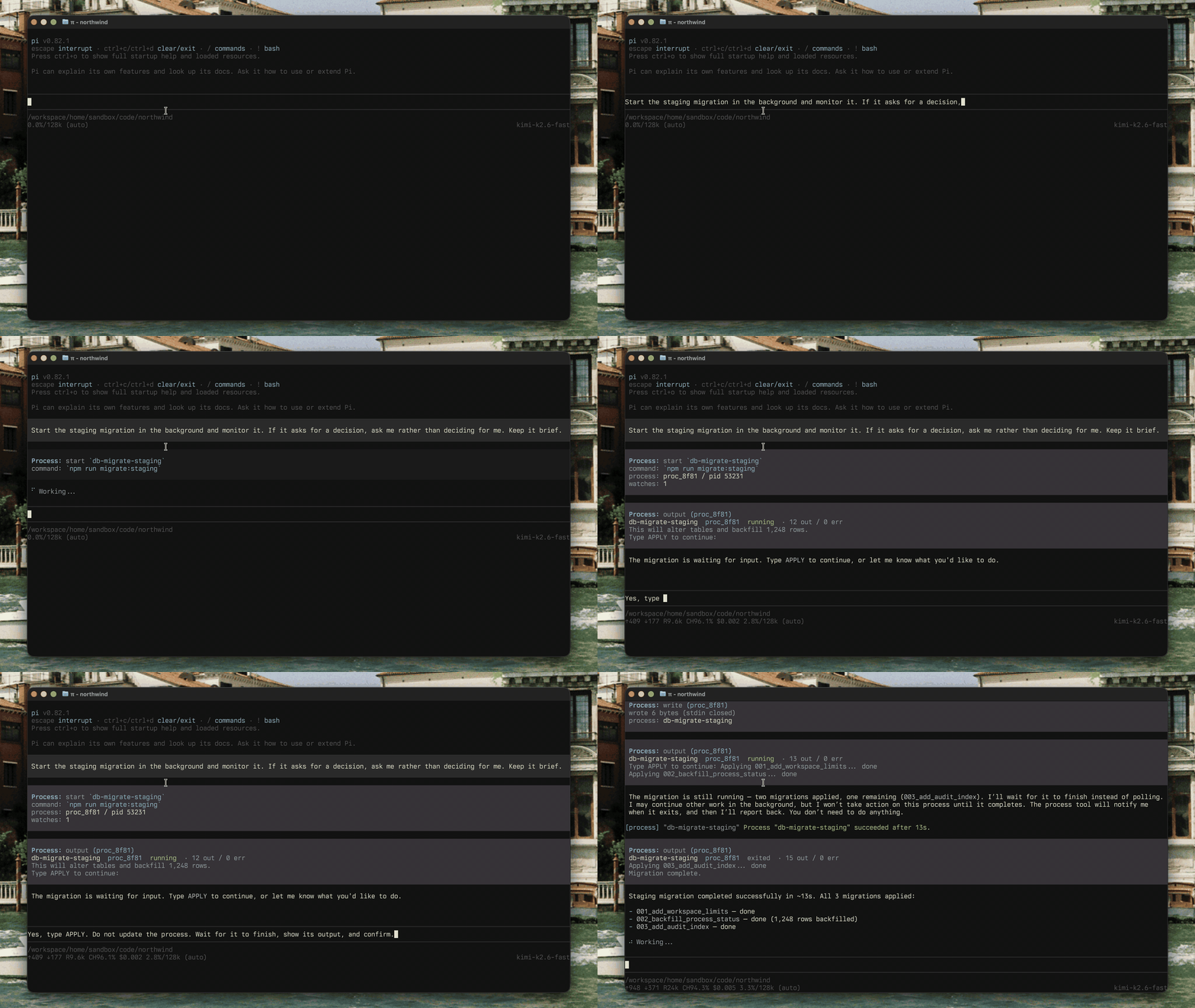
Use the process tool with action: "write" to send bytes to a running process's stdin. This is how you drive interactive servers, REPLs, and CLIs that expect input after they start.
Pass input for the bytes to write, and set end: true to close stdin (for example to signal EOF to a waiting process).
Use /ps:settings to configure the extension.
Available settings include:
- process list size
- output limits
- shell path override
- dock defaults
- follow mode behavior
- status widget toggle
- optional background command interception
- macOS: supported
- Linux: supported
- Windows: not supported
Pi has several process, terminal, and background-task extensions. pi-processes focuses on explicit LLM-managed background processes, log inspection, watches that can wake the agent, and Pi UI surfaces for /ps, logs, dock, and status.
See pi.dev/packages for the full registry of Pi extensions.
These packages are closest when you want shell commands, dev servers, watchers, or logs to keep running while Pi continues the conversation.
- pi-background-tasks: durable background shell tasks plus delegated child Pi workflows.
- @99percentpeople/pi-background-tasks: background commands and attachable PTY/TUI sessions, with SSH Remote integration.
- @richardgill/pi-background-bash: replaces
bashwith session-owned local process groups and addsbash_processfor list, peek, and kill. - pi-bash-bg: minimal
&support for Pi's bash tool, detaching background processes and keeping output out of the context window. - pi-tian-background-terminals: replaces Pi's built-in Bash with automatic background yielding, completion notifications, and a
/psviewer. - pi-better-background-tasks: durable background shell tasks, watchers, logs, and status inspection.
- pi-patty-bg-tasks: Claude Code-style background tasks with auto-backgrounding, attach, file-backed output, and cooperative steering.
- @mjakl/pi-processes: stripped-down pi-processes fork with the
processtool, a single/psoverlay, a compact status line, and fewer commands/settings. - @haemmid/pi-processes: pi-web-focused pi-processes fork for dev-server automation, with
ensure,restart, andwaitactions for Astro/Vite-style workflows. - pi-processes-git-bash: pi-processes fork for Windows users through Git Bash.
These packages are a better fit when you want a different shell substrate, PTY behavior, or platform-specific terminal support.
- pi-unified-exec: Codex-style long-lived shell sessions with stdin, PTY, REPL, SSH, dev-server, and disk-log support.
- pi-live-terminal: tmux-backed command runner with a live terminal widget.
- @aliaksei-raketski/pi-tmux-bash: runs model-facing shell commands in managed tmux windows.
- @4fu/pi-pwsh: persistent PowerShell tasks for Pi on Windows, with ConPTY sessions and user requests.
- pi-pwsh-notify: PowerShell shell with background jobs and completion/server-ready notifications.
These packages are more about watching, waking, or surfacing process state than replacing pi-processes directly.
- pi-event-monitor: event-driven shell-stream and file watchers that wake the session on process exit, matching output, or file writes.
- pi-monitor-plugin: background jobs, monitors, loops, schedules, and idle-aware notifications.
- pi-tripwire: footer visibility for agent-spawned localhost servers; not a process runner itself.
- @cortexkit/aft-pi: broader Agent File Tools package that includes background bash tasks, PTY sessions, and output compression alongside code-analysis tools.
Open /ps for a quick overview, or use /ps:logs for full logs.
Use /ps:pin to focus the dock on that process.
Enable background command interception in /ps:settings. When enabled, Pi avoids normal shell background patterns and uses the process workflow instead.
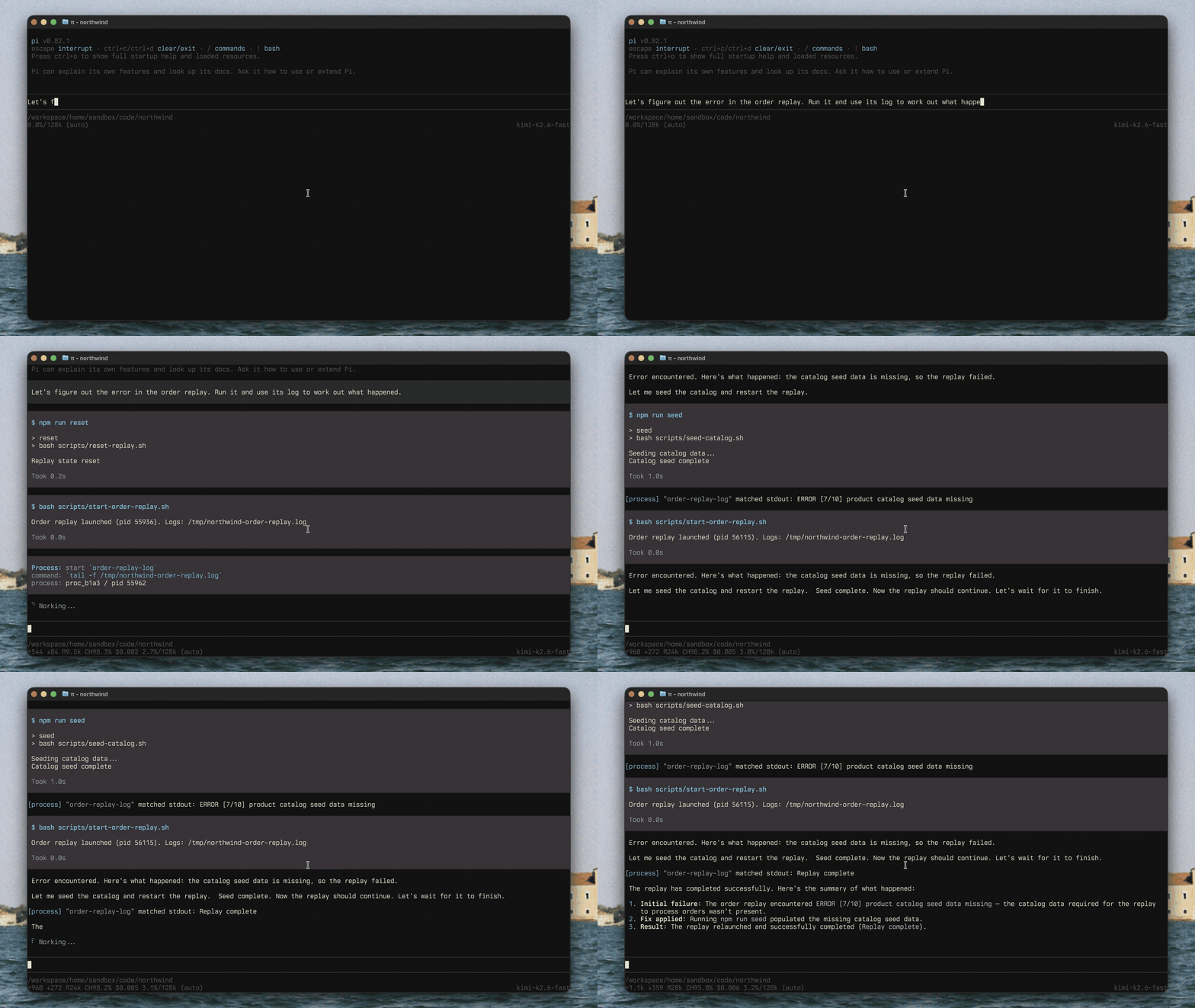
Watch a file-backed log and recover from an error
Open the log overlay and inspect output
Stop and clear processes
Send input to a running process
For development, testing, docs generation, and extension internals, see CONTRIBUTING.md.
MIT
