Minecraft Web Client - AFK Console Client
Tier 1
€4.79
billed monthly
Connect 1 Minecraft account
Connect 1 account
1 server profile*
Version 1.7.* - 26.2.*
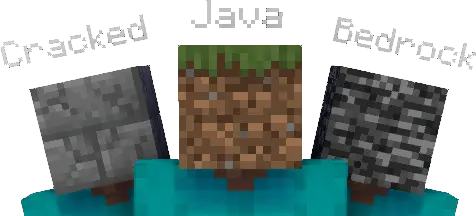
Java, Bedrock & Cracked accounts
AFK with your PC turned off
AFK using any device
Bot POV
Auto GUI join
1 private proxy
All our proxies support Bedrock*
3 macros (join & world change)
Tier 2
€9.59
billed monthly
Connect 5 Minecraft accounts
Connect 5 accounts
2 server profiles*
Version 1.7.* - 26.2.*
Java, Bedrock & Cracked accounts
AFK with your PC turned off
AFK using any device
Bot POV
Auto GUI join
1 private proxy (add more later)*
All our proxies support Bedrock*
10 macros (join & world change)
Priority support
Bot movement
Tier 3
€11.99
billed monthly
Choose your accounts
Connect 15+ accounts*
∞ server profiles*
Version 1.7.* - 26.2.*
Java, Bedrock & Cracked accounts
AFK with your PC turned off
AFK using any device
Bot POV
Auto GUI join
1 private proxy (add more later)*
All our proxies support Bedrock*
∞ macros (all triggers)
Macro loops & branches*
Hold left & right click*
Discord webhooks*
Priority support
Bot movement
Inventory management
Bypass VPN blocks








Gifting
Want to gift MinecraftAFK?
Minecraft web client
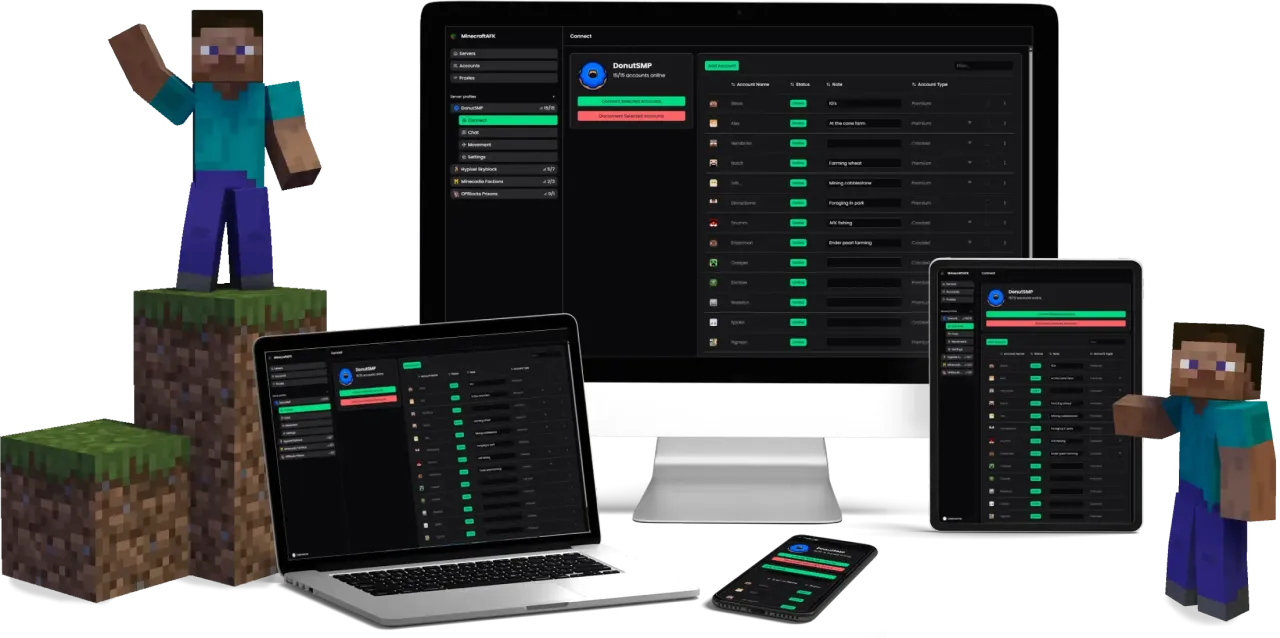
Most Minecraft clients are a program you install and keep running. This one is not. The MinecraftAFK web client runs on our servers and you drive it from a browser tab, so the machine in front of you is only a remote control. Open the dashboard on a laptop, a phone or a tablet, connect an account, and close the tab. The session carries on without you.
That is the practical difference between a web client and a desktop one. There is no installer, no mod loader and no Java setup to get wrong, and nothing on your side can end the session: your PC can be off, your internet can drop, your power can go out, and the account is still in the game when you come back.
It handles Java and Bedrock accounts from the same dashboard, on every version from the old PvP releases to the current one. From the browser you can watch server chat and reply to it, move around, manage inventories and chests, run commands on a schedule, and turn on anti-AFK movement so idle timers do not kick you. If a server drops the connection, auto-reconnect puts the account straight back in.
Worth being clear about one thing: this is a client for keeping accounts online and managed, not a way to play Minecraft itself inside a browser tab. If you want to run farms, hold a queue spot or keep playtime counting while your computer is off, that is what it is built for.
Questions
We offer two products, both aimed at improving the process of botting and AFK'ing. The local client is our basic product, capable of most tasks you'd expect. After adding your Minecraft accounts, you can log into any server. From here you can AFK, chat, use commands, spam and much more.
The web client is a cloud hosted solution, ensuring your accounts will stay online 24/7 - even with your PC turned off. The web version is also always* updated to the latest Minecraft version.
- Stay online 24/7 with your computer turned off!
As the web version is hosted on our servers in the cloud, you can turn off your computer at any time and your accounts will stay online. - Manage your accounts from any device
With the web client, you can access and manage your accounts from any device with a browser. Just go to our website, login and you're all set! - AFK without internet
You don't need internet to stay AFK on any server. Just log them in and go underground, they'll stay connected. You only need internet when managing your accounts, but when you've clicked connect, you can leave them be. - Use as many accounts as you want no matter your computer
Compared to the local client, you can add as many accounts as you want. Your computer/device won't be affected. No matter your hardware, you can have as many accounts online as you wish. Check our pricing page to see how many accounts each plan includes as well as the price of adding additional accounts. - Save money on electricity
Using the web client you can turn off your computer/device and your accounts will stay connected. So the days of keeping your computer running all night are over!
If you're not interested in the web version, you can always use our local client.
Here's three reasons why you should use the local client, compared to normal Minecraft:
- It's efficient
ACC is optimized and efficient. You can have 500+ accounts online at once using ACC depending on your hardware. ACC uses as little as 1/50th of the processing power that normal Minecraft uses.
If you're using the web version your hardware doesn't matter at all. It all runs on our end and you can access it from any device with a browser! - It's easy to use
The interface of ACC has been developed to be user friendly and intuitive to use. Compared to console based clients, you need no programming experience to use ACC. - You save power
As ACC is as efficient as it is, your computer uses way less power, ultimately saving you money on your electricity bill.
And if you're considering the web version, then you can comfortably close your computer and your accounts will stay online. You will potentially save more money on electricity alone than the cost of the client!
You can buy access to the web client.
Getting the local client
You can download the local client. Note that you need to keep your computer running to stay online with the local client. Purchase the web client to AFK 24/7 with your computer turned off and manage your accounts from any device like your phone.
The web client runs on our servers. So you can close your computer and turn off your phone at any time and your accounts will stay online!
The local client runs locally on your computer. This means that closing your computer will close the program as well, just like any other program.
The local client only works on Windows 10 and above.
See Does MinecraftAFK support Bedrock? for protocol differences and which servers work.
The web client comes with a proxy. So all of your accounts connect through a new IP by default (your designated private proxy). You can always add more on your own as well! Read more about proxies here.
If you can't find your solution there, we also have a Discord server where we'd love to help you out!
We also have a YouTube channel with a lot of informational videos.
Want to AFK 24/7 Without Leaving Your PC On?