

Todowing
Chrome extension that shows nested sub-tasks inline in Todoist's Today, Upcoming, Filters and Labels views. Free tier, $19.99 lifetime unlock.
About Todowing
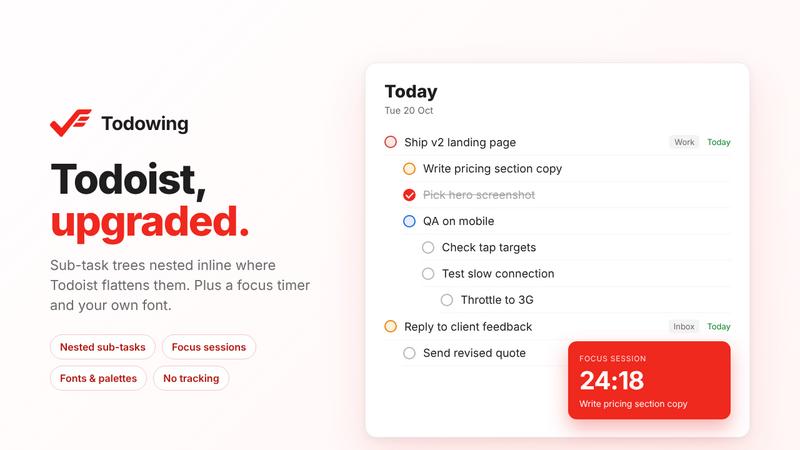
Todowing is an unofficial Chrome extension for the Todoist web app. Todoist flattens sub-tasks in Today, Upcoming, Boards, Filters and Labels views. Todowing shows the full sub-task tree there, up to four levels deep, with each sub-task's due date, priority and labels. You can check off or reopen sub-tasks without leaving the list.
The free plan includes all nesting display and row detail, seven color themes and a text size slider from 85% to 200%. It is limited to 5 sub-task rows per top-level task and needs no account. The $19.99 lifetime unlock is a one-time payment with no subscription. It adds adding, renaming and reordering sub-tasks, a hide-done option, filing one task under a parent in another project, focus sessions with a countdown timer, time estimates, a three-line markdown notes pad above Today, a font picker with 50 Google Fonts, and read-only Apple Calendar events from published calendar links. Future upgrades are included, and refunds are available for 14 days.
Your Todoist API token stays in your browser and goes only to the official Todoist API. Your tasks never pass through Todowing's servers, and the extension has no analytics or tracking.
Works with any Todoist plan in the browser. It does not run in the Todoist desktop app. Todowing is not affiliated with or endorsed by Doist. Made by Red Pixel.
Similar to Todowing
FeatQ
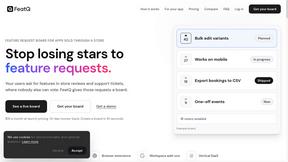
Feature request boards for software teams. Customers vote with just an email; your coding agent pulls the top request over MCP.
ButterShare
Realtime peer-to-peer file transfer in the browser. Send files directly between devices, no account and no upload to a server.

Save X post
A clean, ad-light X video downloader: one link, one click, and your video is saved. No login required.

Emailyy
Free email tools for signatures, subject lines, HTML previews, word counts, and email headers. Browser-based, simple to use, and no signup required.


CloneWebsite
Clone any webpage pixel-perfect, export HTML/CSS/ZIP or React/Vue components.

Uniclip
Clip pages, take full-page screenshots and batch-capture list data to Notion, Feishu, Obsidian, Markdown, CSV or JSON.
