NewDitther 2.0 is here · now with 160+ effects

Turn any photo or video into pixel art, halftone or ASCII.

Ditther is a free online editor for photo and video effects. Pick a look like dithering, glitch or duotone, layer a few together, add text, and download in up to 4K. Nothing to install.

What's new

Ditther 2.0 is our biggest update yet.

Over twice the effects, a node-based Graph view, projects you can save, 700+ backgrounds and rendering that's up to 10x faster. Plus Ditther inside Claude.

160+

Effects

New

Graph View

New

Save Projects

MCP

Connect Ditther to Claude

Big update

ImageDitther 2.0

A visual playground for crazy images & videos

700+

Backgrounds

Stack 5 Effects

Your Library

Save your own photos & videos

10X

Faster rendering

60FPS

Smooth video export

Effects that move

Every look runs live on video

Start creating
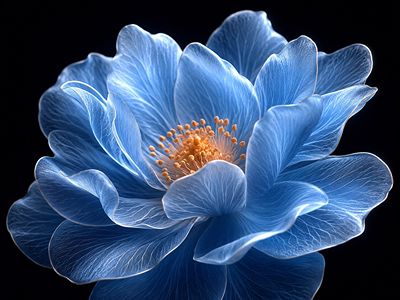
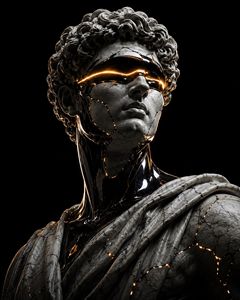
ASCII character effect on hands Halftone dither effect on red flower Classic halftone effect on flower ASCII text effect on landscape Lego pixel effect on sculpture ASCII effect on golden sky Dots effect on blue flower

How it works

From photo to poster in five moves.

You don't need to know what you want. Drop something in, start stacking, and keep going until it surprises you.

  1. 01

    Pick an effect

    160+ effects, grouped by type. Click one and it runs live on your image or video.

  2. 02

    Bring your own media

    A photo, a video up to 10 seconds, or one of 700+ backgrounds.

  3. 03

    Stack up to five

    Layer effects and drag them to reorder, or wire them node by node in Graph view.

  4. 04

    Tune it live

    Drag any control and the canvas answers at once. Shuffle and Remix when you want a surprise.

  5. 05

    Export it

    Images up to 4K and video up to 60 FPS, ready for posters, socials and screens. No watermark, ever.

Ditther MCP

Ditther, inside Claude.

Connect Ditther to Claude and ask for a look in plain words. Claude picks the effects, tunes them and hands back the finished photo or video.

Included with every PRO plan

Made with Ditther

Real posts. Real creators.

Designers, developers and builders sharing what they made. Make something yours, then share it with @dittherapp on X.

Ditther review shared by a creator on X, post 6
Ditther review shared by a creator on X, post 7
Ditther review shared by a creator on X, post 8
Ditther review shared by a creator on X, post 1
Ditther review shared by a creator on X, post 2
Ditther review shared by a creator on X, post 3
Ditther review shared by a creator on X, post 4
Ditther review shared by a creator on X, post 5
Ditther review shared by a creator on X, post 13
Ditther review shared by a creator on X, post 14
Ditther review shared by a creator on X, post 10
Ditther review shared by a creator on X, post 9
Ditther review shared by a creator on X, post 11
Ditther review shared by a creator on X, post 12

Pricing

Free to start. PRO when you're ready.

Every core tool is free, forever. Upgrade for every effect, full-quality exports and Ditther in Claude.

Free

$0forever

Everything you need to start making.

Start for free
  • 27 free effects
  • Pixel, ASCII & dither essentials
  • Free templates & backgrounds
  • Save up to 2 projects
  • 720p image & video exports
  • No watermark
Most popular

PRO

$4/mo

$48 billed yearly · 6 months free vs monthly

Get PRO
  • All 160+ effects & motion presets
  • 4K image & 60 FPS video exports
  • Text, shape & mask layers
  • Unlimited saved projects
  • Ditther MCP for Claude & CLI
  • Every new effect, the day it ships
2.0 launch price

PRO+ Lifetime

$79$129once

Pay once, keep it forever. Next price $99.

Get PRO+ for $79
  • Everything in PRO, forever
  • 700+ premium backgrounds
  • New background drops
  • Every future Ditther update
  • No renewals, ever

FAQ

Questions people actually ask

Something not answered here? Reach out on X at @blurrhaus.

Is Ditther free to use?

Yes. The free plan includes 27 effects, free templates and backgrounds, 720p image and video exports with no watermark, and up to 2 saved projects. PRO unlocks all 160+ effects, 4K and 60 FPS exports, unlimited projects and Ditther MCP.

What's new in Ditther 2.0?

Over twice as many effects (160+), a node-based Graph view, projects you can save and reopen, 700+ backgrounds, a library for your own photos and videos, 60 FPS video export, rendering that's up to 10x faster, and Ditther MCP for Claude.

What's the difference between PRO and PRO+?

PRO is a subscription, $8 a month or $48 a year, that unlocks every effect, 4K and 60 FPS exports, text, shape and mask layers, unlimited saved projects and Ditther MCP. PRO+ Lifetime is a one-time payment: everything in PRO forever, plus 700+ premium backgrounds and every future update.

Can I cancel PRO?

Yes. Monthly and yearly plans have no commitment, so you can cancel any time. PRO+ Lifetime is paid once and never renews.

Do I need to install anything?

No. Ditther runs entirely in your browser. Open the app, drop in an image or video and start editing. No download and no app store.

Are my images and videos private?

Yes. Your media is processed locally in your browser and never uploaded to our servers, and saved projects are stored in your browser too. We can't view, store or access your files.

What is Ditther MCP?

It connects Ditther to Claude, so you can describe the look you want and Claude applies and tunes the effects for you. It's included with every PRO plan. See how to set it up.

Can I use Ditther on my phone?

Yes. Ditther has a phone editor built for touch, so you can upload, edit and export right from your phone's browser.

What is dithering?

Dithering uses patterns of pixels to simulate colours and gradients beyond a limited palette. It creates the textured, retro look common in early digital art and print.

What is a halftone effect?

Halftone rebuilds an image from a grid of dots of varying sizes, the technique behind newspapers, comic books and screen printing. Ditther lets you control dot size, density and blending in real time.

Original image before effect ASCII dither effect applied Second original image Dots effect applied

Before & after

Your image.
Reimagined.

No install. Drop in an image and see what happens.

Start creating free