
Avatar
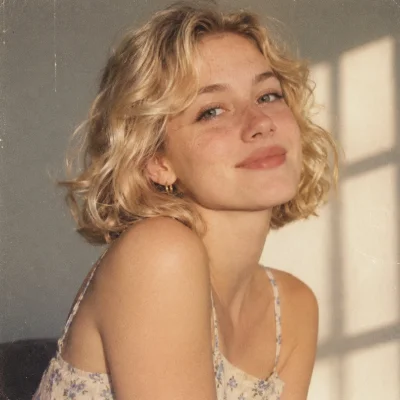
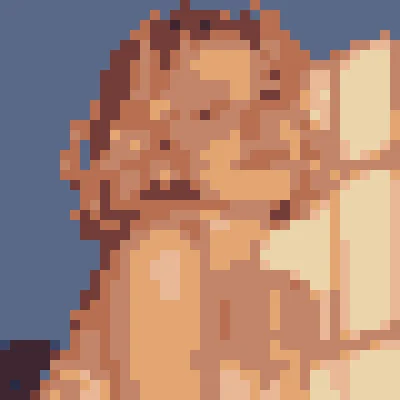
Shrink a face into a chunky profile picture that still reads clearly at thumbnail size.
Image: Portrait. Pixel size: 10. Palette: Endesga 32.
Turn any picture into crisp pixel art in seconds. Everything runs in your browser.
Click to upload or drag and drop
PNG, JPG, WebP, GIF or SVG. Your file never leaves your device.
Shrink a face into a chunky profile picture that still reads clearly at thumbnail size.
Image: Portrait. Pixel size: 10. Palette: Endesga 32.
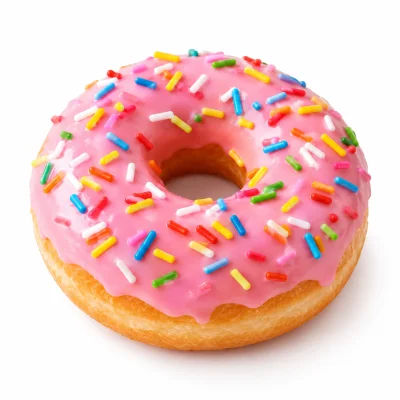
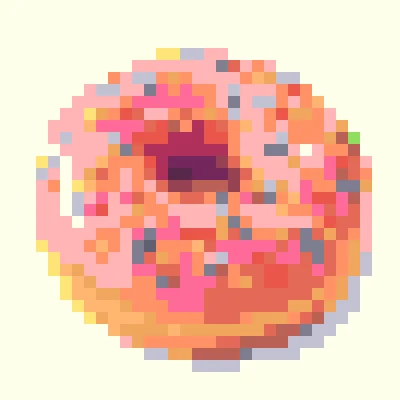
Turn a close-up food photo into a bright, readable sprite for a cooking game, a menu board or a sticker pack.
Image: Donut. Pixel size: 12. Palette: Pear36.
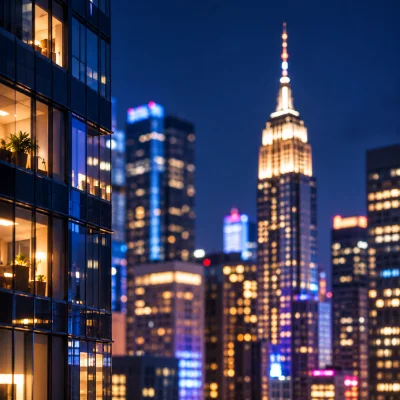
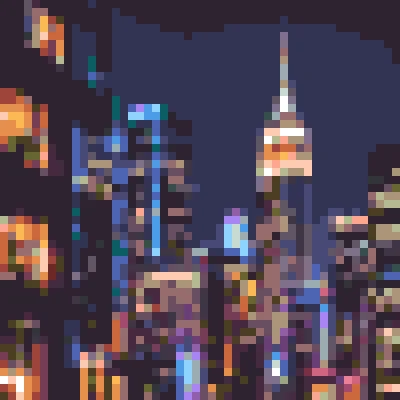
Turn a glowing city night into a moody backdrop for a game scene or a poster.
Image: Skyline. Pixel size: 8. Palette: Resurrect 64.
An image to pixel art converter takes an ordinary picture and rebuilds it from a small grid of flat colored squares. Instead of smooth edges and millions of shades, you get the chunky, nostalgic look of old consoles and handheld games. Our image to pixel art tool does this directly in your browser, so a photo becomes a pixel art picture without a queue, an account or a watermark.
The conversion is plain math rather than guesswork. The tool divides your picture into square blocks, averages the color inside each block and paints the block as one solid pixel. Because no AI model redraws the scene, every pixel lands exactly where the size you chose says it should. That precision matters when you are cutting tiles, building sprites or matching an existing pixel grid.
You can convert image to pixel art from almost any source. PNG, JPG, WebP, GIF and SVG files all load without trouble, and large photos are scaled down to a safe working size before processing.
The page is built around a handful of controls that cover the whole workflow, from the first upload to the final PNG.
Getting a good result takes a minute. Follow these steps and adjust as you go, since the preview updates the moment you move a control.
Click the upload area or drop a file onto it. If you only want to look around, press one of the example buttons and the converter loads a sample for you.
Start with a value between 6 and 12 for photos. Raise it for a chunkier look, or lower it when faces and small shapes begin to disappear.
Use brightness, contrast and saturation to push the picture toward the look you want. A little extra contrast usually makes pixel art read better.
Open the Palette tab and tick the apply box. Pick a built in palette, import one, or extract colors from your own image.
Open the Download tab and choose small or large. Both are saved as PNG files.
A palette limits the colors a picture may use, and that limit is what makes pixel art feel consistent. Open the Palette tab, tick the apply checkbox and pick an option from the dropdown. If the box is not ticked, the palette is ignored and the original colors stay in place.
To bring in a palette from Lospec, open the palette list on lospec.com, choose one, copy the link and paste it into the import field. Press import and the palette appears in the dropdown, ready to use. Imported and created palettes are stored in your browser, so they are still there the next time you visit. The clear button removes all of them and leaves only the built in choices.
The small download saves the picture at its true pixel dimensions. If the result is forty blocks wide and thirty blocks tall, the file is forty by thirty pixels. That is the right choice for game engines, sprite sheets and anything that will be scaled later by code.
The large download scales each block back up so the file matches the size of your original picture. Use it for posts, wallpapers, prints and previews, where you want the blocks to be visible at normal viewing size. The grid is drawn only on the large file, and a very dense grid can look uneven.
People reach for an image to pixel art workflow for many reasons. Game developers block out backgrounds and textures with it. Streamers turn a photo into a pixel avatar or emote. Designers use the look for posters, stickers and social posts.
You are free to use the images you create for any purpose, including commercial work. We claim no ownership over the results. It is up to you to confirm that the license on the source picture allows the use you have in mind.
This image to pixel art converter is free and needs no signup. The work happens on your device, so your pictures are never uploaded. Saved palettes live in your browser storage and can be cleared at any time. Got a feature idea? Email support@image2pixelart.com.
