Thousands of happy users
I've been looking a long time for a program like LosslessCut
You just saved my butt and kept me from missing a pretty important deadline over a stupid mistake. THANK YOU.
Before using this I had just spent 45 minutes exporting 1.5 seconds of video using my usual video editor, this did the whole thing in less than a second.
I use your program LosslessCut frequently and am amazed by how fast and simple it works, especially that everything really works without loss.
Thanks for your work on LosslessCut. I have years of personal video to cut through, and this is going to be a huge timesaver.
Great work! LosslessCut saves me a lot of time due to usability and good performance.
LosslessCut saved my day from endless FFmpeg trim commands, thank you and keep up the good work!
In Chinese, the word "Lossless" (pronounced like "Lao-Si-Le-Si") sounds incredibly similar to the luxury car brand "Rolls-Royce" ("Lao-Si-Lai-Si"). I think this is a beautiful coincidence because this software truly is the Rolls-Royce of the video-cutting world — smooth, premium, pure, and absolutely perfect.
Show all reviewsShow less
Traditional video editors

Any operation in a normal video editor
requires you to re-encode the whole file
which can take hours and you will
gradually lose quality every time a file is processed.
LosslessCut.app

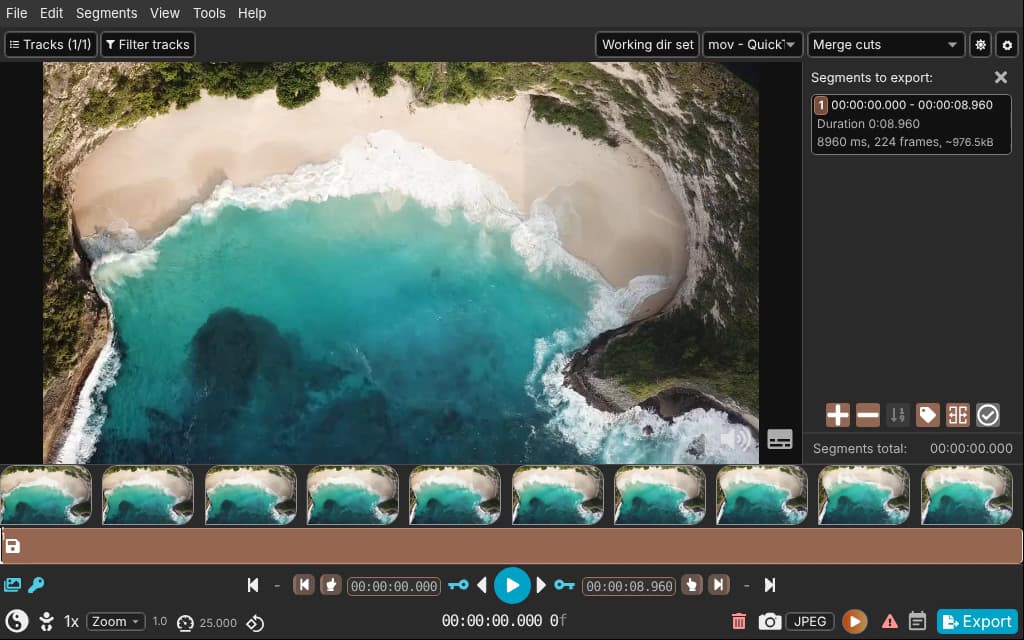
LosslessCut will do the same in seconds without losing quality
LosslessCut simply cuts the data stream and directly copies it over.
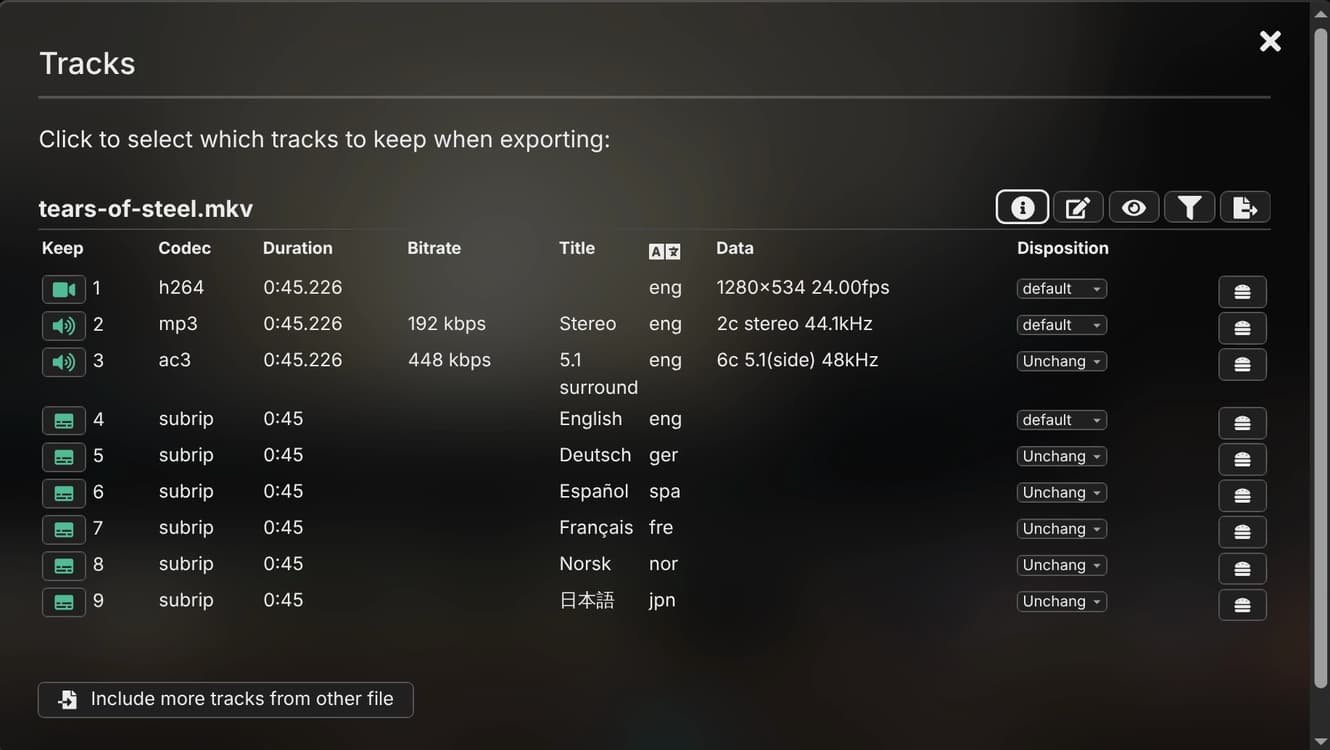
Tears of Steel (CC) Blender Foundation | mango.blender.org
Features
Example use cases
- Cut out commercials from a recorded TV show (and change it from TS to MP4)
- Extract the music track from a video and cut it to your needs
- Add music to a video, or replace its audio track
- Join clips from the same camera or phone into one file
- Cut a file by its MP4/MKV chapters
Which functions are available depends on the file and its format and codecs. Lossless cuts can only start at a keyframe, so a cut starts at the keyframe before your cut point, a fraction of a second up to several seconds earlier depending on the encoding.
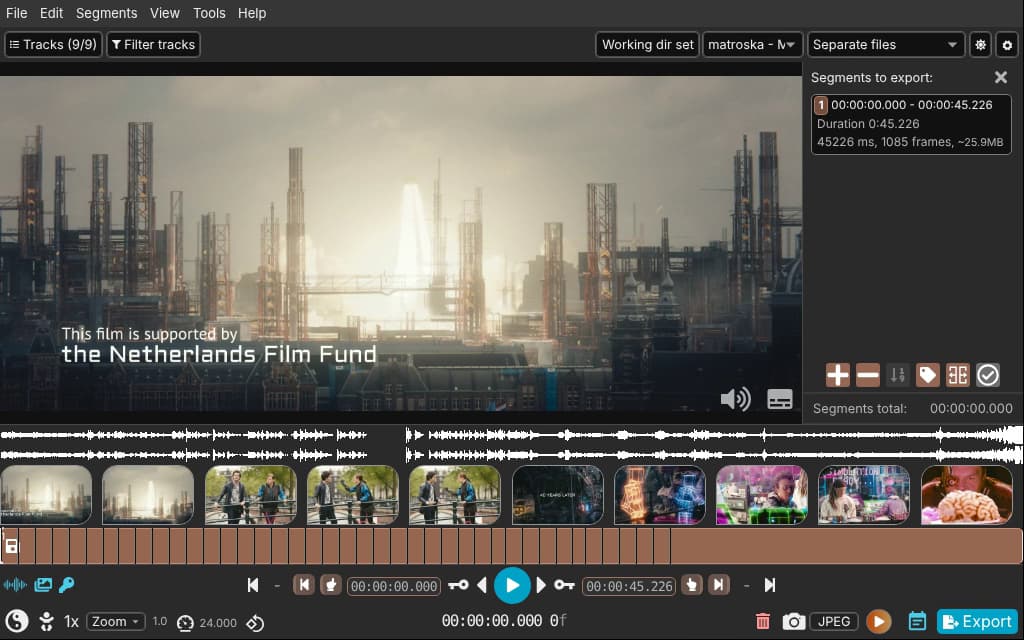
Tears of Steel (CC) Blender Foundation | mango.blender.org
Lightning Fast! It's like Magic
%20--%3e%3csvg%20version='1.1'%20id='Layer_1'%20xmlns='http://www.w3.org/2000/svg'%20xmlns:xlink='http://www.w3.org/1999/xlink'%20x='0px'%20y='0px'%20viewBox='0%200%20512%20512'%20style='enable-background:new%200%200%20512%20512;'%20xml:space='preserve'%3e%3cg%3e%3ccircle%20style='fill:%2314B0BF;'%20cx='256'%20cy='256'%20r='256'/%3e%3cpath%20style='fill:%233387B5;'%20d='M437.018,437.018c59.699-59.699,83.722-141.548,72.12-219.09L401.833,109.86L96.691,163.666%20l8.771,49.731l2.463-0.435l0.077,0.435h-2.54v168.397c0,6.38,3.036,12.032,7.67,15.77c0.916,1.137,112.067,112.067,112.579,112.579%20C300.913,519.05,379.31,494.725,437.018,437.018z'/%3e%3cpath%20style='fill:%230F303F;'%20d='M415.309,381.788c0,11.192-9.16,20.352-20.352,20.352H125.809c-11.192,0-20.352-9.16-20.352-20.352%20V233.743c0-11.192,9.16-20.352,20.352-20.352h269.148c11.192,0,20.352,9.16,20.352,20.352V381.788z'/%3e%3crect%20x='105.462'%20y='213.396'%20style='fill:%23FFFFFF;'%20width='309.862'%20height='50.499'/%3e%3cpath%20style='fill:%230F303F;'%20d='M156.001,220.314l-36.874,37.366h37.366l36.874-37.366H156.001z%20M311.322,220.314l-36.874,37.366%20h37.366l36.874-37.366H311.322z%20M207.775,220.314L170.9,257.679h37.366l36.874-37.366H207.775z%20M259.548,220.314l-36.874,37.366%20h37.366l36.874-37.366H259.548z%20M363.095,220.314l-36.874,37.366h37.366l36.874-37.366H363.095z%20M414.868,220.314l-36.874,37.366%20h37.315v-37.366H414.868z%20M105.462,220.314v37.366h0.246l36.874-37.366H105.462z'/%3e%3crect%20x='98.721'%20y='136.353'%20transform='matrix(0.9848%20-0.1736%200.1736%200.9848%20-24.203%2046.4881)'%20style='fill:%23FFFFFF;'%20width='309.857'%20height='50.498'/%3e%3cpath%20style='fill:%230F303F;'%20d='M316.467,131.937l42.803,30.397l36.797-6.487l-42.803-30.397L316.467,131.937z%20M163.502,158.904%20l42.803,30.397l36.797-6.487L200.3,152.417L163.502,158.904z%20M265.477,140.928l42.803,30.397l36.797-6.487l-42.803-30.397%20L265.477,140.928z%20M214.492,149.919l42.803,30.397l36.797-6.487l-42.803-30.397L214.492,149.919z%20M112.517,167.895l42.803,30.397%20l36.797-6.487l-42.803-30.397L112.517,167.895z%20M97.894,170.476l6.487,36.797l36.746-6.482l-42.803-30.397L97.894,170.476z%20M366.479,123.116l42.803,30.397l0.241-0.041l-6.487-36.797L366.479,123.116z'/%3e%3cpath%20style='fill:%23FDC00F;'%20d='M394.634,317.379h-0.072v-36.552h-269.44v103.235h269.44v-62.172h0.072V317.379z%20M390.497,284.897%20v32.481h-101.13v-32.481L390.497,284.897L390.497,284.897z%20M284.856,284.897v32.481H177.05v-32.481L284.856,284.897%20L284.856,284.897z%20M129.193,379.991v-95.094h43.341v95.094H129.193z%20M177.05,379.991v-58.102h107.807v58.102L177.05,379.991%20L177.05,379.991z%20M390.497,379.991h-101.13v-58.102h101.125v58.102H390.497z'/%3e%3c/g%3e%3cg%3e%3c/g%3e%3cg%3e%3c/g%3e%3cg%3e%3c/g%3e%3cg%3e%3c/g%3e%3cg%3e%3c/g%3e%3cg%3e%3c/g%3e%3cg%3e%3c/g%3e%3cg%3e%3c/g%3e%3cg%3e%3c/g%3e%3cg%3e%3c/g%3e%3cg%3e%3c/g%3e%3cg%3e%3c/g%3e%3cg%3e%3c/g%3e%3cg%3e%3c/g%3e%3cg%3e%3c/g%3e%3c/svg%3e)
I believe software should be available to everyone, and LosslessCut will always be free for anyone to use and look at the code.
If LosslessCut brings you value, please consider supporting my continued work by purchasing it from your favorite store, or support me by donating.


- Latest version 3.70.2 (October 28, 2026)
- Windows 10 and 11, macOS 13 or newer, Linux
- Is it safe?
⚠️ Beware of unofficial websites and app distributors. The only official sources of LosslessCut are this website, GitHub and the app stores above.
FAQ
Why is it not free on the App Stores but free on GitHub?
I initially only released LosslessCut as a direct download from GitHub, as an unsigned/untrusted exe/binary file download. People were complaining that it's hard to download/install the unsigned exe file, as they need to go through these dialogs saying that this file is a threat to your computer, and anti-virus complaining about executables downloaded from the internet. Some wanted a way to automatically update the app when new versions are out. This can both be achieved by downloading through the MS and Apple App Store. Microsoft charges money for signing binaries and a yearly fee for publishing to the Microsoft Store. Therefore I decided I can sell it in the MS Store for those who want to support my continued work and want to have the benefits it gives, while at the same time providing more experimental unsigned downloads as usual. Of course anyone is also free to build LosslessCut from source code.
Is LosslessCut safe?
Yes, if you get it from this website, GitHub or the app stores. It's open source, and it has no ads or tracking (see the privacy policy).
Which operating systems does it run on?
Windows 10 and 11, macOS 13 or newer, Linux. See supported OS versions.
More FAQ...