---
title: Chatbot API - Build AI Chatbots with LLMs | ModelsLab
description: Build AI chatbots with our LLM-powered chatbot API. Streaming responses, custom prompts, and open-source models. Plans from $21/mo.
url: https://modelslab.com/chatbot-api
canonical: https://modelslab.com/chatbot-api
type: website
component: Seo/ChatbotApi
generated_at: 2026-11-12T09:05:07.563743Z
---
Imagen
Chatbot API - Build AI Chatbots with LLMs
---
ModelsLab's Chatbot API provides access to 10+ LLMs including DeepSeek, Llama 3, and Mistral through an OpenAI-compatible endpoint. Build conversational AI with streaming responses, function calling, and multi-turn context. Pricing starts at $0.20 per million tokens with 500ms average latency.
[Build Your Chatbot Now](https://modelslab.com/register) [API Documentation](https://docs.modelslab.com)
What Is the ModelsLab Chatbot API?
---
### A Unified API for Conversational AI
The ModelsLab Chatbot API provides developers with a single REST endpoint to access multiple large language models including Llama 3.1, Mistral, DeepSeek R1, Qwen, and specialized fine-tuned variants. Instead of managing separate integrations for each model provider, you send requests to one API and switch models by changing a single parameter — the model\_id.
The API follows an OpenAI-compatible chat completions format, which means existing codebases built for OpenAI can migrate to ModelsLab by changing the base URL and API key. This compatibility extends to streaming responses via server-sent events, function calling, JSON mode for structured output, and conversation history management.
- Access Llama, Mistral, DeepSeek, Qwen, and other open-source LLMs through one endpoint
- OpenAI-compatible format — migrate existing code by changing base URL
- Streaming responses with server-sent events for real-time chat UX
- Function calling and JSON mode for structured data extraction
- System prompts for chatbot personality and behavior control
- Pay-per-token pricing starting at $1.50 per million tokens
### How Does ModelsLab Compare to Other Chatbot APIs?
ModelsLab differentiates from direct model providers (OpenAI, Anthropic) by offering access to open-source models without infrastructure management. Compared to platforms like Together AI and Groq, ModelsLab provides a broader model catalog including image, video, and audio models alongside LLMs — enabling multimodal chatbot experiences through a single API key.
Pricing is competitive: DeepSeek R1 costs $2.40 per million tokens on ModelsLab, Qwen models range from $2.00 to $3.60 per million tokens, and Llama models start at $1.50 per million tokens. There are no minimum commitments — you pay only for tokens consumed.
### When Should You Use This API?
The ModelsLab Chatbot API is designed for developers building conversational features into applications — customer support bots, AI assistants, content generation tools, and interactive tutoring systems. It is particularly suited for teams that need access to multiple LLM options without locking into a single provider, or teams building multimodal AI products that combine chat with image generation or voice synthesis.
Trusted by





500M+
API Requests Processed
400K+
Registered Users
5K+
Discord Community Members
300+
Available AI APIs
500
GPUs in Our Own Datacenter
How Do You Send a Chat Request?
---
Build a working chatbot in minutes with these code examples. The API follows an OpenAI-compatible format for easy migration.
### cURL — Chat Completion
bash
```
1curl -X POST https://modelslab.com/api/v6/llm/chat \
2 -H "Content-Type: application/json" \
3 -d '{
4 "key": "your_api_key",
5 "model_id": "deepseek-r1",
6 "messages": [
7 {"role": "system", "content": "You are a helpful assistant."},
8 {"role": "user", "content": "Explain how transformers work in 3 sentences."}
9 ],
10 "max_tokens": 512,
11 "temperature": 0.7
12 }'
```
### Python — Streaming Chat
python
```
1import requests
2
3response = requests.post(
4 "https://modelslab.com/api/v6/llm/chat",
5 json={
6 "key": "your_api_key",
7 "model_id": "llama-3.1-70b",
8 "messages": [
9 {"role": "system", "content": "You are a customer support agent."},
10 {"role": "user", "content": "How do I reset my password?"}
11 ],
12 "stream": True,
13 "max_tokens": 1024
14 },
15 stream=True
16)
17
18for line in response.iter_lines():
19 if line:
20 print(line.decode("utf-8"))
```
### JavaScript — Function Calling
javascript
```
1const response = await fetch("https://modelslab.com/api/v6/llm/chat", {
2 method: "POST",
3 headers: { "Content-Type": "application/json" },
4 body: JSON.stringify({
5 key: "your_api_key",
6 model_id: "qwen-2.5-72b",
7 messages: [
8 { role: "user", content: "What's the weather in San Francisco?" }
9 ],
10 tools: [{
11 type: "function",
12 function: {
13 name: "get_weather",
14 description: "Get current weather for a location",
15 parameters: {
16 type: "object",
17 properties: {
18 location: { type: "string", description: "City name" }
19 },
20 required: ["location"]
21 }
22 }
23 }]
24 })
25});
26
27const data = await response.json();
28console.log(data);
```
What LLM Models Can You Access?
---
Access multiple LLM models through a single API endpoint. Deploy chatbots with streaming responses, context management, and custom system prompts.
Multiple LLM Models Choose from a range of open-source large language models including Llama 3.1, Mistral, DeepSeek R1, and specialized fine-tuned variants. Switch models with a single parameter change — no infrastructure changes needed.
Streaming Responses Deliver real-time, token-by-token responses to your users with server-sent events. Reduce perceived latency and create responsive chat experiences that feel natural.
Custom System Prompts Define your chatbot personality, tone, and behavior with system prompts. Create specialized assistants for customer support, sales, onboarding, or any domain-specific use case.
Chat Options Access a wide range of open-source models for creative writing, fiction, and research applications. Full control over model parameters at the API level.
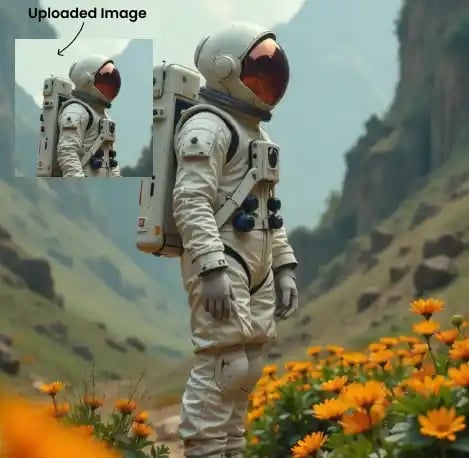





Everything you need to build production-ready chatbots and conversational AI applications.
[Get Started](https://modelslab.com/register)
How to Build a Chatbot with Our API
---
Deploy your first AI chatbot in minutes, not weeks.
STEP 01
STEP 01
### Step 1: Get Your API Key
Create a ModelsLab account, subscribe to a plan (from $21/month), and generate your chatbot API key from the dashboard.
STEP 02
STEP 02
### Step 2: Configure Your Chatbot
Choose your LLM model, set a system prompt to define your chatbot personality, and configure parameters like temperature, max tokens, and response format.
STEP 03
STEP 03
### Step 3: Integrate and Deploy
Send chat messages via our REST API or use our Python/JavaScript SDK. Handle streaming responses and build conversational flows in your application.
[Get Your API Key ](https://modelslab.com/register)
Why Build Chatbots with ModelsLab?
---
Key advantages that set us apart
Access to Llama 3.1, Mistral, DeepSeek R1, and other open-source LLMs
Streaming responses with server-sent events
Custom system prompts for chatbot personality
Open-source model options including Llama, Mistral, and DeepSeek
Conversation context management built in
JSON mode for structured data extraction
Function calling support for tool use
OpenAI-compatible API format for easy migration
Sub-second first-token latency
Pay-per-token pricing starting at $1.50/M tokens
Python and JavaScript SDKs available
Developer support via Discord, email and live chat
GDPR-compliant data handling
No questions asked refund policy
Our Popular Use Cases
Use cases for our chatbot API:
Customer SupportContent GenerationVirtual AssistantsEducation and TutoringHealthcare TriageSales and Lead Qualification
Automate support tickets with AI chatbots that understand context, resolve common issues, and escalate complex cases to human agents.
Your Data is Secure: GDPR Compliant AI Services
---

Plans from $21 a month
---
Basic is $21/month and Standard $47/month; self-hosted image models cost $0.0047 per image from that allowance. Open Source Unlimited is $149/month with no per-image charge on self-hosted models. Every plan covers Flux, SDXL and 10,000+ community models. Cancel anytime.
100% refund policy on monthly & yearly plans — cancel anytime
MonthlyYearly 2 Months Free
[Contact Sales](https://calendly.com/support-lael/30min)
Best Value
### Open Source Unlimited
Mission-Critical
$149 /month
Get API Key100% refund policy · cancel anytime
Unlimited Open Source Models
100% refund policy
24x7 Support
15 parallel generations
Access to all APIs
Unlimited generations on all open-source models
For mission critical workloads
Add Team Members
Priority GPU Clusters
Most Popular
### Standard
Production
$47 /month
Get API Key100% refund policy · cancel anytime
Moderate Traffic
100% refund policy
Priority Developer Support
10 concurrent API requests
For Production workloads
API access to all models
Prototype
### Basic
Prototype
$21 /month
Get API Key100% refund policy · cancel anytime
Moderate Traffic
100% refund policy
Developer Support via Discord/Email
5 concurrent API requests
API access to all models
Shared GPU
TestimonialsTrusted by 450+ teams on dedicated GPUs
---
See how developers and engineering teams scale generative pipelines with ModelsLab.
Previous slideNext slide
ModelsLab's Voice Cloning and Audio APIs revolutionized how we approach character development in our games. It's like having a full studio of voice actors running on dedicated infrastructure.

#### Alex Rivera
Lead Game Developer at Voxel Studios
The LLM and image generation APIs made multi-model pipelines trivial. One unified API key replaced four separate vendor contracts and cut our queue latency in half.

#### John Hernandez
AI Systems Architect at Synthetix AI
The ease of creating lifelike voiceovers for our e-learning courses has dramatically increased engagement. 99.9% uptime and instant API response have made it essential to our stack.

#### Priya Singh
Instructional Designer at LearnStream Media
Dedicated GPU clusters gave our production pipelines the throughput we needed without unpredictable rate limits or cold starts. Excellent developer experience.

#### Michael Chen
Digital Marketing Manager at Nexus Studio
Chatbot API — Frequently Asked Questions
---
### What LLM models are available through the ModelsLab Chatbot API?
ModelsLab provides access to Llama 3.1 (8B, 70B, 405B), Mistral, DeepSeek R1, DeepSeek V3, Qwen 2.5 (7B, 32B, 72B), and dozens of other open-source and fine-tuned LLM models. You can switch between models by changing the model_id parameter in your API request.
### How much does the Chatbot API cost?
Pricing is pay-per-token. DeepSeek R1 costs $2.40 per million tokens, Qwen models range from $2.00 to $3.60 per million tokens, and Llama models start at $1.50 per million tokens. Plans start at $21/month (Basic, 3,250 API calls).
### Is the API compatible with OpenAI format?
Yes, the ModelsLab Chatbot API follows the OpenAI chat completions format. Existing code built for OpenAI can migrate by changing the base URL and API key. This includes streaming, function calling, JSON mode, and conversation history management.
### Does the API support streaming responses?
Yes, the API supports real-time streaming via server-sent events (SSE). Set stream: true in your request to receive token-by-token responses, reducing perceived latency for chat applications.
### What is the response latency?
First-token latency is typically under 1 second for most models. Total generation time depends on the model size and max_tokens parameter. Streaming mode delivers tokens in real-time as they are generated.
Explore Our Other Solutions
---
Unlock your creative potential and scale your business with ModelsLab's comprehensive suite of AI-powered solutions.
[Imagen
### AI Image Generation & Tools
Generate, edit, upscale, and transform images with state-of-the-art AI models.
Explore Imagen](https://modelslab.com/imagen) [Audio Gen
### AI Audio Generation
Text-to-speech, voice cloning, music generation, and audio processing APIs.
Explore Audio Gen](https://modelslab.com/audio-gen) [Video Fusion
### AI Video Generation & Tools
Create, edit, and enhance videos with AI-powered generation and transformation tools.
Explore Video Fusion](https://modelslab.com/video-generation) [Chat
### Engage Seamlessly with LLM
Access powerful language models for chatbots, content generation, and AI assistants.
Explore Chat](https://modelslab.com/chatbot-api) [3D Verse
### Create Stunning 3D Models
Transform images and text into 3D models with advanced AI-powered generation.
Explore 3D Verse](https://modelslab.com/text-to-3d)
Plugins
Explore Plugins for Pro
---
Our plugins are designed to work with the most popular content creation software.
[Explore Plugins](https://modelslab.com/pro#plugins) [About ModelsLab Pro](https://modelslab.com/pro)
API
Build Apps with ModelsLab
ML
API
---
Use our API to build apps, generate AI art, create videos, and produce audio with ease.
[API Documentation](https://docs.modelslab.com) [Playground](https://modelslab.com/models)
---
*This markdown version is optimized for AI agents and LLMs.*
**Links:**
- [Website](https://modelslab.com)
- [API Documentation](https://docs.modelslab.com)
- [Blog](https://modelslab.com/blog)
---
*Generated by ModelsLab - 2026-11-12*