---
title: Imagen — Generate Images with Stable Diffusion & Flux | ModelsLab
description: Generate, edit and upscale images with Flux, SDXL and 10,000+ open-source models. Developers call the same models from the AI image generation API.
url: https://modelslab.com/imagen
canonical: https://modelslab.com/imagen
type: website
component: Business/Products/Imagen
generated_at: 2026-11-12T01:09:57.662370Z
---
Imagen API
Flux API is Live on ModelsLab
API to create AI images using
Stable Diffusion & Flux
---
Spend less time on managing GPUs and more time on your products.
[Click to Create AI Images](https://modelslab.com/register)
Building an app? See the [AI Image Generation API](https://modelslab.com/image-generation-api) for endpoints, parameters and prices.
Text to Image
---
Easily change your text into great images with ModelsLab's API, Bring your ideas to life in seconds!
[Start Generating Images](https://modelslab.com/register?redirect=https://modelslab.com/models) [API Docs](https://docs.modelslab.com/image-generation/realtime-stable-diffusion/overview)
Inpainting & Outpainting API
---
Use ModelsLab's API to fill gaps and expand your images easily!
[Try it](https://modelslab.com/register?redirect=https://modelslab.com/models/modelslab/extend-image-outpainting) [API Docs](https://docs.modelslab.com/image-editing/outpaint)
Avatars & Headshot API
---
Use ModelsLab's Facegen & Faceswap tools to create AI Avatars & swap features.
[Create AI Avatar](https://modelslab.com/register?redirect=https://modelslab.com/models/modelslab/ai-avatar-generatorface-gen) [API Docs](https://docs.modelslab.com/image-editing/face-gen)
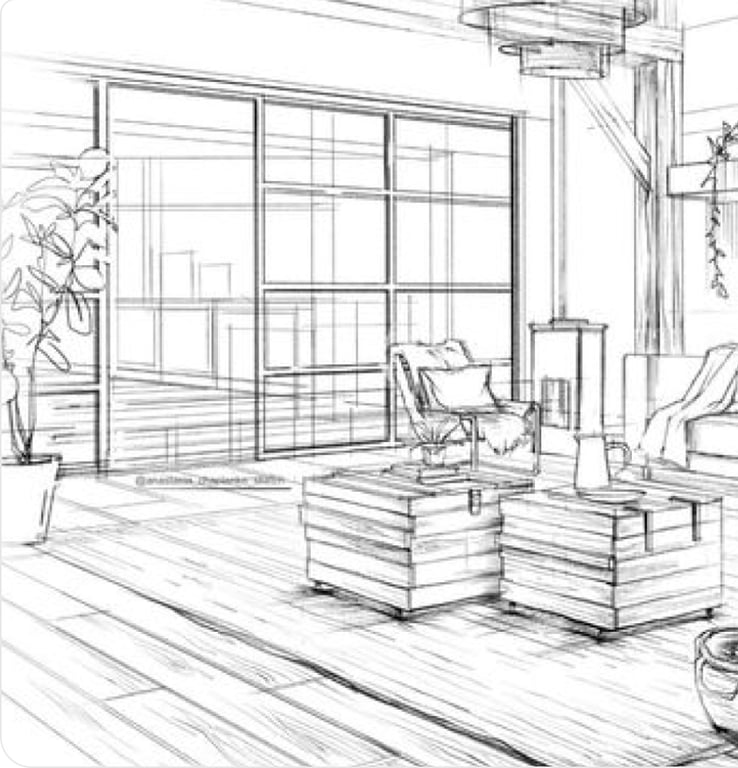
ControlNet API to generate controlled images
---
Use ControlNet for precise and creative image generation.
[Revamp your house](https://modelslab.com/register?redirect=https://modelslab.com/models/modelslab/flux-text-to-image) [API Docs](https://docs.modelslab.com/image-generation/controlnet/overview)
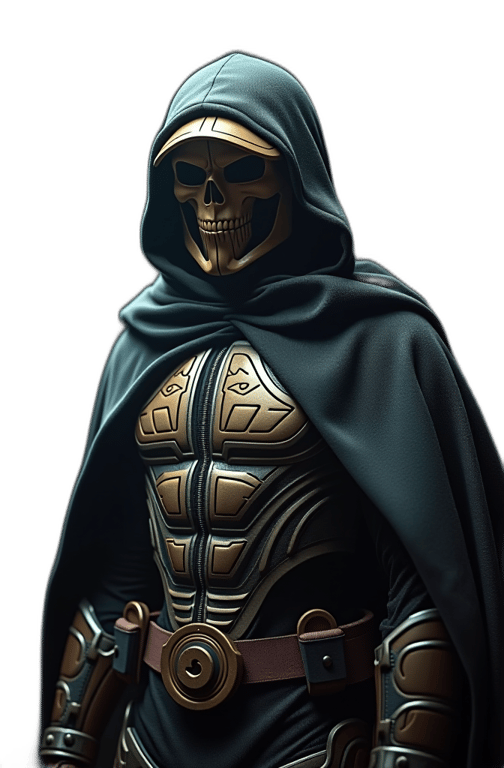
Background Remove & Replace API
---
Use ModelsLab's API to make perfect background changes for professional results.
[Remove Background](https://modelslab.com/register?redirect=https://modelslab.com/models/modelslab/background-remover) [API Docs](https://docs.modelslab.com/image-editing/removebg-createmask)
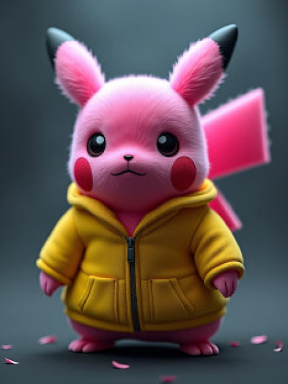
Upscale & Super Resolution Images to 8K using API
---
Use ModelsLab's API to get crystal-clear detail and upgrade your visuals instantly.
[Get HD Images](https://modelslab.com/register?redirect=https://modelslab.com/models/modelslab/image-upscaler) [API Docs](https://docs.modelslab.com/image-editing/super-resolution)
Virtual Try-on and Fashion API
---
Use ModelsLab's API to see outfits on instantly. Upgrade your style with virtual fitting!
[Try-on](https://modelslab.com/register?redirect=https://modelslab.com/models/modelslab/fashion) [API Docs](https://docs.modelslab.com/image-editing/fashion)
Imagen quick start
---
Generate an image with one POST request to /api/v6/images/text-to-image. Works with Stable Diffusion, SDXL, Flux, and 10,000+ models. Returns a hosted image URL.
### Python — text-to-image with Flux
Python
```
1import requests
2
3response = requests.post(
4 "https://modelslab.com/api/v6/images/text-to-image",
5 json={
6 "key": "YOUR_API_KEY",
7 "model_id": "flux",
8 "prompt": "a cinematic close-up portrait, soft daylight, 35mm film grain",
9 "negative_prompt": "low quality, blurry",
10 "width": 1024,
11 "height": 1024,
12 "samples": 1
13 }
14)
15
16print(response.json()["output"][0])
```
### JavaScript — Stable Diffusion XL with a LoRA
JavaScript
```
1const response = await fetch('https://modelslab.com/api/v6/images/text-to-image', {
2 method: 'POST',
3 headers: { 'Content-Type': 'application/json' },
4 body: JSON.stringify({
5 key: 'YOUR_API_KEY',
6 model_id: 'sdxl',
7 lora_model: 'your-lora-id',
8 lora_strength: 0.8,
9 prompt: 'a softly-lit portrait, photorealistic',
10 width: 1024,
11 height: 1024,
12 samples: 1,
13 }),
14});
15
16const data = await response.json();
17console.log(data.output[0]);
```
### cURL — quick test from terminal
bash
```
1curl -X POST 'https://modelslab.com/api/v6/images/text-to-image' \
2 -H 'Content-Type: application/json' \
3 -d '{
4 "key": "YOUR_API_KEY",
5 "model_id": "flux",
6 "prompt": "a vintage diner at golden hour, neon sign glow",
7 "width": 1024,
8 "height": 1024,
9 "samples": 1
10 }'
```
Use Cases
---
Unleash Your Creativity in Our Sandbox of Voices and Languages

### Interior Design
Redesign Your Space Effortlessly with ModelsLab's Interior Design Feature
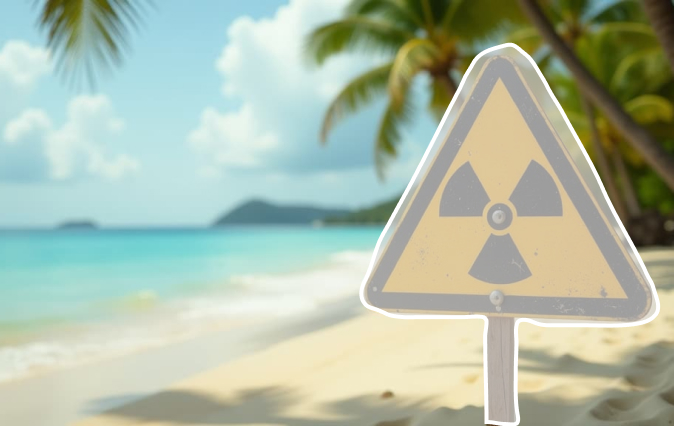
### Object Removal
Effortlessly Remove Unwanted Objects with ModelsLab's AI Object Remover
### Logo Generator
Design Stunning Logos Instantly with ModelsLab's AI Logo Generator
TestimonialsTrusted by 450+ teams on dedicated GPUs
---
See how developers and engineering teams scale generative pipelines with ModelsLab.
Previous slideNext slide
ModelsLab's Voice Cloning and Audio APIs revolutionized how we approach character development in our games. It's like having a full studio of voice actors running on dedicated infrastructure.

#### Alex Rivera
Lead Game Developer at Voxel Studios
The LLM and image generation APIs made multi-model pipelines trivial. One unified API key replaced four separate vendor contracts and cut our queue latency in half.

#### John Hernandez
AI Systems Architect at Synthetix AI
The ease of creating lifelike voiceovers for our e-learning courses has dramatically increased engagement. 99.9% uptime and instant API response have made it essential to our stack.

#### Priya Singh
Instructional Designer at LearnStream Media
Dedicated GPU clusters gave our production pipelines the throughput we needed without unpredictable rate limits or cold starts. Excellent developer experience.

#### Michael Chen
Digital Marketing Manager at Nexus Studio
Plans from $21 a month
---
Basic is $21/month and Standard $47/month; self-hosted image models cost $0.0047 per image from that allowance. Open Source Unlimited is $149/month with no per-image charge on self-hosted models. Every plan covers Flux, SDXL and 10,000+ community models. Cancel anytime.
100% refund policy on monthly & yearly plans — cancel anytime
MonthlyYearly 2 Months Free
[Contact Sales](https://calendly.com/support-lael/30min)
Best Value
### Open Source Unlimited
Mission-Critical
$149 /month
Get API Key100% refund policy · cancel anytime
Unlimited Open Source Models
100% refund policy
24x7 Support
15 parallel generations
Access to all APIs
Unlimited generations on all open-source models
For mission critical workloads
Add Team Members
Priority GPU Clusters
Most Popular
### Standard
Production
$47 /month
Get API Key100% refund policy · cancel anytime
Moderate Traffic
100% refund policy
Priority Developer Support
10 concurrent API requests
For Production workloads
API access to all models
Prototype
### Basic
Prototype
$21 /month
Get API Key100% refund policy · cancel anytime
Moderate Traffic
100% refund policy
Developer Support via Discord/Email
5 concurrent API requests
API access to all models
Shared GPU
Get expert support
We're Here to Help.
---
Want to know more? You can email us anytime at
Chat with support[View Docs](https://docs.modelslab.com)
API stands for "application programming interface." In simple terms, an API is a piece of software that integrates with your code to perform a particular task. In today's world, "API" usually refers to a hosted solution that exposes an HTTP endpoint that you can access via a network request
Yes
image editing technologies often with just one POST or GET request. Adding that functionality to an existing website or a new application is simple, yet effective. Image editing APIs are essential to businesses that rely on strong visuals to sell or educate. For example, online retail marketplace sites may give sellers an option to upload and edit images of their items for sale. Photo gallery sites are utilizers of APIs too, and any application that allows members to upload their profile photos or other images. image editing helps businesses build their brand. Clear, high-quality images attract customers and motivate them to buy.
The FaceGen API has a wide range of applications, including virtual avatar creation for gaming and virtual reality (VR) applications, character generation for animation and film production, facial recognition system training, and personalized content generation in e-commerce and marketing.
Outpainting,Blip Diffusion,Magic Mix,Depth to Image,Image Mixer,Image Guided Editing,Background Removal and Create mask,Super Resolution,Multi-view,Fashion,Face Generator,,Inpainting,Head shot. https://docs.modelslab.com/image-editing/overview
You can generate any visual you like with Imagen. For example, if you type a prompt that says, "Blonde Girl in a Witch Outfit," then our Imagen API will generate a beautiful picture for you. You can also create avatars, swap features, extend backgrounds, and remove objects from your photos. Imagen is not limited to generating images; you can add precise and creative details using it.
If you want to see how your clothes fit across different body types, genders, heights, and sizes, then you can use the Fashion API to preview your styles. It's great for virtual fitting and will let you try all kinds of outfits. So you don't have to visit the store. You can sit in the comfort of your home and test out different materials and accessories. You can then decide how to design your clothes based on its outputs. It will save you a lot of time and money as well.
You should use Imagen if you're an organization, a creator, or an individual. It's because we use images daily and need to create assets. You might be making photos for your social media, creative logos, or corporate design. Imagen can help you out with various image generation and rendering tasks. It creates high-quality images using Stable Diffusion and Flux, which are the best for creative projects. If you want to take pics on your phone and edit them, Imagen can edit them creatively. It will save you a lot of time, and you can impress your friends.
You can sketch your raw concepts as rough ideas and feed them to Imagen. It can produce completely rendered visuals for you from your sketches. Imagen can show your concepts from different views and angles. You can rotate your drawings in 3D. Imagen can also show you before and after previews. You can further prompt it to flesh out your ideas and gain complete control over your creative outputs.
Yes, if you have blurry, pixelated,d or noisy photos, you can use Imagen to clean them up. It's great for restoring your old photos and bringing them back to life. You can make edits on the fly and prompt to make the necessary tweaks. It can also fill in missing details and remove objects from the background. You can color-correct, adjust levels, and correct the tone and settings. Imagen can give crystal precise detail and instantly upgrade your visuals using its upscale and super-resolution capabilities. You can convert your images to high-res photos using the API and scale up to 8K. It will produce HD results.
Explore Our Other Solutions
---
Unlock your creative potential and scale your business with ModelsLab's comprehensive suite of AI-powered solutions.
[Audio Gen
### AI Audio Generation
Text-to-speech, voice cloning, music generation, and audio processing APIs.
Explore Audio Gen](https://modelslab.com/audio-gen) [Video Fusion
### AI Video Generation & Tools
Create, edit, and enhance videos with AI-powered generation and transformation tools.
Explore Video Fusion](https://modelslab.com/video-generation) [Chat
### Engage Seamlessly with LLM
Access powerful language models for chatbots, content generation, and AI assistants.
Explore Chat](https://modelslab.com/chatbot-api) [3D Verse
### Create Stunning 3D Models
Transform images and text into 3D models with advanced AI-powered generation.
Explore 3D Verse](https://modelslab.com/text-to-3d)
Plugins
Explore Plugins for Pro
---
Our plugins are designed to work with the most popular content creation software.
[Explore Plugins](https://modelslab.com/pro#plugins) [About ModelsLab Pro](https://modelslab.com/pro)
API
Build Apps with ModelsLab
ML
API
---
Use our API to build apps, generate AI art, create videos, and produce audio with ease.
[API Documentation](https://docs.modelslab.com) [Playground](https://modelslab.com/models)
## Frequently Asked Questions
### What Is an Image Editing API?
API stands for "application programming interface." In simple terms, an API is a piece of software that integrates with your code to perform a particular task. In today's world, "API" usually refers to a hosted solution that exposes an HTTP endpoint that you can access via a network request
### Can I get higher resolution or higher quality images?
Yes
### Why is an image editing API important?
image editing technologies often with just one POST or GET request. Adding that functionality to an existing website or a new application is simple, yet effective.
Image editing APIs are essential to businesses that rely on strong visuals to sell or educate. For example, online retail marketplace sites may give sellers an option to upload and edit images of their items for sale. Photo gallery sites are utilizers of APIs too, and any application that allows members to upload their profile photos or other images.
image editing helps businesses build their brand. Clear, high-quality images attract customers and motivate them to buy.
### What can I use the FaceGen(head Shot) API for?
The FaceGen API has a wide range of applications, including virtual avatar creation for gaming and virtual reality (VR) applications, character generation for animation and film production, facial recognition system training, and personalized content generation in e-commerce and marketing.
### What image editing APIs includes?
Outpainting,Blip Diffusion,Magic Mix,Depth to Image,Image Mixer,Image Guided Editing,Background Removal and Create mask,Super Resolution,Multi-view,Fashion,Face Generator,,Inpainting,Head shot.
https://docs.modelslab.com/image-editing/overview
### What can you do with ModelsLab's Imagen?
You can generate any visual you like with Imagen. For example, if you type a prompt that says, "Blonde Girl in a Witch Outfit," then our Imagen API will generate a beautiful picture for you. You can also create avatars, swap features, extend backgrounds, and remove objects from your photos. Imagen is not limited to generating images; you can add precise and creative details using it.
### What is the Virtual Try-On and Fashion API useful for?
If you want to see how your clothes fit across different body types, genders, heights, and sizes, then you can use the Fashion API to preview your styles. It's great for virtual fitting and will let you try all kinds of outfits. So you don't have to visit the store. You can sit in the comfort of your home and test out different materials and accessories. You can then decide how to design your clothes based on its outputs. It will save you a lot of time and money as well.
### Why should I use Imagen?
You should use Imagen if you're an organization, a creator, or an individual. It's because we use images daily and need to create assets. You might be making photos for your social media, creative logos, or corporate design. Imagen can help you out with various image generation and rendering tasks. It creates high-quality images using Stable Diffusion and Flux, which are the best for creative projects. If you want to take pics on your phone and edit them, Imagen can edit them creatively. It will save you a lot of time, and you can impress your friends.
### Can I use Imagen for interior designing?
You can sketch your raw concepts as rough ideas and feed them to Imagen. It can produce completely rendered visuals for you from your sketches. Imagen can show your concepts from different views and angles. You can rotate your drawings in 3D. Imagen can also show you before and after previews. You can further prompt it to flesh out your ideas and gain complete control over your creative outputs.
### Can Imagen improve my photo quality?
Yes, if you have blurry, pixelated,d or noisy photos, you can use Imagen to clean them up. It's great for restoring your old photos and bringing them back to life. You can make edits on the fly and prompt to make the necessary tweaks. It can also fill in missing details and remove objects from the background. You can color-correct, adjust levels, and correct the tone and settings. Imagen can give crystal precise detail and instantly upgrade your visuals using its upscale and super-resolution capabilities. You can convert your images to high-res photos using the API and scale up to 8K. It will produce HD results.
---
*This markdown version is optimized for AI agents and LLMs.*
**Links:**
- [Website](https://modelslab.com)
- [API Documentation](https://docs.modelslab.com)
- [Blog](https://modelslab.com/blog)
---
*Generated by ModelsLab - 2026-11-12*