Launch. Get Seen

The launch platform for ambitious founders and small teams.

SmolLaunchPad - Domain Rating

Top 8 on Outbid

#1$45
Boost Your Domain Rating — DoFollow Backlinks (DR 30–70) from $30 logo

Boost Your Domain Rating — DoFollow Backlinks (DR 30–70) from $30

Raise your Ahrefs Domain Rating with 5 - 50 dofollow backlinks from DR 30–60 sites — from $50, guaranteed to improve your DR or your money back.

#2$41
DirEasy - The Best Directory Boilerplate with AI | DirEasy logo

DirEasy - The Best Directory Boilerplate with AI | DirEasy

The best directory boilerplate, packed with AI, Listings, Payment, Submission, CMS, Blog, Authentication, Newsletter, SEO and more.

#3$40
Submit Your Startup to 100+ Directories | Submitator logo

Submit Your Startup to 100+ Directories | Submitator

Automated startup directory submission service. Get listed on Product Hunt, BetaList, Indie Hackers & 100+ directories for SEO backlinks and DR boost. From $29.

#4$30
DirEasy - The Best Directory Boilerplate with AI | DirEasy logo

DirEasy - The Best Directory Boilerplate with AI | DirEasy

The best directory boilerplate, packed with AI, Listings, Payment, Submission, CMS, Blog, Authentication, Newsletter, SEO and more.

#5$25
Quiz Shot - Solve Any Screenshot Question in Seconds. logo

Quiz Shot - Solve Any Screenshot Question in Seconds.

AI Study Assistant that answers any screenshot question. Get free AI tutor and step-by-step math and homework help with ChatGPT.

#6$21
SizeItUp – Size It Up, the daily size comparison game logo

SizeItUp – Size It Up, the daily size comparison game

Size It Up is a free daily size comparison game. Guess the size of everyday objects, planets and dinosaurs against one you know, with every answer sourced.

#7$20
Quiz Boost - Invisible AI for Proctored Exams. logo

Quiz Boost - Invisible AI for Proctored Exams.

Quiz Boost works seamlessly with Canvas, Blackboard, Moodle, Schoology, and more. Get intelligent assistance that's completely undetectable by standard LMS monitoring.

#8$20
allentown logo

allentown

The best Nextjs SaaS boilerplate - https://t.co/Ovnu9Do4HE A powerful AI-powered directory boilerplate - https://t.co/nvavdYLYDB ALL-In-One AI ChatGPT Copilot - https://t.co/jzVKjEj3Tj

Top Projects Launching Today

New launches in
00h
:
00m
:
00s
CoinSyncer logo

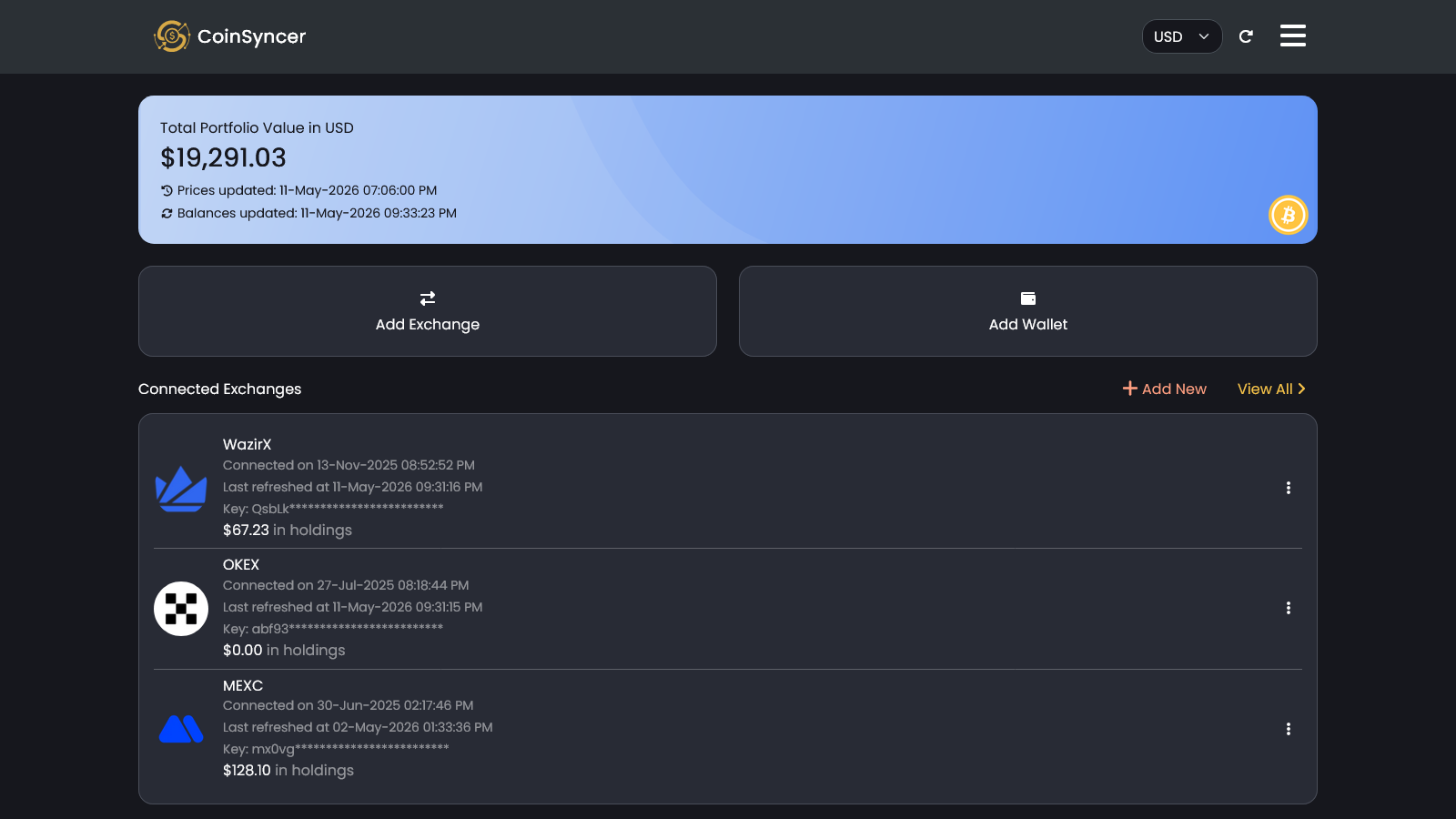
IntroductionCoinSyncer is a cutting-edge SaaS platform designed to simplify crypto portfolio tracking for investors. It provides a single, streamlined dashboard to monitor all your digital assets spread across various exchanges and wallets, eliminating the complexity of manual tracking.Target AudienceThis platform is ideal for crypto investors who manage assets across multiple platforms and seek a consolidated, real-time view of their entire portfolio's performance and growth.Key FeaturesSeamless support for over 90 blockchain networks, ensuring comprehensive asset coverage.Integrations with 20+ major crypto exchanges for complete portfolio synchronization.Balances and crypto prices are refreshed multiple times daily for up-to-date tracking.A unified, intuitive dashboard for a holistic view of all crypto holdings.Reliable syncing capabilities, built by experienced crypto investors to overcome common integration frustrations.Use CasesCoinSyncer is invaluable for investors who find it challenging to keep tabs on their diverse crypto holdings. For instance, an investor holding Bitcoin on Binance, Ethereum on Coinbase, and various altcoins in a hardware wallet would typically need to log into multiple accounts or manually track balances. CoinSyncer consolidates all this information into one dashboard, providing an instant, accurate overview of their total net worth and individual asset performance.Furthermore, it's perfect for those who want to track the growth of their investments with confidence. By automatically syncing balances and refreshing prices, users can make informed decisions without the constant hassle of data aggregation. This eliminates the risk of outdated information and ensures investors always have a clear picture of their financial position in the volatile crypto market.Pricing InformationSpecific pricing details are not provided in the available content. Typically, comprehensive SaaS solutions like CoinSyncer offer various subscription tiers, potentially including a free trial or freemium option for basic features, with advanced functionalities reserved for paid plans.User Experience and SupportCoinSyncer emphasizes a streamlined dashboard, suggesting an intuitive and user-friendly interface designed for ease of access and readability. The platform aims to simplify a complex task, implying a focus on a smooth user experience. While specific documentation or support channels are not detailed, the "Contact Us" link on the website indicates avenues for user assistance.Technical DetailsCoinSyncer operates as a web-based platform, accessible across all devices. Its core functionality relies on robust integrations with numerous blockchain networks and exchanges, indicating a sophisticated backend infrastructure capable of handling frequent data synchronization and real-time updates.Pros and ConsPros:Consolidates all crypto holdings into a single, easy-to-use dashboard.Broad support for 90+ blockchain networks and 20+ exchanges.Balances and prices are refreshed multiple times daily, ensuring accuracy.Built by crypto investors, addressing common pain points like poor integrations.Accessible across all devices (web).Cons:Specific pricing information is not disclosed.Details on customer support channels or documentation are not provided.No mention of advanced features like tax reporting or trading tools (though not explicitly excluded).Relies on third-party exchange/wallet APIs, subject to their reliability.ConclusionCoinSyncer offers a powerful and reliable solution for crypto investors seeking to effortlessly track their entire digital asset portfolio. By providing a unified, up-to-date view of investments, it empowers users to monitor growth and make confident decisions. Explore CoinSyncer today to take control of your crypto portfolio.

Brewless logo

Brewless is a specialized SaaS platform designed to simplify the deployment and scaling of Laravel applications in a serverless environment. It caters specifically to Laravel teams seeking EU-sovereign hosting solutions, offering seamless integration with European cloud providers Scaleway and bunny.net. Key Features: Serverless Laravel Deployment: Automatically deploys Laravel apps to Scaleway Serverless Containers, eliminating server management. EU Data Sovereignty: Hosts applications and data exclusively within European data centers with European-owned providers (Scaleway, bunny.net). Direct Cloud Contracts: Users maintain direct contracts and billing with Scaleway and bunny.net, ensuring full ownership and transparency. Automatic Scaling & Cost Optimization: Containers scale on demand with traffic, reducing costs during quiet periods and handling peak loads efficiently. Laravel-Optimized Workflows: Handles migrations, queues, and schedulers automatically, reading configurations directly from your Laravel app. Edge Caching with bunny.net: Utilizes bunny.net CDN for static content and DDoS protection, improving performance and reducing app wake-ups. Use Cases: Brewless is ideal for Laravel developers and teams who need to deploy highly scalable applications without the overhead of server management. It's particularly beneficial for businesses prioritizing data sovereignty and compliance with European regulations, as it ensures that applications, databases, and files reside within EU-owned infrastructure. This platform solves the common problem of managing fluctuating traffic, allowing apps to effortlessly scale from minimal replicas during off-peak hours to many during traffic spikes, such as newsletter sends, without manual intervention or over-provisioning. Furthermore, Brewless streamlines the DevOps process for Laravel applications. It automates builds, releases, and queue management, allowing developers to focus on code rather than infrastructure. For those migrating from other platforms like Laravel Vapor, Brewless offers a smooth transition with its brewless init command, converting existing configurations. Pricing Information: Brewless operates on a freemium model, offering one application free (including production) without a credit card until users require their own domain or more features. Paid plans start from €15 a month for the Solo plan, with Business and Enterprise options available for larger teams and multiple cloud accounts. Users pay Scaleway and bunny.net directly for their cloud resource usage at list prices, while Brewless charges separately for its deployment and management services, adding no markup to cloud bills. User Experience and Support: The platform emphasizes ease of use with a concise brewless.yml configuration file and a dashboard/CLI for managing deployments and running Artisan commands. It integrates seamlessly with existing Laravel projects, automatically detecting and running migrations and scheduled tasks. Comprehensive documentation, including quickstart guides and migration instructions from Laravel Vapor, is available to assist users. Technical Details: Brewless leverages Scaleway's Serverless Containers for application execution, Scaleway Serverless SQL Database or Managed PostgreSQL for data persistence, and Managed Database for Redis for caching. bunny.net provides DNS, CDN, and security services. The platform is built specifically for Laravel applications, supporting PHP and FrankenPHP, and handles builds within the user's own Scaleway project, ensuring code never passes through Brewless's infrastructure. Pros and Cons: Pros: True serverless for Laravel; no server management. Strong EU data sovereignty and European ownership. Automatic, cost-effective scaling for variable traffic. Direct cloud contracts for transparency. Laravel-specific optimizations (migrations, queues, scheduler). Easy migration path from Laravel Vapor. Free tier available. Cons: Exclusively for Laravel applications. Serverless database not available in all Scaleway regions. bunny.net DNS lookups are worldwide. Conclusion: Brewless offers a compelling solution for Laravel developers seeking a fully managed, serverless deployment platform with a strong focus on European data sovereignty. Its intelligent scaling, direct cloud billing, and Laravel-specific features make it an efficient and compliant choice for modern web applications. Explore Brewless today to deploy your Laravel app with confidence and ease.

Yesterday's Launches

No projects found for "Yesterday's Launches"

Last Week's Top

QBOtoExcel logo

QBOtoExcel is a convenient online tool that allows users to convert QuickBooks QBO files into Excel (XLSX) or CSV formats directly in their browser. This SaaS solution is designed for individuals and businesses needing to analyze bank transactions without requiring QuickBooks software. It's ideal for accountants, small business owners, and anyone needing to reconcile bank statements or export financial data for further analysis. Key Features: Local Processing: Your QBO file is processed entirely in your browser, ensuring privacy and data security as nothing is uploaded to a server. Multiple Output Formats: Convert QBO files to either XLSX for easy Excel integration or CSV for compatibility with various accounting tools and databases. No QuickBooks Required: Perform conversions without needing to install or own QuickBooks software. Detailed Transaction Extraction: Extracts essential fields including Date, Transaction Type, Amount, Name, Memo, Transaction ID, and Account. Single-File Workflow: Designed for straightforward conversion of one QBO file at a time, ensuring simplicity and predictability. Free to Use: The service is currently free for single QBO file conversions. Use Cases: QBOtoExcel is perfect for monthly bank reconciliation, allowing users to quickly get their bank activity into a spreadsheet for sorting, filtering, and matching against statements. Accountants can receive clean, organized transaction data from clients without needing access to their QuickBooks accounts, streamlining the reconciliation process. Furthermore, businesses can use this tool to build simple cash-flow reports, pass transaction details to other accounting systems, or create a readable table of financial data for team collaboration. It's a valuable resource for anyone who needs to extract and manipulate financial transaction data in a spreadsheet format. Pricing Information: The current version of QBOtoExcel is free to use for single QBO file conversions. There are no hidden costs or subscriptions for this basic functionality. Future plans include a paid Pro plan for higher-volume use and batch workflows, but the core single-file conversion remains free. User Experience and Support: The user interface is designed for simplicity, requiring users to merely drag and drop their QBO file or select it from their device. The conversion happens locally and quickly, with immediate download options for XLSX or CSV. The website provides clear instructions on how to use the converter and explains what data is extracted. As the processing is local, there's an inherent trust in data privacy. Technical Details: The conversion process runs entirely within the user's browser, leveraging client-side scripting to parse the QBO file and generate the output. This approach ensures that no sensitive financial data leaves the user's device. The tool extracts data based on standard OFX tags such as DTPOSTED, TRNTYPE, TRNAMT, NAME, PAYEE, MEMO, FITID, CHECKNUM, and ACCTID. Pros and Cons: Pros: Free to use, local processing for privacy, no QuickBooks installation needed, supports XLSX and CSV, extracts key transaction details, user-friendly interface. Cons: Currently limited to single-file conversions, not a full QuickBooks substitute, does not connect to bank accounts directly, no advanced accounting features. Conclusion: QBOtoExcel offers a straightforward, secure, and free solution for converting QuickBooks QBO files into usable spreadsheet formats. Its local processing and ease of use make it an excellent tool for quick financial data analysis and reconciliation. Explore QBOtoExcel today to simplify your financial data management.

VidSyndicate logo

VidSyndicate is a comprehensive social publishing platform designed to streamline content creation, scheduling, and distribution across multiple channels from a single, intuitive dashboard. It empowers creators, marketers, and businesses to achieve consistent multi-platform presence with minimal effort, transforming repetitive manual posting into an organized, efficient workflow. Targeting content creators, social media managers, podcasters, and digital marketers, VidSyndicate is ideal for anyone looking to amplify their reach and maintain a strong online presence across diverse platforms without the hassle of managing each one individually. Key Features Create Once, Publish Everywhere: Upload or create content once and adapt it for various social networks. Multi-Platform Support: Connects with Facebook, Instagram, LinkedIn, YouTube, TikTok, Pinterest, X (Twitter), Bluesky, Mastodon, Rumble, iHeartRadio, Spotify, and Apple Podcasts. Unified Publishing Calendar: Visualize all drafts, scheduled releases, and published content in one central view. Social SEO Campaigns: Repurpose website pages into 30 days of scheduled social content to boost visibility. Integrated Podcast Management: Manage audio/video episodes, maintain RSS feeds, and distribute podcasts directly. AI Description Generator: Leverage artificial intelligence to quickly generate compelling content descriptions. Use Cases VidSyndicate is invaluable for content creators who juggle multiple social media profiles and need to maintain a consistent posting schedule. Instead of manually uploading videos to YouTube, then TikTok, and then creating separate posts for Instagram and X, users can manage all these tasks from one workspace. This ensures brand consistency and saves significant time, allowing creators to focus more on content production rather than distribution logistics. For businesses and digital marketers, VidSyndicate's Social SEO Campaigns feature offers a unique advantage. It allows them to transform existing website content into a month-long social media strategy, driving traffic back to their site and enhancing their search engine optimization efforts through consistent social engagement. Podcasters will find the integrated podcast management particularly useful, as it simplifies the process of distributing episodes across major audio platforms and managing their RSS feed, all within the same environment used for their social media promotion. Pricing Information VidSyndicate operates on a freemium model, allowing users to start publishing with essential features at no cost, without requiring a credit card. As publishing needs grow, users can upgrade to paid plans, such as the Starter plan at $9/month, which includes 25 GB of storage and access to the same comprehensive publishing workspace. Higher-capacity plans are also available to accommodate larger content volumes. User Experience and Support The platform boasts a "calm workspace" and a "one straightforward workflow" (Connect, Create, Publish) designed for ease of use, replacing repetitive manual tasks with an organized path. Users can watch a product tour to see VidSyndicate in action. Comprehensive resources are available, including a blog, community forums, creator resources, case studies, API documentation, and publishing guides, ensuring users have ample support and learning materials. Technical Details While specific programming languages or frameworks are not detailed, VidSyndicate functions as a robust web-based SaaS platform, providing a seamless user experience across various browsers and devices. Its integration capabilities with numerous social media and podcasting APIs underscore its technical foundation for broad content distribution. Pros and Cons Pros: Centralized content management, extensive multi-platform support, AI-assisted features (like description generation), dedicated podcast management, efficient content repurposing with Social SEO, clear publishing calendar, free entry point. Cons: Specific technical stack not disclosed, potential learning curve for maximizing all advanced features, no explicit mention of mobile apps (though web-based implies mobile browser compatibility). Conclusion VidSyndicate offers an indispensable solution for anyone seeking to simplify and scale their content distribution strategy. By consolidating video, post, and podcast publishing into a single, AI-enhanced dashboard, it ensures greater efficiency, consistency, and reach across the digital landscape. Start publishing smarter and explore VidSyndicate today to transform your content workflow.


OGList logo

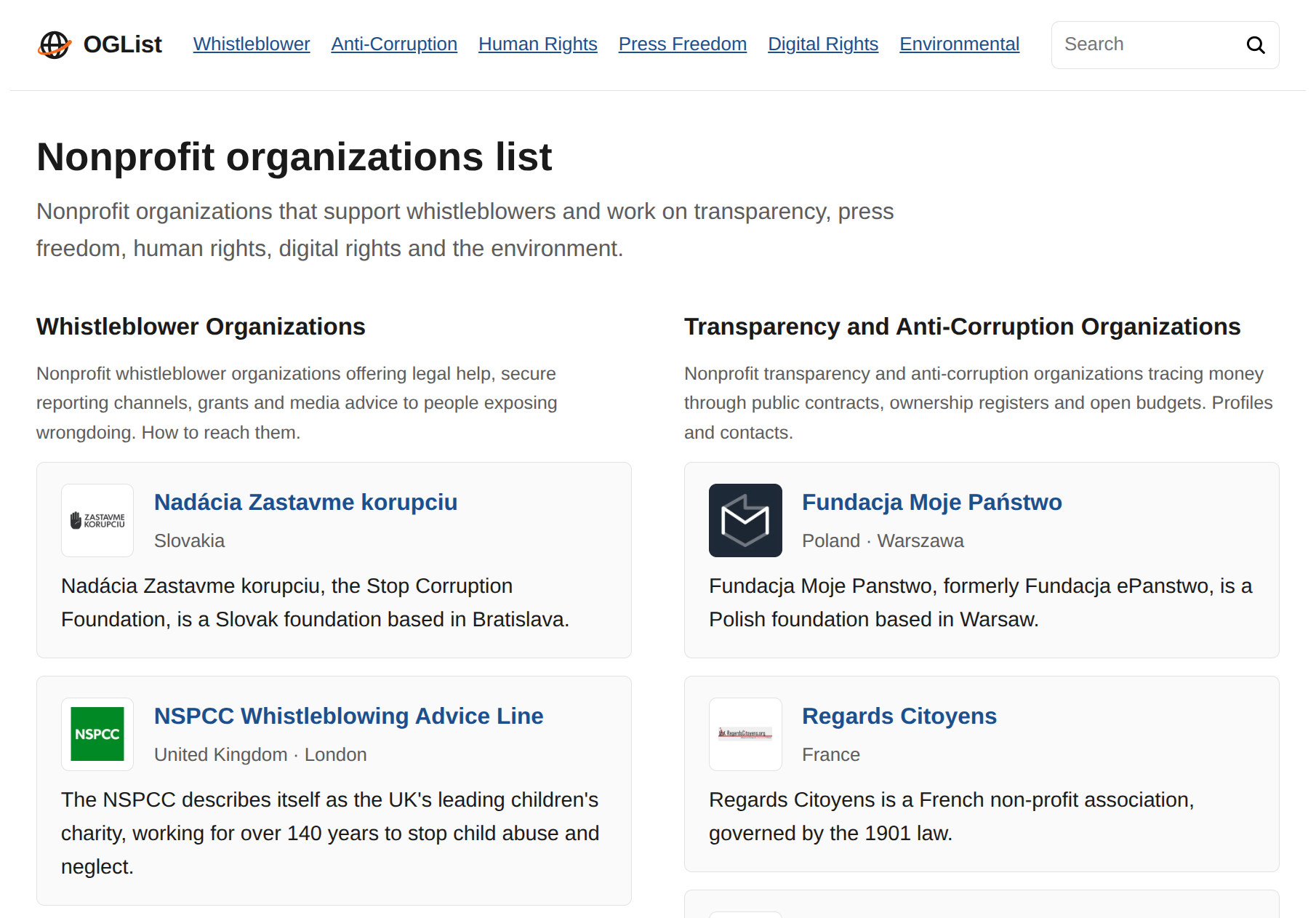
OGList is a curated directory of nonprofit organizations, government and international bodies working on whistleblower protection, anti-corruption, human rights, press freedom, digital rights and the environment. It provides profiles and contact information for foundations, watchdogs and advocacy groups across Europe and beyond.

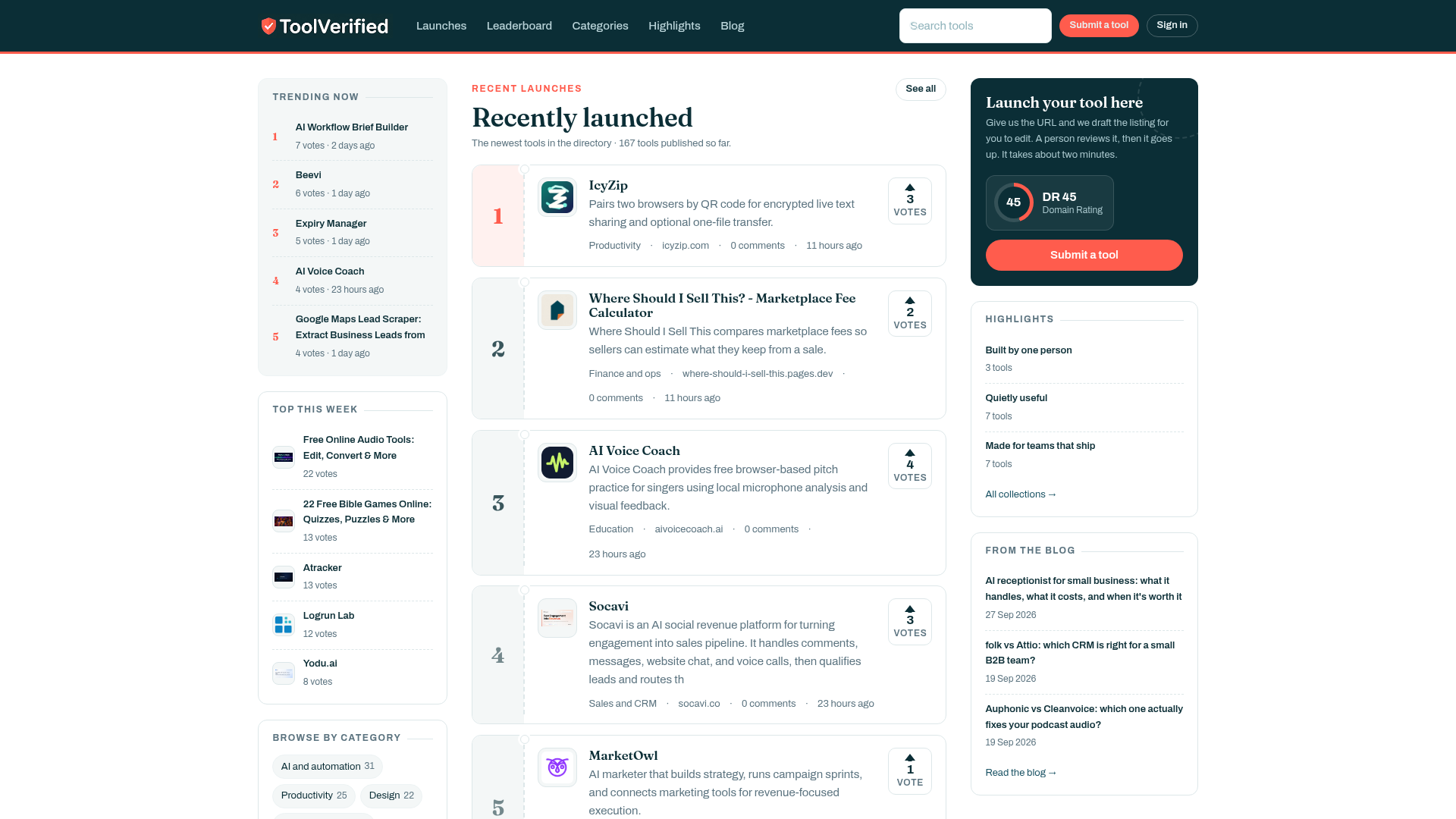
ToolVerified logo

Sifting through the modern web to find dependable software has turned into an exhausting gamble. Most directory platforms rely on automated ingestion scripts that approve submissions indiscriminately. As a consequence, digital professionals waste valuable working hours testing broken sign-up pages, abandoned student projects, and low-grade marketing clones. ToolVerified establishes an intentional, human-first benchmark for tech discovery.Rather than compiling an unchecked catalog of internet noise, ToolVerified serves as an editorially vetted directory and community showcase for emerging SaaS platforms, practical artificial intelligence tools, and specialized developer utilities. Every single candidate product must clear a rigorous evaluation conducted by a human curator. We test live onboarding flows, verify that primary features match marketing promises, check domain security, and ensure the software delivers real-world utility before publication. Tools plagued by critical errors or deceptive claims are declined immediately.Once approved, listings are structured into intuitive operational categories such as Artificial Intelligence, Engineering Utilities, Team Productivity, UI/UX Design, and Financial Operations. This granular organization enables freelancers, technical founders, and agency operators to locate targeted workflow upgrades in seconds.Discoveries are further amplified by an engaged community of early adopters who test tools in production environments and cast upvotes. This peer-driven feedback naturally elevates top-performing products onto transparent daily and weekly trending leaderboards. ToolVerified delivers a high-reputation launchpad for ambitious builders while giving operators a trusted directory they can browse with total confidence.

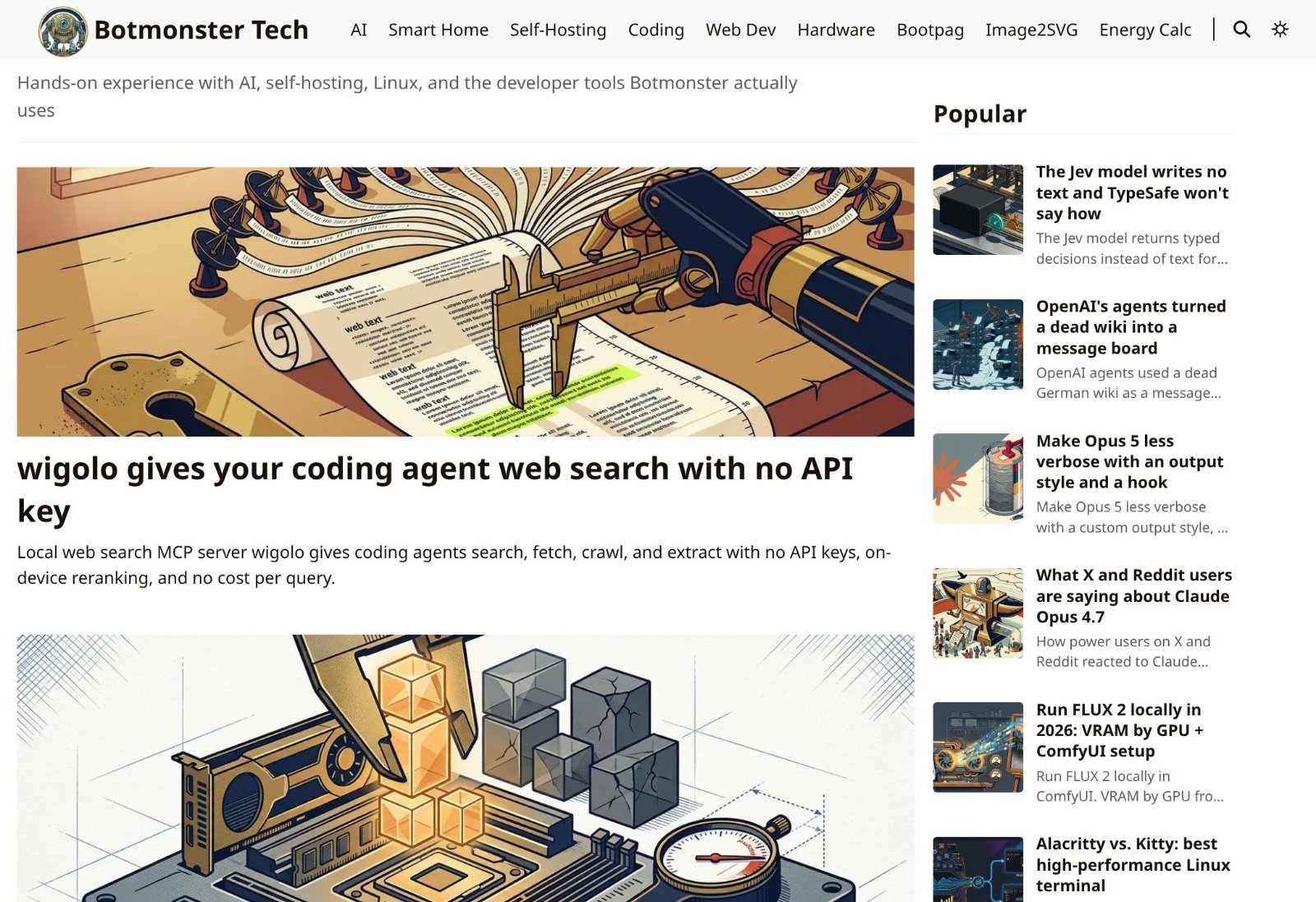
Botmonster Tech logo

Botmonster Tech is a hands-on tech blog about AI, self-hosting, smart home, coding, web development and hardware. Every guide is tested in Botmonster's homelab and every benchmark ships with the script that produced it. The site also runs free browser tools such as an image to SVG converter and a homelab energy calculator.

Last Month's Top

Finzomo logo

Independent research publication that tests and ranks business software by category

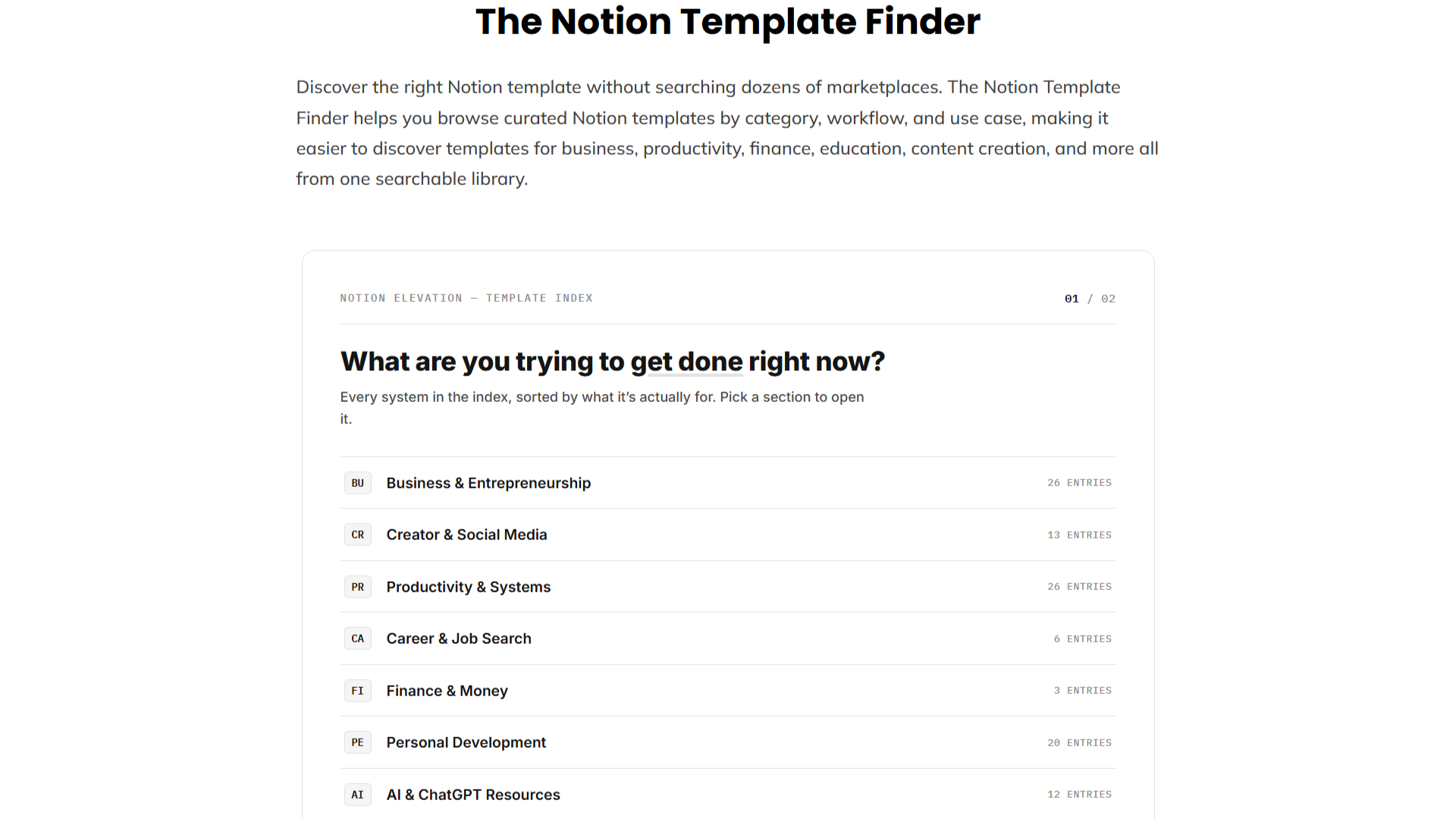
Notion Template Finder by Notion Elevation logo

Discover the right Notion template without searching dozens of marketplaces. The Notion Template Finder helps you browse curated Notion templates by category, workflow, and use case, making it easier to discover templates for business, productivity, finance, education, content creation, and more all from one searchable library.

n8n Workflow Checker logo

Check n8n workflow JSON for configuration issues, broken references, risky settings, and other common problems before deployment. Free and browser-based.

Sellerview.ai logo

Sellerview.ai is a profit analytics platform for Amazon FBA and FBM sellers. It calculates real net profit at the SKU level — factoring in COGS, Amazon fees, ad spend, and refunds — so sellers can see exactly what they're keeping, not just what they're selling. Starting at $15/month.

PhotoRepairAI logo

PhotoRepairAI is a professional AI photo repair and restoration SaaS designed to breathe new life into damaged, old, blurry, or faded photographs. It caters to individuals and professionals seeking to preserve cherished memories and enhance image quality with advanced artificial intelligence. **Key Features:** * AI-powered scratch and crease removal with texture preservation. * Intelligent blur recovery and edge reconstruction for sharper images. * Natural faded color restoration, bringing back balanced tones. * Super-resolution enhancement (upscaling) for clearer detail and print readiness. * Dedicated portrait restoration mode for natural facial clarity and detail. * Browser-based workflow with instant before/after previews and 100% privacy protection. **Use Cases:** PhotoRepairAI is ideal for digitizing and restoring old family photos, scanned albums, and physically damaged prints that suffer from scratches, creases, or yellowing. It effectively addresses common issues like blur from shaky captures, noise, and low resolution, making images suitable for sharing on social media or light printing. The platform helps users recover lost details and improve overall image quality, ensuring historical and personal photographs are preserved for future generations. **Pricing Information:** PhotoRepairAI operates on a freemium model. Users can create an account to start a free trial, which includes instant before/after previews of repairs. For full-resolution downloads, credit packs are available: the Starter Pack offers 100 credits for $4.90 (approx. $0.49/repair), and the Pro Pack provides 400 credits for $15.90 (approx. $0.40/repair). Each repair consumes 10 credits. **User Experience and Support:** The platform boasts a clean, browser-based workflow, making it easy to use without any software installation. The three-step process—upload, select AI mode, preview, and download—is intuitive. PhotoRepairAI prioritizes user privacy, ensuring uploads are processed privately and deleted within 24 hours. Support is available via email at `support@photorepair.app`. **Technical Details:** Leveraging advanced AI, PhotoRepairAI processes a wide range of image formats including JPG, PNG, WEBP, HEIC, HEIF, TIFF, and BMP. The AI is specifically tuned to avoid artificial-looking results, focusing on natural texture recovery, clean edges, and balanced tones. The entire process is automated and runs securely in the browser. **Pros:** * Generates natural-looking, high-quality restored images. * Offers targeted AI repair modes for specific damage types. * Supports multiple image formats and batch uploads. * Ensures 100% privacy with automated data deletion. * Provides instant before/after previews for verification. **Cons:** * Very severely damaged images may still have inherent limitations. * Users need to create an account for the free trial. **Conclusion:** PhotoRepairAI provides a powerful and user-friendly AI toolkit for restoring and enhancing damaged photographs, making it an invaluable resource for preserving precious memories. Its focus on natural results and privacy, combined with a straightforward workflow, encourages users to explore its capabilities for free today.

Subscribe to Newsletter

Subscribe to our newsletter to get the best products weekly.

Latest Blogs