

ContextBolt
MCP servers that give your AI agent the context it can't reach — bookmarks, SEO data, and competitor tracking, all inside Claude.
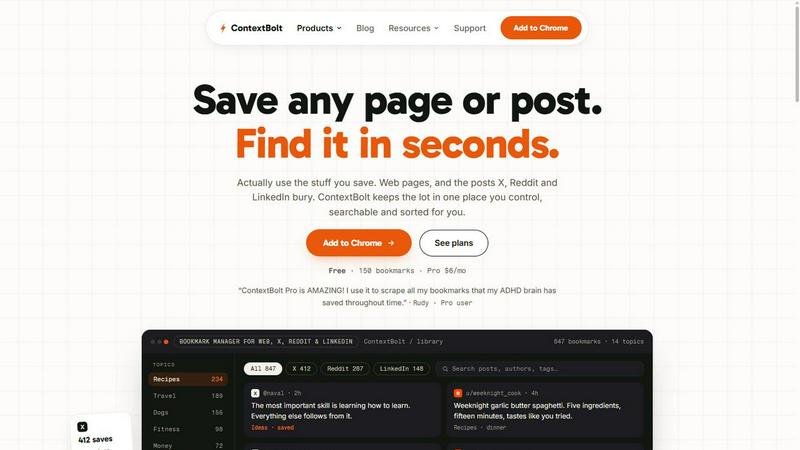
About ContextBolt
ContextBolt provides MCP-native, local-first tools that plug into the AI agents you already use — Claude Desktop, Claude Code, Cursor, Windsurf, Cline, Zed, and Codex — each in a single line of config.
The lineup includes three live products. Bookmarks brings every post you save on X, Reddit, and LinkedIn into one searchable library, letting your agent recall anything by meaning rather than keyword. SEO is a hosted MCP server that delivers live keyword, SERP, and competitor data to Claude and Cursor, so you can ask research questions in plain English and get real numbers back — no dashboard to learn. Radar watches your competitors' pricing, shipping, and positioning every night and briefs you only on what actually changed, with counter-moves drafted and ready.
With no lock-in and setup in under a minute, ContextBolt turns the agent you already use into the interface for the data it was missing.
Similar to ContextBolt
AIVideoAgent
Turn text ideas or reference images into videos through conversation, with agent-assisted prompts and a choice of video models.
LaunchIntel
Your AI agent picks relevant directories, submits your product in your browser and tracks every step. One-time purchase.
CloneWebsite
Clone any webpage pixel-perfect, export HTML/CSS/ZIP or React/Vue components.
GenX
All-in-one AI workspace to generate images, videos, and audio with multiple leading AI models.

Uniclip
Clip pages, take full-page screenshots and batch-capture list data to Notion, Feishu, Obsidian, Markdown, CSV or JSON.
TroveKey
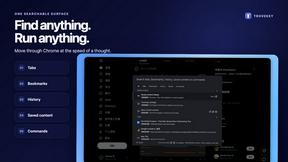
Search tabs, Chrome bookmarks and history, run browser commands, and save webpages and social posts locally—no account.
Bloom
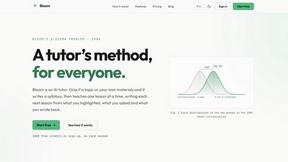
An adaptive AI tutor that turns topics or your materials into courses, lessons, and answers tailored to how you learn.
TypeFire
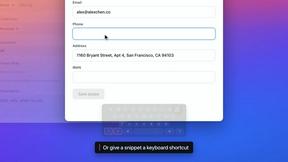
Free text expander, Markdown notes app and clipboard manager for Mac and Chrome
