

Beskrivelse
The Two-Factor plugin adds an extra layer of security to your WordPress login by requiring users to provide a second form of authentication in addition to their password. This helps protect against unauthorized access even if passwords are compromised.
Oppsettsinstruksjoner
Important: Each user must individually configure their two-factor authentication settings. There are no site-wide settings for this plugin.
For individuelle brukere
- Navigate to your profile: Go to «Users» «Your Profile» in the WordPress admin
- Find Two-Factor Options: Scroll down to the «Two-Factor Options» section
- Choose your methods: Enable one or more authentication providers (noting a site admin may have hidden one or more so what is available could vary):
- Authenticator App (TOTP) – Use apps like Google Authenticator, Authy, or 1Password
- E-postkoder – Receive one-time codes via email
- FIDO U2F Security Keys – Use physical security keys (requires HTTPS)
- Backup Codes – Generate one-time backup codes for emergencies
- Dummy Method – For testing purposes only (requires WP_DEBUG)
- Configure each method: Follow the setup instructions for each enabled provider
- Set primary method: Choose which method to use as your default authentication
- Save changes: Click «Update Profile» to save your settings
For nettstedsadministratorer
- No global settings: This plugin operates on a per-user basis only. For more, see GH#249.
- User management: Administrators can configure 2FA for other users by editing their profiles
- Security recommendations: Encourage users to enable backup methods to prevent account lockouts
Available Authentication Methods
Authenticator App (TOTP) – Recommended
- Security: High – Time-based one-time passwords
- Setup: Scan QR code with authenticator app
- Compatibility: Works with Google Authenticator, Authy, 1Password, and other TOTP apps
- Best for: Most users, provides excellent security with good usability
Backup Codes – Recommended
- Security: Medium – One-time use codes
- Setup: Generate 10 backup codes for emergency access
- Compatibility: Works everywhere, no special hardware needed
- Best for: Emergency access when other methods are unavailable
E-postkoder
- Security: Medium – One-time codes sent via email
- Setup: Automatic – uses your WordPress email address
- Compatibility: Works with any email-capable device
- Best for: Users who prefer email-based authentication
FIDO U2F Security Keys
- Security: High – Hardware-based authentication
- Setup: Register physical security keys (USB, NFC, or Bluetooth)
- Requirements: HTTPS connection required, compatible browser needed
- Browser Support: Chrome, Firefox, Edge (varies by key type)
- Best for: Users with security keys who want maximum security
Dummy Method
- Security: None – Always succeeds
- Setup: Only available when WP_DEBUG is enabled
- Purpose: Testing and development only
- Best for: Developers testing the plugin
Important Notes
HTTPS Requirement
- FIDO U2F Security Keys require an HTTPS connection to function
- Other methods work on both HTTP and HTTPS sites
Browser Compatibility
- FIDO U2F requires a compatible browser and may not work on all devices
- TOTP and email methods work on all devices and browsers
Account Recovery
- Always enable backup codes to prevent being locked out of your account
- If you lose access to all authentication methods, contact your site administrator
Security Best Practices
- Bruk flere autentiseringsmetoder når mulig.
- Keep backup codes in a secure location
- Regularly review and update your authentication settings
For more information about two-factor authentication in WordPress, see the WordPress Advanced Administration Security Guide.
For mer historikk, se dette innlegget.
Handlinger og filtre
Her er en liste over handlings- og filter-knagger som tilbys i utvidelsen:
- Filteret
two_factor_providersoverstyrer de tilgjengelige tofaktorleverandørene som e-post- og tidsbaserte engangspassord. Rekkeverdiene er PHP-klassnavn for tofaktor-leverandørene. - Filteret
two_factor_providers_for_useroverstyrer de tilgjengelige tofaktorleverandørene for en bestemt bruker. Rekkeverdiene er instanser av leverandørklassser, og brukerobjektetWP_Userer tilgjengelig som det andre argumentet. - Filteret
two_factor_enabled_providers_for_useroverstyrer listen over to-faktor-leverandører slått på for en bruker. Første argument er en rekke påslåtte leverandør-klassenavn som verdier, det andre argumentet er bruker-id-en. - Handlingen
two_factor_user_authenticated, som mottar den innloggedeWP_User-objektet som det første argumentet, for å fastsette den innloggede brukeren like etter autentiseringen. two_factor_user_api_login_enable-filteret begrenser autentiseringen for REST API og XML-RPC til kun applikasjons passord. Gir bruker-ID som det andre argumentet.- Filteret
two_factor_token_ttloverstyrer det tidsintervallet i sekunder som et e-postadgangstegn tas i betraktning etter generering. Aksepterer tiden i sekunder som det første argumentet og id-en til objektetWP_Usersom skal autentiseres. - Filteret
two_factor_email_token_lengthoverstyrer den standard 8-tegnsgrensen for adgangstegn via e-post. - Filteret
two_factor_backup_code_lengthoverstyrer den standard 8-tegnsgrensen for reservekoder. LevererWP_Userfor den tilknyttede brukeren som det andre argumentet. - Filteret
two_factor_rest_api_can_edit_useroverstyrer hvirvidt en brukers tofaktor-innstillinger kan redigeres via RAT API. Det første argumentet er den nåværende boolske$can_edit, det andre er bruker-id. two_factor_before_authentication_promptaction which receives the provider object and fires prior to the prompt shown on the authentication input form.two_factor_after_authentication_promptaction which receives the provider object and fires after the prompt shown on the authentication input form.two_factor_after_authentication_inputaction which receives the provider object and fires after the input shown on the authentication input form (if form contains no input, action fires immediately aftertwo_factor_after_authentication_prompt).
Skjermbilder
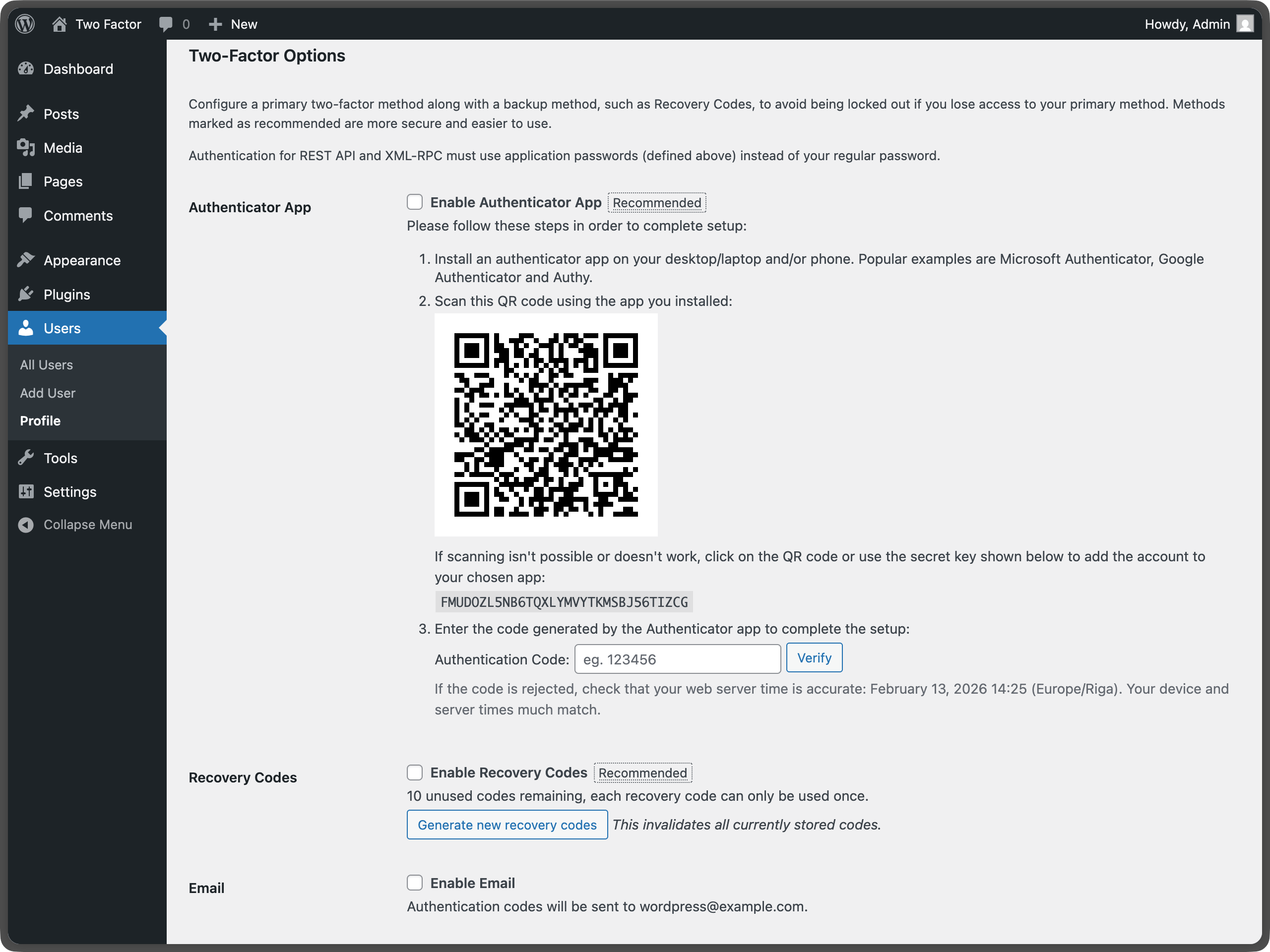
Two-factor options under User Profile – Shows the main configuration area where users can enable different authentication methods. 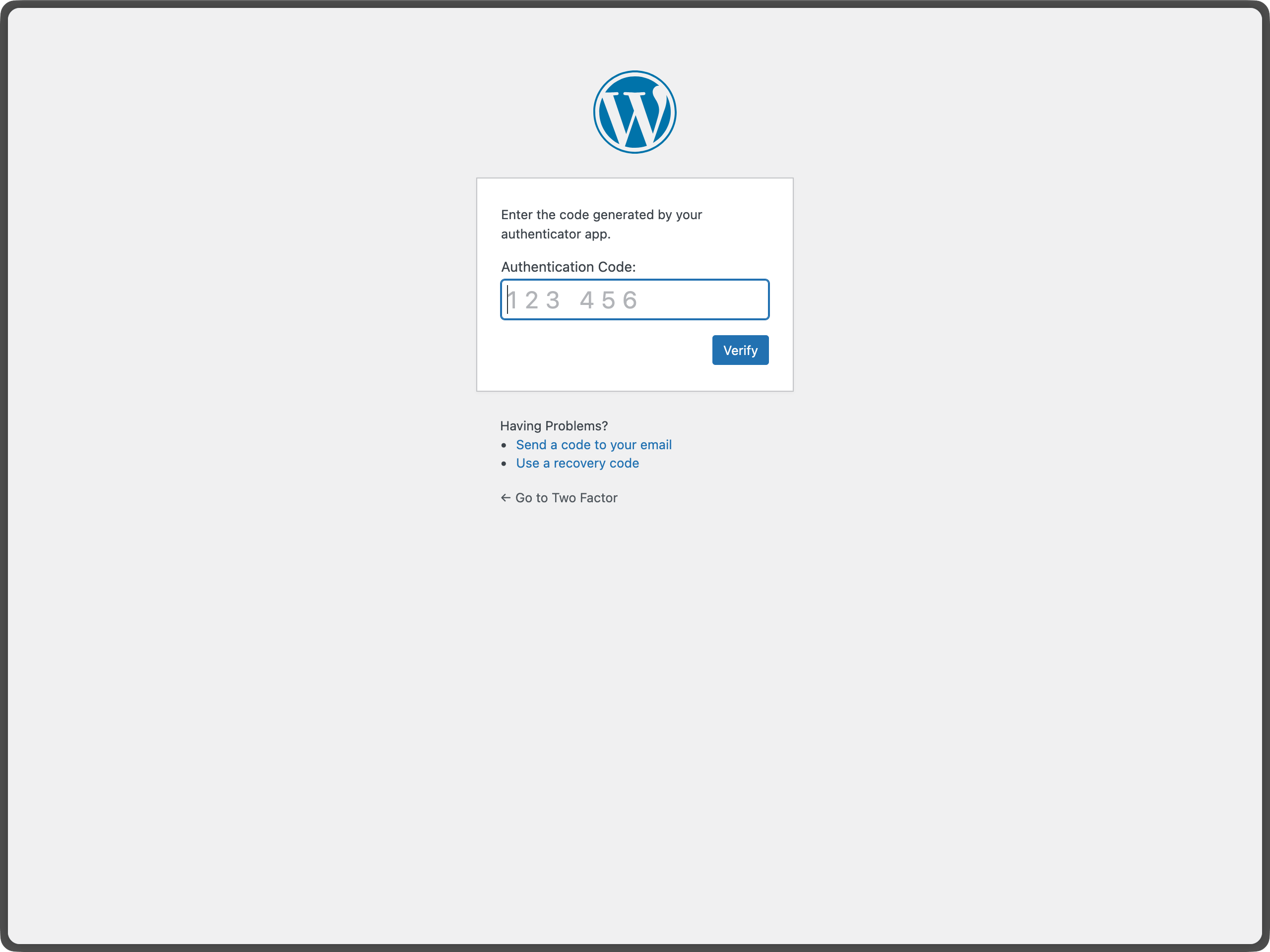
U2F Security Keys section under User Profile – Displays the security key management interface for registering and managing FIDO U2F devices. 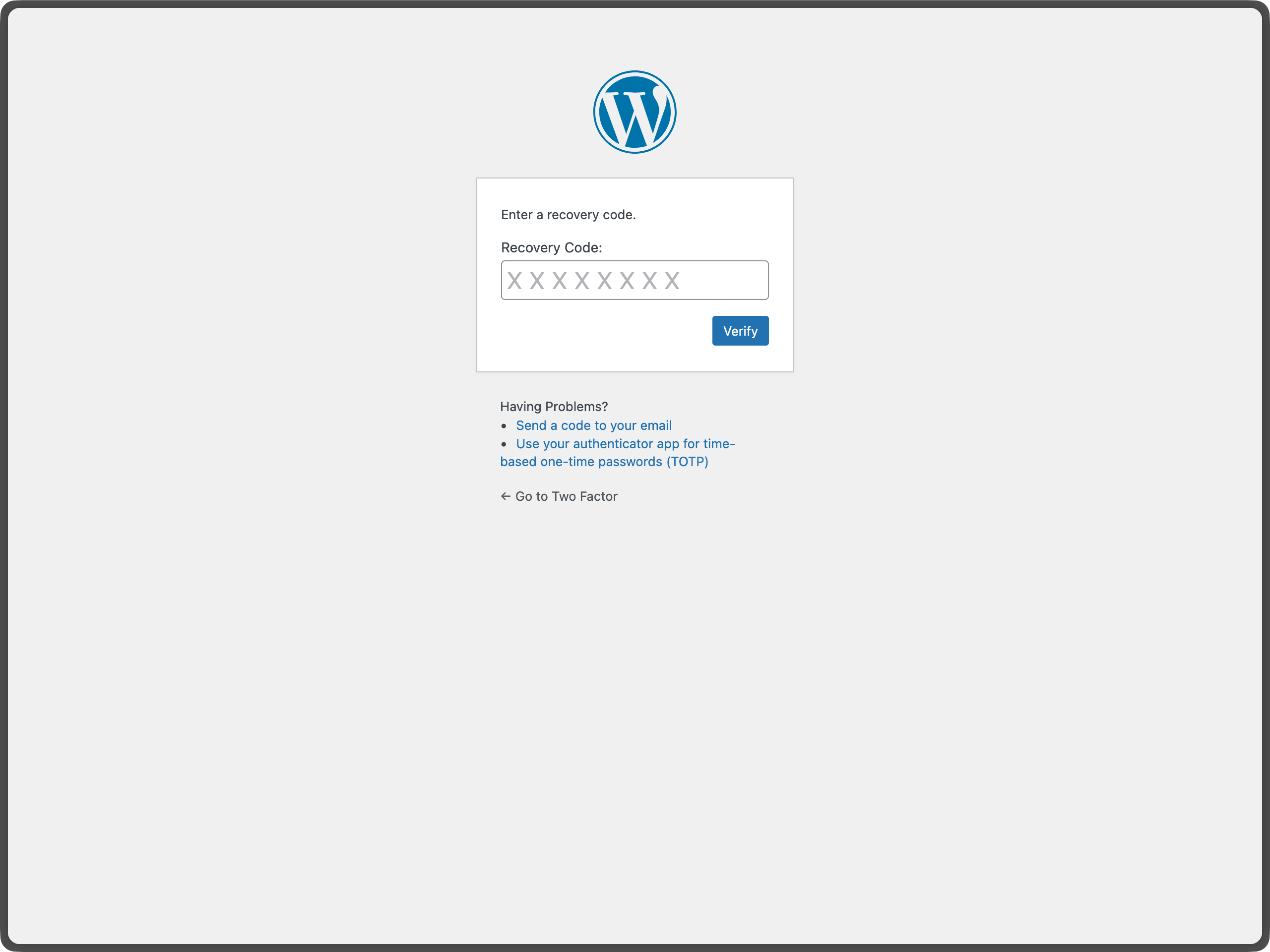
Email Code Authentication during WordPress Login – Shows the email verification screen that appears during login. 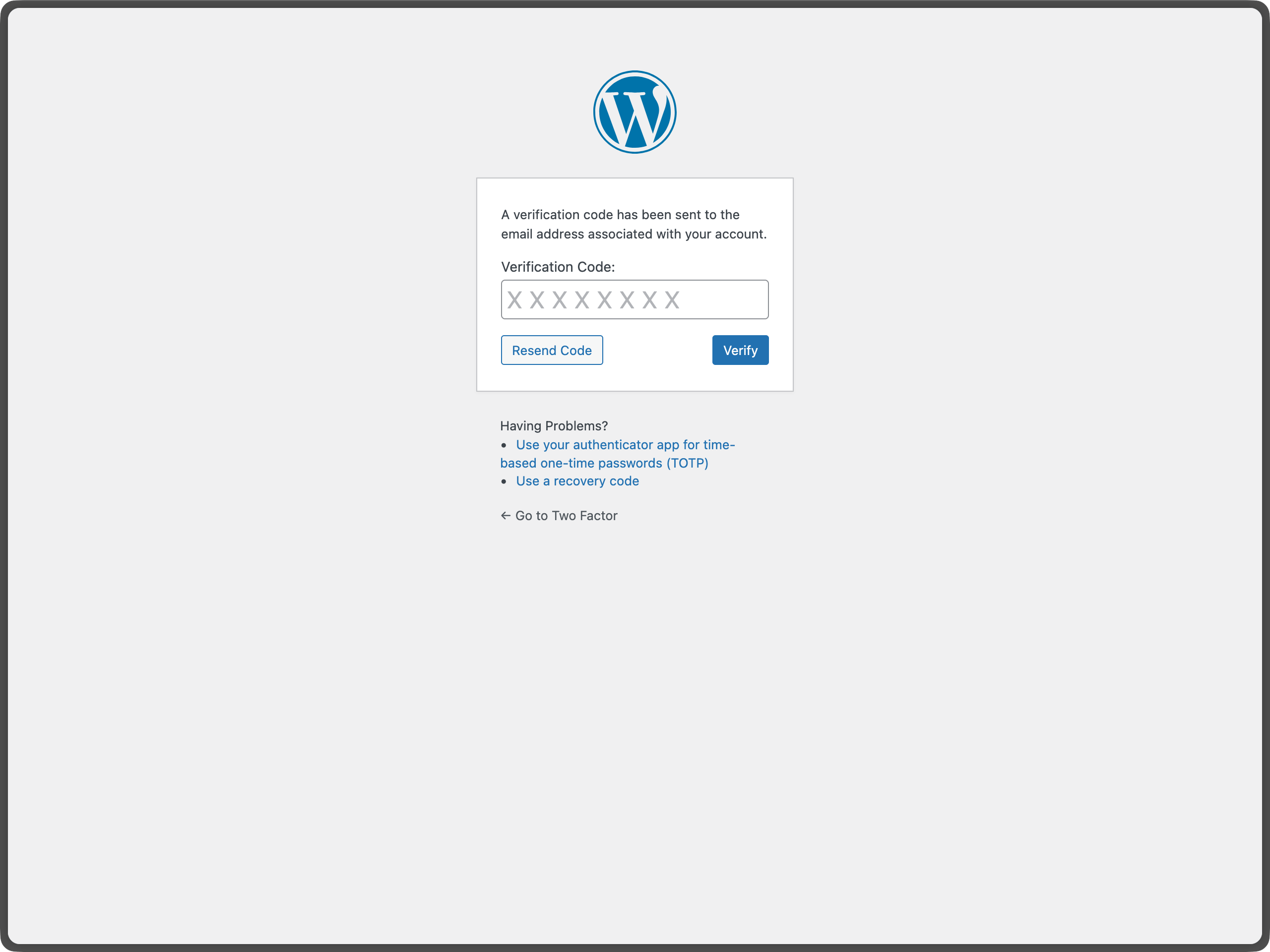
Authenticator App (TOTP) setup with QR code – Demonstrates the QR code generation and manual key entry for TOTP setup.


Ofte stilte spørsmål
-
Hvilke PHP- og WordPress-versjoner støtter To-faktor?
-
Denne utvidelsen støtter de siste to hovedversjonene av WordPress og minimum PHP-versjonen søttet av de WordPress-versionene.
-
Hvor kan jeg sende inn tilbakemeldinger eller få hjelp med en feil?
-
Det beste stedet å rapportere feil, forslag til funksjonalitet eller annnen (ikke sikkerhet) tilbakemelding er på siden Two Factor GitHub issues. Før du sender inn en ny sak, søk etter eksisterende saker for finne ut om noen andre har gitt samme tilbakemelding.
-
Hvor kan jeg rapportere feil som har med sikkerheten å gjøre?
-
Bidragsyterne til utvidelsen og WordPress-fellesskapet tar sikkerhetsfeil alvorlig. Vi setter pris på at du rapporterer dine funn på en ansvarlig måte, og vi vil gjøre vårt beste for å anerkjenne dine bidrag.
For å melde fra om et sikkerhetsproblem, besøk WordPress HackerOne-programmet.
-
Why doesn’t this plugin have site-wide settings?
-
This plugin is designed to work on a per-user basis, allowing each user to choose their preferred authentication methods. This approach provides maximum flexibility and security. Site administrators can still configure 2FA for other users by editing their profiles. For more information, see issue #437.
-
What if I lose access to all my authentication methods?
-
If you have backup codes enabled, you can use one of those to regain access. If you don’t have backup codes or have used them all, you’ll need to contact your site administrator to reset your account. This is why it’s important to always enable backup codes and keep them in a secure location.
-
Can I use this plugin with WebAuthn?
-
The plugin currently supports FIDO U2F, which is the predecessor to WebAuthn. For full WebAuthn support, you may want to look into additional plugins that extend this functionality. The current U2F implementation requires HTTPS and has browser compatibility limitations.
-
Is there a recommended way to use passkeys or hardware security keys with Two-Factor?
-
Yes. For passkeys and hardware security keys, you can install the Two-Factor Provider: WebAuthn plugin: https://wordpress.org/plugins/two-factor-provider-webauthn/
. It integrates directly with Two-Factor and adds WebAuthn-based authentication as an additional two-factor option for users.
Vurderinger


Bidragsytere og utviklere
«To-faktor» er programvare med åpen kildekode. Følgende personer har bidratt til denne utvidelsen:
Bidragsytere


“To-faktor” har blitt oversatt til 38 språk. Takk til oversetterne for deres bidrag.
Oversett “To-faktor” til ditt språk.
Interessert i utvikling?
Bla gjennom koden, sjekk ut SVN-repositoriet, eller abonner på utviklingsloggen med RSS.
Endringslogg
0.15.0 – 2026-02-13
- Breaking Changes: Trigger two-factor flow only when expected by @kasparsd in #660 and #793.
- New Features: Include user IP address and contextual warning in two-factor code emails by @todeveni in #728
- New Features: Optimize email text for TOTP by @masteradhoc in #789
- New Features: Add «Settings» action link to plugin list for quick access to profile by @hardikRathi in #740
- New Features: Additional form hooks by @eric-michel in #742
- New Features: Full RFC6238 Compatibility by @ericmann in #656
- New Features: Consistent user experience for TOTP setup by @kasparsd in #792
- Documentation:
@sincedocs by @masteradhoc in #781 - Documentation: Update user and admin docs, prepare for more screenshots by @jeffpaul in #701
- Documentation: Add changelog & credits, update release notes by @jeffpaul in #696
- Documentation: Clear readme.txt by @masteradhoc in #785
- Documentation: Add date and time information above TOTP setup instructions by @masteradhoc in #772
- Documentation: Clarify TOTP setup instructions by @masteradhoc in #763
- Documentation: Update RELEASING.md by @jeffpaul in #787
- Development Updates: Pause deploys to SVN trunk for merges to
masterby @kasparsd in #738 - Development Updates: Fix CI checks for PHP compatability by @kasparsd in #739
- Development Updates: Fix Playground refs by @kasparsd in #744
- Development Updates: Persist existing translations when introducing new helper text in emails by @kasparsd in #745
- Development Updates: Fix
missing_direct_file_access_protectionby @masteradhoc in #760 - Development Updates: Fix
mismatched_plugin_nameby @masteradhoc in #754 - Development Updates: Introduce Props Bot workflow by @jeffpaul in #749
- Development Updates: Plugin Check: Fix Missing $domain parameter by @masteradhoc in #753
- Development Updates: Tests: Update to supported WP version 6.8 by @masteradhoc in #770
- Development Updates: Fix PHP 8.5 deprecated message by @masteradhoc in #762
- Development Updates: Exclude 7.2 and 7.3 checks against trunk by @masteradhoc in #769
- Development Updates: Fix Plugin Check errors:
MissingTranslatorsComment&MissingSingularPlaceholderby @masteradhoc in #758 - Development Updates: Add PHP 8.5 tests for latest and trunk version of WP by @masteradhoc in #771
- Development Updates: Add
phpcs:ignorefor falsepositives by @masteradhoc in #777 - Development Updates: Fix(totp):
otpauthlink in QR code URL by @sjinks in #784 - Development Updates: Update deploy.yml by @masteradhoc in #773
- Development Updates: Update required WordPress Version by @masteradhoc in #765
- Development Updates: Fix: ensure execution stops after redirects by @sjinks in #786
- Development Updates: Fix
WordPress.Security.EscapeOutput.OutputNotEscapederrors by @masteradhoc in #776 - Dependency Updates: Bump qs and express by @dependabot[bot] in #746
- Dependency Updates: Bump lodash from 4.17.21 to 4.17.23 by @dependabot[bot] in #750
- Dependency Updates: Bump lodash-es from 4.17.21 to 4.17.23 by @dependabot[bot] in #748
- Dependency Updates: Bump phpunit/phpunit from 8.5.44 to 8.5.52 by @dependabot[bot] in #755
- Dependency Updates: Bump symfony/process from 5.4.47 to 5.4.51 by @dependabot[bot] in #756
- Dependency Updates: Bump qs and body-parser by @dependabot[bot] in #782
- Dependency Updates: Bump webpack from 5.101.3 to 5.105.0 by @dependabot[bot] in #780
0.14.2 – 2025-12-11
- New Features: Add filter for rest_api_can_edit_user_and_update_two_factor_options by @gutobenn in #689
- Development Updates: Remove Coveralls tooling and add inline coverage report by @kasparsd in #717
- Development Updates: Update blueprint path to pull from main branch instead of a deleted f… by @georgestephanis in #719
- Development Updates: Fix blueprint and wporg asset deploys by @kasparsd in #734
- Development Updates: Upload release only on tag releases by @kasparsd in #735
- Development Updates: Bump playwright and @playwright/test by @dependabot[bot] in #721
- Development Updates: Bump tar-fs from 3.1.0 to 3.1.1 by @dependabot[bot] in #720
- Development Updates: Bump node-forge from 1.3.1 to 1.3.2 by @dependabot[bot] in #724
- Development Updates: Bump js-yaml by @dependabot[bot] in #725
- Development Updates: Mark as tested with the latest WP core version by @kasparsd in #730
0.14.1 – 2025-09-05
- Don’t URI encode the TOTP url for display. by @dd32 in #711
- Removed the duplicate Security.md by @slvignesh05 in #712
- Fixed linting issues by @sudar in #707
- Update development dependencies and fix failing QR unit test by @kasparsd in #714
- Trigger checkbox js change event by @gedeminas in #688
0.14.0 – 2025-07-03
- Features: Enable Application Passwords for REST API and XML-RPC authentication (by default) by @joostdekeijzer in #697 and #698. Previously this required two_factor_user_api_login_enable filter to be set to true which is now the default during application password auth. XML-RPC login is still disabled for regular user passwords.
- Features: Label recommended methods to simplify the configuration by @kasparsd in #676 and #675
- Documentation: Add WP.org plugin demo by @kasparsd in #667
- Documentation: Document supported versions of WP core and PHP by @jeffpaul in #695
- Documentation: Document the release process by @jeffpaul in #684
- Tooling: Remove duplicate WP.org screenshots and graphics from SVN trunk by @jeffpaul in #683
