

Descripción
Un sitio web no es algo que se crea una vez y se olvida. Con el tiempo, se acumulan los pequeños problemas -enlaces rotos, contenido obsoleto, tiempos de carga lentos- y, de repente, tu sitio no funciona tan bien como debería. Pero estar al tanto del mantenimiento y la optimización requiere tiempo y esfuerzo. ¿Por dónde empezar?
Progress Planner facilita el mantenimiento del sitio web. Creado por los fundadores de Yoast, este plugin te ayuda a mantener tu sitio optimizado con recomendaciones claras y procesables, una lista inteligente de tareas pendientes y retos guiados que te ayudan a mejorar tu sitio paso a paso. Se acabaron las conjeturas: solo las tareas adecuadas en el momento adecuado.
🔑 Características principales
Consigue recomendaciones personalizadas con las recomendaciones de Ravi
Estar al día de todas las pequeñas tareas que hacen que un sitio web funcione sin problemas puede ser abrumador. Por eso hemos elaborado para ti una lista interactiva de mejoras importantes pero que a menudo se pasan por alto. Con las recomendaciones de Ravi, no tienes que averiguar qué necesita atención: nosotros lo hacemos por ti.
Desde establecer el eslogan y el ícono de tu sitio hasta revisar tu estructura de enlaces permanentes o eliminar el contenido predeterminado de WordPress, sacamos a la superficie las tareas que ayudan a mantener tu sitio profesional, optimizado y seguro. Cada recomendación viene acompagregue de instrucciones claras, para que todo lo que tengas que hacer sea ponerlas en práctica, sin necesidad de conjeturas.
Organízate con una lista de tareas en contexto
Gestionar las tareas de un sitio web puede ser un lío, pero Progress Planner lo mantiene todo en un solo lugar. Tu lista de tareas pendientes no es una lista más: está justo donde la necesitas. Agrega tus propias tareas del sitio web y mantenlas en contexto, para tenerlas a mano mientras trabajas en tu sitio. ¡Se acabaron los olvidos!
Sigue la actividad de tu sitio web a lo largo del tiempo
Un sitio web bien mantenido no se construye en un día: se mejora con actualizaciones regulares. La puntuación de la actividad de tu sitio web refleja el trabajo de mantenimiento que has realizado en los últimos 30 días, lo que te ayuda a mantener el rumbo y a conservar tu sitio en plena forma.
Gana insignias y rachas por tu progreso
¡La motivación importa! Mantén el compromiso con la gamificación integrada de Progress Planner. Gana insignias y sigue tus rachas a medida que completas tareas y mantienes tu sitio web en plena forma.
Todo en un solo lugar: Tu panel de control
Tu panel de control te ofrece una visión clara del progreso de tu sitio web. Podrás ver tus recomendaciones, tu lista de tareas pendientes y tus logros de un vistazo, para que puedas dedicarte directamente a las tareas más importantes.
🧹 ¿Preparado para simplificar el mantenimiento de tu web?
Progress Planner elimina la frustración de mantener tu sitio web en plena forma. Tanto si te dedicas a arreglos rápidos como a mejoras más importantes, siempre sabrás qué hacer a continuación.
¡Descarga gratis Progress Planner y empieza a optimizar tu sitio web hoy mismo!
Capturas de pantalla

Colecciona insignias a medida que trabajas en tu sitio. 
Consigue un panel de control con buenas estadísticas sobre el mantenimiento de tu sitio y el crecimiento del contenido. 
¡Consulta tu puntuación de actividad a largo plazo e intenta mantenerte en el buen camino! 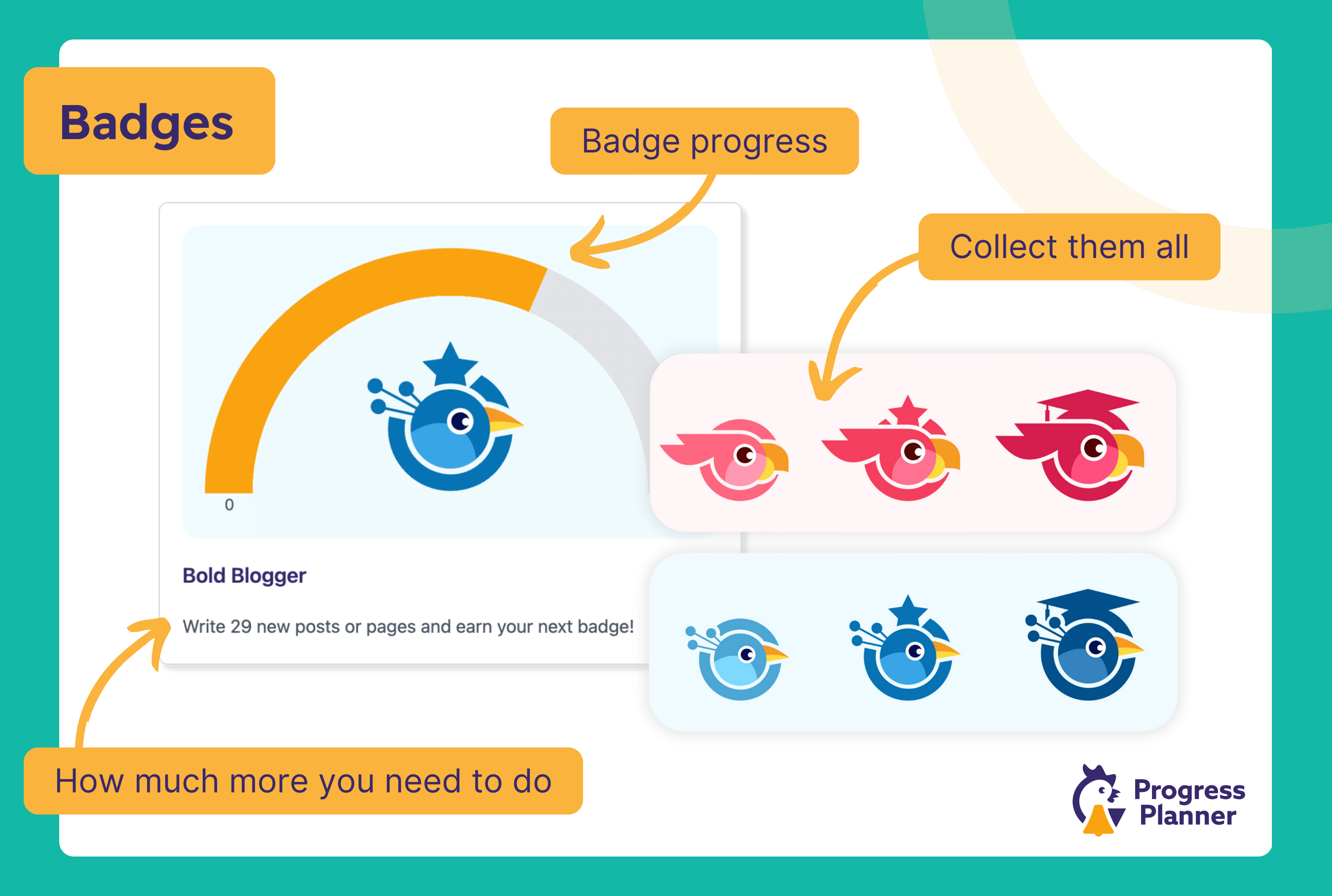
Obtén una rápida visión general de las estadísticas más importantes en tu panel de control y agrega tareas pendientes ¡directamente desde allí! 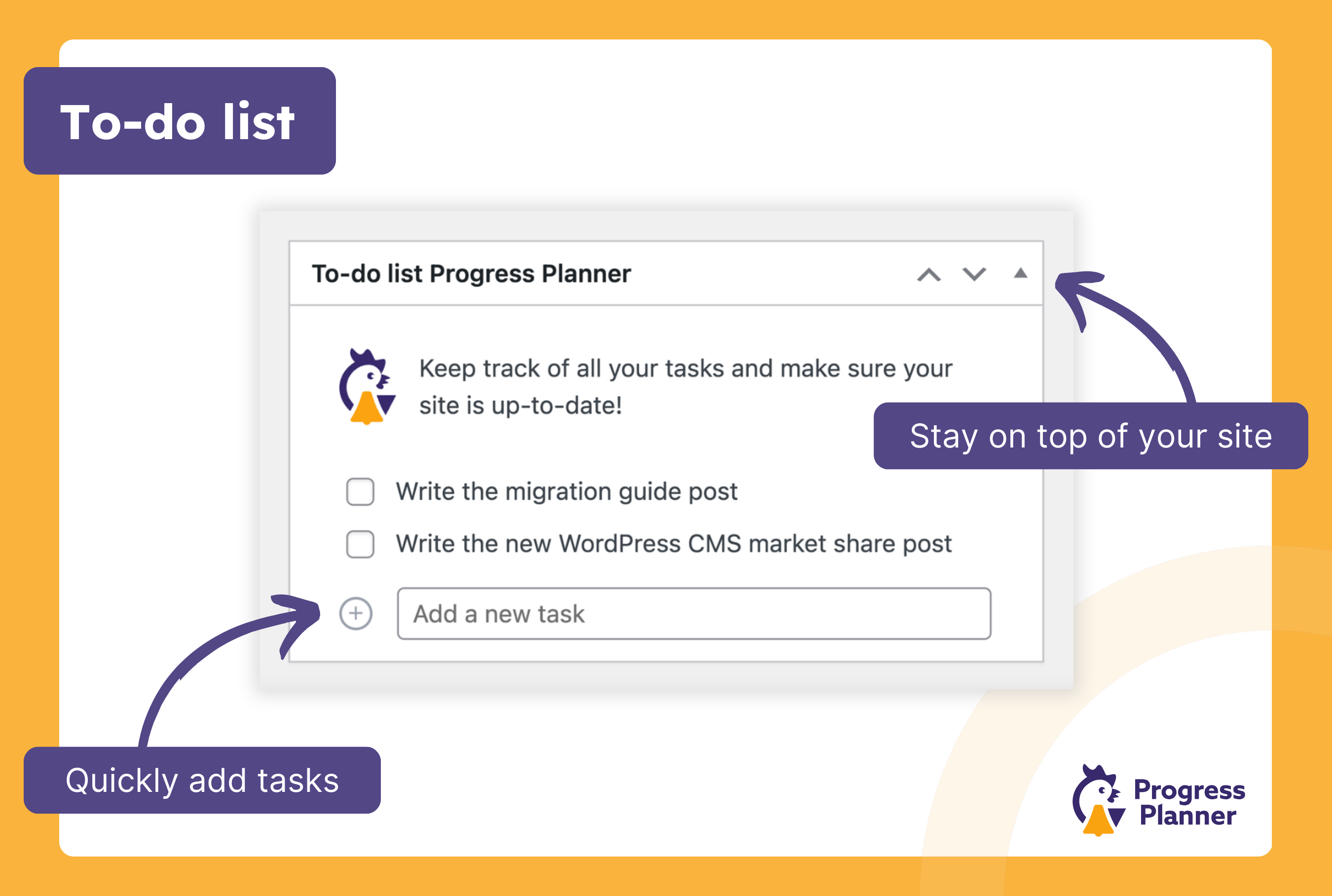
Mantén una sencilla lista de tareas por sitio en tu panel de control o en tu página del Progress Planner. 
Consulta la puntuación de la actividad de tu sitio web. 
¡Recibe un correo electrónico semanal con estadísticas sobre lo bien que te va en tu sitio web! 


Instalación
Este video te muestra cómo instalar el plugin:
- Busca Progress Planner en la pantalla “Agregar nuevos plugins” de la página de plugins de tu WordPress.
- Instalar el plugin.
- Activa el plugin.
- Ve a la pantalla de administración de Progress Planner y completa nuestra puesta en marcha.
- Has terminado.
FAQ
-
¿Es Progress Planner adecuado para novatos de WordPress?
-
¡Por supuesto! Progress Planner está diseñado para ayudar a usuarios de todos los niveles de habilidad, proporcionando tutoriales guiados e información práctica para ayudar a los principiantes a navegar por el proceso de gestión de un sitio web.
-
¿Puedo seguir el progreso de varios sitios web con Progress Planner?
-
Actualmente, Progress Planner admite el seguimiento de un sitio web por instalación de WordPress. Estamos explorando la compatibilidad con varios sitios web para futuras actualizaciones.
-
¿Dónde presento los fallos?
-
Si has encontrado un error, sigue los pasos siguientes:
- Si se trata de un informe de seguridad, notifícalo a través de nuestro Programa de Divulgación de Vulnerabilidades PatchStack.
- Si no es un informe de seguridad, busca en las incidencias abiertas en nuestro repositorio de GitHub para ver si ya hay una incidencia para este problema.
- Si aún no existe, envía un informe de error a GitHub.
Reseñas


Colaboradores & Desarrolladores
“Progress Planner” es software de código abierto. Las siguientes personas han contribuido a este plugin.
Colaboradores


“Progress Planner” ha sido traducido en 4 idiomas. Gracias a los traductores por sus contribuciones.
Traduce “Progress Planner” a tu idioma.
¿Interesado en el desarrollo?
Revisa el código, echa un vistazo al repositorio SVN, o suscríbete al registro de desarrollo por RSS .
Historial de cambios
1.9.0
In this release we’ve added an integration with the All In One Seo plugin so you’ll now see personalized suggestions based on your current SEO configuration.
Added these recommendations from Ravi:
- Install an SEO plugin
- Improve PDF handling if the site has many PDFs
- All In One SEO: noindex the author archive
- All In One SEO: noindex the date archive
- All In One SEO: Remove post authors feeds
- All In One SEO: Remove comment feeds
- All In One SEO: disable the media pages
- All In One SEO: set your organization or person logo
Mejoras:
- Add “Show all Recommendations” button to the “Ravi’s Recommendations” widget
- Performance improvements
- Removed the “Latest Badge” widget from the plugin page
- Mejoras de estilo
- Improved task prioritization
- Converted many tasks to be “Interactive”, improving user-experience.
- Dont display tasks to users which dont’t have capability to complete them
- Proactively ran a complete security audit of the plugin, and strengthened security
Bugs we fixed:
- Fix missing content and streak badges after they are all completed.
- Fix issue when point is sometimes not awarded for completing “Remove term without posts” task.
- “Yoast SEO: set your organization logo” task detects site logo as fallback, same as Yoast SEO does.
1.8.1
- Security fix: Privilege escalation via an AJAX call where authenticated users could update arbitrary site options.
- Added capability checks.
- Thanks to NumeX for responsibly disclosing via the Patchstack Bug Bounty Program.
1.8.0
Mejoras:
- Redesign of the admin pages.
- Improved capability checks.
- a11y improvements.
Added these recommendations from Ravi:
- Set date format.
Bugs we fixed:
- Fix redirecting to Progress Planner Dashboard after login.
1.7.2
- Backported some features from the Progress Planner Pro plugin.
1.7.1
Bugs we fixed:
- Fix weird interactive task popover behaviour on small screens
- Fix missing pages (page types) from the Settings screen
- Clear WP API model schema cache in session storage
- Make interactive tasks work on WP dashboard screen
- Exclude taxonomies which are marked as not indexable in Yoast SEO
- Improve completed task check for “Unpublished content” task
- Remove awarded point if the golden todo task is set back to pending status
- Fix “Delete the ‘Sample Page’ page” interactive task
- Remove 3rd party plugin tasks if they are deactivated.
1.7.0
Added these recommendations from Ravi:
* Select site timezone.
* Select site locale.
* Disable comment pagination.
* Check unpublished content.
Following recommendations are now interactive:
* Set tagline.
* Disable comments.
* Delete the “Hello World!” post.
* Delete “Sample Page”.
* Select site timezone.
* Select site locale.
Bugs we fixed:
- Fix issue where “Perform all updates” task was incorrectly marked as completed.
- Prevent new lines to be added when user task title is edited.
Mejoras:
- Mejoras de estilo
- Refactored charts
- Change the link of the “Rename uncategorized” task to the taxonomy-term edit screen instead of the taxonomy terms list
- Check tasks when snooze period is over
- Added a plugin-installer component for recommendations
1.6.3
Bugs we fixed:
- Fixed a bug in the WP-CLI task-list command.
- Corregido un error en el editor de entradas cuando no se pueden recuperar las lecciones.
- Se corrigió un error en el editor del sitio al utilizar temas de bloque, por el que la barra lateral se instanciaba en algunos servidores.
1.6.2
Bugs we fixed:
- Ensure that the Custom Post Type for Recommendations is not publicly queryable.
1.6.1
Bugs we fixed:
- “Collect your point” not closing the “Test if your website can send emails correctly” popover.
- Snooze task tooltip overaly not closing properly.
- Properly trigger migration from v1.5.0.
1.6.0
Mejoras:
- Allow users to collect extra points for previous months’ badges.
- Added WP-CLI commands to manage recommendations.
Under the hood:
- Ravi’s Recommendations are now a custom post type.
1.5.0
Added these recommendations from Ravi:
Bugs we fixed:
- Don’t redirect user to Progress Planner dashboard if ‘redirect_to’ GET or POST parameter is set.
- Removed the Onboard tour steps for the Settings popover which was removed in 1.3.0.
- Fixed detecting creation of new valuable content posts.
- Don’t award point for all Todo tasks, only for golden.
- Fix Todo task title not being editable.
1.4.2
Bugs we fixed:
- Fixed snoozing some of Yoast SEO Recommendations.
1.4.1
Bugs we fixed:
- Fixed a conflict with the premium version of Yoast SEO.
1.4.0
Mejoras:
- Review Content task takes into account Yoast SEO readibility score when suggesting posts to update.
- Change update frequency for articles which are not selected in “Your page” section or as Yoast SEO Cornerstone content to 12 months.
- Factor in Yoast SEO readibility score when suggesting which articles should be updated.
Bugs we fixed:
- Fixed a bug where dismissed review content tasks would reappear in the following week.
Added these recommendations from Ravi:
- Remove terms which have less than 2 posts.
- Give description to terms which have more than 2 posts.
- Suggest to install Fewer Tags plugin.
- Yoast SEO: do Yoast SEO’s Cornerstone Content Workout.
- Yoast SEO: do Yoast SEO’s Orphaned Content Workout.
- Yoast SEO: add internal links to articles which don’t have them.
1.3.0
Mejoras:
- Improved checks when adding Ravi icon to the Yoast SEO settings page.
- Add “golden” tasks to weekly emails.
- Add text to clarify when the user has completed all tasks.
- Improve the content widget & stats to show more accurate data. It now shows content activity instead of content published.
- Implemented “valuable post-types” and added settings for them.
- Changed the “create a post” task to “create valuable content”.
- Renamed & migrated content badges.
- Added a link to the ‘Create valuable content’ task description.
- Improve accessibility of Recommendations (and other links) linking to external resources
Bugs we fixed:
- Fixed error during plugin uninstall.
- Archive_Format data collector hooks weren’t registered early enough.
- Ensure fresh plugin list by clearing plugin cache before checking for inactive plugins after deletion.
- Clear plugin cache when checking for inactive plugins.
- Delete no-longer relevant pending tasks.
- Fixed timing issue for tasks added by 3rd-party plugins.
1.2.0
In this release we’ve added an integration with the Yoast SEO plugin, so you’ll now see personalized suggestions based on your current SEO configuration.
Added these recommendations from Ravi:
- Yoast SEO: disable the author archive
- Yoast SEO: disable the date archive
- Yoast SEO: disable the format archives
- Yoast SEO: Remove emoji scripts
- Yoast SEO: Remove post authors feeds
- Yoast SEO: Remove global comment feeds
- Yoast SEO: disable the media pages
- Yoast SEO: set your organization or person logo
Under the hood:
* Changed how the titles and descriptions of one_time and repetitive tasks are defined to be compatible with WP 6.8.
1.1.1
Bugs we fixed:
- Fixed unnecessary display of the upgrade popover.
- Fixed saving license key from ‘Subscribe to weekly’ emails popover.
- Reduced number of database queries when checking for user activity scores.
- Fixed database queries when getting activities by type.
Mejoras:
- Simplified the Dashboard widget.
- Mejoras de estilo.
- Improved some translation strings.
- Improved suggestions for writing new posts.
- UI improvements in the plugin settings page.
- TODO tasks can now award 1 point per week, counting toward the monthly badges.
Under the hood:
- Completely refactored the TODOs system.
- Refactored the suggested-tasks system.
- Refactored our AJAX calls.
- Performance & caching improvements.
- Refactored popovers implementation.
- Added implementation to migrate plugin data on updates.
- Improved debugging suite.
- Added new hooks for integration with 3rd-party plugins.
- Added a data collector system for tasks providers.
- Refactored the way tasks are saved in the database for consistency.
- Improved
one_timeandrepetitivetask type abstractions. - Refactored the celebrations system.
1.1.0
In this release, we’ve added more recommendations from Ravi on how to improve your site. We’ve also made these recommendations more visible on your WordPress
settings pages, by showing on settings pages exactly which things we think you should change. Also, if you’re just now starting to use Progress Planner,
we’ve made the onboarding experience a lot more fun: we show you immediately which of Ravi’s recommended tasks you’ve already completed and we give
you points for those!
Added these recommendations from Ravi:
- Properly set your permalink structure.
- Fix it if your site is set to not be shown in search engines.
- Rename and change the slug of your Uncategorized category.
- Remove inactive plugins.
- Upgrade your PHP version if needed.
- Fully disable comments if they’re not needed on your site.
Bugs we fixed:
- If you had
WP_DEBUGset to false, the plugin would still tell you to disableWP_DEBUG_DISPLAY. We think Ravi was a bit overzealous in his recommendation, so we’ve fixed that.
Under the hood:
- We’ve added our set of debug tools straight into the plugin. If you define
PRPL_DEBUGastruein yourwp-config.phpfile, you’ll get a PRPL Debug admin bar menu item. - Improved suggested tasks completion conditions so they don’t trigger at the wrong moment.
1.0.4
Mejoras:
- We’ve moved Ravi’s recommendations to the top left of your Progress Planner dashboard. They’re the most important thing on there, so we wanted to give it prime placement.
- We changed “Update post” to “Review post” / “Review page” and wrote better instructions for reviewing old posts and pages. These tasks now prioritize the most important pages, like your About page, Privacy policy, Contact page and FAQ page.
- Added an option to redirect users to the Progress Planner dashboard after login. The WordPress dashboard isn’t particularly useful in our eyes, this mind entice you to action more.
- Added a plugin-deactivation feedback form (we tell you, because you’ll never see it, right? 🙂 ).
- Removed the celebration for “Perform all updates” if it was done by WordPress’s automatic update. We all love confetti, but when it comes all the time without you doing anything, it loses its value, right? Hence this fix.
We’ve added the following Recommendations from Ravi:
- Setting site icon.
- Setting the tagline.
- Deactivating the display of PHP debug messages.
- Removing the default WP “Hello world” post.
- Removing the default WP “Sample page” page.
Under the hood:
- Improvements to the REST-API endpoint for getting stats.
- Removed admin notices on the Progress Planner page.
1.0.3
Arreglado:
- Detection of page-types in the settings page.
- Properly resetting caches for monthly badges.
Mejoras:
- Added a new “Challenges” widget to the dashboard.
1.0.2
Arreglado:
- Remove duplicated weekly suggested tasks.
- The REST API endpoint for getting stats was broken, causing the weekly emails not to work.
- Scrollable monthly badges widget was the wrong height on page load.
- 2026 monthly badges were showing up and shouldn’t (yet).
Mejoras:
- Refocus the “add new task” input after a to-do item is added.
1.0.1
Arreglado:
- Share buttons not working on localhost sites.
- Non-translatable names for monthly badges.
- Graphs appearance.
- Confetti being triggered on every page load.
- Assets versioning.
- Duplicate update-core tasks.
- Information icon for ‘Create a long post’ task was showing text of ‘create a short post’ task.
- Numerous other minor bugfixes.
Mejoras:
- Improved the onboarding experience.
- Internal refacture of local tasks.
- Privacy policy improvements.
- Removed “product” and “blog” page-types from the settings page.
- Auto-detecting page-types in the settings page.
1.0.0
We added Ravi’s Recommendations: recommendations on what you should do next on your site!
We also fixed all previous bugs (most of them twice) and probably introduced new ones 😉
0.9.6
Arreglado:
- Accessibility of the to-do list.
0.9.5
Mejoras:
- Added functionality to make it easier to demo the plugin on the WordPress playground.
- Improved the onboarding and added a tour of the plugin.
Arreglado:
- Post-type filters intruduced in v0.9.4 now also affect the graph results.
0.9.4
Mejoras:
- Added a setting to include post types, we default to
postandpageand you can add others as you wish.
Arreglado:
- Completing the last badge wouldn’t ever work, fixed.
- Fixed some bugs around detecting badges being “had”.
- Replaced links to the site with shortlinks, so we can change them as needed without doing a release.
0.9.3
Seguridad:
- Saneamiento más estricto y escape de datos en los elementos de tareas. Felicidades a justakazh por informar a través de nuestro Programa de Divulgación de Vulnerabilidades PatchStack.
- Restringe el acceso a los widgets del panel de control del plugin a los usuarios con la capacidad
publish_posts.
0.9.2
Seguridad:
- Corrige una vulnerabilidad en la validación del acceso al punto final de nuestra API REST para recuperar estadísticas. Gracias a Djennez por informar a través de nuestro Programa de Divulgación de Vulnerabilidades PatchStack.
0.9.1
Mejoras:
- Agregado un enlace de acción al panel de control a los enlaces de acción del plugin en la página de plugins.
- Ya no se muestran las plantillas de Elementor como tipo de entrada en los informes del plugin.
- Mejora de la traducibilidad (¿es eso una palabra?) de algunas de nuestras cadenas con singulares y plurales.
Corrección de errores:
- Corregidos los estilos responsive del widget del salpicadero. Gracias a Aaron Jorbin por informar.
- Corrige la accesibilidad de la lista de tareas pendientes. Gracias a Steve Jones de Accessibility checker por el informe y la corrección.
- El plugin lanzaba un error fatal al desinstalarlo. Gracias a Jose Varghese por informar.
- Borrar el último elemento por hacer de la lista de tareas no funcionaba. Gracias a Jose Varghese por informar.
- No mostrar el enlace de restablecimiento de contraseña durante la incorporación de los usuarios, ya que induce a confusión. Gracias a Jose Varghese por informar.
0.9
Lanzamiento inicial en GitHub y WordPress.org.
