-
-
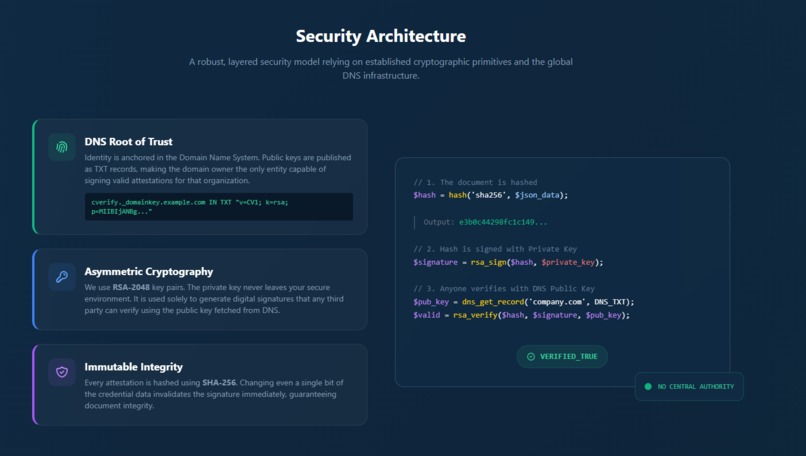
Security Architecture
-
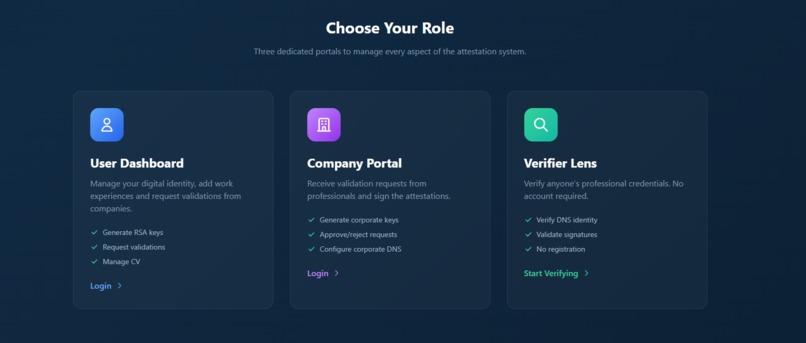
Choose Your Role
-
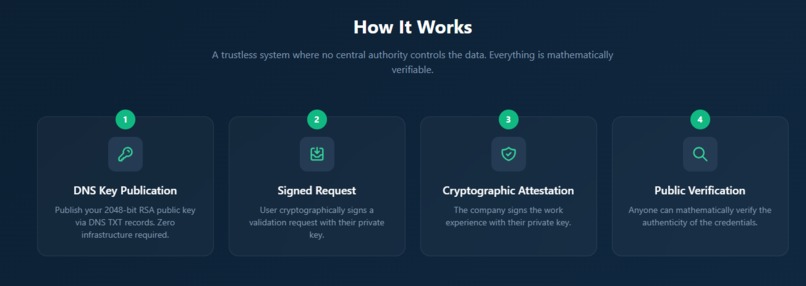
How It Works
-
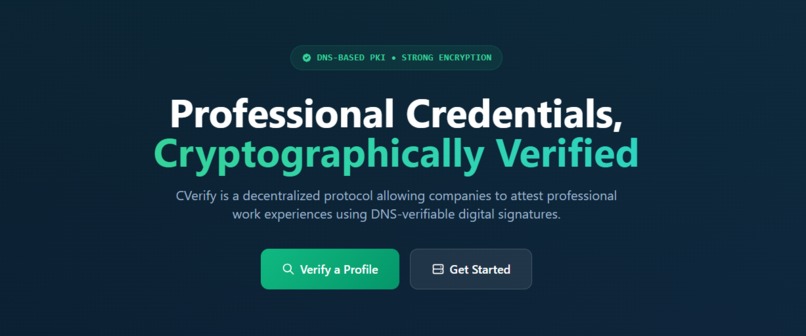
Hero Section


CVerify 🛡️
"Don't Trust. Verify."
The Decentralized Protocol for Professional Credential Verification.





🚨 The Problem: The "LinkedIn Lie"
Resumes are just text files. Anyone can write "Senior Engineer at Google" on a PDF. Recruiters waste thousands of hours validating claims via phone/email, or worse—they blindly trust them.
💡 The Solution: CVerify
CVerify is a decentralized, trustless protocol that allows companies to cryptographically sign work experiences. Instead of trusting a platform, we trust Mathematics.
- The Anchor: Every company/user owns a Domain Name. We use this as the Root of Trust.
- The Signature: Companies sign digital attestations using their Private Key.
- The Verification: Anyone can fetch the Public Key from DNS and verify the signature.
✨ New: Native .cv Ecosystem Support
CVerify now includes a complete Registrar module and automatic DNS management for the .cv Top-Level Domain.
🔌 OlaCV API Integration
We use the OlaCV API to provide a seamless "Infrastructure-as-Code" experience for identity management.
- Registrant Portal: A built-in web app to search, purchase, and manage
.cvdomains directly. - ⚡ AutoDNS: The "Magic Button". When setting up a User or Company profile on a
.cvdomain, CVerify interacts with the API to automatically configure identity and public key TXT records. No manual copy-pasting required.
🚀 Usage & Flow
The system is composed of four integrated portals:
1. Registrant Portal ( The Foundation )
Directory: /registrant
- Search & Buy: search and register domains (e.g.,
myname.cv). - Manage Config: Create contacts and manage DNS zones.
- API Power: Built on top of
docs.ola.cv/api.
2. User Dashboard ( The Holder )
Directory: /public/user
- Generate personal RSA keys.
- Auto-Config: One-click DNS setup for
.cvdomains. - Request validation for experiences from companies.
- Result: A
cv.jsonfile containing signed attestations.
3. Company Portal ( The Issuer )
Directory: /public/company
- Setup corporate identity.
- Auto-Config: Instantly publish corporate public keys via API.
- Receive pending requests and sign legitimate experiences.
4. Verifier Lens ( The Observer )
Directory: /public/verifier
- A public tool requiring no login.
- Input a User's Profile URL to verify cryptographic proofs.
📁 Project Structure
cverify/
├── public/                  # Main Application
│   ├── src/
│   │   ├── OlaCV.php       # ⚡ API Client for AutoDNS
│   │   ├── Crypto.php      # RSA Operations
│   │   └── DNS.php         # Verification Logic
│   ├── user/               # User Dashboard
│   ├── company/            # Company Portal
│   └── verifier/           # Public Verifier
│
├── registrant/              # 🆕 Domain Registrar Portal
│   ├── domains/            # Buy & Search logic
│   ├── dns/                # Zone Management
│   ├── src/OlaCV.php       # Registrar API Wrapper
│   └── index.php           # Portal Home
│
└── relay-server/            # Backend Signal Server
📁 Project Structure
1. The Algorithms
- Signing: RSA-2048 (Probabilistic Signature Scheme)
- Hashing: SHA-256 for document fingerprinting
- Transport: JSON payloads encoded in Base64
2. The Chain of Trust
- Key Generation: RSA Keypair generated locally
- DNS Publication: Public Key published to TXT records
- Attestation: Company signs the hash of the experience data
- Verification:
Verify(PublicKey, Signature, Hash) = TRUE
🛠️ Installation
Requirements
- PHP 8.0 or higher
- OpenSSL PHP extension
- Web server (Apache or Nginx)
- (Optional) OlaCV API Key for
.cvdomains
🌐 Live Demo & Testing
Try the protocol live on the CVerify network:
- Main Portal: http://cverify.cv:8080/
- Test Validation: Use this signed CV URL to test the verifier:
http://calimatteo.cv:5000/user/cv.json
Setup
- Clone the repository:
bash git clone https://github.com/ma13w/cverify.git - Configure data directories as needed for your environment.
- (Optional) Configure Registrant API:
- Edit
config.phpandOlaCV.phpwith your API Key from developer.ola.cv.
- Edit
🔐 DNS Configuration
Option A: Automatic (.cv Domains)
If you own a .cv domain, simply click "⚡ Auto Configure DNS" in the Setup page. The system will use the API to inject the necessary TXT records immediately.
Option B: Manual (Standard Domains)
For .com, .org, etc., manually add the following TXT records to your DNS zone:
| Type | Name | Content |
|---|---|---|
| TXT | @ | cverify-id=[YOUR_SHA256_FINGERPRINT] |
| TXT | @ | cverify-key-0=[YOUR_RSA_PUBLIC_KEY_CHUNK_1] |
| TXT | @ | cverify-key-1=[YOUR_RSA_PUBLIC_KEY_CHUNK_2] |
CVerify - Decentralized Professional Attestation
Built with 🔐 by the open source community




Log in or sign up for Devpost to join the conversation.