-
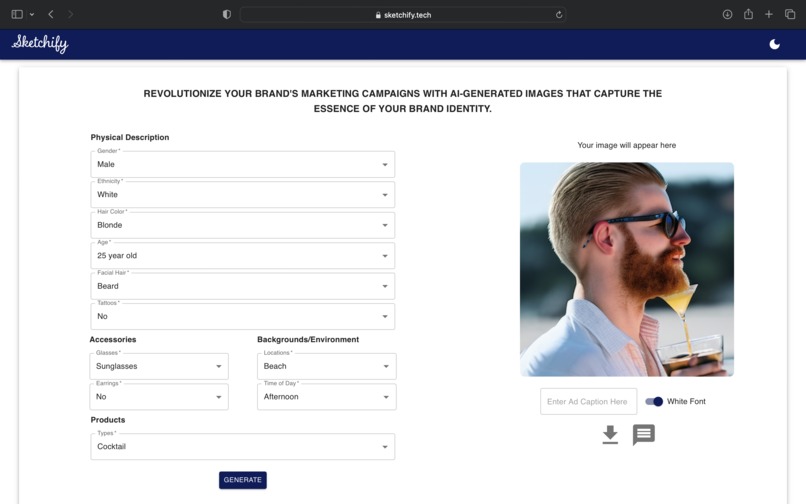
Rendered image based on user selected prompt
-
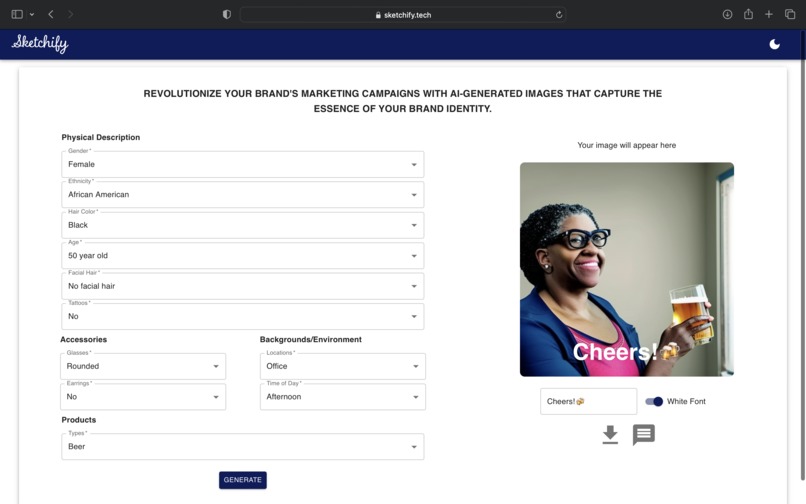
Rendered image
-
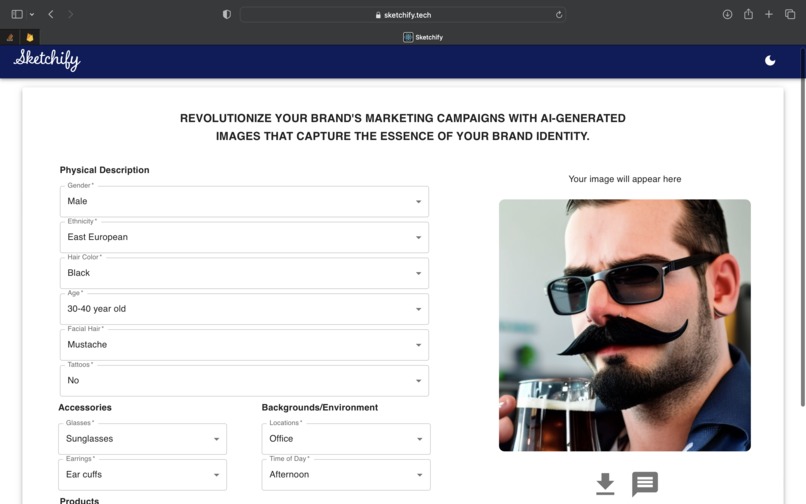
Main page with rendered image. Different render with unique prompt. If user wants another image, they can easily re-render
-
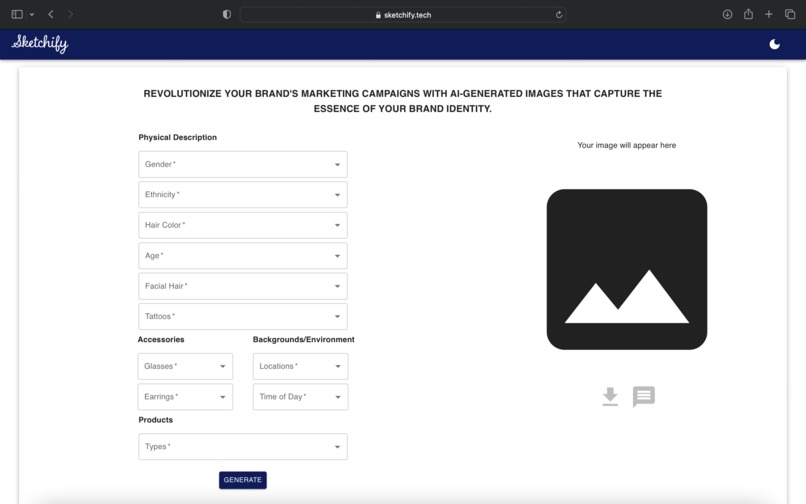
Main page prior to any user input
-
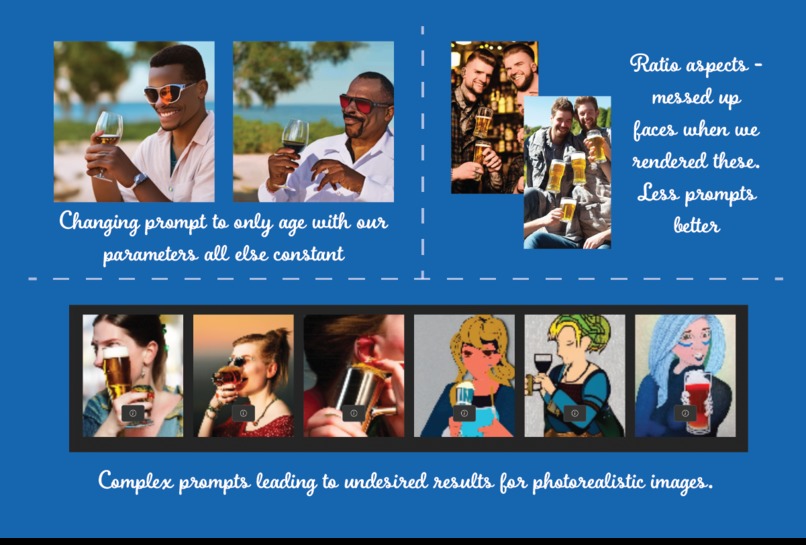
Test images and issues experienced with image generating tools
-
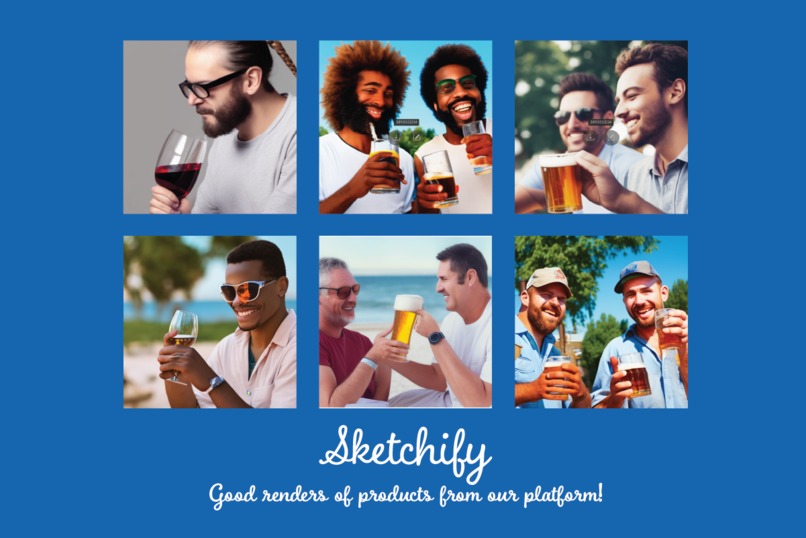
Desired photos from the renders that we got from our designed prompt in our app, and we downloaded
-
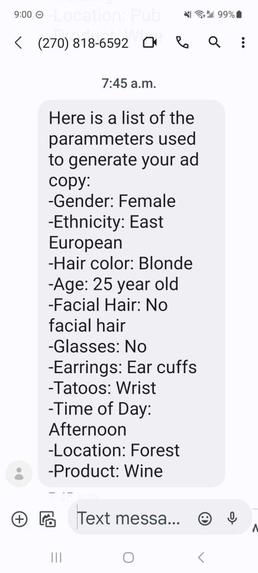
Twilio with information on posts so designers can keep track of their settings
-
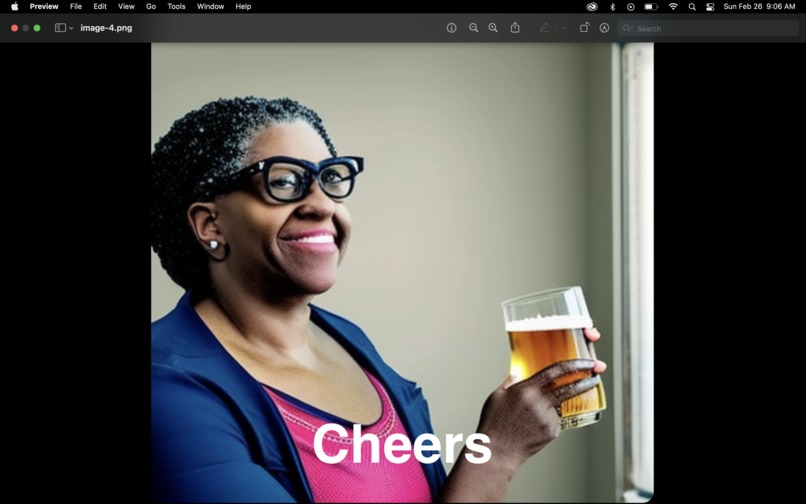
Saved image with ad message


Inspiration
🧑🎨 take time to create 🎨
What happens when they can use AI tools to create assets in seconds that they can utilize for their brand?
Sketchify is a project that draws inspiration from the power of visual communication and ad creation. In today's fast-paced world, where media and trends change drastically in a matter of weeks, it is essential to create unique content tailored to the trends. Sketchify aims to do just that by creating media posters based on a guided prompt.
What it does
Sketchify takes a target demographic for an ad campaign and a message, and it turns it into a visual representation that grabs people's attention and stays in their minds. We believe the impact of a single image; it can convey more than a thousand words, and we strive to make each poster a unique and compelling representation of the prompt. Through Sketchify, they hope to promote the art of visual storytelling and inspire people to think outside the box when it comes to communication.
In many ways, this is a photo studio for graphic designers, and they can create high quality graphics for social media that are unique and personalized. The turn around time is fast which makes it optimal for social media campaigns. For large print media, photoshoots still play a role.
In our case, we designed it for the Constellation Brands company to showcase different alcoholic beverages from beers to spirit cocktails.
How we built it
The project was developed using React with TypeScript. Material UI was utilized for CSS to design the dropdown menu form. TypeScript's ability to be dynamic and concatenate helped in preparing a prompt for Stable Diffusion API to generate high-quality images. A text input was added for adding text to the photo after the image generated to create a social media post-friendly platform. Furthermore, Twilio was used to send the final product details to the designer's phone allowing for easily sending the post via phone social media apps. The final project was deployed on Google Cloud's Firebase with a .tech domain to ensure HTTPS compliance and deliver a top-notch product.
For the Constellations Brand sponsored event, we used ChatGPT to help debug our code to improve our workflow and give brief introductions to new technologies we used. As well, we hope this project help improves the workflow of designers and marketing students.
Challenges we ran into
- Initially, we used the DALLE-2 API for our generative art platform, but were surprised to find that it did not properly render faces. When it did render faces, they were often blurry or of extremely low quality. It took some time for us to realize that this was a dead end, and we began to explore other platforms for our project.
- We conducted several tests using various prompts to ensure consistent, high-quality image renders, and fine tuning the natural image generating model. Through this process, we were able to select the most desirable output images, ensuring that every render produces high-quality photos. This approach sets us apart from other AI platforms that provide highly variable and low-quality images, ultimately improving the user experience with our app.
- We kept having different issues with connecting Twilio API with MMS. It required us to be good programmers, referencing the Twilio API documentation, which provides detailed information on how to use the API, handle errors, and work within the API limits.
- Working with .env files for React for the first time proved to be a challenge at first, and required some time to figure out.
- Dealing with the UI/UX for a form took time and frustration when things did not properly line up (child/parent relationships in css).
Accomplishments that we're proud of
- The application created high quality images meeting the desired inputs. We are happy that our fine tuning of the model and prompts led to ads we would like to see in a campaign
- The UI/UX of the form is user-friendly, with clear instructions that are easy to follow. Input validation was implemented to ensure proper completion of the form. Additionally, the buttons have a loading feature to enhance the user experience.
- We implemented a dark mode feature for the first time in order to enhance the user experience. This popular feature has been seen in many successful websites and we were excited to incorporate it into our project.
- We were excited to discover that we could add custom text to the image and download it with the text from React. Initially, we were unsure if this was possible, but we were able to make it happen with the help of the downloadJS library. This newfound knowledge significantly improved the quality of our product.
What we learned
- During our project, we discovered that DALLE had limitations in rendering faces properly. Instead, we opted to use Model Stable Diffusion, an open-source platform that allowed us to showcase faces for a more personalized experience. This experience taught us the importance of recognizing the abilities of a platform and designing around them to achieve the desired outcome.
- One of the key takeaways from our project was learning how to deploy on Firebase with a Domain.com domain. Despite the time-consuming process of setting up domains, we were pleased to see our efforts come to fruition when we woke up on Saturday morning to find it working seamlessly.
- Our experience with AI models showed us the power they hold in improving workflow and enhancing people's capabilities. As a product we believe could be useful in the market, we are proud of what we were able to create within 24 hours.
- We learned how to use Twilio to send images and SMS messages which made for an improved user experience to keep track of the recipes.
What's next for Sketchify
- Share the product with UI/UX designers and pilot to project and get feedback. By getting feedback, we can improve the product
Built With
- domain
- downloadjs
- firebase
- javascript
- material-ui
- react
- stable-diffusion
- twilio


Log in or sign up for Devpost to join the conversation.