
In SquareRoot the Main Menu is very important since it would be used to assign content to your Front page. You would need to follow these steps to assign one to the Main Menu of your website.
- Go to
Appearance » Menus16
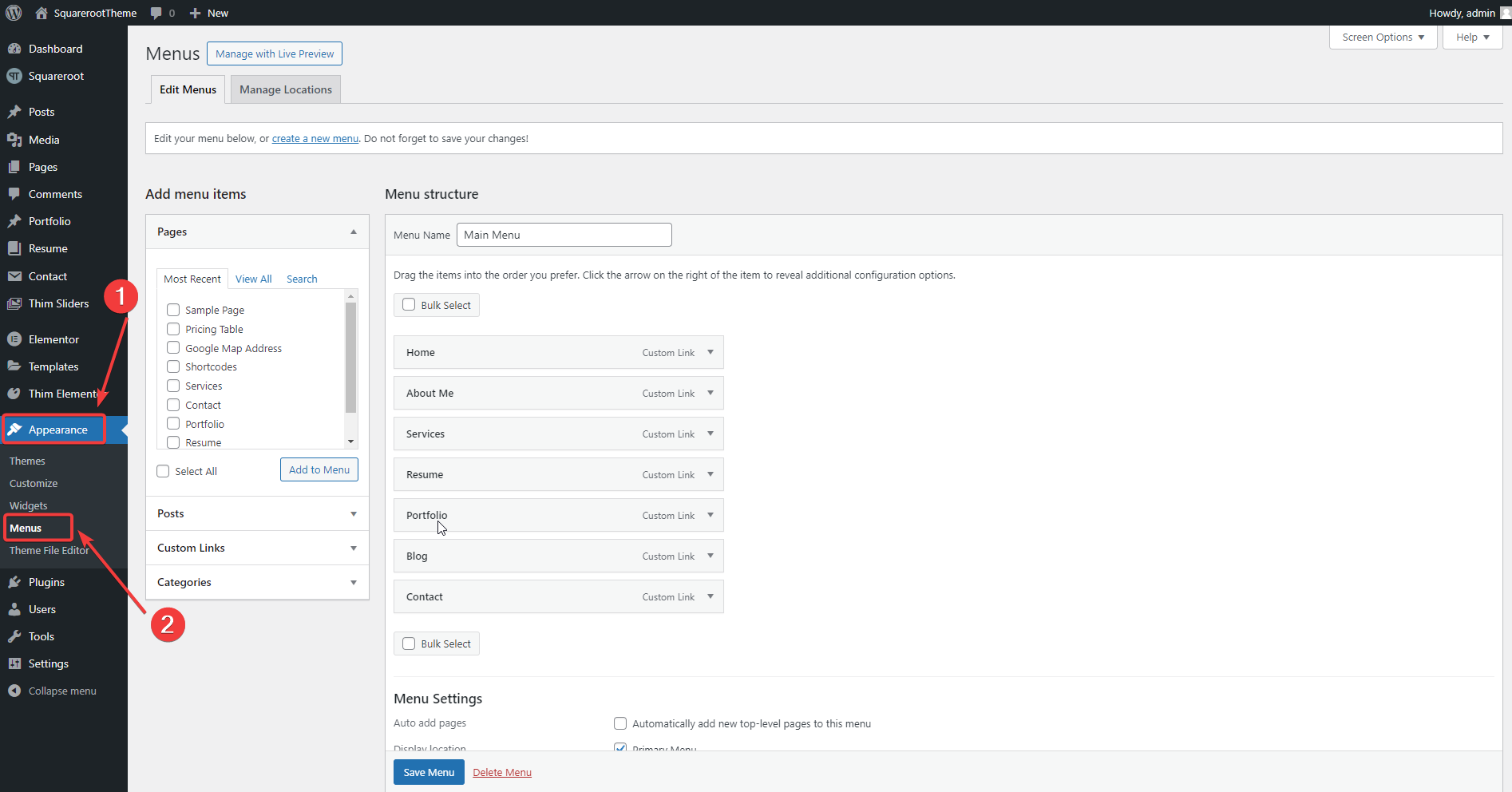
- Select an existing menu to edit, or click create a new menu.
Note: when you import our demo content, WordPress automatically create a menu Main for you,so select it if you want
to have same menu as in live preview.
- Select pages from the left meta box and click Add to Menu
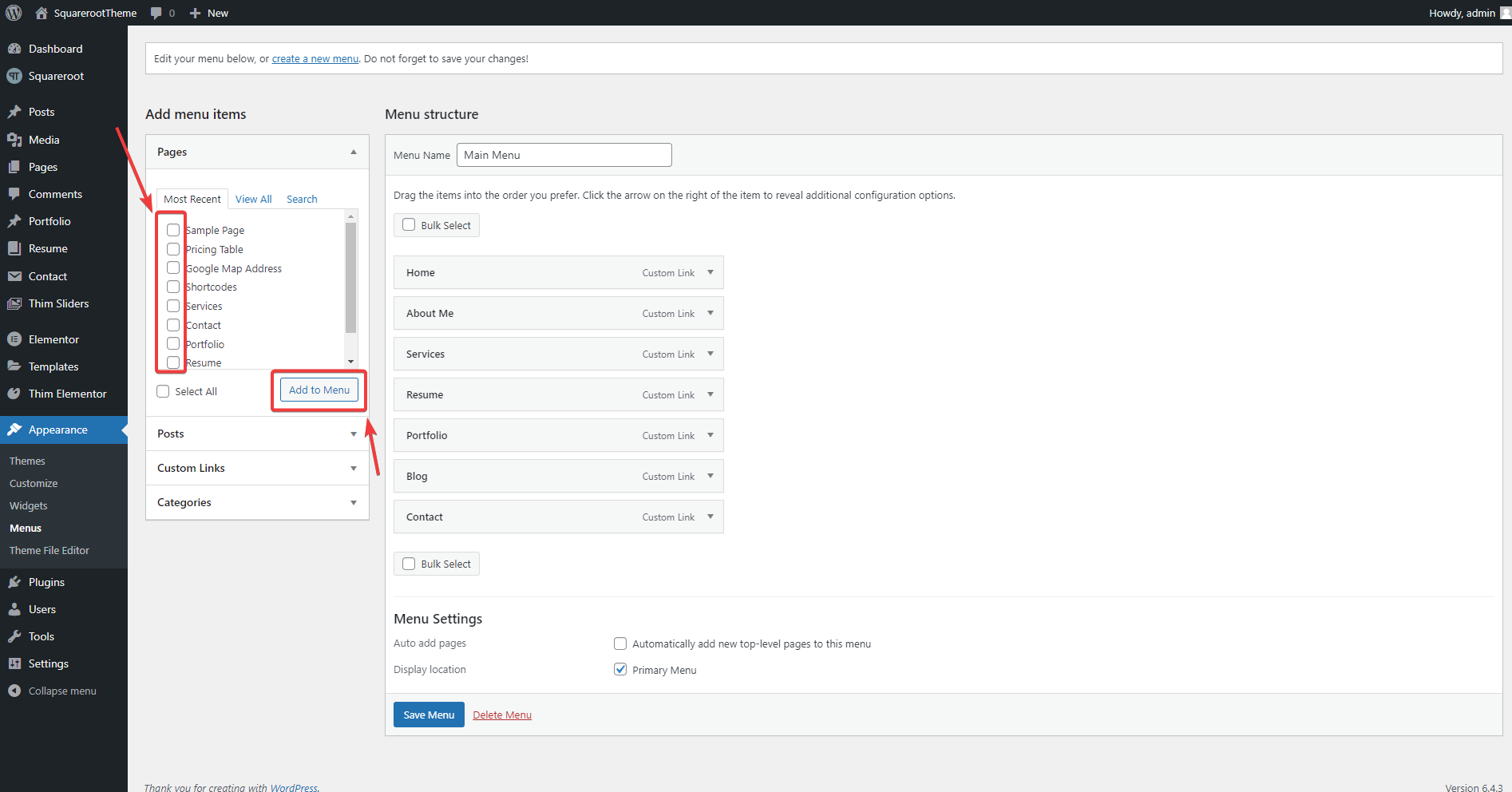
- On the right, feel free to drag and drop menu items to organize them
- When you’e done moving your item, check Primary Menu for theme locations at the bottom of the page

- Click Save Menu
