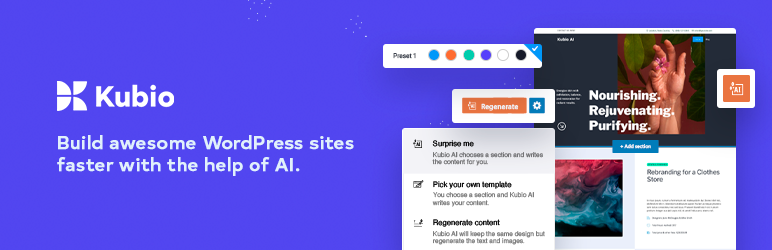

설명
AI의 힘을 이용하는 Kubio는 원하는 대로 추가로 맞춤화할 수 있는 웹사이트 초안을 자동으로 생성해 사용자가 빠르게 웹사이트 제작을 시작할 수 있도록 도와줍니다.
AI를 활용해 멋진 WordPress 사이트 빠르게 구축하기
내 창의적인 아이디어를 마음을 사로잡는 웹사이트로 매끄럽게 바꿔주는 Kubio AI의 능력을 경험해 보세요.
블록 기반의 지능형 빌더와 최신 AI 기술로 손쉽게 레이아웃을 형성하고 웹페이지의 스타일을 맞춤화하며 픽셀 하나하나에 생동감을 불어 넣을 수 있습니다.
- 짧은 프롬프트를 기반으로 전체 페이지 생성
- 이미지 및 텍스트 생성
- 어느 섹션이든 내 스타일로 재구성
Kubio 블록으로 다채로운 웹사이트를 제작해 보세요.
Kubio는 새로운 블록을 통해 블록 편집기를 강화함으로써 사용자에게 무한한 스타일링 옵션을 제공하는 블록 기반의 혁신적인 WordPress 웹사이트 빌더입니다. Kubio 사용자는 코딩할 필요 없이 간편하고 신속하게 고급 편집 기능을 활용해 웹사이트를 구축할 수 있습니다.
모든 블록은 사용 용이성과 단순성, UX 친화성을 염두에 두고 디자인됐습니다. 직관적인 Kubio의 웹 디자인을 통해 사용자는 편리한 환경을 경험을 할 수 있습니다.
성공적인 Kubio의 방식을 통해 미리 만들어 놓은 스타터 사이트 또는 빈 캔버스에 블록 및 미리 디자인된 섹션을 추가하여 내가 구상하는 웹사이트를 생성할 수 있습니다. 블록과 섹션은 완전히 맞춤화할 수 있고 모바일 화면 크기에 따라 자동으로 조정됩니다.
Kubio 블록은 아래와 같이 구성되어 있습니다.
기본 블록
- 이미지 – 원하는 방식으로 맞춤화할 수 있는 이미지를 웹사이트에 추가하세요. 프레임, 테두리, 음영을 사용해 이미지를 꾸며보세요.
- 링크 그룹 – 콘텐츠에 여러 스타일리시한 링크를 추가하세요. 일반 및 호버 상태일 때의 링크를 조정하세요.
- 문단 – 글꼴의 집합, 가중치, 크기에서 부터 색상, 테두리, 음영까지 원하는 대로 꾸밀 수 있는 텍스트를 추가해 보세요.
- 비디오 – 자체 호스팅 또는 Youtube, Vimeo 비디오를 추가하세요. 비디오의 배경, 간격, 가로/세로 비율 및 음영을 조정하세요.
- 공백 – 여러 콘텐츠 섹션 사이에 간격을 추가하고자 할 때 여백 대신 공백 블럭을 사용할 수 있습니다.
- 컬럼 – 웹사이트 캔버스에 컬럼을 추가한 다음 컬럼에 블록을 추가하세요. 각 컬럼의 간격 및 타이포그래피, 배경 등을 조정하세요.
- 버튼 – 매력적인 클릭 유도 버튼을 생성해 보세요. 버튼의 타이포그래피와 색상, 간격을 마음에 들 때까지 세세하게 조정할 수 있습니다.
- 헤딩 – 하이라이트된 단어를 이용해 눈에 띄는 헤딩을 생성해 보세요. 헤딩의 타이포그래피, 색상, 음영, 테두리, 배경을 맞춤화해 보세요.
- 아이콘 – 아이콘을 활용해 웹사이트의 메시지를 더욱 효과적으로 전달하세요. 가장 인기있는 라이브러리에서 100개 이상의 무료 아이콘을 이용할 수 있습니다.
- 구분선 – 구분선을 사용해 창의적인 방식으로 웹사이트의 섹션을 분리하세요. 구분선의 색상 및 두께 등을 맞춤화하세요.
고급 블록
- 이미지 갤러리 – 매력적인 이미지 갤러리를 생성하고 갤러리의 컬럼 수, 이미지 크기, 클릭 동작 등을 맞춤화하세요.
- 쇼트코드 – 쇼트코드를 이용해 사용하는 플러그인에 맞게 다양한 양식, 갤러리, 테이블 등을 삽입하세요.
- 게시글 목록 – 웹페이지에 가장 최신인 또는 인기있는 블로그 게시물을 추가할 수 있습니다.
- 소셜 아이콘 – 웹사이트 전반에 소셜 미디어 프로필을 눈에 띄게 표시하세요. Instagram부터 Snapchat, Youtube까지 필요한 아이콘을 모두 추가하고 내 브랜드에 맞게 디자인할 수 있습니다.
- 문의 형식 – 문의 형식을 페이지에 추가하고 문의 형식의 헤더 및 필드, 클릭 유도 문구를 손쉽게 맞춤화하세요.
- 아이콘 목록 – 스타일리시한 상품 목록과 이 목록의 아이콘을 생성하세요. 아이콘의 간격, 테두리, 음영, 색상, 타이포그래피를 맞춤화할 수 있습니다.
- 드롭다운 메뉴 – Gutenberg 블록을 통해 주요 웹페이지와 상품을 드롭다운 메뉴에 추가할 수 있습니다.
- 아코디언 메뉴 – 주요 웹페이지를 세련된 아코디언 메뉴에 추가해 방문자가 필요한 내용을 쉽게 찾도록 할 수 있습니다.
사이트 관련 블록
- 저작권 – 웹사이트가 공개될 때를 대비해 깔끔한 저작권 문구를 추가해 보세요.
- 검색 – 웹사이트 방문자가 사이트 내에서 쉽게 내용을 찾고 원활하게 탐색할 수 있도록 해보세요.
- 로고 – 눈에 띄는 곳에 로고를 추가해 웹사이트 방문자에게 내 웹사이트의 시각적 아이덴티티를 명확히 보여주세요.
- 페이지 제목 – 사이트 제목 블록으로 내 사이트의 이름을 정할 수 있습니다. 브랜드명, 회사명, 또는 자신의 이름을 사용할 수 있습니다.
- 홈 버튼 – 웹사이트 사용자가 쉽게 홈페이지로 돌아갈 수 있도록 하여 웹사이트의 탐색 기능을 향상시키세요. 모든 페이지에 홈 버튼을 추가하세요.
블로그 블록
- 위젯 영역 – 위젯 영역 블록을 이용해 페이지나 게시글 어디든지 블로그 위젯을 추가할 수 있습니다.
- 페이지 나누기 – 웹사이트 방문자가 블로그를 탐색하는 데 도움이 되도록 버튼 또는 숫자 버튼으로 페이지를 나누어 보세요.
- 페이지 나누기 탐색 버튼 – 방문자가 블로그를 탐색하는 데 도움이 되도록 깔끔한 버튼으로 블로그 페이지 나누기를 설정해 보세요.
- 페이지 나누기 번호 – 블로그 페이지 나누기에 번호를 사용해 방문자가 필요한 내용을 쉽게 찾을 수 있도록 해보세요.
- 블로그 레이아웃 – 이 블로그 블록을 이용해 손쉽게 블로그 레이아웃을 설정할 수 있습니다.
- 게시글 제목 – 멋진 게시글 제목을 생성해 보세요. 제목의 타이포그래피, 색상, 음영, 테두리, 배경을 맞춤화해 보세요.
- 게시글 요약 – 간결하면서도 눈에 띄는 블로그 게시물 요약을 표시해 블로그 목록에서 미리보기로 활용하세요.
- 게시글 대표 이미지 – 게시글 마다 눈길을 끄는 관련 이미지를 추가해 보세요. 이미지의 크기, 테두리, 음영 등을 조정할 수 있습니다.
- 게시글 태그 – 블로그 게시글 마다 연관된 태그를 추가하세요. 동일한 색인으로 게시글을 그룹화할 수 있습니다.
- 게시글 카테고리 – 블로그 게시글 카테고리를 이용해 게시글을 특정 주제로 그룹화할 수 있습니다.
- 게시글 메타데이터 – 블로그 게시글에 작성자, 게시일 및 댓글 등의 정보를 추가해 자연 검색 결과에 빠르게 노출되도록 하세요.
- 게시글 댓글 – 타이포그래피 및 색상부터 작성자 및 답변까지 댓글 섹션을 맞춤화하세요.
- 게시글 댓글 양식 – 블로그 댓글을 허용하려면 댓글 양식을 사용해야 합니다. 댓글 양식 필드, 레이블, 버튼, 링크, 배경 등을 맞춤화해 보세요.
- 더 보기 버튼 – 블로그 목록 페이지의 블로그 게시글에 눈에 띄는 “더 보기” 클릭 유도 버튼을 추가하세요.
- 작성자 아바타 – 게시글 또는 페이지 작성자의 아바타 이미지 표시
- 작성자 이름 – 게시글 또는 페이지 작성자의 이름 표시
- 작성자 약력 – 게시글 또는 페이지 작성자의 약력 표시
Kubio 템플릿 파트 블록
Kubio를 이용하면 전체 사이트 편집이 가능하므로 다양한 헤터, 푸터, 사이드 바를 생성하고 이를 페이지 내에서 또는 템플릿 형태로 편집할 수 있습니다.
Kubio의 주요 기능
- 전체 사이트 편집이 가능합니다. Kubio 빌더와 Elevate WordPress 테마를 함께 사용하면 전체 사이트 편집 기능을 최대로 활용할 수 있습니다.
- 맞춤형 헤더 및 푸터 – Kubio를 통해 헤더와 푸터를 생성하여 Kubio Editor에서 완전히 맞춤화할 수 있습니다.
- 블록을 드래그 및 드롭할 수 있습니다. 알맞아 보이는 곳이면 어디든 블록을 드래그 및 드롭할 수 있습니다.
- 완전히 맞춤화할 수 있는 10개의 무료 스타터 사이트 및 이외의 기능을 PRO에서 경험할 수 있습니다. 기성 디자인을 선택해 내 이미지 및 텍스트를 삽입하면 바로 사용할 수 있습니다.
- 디자이너가 만든 섹션을 제공합니다. 포트폴리오 섹션부터 팀 및 기능 섹션까지 필요한 모든 것을 디자인하기 위해 다양한 웹사이트 섹션 중에서 선택해 보세요.
- 블록과 섹션은 별도의 설정 필요 없이 바로 반응형으로 작동합니다.
- 고급 블록 편집이 가능합니다. 글꼴 집합부터 배경 색상, 간격, 테두리에 이르기까지 Kubio를 통해 모든 것을 맞춤화할 수 있습니다.
- 색상, 배경, 테두리, 음영 제어 – 그야말로 모든 것을 디자인할 수 있습니다.
- 글꼴 크기 단위로 em, rem, px를 사용합니다. em, rem 옵션을 이용해 글꼴 크기를 조절하여 사이트 전체의 일관성을 유지할 수 있습니다.
- 재실행 및 실행 취소 기능을 제공합니다. 실행 전으로 돌아가거나 오류를 수정해야 하나요? 걱정하지 마세요. 재실행 및 실행 취소 기능을 통해 실행 전후로 이동할 수 있습니다.
- 전체적인 색상을 제어합니다. 페이지 전체에 걸쳐 일관성을 유지할 수 있도록 웹사이트 전체에 적용되는 다양한 색상 조합을 선택할 수 있습니다.
- 전체적인 타이포그래피를 제어합니다. 글꼴 크기 및 글꼴 집합부터 음영, 정렬 등에 이르기까지, 웹사이트 타이포그래피를 전체적으로 제어할 수 있습니다.
- 페이지와 게시글 사이를 오가며 탐색할 때 WordPress 대시보드로 나가지 않아도 됩니다.
- 다른 WordPress 테마와의 호환성 – Kubio는 모든 WordPress 테마와 함께 사용할 수 있습니다. 또한 WordPress 기본 편집기의 기능을 강화하고 전체 사이트 편집(FSE) 기능으로 전환할 수 있도록 도와줍니다.
Kubio PRO에 포함된 기능
- 170개 이상의 미리 디자인된 섹션
- 25개 이상의 메인 헤더 디자인
- 페이지별 헤더 맞춤화
- 페이지별 푸터 맞춤화
- 고정형 네비게이션
- 블록 및 섹션에 스타일 복사 및 붙여넣기
- Adobe TypeKit 글꼴 가져오기
- 비디오 및 슬라이드쇼 배경
- 배경 오버레이
- 패럴랙스 효과
- 이미지 효과
- 9개의 아이콘 라이브러리
PRO 버전에서 이용할 수 있는 블록
- 지도 – Google 지도를 삽입하고 원하는 주소를 입력한 후 확대/축소, 높이, 호버 동작을 조정하세요.
- 탭 – 탭을 이용해 탐색 기능과 사용자 환경을 개선하세요. 일반 및 호버, 활성 상태에 맞게 탭을 디자인하세요.
- 아코디언 – 드롭다운 방식을 통해 창의적인 접을 수 있는 텍스트를 표시하세요. 구상한 대로 아코디언 메뉴를 꾸며보세요.
- 브레드크럼브 – 브레드크럼브 블록을 이용해 웹사이트의 탐색 기능을 향상하고 웹사이트 이용자가 웹사이트의 어느 위치에 있는지 대략적으로 보여줄 수 있습니다.
- 이미지 콜라주 – 프레임, 오버레이, 음영, 테두리 및 기타 스타일 옵션을 이용해 시각적으로 강조된 이미지 콜라주를 생성할 수 있습니다.
- 플립 박스 – 웹사이트의 다양한 요소에 플립 효과를 추가해 보세요. 효과의 지속 시간 및 방향을 편집해 보세요.
- 카운터 – 웹사이트와 관련된 여러 통계를 애니메이션 효과가 적용된 Gutenberg용 카운터 블록을 사용해 강조해 보세요.
- 슬라이더 – 슬라이더를 이용해 후기, 이미지, 프로젝트 등을 표시할 수 있습니다. 전환 효과, 화살표 또는 점을 비롯해 모든 것을 맞춤화해 보세요.
- 캐러셀 – 이미지, 비디오, 후기, 상품, 상품 기능을 멋지게 구성된 캐러셀 방식으로 표시해 보세요.
- 가격 테이블 – 눈길을 끄는 방식으로 가격을 표시할 수 있는 가격 테이블 블록. SaaS 제품이나 이벤트 티켓을 판매하려 하든지 그저 가격 등급을 표시하려 하든지 이 블록이면 됩니다. 실제 가격뿐만 아니라 기능, 이점 등 제품 관련 유용한 상세 정보를 제공할 수 있습니다.
- 가격 – 상품과 서비스의 가격을 보여주고 이를 멋지게 꾸며 돋보이게 해줍니다.
- 구독 양식 – 쇼트 코드를 통해 관심을 끄는 멋진 연락처 양식을 삽입할 수 있습니다.
문서
여기에서 지속적으로 업데이트되는 Kubio 빌더에 대한 온라인 문서를 확인할 수 있습니다. 다음 문서를 읽으면서 Kubio를 시작할 수 있습니다.
Source files
스크린샷


블록
이 플러그인은 71개의 블록을 제공합니다.
- Post Tags
- Post Author Name
- Read More Button
- Menu Offscreen
- Accordion Menu
- Dropdown Menu
- Menu Items
- Menu Offscreen Content
- Query
- Query Loop
- Columns
- Pagination Nav Button
- Text
- Icon
- Image Gallery
- Post Excerpt
- Shortcode
- Search Form
- Contact
- Copyright
- Post Comments
- Query Pagination
- Query Layout
- Widget Area
- Post Title
- Social Icons
- Pagination Numbers
- Icon List
- Hero
- Link
- Footer You can replace the default page footer with a custom one using the footer template part. Various footers can be assigned to various pages.
- Button
- Language Selector
- Post Categories
- Buttongroup
- Sidebar You can create separate sidebars for web pages, blog, and articles, in order to create different user journeys.
- Accordion
- Post Comments Form
- Post Featured Image
- Map
- Header
- Post Author Bio
- Divider
- Video
- Navigation Section
- Navigation Items
- Navigation If you've accidentally removed your navigation, you can re-add a navigation to your page with this block. The navigation block has 5 available layouts.
- Navigation Sticky Items
- Navigation Top Bar
- Section
- Heading
- Logo
- Post Meta
- Image
- Page Title
- Spacer
- Post Author Avatar
- Tab
- Linkgroup
- Home Button
- Query Loop Item
- Image Gallery Item
- Social Icon
- Icon list item
- Downarrow
- Accordionitem
- Column
- Tabnavigation
- Tabitem
- Tabitems
- Tabnavigationitem
후기


기여자 & 개발자

변경이력
2.7.0 and 2.7.0-pro
- Added support for WordPress 6.9
- General bug fixes
2.6.7 and 2.6.7-pro
- Fix: YouTube videos now display correctly in the Kubio Editor.
2.6.6 and 2.6.6-pro
- Minor bug fixes
2.6.5 and 2.6.5-pro
- Various bug fixes
2.6.4 and 2.6.4-pro
- Enabled iConvert Promoter in Button Actions
2.6.3 and 2.6.3-pro
- Minor bug fixes
2.6.2 and 2.6.2-pro
- General bug fixes
2.6.1 and 2.6.1-pro
- Various bug fixes
2.6.0 and 2.6.0-pro
- Added support for WordPress 6.8
- General bug fixes
2.5.3 and 2.5.3-pro
- General bug fixes
2.5.2 and 2.5.2-pro
- Various bug fixes
2.5.1 and 2.5.1-pro
- General bug fixes
2.5.0 and 2.5.0-pro
- Fixed issues detect when running the WordPress Plugin Check plugin
2.4.6 and 2.4.6-pro
- Added better separation between the Kubio free and PRO versions
2.4.5 and 2.4.5-pro
- Fix css editor rendering on Chrome 133 and above
2.4.4 and 2.4.4-pro
- General bug fixes
2.4.3 and 2.4.3-pro
- General bug fixes
2.4.2 and 2.4.2-pro
- Various bug fixes
2.4.1 and 2.4.1-pro
- Various bug fixes
2.4.0 and 2.4.0-pro
- Added support for WordPress 6.7
- General bug fixes
2.3.3 and 2.3.3-pro
- Fixed an issue with sticky navigation
2.3.2 and 2.3.2-pro
- Various bug fixes
2.3.1 and 2.3.1-pro
- Minor bug fixes
2.3.0 and 2.3.0-pro
- Added support for WordPress 6.6
2.2.4 and 2.2.4-pro
- Fixed an issue where the delete key was removing the block instead of deleting the text
2.2.2 and 2.2.2-pro
- Fixed an issue where an error was thrown while activated via an AJAX request
2.2.1 and 2.2.1-pro
- Fixed an issue where the blocks inside footer were not editable
2.2.0 and 2.2.0-pro
- Added support for WordPress 6.5
2.1.4 and 2.1.4-pro
- Fixed mobile navigation issue
2.1.3 and 2.1.3-pro
- Fixed compatibility with WooCommerce 8.6.0
2.1.2 and 2.1.2-pro
- Small text changes and typo fixes
2.1.1 and 2.1.1-pro
- Small fix for cases when the default editor role is removed
- General bug fixes
2.1.0 and 2.1.0-pro
- Added better integration for fresh websites.
- Improvements in the section inserter ( custom sections are now displayed first )
- Introduced AI icon picker for sections generation
- General bug fixes
2.0.1 and 2.0.1-pro
- Extended Kubio AI support
- Fixed custom section issue in Kubio 2.0.0
- Fixed alternate logo issue
2.0.0 and 2.0.0-pro
- Released Kubio AI feature
- Minor bug fixes
1.9.0 and 1.7.0-pro
- Added support for WordPress 6.4
- Minor bug fixes
1.8.2 and 1.6.2-pro
- Added try online URL for new Kubio themes
- Fix Chrome screen tearing
1.8.1 and 1.6.1-pro
- Added new Twitter X icon
- Added TikTok icon
- Minor bug fixes
1.8 and 1.6-pro
- Added support for WordPress 6.3
1.7.3 and 1.5.3-pro
- Minor bug fixes for WordPress 6.2.1
1.7.2
- Allow export Kubio global styling
1.7.1
- Minor bug fixes
- Added possibility to export Kubio starter sites via CLI
1.7.0
- Added support for WordPress 6.2
- Performance improvements
1.6.4
- Documentation and other Kubio-related links update
1.6.3
- Fixed an issue where the dollar sign followed by a number in the WooCommerce product description was replaced with an empty string
1.6.2
- Fixed an issue when disabling an entrance animation, the block flickers in frontend
- Added support for WordPress 6.1.1
1.6.1
- Added support for WordPress importer to properly import FSE template parts for Kubio-supported themes on fresh installs.
1.6.0
- Added the Templates Gallery Layouts feature – a new way to import predesigned sites and pages directly within the editor
- Added support for WordPress 6.1
- General bug fixing and
1.5.0
- Added new UI layout
- Added context menus for Kubio blocks and WordPress core blocks
1.4.3
- Fixed an issue where the grave accent (`) was present in PHP instead of a proper comma
- Fixed heading spacing and button colors inside posts pages
1.4.2
- Fixed an issue where custom sections appeared on search in frontend
1.4.1
- Fixed some minor editor issues
- For Kubio-dedicated themes, the customizer will open the Kubio editor now
1.4.0
- Fixed an issue where other plugins could not hook into Kubio blocks
- New entrance animation feature that allows blocks to appear on page scroll with an animation
- New feature that allows users to locally save and reuse Kubio section blocks as custom sections
- New feature that allows page duplication and deletion directly from the editor
- New feature that allows users to try online any starter site before importing it
1.3.2
- Fixed typing issue in Kubio editor while Jetpack plugin is active
- Updated starter sites import functionality upcoming templates
1.3.1
- Fixed some issues that impacted user experience
1.3.0
- Added support for WordPress 6.0
- General bug fixing
- Added blocks: Author Avatar, Author Name, Author Bio
1.2.2
- Added layout pickers for empty sections and hero
- Added on canvas resize for columns
- For the contact and subscribe blocks, the supported forms list can now be refreshed
1.2.1
- Fixed starter sites CLI import issue
1.2.0
- Added support for third-party themes
- Added templates for pages with left and right sidebars
- Added the possibility to serve google fonts locally
- Added the possibility to create pages directly into the Kubio editor
- Various bug fixes on blocks and overall experience
1.1.0
- Added support for WordPress 5.9
- General bug fixing
1.0.1
- Added support for Elevate WP theme
- Fix: CLI demo site import template parts theme term
- Fix: Importing supported themes customizer mods
1.0.0
- Initial Kubio Builder Release
